Best AI Tools for Designers
From blank canvas to finished asset.
The best AI tools for designers — software for image generation, editing, mockups, icons, 3D, and visual assets that speeds up the creative workflow.
- 151
 0
0GPT Image 2 is a powerful AI image generation model that quickly creates high-definition, realistic visuals from text prompts. It supports native 4K resolution with rich details and sharp edges, and accurately renders text in multiple languages without garbling or misalignment. The model excels in lighting logic, material performance and character consistency, making it ideal for posters, product displays, IP creation and UI design. It also offers image-to-image, local editing and style locking features. Fast and easy to use, it requires no professional skills and lowers the creative barrier for designers, creators, marketers and general users.
- 152
 0
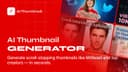
0Most YouTube thumbnails fail for one simple reason. They do not look like something people actually click on. Great thumbnails follow patterns. The layout, the crop, the text size, the contrast, the way the eye moves in the first second. Designers know this. Big channels know this. Most creators do not. This tool bridges that gap. You upload a YouTube thumbnail you like. A competitor, an inspiration, or a high-performing video. The system analyzes what makes it work and recreates the same structure and visual logic using your own content. You keep your own headline. Your own subtexts. Your own face if you want to appear in the thumbnail. Nothing is copied directly. No branding. No faces. No text from the original image. Unlike typical AI thumbnail generators, this one is built for consistency and CTR, not random creativity. Your face stays your face. Your text stays exactly as you wrote it. The result looks like it belongs on YouTube, not in a stock image library. The flow is simple: 1. Upload a thumbnail you like 2. Write your headline and optional subtexts 3. Optionally add your photo and small adjustments 4. Generate a clean, high-contrast thumbnail that fits the platform This is especially useful if you: * Want higher click-through rates * Do not want to learn design * Test thumbnails often * Care about consistency across videos * Want proven styles without copying creators Think of it as cloning the logic behind great thumbnails, not the thumbnail itself. If it looks familiar in the feed, that is the point.
- 153
 0
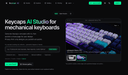
0Keycaps AI is a studio for AI-generated keycaps: generate, publish a share page, and collect interest. Studio-first keycap design for mechanical keyboard makers. Keycaps AI is a studio for AI-generated keycaps: generate, publish a share page, and collect interest. Studio-first keycap design for mechanical keyboard makers.
- 154
 0
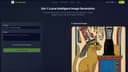
0Uni-1 Introduction Uni-1 by Luma AI is a next-generation AI image generator powered by the first unified reasoning model. It seamlessly bridges thinking and imagination in one continuous stream — understanding intent, planning composition, and generating coherent, high-quality visuals from text and image inputs with unprecedented logic and cultural awareness. Key Features * Text-to-Image: Generate detailed, logically consistent images from text prompts with built-in reasoning for better composition and plausibility. * Image-to-Image & Editing: Upload references for precise transformations, style transfer, object modification, and scene reconstruction. * Multi-Reference Control: Support up to 9 reference images with defined roles for characters, style, structure, or composition. * Culture-Aware Generation: Excellent at aesthetics, memes, manga, and global cultural contexts. * Multi-Turn Refinement: Iterative conversation-style editing while maintaining consistency. Core Advantages * Unified Reasoning Architecture: Thinks before and during generation for superior logic, coherence, and instruction following. * Lightning-Fast Speed: High-quality results in seconds with real-time capabilities. * Strong Reference Fidelity: Precise identity, pose, and style preservation across multiple inputs. * Cultural Intelligence: Deep understanding of diverse visual languages and contexts. * Professional Workflow: From concept to polished asset — ideal for both rapid ideation and production use. Target Users * Content Creators: Social media visuals, thumbnails, and marketing graphics. * Designers & Artists: Branding, posters, product mockups, and style exploration. * Marketers & Brands: Ad creatives, campaigns, and data visualizations. * Indie Developers & Freelancers: Game assets, concept art, and fast prototyping. * Studios & Enterprises: High-volume production, team collaboration, and commercial projects. * Hobbyists: Fun, zero-barrier creative experimentation. Frequently Asked Questions * Is it free? Starter plan available with limited credits; Pro and Studio paid plans unlock higher quotas, no watermarks, priority speed, 4K/8K textures, commercial license, API, and batch processing. * Copyright? Users own generated content on paid plans and can use it commercially (comply with terms and avoid infringing references). * Languages? Strong multilingual prompt understanding with excellent cultural adaptation. * Speed? Most generations complete in seconds (faster with priority queues).
- 155
 0
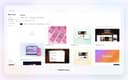
0Screenhance is an all-in-one online creative platform designed to help creators, startups, developers, and product teams turn their digital products into polished, launch-ready visual assets. Instead of relying on multiple design tools to create mockups, screenshots, marketing graphics, and product videos, Screenhance brings these workflows together in a single editor. Users can create device mockups, App Store and Google Play screenshots, website graphics, Product Hunt galleries, social media cards, animated visuals, and product demo videos from one place. One of the platform’s main strengths is its extensive collection of ready-to-use templates. Users can browse templates for mockups, motion graphics, app store screenshots, Product Hunt launches, website images, OG images, and other promotional materials. Templates such as iPhone showcases, MacBook presentations, mobile app galleries, SaaS product galleries, 3D device compositions, and website hero graphics provide a fast starting point for creating professional-looking visuals. Users can customize the layouts, copy, typography, colors, backgrounds, framing, and other visual elements to match their product and brand. Screenhance also focuses heavily on mockup creation. Users can place screenshots, artwork, or product interfaces inside realistic device and environmental scenes, adding backgrounds, perspective, depth, and professional framing. The platform supports a broad range of mockup categories, including smartphones, tablets, laptops, browsers, televisions, apparel, packaging, posters, billboards, business cards, books, magazines, stickers, mugs, and other physical products. This makes the platform useful not only for software companies but also for designers, marketers, agencies, and creators who need to visualize products in real-world contexts. Another important feature is its support for animated content and motion. Users can start with an animated template, insert their own product screens, and adjust timing, movement, copy, and framing within the same editor. Motion templates can be used to create launch clips, animated mockups, website videos, and social media content. Screen recordings can also be transformed into focused product demos, tutorials, launch videos, or other promotional content. The platform is particularly useful for product launches because it allows users to reuse the same product interface across multiple marketing surfaces. A single product screenshot can become a website hero image, an App Store screenshot, a Product Hunt gallery image, a social card, or part of a promotional video. This approach helps maintain visual consistency across an entire launch campaign while reducing repetitive design work. Screenhance follows a simple three-step workflow: users add their real product by uploading screenshots, artwork, or recordings; choose a template, mockup, store set, or demo workflow; and then edit, export, and publish the finished visual. Every layer remains editable, allowing users to refine the composition before exporting it in formats and dimensions appropriate for websites, app stores, social networks, or video platforms. The service offers a free plan that allows users to explore the creative system with limited monthly exports and a watermark. There is also a one-time Launch Pass for users preparing a specific launch, while the Pro subscription is designed for creators and teams that regularly produce product visuals. Overall, Screenhance positions itself as a practical visual production system for turning digital products into professional marketing assets quickly, consistently, and without requiring advanced graphic design skills.
- 156
 0
0HappyHorse AI is a browser-based AI video creation platform designed for cinematic storytelling, creative experimentation, and commercial content production. It allows users to generate high-quality videos using simple inputs like text prompts or images, eliminating the need for complex editing software or powerful hardware. Built with a focus on speed and usability, the platform provides a streamlined workflow where creators can move from idea to finished video in just a few minutes. At its core, HappyHorse AI offers two main creation modes: text-to-video and image-to-video. In the text-to-video workflow, users simply describe a scene, including elements like subject, action, camera movement, and mood, and the system generates a video based on that prompt. This makes it ideal for creating concept clips, advertisements, or social media content directly from imagination. In the image-to-video mode, users upload photos or illustrations and animate them into motion while preserving their original composition. This is particularly useful for product showcases, portrait animations, or enhancing static visuals. One of the platform’s key strengths is its multi-model workspace. Instead of relying on a single AI model, HappyHorse AI allows users to access and compare multiple video generation models within the same interface. Its flagship model, HappyHorse 1.0, is optimized for cleaner motion, more polished visuals, and branded content production. This flexibility enables creators to experiment with different styles, speeds, and outputs without switching tools or platforms. The workflow is intentionally simple and efficient. Users start by describing their scene or uploading an image, then choose a model and adjust settings such as aspect ratio, resolution, and duration. Once the video is generated, it can be previewed and exported as an MP4 file, ready for sharing or further editing. The platform supports common formats like 16:9, 9:16, and 1:1, making it suitable for everything from YouTube videos to TikTok and Instagram content. HappyHorse AI is designed for fast iteration, allowing users to quickly test multiple ideas and refine their results. Instead of spending hours on a single production, creators can generate several variations, compare outputs, and select the best version. This makes it especially useful for marketing teams, designers, and content creators who need to produce engaging visuals بسرعة and efficiently. The platform also supports commercial workflows, making it suitable for campaigns, product launches, and client presentations. Features like AI-generated visuals, flexible controls, and export-ready files ensure that the output can be used in real-world projects. Additionally, optional audio-aware workflows are available depending on the selected model, allowing for more advanced video planning. Another advantage is accessibility. HappyHorse AI runs entirely in the browser, meaning users do not need a local GPU or specialized setup. This lowers the barrier to entry and makes professional-grade video generation available to a wider audience. New users can start with free credits, making it easy to explore the platform before committing to a paid plan. Overall, HappyHorse AI stands out as a practical and efficient solution for AI video creation. By combining simplicity, flexibility, and powerful generation capabilities, it enables users to turn ideas into motion quickly and effectively. Whether for social media, advertising, or creative exploration, it provides a complete workspace for modern video production without the traditional complexity.
- 157
 0
0Nano Banana Pro delivers Studio-Quality AI Image Generation with Professional Precision Nano Banana Pro generates professional-grade AI images with studio-quality precision and control. Nano Banana Pro creates clear text overlays, maintains subject consistency across multiple generations, and produces high-resolution designs from 1K to 4K. Nano Banana Pro is perfect for designers, marketers, and content creators who demand professional results. Create studio-quality AI images with Nano Banana Pro's advanced Gemini 3 Pro technology. Generate clear text, maintain subject consistency, and produce professional designs in 1K-4K resolution. Perfect for designers, marketers, and content creators seeking precision AI art generation. Start Creating Now
- 158
 0
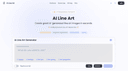
0Create professional line art drawing in seconds with AI Line Art Generator. Multiple styles, image upload support, fast generation. Free trial available. Use our line art generator to create beautiful illustrations with just one click. Our AI handles all the technical details so you can focus on creativity. Our line art generator supports various styles including sketching, pencil, woodcut, watercolor, and minimalist — choose the look you want.
- 159
 0
0Imejis.io is an automated image generation and bulk image creation platform built for marketers, creators, startups, and SaaS teams who need to produce social media images quickly and at scale. Imejis.io allows users to create once and generate unlimited images using prebuilt templates, dynamic content, and image automation workflows. Users can fully customize designs by changing colors, text, layouts, and presets to maintain consistent branding across all visuals. The platform includes a powerful visual editor with built-in components such as text, rectangles, circles, lines, and QR codes, making it easy to design dynamic image layouts. Imejis.io also offers in-editor image search via Unsplash, an icon library, and prebuilt text presets for faster and more efficient design creation. Imejis.io supports public template links, enabling anyone to generate images from shared templates without creating an account. This makes it ideal for teams, agencies, and creators who want to share reusable templates or allow fast image generation for their audience.
- 160
 0
0Nano Banana 2 is a cutting-edge AI-powered image generation platform designed for professionals who demand high-quality visuals with exceptional precision. Positioned as a next-generation tool, it goes far beyond traditional AI image generators by focusing on one of the most common limitations in the field: accurate and readable text within images. With its advanced machine learning models and deep neural networks, Nano Banana 2 enables users to transform simple text prompts into visually stunning, photorealistic images that meet both creative and commercial standards. One of the platform’s most impressive features is its ability to render text with remarkable clarity. Unlike many AI tools that produce distorted or unreadable typography, Nano Banana 2 generates crisp, well-structured text that integrates seamlessly into designs. This makes it especially valuable for creating posters, infographics, product mockups, and marketing materials where text quality is crucial. Users can even specify font styles or simulate handwriting, allowing for a high degree of customization and creative control. Another key strength of Nano Banana 2 is its support for ultra-high-resolution outputs. The platform generates images at native 2K resolution and offers seamless upscaling to 4K, ensuring that every detail remains sharp and professional. This level of quality makes it suitable not only for digital use—such as social media and websites—but also for print applications like magazines, billboards, and packaging. The emphasis on detail and clarity positions Nano Banana 2 as a reliable solution for businesses and designers who cannot compromise on visual quality. The platform also stands out for its multilingual capabilities. With support for over 100 languages, Nano Banana 2 allows users to create culturally relevant and linguistically accurate visuals for global audiences. This feature is particularly beneficial for international marketing campaigns, educational content, and cross-border business communications. By understanding both language and cultural nuances, the AI reduces errors and ensures that generated content resonates with diverse audiences. In addition to image generation, Nano Banana 2 offers powerful editing tools that simplify the creative process. Users can modify specific parts of an image without regenerating the entire design, making it easier to refine details such as colors, lighting, backgrounds, or objects. This localized editing capability saves time and enhances productivity, especially for professionals working on complex projects or tight deadlines. The platform caters to a wide range of use cases, including e-commerce, content creation, filmmaking, and design. For example, it can generate promotional images for online stores, create storyboards for films, design stickers, or replace traditional photo editing workflows. Its intuitive interface and step-by-step creation process make it accessible even to users without technical expertise, while still offering advanced controls for experienced creators. Nano Banana 2 also introduces different pricing plans to accommodate various needs, from individuals experimenting with AI-generated images to large teams requiring high-volume production. Each plan includes features such as image generation credits, editing tools, and commercial usage rights, making the platform flexible and scalable. Overall, Nano Banana 2 represents a significant advancement in AI image generation technology. By combining high-resolution output, precise text rendering, multilingual intelligence, and powerful editing tools, it provides a comprehensive solution for modern visual content creation. Whether for marketing, design, or storytelling, Nano Banana 2 empowers users to bring their ideas to life with professional-grade results.
- 161
 0
0GPT Image 2 Free AI Image Generator & Editor GPT Image 2 - Next Generation AI Image Creation GPT Image 2 turns your ideas into sharp, cinematic visuals in seconds. Generate, edit and upscale AI images in the browser with no login, no watermarks and no limits. Production-ready posters with readable text
- 162
 0
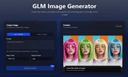
0GLM Image is an AI image generation model based on a hybrid autoregressive + diffusion architecture. The system first interprets and encodes your prompt’s semantic structure using a large autoregressive module and then decodes that into detailed graphics using a diffusion decoder. This hybrid design allows the model to better understand complex instructions, maintain semantic consistency across compositions, and render clear, readable text inside generated images — a challenge for many traditional AI image generators. Unlike many image generators that focus mainly on style or visuals alone, GLM Image pays special attention to text placement, layout accuracy, and conceptual meaning. This makes it a strong choice when you’re creating visual materials that must communicate ideas, not just look attractive — for example: Educational Posters & Slides with clear headlines and labeled diagrams Infographics that visually explain steps or relationships Marketing Graphics with readable slogans or technical information Product Feature Illustrations where text and design must align precisely Key Features 🌟 Readable Text in AI Images — GLM Image excels at producing visuals with crisp, legible text embedded directly in the graphics, avoiding the garbled or unreadable text artifacts typical in many generative models. 🧠 Knowledge-Dense Visual Understanding — The model interprets prompts semantically, enabling it to visualize complex ideas or structured layouts with correct meaning. 🎨 High-Quality Detail — Diffusion decoding yields polished, professional visuals with well-defined textures, balanced lighting, and visually satisfying compositions. ✏️ Image Editing & Consistency — GLM Image supports image-to-image tasks such as editing existing images, applying style transfers, preserving character or object identity, and maintaining consistency across multiple subjects. 📊 Flexible Usage Scenarios — The tool is suited for creative professionals, marketers, educators, and anyone needing reliable image generation with embedded information, not just creative art. How It Works The user typically enters a prompt — describing the desired image in natural language — and optionally uploads reference images to guide style or detail. GLM Image then processes this input through its semantic understanding layer, generates a structured representation, and renders the final image with both text and visuals accurately aligned to your intent. Outputs are high resolution and optimized for digital or print uses. Usage & Pricing GLM Image offers free trials for new users, and paid plans are based on credit bundles that allow a certain number of image generations. Credits never expire, and paid tiers include commercial licensing and priority support. Why Choose GLM Image? GLM Image positions itself as a practical tool for real-world visual communication rather than purely an artistic experiment. Its focus on readable text, semantic accuracy, and flexible editing makes it particularly valuable for professional design workflows, educational materials, and marketing applications where clarity and meaning are essential.
- 163
 0
0InkStudio.ai is an AI-powered tattoo design tool built for real tattoo decisions. It helps turn vague tattoo ideas into clearer on-body previews, design artwork, and visual references, so people can better understand what they want before they commit to a tattoo. Its role is not to replace tattoo artists, but to help users prepare their ideas more clearly and give artists better visual context to work from. With outputs like Body Preview, Clean Artwork, and Stencil, InkStudio.ai makes it easier to communicate style, placement, and overall direction, reducing unnecessary back-and-forth while supporting a smoother collaboration with the tattoo artist. Whether someone is exploring their first tattoo or getting ready for a consultation, InkStudio.ai helps move the process forward with more clarity, better alignment, and more confidence.
- 164
 0
0ChatGPT Image 2 is a comprehensive AI-powered creative platform built for image generation, advanced image editing, and video creation. Available through ChatGPT Image 2, the platform positions itself as an all-in-one workspace where creators can transform ideas into professional-quality visuals with remarkable speed and precision. Combining AI image generation, cinematic video workflows, pixel-level editing, and commercial-grade output, ChatGPT Image 2 is designed to support everyone from designers and marketers to filmmakers, content creators, and e-commerce brands. At the center of the platform is its highly flexible AI image generation system. Users can create visuals from text prompts, transform existing images into entirely new styles, or combine multiple visual references into cohesive compositions. The platform supports both text-to-image and image-to-image workflows, giving creators a wide range of creative control. Whether generating photorealistic scenes, stylized artwork, branding materials, or cinematic concept art, ChatGPT Image 2 focuses on delivering polished, production-ready results that feel professional from the start. One of the platform’s standout strengths is its advanced editing capability. Instead of requiring users to regenerate entire images for small changes, ChatGPT Image 2 supports fine-grained, pixel-level editing. This allows creators to modify specific elements while preserving lighting, textures, shadows, and overall visual consistency. Features such as smart scene replacement, object editing, outpainting, text replacement, anime conversion, and damaged photo restoration provide users with an extremely versatile editing environment. These workflows make it possible to refine visuals quickly while maintaining high-quality realism and design coherence. The platform also places significant emphasis on text rendering quality, an area where many AI image tools struggle. ChatGPT Image 2 is specifically optimized for clean typography, accurate punctuation, multilingual layouts, and readable design integration. This makes it especially useful for marketing materials, product packaging, user interface concepts, posters, advertisements, and other commercial projects where text clarity is essential. Combined with native 4K image generation, the platform produces outputs that are suitable for professional publishing and brand use without requiring extensive post-processing. Beyond image creation, ChatGPT Image 2 includes AI-powered video generation tools that expand the creative workflow into motion design and cinematic storytelling. Users can transform images into animated sequences, generate videos directly from prompts, and create dynamic visual content with smooth transitions and scene consistency. These features make the platform valuable not only for static graphics but also for social media content, promotional campaigns, storyboards, and creative presentations. Another major strength of the platform is its accessibility. Despite offering professional-grade capabilities, ChatGPT Image 2 is designed with a streamlined and intuitive interface that lowers the barrier to entry. Users can upload images, describe their desired outcome through prompts, and generate results within seconds. This simplicity allows both beginners and professionals to experiment rapidly and iterate creatively without needing advanced technical skills. The platform also highlights multiple AI models optimized for different creative needs, including tools specialized in stylized artistic output, OCR-level text precision, scene-aware editing, and cinematic visual generation. By offering different model options, ChatGPT Image 2 provides flexibility for a wide variety of workflows and artistic directions. Overall, ChatGPT Image 2 represents a modern AI creative studio that combines image generation, image editing, video creation, and commercial design workflows into one unified platform. It empowers creators to move from concept to final production faster than traditional design pipelines while maintaining high visual quality and creative flexibility. With its combination of precision editing, realistic rendering, multilingual text support, and cinematic generation tools, the platform serves as a powerful solution for anyone looking to produce professional-grade visual content efficiently and creatively.
- 165
 0
0Nano AI - Best All-in-One Nano Banana AI Image Editor 2025. Experience 30+ Nano Banana effects in one AI image editor. Such as 3D figurines, and edit continuously with one click. No prompts needed. Try Nano AI for free! Nano AI - Best All-in-One Nano Banana AI Image Editor 2025. Experience 30+ Nano Banana effects in one AI image editor. Such as 3D figurines, and edit continuously with one click. No prompts needed. Try Nano AI for free!
- 166
 0
0Nano Banana 2’s Powerful AI Image Generation Tools Unlock the future of digital art creation with Nano Banana 2’s cutting-edge AI tools. Instantly convert your ideas into stunning images—just describe and let Nano Banana 2 create. Nano Banana 2 AI Image Generator – Create Stunning Images with Nano Banana 2 Pro | AI图片生成器 Nano Banana 2 makes AI image generation easy, fast, and fun.describe your vision and let Nano Banana 2 turn it into reality. Start for free at nanobananaimage.me. https://nanobananaimage.me/
- 167
 0
0Free AI Feet Generator – Create Realistic or Anime Feet Images Online
realistic image generator·image generation toolAI Feet Generator: Create Realistic or Anime Feet Images Online AI Feet Generator is a free online AI image generator designed to help artists, illustrators, designers, photographers, bloggers, and creative users generate feet images from simple text prompts. The tool supports realistic and anime styles, with preset options for high arches, soles, close-ups, high heels, and feet photography concepts. Instead of searching for stock images or setting up a photoshoot, users can type a prompt, choose a style or template, generate an image, and download a clean watermark-free result in seconds. The tool is built for fast creative reference, visual planning, fashion mockups, character art, and tasteful image concepts. Key Features: Free AI Feet Image Generation: Create AI-generated feet images online without paying upfront, creating an account, or installing software. Users can start generating directly from the browser. No Sign-Up Required: AI Feet Generator does not require login, email, or account creation. Users can land on the site, enter a prompt, and generate images immediately. No Watermark Downloads: Generated images can be downloaded without watermarks, making them easier to use for personal creative projects, references, mockups, and visual planning. Realistic and Anime Styles: Switch between photorealistic feet images and stylized anime feet images. This makes the tool useful for both photography-style concepts and character illustration references. Prompt Templates: The tool includes ready-made prompt templates for different looks, including dewy realistic skin, anime feet, high arch studio shots, soft soles, strappy heels, and feet photography concepts. Style and Angle Presets: Users can generate different feet-focused compositions such as high arch feet, soft soles, close-up shots, side profiles, and high heels concepts. Footwear and Fashion Concepts: AI Feet Generator can help create visual references for sandals, socks, heels, and footwear-related concepts without arranging a physical shoot. Creative Reference for Artists: Illustrators, anime artists, 3D artists, and concept designers can use generated images as reference material for proportions, poses, angles, and lighting. Anonymous and Temporary: Generated images are anonymous and auto-deleted after 2 hours, according to the site’s public description. How It Works: 1. Describe Type a custom prompt or choose one of the built-in prompt templates. 2. Generate Select a realistic or anime style, then generate the image online in seconds. 3. Download Download a clean, watermark-free image for personal or creative use. Why Choose AI Feet Generator? AI Feet Generator is designed for speed, privacy, and simplicity. It removes common friction from AI image generation by offering a free online workflow with no sign-up, no watermark, and fast prompt-based results. Whether you need anime feet reference, realistic feet photography concepts, high-arch poses, soles, close-ups, or footwear mockup visuals, AI Feet Generator provides a quick way to create custom feet images directly in your browser. Note: This tool is intended for adults 18+. Generated content depicts adults only and is not based on real people.
- 168
 0
0Appsy Tools is your go-to directory for discovering powerful AI and productivity tools across every category imaginable. From AI assistants and e-commerce optimizers to video editors and image generators, Appsy Tools helps users find exactly what they need to streamline work, boost creativity, and save time. With a clean interface, regularly updated listings, and categorized filters, users can explore tools for design, marketing, writing, analytics, and more. Whether you're a developer, entrepreneur, content creator, or student, Appsy Tools connects you with reliable, innovative solutions that enhance daily tasks and long-term goals. Featured and newest tools are highlighted, while sponsored picks offer even more visibility to standout products. Submit your own tool and join a growing network of creators and tech enthusiasts. Let Appsy Tools be your starting point for smarter, faster, and better digital productivity.
- 169
 0
0Tryonr is an AI virtual try-on and product imagery tool designed for e-commerce sellers and brands. Creating consistent model photos and listing visuals is expensive and difficult to scale across many SKUs. With Tryonr, you upload a product photo (optionally a model photo) to generate realistic try-on images and listing-ready creatives for product pages and ads. You can quickly produce multiple variants for A/B testing, seasonal campaigns, and catalog refreshes—helping teams launch faster, reduce photoshoot costs, and maintain a consistent visual style across the store.
- 170
 0
0AI Plaza is an AI tool discovery and comparison platform designed to help users find the right AI solutions for their specific tasks and workflows. As the number of AI tools continues to grow rapidly, many users struggle to identify which platforms best fit their needs. AI Plaza addresses this problem by organizing and categorizing AI tools across a wide range of industries and use cases, including marketing, design, writing, programming, research, customer support, video editing, sales, and business productivity. Unlike simple AI tool directories that only provide short descriptions or affiliate links, AI Plaza focuses on detailed and structured information that helps users make informed decisions. Each tool page includes feature overviews, practical use cases, pricing information, and comparisons with alternative tools whenever possible. The platform is designed to improve discoverability and simplify the evaluation process for both individuals and businesses exploring AI adoption. AI Plaza also emphasizes usability and workflow-based discovery. Instead of only searching by tool name, users can explore AI products based on the problems they want to solve, such as automating repetitive tasks, improving content creation, increasing productivity, or streamlining business operations. This makes the platform useful for freelancers, students, startups, marketers, developers, and teams looking to integrate AI into their daily work. The platform continues to expand its database of AI tools while improving categorization, search experience, and comparison functionality. AI Plaza aims to become a practical resource for users who want to stay updated on the rapidly evolving AI ecosystem and efficiently discover tools that provide real business or personal value.
- 171
 0
0Image Upscaler 4K is a dual-engine AI image upscaling platform designed for professional and everyday use. Get fast four times enlargement in just 3 seconds with Recraft Crisp engine, or use five specialized Topaz AI models for professional-grade studio-quality results. The platform supports a wide range of content types including portraits, product photography, old prints and vintage photos, documents and text, and AI-generated artwork. Key features include six distinct upscaling modes covering fast processing, photo enhancement, digital art rendering, image restoration, document clarity improvement, and AI art optimization. Users can fine-tune results with adjustable sharpness controls ranging from 0 to 100, noise reduction settings from 0 to 100, and dedicated face enhancement for portrait upscaling. Batch processing supports up to 50 images simultaneously, making it ideal for professional workflows. Output resolution reaches up to 16384 by 16384 pixels with support for JPEG, PNG, and WebP formats, plus lossless PNG downloads for maximum quality preservation.
- 172
 0
0UNI-1 is an advanced AI-powered content creation platform designed to merge reasoning and generation into a single seamless workflow. Unlike traditional AI tools that focus only on output, UNI-1 first understands user intent through logical reasoning, then generates visually coherent and context-aware results. Built for creators, designers, and innovators, UNI-1 enables users to generate high-quality images from simple text prompts while maintaining strong consistency, cultural awareness, and contextual accuracy. The platform leverages a unified AI architecture that integrates understanding and generation, allowing it to produce more intelligent and meaningful outputs compared to standard text-to-image tools. With fast generation speed, intuitive workflows, and reasoning-guided creation, UNI-1 is ideal for rapid prototyping, visual storytelling, marketing assets, and creative exploration. Whether you're creating concept art, visual content, or design assets, UNI-1 provides a powerful and accessible way to transform ideas into polished visuals.
- 173
 0
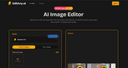
0Use EditAny AI, the all-in-one AI image editor, to transform images and generate stunning visuals from text. Turn your ideas into studio-quality images instantly. **What is AI Image Editor?** EditAny provides an easy-to-use online AI Image Editor that lets you edit, enhance, and transform your photos just by typing simple text prompts. You do not need any design skills to get started. **Portrait Editing** **Easily change hairstyles, try new hair colors, or update clothing with our AI Image Editor while keeping the person's face natural and realistic.** **Photo Enhancement** **Quickly restore old or damaged pictures, adjust brightness and colors, or add fresh new styles to your images using the AI Image Editor.** **Background Change** **Swap out your photo's background with a completely new scene, a custom color, or another image in just a few clicks using EditAny.** **AI Image Editor Core Features** Explore the powerful capabilities that make EditAny the perfect online tool for editing, enhancing, and transforming photos effortlessly—no design skills needed: **Portrait Editing** Effortlessly edit a person's appearance while keeping their unique identity completely consistent. Our advanced identity-preserving technology ensures that facial structures and proportions remain perfectly intact. You can change hairstyles, explore different hair colors, or update clothing easily, guaranteeing that every single edit looks incredibly realistic and stays true to the original subject. **Photo Enhancement** Breathe new life into your cherished memories by restoring old, faded, or damaged photos with remarkable precision. Quickly adjust brightness, fine-tune contrast, and balance colors to make your images look their absolute best. Whether you want to fix lighting issues or apply fresh new styles, our enhancement tools deliver clean, professional results instantly. **Background Change** Instantly remove and replace distracting or unwanted backgrounds from your photos with just a few clicks. Seamlessly swap your current background to transport your subject to a completely different scene, apply a clean custom solid color, or use another image entirely. The AI ensures smooth edges and natural blending for a flawless, realistic finish. **Photo Styling** Give your photos a fresh, unique look with our AI image style changer for effortless transformations. Apply stunning artistic styles to create eye-catching visuals, use realistic styles for professional results, or experiment with creative effects to make your images truly stand out. Instantly transform any photo with smooth, accurate, and highly stylistic edits. **Combine Photos** Bring your creative visions to life by merging multiple pictures or bringing different people together into one smooth, natural-looking composition. Our intelligent blending technology ensures that lighting, shadows, and proportions match perfectly across all elements, allowing you to create seamless group photos or imaginative scenes that look like they were captured in a single shot. **Text Prompt Editing** Traditional photo editing usually requires complex tools and technical skills, but not anymore. With EditAny's AI Image Editor, you can edit photos using simple text prompts. Just describe what you want to change, choose from ready-made templates or create your own instructions, and let multiple AI models work together to deliver fast, accurate, and high-quality results.
- 174
 0
0Generate AI designs, documents, presentations, social posts, whiteboard, charts and more for free, powered by all one AI Editor. Generate AI designs, documents, presentations, social posts, whiteboard, charts and more for free, powered by all one AI Editor. Generate AI designs, documents, presentations, social posts, whiteboard, charts and more for free, powered by all one AI Editor.
- 175
 0
0MuseAIQ is an AI-powered image library that generates and curates high-quality, royalty-free stock photos and digital art. Our platform gives creators, designers, and marketers instant access to unique visuals that stand out from traditional stock sites. Whether you need images for a website, ad campaign, or creative project, MuseAIQ provides unlimited downloads, fast search, and stunning AI-generated results. All free to use for personal and commercial projects.
Frequently asked questions
According to our users, some of the best AI tools for designers include Aitoolnet, which is a comprehensive directory of over 10,000 AI tools, and The Design of Everyday Things, a book that emphasizes user-centered design principles. Other notable mentions are Uneed, a platform for discovering and promoting new products, and AppMole, which offers a variety of AI-driven tools tailored for creators and developers.
Aitoolnet serves as a leading AI tool directory and search engine, providing designers with access to a vast collection of AI tools that can enhance their creative projects. With over 10,000 tools updated daily, designers can easily find the latest software to streamline their workflows.
The Design of Everyday Things is a crucial read for designers as it explores the principles of user-centered design. The book argues that many design failures stem from ignoring user needs and cognitive psychology principles. It provides valuable insights on how to create intuitive and usable products, making it a must-read for anyone in the design field.
Uneed is a platform that allows users to discover and promote new products. It features daily product launches, community voting, and ranking systems. Users can gain visibility for their products and receive feedback from the community, making it an effective tool for creators looking to launch and promote their work.
AppMole is an all-in-one platform that provides a range of AI-driven tools and resources for creators, influencers, and developers. It helps streamline workflows and enhance productivity by offering various web apps and marketing tools, along with the latest AI applications and reviews.
This collection includes AI tools for video generation, image editing, and photo restoration. Notable tools are SoraVideo for AI video generation, Flux2 for image creation and editing, and Old Photo Restoration for repairing damaged photos. These tools are designed for practical, everyday tasks to aid creators in their workflows.
Mediasaur is an AI creative engine that transforms a single input into high-quality visuals quickly. It generates various types of content, including product shots and lifestyle scenes, allowing creators to produce endless variations and keep their content fresh without the usual complexity or cost.
EzMaker AI is a generative image studio designed to streamline workflows for independent designers and digital creators. It offers advanced AI capabilities, such as turning sketches into polished 3D renders and smart canvas expansion, all within an intuitive interface, making it accessible for users without a steep learning curve.