Best AI Writing Tools
From blank page to finished draft in minutes.
AI writing assistants that draft, edit, and polish — essays, emails, posts, and long-form content — so the words come faster and read cleaner.
- 1
 0
0Improve your writing in any macOS application with AI assistance. Quickly correct grammar mistakes, change writing styles, or translate text.
- 2
 0
0Typoro is a LinkedIn writing tool that helps professionals post consistently without wasting time. It restructures your ideas, emails, notes (or even voice recordings) into clear, engaging posts written in your tone. Add content to your Topic Library, and Typoro’s Agents will organise it into themes and automatically create new drafts ready to edit and publish. You can post directly to LinkedIn through Typoro’s official integration and track performance with built-in stats. The goal: save hours each week, stay active, and grow your brand. Plans start at $19/month.
- 3
 0
0MyEssayWriter.ai is an innovative AI essay writer tool that can generate high-quality essays instantly. The platform uses advanced algorithms to streamline the essay-writing process and offers various toolkits such as AI Essay Writer, Essay Outliner, AI Humanizer, AI content detector, paraphrasing tool, plagiarism checker, etc, to assist at different stages of essay writing. MyEssayWriter.ai has a user-friendly interface and several features that meet the various needs of professionals, students, and authors. We understand the challenges students face when it comes to essay assignments, and our goal is to simplify the process and boost your academic success.
- 4
 0
0AI Generator Email is a free online AI email generator designed to make everyday email writing faster, easier, and more professional. Users can enter a short brief, choose the tone, intent, language, length, recipient details, and extra context, then generate a polished subject line and ready-to-edit email draft. The tool is useful for work emails, professional requests, follow-ups, customer support replies, sales outreach, job-related messages, school communication, and personal emails. It can also help users reply to existing emails more quickly by turning rough ideas into clear, natural responses. AI Generator Email is built for speed and simplicity. Users do not need to start from a blank page or spend time adjusting prompts manually. They can generate a draft, edit it if needed, and copy it into their own inbox. The site also includes related email tools such as temporary email and email signature generation, making it a practical workspace for common email-related tasks.
- 5
 0
0Sentence Rewriter is an intelligent AI-powered rewriting tool designed to help you create clear, engaging, and plagiarism-free content in seconds. Whether you need to improve sentence structure, change wording for better readability, or avoid duplication, this tool makes the process effortless. It understands the context of your text, ensuring that the rewritten version retains the original meaning while enhancing flow, tone, and grammar. Ideal for students, researchers, bloggers, marketers, and professionals, Sentence Rewriter can be used for essays, articles, website content, social media posts, and more. With advanced AI algorithms, it can rewrite single sentences, paragraphs, or entire documents while maintaining high quality. It also helps optimize your content for SEO, making it more search-engine-friendly. Whether you are polishing your writing, reducing plagiarism, or repurposing content for different audiences, Sentence Rewriter saves time and delivers professional results i
- 6
 0
0Video To Instantly convert videos into SEO optimized blog posts using AI. Simple paste in a YouTube link (or upload a video) and get an awesome, SEO-optimized blog article. Automatically include relevant video screenshots, internal/external links, FAQs, and more. Customize the tone/structure by uploading writing samples or supplying custom instructions. Export posts directly to your website using one of our many integrations (Wordpress, Shopify, Blogger, Medium, Zapier, and more). Automate your workflow by setting up an automation to automatically create blog posts any time a new video is released on a particular YouTube channel.
- 7
 0
0Meet Sona is an AI-powered content creation platform that helps founders and creators effortlessly produce authentic, high-quality content through short voice interviews. In just ten minutes, Sona captures your unique voice and ideas, transforming them into polished LinkedIn posts, newsletters, and blog articles that sound genuinely like you. By defining your verbal identity and generating a steady stream of on-brand topics, Sona eliminates writer’s block and the need for endless prompt tweaking. With simple, transparent pricing and tools for editing, publishing, and performance tracking, Meet Sona empowers entrepreneurs to build their personal brands and connect with their audiences through consistent, meaningful storytelling.
- 8
 0
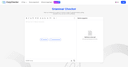
0CopyChecker Grammar Checker is an AI-powered writing assistant that helps users improve grammar, spelling, punctuation, clarity, fluency, and overall writing quality. The tool analyzes text in real time and provides actionable suggestions to make writing clearer, more accurate, and more professional. Whether you're working on essays, assignments, research papers, emails, blog posts, website content, reports, or business documents, CopyChecker helps identify writing issues before publication or submission. Key features include grammar correction, spelling checks, punctuation review, readability improvements, clarity suggestions, fluency analysis, engagement scoring, and multi-language support. Students, teachers, writers, marketers, professionals, and businesses use CopyChecker to create polished and effective content with greater confidence.
- 9
 0
0SmutGPT is an uncensored AI writing assistant designed for creating AI smut and NSFW content without restrictions. It serves as a smut writer tool, enabling users to generate uncensored stories, develop complex characters, brainstorm plots, and refine drafts for adult fiction. Features include smut writing with explicit scenes like threesomes, BDSM, and anal sex; character creation with detailed profiles, backstories, desires, and traits; plot brainstorming for twists, tension, and resolutions; and editing assistance to enhance flow, erotic impact, and details. The AI supports all genres such as romance, fantasy, sci-fi, and contemporary, offering creative inspiration, instant responses, multiple perspectives, and narrative techniques for immersive storytelling. Users start with a prompt, receive tailored uncensored results, refine through conversation, and export content for projects. It's built for complete creative freedom in NSFW and smut writing, ensuring privacy and no content filters.
- 10
 0
0Your audience followed you. Not a chatbot. Not a template. You. Every post you've ever written, every reply that hit, every thread that got shared.. that's your voice. That's what people subscribed to. That's what they come back for. Then AI happened. Suddenly everyone's posting more. Faster. Cleaner. And it all sounds exactly the same. The feeds are flooded with content that could've been written by anyone because technically, it was. Same hooks. Same structure. Same words. "Leverage." "Delve." "In today's fast-paced world." Your audience isn't stupid. They can feel when something's off. And when your voice disappears into the AI slop, so does your engagement. VoiceMoat was built for one reason: to make sure that never happens to you. How it works Before VoiceMoat writes a single word for you, it studies you. It pulls your posts, replies, and threads from X and maps exactly how you write across 9 dimensions.. your hook style, your sentence rhythm, your vocabulary, your formatting habits, your personality markers, the way you open a thought and the way you close it. The result is your Voice DNA. A model of you, built from you, that exists nowhere else. Then it generates content from that model. Not content inspired by your style. Not content that kind of sounds like you on a good day. Content that passes the "did I write this?" test every single time. Most users hit 90%+ voice match in their first training session. Meet Auden Auden is the AI brain inside VoiceMoat. And Auden has opinions. It refuses to suggest posts that don't sound like you. It tells you when your hook is buried three sentences deep. It has permanently banned words like "leverage," "delve," and "in the realm of" from its vocabulary.. because if VoiceMoat is going to talk about voice preservation, the AI inside it has to walk the talk. Every action Auden takes requires your confirmation. Nothing ships behind your back. Auden suggests. You decide. What you get Voice Lab: One click. VoiceMoat analyzes your X content and builds your complete Voice DNA. Retrain anytime your style evolves. Content Studio: Type a raw thought. Auden returns tweets, threads, and drafts in your exact voice across 13 tone presets: Witty, Contrarian, Punchy, Reflective, Provocative, Educational, Narrative, and more. Batch generate with diversity enforcement so nothing repeats. Chrome Extension: Hover any post on X, pick a tone, drop a reply in your voice in 2 seconds. No tab switching. No copy-pasting. Just your voice, in the feed, instantly. Creator Intelligence .. paste any creator's handle. VoiceMoat decodes their hook patterns, their viral anatomy, how they structure their best posts. "Write like" mode borrows their cadence, not their words. Analytics: See which tones drive the most engagement. Get a voice match score on every post. Catch drift before your audience does. Export everything on Pro. Auden Tools: Run natural language commands. "Archive every draft tagged crypto." "Add leverage to my taboo list." Every action has a confirm chip. You stay in control. Who this is for Founders who are shipping faster than they're posting and watching competitors with worse products win on content. Creators who've spent 10-hour weeks on X and still feel like they're falling behind. Ghostwriters whose clients can tell when it's not them. Agencies managing 10 client voices who need each one to stay distinct. Crypto Twitter builders trying to stand out in the most AI-saturated feed on the internet. If you post on X and you care about sounding like yourself, VoiceMoat is not a nice-to-have. It's the difference between content that builds your audience and content that quietly erodes it.
- 11
 0
0🎯Kraflio is an AI LinkedIn post generator that sounds like you — not like ChatGPT, not like Jasper, not like a recycled template. Built for LinkedIn creators, founders, consultants, and teams who post regularly but don't want their content to sound like every other AI-generated post. 🤖 Most AI writing tools produce the same polished, corporate output no matter who's using them. You can spot AI-generated LinkedIn posts a mile away: overused transitions, repetitive sentence rhythms, safe forgettable phrases. Readers tune them out. Your engagement drops. Your personal brand suffers. ✨ Kraflio solves this with Voice Profiles. You upload 10 samples of your own LinkedIn posts, and the AI learns your tone, rhythm, vocabulary, and style. Every generated post matches how YOU actually write — not how an AI thinks a LinkedIn post should sound. Kraflio accepts 7 input types: 📝 A simple topic prompt 🎤 A voice note (capture ideas on the go) 🖼️ An uploaded image 📄 PDF, or article URL 🎥 Even a YouTube video link The AI analyzes your input, combines it with your voice profile, and generates a publication-ready post with 4 variations in seconds. Pick the one that fits. What makes Kraflio different from every other LinkedIn AI tool:
- 12
 0
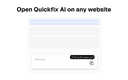
0Quickfix AI is a browser extension that writes replies for you using AI. Click once and get a perfect reply. No typing needed. It works on every website. Gmail, LinkedIn, Reddit, Slack, Zendesk, customer support tools, social media, and more. One extension for all your replies. Using it is simple. Install the extension, click the Quickfix AI button on any text box, and AI generates a reply instantly. The AI reads the context from the page, so responses are always relevant to the conversation. Quickfix AI supports every language. It's optimized for English but works with all languages worldwide. Unlike ChatGPT or other AI assistants, Quickfix AI works directly on every website. No copy-pasting between tabs. No switching windows. Just click and get your reply. Save hours every week and reply faster to support tickets, customer inquiries, emails, social media comments, and everyday chats.
- 13
 0
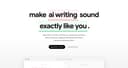
0Hold Your Voice is an AI-powered writing tool designed to help creators, founders, and teams maintain a consistent and authentic writing style across all their content. In a digital world increasingly saturated with AI-generated text, the platform focuses on one core idea: preserving what makes your voice unique. Instead of generating generic content, it analyzes your writing and shows exactly where it starts to drift away from your natural tone, then helps you bring it back in a way that still feels like you. The platform is built around a simple but powerful workflow. First, users calibrate their voice by answering a few short questions and uploading two or three samples of their best writing. This creates a personalized voice profile that acts as a benchmark. Unlike traditional tools that rely on vague tone settings like “professional” or “friendly,” Hold Your Voice uses real examples of your own writing as the standard. This ensures that every analysis is grounded in how you actually communicate at your best. Once the profile is set, users can paste any type of content into the system—whether it’s a LinkedIn post, a newsletter, a product description, or a sales pitch. The platform’s core technology, known as the Signal Engine, evaluates the text against the user’s voice profile and assigns a score based on how closely it matches. More importantly, it provides sentence-level feedback, highlighting specific phrases or sections where the tone feels off. This precision allows users to understand not just that something is wrong, but exactly where and why it feels inconsistent. One of the most valuable features of Hold Your Voice is its one-click rewriting capability. For every sentence flagged as “off,” the tool suggests a revised version that aligns with the user’s established voice. This makes editing faster and more effective, especially for those working under tight deadlines. Instead of rewriting entire drafts multiple times, users can quickly refine their content while staying true to their style. The platform also includes tracking and improvement tools. Every piece of content analyzed is logged, allowing users to see patterns in their writing over time. For example, they might notice recurring issues like becoming too formal, overly generic, or drifting into AI-like phrasing. By identifying these patterns, Hold Your Voice helps users gradually strengthen their consistency and develop a sharper, more recognizable voice. Collaboration is another key aspect of the platform. Users can share drafts through public or private links, enabling others to read, comment, and provide feedback directly on specific sentences. This makes it easy for teams to work together without confusion, as comments are anchored to exact lines rather than general sections. Features like live editing presence, version control, and request-to-edit permissions ensure smooth teamwork without overwriting each other’s contributions. Hold Your Voice is especially relevant in today’s content landscape, where platforms like LinkedIn, Instagram, and search engines are increasingly filtering out content that feels artificially generated. The tool helps creators avoid sounding generic or robotic, which can negatively impact engagement and trust. By keeping writing human, distinct, and aligned with a personal or brand voice, users can stand out in a crowded digital environment. Overall, Hold Your Voice is not just another AI writing assistant—it’s a tool focused on protecting identity in writing. By combining voice analysis, intelligent rewriting, and long-term tracking, it empowers users to create content that remains consistent, authentic, and unmistakably their own, even as they scale their output.
- 14
 0
0AI Thesis Writer is an AI-powered academic writing platform built to take students from a topic idea to a complete, submission-ready thesis draft in a single workflow. At its core, the platform runs a pipeline of 19 specialized AI agents that collaborate across every stage of the academic writing process — from topic research and literature discovery to chapter structuring, argument development, and citation embedding. Rather than acting as a generic text generator, it is purpose-built around the anatomy of academic papers: it understands the difference between an introduction, a literature review, a methodology section, and a discussion, and writes each accordingly. What it produces scales with the type of paper requested. A research paper comes out around 5,000 words, a bachelor's thesis around 15,000, a master's thesis around 30,000, and a PhD dissertation up to 80,000 words — all with appropriate depth and chapter structure for the academic level chosen. Citations are real and consistent. The platform embeds properly formatted references throughout the draft and maintains a coherent reference list, supporting citation styles like APA 7th and IEEE, among others. The structure is reference-aware, meaning the writing and sourcing are aligned rather than treated as separate steps. Language support is broad — covering 57+ languages including English, German, French, Spanish, Arabic, Chinese, Japanese, and more — so students can generate drafts in the exact language they intend to submit in, not just English. Output is export-ready. Every generated draft is delivered as both a PDF and an editable DOCX file, making it straightforward to download, refine, and submit without additional reformatting work. The experience is designed to be frictionless: users enter their topic, select a paper type and language, optionally add a description or author details, and the platform handles everything from there. No complex configuration, no prompt engineering — just a clean starting point for academic work that would otherwise take days to scaffold from scratch.
- 15
 0
0Effortlessly create Xiaohongshu notes with our powerful suite of AI tools including the AI rewrite generator, AI text generator, and AI title generator!
- 16
 0
0BlueHumanizer is an AI-powered writing tool designed to transform AI-generated text into natural, fluent, and polished writing. The platform helps users refine content created by language models such as ChatGPT, Claude, Gemini, and other AI writing assistants by improving sentence flow, clarity, and readability while preserving the original meaning. Instead of requiring extensive manual editing, BlueHumanizer allows writers to produce more natural-sounding text with a single click. The platform focuses on solving one of the most common challenges associated with AI-generated content: writing that feels repetitive, mechanical, or overly predictable. While AI models can generate information quickly, their output often contains uniform sentence structures, repetitive phrasing, and an artificial rhythm. BlueHumanizer addresses these issues by restructuring sentences, improving transitions, and varying writing patterns so the final result reads more like text written by a human rather than a machine. Using the service is straightforward. Users simply paste AI-generated text into the editor or upload a document, then activate the humanization process. Within seconds, the platform rewrites the content while maintaining the original message and key ideas. The result is clearer, smoother writing that requires little or no additional editing before being shared, submitted, or published. One of BlueHumanizer's distinguishing features is its emphasis on preserving the author's intent. Rather than changing the meaning of a passage, the platform focuses on refining how ideas are expressed. Important points, arguments, and the overall tone remain consistent while awkward wording, repetitive structures, and unnatural phrasing are improved. This makes the tool suitable for users who want higher-quality writing without altering the substance of their work. The platform also protects important academic elements during the rewriting process. Quotes, citations, references, and bibliographic information remain unchanged while the surrounding text is rewritten for improved readability. This functionality is especially valuable for students, researchers, and academic professionals who need to improve the quality of AI-assisted writing without affecting citation accuracy or source attribution. BlueHumanizer offers adjustable humanization settings that allow users to customize the rewriting process according to their needs. Different strength levels and tone controls enable writers to produce content that ranges from lightly refined to more extensively restructured. These options provide flexibility for different writing styles, audiences, and types of documents while maintaining consistent output quality. Another notable capability is the platform's multilingual support. BlueHumanizer can automatically detect and process content in more than fifty languages, producing natural-sounding results for users around the world. This broad language support makes the platform useful for international professionals, multilingual teams, and non-native English speakers who want AI-generated writing to sound more fluent and natural. The service is designed for a wide variety of users. Students can improve AI-assisted essays and assignments, researchers can refine papers and abstracts while preserving citations, marketers can polish advertising copy and blog articles, and professionals can create reports, proposals, and business emails with a warmer, more natural tone. Bloggers, content creators, and non-native English writers also benefit from the platform's ability to improve readability while maintaining their intended message. BlueHumanizer distinguishes itself from basic rewriting tools by focusing on complete sentence restructuring rather than simple synonym replacement. Instead of making superficial word substitutions, the platform analyzes the overall flow of the text and rewrites it using more natural sentence patterns and varied rhythm. This produces content that feels more authentic and engaging while avoiding the repetitive style commonly associated with raw AI output. The platform supports content generated by many popular AI systems, allowing users to improve drafts regardless of which language model originally produced the text. Whether the source is ChatGPT, Claude, Gemini, or another AI writing assistant, BlueHumanizer aims to deliver polished writing that is easier to read and more suitable for publication, professional communication, or academic work.
- 17
 0
0BlogFox is an AI-powered blogging tool that simplifies the creation of high-quality, SEO-optimized content.
- 18
 0
0Grammarsen is a desktop app that automatically corrects your selected text using chatgpt, helping you stay focused. No more copy pasting and switching tabs. Simply select some text, press a hotkey, and see the old text gets replaced with the corrected version. Grammarsen saves time for students, writers, marketers, english learners, and anyone who types a lot.
- 19
 0
0Most AI writing tools give you generic content that sounds like every other blog on the internet. Wordrific was built to solve a different problem: how do B2B marketing teams produce high-volume content that actually resonates with the people they're trying to reach? Wordrific generates content anchored to your Ideal Customer Profile. Instead of writing for "everyone," every article, LinkedIn post, and email speaks directly to your buyers, their specific challenges, what keeps them up at night, and the language they actually use. The result is content that reads like it was written by someone who deeply understands your market, because the system was trained on your market. Content produced through Wordrific is optimized for both traditional search engines and the new wave of AI-powered search platforms like ChatGPT, Perplexity, and Gemini. As more buyers turn to AI tools for research, showing up in those results is no longer optional. Wordrific handles both.
- 20
 0
0Nail The Speech is an AI-powered wedding speech generator designed to help anyone create a memorable wedding speech without staring at a blank page. Unlike generic AI writing tools, Nail The Speech uses a talk-first approach, letting you speak your memories and ideas using voice input or type them in naturally. The platform turns your stories into a personalized speech that sounds like you. Whether you’re writing a best man speech, maid of honor speech, father of the bride speech, groom speech, bride speech, or wedding toast, Nail The Speech helps with structure, humor, storytelling, and emotional moments. You can generate drafts instantly, edit and refine sections, and practice your delivery with confidence. Built specifically for weddings, Nail The Speech makes speech writing faster, easier, and more personal than using generic AI tools or templates.
- 21
 0
0The Product Description Generator by Good AI Tools is a free AI-powered writing tool designed to help SaaS founders, software developers, marketers, and product teams create professional product descriptions for websites, software directories, and marketing materials. Instead of spending time manually writing listing copy or optimizing descriptions for search engines, users can generate polished content by providing a few key details about their product. The tool produces multiple types of marketing copy, including product descriptions, feature summaries, benefit-focused bullet points, and SEO-friendly meta descriptions, making it a practical resource for businesses preparing product launches, directory submissions, landing pages, or promotional campaigns. The generator is built around a simple workflow that requires only a handful of inputs. Users begin by entering the product name, selecting or describing the product category, identifying the intended target audience, listing the software's primary features, and choosing the preferred writing tone. These inputs provide enough context for the AI to generate content that accurately represents the product while maintaining a clear marketing message. The process is intentionally streamlined so founders and marketing teams can create professional copy within minutes without requiring copywriting experience or advanced prompt engineering skills. One of the primary goals of the Product Description Generator is to produce descriptions that are both informative and conversion-focused. Rather than simply listing technical features, the generated content explains who the product is designed for, the problems it helps solve, and the benefits users can expect from adopting it. This emphasis on practical value helps businesses communicate their software more effectively to potential customers while making directory listings and landing pages easier to understand. The generated descriptions are intended to present products in a concise, professional, and engaging manner that encourages readers to continue exploring the software. The platform also supports search engine optimization by generating SEO-friendly meta descriptions and search snippets suitable for search engine results pages and social media previews. These shorter pieces of copy summarize the product while encouraging users to click through to the website. In addition to long-form descriptions for landing pages, the tool creates compact summaries appropriate for software directories, product cards, marketplace listings, and other environments where space is limited. This allows businesses to maintain consistent messaging across multiple platforms while adapting content to different publishing requirements. Good AI Tools also provides practical guidance on writing effective SaaS product descriptions. The platform recommends beginning every description by clearly identifying the software category so readers immediately understand the type of product being presented. It encourages businesses to explain who the product is built for, describe the core workflow it improves, and emphasize the most valuable outcome rather than overwhelming readers with technical specifications alone. The guidance also recommends keeping descriptions concise, easy to scan, and focused on helping prospective customers determine whether the product matches their needs. For software directory listings, the tool promotes a balanced writing style that prioritizes clarity and credibility. Rather than encouraging exaggerated marketing claims, Good AI Tools advises users to avoid unsupported statements regarding revenue growth, customer numbers, certifications, compliance, or guaranteed business outcomes unless those claims can be verified. Instead, product descriptions should accurately present the software's primary functionality, target audience, and strongest competitive advantages. This approach helps businesses create trustworthy listings that meet the editorial standards of many software directories while building confidence among potential customers.
- 22
 0
0YouRizzai is a private, no‑sign‑up AI dating chat assistant that helps you stop overthinking and keep momentum. It decodes message intent—testing, playing it cool, or genuine interest—and delivers three natural, high‑match replies with clear rationale in ~30 seconds. Choose a goal to steer tone and strategy (humor, polite directness, light teasing), pass “tests,” revive stalled chats, and turn busy deferrals into concrete plans across iMessage, Hinge, Bumble, and Tinder. 12,847+ replies generated.
- 23
 0
0Outliers aren't lucky. They're engineered. Every working creator has watched it happen. A video in your niche — sometimes from a smaller channel — breaks through. Five times the views of anything they've ever made. And it doesn't look special. The thumbnail's fine. The topic's been done before. But underneath, something is built differently. The cold open works on a deeper rhythm. The hooks restack at minute three. The audience-response cadence locks attention in a way the channel's other videos never did. That's the architecture. Most creators never see it. The algorithm sees nothing else. YouScript is the retention coach for serious YouTubers. It decodes the winning patterns hidden in outliers — yours, your niche's, the ones quietly running the table — and engineers your next upload to share their architecture, written in your exact voice. Three things happen the moment you connect a channel. It decodes the patterns. Outliers in your niche carry a structural signature: cold-open type, hook stacking, retention rhythm, payoff timing, the meta-asides that buy the audience's patience. YouScript pulls them, reads them, and surfaces the latent rules of the genre — the rules every winning video obeys whether the creator knew it or not. It learns your voice. Your past videos are the truest training data that exists for you. YouScript studies how you actually talk — your sentence rhythm, your jokes, the way you open and close, the shape of your filler. That becomes your Voice DNA. Not a tone slider. Not "casual mode." The thing your audience already came for.
- 24
 0
0CoPilly is the smart, safe way to grow your LinkedIn presence without risking your account. Most LinkedIn tools use automation that violates LinkedIn's Terms of Service, putting your professional reputation at risk. CoPilly is different: our Chrome extension generates high-quality, context-aware content that you manually copy and paste - zero automation, zero risk. Features: • Smart Comments - AI reads post context and generates relevant responses • DM Assistant - Quick reply suggestions for messages • Connection Invites - Personalized invite messages that get accepted • Custom Persona - Train AI to match your writing style • Multiple Tones - Professional, Casual, or Friendly • Fast - Generates in under 2 seconds Perfect for sales teams, founders, recruiters, and professionals growing their network. Why CoPilly: • 100% LinkedIn ToS compliant • GDPR compliant & privacy-first • Never stores LinkedIn credentials • 5.0 Chrome Store rating
- 25
 0
0ValRequest - Turn Feelings Into Words. Love is a feeling; expressing it is an art. Use ValRequest to craft personalized, heartfelt messages that capture your unique story. Make every word count. What is ValRequest? ValRequest is an AI-powered tool that creates short, personalized romantic messages. You choose the recipient, style, and keywords; ValRequest gives you three unique options in seconds. Key Features Personalized Message Generation - ValRequest helps you express your feelings with messages that sound like you—heartfelt, funny, or poetic. Perfect for Valentine's Day, anniversaries, or any day you want to show you care. Multiple Style Options - Choose from various styles with ValRequest: 💕 Heartfelt - Sincere and touching messages 😄 Humorous - Light-hearted and playful 🎭 Shakespeare - Poetic and classical 🥰 Cute - Sweet and adorable Flexible Message Length - ValRequest offers three length options: 📝 Short (1-2 sentences) 📄 Medium (3-4 sentences) 📜 Long (a paragraph) How to Use ValRequest ValRequest turns your feelings into words in three simple steps: Step 1: Choose Recipient & Style - Select who the message is for (partner, crush, or friend) and pick a tone: heartfelt, funny, poetic, or cute. Step 2: Add Your Keywords - Type a few words that describe your relationship or what you want to say—ValRequest uses them to personalize your greeting. Step 3: Generate & Copy - Click Generate. ValRequest will create three options. Copy your favorite or save it as an image with ValRequest.
Frequently asked questions
One of the top AI writing tools for enhancing grammar and clarity is CopyChecker Grammar Checker. This tool provides real-time suggestions for grammar, spelling, punctuation, and overall writing quality. It is designed for various types of writing, including essays, emails, and blog posts, making it a versatile choice for students and professionals alike.
Typoro is an excellent AI writing tool specifically designed for LinkedIn. It helps users create engaging posts by restructuring ideas and notes into clear content that reflects their tone. With features like a Topic Library and performance tracking, Typoro saves time and enhances social media presence.
MyEssayWriter.ai is a leading AI essay writing tool that generates high-quality essays instantly. It offers various features such as an AI Essay Writer, Essay Outliner, and plagiarism checker, making it ideal for students and professionals looking to streamline their writing process.
Yes, AI Generator Email is a free tool that simplifies email writing. Users can input details like tone and intent to generate polished email drafts quickly. This tool is particularly useful for work-related communications, follow-ups, and personal messages.
Video to Blog is an innovative tool that converts videos into SEO-optimized blog posts. By simply pasting a YouTube link or uploading a video, users can generate articles that include relevant screenshots and links, making it a great option for content creators looking to repurpose video content.
VoiceMoat analyzes your writing style across multiple dimensions to create a unique 'Voice DNA.' This ensures that the content generated by the AI closely matches your personal voice, helping you maintain engagement with your audience while leveraging AI for efficiency.
Meet Sona is an AI-powered platform that helps users create authentic content through voice interviews. It captures your unique voice and transforms it into polished posts and articles, making it easier for entrepreneurs and creators to produce consistent and meaningful content.
Yes, Sentence Rewriter is an AI-powered tool designed to enhance sentence structure and readability. It helps users create clear, engaging, and plagiarism-free content quickly, making it suitable for students, researchers, and professionals alike.
SmutGPT is an AI writing assistant specifically designed for creating uncensored adult content. It allows users to generate stories, develop characters, and brainstorm plots, providing complete creative freedom for those writing in the NSFW genre.