Best AI Tools for Designers
From blank canvas to finished concept, faster.
The best AI tools for designers — generate images, mockups, and variations, remove backgrounds, and speed up the busywork so you can focus on the creative decisions that matter.
 0
0Seedance 2.5 is an AI video generation model designed for digital creators, animators, and production teams that need longer, more coherent video outputs. It supports 30-second cinematic clips in a single generation, helping users plan scene rhythm, camera movement, product shots, and short-form creative concepts without stitching multiple clips together. The model also supports up to 4K output and reference-based controls, making it useful for product pre-visualization, ads, brand videos, and cinematic concept testing where visual consistency matters.
 0
0## Introduction GPT Image 2.5 is the next generation of OpenAI's GPT Image model family, available online as an image generator and editor with no setup required. It turns a written prompt or a set of reference photos into finished visuals, and it is tuned for the details production work depends on: exact text and layout, stable fine detail at large sizes, consistent characters and products, and edits that leave approved regions untouched. The platform outputs at 1K, 2K, and 4K across five aspect ratios, accepts up to 16 reference images for image-to-image editing, and runs a reasoning pass before rendering so long prompts survive intact. Designers, marketers, and developers use it for posters, packaging, UI mockups, comics, infographics, and localized visuals with text in multiple languages. ## Features ### 1. Sharper High-Resolution Output GPT Image 2.5 keeps edges, typography, product contours, and scene detail crisp at large sizes. Output is available at 1K, 2K, and true 4K with no artificial sharpening or soft upscaling tricks, so a hero image holds up on a billboard as well as on a phone. ### 2. Cleaner Repeated Edits Chain a dozen edits and the approved regions stay exactly as they were. GPT Image 2.5 preserves smooth gradients and color across every revision, with no block artifacts, added noise, or layout drift between rounds. ### 3. Stronger Prompt Precision Object counts, spatial relationships, materials, camera direction, lighting, and layout limits all land in one coherent output. Long briefs with many constraints are retained instead of being partially dropped. ### 4. Natural Skin and Detail Skin, hair, hands, fabrics, labels, and product geometry render with a natural finish that stays stable across variations. The refined decode stage removes the blocky noise of earlier generations while keeping realistic grain and micro-detail. ### 5. Exact Text and Layout Headline, body, and small-label copy are placed with dependable spelling, spacing, and hierarchy in every aspect ratio. Multilingual text stays accurate, making localized marketing and packaging visuals possible from a single prompt. ### 6. Reasoning Before Render A planning pass reads the brief, resolves counts and text content, and checks its own plan for conflicts before the first pixel is drawn. The same planning step carries into multi-turn edit chains for steadier results. ## Use Cases ### 1. Sequential Art Twelve panels, one cast. GPT Image 2.5 holds faces, costumes, and lighting steady from the opening frame to the closing beat, and each line of dialogue lands inside its balloon as scripted. Ideal for indie comics, storyboards, and visual narratives. ### 2. App Interface Renders Turn a wireframe into a screenshot that survives a designer's zoom. Menus, tables, and status icons sit on a true grid, and the tiny captions along the sidebar stay legible at any size — perfect for SaaS demos and app store listings. ### 3. Packaging Typography Curved glass, matte paper, glossy foil: the brand name reads the same on all of them. Ingredient lists and barcodes stay intact through a dozen revisions, so no label needs a manual fix before it goes to review. ### 4. Full-Page Web Layouts Think of it as a first draft from a senior web designer. Ask for a pricing table beneath a testimonial band and it appears in that order, each heading spelled out and aligned to its column — ready for rapid prototyping and A/B concepts. ### 5. Explainer Graphics When the subject is a pipeline or a process, structure is the whole point. GPT Image 2.5 plans the sequence before drawing, so numbered stages, connectors, and callouts follow your logic in technical diagrams and workflow infographics. ### 6. Store Listing Visuals Shoppers decide in seconds, and a listing built here gives them everything at once: a hero shot, a feature grid, a price badge, and a buy button that looks like it belongs on a real storefront — with product photography costs cut across the catalog. ## FAQ ### 1. What is GPT Image 2.5? GPT Image 2.5 is the next generation of OpenAI's GPT Image model family, available on our platform as an online image generator and editor. It turns written prompts and reference images into finished visuals and is tuned for exact text, stable fine detail, consistent characters and products, and edits that leave approved regions untouched. You can use it directly on the site without any setup. ### 2. How does GPT Image 2.5 improve on GPT Image 2? GPT Image 2 introduced reasoning before the render, reliable multilingual text, and batches of consistent images. GPT Image 2.5 refines that base in four areas: sharper detail at large sizes without soft upscaling, cleaner color across repeated edits with less noise and drift, stronger retention of long prompts with many constraints, and more natural skin, hair, fabric, and label texture that stays stable across variations. ### 3. What can I generate with GPT Image 2.5? Anything from a single hero image to a coordinated set: marketing posters, product and packaging shots, UI and app mockups, landing page designs, comics and storyboards, infographics, and localized visuals with text in multiple languages. Text-to-image starts from a prompt; image-to-image takes up to 16 reference images to guide character, style, composition, or product details. ### 4. What resolutions and aspect ratios are supported? Output is available at 1K, 2K, and 4K. Aspect ratios include 1:1, 16:9, 9:16, 3:2, and 2:3, plus an automatic option that lets the model choose the frame. Higher resolutions cost more credits per image, and the exact cost is shown in the generator before you run it. ### 5. Is GPT Image 2.5 the same as MAI-Image-2.5? No. MAI-Image-2.5 is a Microsoft image model available through OpenRouter and other providers. GPT Image 2.5 is powered by OpenAI and belongs to the GPT Image family, the same line as GPT Image 2 and GPT Image 1.5. The shared version number causes confusion in search results, so check the vendor before comparing samples, benchmarks, or pricing. ### 6. Do I need an account, and what does it cost? You can browse examples without signing in, and a free account includes starter credits to try GPT Image 2.5. Each generation deducts credits based on resolution, with 1K the cheapest and 4K the most expensive. Paid plans add larger credit bundles, priority generation, and commercial use rights, all listed in the pricing section of the site.
 0
0FreeMaker is a free AI photo editing platform designed to make professional image editing accessible to everyone. By bringing AI-powered tools such as unwanted object removal, background replacement, outfit changes, image enhancement, and 4K upscaling into a simple online workspace, it eliminates the need for complicated editing software. Edit and transform your images for $0—no sign-up, no watermark, and no unnecessary limitations.
- 1
 0
0AI Remove Text From Image is a browser-based image cleanup tool that helps users erase unwanted text, watermarks, captions, logos, labels, people, and objects from photos without Photoshop. Upload a JPG, PNG, or WebP image, brush over the area you want to remove, and let AI rebuild the background naturally. It supports product photos, posters, screenshots, real estate images, social media visuals, travel photos, and scanned images, with free 720p downloads and original-quality exports available with credits or Pro.
- 2
 0
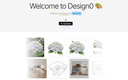
0Design0 is an AI-powered design tool that turns text into images, provides smart image editing, and has a built-in asset library. It simplifies complex workflows, helping you bring your creative ideas to life with ease.Design0 is an AI-powered design tool that turns text into images, provides smart image editing, and has a built-in asset library. It simplifies complex workflows, helping you bring your creative ideas to life with ease.
- 3
 0
0EzMaker AI is an all-in-one generative image studio built to streamline workflows for independent designers, freelancers, and digital creators. By packing state-of-the-art AI capabilities—such as turning rough sketches into polished 3D renders, precision background matting, and smart canvas expansion—into an intuitive interface, it removes the steep learning curve of traditional graphic software. Experience studio-grade visual production for $0—no accounts, no tracking, just pure creative freedom.
- 4
 0
0Whisk AI is a free AI image generator that lets creators combine subject, scene, and style inputs to produce polished visuals in seconds. Instead of relying only on text prompts, Whisk AI supports image-guided creation, making it easier to control composition, mood, and aesthetics. It is useful for concept art, marketing graphics, social posts, moodboards, and rapid creative experimentation. The tool highlights fast online generation, intuitive image input workflows, and high-quality output for designers, marketers, and everyday users who want more controllable AI image generation.
- 5
 0
0PicNow is the fastest ai image generator on the planet. You can create up to 4 images simultaneously in 1 second. That’s about 20x faster than OpenAI’s image tools—and the quality is still amazing. It even handles text in images really well, which is often a pain point with other generators. Why does speed matter? When image generation is instant, a new creative process emerges— say vibe imaging ;). No more waiting 20 seconds; you can generate, see results, and iterate in real-time, staying in the creative flow. You can use this tool as a first step for more advanced image processing, or sometimes the results are already perfect as they are. Instant images, infinite ideas.
- 6
 0
0Mediasaur is an AI creative engine that turns a single input—like a product photo, concept, or prompt—into high-quality visuals in seconds. It generates UGC-style content, studio product shots, backgrounds, lifestyle scenes, and platform-ready ad creatives instantly. With Mediasaur, teams and individuals can produce endless variations, explore new creative directions, and keep their content pipeline fresh without the usual cost or complexity. The workspace makes it easy to organize generations, experiment with styles, and export assets for any channel or use case. Whether you need polished images, social content, ad concepts, or rapid creative testing, Mediasaur gives you a fast, flexible, AI-powered way to produce visuals at scale. Mediasaur is built for anyone who creates content—marketers, designers, founders, creators, or teams—offering a simple, on-demand way to generate high-quality AI content.
- 7
 0
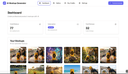
0If you’ve spent any time in e-commerce operations, you know that AI is a game-changer for efficiency. But you also know that standard AI chat interfaces are fundamentally flawed for real-world product images. Pasting complex prompts into a chat box might work for a one-off experiment, but if you’re a merchant managing 100 SKUs or a side hustler testing dozens of ad creatives, it’s a workflow nightmare. Chat history is a mess, consistency is impossible to maintain, and "hallucinations", where the AI distorts your product or garbles your text, are a constant battle. AI Mockup Generator was built by e-commerce veterans to solve exactly this problem. It isn’t just another wrapper, it is a specialized workspace designed to replace the chaos of chat with a streamlined, professional workflow. The core philosophy of AI Mockup Generator is simple: you shouldn't need to be a prompt engineer to get professional results. Our system abstracts away the complexity. You don't need to beg the AI to "fix the lighting" or "adjust the shadow." The platform automatically handles the complex physics of lighting, product angles, and composition, delivering studio-quality results. We utilize cutting-edge models, and are constantly testing the latest technologies to ensure the best possible results. This means fewer wasted credits on distorted images and more usable, high-converting assets for your store. AI Mockup Generator features a robust asset management gallery. Upload your product references once, add multiple background or model references, and batch-generate your creatives. Save your winning scenes and reuse them later - swap in a new product to an existing scene without starting from scratch. Whether you are creating listing photos for Etsy or high-volume ad creatives for a dropshipping brand, AI Mockup Generator turns a bottleneck into a competitive advantage. Stop chatting with your tools and start producing at scale. Experience the workflow difference at aimockupgenerator.co
- 8
 0
0RoomCreator is an all-in-one AI-powered platform designed to transform the way people design and visualize spaces. Built for speed, simplicity, and realism, it allows users to turn any photo, sketch, or floor plan into a fully redesigned interior or exterior in just seconds. Whether someone is planning a renovation, staging a property, or simply exploring ideas, RoomCreator removes the traditional barriers of time, cost, and technical expertise that usually come with home design. At its core, RoomCreator is about making design decisions easier and more accessible. Instead of relying on imagination or expensive professionals, users can instantly see how their space would look with different styles, layouts, colors, and furniture. From modern and Scandinavian aesthetics to more eclectic or rustic themes, the platform offers a wide range of design options tailored to different tastes. This ability to visualize changes before making real-world commitments helps users avoid costly mistakes and feel confident in their choices. The platform is built for a wide audience, including homeowners, real estate agents, and property investors. Homeowners can experiment with new looks for their living rooms, kitchens, bedrooms, and more, gaining clarity before starting any renovation or redecorating project. Real estate agents can use the tool to create visually appealing listings by transforming empty or outdated spaces into attractive, staged environments that capture buyer interest. Meanwhile, investors can evaluate the potential of properties by generating realistic previews of renovations, helping them communicate value and make smarter decisions. RoomCreator stands out through its powerful yet simple workflow. Users begin by uploading an image—this could be a clean photo, a messy room, or even a rough sketch. Next, they select a design style that matches their vision. Within seconds, the platform generates a hyper-realistic transformation of the space. This fast turnaround makes it possible to test multiple ideas quickly, compare options, and refine concepts without any friction. Beyond basic redesign, RoomCreator offers a complete toolkit of AI features that give users full control over their projects. It includes the ability to edit specific parts of an image using a brush tool, allowing for precise changes without affecting the entire scene. Users can also remove furniture and objects with a single click to create an empty room, making it easier to start fresh. Additionally, the platform can turn simple sketches into realistic interiors, bridging the gap between early ideas and final visualization. For those who want more dynamic content, RoomCreator even generates short motion videos from static images, adding a cinematic touch perfect for presentations or social media. Another key strength of the platform is its focus on realism and accuracy. The generated designs are not just visually appealing—they closely reflect what can be achieved in real life. This level of precision has made the tool especially valuable for users who struggle to imagine spatial changes in their heads. Testimonials consistently highlight how RoomCreator reduces stress, saves time, and improves decision-making by showing exactly what works and what doesn’t before any money is spent. RoomCreator also prioritizes accessibility and user trust. It offers a free plan with no credit card required, allowing users to test the platform with a limited number of credits. Paid plans provide faster rendering, more features, and additional flexibility for larger or ongoing projects. At the same time, privacy is taken seriously—user uploads are only used to generate designs and are not sold or used to train public models. Ultimately, RoomCreator represents a shift in how design is approached. It replaces uncertainty with clarity, guesswork with visualization, and complexity with simplicity. By combining advanced AI with an intuitive user experience, it empowers anyone to design, experiment, and bring their ideas to life—no professional skills required.
- 9
 0
0Turn any image into editable layers with AI. Upload a picture and get the subject, background, and objects as separate transparent PNG layers. Image to Layers AI helps creators quickly isolate visual elements for design, editing, compositing, and creative workflows without manual selection or masking.
- 10
 0
0Pictro.ai is an all-in-one AI image editing platform designed to simplify and enhance creative workflows. With advanced AI technology, users can easily remove backgrounds, cut out objects, restore old or damaged photos, upscale images without losing detail, and improve overall image quality. Whether you are a designer, photographer, e-commerce seller, or casual user, Pictro.ai helps you create professional-grade visuals in just a few clicks. The platform is fast, beginner-friendly, and eliminates the need for complex editing software. Key features include: - AI background remover for clean, studio-like photos - Cutout and object removal with precision - Old photo restoration and colorization - Image upscaling and enhancement for better quality - Quick, accessible, and user-friendly design Pictro.ai makes powerful image editing accessible to everyone, turning creativity into polished visuals effortlessly.
- 11
 0
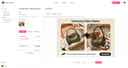
0AI Magic Eraser – Clean Up Your Images with Artificial Intelligence Photography captures moments, but it also captures imperfections. That unexpected car parked in front of a historic building, the crowd of tourists blocking a landmark, the microphone stand creeping into a concert shot, or the reflection of the photographer in a window—these are the realities of real-world shooting. AI Magic Eraser provides an elegant answer to these everyday photographic frustrations. At the heart of this solution is a sophisticated deep learning system trained on millions of images. When a user selects an unwanted element, the AI does not simply copy nearby pixels or apply a generic blur. Instead, it reconstructs the missing portion by predicting what should naturally exist in that space. The algorithm considers the direction of light, the depth of field, the texture of surfaces, and the continuity of lines and edges. The result is a restoration that feels authentic and unforced, as if the object was never part of the scene to begin with. The practical uses of AI Magic Eraser extend across numerous scenarios. Travel photographers can clear busy plazas of passersby, transforming chaotic tourist spots into serene postcard-worthy views. Wedding photographers can remove an uncle's elbow from the frame or erase a stray bouquet toss from an otherwise perfect first dance shot. Graphic designers can eliminate watermarks from reference images or clean up scanned artwork by removing dust and creases. Online sellers can isolate products from messy backgrounds, boosting conversion rates with cleaner visuals. Even hobbyists restoring vintage family photos can benefit, using the tool to erase tears, stains, and discolored spots that have accumulated over decades. The service stands out for its commitment to simplicity and speed. There are no complicated menus, no layers to manage, and no jargon to decipher. Users simply paint over what they want gone and let artificial intelligence handle the heavy lifting. The platform works directly in the browser, eliminating the need for downloads or installations. With a free tier available for testing and flexible paid plans for heavy users, AI Magic Eraser makes professional-grade image editing accessible to anyone with a photo to clean up and a few seconds to spare.
- 12
 0
0A one-stop free AI image tools platform. Image Hub is a one-stop free AI image tools platform designed to help creators, marketers, designers, and businesses generate, edit, enhance, and optimize images effortlessly. With a wide collection of powerful AI-powered tools, Image Hub enables users to create stunning visuals, remove backgrounds, upscale image quality, generate AI art, convert image formats, compress files, and much more—all from a single, user-friendly platform.
- 13
 0
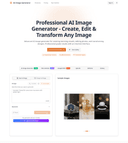
0AI Image Generator - Create, Edit & Transform Images with AI
artificial intelligence tool·image transformation toolAI image generator is a tool that uses artificial intelligence to create, edit, and transform images. Our platform can generate images from text descriptions, edit existing photos, change styles, and enhance image quality automatically. Whether you're an artist, designer, or marketer, this tool offers professional-grade results with an intuitive interface.
- 14
 0
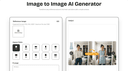
0Image to Image AI turns any photo into fresh, high-quality variations in seconds—multi-style editing, zero design skills required. Image to Image AI Core Features Discover the tools that make our image transformer shine: Sharp Visuals Our advanced model keeps fine textures and colour fidelity intact, so prints stay gallery-ready on any size. It intelligently analyses micro-details—like subtle fabric weave and reflected highlights—then reconstructs them at higher resolution to avoid blur or banding when zoomed, helping photographers maintain a premium finish. Style Variety Presets apply lighting harmony automatically while still letting you fine-tune style. The preset engine balances exposure and tonal curves automatically, yet every slider remains accessible if you want to nudge warmth or saturation, enabling a custom signature look in just a few clicks. Natural Posing Depth-aware blending removes that ‘cut-and-paste’ look for natural composites. Our pose-aware depth map detects limbs and posture, blending new backgrounds without awkward edges, so your subject feels grounded in the scene rather than floating, perfect for fashion or product hero shots. Fine-Tune Controls Intuitive sliders tweak warmth, brightness, and focus with real-time previews. Real-time feedback makes experimentation painless; dial a parameter, see the canvas update instantly, empowering creatives to refine mood lighting or depth blur interactively instead of exporting multiple test versions. Easy Export Download creations in the format best suited to your use case—quick posts or gallery-quality prints—while our pipeline automatically optimises colour profiles so visuals stay true on every device. Cloud Processing Everything happens in the cloud—no install required and works on every device. GPU clusters handle heavy lifting even on mobile networks; nothing gets stored locally, freeing disk space and ensuring your workflow stays platform-agnostic whether you’re on desktop, tablet, or phone.
- 15
 0
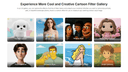
0Unlock your creative potential without spending a dime. MindPic AI is a web-based platform offering powerful AI image functionalities for everyone, absolutely free. Generate stunning art from simple text, enhance your photos to professional quality, or even try on a new hairstyle with our AI. Because it’s online, you can access these high-speed, high-quality tools from any device, anytime, making creativity more accessible than ever.
- 16
 0
0Free Nano Banana and Nano Banana Pro AI image generator. Create, edit, and upscale images to stunning 4K, 8K, and even 16K resolution with ease. Whether you're starting from scratch or enhancing existing visuals, this powerful tool gives you full creative control without requiring design skills. Go beyond simple image generation with advanced features like precise background removal, seamless inpainting and outpainting, and high-quality text rendering that blends naturally into your visuals. Maintain strong character consistency across multiple images—perfect for storytelling, branding, or content creation. From social media graphics to professional design assets, Nano Banana makes it fast, flexible, and accessible to produce high-quality AI visuals—all in one place, completely free to get started.
- 17
 0
0Flux2 is a web-based AI image generator and editor built for fast, high-quality visual creation. Generate new images from text prompts, or upload an existing image and refine it using simple instruction-based edits (style changes, background swaps, adding/removing elements, and more). Flux2 is great for rapid ideation and iteration—concept art, thumbnails, social posts, and marketing creatives—when you need speed and variety without installing software or configuring a local GPU. Export high-quality outputs and iterate across multiple variations to quickly find the best direction.
- 18
 0
0DesignMaker AI is an AI-powered design platform that transforms your ideas into professional, production-ready designs in minutes. Whether you're building a startup website, designing a landing page, creating marketing graphics, or brainstorming UI concepts, DesignMaker AI helps you go from a simple text prompt to polished visuals without the complexity of traditional design tools. Simply describe what you want in natural language, and DesignMaker AI generates beautiful, modern designs tailored to your needs. Need changes? Instead of starting over, you can chat with the AI to refine layouts, update colors, modify typography, replace sections, or explore entirely new design directions. The AI understands your feedback and continuously improves the design until it matches your vision. DesignMaker AI supports a wide range of creative workflows, including website and landing page design, user interface mockups, social media graphics, marketing banners, promotional creatives, product showcases, branding concepts, presentations, and more. Whether you're a founder launching a new product, a marketer creating campaign assets, a designer looking for inspiration, or an agency delivering projects faster, DesignMaker AI streamlines the entire design process. The platform focuses on speed, creativity, and usability. Instead of spending hours arranging elements or searching for inspiration, users can generate multiple high-quality design variations in seconds, compare different styles, and iterate effortlessly. Every design is created with modern aesthetics and user experience in mind, making it suitable for both digital products and marketing campaigns. Designed for startups, businesses, freelancers, creators, and agencies, DesignMaker AI helps teams accelerate design workflows, reduce production time, and bring ideas to life with confidence. Whether you're creating your first landing page or managing design assets for multiple clients, DesignMaker AI provides a faster, smarter way to design.
- 190
FreeMaker is a free AI photo editing platform designed to make professional image editing accessible to everyone. By bringing AI-powered tools such as unwanted object removal, background replacement, outfit changes, image enhancement, and 4K upscaling into a simple online workspace, it eliminates the need for complicated editing software. Edit and transform your images for $0—no sign-up, no watermark, and no unnecessary limitations.
- 20
 0
0Image 2.5: Create and Edit Images with AI Image 2.5 is a browser-based GPT Image 2.5 AI image generator and editor for creators, designers, marketers, and visual storytellers. It helps you generate original artwork from text, edit existing images with natural-language instructions, and build polished visuals from reference images or rough sketches. Key Features * Generate images from text prompts * Edit images using simple written instructions * Use multiple reference images to guide the result * Preserve characters, products, materials, and visual details * Replace backgrounds, restyle scenes, and modify selected objects * Create square, portrait, landscape, or custom compositions * Generate high-resolution images up to 4K * Export results as PNG, JPEG, or WebP * Create transparent-background images where supported * Refine the same idea through multiple editing rounds Two Models for Different Workflows Image 2.5 includes two GPT Image 2.5 model options: * Sunburst – prioritizes image quality, detail, and editing precision. * Flare – provides faster generation for drafts and everyday creative work. What Is Image 2.5 Useful For? Use Image 2.5 to create product images, advertising concepts, social media graphics, infographics, posters, character designs, storyboards, presentation visuals, concept art, and targeted photo edits. From initial prompt to final export, Image 2.5 combines text-to-image generation, reference-based image creation, and AI image editing in one streamlined online workspace.
- 21
 0
0Flux Kontext is a cutting-edge platform designed for AI-powered image generation and editing. It enables users to create, modify, and refine images simply by describing their vision in natural language—no technical skills required. Whether you want to generate new visuals from text prompts or make detailed edits to existing images, Flux Kontext delivers professional-grade results with incredible speed and accuracy. Built with next-generation AI technology, the platform ensures character consistency, supports multiple artistic styles, and provides tools for style transfer, precision editing, and creative exploration. With support for diverse formats and intuitive controls, creators can experiment freely—transforming ideas into vivid, high-quality visuals in seconds. Trusted by thousands of designers, artists, and content creators worldwide, Flux Kontext represents the future of visual creation.
- 22
 0
0🎨 Core Features AI-Driven Image Generation Flux Klein uses optimized AI models to transform natural language prompts into detailed, professional-grade images. Users can describe their ideas clearly and intuitively, without the need for complex prompt engineering. Fast & Lightweight Performance Built for efficiency, Flux Klein delivers rapid image generation even on standard or low-resource hardware. This lightweight design enables faster iteration and smoother creative workflows. High-Quality Visual Output Despite its efficient architecture, Flux Klein produces images with sharp details, balanced composition, and refined artistic quality suitable for professional and commercial use. Consistent Style Across Generations Flux Klein supports consistent visual styles across multiple image generations, making it ideal for brand assets, campaign visuals, and cohesive design projects. Flexible Workflow Integration Flux Klein adapts easily to different creative pipelines, supporting scalable usage for individuals, teams, and automated workflows. Prompt-Friendly Interface With a clean and intuitive interface, Flux Klein allows users of all skill levels to generate high-quality images using simple natural language descriptions. 🚀 Key Benefits Rapid Image Creation Generate professional-quality images in seconds, significantly faster than traditional design or illustration workflows. Resource-Efficient & Cost-Effective Flux Klein reduces reliance on expensive hardware and infrastructure, making advanced AI image generation more affordable. Beginner-Friendly Experience No technical background is required. Flux Klein simplifies the entire process from prompt to final image. Scalable for Projects & Teams From single-image generation to batch creation for large campaigns, Flux Klein scales effortlessly with your creative needs. 🎯 Who Should Use Flux Klein Designers & Digital Artists Accelerate concept art, visual exploration, and design iteration without sacrificing quality. Marketing Teams & Agencies Create promotional visuals, banners, and campaign assets quickly and consistently. Product & UX Designers Visualize product concepts, interface designs, and user experiences with minimal effort. Content Creators & Influencers Produce eye-catching imagery for blogs, social media, and digital platforms. Developers & Creative Technologists Integrate AI image generation into applications, tools, and automated workflows.
- 23
 0
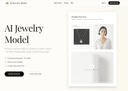
0AI Jewelry Model is built specifically for jewelry sellers—not generic AI portraits. Upload a product photo and generate photorealistic, listing-ready model-on images for rings, necklaces, and earrings in a consistent “studio” look. No prompting, no messy artifacts: clean compositions, product-first framing, and style presets tuned for Etsy/Shopify thumbnails and ads.
- 24
 0
0Createimg.ai is an all-in-one AI image generation platform that makes creating professional, commercial-ready visuals easier than ever. With advanced Text-to-Image and Image-to-Image generation, users can turn simple ideas or reference photos into stunning, high-resolution artworks in just seconds. The platform integrates multiple leading AI models such as Seedream v4, Flux.1, and Nano Banana, enabling users to explore a variety of styles — from realistic photography to artistic illustration and cinematic visuals.Designed for creators, designers, marketers, and brands, Createimg.ai provides a ready-to-use prompt library and an inspiring showcase gallery to help users discover new creative possibilities. It supports custom aspect ratios and formatting options, ensuring flexibility for every project — whether it’s for e-commerce, advertising, content marketing, or social media visuals.Best of all, no signup or installation is required. Users can access the tool instantly, enjoy generous free daily generations, and download all results in HD without watermarks or restrictions. With its clean interface, fast processing, and commercial-safe outputs, Createimg.ai is the ultimate AI-powered creative partner for anyone who wants to bring ideas to life — effortlessly and beautifully.
- 25
 0
0HomeDesignsAI is a cutting-edge, web-based platform that leverages the power of artificial intelligence to transform the way people design and visualize living spaces. Positioned as one of the leading AI home design tools in the world, it allows users to instantly redesign interiors, exteriors, gardens, patios, and terraces in less than 30 seconds. The process is simple and intuitive: users upload a photo of their space, choose their preferences such as design style and level of AI intervention, and generate high-quality, photorealistic results almost instantly. This streamlined workflow removes the complexity traditionally associated with home design, making it accessible to anyone, regardless of their experience level. One of the platform’s most impressive aspects is its versatility. With more than 80 design styles and a wide variety of room and space types, HomeDesignsAI offers endless creative possibilities. Users can experiment with different aesthetics such as modern, Scandinavian, minimalistic, and more, allowing them to explore ideas freely before making real-world decisions. The tool also includes advanced features like color swapping, texture modification, and furniture auto-fill, enabling users to customize every detail of their space. Additionally, the “Design Transfer” feature allows users to upload inspiration images and apply those styles directly to their own environments, bringing professional-level design concepts within reach. HomeDesignsAI is not only built for homeowners but also serves a broad range of professionals, including interior designers, architects, real estate agents, landscapers, and home builders. For professionals, the platform significantly reduces the time and cost associated with creating design proposals and visualizations. Instead of spending days or even weeks producing 3D renders, users can generate multiple concepts in seconds, making it easier to communicate ideas with clients and iterate quickly. Real estate agents, for example, can use the tool for virtual staging, helping potential buyers visualize the true potential of a property by furnishing empty rooms or modernizing outdated interiors. Another standout feature is its AI-powered furniture and decor detection system, which not only identifies items within generated designs but also provides direct shopping links. This bridges the gap between visualization and execution, allowing users to recreate their desired spaces with ease. The platform’s photorealistic rendering quality ensures that the generated images closely resemble real-life outcomes, giving users confidence in their design choices. With millions of users worldwide and projects completed across more than 170 countries, HomeDesignsAI has established itself as a trusted solution in the home design space. Its user-friendly interface, fast performance, and powerful AI capabilities make it suitable for personal, professional, and business use alike. Ultimately, HomeDesignsAI redefines home design by making it faster, more affordable, and far more accessible, empowering users to bring their creative visions to life with minimal effort.
Frequently asked questions
Ai Remove Text from Image is a browser-based tool that allows users to erase unwanted text, watermarks, and objects from images without needing Photoshop. It uses AI to rebuild the background naturally after the unwanted elements are removed. This tool is particularly useful for product photos, social media visuals, and more, offering free 720p downloads and original-quality exports for a fee.
Design0 is an AI-powered design tool that transforms text into images and offers smart image editing features. It simplifies complex workflows, making it easier for designers to bring their creative ideas to life with a built-in asset library.
EzMaker AI is an all-in-one generative image studio that streamlines workflows for designers and digital creators. It includes features like turning rough sketches into polished 3D renders, precision background matting, and smart canvas expansion, all within an intuitive interface.
Whisk AI is a free AI image generator that allows users to combine subject, scene, and style inputs to create polished visuals quickly. It supports image-guided creation, making it ideal for concept art, marketing graphics, and social media posts.
PicNow.ai is known as the fastest AI image generator, capable of creating up to four images simultaneously in just one second. This speed allows for real-time iteration and creativity without the long wait times typically associated with image generation.
Mediasaur can generate a variety of high-quality visuals from a single input, including user-generated content, studio product shots, lifestyle scenes, and ad creatives. It is designed to help teams and individuals produce endless variations quickly and efficiently.
AI Mockup Generator is designed specifically for e-commerce, providing a streamlined workspace that replaces chaotic chat interfaces. It allows users to batch-generate product images with studio-quality results, making it easier to manage multiple SKUs and ad creatives.
RoomCreator is an AI-powered platform that transforms photos, sketches, or floor plans into redesigned interiors or exteriors. It helps users visualize changes in their spaces quickly, making design decisions easier and more accessible.
Pictro AI is an all-in-one image editing platform that simplifies workflows by allowing users to remove backgrounds, cut out objects, restore old photos, and enhance image quality. It is designed to be user-friendly and accessible for everyone.
AI Magic Eraser uses advanced deep learning to remove unwanted elements from images by predicting what should naturally exist in that space. It provides a simple interface where users can paint over unwanted objects, and the AI reconstructs the scene seamlessly.