Best Software for Professionals
The dependable stack that just gets work done.
The best software for working professionals — productivity, communication, documents, and workflow tools that hold up under a real workload, whatever your field.
- 176
 0
0**PDF to Markdown** is a cutting-edge AI-powered utility engineered to solve the most persistent challenges in document conversion. Unlike traditional rule-based tools that often scramble layouts or lose data, our advanced AI engine deeply understands document structure. It accurately reconstructs **complex tables**, converts **mathematical formulas** directly into LaTeX, and intelligently re-flows **multi-column text** into a readable linear format. Designed for specialized workflows, the platform features a streamlined "drag-and-drop" interface with instant local previews and a high-fidelity **side-by-side comparison view**, allowing users to verify conversions in real-time. The tool not only handles text but also extracts images into organized asset packages, ensuring a complete migration of content. Whether for academic research, technical documentation migration, or personal knowledge management, PDF to Markdown Expert delivers high-fidelity results that are ready for immediate use in tools like Obsidian, Notion, or GitBook.
- 177
 0
0AI Tools Explorer is a 100% human-curated and edited directory of top-quality, SFW AI tools and apps, organized by category and updated daily with helpful AI guides and resources.
- 178
 0
0ProcessBankStatement.com is a specialized digital platform designed to bridge the gap between static financial documents and dynamic data analysis. In an era where financial transparency and rapid data processing are paramount, this service offers a streamlined, automated solution for converting PDF bank statements into editable and structured formats like CSV and Excel. By leveraging advanced parsing technology, the platform eliminates the tedious and error-prone task of manual data entry, providing accountants, bookkeepers, and financial professionals with a robust tool to enhance their operational efficiency. The core value proposition of ProcessBankStatement.com lies in its simplicity and speed. The traditional method of transcribing transaction histories from PDF documents into accounting software often takes hours and is susceptible to human oversight. This platform addresses these pain points by allowing users to simply upload their files and receive cleaned, formatted data in a matter of seconds. Its engine is specifically tuned to recognize the complex layouts of various financial institutions, ensuring that dates, descriptions, and amounts are accurately captured and categorized without the need for manual configuration. One of the standout features of the service is its wide-reaching compatibility with major financial institutions. While it is particularly optimized for prominent U.S. banks—including Chase, Bank of America, Wells Fargo, American Express, Citibank, and Capital One—its smart parsing logic is designed to handle a variety of statement structures. This versatility makes it an indispensable asset for those dealing with diverse client portfolios, such as CPAs and small business advisors, who frequently encounter different document formats that would otherwise require unique processing rules. Security and data privacy are treated as foundational pillars of the ProcessBankStatement.com experience. Recognizing the sensitive nature of financial data, the platform implements end-to-end encryption for all files in transit. Furthermore, the service empowers users with complete control over their information, offering the ability to delete uploaded files at any time. This commitment to privacy ensures that sensitive corporate and personal financial records remain confidential, meeting the high standards required by the modern fintech industry and building trust with its professional user base. The platform's accessibility is another key factor in its growing popularity. It offers a tiered approach to its services, catering to everyone from occasional users to high-volume enterprises. Guest users can test the system's capabilities with a free daily limit, while registered users enjoy increased capacity. For power users, the subscription plans offer significant processing power, including batch uploads and priority processing speeds. This scalability ensures that whether a user is processing a single personal statement or hundreds of pages for a corporate audit, the platform remains an affordable and effective solution.
- 179
 0
0flexidesktop provides companies with a reliable way to support distributed workforces through secure cloud-hosted desktops. Employees can access a familiar Windows environment from laptops, tablets, and other devices without sacrificing productivity. The platform combines fast provisioning, scalable resources, and secure infrastructure to create a flexible desktop solution. Organizations gain greater control over costs while maintaining a consistent user experience.
- 180
 0
0Browser Notes is a local-first note-taking application that brings traditional notes, sticky notes, and mind maps together in a single browser-based workspace. Instead of relying on multiple productivity apps or cloud-based services, the platform keeps everything organized directly inside your web browser. Every note is stored locally on your device, giving users complete ownership of their information without requiring an account, online synchronization, or external storage. Designed for privacy, simplicity, and speed, Browser Notes allows users to capture ideas, organize thoughts, and build projects while maintaining full control over their personal data. Unlike many modern note-taking platforms that automatically upload information to remote servers, Browser Notes follows a privacy-focused approach. All content remains stored locally within the browser, ensuring that personal ideas, research, brainstorming sessions, and creative work never leave the user's device unless they choose to export it. There is no account registration, no tracking, no mandatory cloud synchronization, and no hidden data collection. This local-first architecture makes the application suitable for users who value privacy while still providing a responsive and reliable writing experience. The platform offers three complementary ways to organize information depending on the type of work being performed. Traditional notes provide a distraction-free writing environment that supports Markdown formatting, making it easy to create structured documents, technical notes, articles, checklists, documentation, or personal journals. Markdown allows users to format headings, lists, links, emphasis, code snippets, and other document elements while keeping the writing process simple and efficient. These notes are ideal for long-form writing and organized documentation that can be expanded over time. For more visual thinking, Browser Notes includes sticky notes displayed on an open digital canvas. This workspace allows users to quickly capture ideas, move notes freely, group related concepts, and brainstorm without the limitations of a traditional document layout. Sticky notes can be arranged spatially to support creative planning, project organization, brainstorming sessions, task management, or visual workflows. Because everything remains within the browser, users can quickly reorganize information while maintaining a lightweight and responsive experience. The third workspace is dedicated to mind maps, allowing users to build branching diagrams that grow outward from a central concept. Mind maps make it easier to visualize relationships between ideas, organize complex topics, plan projects, outline presentations, design stories, or explore new concepts. Users can expand branches naturally as new ideas emerge, creating structured visual representations that help simplify complicated information. This feature supports creative thinking while remaining integrated with the same local-first philosophy as the rest of the application. Browser Notes is designed to work entirely offline, making it accessible even without an internet connection. Users can continue writing, organizing ideas, and managing projects regardless of network availability because the application depends only on local browser storage. This offline capability makes it especially useful for students, researchers, writers, developers, travelers, and professionals who need reliable access to their notes at any time without depending on external services or internet connectivity.
- 181
 0
0MindMap AI is the #1 AI-powered mind mapping software for professionals and teams. It instantly transforms ideas, files (PDFs, docs, slides, images), and recordings (meetings, lectures, training) into dynamic visual maps. With features like Co-Pilot Chat (chat with your map), auto-expansion, summarization, and second-order connections, every map becomes an interactive workspace. Instead of searching manually, you can ask questions, refine strategies, and uncover hidden insights directly. Built for corporate productivity, MindMap AI helps teams brainstorm, organize knowledge, and turn complexity into actionable workflows, projects, and strategies in minutes. It works across web, mobile, and extensions, with multi-format exports (Word, PPTX, PDF, PNG, Markdown, and more). Whether for planning, capturing meeting knowledge, aligning strategies, or analyzing research, MindMap AI helps organizations move from chaos to clarity—faster and smarter.
- 182
 0
0Procright is an AI procurement copilot for teams that need to write clearer purchasing specs, discover products, compare vendors, and document defensible buying decisions. It helps procurement and operations teams turn messy requirements into structured evaluation criteria, shortlist options, and keep the reasoning behind vendor comparisons organized for faster, more transparent software and services purchasing.
- 183
 0
0Eleidon is the phishing-proof secure messaging app that replaces risky external email. Senders need your explicit approval via trust requests which means no spam, no spoofing, and no phishing. Every message is cryptographically verified and end-to-end encrypted. Free for personal use, create organizations with paid plans. Claim your secure inbox at eleidon.com.
- 184
 0
0Evaloly (https://evaloly.com) is a modern digital platform designed to simplify organization management and improve operational efficiency for businesses and teams. Built to support streamlined workflows, the platform focuses on helping organizations stay organized, manage processes more effectively, and reduce unnecessary complexity in day-to-day operations. Its goal is to create practical software solutions that improve productivity while keeping systems simple and accessible. One of Evaloly’s main strengths is its emphasis on centralized organization management. Instead of relying on multiple disconnected tools, businesses can benefit from a more structured environment where important workflows, communication, and operational tasks can be managed more efficiently. This helps reduce delays, improve collaboration, and maintain better control over growing business activities. The platform is developed under SoftWorks Global LLC, a US-based software company founded in 2009. With experience building software across industries such as eCommerce, real estate, finance, and SEO, the company focuses on innovation, quality, value, and solving real-world problems through technology. This background adds credibility and scalability to Evaloly as a modern software solution.
- 185
 0
0Top AI Tools Review is a curated AI tools directory built to solve a common problem: finding the right AI tool is harder than it should be. The AI space moves fast, information is scattered across countless lists, and many “free” tools are actually trial-only or come with unclear limits—so users end up wasting hours on outdated pages and trial-and-error. What it does • Browse a large catalog of AI tools organized into 600+ categories • Explore 5,000+ tools with daily updates, so new launches don’t get buried • Quickly spot free tools / usable free tiers, making it easier to test before you pay What makes it special • Freshness by design: listings are refreshed daily to reduce dead links and stale recommendations • Clarity over hype: scan-friendly tool pages and category browsing help you shortlist fast • Free-tier transparency focus: prioritizes tools people can actually try right away, not just marketing “free trials” Whether you’re a founder, creator, marketer, student, or a small team, Top AI Tools Review helps you discover, compare, and adopt AI tools in minutes—not hours.
- 186
 0
0EmailVerify is a professional email verification service designed to help businesses validate email addresses with industry-leading 99.9% accuracy. Our platform combines advanced multi-layer verification technology with AI-powered detection systems to deliver fast, reliable, and affordable email validation at scale. Whether you need to verify a single email address in real-time or clean millions of records from your database, EmailVerify provides the tools, integrations, and infrastructure to ensure your email communications reach real inboxes.
- 187
 0
0Tagada is a lightweight Gmail extension designed to transform how users read, organize, and respond to emails. Instead of introducing complex AI systems or cloud-based workflows, it focuses on a simple but powerful idea: breaking emails into clear, clickable sentences that can be highlighted, tagged, and organized directly within Gmail. The goal is to help users communicate faster and more clearly while keeping everything structured and easy to follow. At its core, Tagada enhances email readability by allowing users to identify key phrases before replying. Rather than scrolling through long, dense messages, users can quickly highlight important sections and categorize them with a single click. This makes it much easier to focus on what actually matters in a conversation, reducing confusion and improving the quality of responses. The process is intuitive—users simply read their email as usual, mark the relevant parts, and then craft a reply based on those highlighted elements. One of the most distinctive aspects of Tagada is its commitment to privacy and local processing. All data stays on the user’s device, meaning emails are never sent to external servers or processed through third-party AI systems. There is no cloud storage, no data tracking beyond basic anonymized analytics, and no risk of sensitive information being exposed. This makes Tagada particularly appealing for users who prioritize data security and want full control over their communications. The extension also improves workflow efficiency by helping users stay organized without leaving Gmail. Instead of switching between multiple tools or copying information elsewhere, everything happens within the same interface. Emails are parsed instantly into manageable parts, allowing users to quickly understand complex messages and respond without losing context. This streamlined experience saves time and reduces the mental load often associated with handling large volumes of email. Another key benefit is its simplicity. Tagada does not require users to learn new systems or adopt entirely new platforms. It works directly within Gmail, meaning there is no need to migrate data or change привычные habits. This low barrier to entry makes it accessible to both individuals and teams who want to improve their email communication without investing time in complicated setups. User feedback highlights how Tagada simplifies everyday email tasks. Many users appreciate the ability to clearly mark important information and avoid cluttered replies. It also eliminates the need for workarounds like manually coloring text or rewriting entire threads just to maintain clarity. By keeping conversations structured and visually organized, Tagada helps ensure that key points are always noticed and addressed. Overall, Tagada positions itself as a practical and privacy-first tool for better email management. By combining local processing, intuitive highlighting features, and seamless integration with Gmail, it offers a focused solution for anyone looking to communicate more effectively and handle emails with greater clarity and speed.
- 188
 0
0SaaS Hub Directory is your command-line gateway to a curated universe of AI and SaaS tools. Whether you’re coding your next app, optimizing workflows, or just exploring what’s possible, our retro-styled terminal interface puts powerful tools at your fingertips. Browse by category, filter by feature, or search by intent—discover everything from AI image generators to marketing automations, personal finance apps, and productivity boosters. Built for developers, founders, creators, and curious minds, we surface high-impact software to help you execute faster. Submit your own tool, get featured, and join a community of digital builders. At SaaS Hub Directory, you don’t just explore tools—you deploy smarter decisions.
- 189
 0
0Every job application starts the same way: find the posting, copy the description, paste it into some AI tool, paste your resume, tweak the prompt, edit the output. Repeat 50 times. PathwiseAI eliminates all of it. Type "Stripe Product Manager" and the platform finds the real job posting, pulls your resume from your profile, and generates a tailored cover letter in seconds. No tabs. No copy-pasting. No prompt engineering. That same automation powers every tool on the platform. PathwiseAI is built around six studios that share a single profile, so you never re-enter information: The Writing Studio generates cover letters, college application essays, and scholarship essays matched to specific prompts and programs. Resume Lab scores your resume against industry benchmarks and provides line-by-line improvement suggestions. The Email Center covers 38+ scenarios — networking, follow-ups, thank you notes, resignations, cold outreach, and salary discussions. Interview Prep turns your real experience into structured STAR stories and generates company-specific research briefs so you walk in prepared. Salary & Offers builds counter-offer emails, responds to lowball offers, and compares multiple offers side by side with total compensation breakdowns. LinkedIn Studio rewrites your headline, summary, and experience sections to rank higher in recruiter searches.
- 190
 0
0UseSkill is the AI skills library with 100+ integrations — pre-built workflows that deliver consistent results in 30 seconds, not 30 minutes of prompting. THE PROBLEM: With ChatGPT, you explain tasks repeatedly, copy-paste between apps, and get inconsistent results. THE SOLUTION: Pick a skill. Connect your tools once. Click run. Done. 100+ CONNECTORS INCLUDING: - CRM: Salesforce, HubSpot, Pipedrive, Zoho CRM, Close, Apollo - Productivity: Gmail, Google Sheets, Notion, Slack, Microsoft Teams, Outlook - DevOps: GitHub, Jira, Sentry, PagerDuty, Confluence, Bitbucket - Data: Snowflake, BigQuery, Databricks, Mixpanel, Amplitude, PostHog - Support: Zendesk, Freshdesk, Intercom, ServiceNow WHY USESKILL: → 30 seconds to results (not 30 minutes) → Same output every time (tested skills) → Nothing to install (browser-based) → Privacy-first (data never stored) 30200+ skills run weekly. 2,000+ users. Free, no credit card required.
- 191
 0
0Hush Touch is a next-generation AI voice-to-text application built exclusively for macOS, designed to deliver faster, cleaner, and more intelligent dictation—entirely on-device. Unlike cloud-based alternatives, Hush Touch leverages the powerful dictation engines already inside your Mac and enhances them with a final pass powered by Apple Intelligence. The result is a seamless, privacy-first dictation experience that feels native, responsive, and remarkably accurate. At just 5.5 MB, Hush Touch is lightweight yet powerful. It blends two Apple speech recognition systems—DictationTranscriber for natural flow and punctuation, and SFSpeechRecognizer for advanced vocabulary detection. By combining both engines and applying an Apple Intelligence refinement layer, the software produces highly accurate transcriptions, even for complex terminology such as technical jargon, brand names, or medical terms. Designed for hands-free productivity, Hush Touch integrates with Siri activation. Simply say, “Hey Siri, start touch” to begin dictation, and the app automatically inserts text after two seconds of silence. You can also double-click a customizable hotkey to activate a Siri-style auto-stop mode. When you’re finished, voice commands like “okay send message” can automatically send your dictated text, streamlining communication without touching the keyboard. Hush Touch includes a robust smart text processing pipeline. It removes filler words, auto-corrects common speech patterns, inserts punctuation naturally, supports emoji dictation, formats numbered lists, and enables voice-based formatting commands. The system also offers four context modes—General, Email, Code, and Notes—optimizing recognition behavior depending on what you’re writing. A key differentiator is adaptive learning. The software detects when you manually correct a transcription and automatically adds the corrected term to your personal vocabulary. Users can store up to 500 custom terms, with frequency-weighted learning and per-app profiles that adjust recognition based on context. Voice snippets allow up to 50 custom phrase mappings for repeated text. Privacy is foundational. Hush Touch operates 100% offline with zero cloud dependency. All speech processing—including the Apple Intelligence final pass—happens locally on your Mac. There are no network requests during dictation, no analytics, no telemetry, and no user tracking. The App Store privacy label confirms “Data Not Collected.” Available for a one-time $20 lifetime license, Hush Touch eliminates subscriptions while delivering professional-grade AI dictation. It requires macOS 26+ for dual-engine mode and macOS 15+ for the classic engine. For Mac users who value speed, accuracy, and complete privacy, Hush Touch transforms voice into text—smarter, cleaner, and entirely under your control.
- 192
 0
0Low Code Platforms Directory is a trusted tool for exploring solutions designed to lower development barriers and enhance productivity. The directory includes robust filtering for automation pipelines, AI modeling features, CRM modules, industry-specific templates, and integration stacks. By centralizing this information, it gives teams a clearer view of how each platform performs under real-world conditions. Whether your focus is innovation speed, cost reduction, or operational efficiency, the directory equips you with the knowledge needed to choose the ideal platform.
- 193
 0
0Low Code Platforms Directory is a trusted tool for exploring solutions designed to lower development barriers and enhance productivity. The directory includes robust filtering for automation pipelines, AI modeling features, CRM modules, industry-specific templates, and integration stacks. By centralizing this information, it gives teams a clearer view of how each platform performs under real-world conditions. Whether your focus is innovation speed, cost reduction, or operational efficiency, the directory equips you with the knowledge needed to choose the ideal platform.
- 194
 0
0Subiq is a SaaS subscription management platform designed to help small teams and growing companies organize, monitor, and reduce their software expenses. The platform focuses on solving one of the biggest problems modern businesses face: losing track of recurring SaaS subscriptions, forgotten renewals, inactive software seats, and unnecessary monthly costs. The software provides a centralized dashboard where teams can track every subscription they pay for, including monthly and yearly spending totals, renewal dates, active tools, and potential savings opportunities. Instead of managing software subscriptions through spreadsheets, emails, or manual reminders, Subiq gives companies a single place to monitor their entire SaaS stack in real time. One of the platform’s most important features is its renewal management system. Subiq sends alerts before subscriptions renew, helping teams avoid unwanted charges and giving them enough time to cancel, downgrade, or renegotiate plans. This is especially useful for businesses that rely on many SaaS products with annual billing cycles that are easy to forget. Subiq also includes collaboration tools built specifically for teams. Administrators can invite employees, assign roles, and allow each person to review the software they actually use. Automated monthly or quarterly review requests help companies identify tools that are no longer needed. Team members can mark subscriptions as active, unused, or cancelled, while the platform automatically calculates how much money could be saved by removing unnecessary tools. The platform emphasizes simplicity and ease of use. Businesses can manually add subscriptions, import them from files, or let team members add their own software. Setup is designed to take only a few minutes, without requiring complex integrations, technical knowledge, or access to financial accounts. Subiq also offers spending analytics and reporting features that help teams better understand their SaaS expenses. Users can view software costs by tool, analyze recurring payments, track yearly spending, and identify wasted budget caused by unused subscriptions. These insights allow businesses to make smarter decisions about which tools they should keep, cancel, or replace. The software is mainly targeted at startups, small businesses, remote teams, and growing companies that use multiple online tools such as Slack, Notion, Figma, AWS, and other subscription-based services. Its goal is to provide a lightweight and affordable alternative to complex enterprise SaaS management platforms. Subiq offers multiple pricing plans, including a free version for smaller teams and paid plans that unlock advanced features such as unlimited tool tracking, automated review cycles, team collaboration, role management, and deeper cost optimization insights. Overall, Subiq is a modern SaaS spend management solution that helps companies gain visibility into their software subscriptions, reduce unnecessary expenses, prevent forgotten renewals, and keep their growing SaaS stack organized in one clean and easy-to-use platform.
- 195
 0
0Wisegrid is a spreadsheet-native work management platform built for project-driven businesses that need more structure, automation, and visibility without giving up the flexibility of a familiar grid. It combines rows, columns, formulas, hierarchies, copy and paste, and cross-sheet references with dashboards, Gantt, board and calendar views, forms, workflow automation, approvals, resource planning, reusable blueprints, and real-time reporting. AI-powered formulas also help teams classify information, extract key details, and summarize project data directly inside the workspace. Teams can use Wisegrid to plan projects, track schedules and budgets, manage requests, automate repetitive processes, allocate resources, coordinate approvals, and create portfolio-level dashboards. Because different views use the same underlying data, teams can move between spreadsheets, timelines, boards, calendars, and reports without maintaining separate systems. Wisegrid is designed for spreadsheet-heavy small and mid-sized businesses, especially construction companies, engineering firms, professional services teams, agencies, and operations departments. Typical users include project managers, operations leaders, business owners, finance teams, resource managers, and spreadsheet power users. Common use cases include project planning, construction schedules, RFIs, change orders, budget tracking, resource and capacity planning, request management, approval workflows, client reporting, and multi-project dashboards. The platform also supports API and webhook integrations, Excel and CSV exports, and self-service Smartsheet migration. Wisegrid helps teams replace disconnected spreadsheets and manual reporting with one connected workspace while preserving the grid-based experience they already understand.
- 196
 0
0LoraAI Directory is a tool provides free AI Tools Directory. Get your favorite AI tools with LoraAI Directory, LoraAI Directory aims to collect all the AI tools and provide the best for users.Find the Best AI Tools for Every Task.Transform your workflows with 11 AI tools and growing https://www.loraai.pro
- 197
 0
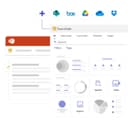
0TeamSlide is a presentation management platform designed to help organizations create professional, brand-consistent PowerPoint presentations more efficiently. By integrating directly into Microsoft PowerPoint and connecting with existing content management systems, the platform provides teams with immediate access to approved presentation assets while simplifying slide management, template distribution, version control, and brand compliance. Its primary goal is to eliminate the time spent searching for presentation content and reduce the risk of using outdated or inconsistent materials. The platform is built around a centralized slide library that enables employees to search, browse, and reuse approved presentation content without leaving PowerPoint. Rather than manually locating previous presentations or requesting updated materials from colleagues, users can instantly search across individual slides, tables, diagrams, speaker notes, and metadata to find exactly the content they need. Features such as tags, filters, and pinned slides further improve discoverability, allowing organizations to organize large presentation libraries in a structured and scalable manner. One of TeamSlide's core strengths is its seamless integration with existing enterprise content management platforms. Instead of requiring organizations to migrate their files into a separate repository, the platform synchronizes directly with systems such as SharePoint, OneDrive, Box, and other supported storage solutions. This allows presentation assets to remain within their existing workflows while ensuring that employees always access the latest approved versions. The integration minimizes duplication, simplifies content governance, and preserves existing document management processes. Maintaining brand consistency is another major focus of the platform. TeamSlide provides centralized template management that ensures every presentation begins with approved layouts, fonts, colors, and design elements. In addition, automated slide checking reviews presentations for formatting inconsistencies, branding violations, typographical errors, and other issues before they are shared with customers or stakeholders. These automated quality checks help organizations enforce presentation standards while reducing manual review effort and improving overall presentation quality. The platform also includes comprehensive version control capabilities designed to prevent outdated content from being reused. Whenever presentation assets are updated within the organization's repository, TeamSlide automatically identifies older versions and alerts users that newer approved slides are available. This ensures that sales teams, consultants, marketing departments, and other employees consistently present accurate information while reducing the business risks associated with obsolete messaging or outdated data. Artificial intelligence is integrated into the platform through AI-powered slide generation. Users can transform rough notes, outlines, or text into professionally designed PowerPoint slides that follow the organization's branding guidelines and presentation style. Rather than generating generic content, the system is designed to produce consulting-quality slides that align with company templates and communication standards. Users can then continue editing the generated slides directly within PowerPoint, combining AI-assisted productivity with familiar presentation workflows. The platform also supports enterprise governance through flexible permission management. Organizations can assign access rights to individual users or groups, ensuring that employees only see presentation libraries relevant to their roles. Permissions can be managed centrally, making it easier to control access to confidential materials while maintaining organized content libraries across departments and business units. Security and privacy receive significant attention throughout the website. TeamSlide emphasizes encrypted data storage and transmission, secure cloud infrastructure, regular third-party security assessments, and compliance with recognized privacy standards such as GDPR. Organizations can choose between cloud-hosted and on-premise deployments, allowing the platform to meet a wide variety of security, compliance, and infrastructure requirements without sacrificing functionality.
- 198
 0
0rfpaihub is a curated online directory designed to help businesses discover, compare, and evaluate AI-powered tools for RFP (Request for Proposal) responses, proposal writing, and security questionnaire automation. As organizations increasingly rely on automation to streamline complex workflows, rfpaihub serves as a centralized resource where users can explore the best tools available in this specialized category. The platform simplifies the decision-making process by organizing tools based on features, pricing, categories, and industry relevance. At its core, rfpaihub addresses one of the most time-consuming challenges faced by sales, compliance, and proposal teams: responding to repetitive and detailed questionnaires. Traditional RFP processes often involve manually searching for past answers, copying content, and coordinating with subject-matter experts. This not only slows down response times but also increases the risk of inconsistencies. By showcasing AI-driven solutions, the platform highlights how automation can transform this workflow into a faster, more efficient, and more accurate process. The directory includes a wide range of tools such as Loopio, RocketDocs, and Responsive, among others. Each tool is categorized into specific use cases, including RFP response software, proposal and bid management, security questionnaire automation, and sales knowledge platforms. This structured organization allows users to quickly identify solutions that align with their specific needs, whether they are handling structured questionnaires, narrative proposals, or compliance documentation. One of the platform’s key strengths is its ability to provide detailed comparisons. Users can filter tools by pricing models, free trial availability, or feature sets, making it easier to evaluate options side by side. Additionally, the directory is updated weekly, ensuring that the information remains current in a rapidly evolving AI landscape. This is particularly valuable for businesses looking to adopt the latest technologies without spending excessive time on research. rfpaihub also educates users on how AI improves the RFP process. Modern AI tools maintain centralized knowledge bases of approved answers, automatically match incoming questions to relevant content, and generate high-quality first drafts. This reduces the need for manual writing and allows teams to focus on reviewing and refining responses instead. As a result, companies can significantly reduce response times—often by 40–60%—while improving consistency and accuracy across submissions. Another important aspect of the platform is its accessibility. rfpaihub is completely free to use, with no account required to browse or compare tools. This makes it an open resource for businesses of all sizes, from startups to large enterprises. Vendors can also submit their tools for inclusion, helping to expand the ecosystem and keep the directory comprehensive. Overall, rfpaihub acts as both a discovery platform and an educational resource. By combining structured comparisons with insights into AI-driven workflows, it empowers organizations to choose the right tools and optimize their proposal processes. In an environment where speed and precision are critical, platforms like rfpaihub play a key role in helping teams stay competitive and efficient.
- 199
 0
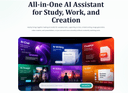
0HeyTop's AI chat assistant delivers fast, reasoned answers for daily questions, research, and code troubleshooting. The ChatPDF tool lets users extract key insights from long documents in seconds. The AI writer helps draft emails, articles, social posts, and reports. For visual content, the image generator produces high-quality illustrations, while the video generator turns static ideas into dynamic short clips
- 200
 0
0NoClick is an AI automation platform that lets anyone build custom tools and workflows without writing code. You describe what you want in plain English or drag-and-drop building blocks onto a visual canvas, and NoClick wires it up — everything from "email me a summary of my Slack channels every morning" to multi-step AI agents that take actions across apps like Gmail, Notion, Google Drive, and more. You can also generate a custom user interface (forms, dashboards, chat UIs) on top of any workflow, so the automations you build can be used by your team or customers like a real product.
Frequently asked questions
AdBlock is a browser extension designed to eliminate distracting advertisements from your browsing experience. By blocking ads, it allows you to focus better on the content you want to see, making your online activities more enjoyable and less cluttered.
ChatGPT is highly regarded for its advanced conversational capabilities and versatility in various tasks, including coding and generating creative content. Users appreciate its ability to assist with programming tasks and its overall effectiveness, despite occasional issues like hallucinations and outages. The subscription fee of $20/month is often seen as worthwhile for the value it provides.
Block & Focus is a simple yet effective browser extension that allows you to block distracting websites for a specified period. You can customize which sites to whitelist or blacklist, helping you maintain focus and productivity during work hours.
Limit is a tool that helps you manage your time on distracting websites by allowing you to set daily limits on how long you can spend on each site. Once you reach your limit, the website is blocked, helping you avoid distractions and stay focused on your tasks.
Remote Index is a job board that provides a daily updated list of remote job opportunities across various fields. It is a valuable resource for professionals seeking flexible work arrangements and remote positions.
Remote OK is a popular job board that features a mix of engineering and non-engineering jobs. It offers a variety of filtering options, allowing users to search for jobs based on location, job type, salary, and benefits. New job postings are added daily, making it a dynamic resource for job seekers.
Momentum transforms your new tab page into a personalized dashboard that displays the time, weather, and a beautiful landscape photo. It includes productivity tools like a pomodoro timer, to-do lists, and focus time, making it not only visually appealing but also functional for enhancing productivity.
Wellfound, formerly known as Angel List Talent, focuses on startup jobs and offers extensive filtering options for job seekers. Users can save their searches and apply directly for jobs, making the job search process more efficient and tailored to their preferences.
Otta stands out by providing job recommendations that match your specific profile. Users set preferences such as location, salary, and role, and Otta curates job listings that fit these criteria, ensuring high-quality job offers that save time in the job search process.
Panem helps users manage their SaaS subscriptions by tracking spending and identifying unnecessary expenses. It connects to your bank account to analyze transactions, provides renewal reminders, and offers insights to help you make informed decisions about your subscriptions, ultimately saving you time and money.