Best Software for Professionals
The dependable stack that just gets work done.
The best software for working professionals — productivity, communication, documents, and workflow tools that hold up under a real workload, whatever your field.
- 201
 0
0Stop drowning in browser tabs and research articles. ResearchCollab.ai is the ultimate research hub for content creators, students, and academics. It’s one place to manage all your documents, notes, and bookmarks. Upload your files and chat with them using over 50 AI models (like OpenAI and Claude). Get instant, cross-checked answers as one AI double-checks another. It's designed to speed up your research by 10x. Discover insights from over 250 million papers and spend less time sifting, more time creating.
- 202
 0
0ProspectBuddy is a safe LinkedIn prospecting tool built for Airtable and Trello workflows. It helps sales teams, recruiters, founders, and operators save LinkedIn leads in one click and turn profiles into structured records without messy copy-paste. Built for manual prospecting, ProspectBuddy does not perform automated actions on your behalf. You stay in control while working directly from LinkedIn profiles, making it a safer alternative to risky automation tools. With ProspectBuddy, you can: -save LinkedIn leads to Airtable or Trello -capture only the profile fields you need -find verified business emails and phone numbers -generate personalized outreach messages with AI -keep your prospecting workflow clean and consistent If you use LinkedIn for sales, recruiting, or business development, ProspectBuddy helps you work faster while keeping full control over your workflow.
- 203
 0
0# VideoCompressors.com — Compress Videos Instantly in Your Browser, 100% Free & Private Large video files are a constant headache. Whether you're trying to share a clip on Discord, attach a recording to an email, or free up storage on your phone, oversized videos slow everything down. Most online compressors force you to upload your files to a remote server, wait in a queue, and hope your data stays safe. VideoCompressors.com takes a fundamentally different approach. ## GPU-Accelerated Compression — Up to 10x Faster VideoCompressors.com leverages the WebCodecs API to tap directly into your device's GPU for hardware-accelerated video encoding. This means compression that used to take minutes on CPU-based tools now finishes in seconds. A 150 MB video can be reduced to under 30 MB — an 80% reduction — without any noticeable loss in visual quality. Whether you're on a desktop workstation or a modern laptop, the GPU does the heavy lifting so you don't have to wait. ## 100% Privacy — Your Video Never Leaves Your Device Unlike traditional online compressors that require uploading your files to a cloud server, VideoCompressors.com processes everything locally inside your browser. No video data is ever transmitted to any server. There are no accounts to create, no terms to accept about data usage, and no risk of your personal or sensitive content being stored somewhere you can't control. Your files stay on your device from start to finish — zero data shared, period. ## Real-Time Progress & Side-by-Side Comparison One of the standout features is the real-time compression dashboard. As your video is being processed, you can watch the progress in real time — see exactly how much has been compressed, estimate the remaining time, and monitor the output file size as it grows. Once compression is complete, a built-in side-by-side comparison tool lets you scrub through the original and compressed versions frame by frame, so you can verify the quality before downloading. No more guessing whether the result will look good enough. ## Completely Free, No Strings Attached There are no pricing tiers, no watermarks, no daily limits, and no sign-up required. You can compress as many videos as you want, as large as your device can handle (up to 2 GB per file), without ever hitting a paywall. The tool supports all major input formats — MP4, WebM, MOV, MKV, AVI, WMV, FLV — and outputs optimized MP4 files with H.264 or H.265 codec. ## Built for Real Use Cases VideoCompressors.com includes smart presets for popular platforms: Discord (8 MB, 10 MB, 25 MB), WhatsApp (16 MB), email attachments (25 MB), and more. For users who want finer control, manual settings for resolution, bitrate, frame rate, and even video trimming are all available. It works across Chrome, Safari, Firefox, and Edge on both desktop and mobile. If you've been looking for a video compressor that's fast, private, and genuinely free — without the usual compromises — give [VideoCompressors.com](https://videocompressors.com) a try. Drop a file, pick a size, and download your result in seconds. It's that simple.
- 204
 0
0Move is the simple, no-nonsense way to organize and share your events, keep your calendars in check, and connect with groups – all in one place. Whether you're planning a casual meetup, a big conference, or just trying to keep your work and social life organized, Move has you covered. It’s easy to use and works for anyone, from everyday users looking to stay on top of things to group leaders organizing events. Say goodbye to confusing tools and hello to simplicity with Move. Key Features - Events & Ticketing: Create and manage events with ease, whether it’s a small gathering or a large-scale event. Attendees can register via SMS or email, save their tickets to their phone, and check-in without any hassle. - Payments Made Easy: Accept payments from all over the world with the latest payment methods, making event sales smooth and simple. - Custom Calendars: Manage your life with personalized calendars for work, social, or personal events. Easily add your Move events, customize how they look, and choose who can see them. - Groups: Create private or public groups for friends, family, or colleagues. Share events, files, and posts with your group, and even set up paid memberships if needed. - Mobile-Friendly: Attendees can access tickets on their phones and check in with ease. Stay connected and organized no matter where you are. - Real-Time Notifications: Send out event updates or group announcements through SMS or email, keeping everyone in the loop without the chaos of text chains or email threads.
- 205
 0
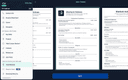
0A simple and free way to build a PDF resume for your job applications. Available on Android, iOS, and macOS. The app was developed by a former professional recruiter. It contains advice and examples for each section of the resume. There's also an AI Assistant to make sure your resume is concise and professional.
- 206
 0
0Turn your voice into text instantly with offline speech-to-text dictation for Windows — private, fast, and fully offline. Murmur is a powerful offline speech-to-text and voice dictation app for Windows, built on the OpenAI Whisper neural network. All voice processing happens entirely on your device. No internet connection, no cloud services, and no audio ever leaves your computer. Designed for productivity and privacy, Murmur lets you dictate text into any application using a single global hotkey. Just press the shortcut, speak naturally, and release — the transcribed text appears instantly at your cursor position so you can keep working without interruption. Murmur works everywhere: IDEs, terminals, browsers, chats, document editors, and enterprise applications. It is especially suited for corporate, offline, and NDA-restricted environments where cloud-based dictation tools are not allowed. Notebook is a PRO Feature Upgrade to PRO to unlock the Notebook feature and transcribe long recordings and files. * Transcribe audio and video files * Long recordings up to 3 hours * Export to TXT, PDF, DOCX, SRT * Unlimited saved transcriptions Key Features 🔒 100% Offline & Private All speech recognition runs locally on your PC. No uploads, no tracking, no telemetry, and no external servers. 🧠 Whisper AI Engine Accurate real-time speech recognition powered by OpenAI Whisper, supporting 99+ languages with automatic language detection. ⚡ High Performance GPU acceleration with NVIDIA CUDA and Vulkan for fast transcription. Automatically falls back to CPU when GPU is unavailable. ⌨️ Global Hotkey Dictation Start and stop dictation instantly from any application using a customizable system-wide hotkey. ✍️ Type Anywhere Transcribed text is automatically inserted into the active window or text field — no copy-paste, no app switching. 🗂 Local Transcription History All transcriptions are stored locally for browsing, editing, copying, and reuse. 🪶 Minimal Interface Clean, lightweight, distraction-free UI designed to stay out of your way while you work. 🔐 Privacy by Design • Audio never leaves your device • All data stored locally • No account or sign-in required • No analytics or tracking Perfect For • Writing emails, documents, and messages • Dictating notes, documentation, and code comments • Developers working in IDEs and terminals • Journalists and writers who value privacy • Accessibility and hands-free typing • Working without internet access • Pr
- 207
 0
0Turn your voice into text instantly with offline speech-to-text dictation for Windows — private, fast, and fully offline. Murmur is a powerful offline speech-to-text and voice dictation app for Windows, built on the OpenAI Whisper neural network. All voice processing happens entirely on your device. No internet connection, no cloud services, and no audio ever leaves your computer. Designed for productivity and privacy, Murmur lets you dictate text into any application using a single global hotkey. Just press the shortcut, speak naturally, and release — the transcribed text appears instantly at your cursor position so you can keep working without interruption. Murmur works everywhere: IDEs, terminals, browsers, chats, document editors, and enterprise applications. It is especially suited for corporate, offline, and NDA-restricted environments where cloud-based dictation tools are not allowed. Notebook is a PRO Feature Upgrade to PRO to unlock the Notebook feature and transcribe long recordings and files. * Transcribe audio and video files * Long recordings up to 3 hours * Export to TXT, PDF, DOCX, SRT * Unlimited saved transcriptions Key Features 🔒 100% Offline & Private All speech recognition runs locally on your PC. No uploads, no tracking, no telemetry, and no external servers. 🧠 Whisper AI Engine Accurate real-time speech recognition powered by OpenAI Whisper, supporting 99+ languages with automatic language detection. ⚡ High Performance GPU acceleration with NVIDIA CUDA and Vulkan for fast transcription. Automatically falls back to CPU when GPU is unavailable. ⌨️ Global Hotkey Dictation Start and stop dictation instantly from any application using a customizable system-wide hotkey. ✍️ Type Anywhere Transcribed text is automatically inserted into the active window or text field — no copy-paste, no app switching. 🗂 Local Transcription History All transcriptions are stored locally for browsing, editing, copying, and reuse. 🪶 Minimal Interface Clean, lightweight, distraction-free UI designed to stay out of your way while you work. 🔐 Privacy by Design • Audio never leaves your device • All data stored locally • No account or sign-in required • No analytics or tracking Perfect For • Writing emails, documents, and messages • Dictating notes, documentation, and code comments • Developers working in IDEs and terminals • Journalists and writers who value privacy • Accessibility and hands-free typing • Working without internet access • Pr
- 208
 0
0pdfpix is a free online PDF toolkit that provides a wide range of tools for working with PDF documents directly in your web browser. Its main focus is privacy, simplicity, and unrestricted access. Unlike many online PDF services that require users to upload their documents to remote servers, pdfpix processes files locally inside the browser tab. This means your PDF stays on your own device while the tools perform the requested operation. The platform offers more than 31 free PDF tools with no account required and no daily usage cap. Users can work with their documents without creating an account, waiting in an upload queue, or worrying about task limits. Popular tools include PDF compression, PDF merging, image-to-PDF conversion, page organization, PDF splitting, page deletion, page extraction, page reordering, cropping, rotation, password protection, PDF unlocking, document repair, metadata removal, and PDF comparison. pdfpix also supports a wide variety of file conversion workflows. Users can convert JPG, PNG, HEIC, TIFF, WebP, and BMP images into PDF documents, while PDF files can be converted into formats such as JPG, PNG, TIFF, and other images. Additional tools allow users to extract images from PDFs, convert PDFs to Markdown, CSV, or Excel, and convert Markdown documents into PDF files. The platform also includes specialized tools for redacting documents, checking PDF redactions, flattening PDFs, filling forms, creating fillable PDF forms, adding page numbers, signing documents, and creating different page layouts such as booklets, posters, and N-up PDFs. Privacy is one of pdfpix's central features. The website explains that its servers deliver the application code to the browser and count anonymous page views, but they do not receive the user's documents. Because files are processed locally, there is no server-side document storage or temporary upload that needs to be deleted afterward. This approach can be particularly useful for people handling sensitive documents, private business files, personal records, or other information they do not want to upload to a third-party service. Another notable feature is output verification. Each tool checks its generated result against the original document before making the finished file available for download. This additional verification step is designed to help ensure that the processed PDF remains valid and that important content is preserved during the operation. pdfpix also provides an extensive collection of practical guides covering common PDF tasks. Users can find instructions for compressing PDFs, combining documents, scanning pages, removing passwords, editing pages, signing documents, filling forms, converting files, redacting sensitive information, and working with PDFs on mobile devices. The website also includes comparison pages that evaluate pdfpix against popular PDF services such as iLovePDF, Smallpdf, Adobe Acrobat, Sejda, PDF24, PDF Candy, Foxit, Xodo, and other alternatives. Overall, pdfpix is designed as a privacy-focused, browser-based alternative to traditional online PDF tools. With dozens of free utilities, local browser processing, no account requirement, no daily cap, and built-in output verification, it provides a convenient way to handle everyday PDF tasks without sending documents to a remote server.
- 209
 0
0BafGo is a structured asynchronous interview platform designed to help hiring teams evaluate job candidates before scheduling live interviews. The platform focuses on replacing time-consuming phone screens and early-stage interview calls with standardized video-based screening workflows that candidates complete on their own schedule. Instead of immediately investing time into live conversations with every applicant, hiring teams can review recorded responses, compare candidates side by side, leave internal notes, and identify the strongest applicants before moving forward with traditional interviews. BafGo positions itself as a more efficient, structured, and privacy-focused approach to candidate screening for modern hiring teams. The platform is built around the idea that many early-stage interviews consume significant scheduling time before recruiters or hiring managers even know whether a candidate is a good fit. BafGo attempts to solve this by inverting the traditional screening process. Rather than scheduling live calls first, companies create structured question sets with optional time limits, and candidates record their responses asynchronously using a simple browser-based interface that requires no account creation. Hiring teams can then review submissions whenever convenient, allowing recruiters, managers, and other stakeholders to evaluate applicants without coordinating calendars or attending repetitive screening calls. One of the platform’s defining features is its emphasis on structured and standardized interviewing. Every candidate receives the exact same questions in the same format, reducing interviewer inconsistency and subjective variation. This standardized process helps teams compare responses more fairly and consistently while reducing bias introduced by improvisational interviewing styles or personal chemistry during live calls. By creating repeatable interview structures, BafGo aims to help organizations make more defensible hiring decisions based on comparable candidate signals instead of inconsistent interviewer experiences. BafGo also focuses heavily on collaborative hiring workflows. Multiple reviewers, including hiring managers, recruiters, department leads, or executive stakeholders, can access candidate interview recordings through secure links and leave private notes independently. This allows teams to align on hiring decisions asynchronously without requiring additional meetings or synchronized review sessions. Instead of coordinating internal discussions after every phone screen, reviewers can independently evaluate candidate responses and contribute to a shared decision-making process before deciding who deserves a live interview invitation. Privacy and security are central parts of the platform’s positioning. BafGo strongly emphasizes that candidate videos are not analyzed by artificial intelligence systems, machine learning models, or automated scoring algorithms. The company explicitly states that hiring decisions remain entirely human-driven and that candidate responses are preserved exactly as recorded without automated summaries or behavioral scoring systems. Video responses automatically delete after 30 days, and the platform does not use third-party analytics systems such as Google Analytics or Mixpanel. Candidate videos are stored in self-hosted infrastructure using private storage buckets and short-lived access URLs to reduce unnecessary external exposure of sensitive applicant data. The platform additionally includes technical transparency documentation aimed at IT departments and compliance reviewers. BafGo openly documents its authentication systems, storage architecture, security headers, and infrastructure limitations, including acknowledging that it does not yet have SOC 2 certification or formal penetration testing completed. This transparent communication style is intended to build trust with organizations that care about security, compliance, and data governance during the hiring process. BafGo offers a free tier that allows organizations to run up to three active interview campaigns simultaneously, making the platform accessible for startups, small businesses, recruiting agencies, and lean hiring teams. The service targets a broad range of users including talent acquisition directors, hiring managers, founders, recruiters, HR teams, operations managers, and people-focused leadership roles across multiple industries such as SaaS, restaurants, education, childcare, and real estate. Overall, BafGo presents itself as a modern hiring infrastructure platform focused on structured async interviewing, collaborative evaluation, scheduling efficiency, and candidate privacy. By helping companies screen applicants before committing to live meetings, the platform aims to reduce wasted interview time, improve hiring consistency, and streamline early-stage recruitment workflows while keeping hiring decisions firmly in human hands rather than relying on automated AI scoring systems.
- 210
 0
0Vowen turns your computer into a true voice-first productivity machine on macOS and Windows. Vowen processes speech locally for ultra-fast, private transcription in 99 languages. Transcribe instantly Offline, secure, and blazing fast. Hold a shortcut, speak, and your words appear in any app—exactly where your cursor is. Trigger context-aware AI Enable AI Mode to generate smart replies, summaries, code, emails, translations, or explanations—automatically tailored to what you’re working on. Record meetings & take notes Capture screen and audio to produce clean, structured notes with action items, decisions, highlights, and next steps. Works with Zoom, Teams, Meet, and more (Windows coming soon). Voice-control everything Store files in your memory bank for richer context and use voice commands to launch apps, open sites, or start AI workflows. Built for developers, writers, professionals, accessibility users, and anyone who wants to work at the speed of thought.
- 211
 0
0JustOpenClaw delivers a fully-hosted, production-ready OpenClaw AI assistant with zero setup required. Your private, 24/7 intelligent agent understands and executes natural language commands to automate workflows, assist with coding, control browsers, manage smart home devices, and seamlessly integrate with hundreds of apps like Slack, Discord, and GitHub. We handle all backend complexity, security updates, and scaling, providing an end-to-end encrypted, fully private instance. This enables anyone to instantly and securely automate their entire digital life—no technical expertise needed—and unlock new levels of personal and team productivity.
- 212
 0
0MapAtlas is the mapping API you wish you found sooner. Worldwide coverage, lightning-fast performance, and rock-solid stability, all at a price that makes sense. Fully customizable to match your brand and integrate seamlessly into your website or app. Everything you need in one place: geocoding, routing, static maps, map tiles, and address autocomplete. Ready-to-use plugins for MapLibre, Leaflet, and other popular frameworks make integration quick and painless. Style your maps to match your brand. Adjust colors, labels, and design so your maps feel like part of your product, not a third-party add-on. Built for businesses that need maps to just work. Reliable uptime, responsive support from real humans, and transparent pricing with no hidden fees or usage traps. Whether you're building a mobility platform, real estate portal, logistics tool, or travel app, MapAtlas scales with you. Start in minutes, grow without limits.
- 213
 0
0Clarity is a comprehensive, all-in-one platform designed to transform customer service into a secure, intelligent, and scalable experience powered by advanced artificial intelligence. At its core, the platform focuses on delivering trusted and accurate responses while continuously learning from every interaction. By combining automation with strong AI safety guardrails, Clarity ensures that businesses can confidently provide high-quality support without compromising compliance or reliability. The system is built to not only answer customer questions but also identify root causes of issues, enabling organizations to eliminate recurring problems rather than repeatedly addressing the same concerns. One of the defining features of Clarity is its ability to build trust in every customer interaction. The platform integrates multiple capabilities into a unified solution, including AI-driven customer service, intelligent agents, and voice-of-customer analytics. Its AI agents assist support teams by suggesting responses derived from a company’s knowledge base, allowing employees to learn, refine, and respond with greater confidence. This reduces response times while improving consistency and accuracy across all communications. Additionally, the system ensures that every response adheres to predefined company rules, maintaining brand voice and compliance standards. Clarity also excels in aggregating and analyzing customer feedback from multiple sources. Through its “Voice of Customer” functionality, businesses can collect data from chats, reviews, and social media, all within a single platform. This unified approach enables teams to detect patterns, monitor sentiment, and receive alerts about emerging issues. As a result, organizations can act quickly on feedback, turning insights into meaningful improvements. Instead of relying on fragmented data or manual categorization, Clarity uses natural language processing to automatically organize and interpret unstructured feedback, making it actionable and easy to scale. Security is a central pillar of the platform. Clarity is built with enterprise-grade encryption and complies with major standards such as GDPR, SOC 2, and HIPAA. Its robust guardrails ensure that AI behavior remains safe and controlled, incorporating features like approval workflows, usage limits, and detailed audit logs. These safeguards are complemented by human oversight, allowing teams to continuously guide and improve AI performance. This “human-in-the-loop” approach ensures that automation enhances, rather than replaces, human judgment. Another key strength of Clarity is its ability to close the feedback loop. The platform not only identifies issues but also helps organizations act on them and communicate improvements back to customers. This creates a sense of transparency and trust, showing users that their voices lead to real change. By following a structured process—listening, understanding, responding, and acting—Clarity enables businesses to deliver customer experiences that feel both human and efficient. Ultimately, Clarity empowers organizations to provide smarter, more responsive customer service while maintaining strict compliance and security standards. By automating repetitive tasks, routing conversations to the right teams, and resolving common issues instantly, it allows support teams to focus on more complex challenges. At the same time, its powerful analytics turn everyday conversations into strategic insights, helping companies continuously improve their products and services.
- 214
 0
0Datamagnet is a developer-first, real-time data infrastructure platform designed to provide structured, continuously updated people and company intelligence at web scale. It primarily targets SaaS platforms, revenue teams, and data-driven applications that require high-quality enrichment, monitoring, and signal-based automation. At its core, Datamagnet operates as a high-performance API layer that transforms unstructured web data—particularly from professional networks such as LinkedIn—into normalized, machine-readable JSON objects. The platform supports both on-demand enrichment and event-driven workflows, enabling systems to fetch or receive updates about individuals and organizations in near real time. Its architecture emphasizes low-latency responses (sub-200ms) and high availability, making it suitable for production-grade applications with strict performance requirements. A key technical capability of Datamagnet is real-time enrichment. Given an identifier such as a LinkedIn URL, the API resolves and returns structured attributes including professional metadata, company details, activity signals, and engagement data. This enrichment pipeline is optimized for high match rates and consistent schema output, allowing seamless ingestion into CRMs, analytics systems, or downstream data pipelines. The platform also introduces a signals-based data layer, which streams actionable events such as job changes, funding rounds, hiring spikes, and content activity. These signals are delivered via flexible mechanisms including REST APIs, polling endpoints, and webhook subscriptions. This event-driven design enables customers to build reactive systems—for example, triggering outbound sales workflows when a decision-maker changes roles or when a company raises funding.
- 215
 0
0Baselight is the antidote to AI hallucinations: a unified data layer that serves as the structured backbone for intelligent systems, connecting both humans and LLMs to verifiable, auditable facts. It provides a suite of tools—including an AI for explainable intelligence, an extensive catalog of dependable structured data, and a studio for transparent analysis—to ensure that every query is answered with truth, not guesswork, powering smarter, more reliable insights for everyone.
- 216
 0
0RocketShare is a streamlined, web-based file-sharing platform designed for users who prioritize both security and simplicity. The service stands out by offering end-to-end encryption directly in the browser, ensuring that sensitive data remains private as the encryption key never touches the server. With a focus on a friction-free experience, it allows for instant uploads without the need for account registration, making it an ideal tool for developers and professionals who need to share pre-release builds or confidential documents quickly. Users can further secure their transfers by setting custom download limits and password protection. Files are temporary and expire automatically, providing a clean, safe, and efficient way to handle modern digital transfers.
- 217
 0
0AI Plaza is an AI tool discovery and comparison platform designed to help users find the right AI solutions for their specific tasks and workflows. As the number of AI tools continues to grow rapidly, many users struggle to identify which platforms best fit their needs. AI Plaza addresses this problem by organizing and categorizing AI tools across a wide range of industries and use cases, including marketing, design, writing, programming, research, customer support, video editing, sales, and business productivity. Unlike simple AI tool directories that only provide short descriptions or affiliate links, AI Plaza focuses on detailed and structured information that helps users make informed decisions. Each tool page includes feature overviews, practical use cases, pricing information, and comparisons with alternative tools whenever possible. The platform is designed to improve discoverability and simplify the evaluation process for both individuals and businesses exploring AI adoption. AI Plaza also emphasizes usability and workflow-based discovery. Instead of only searching by tool name, users can explore AI products based on the problems they want to solve, such as automating repetitive tasks, improving content creation, increasing productivity, or streamlining business operations. This makes the platform useful for freelancers, students, startups, marketers, developers, and teams looking to integrate AI into their daily work. The platform continues to expand its database of AI tools while improving categorization, search experience, and comparison functionality. AI Plaza aims to become a practical resource for users who want to stay updated on the rapidly evolving AI ecosystem and efficiently discover tools that provide real business or personal value.
- 218
 0
0Computer Keyboard Shortcuts is a free online reference platform that provides a curated collection of essential keyboard shortcuts for Windows, macOS, and Linux users. The website is designed to help students, professionals, developers, office workers, and everyday computer users improve their productivity by learning the most useful keyboard combinations for common tasks. Rather than searching through documentation or memorizing shortcuts from multiple sources, users can access a centralized library containing system-wide shortcuts, application-specific commands, text editing shortcuts, browser commands, file management actions, and virtual desktop controls. The platform organizes shortcuts into clear categories, making it easy for users to quickly find the commands they need. For Windows users, the site covers a wide range of productivity-enhancing shortcuts, including window management, task switching, screenshot creation, system settings access, clipboard history, virtual desktops, and file explorer navigation. Popular commands such as Alt + Tab, Win + D, Win + E, Win + Shift + S, and Ctrl + Shift + Esc are included alongside many lesser-known shortcuts that can significantly speed up everyday workflows. The platform also provides dedicated sections for application-specific shortcuts. Users can learn common commands for web browsers, text editors, File Explorer, Command Prompt, and other frequently used tools. These shortcuts help reduce reliance on the mouse and enable faster navigation, editing, and multitasking across different applications. A major focus of the website is productivity and efficiency. Keyboard shortcuts allow users to perform actions instantly without navigating menus or clicking through multiple interface elements. By incorporating these shortcuts into daily workflows, users can save time, reduce repetitive actions, and work more comfortably for extended periods. The website also offers downloadable shortcut reference materials, including PDF cheat sheets and PNG versions in both light and dark themes. These resources allow users to keep a printable or offline reference available while learning new shortcuts. This makes the platform especially useful for students, office employees, IT professionals, and power users who want quick access to frequently used commands. Unlike many modern websites that rely heavily on advertising networks and tracking technologies, Computer Keyboard Shortcuts emphasizes simplicity and privacy. The platform states that it does not use spyware or tracking cookies, providing a lightweight browsing experience focused entirely on delivering useful educational content. The resource is particularly valuable for beginners who are learning to navigate their operating system more efficiently, as well as advanced users who want to discover lesser-known shortcuts that can improve productivity. Whether someone is managing files, editing documents, browsing the web, switching between applications, or working with virtual desktops, the platform serves as a practical reference guide for keyboard-driven workflows. By bringing together the most important shortcuts for Windows, macOS, and Linux in a clean and accessible format, Computer Keyboard Shortcuts helps users develop faster computer habits, improve workflow efficiency, and become more productive in both personal and professional environments. The combination of organized shortcut libraries, downloadable cheat sheets, cross-platform coverage, and privacy-focused design makes it a useful resource for anyone looking to master keyboard navigation and reduce dependence on the mouse.
- 219
 0
0Datamata Studios is a data-driven platform built for developers, engineers, and modern professionals who want to make smarter decisions using real-world data instead of assumptions. Its core philosophy is simple but powerful: stop guessing and start using raw data to guide your code, career growth, and business strategies. By combining free tools, premium insights, and custom data solutions, Datamata creates a complete ecosystem for anyone working in tech or data-related fields. One of the platform’s strongest features is its collection of over 27 free developer utilities, all available instantly without requiring signup or payment. These tools are designed to solve everyday problems developers face, making workflows faster and more efficient. For example, users can clean up messy queries with the SQL Formatter, validate and structure API responses using the JSON Formatter, or debug patterns with the RegEx Tester. There are also practical converters like the URL Encoder, Unix Timestamp translator, and Base Converter, which simplify technical tasks that developers often need to perform quickly. The key advantage is accessibility—every tool works immediately, with no friction, making it easy to bookmark and share within teams. Beyond utilities, Datamata Studios offers a feature called Skill Trends, which provides live market intelligence based on thousands of job listings analyzed daily. This tool helps users understand which skills are currently in demand, which are rising, and which are becoming less relevant. By tracking fields like data engineering, AI, DevOps, and security, Skill Trends allows professionals to focus their learning on what actually matters in the job market. Instead of relying on outdated advice or guesswork, users can align their skill development with real hiring trends. For those who want deeper insights, Datamata Pro offers a suite of 10 premium tools designed to give users a competitive edge in their careers. These tools include salary benchmarking, which helps users understand their market value; skills intelligence, which identifies gaps and opportunities; and job matching, which recommends roles based on a user’s profile. Additional features like hiring velocity tracking and company analysis provide valuable context about which companies are growing and what they are looking for. The platform also includes an ATS resume builder that helps users create stronger resumes by incorporating real-time skill data and optimization suggestions. Another important aspect of Datamata Studios is its consulting service. The company offers custom solutions such as automated web scrapers, API integrations, and live dashboards. These services are tailored for businesses that need to collect, process, and visualize data efficiently. By automating data pipelines and presenting insights in clear dashboards, Datamata helps teams stay connected to their key metrics and make faster, data-informed decisions. Overall, Datamata Studios stands out as a versatile and practical platform for both individuals and teams. It combines free tools for immediate productivity, premium features for career advancement, and professional services for business growth. By focusing on real data and actionable insights, it empowers users to work smarter, stay competitive, and build more effective solutions in an increasingly data-driven world.
- 220
 0
0Homeowners are drowning in unvetted contractors. They can't tell a licensed, insured professional from someone who'll take their deposit and disappear. Meanwhile, honest, skilled service pros — plumbers, electricians, HVAC techs, roofers, and more — are losing jobs to cheaper, shadier competitors simply because they have no easy way to prove their credibility at a glance. HomeProBadge solves this on both sides of the equation. For service professionals, HomeProBadge is a verified digital identity — a shareable badge and public profile that surfaces everything a homeowner needs to trust them: state license verification, insurance status, permit history, Google reviews, before-and-after job photos, and a verified track record of completed work. It takes minutes to set up and works everywhere they market themselves — text messages, estimates, invoices, social media bios, and website embeds. For homeowners, HomeProBadge is instant peace of mind. Before hiring anyone, they can scan a QR code or click a link and see a contractor's full verified profile — no digging through state licensing databases, no hoping a Google review isn't fake. They know exactly who is walking into their home. The platform includes five core modules: a Verified Badge (digital trust credential with QR code), a Public Pro Profile (SEO-optimized page showcasing credentials and work), a Review Hub (aggregates Google reviews and collects new ones), a Portfolio Builder (before/after photo galleries), and a Permit Tracker (real-time permit compliance history). A built-in social media marketing module helps pros create and schedule trade-specific content — turning their verified credibility into a consistent stream of new leads.
- 221
 0
0Choosing the wrong cold email tool costs you time, money, and pipeline. Cold Email Kit was built so that never happens to you. Cold Email Kit is a specialized directory and comparison platform for cold email tools. It is one of the very few built by someone who actually runs cold outreach campaigns day to day. Right now the database tracks 50 plus tools and it is growing every week. It covers every layer of a modern cold email stack including inbox infrastructure, lead generation, data enrichment, email warmup, AI copywriting, and multi channel sequencing. Every listing is designed for fast decision making. You get verified reviews, trust scores, transparent pricing, feature breakdowns, and real alternatives in one place. So whether you are comparing Instantly vs Smartlead, hunting for a Woodpecker alternative, or looking for the right enrichment tool for your budget, you can figure it out without opening 15 different tabs. The platform is already trusted by sales teams, B2B agencies, SDRs, recruiters, and solo founders across 80 plus countries. The newsletter alone reaches more than 3,350 cold email practitioners who rely on it for weekly tool updates and outreach insights. Users consistently describe the platform as clean, practical, and exactly what their outbound workflow needed. Cold Email Kit was founded by a 5 time entrepreneur with real, hands on cold email experience. This is someone who has run outreach at scale, hit 15 to 20 percent reply rates on enterprise campaigns, and personally tested 50 plus tools inside his own agency. The database was not built from surface level research. It came from real campaigns, real spend, and real wins and losses. What makes Cold Email Kit different from platforms like G2 or Capterra is simple. Focus.
- 222
 0
0Cleanlist is a modern data operating system built for go-to-market (GTM) teams that want to scale outbound, inbound, ABM, and lifecycle campaigns on clean, verified, and actionable data. Positioned as “The GTM Playbook Engine built on clean data,” the platform enables companies to upload leads, enrich them with verified emails and phone numbers, score them against their ideal customer profile (ICP), and sync everything directly into their CRM and outbound tools—ready to execute in minutes. At its core, Cleanlist combines multi-provider waterfall enrichment with AI-powered automation. Instead of relying on a single data vendor, the platform cascades across 15+ premium providers to maximize coverage and accuracy. This waterfall logic ensures users only pay for matched results while achieving up to 95% email coverage and an 85% phone find rate. Every record passes through triple email verification—including catch-all detection—so sales teams can confidently launch campaigns without worrying about bounce rates or data decay. Cleanlist is trusted by over 500 companies, including well-known brands such as Canva, Shopify, and Uber. These organizations rely on Growth-Led Outbound strategies powered by accurate contact data and streamlined execution. The platform supports multiple lead acquisition workflows. Teams can bulk extract prospects from LinkedIn Sales Navigator saved lists, upload CSV files, use a Chrome extension to scrape profiles, or run people searches directly inside the interface. Once extracted, leads automatically flow through enrichment, verification, normalization, and scoring. Missing fields—such as email, phone, title, or LinkedIn URL—are completed in seconds, transforming incomplete records into 100% enriched profiles. Beyond enrichment, Cleanlist provides pre-built, executable GTM playbooks. Instead of building complex workflows from scratch, teams can deploy proven motions—outbound sales, ABM campaigns, event follow-ups, inbound qualification, and CRM cleanup—with a single click. Each playbook includes extraction, enrichment, ICP scoring, and real-time synchronization with downstream tools. This eliminates the need for a dedicated GTM engineer and dramatically reduces time-to-launch. AI-powered Smart Agents further enhance the platform. Users can normalize messy job titles, categorize industries, parse names, format phone numbers, and even conduct AI-led research across public databases. Intent signals—such as job changes or website visits—trigger instant actions, allowing sales and marketing teams to engage prospects at the right moment with relevant messaging. Cleanlist integrates natively with 15+ tools across CRM, sales engagement, and marketing categories. These include platforms like HubSpot, Pipedrive, Salesloft, and ActiveCampaign. With one-click setup and real-time synchronization, enriched contacts move seamlessly into existing stacks—no manual exports or data silos required. For custom environments, REST APIs and webhooks are also available. Unlike workflow builders such as Clay or enrichment-first tools like Apollo, Cleanlist combines pre-built playbooks, multi-provider enrichment, orchestration, and execution in one unified system. The result is a fully operational GTM engine rather than a collection of disconnected tools. Pricing is simple and credit-based: one email equals one credit, and one phone number equals ten credits. Plans range from a free tier with 30 monthly credits to enterprise packages offering 10,000 credits, dedicated onboarding, and priority support. There are no hidden fees, and users can get started in minutes without a credit card. Ultimately, Cleanlist empowers modern sales, RevOps, and marketing teams to clean, verify, enrich, score, and activate their data with up to 98% accuracy. By transforming fragmented prospect information into structured, enriched, and deployable records, Cleanlist helps organizations double qualified meetings, increase reply rates, and eliminate CRM decay—turning raw data into predictable revenue growth.
- 223
 0
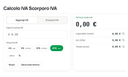
0TheCalcolIVA.com is a free suite of calculators built for anyone in Italy who needs to quickly work out VAT, taxes, net salary, or social security contributions. Our tools cover individuals, employees, freelancers, and self-employed workers under both the flat-rate (regime forfettario) and ordinary tax regimes. Every calculator is built using data aligned with current Italian regulations, including Agenzia delle Entrate, INPS, and Gazzetta Ufficiale, so results stay accurate and reliable. From net salary and IMU to VAT rates by sector and Quadro LM figures, each tool is designed to give a clear, instant answer without the need to read through pages of tax rules. Tools are updated regularly to keep pace with the year's tax changes.
- 224
 0
0TRYremote is a job board focused on remote tech positions. It aggregates listings from companies worldwide looking to hire developers, engineers, and other tech professionals who can work remotely. Our main focus is making it easy to find jobs that match your tech stack. You can search by specific technologies and quickly see relevant positions. We also organize jobs by region since some companies hire worldwide while others need you in specific time zones or countries. The job posts cover a range of roles from junior developers to senior engineers and team leads, spanning software development, DevOps, QA, data engineering, and support positions.
- 225
 0
0Skip having five different ranking tools. With Morningscore you get SEO, GEO, tracking, insights, and reporting - straight out of the box. One platform. One login. Focus on visibility growth instead of manoeuvring multiple interfaces. * The only complete SEO & GEO tool for $69/month * Track both keywords, AI Overviews and ChatGPT prompts * Always know where to start. Checklists waiting for you * Automate SEO with plugins for WordPress + Shopify (live now) * Customers get real growth with Morningscore every day * We have a tractor, wear spacesuits and offer cool human support
Frequently asked questions
AdBlock is a browser extension designed to eliminate distracting advertisements from your browsing experience. By blocking ads, it allows you to focus better on the content you want to see, making your online activities more enjoyable and less cluttered.
ChatGPT is highly regarded for its advanced conversational capabilities and versatility in various tasks, including coding and generating creative content. Users appreciate its ability to assist with programming tasks and its overall effectiveness, despite occasional issues like hallucinations and outages. The subscription fee of $20/month is often seen as worthwhile for the value it provides.
Block & Focus is a simple yet effective browser extension that allows you to block distracting websites for a specified period. You can customize which sites to whitelist or blacklist, helping you maintain focus and productivity during work hours.
Limit is a tool that helps you manage your time on distracting websites by allowing you to set daily limits on how long you can spend on each site. Once you reach your limit, the website is blocked, helping you avoid distractions and stay focused on your tasks.
Remote Index is a job board that provides a daily updated list of remote job opportunities across various fields. It is a valuable resource for professionals seeking flexible work arrangements and remote positions.
Remote OK is a popular job board that features a mix of engineering and non-engineering jobs. It offers a variety of filtering options, allowing users to search for jobs based on location, job type, salary, and benefits. New job postings are added daily, making it a dynamic resource for job seekers.
Momentum transforms your new tab page into a personalized dashboard that displays the time, weather, and a beautiful landscape photo. It includes productivity tools like a pomodoro timer, to-do lists, and focus time, making it not only visually appealing but also functional for enhancing productivity.
Wellfound, formerly known as Angel List Talent, focuses on startup jobs and offers extensive filtering options for job seekers. Users can save their searches and apply directly for jobs, making the job search process more efficient and tailored to their preferences.
Otta stands out by providing job recommendations that match your specific profile. Users set preferences such as location, salary, and role, and Otta curates job listings that fit these criteria, ensuring high-quality job offers that save time in the job search process.
Panem helps users manage their SaaS subscriptions by tracking spending and identifying unnecessary expenses. It connects to your bank account to analyze transactions, provides renewal reminders, and offers insights to help you make informed decisions about your subscriptions, ultimately saving you time and money.