Home
List · created July 2026

Best Media Software

From raw footage to finished, published cut.

The best media software — video and audio editing, streaming, asset management, and publishing tools for the people who make and distribute media for a living.

463Items
0Contributors
0Votes
Sponsored
  • Seedance 2.5 AI Video Generator

    Seedance 2.5 is an AI video generation model designed for digital creators, animators, and production teams that need longer, more coherent video outputs. It supports 30-second cinematic clips in a single generation, helping users plan scene rhythm, camera movement, product shots, and short-form creative concepts without stitching multiple clips together. The model also supports up to 4K output and reference-based controls, making it useful for product pre-visualization, ads, brand videos, and cinematic concept testing where visual consistency matters.

    0
Sort by
  1. 1Premiere Assistant

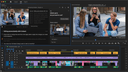
    Premiere Assistant is an AI-powered plugin for Adobe Premiere that helps editors create clean automated rough cuts faster, without leaving Premiere. It automates repetitive early-stage editing tasks like transcription, silence removal, filler word cleanup, automated caption creation, and text-based editing, allowing editors to quickly shape raw footage into a usable rough cut. Instead of manually scrubbing timelines, editors can edit by text and let Premiere Assistant handle the cleanup. Designed for interviews, podcasts, and talking-head content, Premiere Assistant keeps editors focused on structure and pacing while reducing time spent on mechanical edits. It works natively inside Premiere Pro and fits seamlessly into existing workflows, no exports, no external prep tools.

    0
  2. 2X Headshot

    Professional AI Headshot Generator

    0
  3. 3PromptFlix

    Provide a short prompt or idea to PromptFlix and transform it into a screenplay complete with dialogues, scenes, and plot twists. In a few minutes, you'll receive an edited video output based on your original prompt, ready to entertain, inspire, or simply captivate your audience.

    0
  4. 4EchoWave

    Echowave is an online video editor that allows users to edit videos directly in their web browser without any software installation. With its intuitive interface and robust editing tools, Echowave makes video editing accessible and convenient for everyone. Key Features Cloud-Based Editing: Edit videos online without the need to download or install any software, accessible from any device with internet connectivity. User-Friendly Interface: An intuitive design that simplifies the video editing process for beginners while offering advanced features for professionals. Benefits Saves Time and Resources: Start editing instantly without installing software, saving both time and storage space. Easy Collaboration: Share projects with team members and collaborate in real-time, enhancing productivity and teamwork. Use Case A freelance content creator needs to quickly edit and publish videos for social media platforms. Using Echowave, they can efficiently edit videos online and share them directly, streamlining their workflow without dealing with complex software.

    0
  5. 5Selects

    Selects is an AI-powered assembly edit tool that helps creators and teams speed up video prep. It auto syncs video and audio, organizes footage into scenes automatically, and builds a ready-to-edit assembly cut timeline in NLEs, including Premiere Pro, DaVinci Resolve, and Final Cut Pro. Perfect for podcasts, interviews, social content, and more, Selects turns long footage into ready-to-edit timelines. Whether you're batch filming or trying to hit weekly uploads, Selects helps you get into the creative part of editing fast.

    0
  6. 6archive.is

    archive.is, also known as archive.today, is a website that lets you save a copy of any webpage. It works like a time capsule, taking a "snapshot" of the page as it is at that moment. This snapshot stays online even if the original page is deleted or changed. It saves both the text and images, making sure the copy is accurate. The archived page doesn’t have active elements like pop-ups or scripts, so it’s safer to view. People use archive.is for different reasons—saving articles that might get taken down, capturing price lists or job postings before they change, or keeping a record of social media posts. It’s also used to get around paywalls, since the archived copy often shows the full content without restrictions. You can use the site by entering the URL of the page you want to save. Once archived, you get a short, stable link to the snapshot. There’s also a search feature to find past snapshots of certain websites. They even offer a Chrome extension for quicker access.

    0
  7. 7SoraVideo

    SoraVideo is a browser-based AI video creation tool built for text-to-video and image-to-video workflows. Start from a prompt or a reference image, generate multiple variations, compare results side by side, and refine quickly by adjusting prompts and settings. Because rendering happens in the cloud, you don’t need local GPU setup or heavy software installs. It’s ideal for creators, marketers, agencies, and product teams producing video assets at scale—ads, short social clips, concept videos, storyboards, and product demos. Export-ready outputs make it easy to publish or continue editing in your existing workflow.

    0
  8. 8Caption.IM

    In the fast-paced digital landscape of social media and content creation, the ability to capture and retain audience attention is paramount. Video content has become the undisputed king of engagement, yet a significant portion of viewers consumes video in environments where audio is either unavailable or inconvenient, such as public transit, offices, or quiet spaces. Furthermore, accessibility remains a crucial pillar of modern content strategy. This is where Caption.im—a specialized tool available on the Apple App Store—steps in to bridge the gap between raw video footage and highly engaging, accessible, and professional-grade content. At its core, Caption.im is designed as a powerful utility for creators, small business owners, and digital marketers who need to add professional animated subtitles to their videos with minimal effort. The application leverages advanced speech-to-text artificial intelligence to automatically transcribe the spoken content within a video, transforming chaotic audio into structured, readable, and visually appealing text overlays. This process eliminates the tedious, manual labor historically associated with closed captioning, allowing creators to produce polished content in a fraction of the time. The application’s workflow is built around efficiency and user-friendliness. Users can simply import their video files—whether from their camera roll, cloud storage, or external URLs—and initiate the auto-transcription process. Once the AI has generated the captions, the app offers a comprehensive suite of customization tools. Creators are not limited to generic, static text; instead, they can select from a wide array of dynamic, animated caption styles, fonts, colors, and layouts. This flexibility ensures that the subtitles do not just serve as a utility but actually contribute to the overall aesthetic and branding of the video. The ability to style a caption allows the text to pop, move, and emphasize specific words, which is a proven tactic to maintain viewer interest throughout short-form content like TikToks, Instagram Reels, or YouTube Shorts. Beyond mere aesthetics, Caption.im provides the functional tools necessary for professional refinement. Users can perform one-tap caption editing to tweak individual lines or correct minor transcript errors on the fly, ensuring that the final output is 100% accurate. For those who require specific file formats, the application supports flexible exporting options, including embedded hardcoded subtitles, raw text files, or standard .srt files, which are essential for SEO-friendly video indexing on major platforms. Accessibility is a major value proposition of the app. By providing dynamic closed captions, creators can reach a significantly broader audience, including those with hearing impairments and non-native speakers who benefit from reading along. Moreover, the app is highly optimized for performance on Apple devices, ensuring that even intensive AI-processing tasks run smoothly without draining resources unnecessarily. In summary, Caption.im is more than just a captioning tool; it is an essential piece of infrastructure for any modern video creator. By automating the technical hurdles of transcription and design, it empowers users to focus on what truly matters: storytelling and connection. Whether you are aiming to increase your reach on LinkedIn, maximize engagement on TikTok, or simply ensure your message is received clearly across all environments, Caption.im provides the necessary tools to turn every clip into a professional, accessible, and impactful piece of media. As the demand for inclusive and captivating video continues to rise, tools like this become indispensable for navigating the complexities of digital content creation.

    0
  9. 9BlitzCut

    Our Mission Make professional video editing accessible to every content creator. • Speed matters more than feature count • Mobile-first is the future of editing • AI should automate tedious work, not replace creativity • Creators should focus on creating, not editing What We Built BlitzCut AI is the fastest AI video editor for social media content. Automatic Silence Removal AI removes all pauses instantly AI Captions 95%+ accuracy with viral styles Text-Based Editing Edit video by deleting sentences from transcription 2-Minute Workflow Import to export in under 2 minutes Mobile-First Built for iPhone, iPad, and Mac Why We Built This The Problem Traditional video editing is too slow for the creator economy. Manual silence removal takes 15-20 minutes. Manual caption styling takes 15-20 minutes. Daily posting becomes impossible. Our Solution Automate the tedious work with AI. Total editing time: 2 minutes per video. Daily posting becomes sustainable.

    0
  10. 10FAYFO

    FAYFO is used on live media sites to replace and automate a significant part of newsroom production workflows, including monitoring, rewriting, enrichment, and publishing— through a multi-layered, cascading AI architecture purpose-built for media and social platforms. FAYFO is not simple content generation. It is a complex production system combining cascading models, fine-tuned prompts, editorial logic, and dozens of custom media-specific functions. The result is content quality comparable to — and in many cases exceeding — traditional newsroom output, delivered at scale. The platform operates as a scalable “content factory” designed specifically for digital publishers. Targeting a €2.6Bn SAM within the global digital media market On live media sites, FAYFO demonstrates:
- 70-% reduction in editorial costs
- 2–3× increase in content volume with the same resources
- 20+% quality uplift (structure, relevance, consistency)
- 80-% reduction in production time from source to publication.

    0
  11. 11Vidori

    Vidori is an all-in-one streaming platform built for creators, media brands, and organizations that want to launch and monetize their own video service without relying on third-party platforms or giving up a share of their revenue. It enables users to create fully branded streaming apps for web, mobile, and connected TV devices without any coding or engineering knowledge. With Vidori, creators can deliver a complete white-label experience using their own logo, colors, domain, and app store presence, while maintaining full ownership of their audience and data.

    0
  12. 12freispace

    freispace is an AI-native resource management and project planning platform purpose-built for the media, broadcast and post-production industry. It provides studios and production companies with a unified workspace to plan, schedule, and deliver projects efficiently. Core features include resource allocation for people, workstations, rooms, and licenses with real-time tracking; Gantt-style project planning with phases, milestones, and dependencies; task management with deadlines; integrated time recording covering absences, overtime and shift planning; and EU-complient quoting and invoicing.Its built-in AI assistant, orgAI, is trained on verified post-production knowledge and answers questions using live platform data while respecting user permissions. Enterprise-grade security, GDPR-compliant AI workflows with full audit trails, an open MCP server for enterprise AI integration, and LLM-optimized data structures ensure future-readiness.

    0
  13. 13Video Compressor

    # VideoCompressors.com — Compress Videos Instantly in Your Browser, 100% Free & Private Large video files are a constant headache. Whether you're trying to share a clip on Discord, attach a recording to an email, or free up storage on your phone, oversized videos slow everything down. Most online compressors force you to upload your files to a remote server, wait in a queue, and hope your data stays safe. VideoCompressors.com takes a fundamentally different approach. ## GPU-Accelerated Compression — Up to 10x Faster VideoCompressors.com leverages the WebCodecs API to tap directly into your device's GPU for hardware-accelerated video encoding. This means compression that used to take minutes on CPU-based tools now finishes in seconds. A 150 MB video can be reduced to under 30 MB — an 80% reduction — without any noticeable loss in visual quality. Whether you're on a desktop workstation or a modern laptop, the GPU does the heavy lifting so you don't have to wait. ## 100% Privacy — Your Video Never Leaves Your Device Unlike traditional online compressors that require uploading your files to a cloud server, VideoCompressors.com processes everything locally inside your browser. No video data is ever transmitted to any server. There are no accounts to create, no terms to accept about data usage, and no risk of your personal or sensitive content being stored somewhere you can't control. Your files stay on your device from start to finish — zero data shared, period. ## Real-Time Progress & Side-by-Side Comparison One of the standout features is the real-time compression dashboard. As your video is being processed, you can watch the progress in real time — see exactly how much has been compressed, estimate the remaining time, and monitor the output file size as it grows. Once compression is complete, a built-in side-by-side comparison tool lets you scrub through the original and compressed versions frame by frame, so you can verify the quality before downloading. No more guessing whether the result will look good enough. ## Completely Free, No Strings Attached There are no pricing tiers, no watermarks, no daily limits, and no sign-up required. You can compress as many videos as you want, as large as your device can handle (up to 2 GB per file), without ever hitting a paywall. The tool supports all major input formats — MP4, WebM, MOV, MKV, AVI, WMV, FLV — and outputs optimized MP4 files with H.264 or H.265 codec. ## Built for Real Use Cases VideoCompressors.com includes smart presets for popular platforms: Discord (8 MB, 10 MB, 25 MB), WhatsApp (16 MB), email attachments (25 MB), and more. For users who want finer control, manual settings for resolution, bitrate, frame rate, and even video trimming are all available. It works across Chrome, Safari, Firefox, and Edge on both desktop and mobile. If you've been looking for a video compressor that's fast, private, and genuinely free — without the usual compromises — give [VideoCompressors.com](https://videocompressors.com) a try. Drop a file, pick a size, and download your result in seconds. It's that simple.

    0
  14. 14SparkPix

    Discover the best AI image editing tools available today. From removing unwanted objects and backgrounds to restoring old photos, enhancing image quality, and replacing backgrounds with AI, these powerful editors make professional image editing easy for everyone. Vote for your favorite tools and see which ones come out on top!

    0
  15. 15Yevideo - AI Video and Image Platform

    Yevideo is an AI creation platform for content marketing and creative teams, offering text-to-video, image-to-video, video-to-video, AI video editing, text-to-image, and image-to-image capabilities. Users can create, edit, and reuse assets in a unified workspace to shorten production cycles and improve publishing efficiency. The platform is suitable for social media operations, eCommerce assets, brand advertising, and creative testing, helping teams produce high-quality visual content quickly. For businesses that require continuous content updates, Yevideo lowers production barriers while increasing output and iteration speed.

    0
  16. 16Muse AI Video

    Muse AI Video is an all-in-one AI video platform that converts text prompts or reference images into finished clips with synchronized audio — dialogue, ambience, and sound effects generated alongside the video, not bolted on afterward. Built on Google Veo 3.1 for photoreal text-to-video and ByteDance Seedance 1.5 Pro for image-to-video motion, it renders 4-12 second clips up to 1080p in 30-90 seconds. Choose Quality Mode or Fast Mode, feed 1-2 source images per prompt, and export in 16:9, 9:16, 1:1, 4:3, and 3:4 aspect ratios. Outputs can be upscaled, extended, or restyled without reprocessing. Commercial rights are included on every plan, with no watermark on paid tiers and private generation on Pro+. Ideal for social media creators, faceless YouTube channels, ecommerce marketing, and educators who need video without cameras or editing skills.

    0
  17. 17Magic Hour

    Magic Hour is a browser-based AI video generator and editor that helps creators, marketers, and teams produce videos fast. Generate videos from text or images (text-to-video, image-to-video), restyle footage with video-to-video, and personalize content with AI Face Swap and AI Lip Sync. You can also generate and edit images (AI Image Generator, Image Editor), create professional AI headshots, and upscale/enhance media for higher-quality exports. Use it for short-form social content, ads, product demos, training clips, memes, and localized variants—without reshoots or a complex editing stack. Workflow: upload a photo/video (or enter a prompt), pick a tool or template, preview, and download the result. Built for quick iteration when you need many variations, consistent style, and shareable outputs.

    0
  18. 18CompressVideo

    CompressVideo is a simple online video compressor that reduces file size for faster uploading and easier sharing. Upload a video, choose compression settings, and download a smaller file—useful for messaging apps, email attachments, and web publishing. It’s ideal for creators, marketers, and teams who frequently share MP4/MOV videos and want a quick “upload → compress → download” workflow without installing extra software. CompressVideo helps streamline content delivery while keeping videos easy to distribute across platforms with size limits.

    0
  19. 19Video to Frames Extractor

    Video to Frames is a browser-based FFmpeg WebAssembly utility that converts any MP4/MOV/AVI/WebM clip into high-quality PNG or JPG frames without uploading files. Set exact FPS or extract every frame, preview results in the browser, and download zipped image sets—ideal for creators, educators, QA teams, and analysts who need secure, instant frame captures on any device.

    0
  20. 20Best Face Swap AI Online

    Best Face Swap is an online tool that lets you replace faces in digital media using various AI models. It works for creators and developers who need to swap identities in photos, videos, or GIFs without losing the original expressions. The platform addresses the technical challenge of keeping a face consistent across moving frames and different camera angles.

    0
  21. 21Nano Banana 2 Image Studio

    Nano Banana 2 Image Studio plugs directly into Gemini 2.5 Flash Image to help teams create and edit production‑ready visuals at scale. Compose prompts, upload references, and apply masks to generate consistent assets across square, landscape, and portrait ratios. Governance is built‑in—role‑based access, audit trails, and automatic SynthID logging—so brand and legal stay aligned. With elastic performance on Google Cloud, you can batch render, deduplicate variations, and ship HD downloads with commercial rights. Marketing, merchandising, and education teams use Nano Banana 2 to launch promo creatives in minutes, auto‑produce SKU imagery, and enrich technical content with diagrams, all inside one compliant workflow.

    0
  22. 22Easy Video

    EasyVideo: AI-Powered Video Editing Tools EasyVideo is an AI-driven platform that helps you: -Remove video backgrounds effortlessly for professional content. -Erase watermarks while maintaining high video quality. -Enhance video quality with advanced AI upscaling. With lightning-fast processing, user-friendly design, and secure content handling, EasyVideo is trusted by 200+ creators to transform videos in seconds. Perfect for professionals and beginners alike!

    0
  23. 23HappyHorse AI | #1 Open-Source Video Generator

    Welcome to HappyHorse AI, the ultimate creative studio powered by the groundbreaking HappyHorse-1.0 AI video model. Whether you are a professional filmmaker, digital marketer, or content creator, HappyHorse provides an accessible, state-of-the-art platform to turn your imagination into cinematic masterpieces. As the #1 ranked open-source model on the Artificial Analysis Video Arena, it significantly outperforms top closed-source competitors in blind user preference tests. What truly sets HappyHorse AI apart is its revolutionary 15-billion-parameter, 40-layer unified self-attention Transformer architecture. Unlike traditional AI video tools that require separate workflows for visual and sound generation, HappyHorse uniquely performs native joint audio-video synthesis. This means you can generate stunning, hyper-realistic visuals along with perfectly matched ambient sounds, Foley effects, and ultra-low WER lip-syncing in seven different languages, completely eliminating the need for tedious post-production audio syncing. With HappyHorse-1.0 integrated directly into our intuitive workspace, creators can experience blazing-fast rendering speeds—delivering native 1080p cinematic output in approximately 38 seconds. Furthermore, our exclusive multi-shot storytelling capabilities ensure persistent character identities and fluid motion across complex scene transitions. Join the open-source revolution today and unlock the limitless multimodal potential of HappyHorse AI to elevate your visual content to a professional standard.

    0
  24. 24MStudio

    M Studio is an advanced AI-powered filmmaking platform designed to help creators transform ideas into production-ready visual stories with exceptional speed and creative flexibility. Built specifically for filmmakers, content creators, agencies, production teams, and storytellers, the platform combines multiple creative tools into one seamless workflow. Instead of relying on separate software for scripting, storyboarding, image generation, video production, sound design, and editing, M Studio centralizes the entire filmmaking process into a single connected environment. Its core mission is to simplify modern video production while giving creators professional-level control over every stage of the creative pipeline. The platform positions itself as a complete “script-to-screen” solution powered by artificial intelligence. Users can begin with a simple concept, scene description, or script idea, and M Studio automatically generates detailed shot-by-shot screenplays that include dialogue, scene breakdowns, and camera directions. This AI script generation system dramatically accelerates pre-production by allowing creators to move from raw ideas to structured cinematic narratives within minutes instead of weeks. The platform is built for speed and efficiency, enabling creators to lock story rhythm, generate cinematic frames, and produce motion variations in a fraction of the time required by traditional workflows. One of the most impressive aspects of M Studio is its visual generation technology. The platform uses advanced AI models, including Google Gemini, Veo, and Kling AI, to generate high-quality concept art, cinematic imagery, and animated video clips. Users can create 4K visuals directly from text prompts and instantly transform still frames into dynamic motion sequences. This capability allows filmmakers and creative teams to experiment with different compositions, lighting styles, camera movements, and visual directions before investing in expensive physical production. M Studio supports rapid iteration, helping creators refine ideas quickly while maintaining a consistent artistic vision. M Studio also places strong emphasis on storytelling and visual continuity. Its visual storyboarding system provides a drag-and-drop workspace where users can organize scenes, reorder frames, synchronize timelines, and manage version history in real time. This makes collaboration easier for teams working on commercials, films, music videos, social media campaigns, or animated projects. The platform is especially valuable during pre-visualization because it allows directors and producers to communicate cinematic ideas clearly before production begins. Another major feature is its support for anime and illustrated video creation. M Studio can generate frame-consistent anime scenes in multiple artistic styles, including cyberpunk, dark fantasy, and shonen-inspired visuals. The platform also integrates multilingual voice narration and AI-generated music, enabling creators to produce complete animated sequences from a single session. Voice and narration tools support 29 languages and include high-quality synthetic voices comparable to professional voiceover services. Users can clone voices or choose from extensive voice libraries to match the tone and emotion of their projects. Sound design is another integrated component of the platform. M Studio can generate original music tracks and sound effects that can be placed directly on a working timeline. By combining scriptwriting, visuals, animation, voice, and audio into one ecosystem, the platform eliminates the need for constant switching between multiple applications and services. This streamlined workflow significantly reduces production costs and shortens creative timelines. The platform is marketed toward creators who need fast, professional-quality outputs without the delays of traditional production pipelines. Testimonials featured on the site highlight how teams have produced entire storyboard sequences, complete with voice and music, in a single afternoon. Creative professionals praise the platform for “thinking like a filmmaker” and enabling pitch-ready presentations that resemble the work of full pre-visualization teams. M Studio also provides educational resources and buyer guides that compare AI filmmaking tools, video generators, storyboard software, and pre-visualization platforms. These guides help creators understand the evolving landscape of AI-assisted filmmaking and choose tools based on their production needs. Overall, M Studio presents itself as a next-generation creative platform that empowers storytellers to produce cinematic content faster, more efficiently, and with greater creative freedom than ever before.

    0
  25. 25Textideo

    Textideo is a next-generation AI video creation platform built for content creators and influencers. Simply turn text into high-quality videos designed for YouTube, TikTok, and Instagram. Powered by the advanced Veo 3.1 model, Textideo delivers cinematic 1080p visuals with fine control over composition, lighting, and pacing. With support for multi-shot sequences and consistent visual styles, you can easily create cohesive, story-driven content that keeps viewers engaged. Built-in AI effects, GIF generation, and video enhancement tools help your videos stand out. With Textideo, transforming ideas into compelling visuals has never been easier.

    0
Good to know

Frequently asked questions