Best Software for Professionals
The dependable stack that just gets work done.
The best software for working professionals — productivity, communication, documents, and workflow tools that hold up under a real workload, whatever your field.
- 151
 0
0Spencer for Mac is a new window manager with a completely unique approach. It solves the biggest problem with virtual desktops — restoring app windows exactly where they were saved. It’s especially useful when switching between different display setups (for example, work and home), disconnecting a MacBook from an external monitor, or even after a system restart. The huge advantage is that there’s no need to configure anything — just click Save and then Restore. The whole process takes only a few seconds, and that’s all the user needs to do. It goes further: Spencer can adjust the number of Spaces depending on your monitor setup or the active workspace. You can switch between custom workspaces (e.g. “Work”, “Meetings”, “Relax”), with the right apps launching, the others hidden, and full multi-monitor support. It’s like having a perfectly organized desktop environment on demand.
- 152
 0
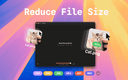
0TinyFast is a lightweight macOS app designed to quickly and efficiently compress your files — including PNG, JPEG, MP4, MOV, PDF, SVG, WebP, MP3, and GIF formats — all locally on your device. Just drag and drop your files in and out, and TinyFast takes care of the rest. It’s incredibly fast, completely private, and built with developers, designers, and creators in mind — professionals who value security, performance, and simplicity in their daily workflow.
- 153
 0
0Explore a curated AI tool directory for coding agents, app builders, design copilots, research assistants, and workflow software. ai tool directtory Discover The Best AI Websites & Tools Explore a curated AI tool directory for coding agents, app builders, design copilots, research assistants, and workflow software. Explore a curated AI tool directory for coding agents, app builders, design copilots, research assistants, and workflow software.
- 154
 0
0Retext is a macOS text expander that simplifies repetitive typing by using AI-driven shortcuts. Unlike traditional expanders, Retext doesn’t require memorizing shortcuts; it intelligently suggests them across any app or browser. Key features include a native macOS design, universal compatibility, and reliable functionality, ensuring it’s always available. By organizing snippets intuitively, Retext boosts productivity, providing users with a seamless typing experience. Whether for professional emails, coding, or customer support, Retext is the ultimate tool to streamline repetitive tasks.
- 155
 0
0Procright is the AI analyst for enterprise procurement. When a company makes a six-figure-plus purchase, whether technology, equipment, logistics or services, the hard part isn't running a process: it's making a decision that is right, and that can be defended later. Today that takes weeks of analysts, spreadsheets and expensive consultants, and the choice is still hard to justify when an audit reopens it years later. Procright does the analyst's work, not just the workflow around it. It runs the four jobs of a major purchase on one record: - Define what you need. Upload an existing specification, have Procright write one from scratch by reverse-engineering the category, or merge several past specs into a single clean document. Route sections to the right stakeholders and export in your own template. - Find who can supply it. For products, Procright ranks hundreds of candidates across market adoption, regional partner and support coverage, interest from comparable companies, manufacturer financial health and reviews. For services, invite providers to respond directly. - Compare them. Every requirement against every option on one screen. Procright watches demos, reads manuals and scans forums; suppliers can upload their own documents and Procright maps the answers to your spec lines. Contradictions are surfaced, missing data is named, and scoring is transparent and adjustable. - Defend the decision. A one-page recommendation backed by a complete, cited record of who reviewed what and which evidence supported each conclusion. The decision survives audit three years later. The result: a purchase that takes 16 weeks today is decided in under 7 days, without adding headcount, and every choice is traceable to its source. Procright is built for mid-market and enterprise procurement teams spending $1M+/year on technology, and is strongest on complex technology buying where the work is hardest. It is in live use on real, high-value purchases at enterprise scale.
- 156
 0
0AssetCenter is a comprehensive asset management software designed to give organizations complete visibility over their resources from acquisition to retirement. Instead of relying on scattered spreadsheets or disconnected tools, AssetCenter centralizes everything into one structured system, allowing teams to track assets, subscriptions, costs, and lifecycle events with clarity and efficiency. It is built for companies that want to stop guessing and start managing their resources with precision. At the core of AssetCenter is its unique timeline-based approach. Every asset, subscription, person, and location has a unified timeline that captures its full history. This means users can instantly see everything that has happened to a specific asset—from the moment it was purchased to its eventual decommission. Key events such as acquisition details, assignments, maintenance, repairs, notes, and retirement are all recorded in one place, creating a complete and transparent story for each resource. The platform organizes asset management into three main stages: acquisition, lifecycle, and decommission. During acquisition, users can record important details such as purchase cost, vendor information, and initial setup. Throughout the lifecycle stage, teams can track assignments, monitor usage, log maintenance activities, and manage ongoing updates. Finally, during decommission, users can document resale, disposal, or retirement. This structured approach ensures that no critical information is lost at any point in the asset’s journey. One of AssetCenter’s strongest advantages is its flexibility. The platform allows users to fully customize timeline events or create new ones tailored to their organization’s specific workflows. Whether a company needs to track software licenses, machinery maintenance, vehicle usage, or IT equipment updates, AssetCenter adapts to fit those requirements. This makes it suitable for a wide range of industries, including healthcare, construction, education, government, nonprofits, IT, agriculture, manufacturing, and entertainment. The dashboard provides a high-level view of the entire organization, bringing together key insights in one place. Users can monitor costs, track subscriptions, stay ahead of expirations, and identify assets approaching end-of-life. Recent activity is also displayed, allowing teams to stay updated without switching between multiple pages. This centralized visibility helps organizations make better decisions, reduce inefficiencies, and maintain control over their operations. Getting started with AssetCenter is designed to be quick and simple. Users can create a free account and begin by setting up custom categories that match their business needs. The platform supports unlimited categories, making it easy to organize everything from hardware and software to office equipment and specialized assets. For larger datasets, AssetCenter offers bulk import templates in Excel format, allowing users to upload assets, subscriptions, people, and locations in just a few steps. Another important feature is its ability to combine asset tracking with task management. Users can assign responsibilities, create follow-up tasks, and add quick notes directly within the timeline. This ensures that teams stay aligned and accountable, reducing the risk of missed actions or overlooked updates. AssetCenter also focuses on accessibility and user confidence. It offers a free trial with no credit card required, allowing users to explore the full platform with up to 25 assets. This gives organizations the opportunity to experience its capabilities before committing, ensuring it fits their workflow and requirements. Ultimately, AssetCenter is more than just an asset tracking tool. It is a system designed to provide total visibility, improve organization, and streamline operations. By combining detailed timelines, customizable workflows, and a centralized dashboard, it empowers businesses to manage their assets more effectively and make smarter, data-driven decisions across their entire organization.
- 157
 0
0PDF Merge Files: Your All-in-One Document Toolkit Effortlessly merge, split, and compress PDF files in seconds with PDFMergeFiles.com. Beyond a simple merger, our platform offers over 100+ professional tools to convert, edit, and organize your documents with ease. Fast, secure, and entirely browser-based—it's the only document suite you'll ever need.
- 158
 0
0Unifyca is a centralized WordPress website management platform designed for agencies, freelancers, and IT professionals who maintain multiple client websites. Instead of logging into dozens of individual WordPress dashboards, users can manage their entire portfolio from a single interface. The platform streamlines recurring maintenance tasks such as audits, updates, backups, monitoring, documentation, and client reporting, helping web professionals save time while maintaining consistent service quality. The platform follows a structured maintenance workflow built around six core steps: connect, audit, fix, backup, track, and report. Users begin by connecting WordPress websites using the Unifyca Audit Connector, making it easy to onboard individual sites or entire client portfolios. Once connected, the system automatically scans every website for outdated plugins, themes, WordPress core updates, security risks, configuration issues, uptime problems, and SEO warnings. This proactive approach allows agencies to identify potential problems before clients experience downtime or other issues. One of Unifyca's key features is its centralized Fix Center, which allows users to review and apply maintenance actions remotely across multiple websites without logging into individual wp-admin dashboards. Plugin updates, theme updates, WordPress core updates, configuration fixes, and common security improvements can be deployed in bulk, dramatically reducing the amount of repetitive manual work required each week. Every maintenance action is reviewable before execution, giving users complete control over which changes are applied to each website. Backup management is fully integrated into the platform. Users can create manual backups or schedule automatic backups for every client website, ensuring restore points are available before updates or maintenance tasks are performed. Backup history is clearly organized, allowing agencies to verify that every website remains protected over time. Unifyca also serves as an operational management hub beyond WordPress maintenance itself. The platform centralizes website documentation, hosting information, domain records, SSL certificates, secure credentials, API keys, FTP accounts, SSH access, registrar information, technical notes, maintenance history, and client-specific documentation. Instead of scattering important information across spreadsheets, messaging apps, and personal notes, agencies can organize every website asset within a single secure workspace. The platform includes uptime monitoring and incident tracking to notify users when websites become unavailable or experience operational issues. Maintenance history is automatically recorded for every connected website, creating a detailed audit trail of updates, fixes, backups, and completed tasks without requiring manual documentation. Another major feature is automated white-label reporting. Every maintenance activity performed throughout the month is compiled into professional client reports that can be customized with the agency's own branding. These reports provide clients with clear visibility into the ongoing work performed on their websites, making it easier for agencies to demonstrate value, justify recurring maintenance fees, and improve client retention. Unifyca also supports operational collaboration through client organization tools, project management, secure credential storage, renewal tracking, SSL expiration alerts, and role-based team permissions. Multiple team members can access only the clients, websites, and credentials relevant to their responsibilities without sharing passwords insecurely. Overall, Unifyca provides a comprehensive WordPress management solution that combines maintenance automation, website monitoring, documentation, backup management, security oversight, operational organization, and client reporting into one centralized platform. It is built specifically for professionals responsible for maintaining multiple WordPress websites who want to replace repetitive manual workflows with a scalable, efficient, and organized maintenance system.
- 159
 0
0With SEO Stuff's free keyword generator you get up to 20 keyword suggestions for every keyword you enter for free. For each keyword, you can find out how difficult it is to rank and what the average search volume is. It supports multiple keyword languages.
- 160
 0
0RecordFlow is a cloud-based automation platform designed to solve one of the most common frustrations faced by Zoom users: managing and backing up cloud recordings. The service automatically transfers Zoom cloud recordings directly to Google Drive as soon as meetings are completed, eliminating the need for manual downloads, uploads, organization, and cleanup. Built for coaches, consultants, educators, businesses, and IT administrators, RecordFlow provides a reliable and secure way to archive important recordings while reducing administrative overhead and protecting valuable content. The platform addresses a significant limitation of Zoom’s cloud storage system. Many Zoom users quickly reach storage limits, especially organizations that record meetings, training sessions, coaching calls, webinars, or lectures on a regular basis. Once storage limits are reached, new recordings may be blocked, creating operational challenges and forcing users to spend time manually managing files. RecordFlow automates this entire process by continuously moving recordings from Zoom into Google Drive, ensuring that storage limitations do not interrupt business operations. One of the platform’s biggest advantages is its simplicity. Users only need to connect their Zoom account, select a Google Drive destination, and allow the system to handle the rest automatically. Once configured, every new cloud recording is detected and transferred to the chosen Google Drive folder within minutes of the meeting ending. Users receive email notifications containing direct links to their archived recordings, making it easy to access, organize, and share content whenever needed. RecordFlow supports both individual users and entire organizations. Individual professionals such as coaches, consultants, and online educators can automatically archive their own recordings without any ongoing effort. For larger teams, Zoom administrators can install the platform at the account level, choose a central Google Drive location, and manage recording backups for multiple team members. The system automatically creates separate folders for opted-in users, allowing organizations to maintain structure and control while simplifying file management across departments. Reliability is a major focus of the platform’s design. RecordFlow incorporates automatic retries, chunked file transfers, and recurring safety checks to ensure recordings are transferred successfully even when dealing with large files or temporary connection issues. Features such as smart deduplication prevent duplicate uploads by identifying recordings that have already been archived. This ensures efficient storage usage while reducing clutter and confusion within Google Drive. The platform supports every major file type generated by Zoom cloud recordings. Video recordings in MP4 format, audio files, transcripts, chat logs, and caption files are all automatically synchronized. This comprehensive approach ensures that organizations retain not only meeting recordings but also the supporting materials that provide additional context and value. Having transcripts and chat logs available alongside recordings is especially useful for training, documentation, compliance, and content repurposing purposes. Security and privacy are central components of RecordFlow’s architecture. Users authenticate through their existing Zoom and Google accounts, meaning the platform never has access to account passwords. All data transfers are encrypted both in transit and at rest, and recordings are transferred directly to the user's Google Drive environment. Importantly, RecordFlow states that recordings are not permanently stored on its own servers, reducing privacy concerns and helping organizations maintain greater control over sensitive information. The platform is particularly valuable for businesses that depend heavily on recorded content. Coaches can automatically deliver session recordings to clients, educators can preserve lectures for future access, business teams can maintain searchable archives of internal meetings, and IT departments can implement company-wide backup policies without requiring constant manual intervention. By removing repetitive file management tasks, teams can focus on more important work while ensuring that critical recordings remain accessible and protected. RecordFlow is currently offered free during its beta period, allowing both individual users and organizations to access the platform’s core functionality without cost. Users who join during the beta phase are promised access to special founding-member pricing when paid plans eventually launch. This makes it an attractive option for organizations looking to establish an automated archiving workflow before future pricing changes occur. Overall, RecordFlow is a specialized automation solution that simplifies Zoom recording management by creating a seamless connection between Zoom and Google Drive. Through automatic synchronization, enterprise-grade reliability, comprehensive file support, and strong security practices, the platform helps individuals and organizations eliminate manual workflows, reduce storage-related issues, and maintain secure backups of their most important meeting content.
- 161
 0
0Reports.Camera is a professional camera reports application built for the film and television industry. It gives camera departments a modern, streamlined way to manage every aspect of their daily reporting - from logging individual takes to tracking equipment and generating production-ready reports. In any film production, the camera department is responsible for keeping detailed records of everything that happens on set. Every take, every roll of film, every lens change - it all needs to be documented accurately and shared with the rest of the production team. Traditionally, this has been done on paper or with clunky spreadsheets that are easy to lose and hard to share. Reports.Camera replaces that workflow with a purpose-built tool designed around how camera crews actually work. At its core, the app is organised around projects, which represent individual productions. Within each project, camera assistants can create and manage rolls, log slates and takes with all the relevant metadata, and keep track of their equipment inventory including film stock, digital magazines, lenses, and filters. The app supports both film and digital workflows. One of the key features is the ability to generate detailed PDF camera reports. At the end of each shoot day, the camera team needs to produce a report summarising everything that was shot - what rolls were used, how many takes were printed, what stock was consumed, and so on. Reports.Camera handles this automatically, pulling together all the data entered throughout the day into a clean, professional document that can be shared with producers, the lab, or post-production. The app is available on both desktop and mobile. The web application provides a full-featured interface for desktop users, while a native iOS app gives camera assistants the ability to log data directly on set from their phone or tablet. Both platforms sync in real time, so data entered on one device appears instantly on another. The iOS app also includes offline support, allowing crews to keep working even when they are on location without reliable internet - a common reality on film sets. Changes made offline are synced automatically once a connection is restored. For camera departments that use cloud storage, the app integrates with popular services, making it easy to upload and share reports directly from the app without extra steps. The app follows a straightforward pricing model with a free tier for basic use and a premium subscription
- 162
 0
0Typoro is a LinkedIn writing tool that helps professionals post consistently without wasting time. It restructures your ideas, emails, notes (or even voice recordings) into clear, engaging posts written in your tone. Add content to your Topic Library, and Typoro’s Agents will organise it into themes and automatically create new drafts ready to edit and publish. You can post directly to LinkedIn through Typoro’s official integration and track performance with built-in stats. The goal: save hours each week, stay active, and grow your brand. Plans start at $19/month.
- 163
 0
0AI X Collection is your gateway to a curated universe of cutting-edge AI tools designed to accelerate innovation and supercharge productivity. From image generation and no-code app builders to SEO agents and business intelligence, our platform brings together the most powerful AI solutions available today. Whether you're a creator, developer, entrepreneur, or business leader, you'll find tools to boost creativity, streamline workflows, and grow your impact. Discover thousands of handpicked AI tools—free and premium—organized by category and updated regularly. With AI X Collection, you don’t just find tools—you unlock possibilities.
- 164
 0
0Invoplex is a modern invoicing platform designed for small businesses, freelancers, solopreneurs, creators, influencers, and service-based professionals who want a simple way to manage quotes, invoices, tracking payments and managing clients. Invoplex is built for people who want to get paid without dealing with complicated systems or bloated software. It focuses on the everyday tasks that matter most when running a small business: creating quotes, sending invoices, tracking payments, and keeping client records organized. The workflow is intentionally straightforward. Users can create professional quotes in minutes, send them to clients, and convert approved quotes into invoices with a single step. Payments are easy to track, giving a clear overview of what’s been paid, what’s outstanding, and how income is performing over time. Invoplex works especially well for businesses that sell services, such as freelancers, consultants, designers, developers, marketers, agencies, and creators. It also supports businesses that sell products and need a clean, reliable way to invoice customers without running a full ecommerce or accounting system. Whether you’re billing for client work, digital products, physical products, or a mix of both, Invoplex provides a flexible and professional billing solution.
- 165
 0
0Openclaw Cases is the ultimate directory for real-world AI automation. Move beyond basic prompt engineering and empower your AI assistant with reusable, engineer-tested skills. We document proven workflows for connecting third-party APIs, setting up browser automation, triaging emails, and standardizing team SOPs. Stop re-teaching your AI for every task—discover actionable use cases and build stable, automated workflows today.
- 166
 0
0CareerOrbit gives job seekers a clear path from resume to offer by tailoring CVs, surfacing role fit and skill gaps, and coaching every interview step. It combines CV tailoring, interview coaching, company research, and progress tracking into one cohesive workflow — replacing a scattered stack of generic tools with a single, role-aware assistant that adapts to each opportunity.
- 167
 0
0Siesta AI is an all-in-one platform for SME teams to adopt AI the right way. Think of it as a Swiss knife for assisted work — it lets you create smart AI assistants that connect to your data and tools, automate workflows, and streamline daily operations. The platform runs flexibly on SaaS or your private cloud, remains secure and model-agnostic, and gives you full control with no vendor lock-in. Siesta AI is an all-in-one platform for SME teams to adopt AI the right way. Think of it as a Swiss knife for AI adoption — a single, versatile system that brings human decision-making and automation together. It helps teams create smart AI assistants that understand context, connect to your tools and data, and take action. Siesta AI includes standard features like public assistants, data connectors, analytics, and secure data management — everything you need to make AI a natural part of everyday work. It runs flexibly on SaaS or your private cloud, giving you full control over your data with no vendor lock-in. Designed to be model-agnostic, it lets you choose or combine the best AI models for your business needs, making AI adoption simple, safe, and scalable.
- 168
 0
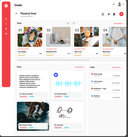
0Audacious Vision: Your Integrated Operating System Audacious Vision is the Personal Operating System that bridges the gap between dreams and daily action. It's built on research into how successful creators thrive, providing a single, integrated environment that ensures every action connects to your purpose. Stop the fragmentation of using multiple apps. Audacious Vision offers a holistic solution through its Four-Visionary Loop—a systematic framework for achievement: Idea Capture: Secure thoughts and inspirations. Goal Setting: Transform ideas into clear, visual, and actionable plans. To-Do Management: Ensure daily tasks link directly to your biggest goals, eliminating busywork. Reflection: Capture wisdom from experience to accelerate your growth cycle. Designed for entrepreneurs and ambitious professionals, Audacious Vision helps you find clarity and focus on high-impact work. Stop being busy; start building something that matters.
- 169
 0
0Writevoice lets you write at the speed of thought. Click record, speak naturally, and get clean, accurate text ready for docs, tickets, or your CRM. It’s fast, precise, and privacy-first: we never store your recordings or transcripts. Teams use Writevoice to capture call notes, draft specs, and produce long-form content quickly. Works alongside your existing tools and workflows.
- 170
 0
0The #1 directory of AI accounting software for bookkeepers, accountants, small business owners and finance professionals.
- 171
 0
0Built InvoiceQuick because generating a simple invoice should not require opening bloated accounting software or fighting with spreadsheets. The goal has always been simple: make invoicing easy, with no learning curve and no hassle. Just a clean, fast way to get paid. Now, InvoiceQuick has become even better. Here’s what makes it stand out: • Smart payment links inside each invoice • One-click due reminder emails • Share invoices via WhatsApp, Messenger, Email, or anything else • Customize invoice color to match your brand identity. • Paste > Invoice • Snap > Invoice • Upload > Invoice • Unlimited saved clients And the best part is that the free tier includes all the above features.
- 172
 0
0Browsilla is a streamlined Chrome extension, converting each new tab into a tranquil, efficiency-driven environment. Rather than confronting news feeds, advertisements, or interruptions, you'll encounter only essentials: your pending tasks, convenient links, saved bookmarks, current weather, and an uncluttered search interface. All operations are executed directly within your browser – eliminating the need for accounts, monitoring, or superfluous intricacies. Browsilla caters specifically to creators, entrepreneurs, and specialists seeking an uncomplicated and rapid launch page to maintain their concentration. Implement it once, and every subsequent new tab becomes an intentional, productive interval.
- 173
 0
0aiME brings the power of open-source Large Language Models (LLMs) directly to your iPhone, iPad, or Android device. Designed to be your constant, private companion, aiME ensures you have access to a smart assistant regardless of your location, connectivity, or network status. It perfectly complements your daily workflow, stepping in when you need absolute privacy or find yourself off the grid. *Always Available, Zero Connectivity Required* Whether you are at 30,000 feet in Airplane Mode, exploring remote hiking trails, or traveling internationally without a data plan, aiME is ready to help. There is no Wi-Fi hunting, no roaming fees, and no dead zones. It’s on-device intelligence that travels with you everywhere, ensuring you can write, plan, and brainstorm without interruption. *Ironclad Privacy by Design* Some thoughts, drafts, and sensitive information are meant for your eyes only. Because aiME processes everything locally, your data never leaves your phone. We have eliminated the need for servers, which means zero risk of data leaks or corporate tracking. Every prompt and conversation is processed securely on your device, giving you total peace of mind. *Reliability When You Need It Most* When the unexpected happens—like severe storms, power outages, or natural disasters—aiME remains a dependable resource. It acts as a reliable tool for organizing information, problem-solving, and staying focused even when the local network goes down. *Fair & Transparent Pricing* We believe in straightforward pricing. aiME operates on a freemium model where the core features are free forever. If you want to take your experience to the next level, you can unlock our premium features with a single, one-time purchase. No monthly subscriptions, no paywalls on your basic chats, and no hidden fees. Core Features: Curated Model Library: Download and seamlessly switch between top open-source models optimized for mobile performance. Free-Forever Core: Enjoy unlimited offline AI chats without ever entering a credit card. One-Time Premium Unlock: Pay once for advanced capabilities—never worry about a recurring subscription. Limitless Versatility: Ideal for creative writing, private journaling, travel planning, offline research, and emergency preparedness. Download aiME today and experience the freedom of having a private, reliable AI assistant right in your pocket.
- 174
 0
0Futurepedia is a directory of AI work tools. If you're working on an AI, GPT or LLM that would help professionals with their jobs, this is the place to list. They get over 400k visitors a month. It costs money to make a listing.
- 175
 0
0ConnectMachine is a privacy-first, AI-powered contact management platform designed to solve the critical flaw of modern professional networking: "post-event amnesia." Moving beyond traditional digital business cards—which often act as mere "digital paper" by exchanging contact details but dropping the conversational context—ConnectMachine serves as an intelligent relationship memory layer. Users can instantly share their custom digital profile or use the built-in scanner to capture physical cards and event badges, even in notorious internet dead zones like crowded convention centers, thanks to its robust offline mode. The true power of the platform unlocks the moment a conversation ends; users can record a quick, natural voice note that the AI automatically transcribes, stripping away background noise to extract key discussion points, follow-up tasks, and auto-tagging the exact location, timestamp, and event. Instead of scrolling through an endless, static address book weeks later, professionals can rely on the AI Concierge to query their network using natural language—simply asking, "Who did I meet at the fintech summit last month who was looking for a new supply chain vendor?" to instantly retrieve the exact profile and context. By intentionally omitting public social feeds, likes, and algorithmic noise, ConnectMachine acts as a strictly private, highly actionable second brain that sits seamlessly upstream of your sales workflow, automatically pushing enriched contacts and AI-generated meeting notes directly into CRMs like Salesforce, HubSpot, and Pipedrive via Zapier to ensure no high-value relationship ever slips through the cracks.
Frequently asked questions
AdBlock is a browser extension designed to eliminate distracting advertisements from your browsing experience. By blocking ads, it allows you to focus better on the content you want to see, making your online activities more enjoyable and less cluttered.
ChatGPT is highly regarded for its advanced conversational capabilities and versatility in various tasks, including coding and generating creative content. Users appreciate its ability to assist with programming tasks and its overall effectiveness, despite occasional issues like hallucinations and outages. The subscription fee of $20/month is often seen as worthwhile for the value it provides.
Block & Focus is a simple yet effective browser extension that allows you to block distracting websites for a specified period. You can customize which sites to whitelist or blacklist, helping you maintain focus and productivity during work hours.
Limit is a tool that helps you manage your time on distracting websites by allowing you to set daily limits on how long you can spend on each site. Once you reach your limit, the website is blocked, helping you avoid distractions and stay focused on your tasks.
Remote Index is a job board that provides a daily updated list of remote job opportunities across various fields. It is a valuable resource for professionals seeking flexible work arrangements and remote positions.
Remote OK is a popular job board that features a mix of engineering and non-engineering jobs. It offers a variety of filtering options, allowing users to search for jobs based on location, job type, salary, and benefits. New job postings are added daily, making it a dynamic resource for job seekers.
Momentum transforms your new tab page into a personalized dashboard that displays the time, weather, and a beautiful landscape photo. It includes productivity tools like a pomodoro timer, to-do lists, and focus time, making it not only visually appealing but also functional for enhancing productivity.
Wellfound, formerly known as Angel List Talent, focuses on startup jobs and offers extensive filtering options for job seekers. Users can save their searches and apply directly for jobs, making the job search process more efficient and tailored to their preferences.
Otta stands out by providing job recommendations that match your specific profile. Users set preferences such as location, salary, and role, and Otta curates job listings that fit these criteria, ensuring high-quality job offers that save time in the job search process.
Panem helps users manage their SaaS subscriptions by tracking spending and identifying unnecessary expenses. It connects to your bank account to analyze transactions, provides renewal reminders, and offers insights to help you make informed decisions about your subscriptions, ultimately saving you time and money.