Best Software for Students
Get through the semester without losing your mind.
The best software for students — note-taking, research, writing, study, and productivity tools to help you learn faster, stay organized, and hand it in on time.
- 101
 0
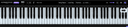
0The Ultimate Piano is a browser-based practice tool for pianists and music learners. Connect your MIDI keyboard and start practicing — no download needed. Features include real-time chord detection, a scale trainer with 14 scale types, ear training for intervals and chords, and a chord explorer for music theory. Load MIDI files to see falling notes, practice along with audio or YouTube videos, and generate chord diagrams for teaching materials. Built for musicians who want more than just an online piano: practice chords, learn scales, train your ear, and visualize music theory — all in one browser tab. Also includes a transparent piano overlay for OBS streaming and a diagram generator for creating printable chord charts. Works on any device with a browser. Free core features with Premium for advanced tools.
- 102
 0
0Kiqo is an AI learning companion for K–5 students that answers questions in real time and adapts to how each child learns. Students can ask anything and get clear, age-appropriate explanations that match their level. A kindergartener and a fifth grader can ask the same question and receive completely different responses based on how they understand the world. Kiqo adjusts language, depth, and reasoning so kids don’t feel lost or held back. It also keeps them engaged. After each answer, Kiqo guides the next step with follow-up questions, helping students think deeper and stay curious instead of stopping at a single response. On the parent and teacher side, Kiqo provides full visibility into the learning process. Every question, topic, and interaction is tracked and organized into a simple dashboard. You can see what a child is interested in, where they might need help, and how their thinking is evolving over time. Kiqo works alongside any learning environment. It is not a replacement for school or curriculum. Whether a child is in a traditional classroom, homeschool setting, or microschool, Kiqo fills the gaps by giving them immediate, personalized support whenever they need it. Instead of relying on tests or static assignments, Kiqo builds a continuous picture of progress through real interactions. It highlights patterns in curiosity, engagement, and understanding so parents and teachers can step in with context, not guesswork. The experience is simple for students and clear for adults. Kids get answers that make sense to them. Parents and teachers get a real view of how learning is happening. Kiqo makes sure no question goes unanswered and no child gets left behind
- 103
 0
0QuickTextTools is a free online platform that provides a large collection of browser-based text utilities designed for writers, SEO professionals, students, developers, marketers, and digital creators. The platform focuses on simplicity, speed, privacy, and accessibility by offering more than 76 text-related tools that work instantly without requiring registration, subscriptions, or downloads. The core purpose of QuickTextTools is to help users improve productivity when working with text, content formatting, SEO optimization, social media writing, and online publishing. Instead of using multiple websites or software applications for different small tasks, users can access a complete toolkit in one centralized platform. One of the platform’s biggest strengths is its privacy-focused approach. All tools operate directly within the user’s browser using client-side JavaScript, meaning text is processed locally on the user’s device rather than uploaded to external servers. This design makes the platform particularly attractive for users handling sensitive documents, private writing, confidential notes, or unpublished content. QuickTextTools includes a wide variety of utilities organized into categories such as writing tools, SEO tools, social media tools, text formatting tools, developer utilities, and productivity features. Users can quickly browse categories or access the most popular tools directly from the homepage. Among the most commonly used features are the Word Counter and Character Counter, which allow users to instantly calculate word count, character length, sentence totals, and paragraph statistics. These tools are especially useful for bloggers, students, copywriters, and social media creators who need to stay within content limits or optimize writing length. The platform also includes several SEO-focused utilities designed to help users optimize content for search engines. These include tools like the Keyword Density Checker, Meta Tag Generator, Meta Title Preview Tool, Sitemap Generator, Robots.txt Generator, Slug Generator, and UTM Link Builder. These tools help website owners and marketers improve visibility, analyze keywords, preview search engine snippets, and generate technical SEO resources without requiring advanced technical skills. QuickTextTools additionally supports content formatting and cleaning. Utilities such as the Text Cleaner, Duplicate Line Remover, Remove Extra Spaces tool, and Case Converters help users quickly fix messy formatting, normalize text capitalization, remove unwanted characters, and prepare content for publishing. This is particularly useful when copying text from PDFs, websites, or poorly formatted documents. For social media creators and marketers, the platform includes generators for captions, hashtags, YouTube titles, Pinterest titles, and other engagement-focused content. These tools help streamline social media workflows and improve content optimization for different platforms. The developer section includes practical utilities such as QR code generation, random password generation, Base64 encoding and decoding, and URL-related tools. These features make the platform useful not only for writers and marketers but also for developers and technical users who need lightweight browser-based utilities. Another important aspect of QuickTextTools is accessibility. The website emphasizes that all tools are completely free and available instantly without requiring sign-ups or subscriptions. This frictionless approach makes the platform convenient for quick everyday tasks where users want immediate results without creating accounts or installing software. The site also contains educational content and blog articles covering topics related to writing, SEO, formatting, readability, productivity, and social media optimization. These guides help users understand how to use the tools effectively while also improving their content creation skills. Overall, QuickTextTools is essentially an all-in-one productivity platform for text processing and content optimization. By combining writing analysis, SEO utilities, formatting tools, social media generators, and browser-based privacy protection into a single free platform, QuickTextTools helps users work faster, clean up content more efficiently, and improve their digital workflow without needing expensive software or complicated tools.
- 104
 0
0LoraAI Directory is a tool provides free AI Tools Directory. Get your favorite AI tools with LoraAI Directory, LoraAI Directory aims to collect all the AI tools and provide the best for users.Find the Best AI Tools for Every Task.Transform your workflows with 11 AI tools and growing https://www.loraai.pro
- 105
 0
0Clean Paste is an advanced AI text sanitization platform built to help users remove hidden AI watermarks, invisible characters, and embedded metadata from AI-generated content. Many AI models, including ChatGPT, Claude, Gemini, GPT-4, Llama, and Mistral, insert invisible markers or signatures into generated text to identify it as machine-created. These markers can be detected by AI detection tools such as GPTZero, Originality.ai, and Turnitin, potentially flagging content as AI-generated. Clean Paste uses sophisticated algorithms to detect and remove these hidden elements while preserving the text’s structure, grammar, and readability. The tool supports all major AI platforms and ensures that cleaned text appears completely natural and human-written. With instant processing and a simple interface, Clean Paste empowers creators, writers, and professionals to maintain authenticity and privacy in their content. It is ideal for anyone who wants to sanitize AI-generated text for publication, research, or communication without compromising quality.
- 106
 0
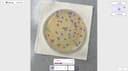
0Lab Laps is an all-in-one laboratory productivity platform designed to help scientists, researchers, students, and laboratory teams organize experiments and perform common lab calculations from a single application. Instead of requiring users to switch between separate calculators, timers, notes, protocol documents, and specialized tools, Lab Laps brings these functions together in one workspace built specifically around real laboratory workflows. The platform is available through its web application and is also designed to work across desktop and mobile devices, allowing users to keep their laboratory work synchronized across different devices. One of the main features of Lab Laps is protocol tracking. Scientists can plan laboratory protocols, follow individual steps, and check them off while performing an experiment. This approach is designed to keep users focused at the bench instead of forcing them to manage experiments through generic task-management applications. The platform also includes a multi-timer system that allows users to run several timers simultaneously, each with clear labels and alerts. This can be particularly useful for experiments involving incubation periods, reactions, washes, centrifugation steps, or other processes that need to be monitored at the same time. Lab Laps provides a large collection of specialized laboratory tools and calculators. Users can perform molarity calculations, dilution calculations, serial dilutions, master mix calculations, buffer and medium calculations, unit conversions, and custom equations. The molarity calculator can determine the amount of material needed for a specific concentration and volume, while the dilution calculator supports standard C1V1 = C2V2 calculations, serial dilutions, reverse dilution calculations, and solution preparation. The master mix calculator can calculate reagent volumes for PCR and other reactions while accounting for the number of reactions and additional overage. The platform also includes tools designed specifically for laboratory imaging and cell counting. Its online colony counter allows users to upload an agar plate or petri dish image and use AI-based detection to identify bacterial colonies. Users can review the detected colonies and manually adjust the detection boxes before confirming the final count. Similarly, the blood cell counter can analyze stained smear images and detect red blood cells, white blood cells, and platelets. The results can then be reviewed and corrected by the user. These online counting tools are available without requiring a login, making them convenient for quick research or educational tasks. Another useful feature is the online plate labeling tool. Users can select common plate configurations such as 6-well, 12-well, 24-well, or 96-well plates, as well as create custom plates. They can then add titles, descriptions, and colors to individual wells. This makes it easier to organize experimental samples and prepare clear plate maps that can later be exported as PNG or PDF files for use at the laboratory bench. Lab Laps also offers tools such as image measurement, calibration curves, amino acid references, codon wheels and tables, molecular ladders, notes, calendars, counters, and other laboratory utilities. The combination of these features makes the platform more than a simple timer or calculator. It functions as a centralized digital toolkit intended to support many stages of laboratory work. The platform emphasizes speed and efficiency, presenting itself as a way to become significantly faster in the laboratory by keeping protocols, timers, calculations, and specialized tools together. Its desktop web workspace provides a larger interface for tasks such as colony counting, blood cell counting, and other laboratory operations, while users can maintain the same account and synchronize their work across devices. Lab Laps was founded by two brothers in March 2026 with the goal of creating software specifically for laboratory environments. The platform describes itself as being built around bench-first workflows rather than generic productivity concepts. With a growing user base, a broad collection of laboratory utilities, specialized image-analysis tools, protocol management, multi-timer functionality, and scientific calculators, Lab Laps positions itself as a comprehensive digital workspace for scientists who want to reduce repetitive work and keep their essential laboratory tools organized in one place.
- 107
 0
0Daily is a simple to-do list and daily planner designed for people who feel overwhelmed but still want to move forward. Instead of pushing you to do more, Daily gives you a quiet place to put things down, see what matters, and begin your day with clarity. When everything is in your head, it’s hard to focus. With Daily, you can unload tasks, reminders, and thoughts as they come — without needing to organize them right away. Then, when you're ready, you can look at everything with fresh eyes and choose what actually matters for today. Daily’s Today view shows only what needs your attention now, helping you return to a calm, grounded sense of focus. Anything that isn’t important anymore can be let go, and anything that still matters carries forward gently to the next day. Daily stays simple on purpose — just enough structure to support you, without creating complexity or pressure.
- 108
 0
0EasyCalc is a modern online calculator platform designed to make mathematical, financial, educational, health, lifestyle, and productivity-related calculations simple, fast, and accessible for everyone. The website offers a large collection of specialized calculators that help users solve everyday problems instantly without requiring manual formulas, spreadsheets, or complicated software. With a clean interface and a strong focus on speed and usability, EasyCalc positions itself as a practical digital toolkit for students, professionals, business owners, gamers, investors, and general internet users looking for quick and reliable calculations across many categories. The platform includes a wide variety of calculators covering subjects such as mathematics, finance, health, education, work and wage calculations, gaming utilities, and daily lifestyle needs. Mathematical tools include calculators for limits, variance, cross products, rounding, percentages, mixed numbers, law of sines, highest common factor, and central tendency analysis. These calculators are designed to help users solve academic and technical problems more efficiently while simplifying concepts that would otherwise require manual equations or advanced calculator devices. Many of the tools are useful for students studying algebra, geometry, statistics, calculus, and other STEM-related subjects. EasyCalc also provides a large collection of financial and investment calculators aimed at helping users estimate returns, taxes, salaries, margins, fixed deposit growth, recurring deposits, SIP investments, property capitalization rates, gratuity payments, and various banking-related calculations. Financial tools such as the XIRR Calculator, SWP Calculator with Inflation, Cap Rate Calculator, HDFC SIP Calculator, and salary-related calculators are particularly useful for investors, employees, freelancers, and business owners who need fast projections and financial planning assistance. These tools simplify complex financial formulas into user-friendly interfaces where users only need to input values and instantly receive accurate results. In the education category, EasyCalc offers calculators designed for grading systems, GPA computation, attendance tracking, academic performance analysis, and educational conversions. Tools such as the Weighted Grade Calculator, SGPA Calculator, Cumulative GPA Calculator, GWA Calculator, HSC GPA Calculator, SSC GPA Calculator, and CGPA to Percentage Calculator help students monitor academic progress and estimate future results. These calculators are especially useful for students in different educational systems around the world because the platform includes localized grading calculators tailored for specific countries and institutions. The platform also includes health and wellness-related utilities, such as the Chronological Age Calculator, Corrected Calcium Calculator, fitness-related tools, and daily activity converters like the Steps to Miles Calculator. In addition, EasyCalc contains gaming-oriented calculators like the Pokémon GO CP Calculator, showing that the platform is designed to appeal to a broad range of users beyond traditional academic and business audiences. This diversity of calculators makes EasyCalc a flexible utility platform capable of supporting both practical daily tasks and more specialized niche interests. One of the notable aspects of EasyCalc is its emphasis on speed, embeddability, and developer-friendly integration. The website promotes its calculators as “lightning-fast,” “pixel-perfect,” and fully embeddable on external websites using simple script snippets. This feature allows bloggers, businesses, educators, and content creators to integrate calculators directly into their own websites without needing to build custom tools from scratch. By offering embeddable calculators, EasyCalc extends beyond being just a standalone website and becomes a utility infrastructure platform for other online businesses and publishers. Overall, EasyCalc serves as a comprehensive online calculation hub that combines convenience, simplicity, and broad functionality into a single platform. Its extensive library of calculators, user-friendly design, instant calculation system, and embeddable tools make it valuable for users across education, finance, health, business, gaming, and productivity-related fields. By simplifying complex calculations into accessible web-based tools, EasyCalc helps users save time, reduce errors, and solve practical problems quickly in both personal and professional contexts.
- 109
 0
0AI Tools Explorer is a 100% human-curated and edited directory of top-quality, SFW AI tools and apps, organized by category and updated daily with helpful AI guides and resources.
- 110
 0
0Convert any webpage into a print-friendly format, enjoy a built-in Reader Mode for distraction-free browsing, and save webpages as PDFs for easy access.
- 111
 0
0AI Timeline Maker at timeline-maker.org is a modern, AI-powered online timeline creation tool designed to help individuals and teams build beautiful, informative timelines quickly and intuitively. It combines automated intelligence with a flexible editor so users can generate timelines from simple text, imported documents, or blank templates, and then customize them for any purpose—from project planning to historical storytelling. With one-click AI generation, you can simply describe what you want in natural language and the system will structure a chronological timeline automatically. It also supports document import — allowing users to upload PDFs, Word documents, or plain text and have all dates and events extracted instantly into editable timeline segments. Collaboration features make it easy to invite teammates to edit and comment in real time without switching platforms, while secure, responsive design ensures timelines look great on desktop, tablet, or mobile. Once finished, timelines can be exported in multiple formats such as image (PNG), PDF, PowerPoint, Word or even Excel — perfect for presentations, reports, and sharing. Popular use cases include: • 📊 Project Management: Plan milestones and track progress. • 📚 Education & History: Visualize events in chronological order. • 🧠 Personal or Life Stories: Capture memories, highlights, and timelines of achievements. • 🚀 Company Roadmaps: Showcase product evolution or company history. Overall, AI Timeline Maker aims to make timeline creation faster, smarter, and more collaborative — powered by AI but still fully customizable by users.
- 112
 0
0CopyChecker Grammar Checker is an AI-powered writing assistant that helps users improve grammar, spelling, punctuation, clarity, fluency, and overall writing quality. The tool analyzes text in real time and provides actionable suggestions to make writing clearer, more accurate, and more professional. Whether you're working on essays, assignments, research papers, emails, blog posts, website content, reports, or business documents, CopyChecker helps identify writing issues before publication or submission. Key features include grammar correction, spelling checks, punctuation review, readability improvements, clarity suggestions, fluency analysis, engagement scoring, and multi-language support. Students, teachers, writers, marketers, professionals, and businesses use CopyChecker to create polished and effective content with greater confidence.
- 113
 0
0PrompTessor is an AI prompt analysis and optimization tool designed to help users unlock the full potential of AI. It provides smart prompt analysis, expert feedback, and prompt improvements to enhance AI outputs. The platform evaluates, improves, and optimizes AI prompts, offering actionable feedback and optimized suggestions to craft better prompts for various AI systems, including ChatGPT and LLMs.
- 114
 0
0PrompTessor is an AI prompt analysis and optimization tool designed to help users unlock the full potential of AI. It provides smart prompt analysis, expert feedback, and prompt improvements to enhance AI outputs. The platform evaluates, improves, and optimizes AI prompts, offering actionable feedback and optimized suggestions to craft better prompts for various AI systems, including ChatGPT and LLMs.
- 115
 0
0**PDF to Markdown** is a cutting-edge AI-powered utility engineered to solve the most persistent challenges in document conversion. Unlike traditional rule-based tools that often scramble layouts or lose data, our advanced AI engine deeply understands document structure. It accurately reconstructs **complex tables**, converts **mathematical formulas** directly into LaTeX, and intelligently re-flows **multi-column text** into a readable linear format. Designed for specialized workflows, the platform features a streamlined "drag-and-drop" interface with instant local previews and a high-fidelity **side-by-side comparison view**, allowing users to verify conversions in real-time. The tool not only handles text but also extracts images into organized asset packages, ensuring a complete migration of content. Whether for academic research, technical documentation migration, or personal knowledge management, PDF to Markdown Expert delivers high-fidelity results that are ready for immediate use in tools like Obsidian, Notion, or GitBook.
- 116
 0
0Here is a concise and professional English introduction for Video Transcription AI: Video Transcription AI is a frictionless, web-based intelligence platform designed to unlock knowledge trapped inside video and audio formats. It converts linear media consumption into searchable, structured text databases, entirely eliminating the overhead of manual note-taking. Key Highlights Zero Friction: 100% free with no registration, accounts, or sign-ups required. Users can instantly access full features without encountering sudden paywalls or forced login screens. Seamless Ingestion: Simply paste a public link from major platforms like YouTube, TikTok, or Instagram, or drop a local media file directly into the browser. AI-Driven Structuring: Moving beyond plain verbatim text, the built-in AI automatically transforms raw speech into interactive mind maps, chronological timelines, and semantic summaries. Multilingual & Advanced Features: Supports transcription and translation across 100+ languages with high precision. It also includes automatic speaker identification, making it perfect for multi-person meetings, interviews, or lectures. Flexible Exporting: Effortlessly download outputs in clean Markdown, TXT, PDF, Word, or professional subtitle formats (SRT/VTT) to sync seamlessly with tools like Notion and Obsidian. Target Audience Perfect for content creators, students, academic researchers, and remote professionals who need to decode vast amounts of media content quickly and maximize their daily productivity.
- 117
 0
0AI Plaza is an AI tool discovery and comparison platform designed to help users find the right AI solutions for their specific tasks and workflows. As the number of AI tools continues to grow rapidly, many users struggle to identify which platforms best fit their needs. AI Plaza addresses this problem by organizing and categorizing AI tools across a wide range of industries and use cases, including marketing, design, writing, programming, research, customer support, video editing, sales, and business productivity. Unlike simple AI tool directories that only provide short descriptions or affiliate links, AI Plaza focuses on detailed and structured information that helps users make informed decisions. Each tool page includes feature overviews, practical use cases, pricing information, and comparisons with alternative tools whenever possible. The platform is designed to improve discoverability and simplify the evaluation process for both individuals and businesses exploring AI adoption. AI Plaza also emphasizes usability and workflow-based discovery. Instead of only searching by tool name, users can explore AI products based on the problems they want to solve, such as automating repetitive tasks, improving content creation, increasing productivity, or streamlining business operations. This makes the platform useful for freelancers, students, startups, marketers, developers, and teams looking to integrate AI into their daily work. The platform continues to expand its database of AI tools while improving categorization, search experience, and comparison functionality. AI Plaza aims to become a practical resource for users who want to stay updated on the rapidly evolving AI ecosystem and efficiently discover tools that provide real business or personal value.
- 118
 0
0Rejobs.org is the Renewable Energy Job Board. We are dedicated to accelerating the energy transition by connecting global talent with opportunities in this critically important sector. On Rejobs, we list job opportunities in solar energy, wind energy, hydropower, bioenergy, energy storage, even tidal and geothermal energy. Our platform accommodates all jobs in the renewables value chain that move humanity towards sustainability.
- 119
 0
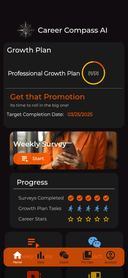
0Career Compass AI is your always-on career coach, built for ambitious early-career professionals. Whether you’re job hunting, aiming for a promotion, or managing workplace stress, our AI delivers personalized advice, growth plans, and practical advice you can use immediately. Features include a Career Development Plan builder, KPI tracking, weekly feedback in coaching emails, and on-demand messaging available 24/7. Unlike generic career apps, Career Compass AI adapts to your unique goals, skill set, and timeline—helping you act with clarity and confidence. Used by professionals across industries, Career Compass AI empowers you to grow faster, communicate better, and navigate challenges like a pro.
- 120
 0
0MacBrightness is a specialized utility for Mac users who frequently work outdoors and struggle with screen visibility under bright sunlight. While modern MacBook Pro displays are capable of reaching extremely high brightness levels for HDR content, macOS typically limits that brightness during normal day-to-day usage. MacBrightness unlocks that hidden potential, allowing users to access significantly higher brightness levels across their entire system and in every application they use. The software was created to solve a common frustration experienced by remote workers, digital nomads, entrepreneurs, students, designers, developers, and professionals who like to work from outdoor locations. Whether sitting at a sunny café, relaxing on a balcony, working from a park bench, or waiting at an airport gate, many users discover that even a premium MacBook becomes difficult to read in direct sunlight. Reflections increase, contrast decreases, and productivity suffers as users constantly search for shade or adjust screen angles. MacBrightness addresses this problem by extending the brightness range available to the display, making content easier to read in challenging lighting conditions. One of the application's biggest advantages is its simplicity. Unlike many system utilities that require learning new controls or navigating complicated settings, MacBrightness integrates directly with the brightness keys already built into macOS. Users simply install the application, and their existing brightness controls gain access to the additional range. There are no complicated configurations, custom keyboard shortcuts, or distracting menus. The experience feels natural because it works exactly where users already expect brightness controls to be. The software is capable of delivering up to 1,600 nits of sustained brightness on supported hardware. This can effectively make the display appear roughly twice as bright as the standard brightness level available through macOS. The result is dramatically improved readability when working outdoors or in brightly lit environments. Text becomes easier to read, colors remain visible, and users can continue working comfortably without constantly fighting glare or reflections. MacBrightness was specifically designed for compatible high-end Apple hardware, including MacBook Pro 14-inch and 16-inch models equipped with M-series Pro and M-series Max processors, as well as the Pro Display XDR. Rather than relying on display modifications or risky system hacks, the software simply unlocks brightness capabilities already present in the hardware. This approach helps maintain stability while providing users with access to performance that would otherwise remain restricted. Performance and efficiency were also key priorities during development. The application operates with minimal CPU overhead and is designed to run quietly in the background. Users do not need to worry about complicated maintenance, constant updates, or system slowdowns. The software focuses on one specific problem and solves it effectively without introducing unnecessary features. To help users evaluate the product before purchasing, MacBrightness includes a free trial mode known as Splitscreen Mode. In this mode, half of the display uses the enhanced brightness range while the other half remains at standard macOS brightness. This side-by-side comparison makes it immediately obvious how much additional visibility the software provides. Users can continue using this trial mode for as long as they wish before deciding whether to purchase a license. The pricing model is intentionally straightforward and consumer-friendly. Rather than charging a monthly subscription fee, MacBrightness uses a one-time payment structure. Users pay once and receive permanent access to the software, all current features, and future updates. This makes the product particularly attractive to individuals who dislike recurring subscriptions and prefer software they can own outright. In addition to the core application, the company provides guides, comparisons, and educational content focused on improving outdoor productivity with Mac devices. These resources help users better understand display technology, compare brightness enhancement tools, and learn techniques for maximizing visibility in bright environments. Overall, MacBrightness is a focused productivity tool that enables MacBook users to unlock the full brightness potential of their displays. By providing higher brightness levels, seamless integration with existing controls, a lightweight user experience, and a simple one-time purchase model, it offers a practical solution for anyone who wants the freedom to work comfortably wherever they choose, regardless of how bright the environment may be.
- 121
 0
0Tap4 AI Directory is a tool provides free AI Tools Directory. Get your favorite AI tools with Tap4 AI Directory, Tap4 AI Directory aims to collect all the AI tools and provide the best for users.Get your favorite AI tools in Open-source Tap4 AI Tools Directory. AI tools list are updated daily by GPT-4o. It's free to submit here to enhance your SEO now.https://www.tap4ai.org/
- 122
 0
0This app is like Guitar Hero but for your piano. This is the perfect app for piano beginners, especially if sheet music intimidates you.
- 123
 0
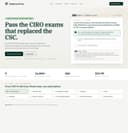
0Ciroexam is a specialized online learning platform designed to help candidates prepare for the new 2026 CIRO Proficiency Model examinations in Canada. Created specifically in response to the retirement of the Canadian Securities Course (CSC), the platform offers a comprehensive and affordable alternative for individuals pursuing careers in the Canadian securities industry. Unlike legacy study providers that adapted existing CSC materials, Ciroexam was built from the ground up around the new CIRO examination framework, ensuring that every lesson, question, and learning tool aligns directly with the latest regulatory requirements and published exam blueprints. The platform provides preparation resources for all nine CIRO examinations, including the Conduct and Industry Regulatory Exam (CIRE), Retail Securities Exam (RSE), Institutional Securities Exam (ISE), Supervisor Exam, Trader Exam, Derivatives Exam, Director and Executive Exam, Chief Compliance Officer (CCO) Exam, and Chief Financial Officer (CFO) Exam. A single subscription grants access to every course, making it a cost-effective solution for candidates who may need to progress through multiple certifications during their careers. One of Ciroexam’s most distinctive features is its extensive content library. Students gain access to more than 16,000 practice questions, hundreds of written lessons, thousands of flashcards, and dozens of full-length mock examinations. Every practice question is carefully mapped to a specific CIRO learning outcome and includes detailed explanations that reference the actual regulatory sources being tested. Rather than relying on paraphrased content or outdated study materials, the platform cites authoritative sources such as the CIRO Investment Dealer and Partially Consolidated Rules (IDPC), Universal Market Integrity Rules (UMIR), the Proceeds of Crime (Money Laundering) and Terrorist Financing Act (PCMLTFA), National Instrument 31-103, National Instrument 81-102, FINTRAC guidance, and Ontario Securities Commission notices. Another major advantage of Ciroexam is its integrated AI tutor. Unlike generic artificial intelligence tools, the tutor is specifically trained on the regulatory framework relevant to CIRO examinations. It provides explanations for incorrect answers, clarifies why alternative choices are wrong, and references the exact rules and sections supporting its guidance. This helps students develop a deeper understanding of regulatory concepts rather than simply memorizing answers. The AI tutor is available throughout practice sessions, mock exams, and review activities, creating a personalized learning experience that adapts to individual needs. The platform also incorporates advanced study tools designed to improve retention and exam readiness. These include confidence-weighted spaced repetition, outcome-level mastery tracking, customized drills targeting weak areas, and a pass-probability dashboard that estimates a student’s readiness for the real examination. Learners can generate new AI-created variations of practice questions, receive feedback on their explanations of regulatory concepts, and continuously monitor their progress across specific exam objectives. Accessibility and flexibility are central to the platform’s design. Users can access their studies from both desktop and mobile devices, with progress synchronized across sessions. New students can begin with a free trial experience that includes a complete first module, a 25-question CIRE mock exam, and access to the AI tutor without providing payment information. Paid subscriptions are available on monthly or annual plans and include a money-back guarantee. Overall, Ciroexam positions itself as a modern, technology-driven exam preparation platform tailored specifically to the new Canadian regulatory environment. By combining comprehensive study materials, realistic exam simulations, source-cited explanations, and AI-powered learning support, it aims to help aspiring financial professionals confidently prepare for and pass the CIRO examinations that have replaced the former Canadian Securities Course.
- 124
 0
0StreamVox is a modern, AI-powered desktop application designed to eliminate language barriers in real time. Built specifically for Windows users, it delivers instant subtitles and translations for any audio playing on a computer, whether it comes from calls, videos, games, or live streams. The platform focuses on speed, accuracy, and usability, offering an experience that feels seamless and natural during everyday digital interactions. With its ultra-low latency technology, users can follow conversations and content almost instantly, without the frustrating delays often associated with traditional translation tools. One of the most distinctive aspects of StreamVox is its “invisible” smart overlay. This floating subtitle layer appears on top of any application, allowing users to read translations without interrupting their workflow. The overlay is fully customizable, enabling adjustments to font size, color, and transparency. This flexibility makes it ideal for different scenarios, such as watching movies, attending virtual meetings, or gaming. Users can personalize the visual experience so that subtitles remain readable without becoming distracting, which is especially valuable during long sessions of content consumption or communication. StreamVox also stands out for its intelligent audio handling. Instead of capturing all system sounds indiscriminately, it allows users to isolate audio from specific applications like Zoom, Microsoft Teams, or Discord. This targeted approach ensures more accurate translations and reduces unnecessary noise. Additionally, the platform supports bidirectional translation, meaning it can process both incoming audio and the user’s microphone. This feature is particularly useful for international meetings or conversations, where both sides need to understand each other in real time. Privacy is a core principle behind StreamVox. The application processes audio in real time without storing it, ensuring that sensitive conversations remain secure. This makes it a strong option for professionals who handle confidential information, such as business meetings or client calls. Combined with its support for over 49 languages and a multilingual interface available in 12 different languages, StreamVox positions itself as a truly global communication tool. The app is designed to adapt to multiple use cases. For professional environments, it enhances virtual meetings by translating live discussions across platforms like Zoom or Google Meet. For entertainment, it enables users to watch content on platforms such as YouTube or Netflix without waiting for official subtitles. Gamers can benefit from real-time translations of voice chats, while even mobile calls can be integrated through a PC connection, displaying live subtitles directly on the screen. StreamVox offers flexible pricing plans to suit different needs. A free version provides limited daily usage, allowing users to تجربة its capabilities before committing. Paid plans expand the available translation time, with options ranging from moderate monthly usage to unlimited access. Each plan includes access to all features and ongoing updates, ensuring that users benefit from continuous improvements in AI performance. Overall, StreamVox represents a powerful step forward in real-time communication technology. By combining speed, customization, privacy, and versatility, it provides a practical solution for anyone looking to interact, work, or enjoy content across language barriers without friction.
- 125
 0
0CareerOrbit gives job seekers a clear path from resume to offer by tailoring CVs, surfacing role fit and skill gaps, and coaching every interview step. It combines CV tailoring, interview coaching, company research, and progress tracking into one cohesive workflow — replacing a scattered stack of generic tools with a single, role-aware assistant that adapts to each opportunity.
Frequently asked questions
Limit is a great tool that allows students to set time limits on distracting websites. You can choose how many minutes a day to spend on each site, and once that limit is reached, the website is blocked. This helps students stay focused and avoid distractions.
Rewritebar is an excellent tool for improving writing in any macOS application. It provides AI assistance to quickly correct grammar mistakes, change writing styles, or translate text, making it a valuable resource for students looking to enhance their writing skills.
Duolingo is a highly recommended app for learning languages. It offers short, interactive lessons that cover practical communication skills. With a variety of languages available and engaging game-like features, Duolingo makes language learning fun and accessible for students.
BlazePDF is a fast and intuitive PDF app designed specifically for students. It allows for quick highlighting and annotating, and it features customizable shortcuts to enhance the studying experience. This makes it an ideal choice for managing notes and study materials.
Momentum is a fantastic tool that replaces your default new tab screen with a personalized dashboard. It includes a pomodoro timer, to-do lists, and focus time features, all while providing a visually appealing interface that can help keep students motivated and organized.
ChatGPT is an advanced AI tool that can assist with coding tasks and other one-off tasks. It is widely regarded for its capabilities and is worth the subscription fee for students who frequently engage in programming or need help with various assignments.
Complete HeartX is an interactive app designed for exploring the human heart in detail. It features photo-realistic 3D models and simulations, making it an excellent resource for medical students and anyone interested in anatomy.
Block & Focus is a simple yet effective extension that allows you to block distracting websites for a specified period. You can customize which sites to whitelist or blacklist, helping you maintain focus during study sessions.
AppMole is an all-in-one platform that offers a variety of AI-driven tools and resources tailored for creators and developers. It helps students streamline their workflows and stay updated with the latest software applications, making it a valuable resource for enhancing productivity.
AdBlock is a browser extension that helps students eliminate distracting ads while browsing. By providing a calmer browsing experience, it allows students to focus better on their studies and research without interruptions from advertisements.