Home
List · created July 2026

Best Software for Students

Get through the semester without losing your mind.

256Items
0Contributors
0Votes
Sort by
  1. 1AdBlock

    This strictly speaking isn't a productivity extension but ads are way too distracting. This extension helps you purge them from your browser. Enjoy a calmer browsing experience!

    0
  2. 2ChatGPT

    ChatGPT is still the best AI in 2024. I use it for coding pretty much every day and occasionally for one-off tasks and recipes. It's worth the $20/month fee.

    0
  3. 3Momentum

    Momentum replaces your default new tab screen with a beautiful, personalized dashboard. It shows you the time, current weather, and a beautiful landscape photo. It comes with simple productivity tools such as a pomodoro timer, to-do lists, focus time, link lists etc. Even if you don't use the productivity tools, it's just gorgeous to look at.

    0
  4. 4Block & Focus

    This dead-simple extension allows you to block distracting websites for a period of time your specify. You get to decide which websites to whitelist and which ones to blacklist. Block & Focus comes with statistics, keyboard shortcuts, breaks, and a few other functionalities but is overall a really simple and effective tool.

    0
  5. 5Limit

    Limit allows you to put time limits on distracting websites. You get to choose how many minutes a day you're allowed to spend on each. After that, the website is blocked. It's a simple and effective tool for avoiding distractions and rabbit holes.

    0
  6. 6Rejobs

    Rejobs.org is the Renewable Energy Job Board. We are dedicated to accelerating the energy transition by connecting global talent with opportunities in this critically important sector. On Rejobs, we list job opportunities in solar energy, wind energy, hydropower, bioenergy, energy storage, even tidal and geothermal energy. Our platform accommodates all jobs in the renewables value chain that move humanity towards sustainability.

    0
  7. 7Aitoolnet

    Aitoolnet is a leading AI tool directory and search engine with over 10,000+ AI tools,updated daily. Find the latest AI tools for your work or creative projects.

    0
  8. 8Rewritebar

    Improve your writing in any macOS application with AI assistance. Quickly correct grammar mistakes, change writing styles, or translate text.

    0
  9. 9AppMole

    AppMole is an all-in-one platform featuring a wide range of AI-driven tools and resources tailored for creators, influencers, and developers. It offers various web apps, marketing tools, and design apps, all aimed at streamlining workflows and enhancing productivity. Users can stay updated with the latest AI applications, reviews, and trending software.

    0
  10. 10Duolingo

    Duolingo is an app and website designed to help people learn languages in a simple and engaging way. It’s free to use, though there are paid options that remove ads and offer extra features. The lessons are short and interactive, with exercises that involve matching words, listening to sentences, speaking, and translating. A green owl named Duo acts as the app’s mascot—offering encouragement when you stay on track and reminders when you don’t. The platform offers a wide range of languages, from widely spoken ones like Spanish, French, and Chinese to less common choices like Welsh, Hawaiian, and even fictional languages like Klingon and High Valyrian. Lessons focus on practical, everyday communication—like ordering food or asking for directions—though you’ll occasionally encounter quirky sentences that are memorable in their oddness. Duolingo adapts to your progress: if you’re struggling, it slows down; if you’re doing well, it introduces more challenging material. There are game-like features—points, streaks, and levels—that keep learning motivating and fun. For those looking to go beyond basic lessons, Duolingo also offers podcasts, stories, and interactive exercises to improve listening and reading comprehension. Convenient and easy to use, Duolingo fits into almost any schedule—you can practice on the bus, during a lunch break, or before bed. While it’s not a complete substitute for full immersion or in-depth study, it’s a useful tool for beginners and a good way to keep language skills fresh.

    0
  11. 11Complete HeartX

    Journey into the human heart on your Apple Vision Pro. This is the most detailed and realistic model of the human heart available on Apple Vision. The app allows you to explose the heart's anatomy, physiology, and pathology in stunning detail, using interactive photo-realistic 3D models, videos, images, and simulations. This app is perfect for medical students and health professionals as well as for anyone curious about anatomy. It is pricey, though, at $49.99 at the time of this writing.

    0
  12. 12Resume Ink

    Resume.Ink is designed to streamline your job application process by automatically tailoring your resume to match specific job postings. Just upload your resume along with job details, and the platform customizes it to align with the job description, boosting your chances of getting interviews. Resume.Ink offers free resume tailoring, charging only for the final download.

    0
  13. 13GoFullPage

    GoFullPage is a simple extension for taking full-page screenshots of websites. It handles all the scrolling and at the end allows you to export the website to png, jpg, or pdf.

    0
  14. 14Chinese Grammar Wiki

    This was my go-to page at the early stages of learning Mandarin. Chinese Grammar Wiki has an articles of each of the main aspects of Chinese grammar. For example, there are articles on how to use 一下, 在, 要, 就是, 才and many other Mandarin grammar points. Each word gets its own article with examples in pinyin and characters and, of course, English translations. You can also get website as a physical book or an ebook.

    0
  15. 15archive.is

    archive.is, also known as archive.today, is a website that lets you save a copy of any webpage. It works like a time capsule, taking a "snapshot" of the page as it is at that moment. This snapshot stays online even if the original page is deleted or changed. It saves both the text and images, making sure the copy is accurate. The archived page doesn’t have active elements like pop-ups or scripts, so it’s safer to view. People use archive.is for different reasons—saving articles that might get taken down, capturing price lists or job postings before they change, or keeping a record of social media posts. It’s also used to get around paywalls, since the archived copy often shows the full content without restrictions. You can use the site by entering the URL of the page you want to save. Once archived, you get a short, stable link to the snapshot. There’s also a search feature to find past snapshots of certain websites. They even offer a Chrome extension for quicker access.

    0
  16. 16Italki

    Italki is a platform connecting language teachers, mostly native speakers, with students. You can book, pay, and schedule your classes directly through their website. The classes are one on one, just you and the teacher, and conducted over a video call. I used Italki successfully before going to Thailand for the first time. My wife who is Thai gave me an Italki gift card. There are plenty of teachers to chose from and the rates are affordable. You'll pay anywhere from $10 to about $20 for a class.

    0
  17. 17Australian Citizenship Tests

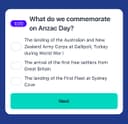
    The Australian Citizenship Tests app is a tool that helps you get ready for the Australian citizenship test. It’s made to be simple and easy to use, giving you practice questions, full-length tests, and helpful study materials. The questions are based on official resources, so you’ll get a good idea of what the real test is like. You can use the app on your phone or laptop, and there’s no limit to how many practice tests you can take. The app tracks your progress, so you’ll know which topics you need to work on. There’s also a demo with audio explanations if you prefer listening while studying. The app was created by Jogi, an independent developer who originally built it to help his wife prepare for her test. He noticed there weren’t many good resources available, so he decided to make one that’s clear, useful, and easy for anyone to use. Many people have found the app helpful. Users from different countries—like Sweden, Iran, Vietnam, Brazil, and Pakistan—say it made studying less stressful and boosted their confidence. Over 3,000 people are currently using it, and the platform has recorded thousands of answered questions and practice tests taken. There’s a 7-day free trial, and if you’re not happy with it, there’s a money-back guarantee. To qualify for that, you’ll need to complete all the practice tests in the app. The prices are in US dollars, and your personal information is kept secure. If you want, you can also check out their blog for study tips, test-day advice, and information about Australian history and culture.

    0
  18. 18Drops

    Drops is a language learning app that focuses on teaching vocabulary through quick, visual-based games. The idea is to make learning feel more like playing, with short sessions you can fit into your day. Instead of grammar-heavy lessons, it leans on matching words with pictures, swiping, and tapping to help words stick in your memory. The app covers over 40 languages, from common ones like Spanish and French to less common ones like Hawaiian and Ainu. You get common, everyday words and phrases to start with—things you’d actually use in conversation. It’s built for people who want to learn at their own pace, and there are features like reminders and streaks to keep you coming back. Drops keeps lessons short—usually five minutes—so it’s easy to squeeze in some learning while waiting for coffee or riding the train. There’s a free version with ads and limits on daily use, or you can pay for Premium to get rid of ads, unlock all content, and use it offline. Overall, it’s not going to teach you complex grammar or how to hold a full conversation right away, but if you’re looking to build your vocabulary in a fun, no-pressure way, it does the job.

    0
  19. 19Gemini Watermark Remover

    Geminiwatermark.io provides a technical solution for embedding and detecting invisible digital watermarks within text-based content. The primary function of the platform is to help creators, educators, and organizations distinguish between human-written and AI-generated text. The process involves applying subtle linguistic patterns or metadata that remain imperceptible to the average reader but can be identified by the tool’s detection algorithms. This serves as a method for establishing provenance and protecting intellectual property in an era of increasing automation. Unlike visible watermarks on images, this system focuses on the structural integrity of text. Users can utilize the platform to verify if a document has been altered or to confirm the origin of specific datasets. The interface provides straightforward options for both the application of a watermark and the subsequent verification process. By offering these capabilities, the tool addresses concerns regarding academic integrity, content ownership, and the transparency of information distributed online.

    0
  20. 20Speak Pro: Shadowing Lessons

    What is the app about? Speak Pro is an iOS language learning app designed to help you improve your speaking skills in English, Spanish, German, Dutch, French, Italian, and Portuguese. It uses the shadowing method with YouTube videos, turning them into speaking lessons. The app is primarily designed for learners from B1 level who already understand a language but want to speak more fluently and naturally. Speak Pro helps you activate your vocabulary. After 1 week practice for 15 minutes of record you will be speak much fluently. Speak Pro breaks video into sentence segments. This allows you to repeat each phrase without pausing or rewinding. Built around active speaking practice. How to use it? You listen to a sentence, repeat it after the speaker, and record your own version. Then you receive feedback on your pronunciation, helping you understand how closely you match the original. You can practice in short sessions, even 10–15 minutes a day is enough to see progress. You can use Speak Pro for free if you don’t need pronunciation feedback. If you want deeper improvement, feedback helps you refine your accent and sound more natural. You can record for free up to 3 minutes per day with feedback. You can also save your favourite phrases and revisit them later, which is especially useful for practicing difficult or important expressions. What content does Speak Pro use? Speak Pro uses YouTube videos as learning material. There are already around 1,000+ lessons available, covering a wide range of topics and speaking styles. You can also add your own videos, for example, scenes from movies, vlogs, TED Talks, interviews, or educational content. What is the shadowing method? The shadowing method is a scientifically proven language learning technique used for decades, including in interpreter training. It involves listening to a native speaker and repeating what they say almost immediately, trying to match their pronunciation, rhythm, and intonation. Here’s how it works step by step: 1. Listen to a short phrase 2. Repeat it right after the speaker 3. Try to match pronunciation and rhythm 4. Record yourself 5. Compare and improve This method train “speaking muscle memory,” making it easier to speak automatically in real conversations. Regular YouTube is not ideal for shadowing because sentences are often too long, and you can only skip forward in fixed intervals

    0
  21. 21Zovo

    Zovo is a privacy-first platform offering a growing collection of powerful browser extensions and online tools designed to improve productivity, development workflows, and everyday browsing. Built entirely by independent developer Michael Lip, Zovo represents a unique alternative to corporate-controlled software ecosystems. Instead of prioritizing data collection, advertising, or investor demands, Zovo focuses on delivering useful, efficient, and privacy-respecting tools shaped directly by user feedback. The platform currently provides more than 20 Chrome extensions and a suite of browser-based utilities that run locally on the user’s device. This local-first approach ensures that sensitive information never leaves the browser, reinforcing Zovo’s commitment to privacy and security. Users can access tools such as JSON Formatter Pro for formatting and validating data, Clipboard History Pro for storing and retrieving copied content, Tab Suspender Pro for optimizing memory usage, and Web Scraper Lite for extracting structured data from websites without writing code. These tools are available through the Chrome Web Store and are continuously improved based on community input. A defining feature of Zovo is its community-driven development model. Members can request new features, vote on upcoming tools, and gain early access to extensions before public release. This direct communication creates a transparent and collaborative environment where users actively shape the product roadmap. Unlike traditional software companies, users can contact the developer directly via email or Discord, ensuring fast responses and personalized support without automated systems or ticket queues. Zovo also offers online versions of many tools, allowing users to perform tasks instantly without installing extensions. These include color pickers, Base64 encoders, timestamp converters, password generators, and text utilities. All tools run entirely within the browser, providing fast performance and eliminating the need for external processing or data transfer. Michael Lip brings extensive experience to the platform, having spent over a decade building software for enterprise clients and earning more than $400,000 through freelance work on Upwork with a 100% success rate. His proven track record and hands-on development approach ensure consistent updates, reliable performance, and long-term support. Zovo operates on a simple and transparent pricing model, offering both monthly subscriptions and lifetime access options. Members receive full access to all existing extensions, future releases, and direct communication with the developer. This ensures that users not only benefit from current tools but also from continuous innovation and expansion. Overall, Zovo stands out as a modern, independent software platform built on transparency, user empowerment, and privacy. By combining powerful browser tools, community-driven development, and a privacy-first philosophy, Zovo delivers a streamlined and trustworthy solution for developers, writers, designers, researchers, and anyone seeking to enhance their browser experience without compromising control or personal data.

    0
  22. 22Free AI Math Solver – Any Problem, Any Level

    AI Solver is a modern, accessible platform designed to make learning faster, easier, and more intuitive for students, learners, and educators at every level. At its core, it offers a powerful free AI math solver capable of handling virtually any type of math problem, from basic arithmetic to advanced calculus. The platform is built with simplicity and speed in mind, allowing users to focus on understanding concepts instead of struggling with complicated tools or time-consuming processes. One of the most appealing aspects of AI Solver is how easy it is to use. The entire experience is structured around a simple three-step process. First, users can either upload a photo of their math problem or type it directly into the system. This flexibility is especially useful for students working with handwritten notes or printed assignments, as they don’t need to spend time converting problems into digital format. Once the problem is submitted, the AI immediately begins analyzing it, breaking it down step by step. Finally, the answer is delivered almost instantly, along with a clear explanation that helps users understand how the solution was reached. Unlike many traditional tools that only provide final answers, AI Solver emphasizes learning through detailed explanations. Every solution includes a full breakdown of the process, ensuring that nothing is skipped. This approach helps users build a deeper understanding of the material rather than simply memorizing results. By seeing each step clearly explained, students can identify where they went wrong and learn how to solve similar problems on their own in the future. Another standout feature is its ability to handle a wide range of topics and difficulty levels. Whether someone is working on middle school math or tackling university-level calculus, the platform adapts seamlessly. This makes it a valuable resource not only for students but also for lifelong learners who want to revisit concepts or strengthen their skills. The inclusion of features like “Common Mistakes,” “Related Formulas,” “Quick Quiz,” and “Key Concepts” further enhances the learning experience by reinforcing understanding and encouraging active engagement. AI Solver is also designed to eliminate common barriers associated with online learning tools. There is no need to create an account, no waiting time, and no hidden costs. Users can access the full functionality instantly, making it an ideal solution for quick problem-solving sessions or last-minute study needs. Additionally, privacy is a key priority. The platform does not collect personal data or store user activity, ensuring a secure and anonymous experience. Beyond mathematics, AI Solver expands its capabilities into multiple academic subjects. It provides support for English, physics, chemistry, biology, geometry, and general science. This makes it more than just a math tool—it becomes a comprehensive learning companion. For example, users can get help with grammar and writing in English, explore physics concepts like Newton’s laws, or solve chemistry problems involving equations and reactions. This multi-subject approach allows learners to rely on a single platform for a wide range of academic needs. The effectiveness of AI Solver is reflected in the experiences shared by its users. Students have reported improved grades, better understanding of difficult topics, and increased confidence in their studies. Whether it’s a middle school student struggling with algebra, a university learner revisiting forgotten concepts, or someone preparing for an important exam, the platform has proven to be a helpful and reliable resource. Overall, AI Solver stands out as a fast, intuitive, and highly practical educational tool. By combining advanced AI capabilities with a user-friendly design, it removes the frustration often associated with learning complex subjects. It empowers users to solve problems independently, understand concepts deeply, and improve their academic performance over time.

    0
  23. 23Good AI Tools

    Good AI Tools is your go-to directory for discovering the best AI tools to enhance productivity, creativity, and business growth. Explore an extensive selection of innovative AI software, including machine learning platforms, automation tools, and creative assistants. Whether you're a business professional, developer, or curious explorer, our curated list helps you find the right tools to streamline tasks, boost efficiency, and stay ahead in the fast-evolving world of artificial intelligence.

    0
  24. 24PrompTessor

    PrompTessor is an AI prompt analysis and optimization tool designed to help users unlock the full potential of AI. It provides smart prompt analysis, expert feedback, and prompt improvements to enhance AI outputs. The platform evaluates, improves, and optimizes AI prompts, offering actionable feedback and optimized suggestions to craft better prompts for various AI systems, including ChatGPT and LLMs.

    0
  25. 25Traducir Imagen

    Traduce cualquier imagen rápidamente sin perder su estilo original. Usa tecnología de IA avanzada para traducir imágenes fácilmente en Traducir Imagen. Traduce cualquier imagen rápidamente sin perder su estilo original. Usa tecnología de IA avanzada para traducir imágenes fácilmente en Traducir Imagen.

    0