Best Software for Students
Get through the semester without losing your mind.
The best software for students — note-taking, research, writing, study, and productivity tools to help you learn faster, stay organized, and hand it in on time.
- 76
 0
0MindMarks is an AI productivity tool that turns long, messy AI conversations into structured, reusable knowledge. It helps users organize, search, and revisit chats across ChatGPT, Claude, and Gemini with features like folders, search, prompt management, exports, and better navigation. It is built for power users, researchers, students, and professionals who want to get more long-term value from their AI workflows. Key features: 1. Folders for organizing AI chats 2. Search across past conversations 3. Prompt management and reuse 4. Auto-generated chat outlines 5. Export to multiple formats 6. Better navigation for long threads 7. Cross-platform support for ChatGPT, Claude, and Gemini 8. Structured knowledge capture from messy chats
- 77
 0
0AI Free Forever is your top destination for creating images with AI and chatting with AI—completely free. Plus, you get access to over 700 additional tools at no cost, including voice generation, audio transcription, and sticker creation. Bookmark us for any free AI tool you need. AI tools deliver real value, but cost has become a barrier. Students struggle to afford $20–$50 monthly fees just to get help with essays or study materials. Freelancers and small businesses hit the same wall paying for basic features like social media posts, blog writing, or product copy feels out of reach. The outcome? People skip AI entirely instead of using it to work smarter. Creativity stalls and productivity suffers because price tags block access.
- 78
 0
0Grammarsen is a desktop app that automatically corrects your selected text using chatgpt, helping you stay focused. No more copy pasting and switching tabs. Simply select some text, press a hotkey, and see the old text gets replaced with the corrected version. Grammarsen saves time for students, writers, marketers, english learners, and anyone who types a lot.
- 79
 0
0AI Video Summarizer is a browser-based platform that instantly turns videos into clear, structured summaries without downloads or sign-ups. It supports YouTube video links, webinars, Zoom recordings, MP4s, and other formats, offering 9 different summary templates and the option to generate mind maps for a visual overview. Users can extract key points quickly, work in multiple languages, and use summaries immediately. Ideal for students, educators, professionals, content creators, and researchers, it helps save time, organize information, and understand video content more efficiently.
- 80
 0
0Blindspot is an AI-powered language learning app built around real writing practice write texts or chat with AI characters, get instant corrections and explanations, and automatically turn your mistakes into personalized grammar exercises and vocabulary save words from any website with the Chrome extension, review them with spaced repetition and flashcards, practice weak grammar rules, and get smart recommendations based on what you actually struggle with instead of manually building flashcard decks, searching for grammar exercises, and tracking mistakes across different tools, Blindspot keeps your writing, vocabulary and grammar practice connected in one place
- 81
 0
0Tired of manually creating each certificate and wasting hours on repetitive tasks? Certifast is here to simplify your life! Designed for anyone who needs to generate certificates quickly and efficiently, Certifast is your go-to solution. Here's what makes Certifast stand out: - Bulk Creation in Seconds: Generate thousands of certificates at once, saving you time and effort. - Easy Customization: Personalize each certificate with names, grades, or unique numbers effortlessly. - User-Friendly Interface: No design skills needed—navigate through Certifast with ease and choose from a variety of templates. - High-Quality Results: Every certificate is produced in high resolution, perfect for printing or digital use. - Seamless Data Integration: Import data from CSV files to automatically fill in certificate details and reduce errors. - Versatile Application: Ideal for schools, businesses, events, and more, Certifast adapts to any setting where certificates are needed. Certifast is more than just a certificate maker—it's a time-saving tool designed to enhance your productivity. Say goodbye to manual certificate creation and hello to the simplicity of Certifast. Try Certifast today with our free trial and see how easy certificate creation can be!
- 82
 0
0Miss Formula is an efficient, fully web-based artificial intelligence tool designed for instant formula recognition and document conversion. Completely online and requiring zero downloads, it serves as a convenient and cost-effective alternative to Mathpix, offering economical pricing plans and initial free credits. A standout feature is its ultra-convenient upload method: instead of traditional file browsing or drag-and-drop, you can simply take a screenshot and press Ctrl + V anywhere on the page for instant recognition. Beyond converting images into precise LaTeX code, it also enables users to directly obtain fully editable native formulas compatible with Microsoft Word. Furthermore, Miss Formula currently supports a wide array of AI-driven document format conversion and processing features to streamline your daily workflow.
- 83
 0
0Turn your voice into text instantly with offline speech-to-text dictation for Windows — private, fast, and fully offline. Murmur is a powerful offline speech-to-text and voice dictation app for Windows, built on the OpenAI Whisper neural network. All voice processing happens entirely on your device. No internet connection, no cloud services, and no audio ever leaves your computer. Designed for productivity and privacy, Murmur lets you dictate text into any application using a single global hotkey. Just press the shortcut, speak naturally, and release — the transcribed text appears instantly at your cursor position so you can keep working without interruption. Murmur works everywhere: IDEs, terminals, browsers, chats, document editors, and enterprise applications. It is especially suited for corporate, offline, and NDA-restricted environments where cloud-based dictation tools are not allowed. Notebook is a PRO Feature Upgrade to PRO to unlock the Notebook feature and transcribe long recordings and files. * Transcribe audio and video files * Long recordings up to 3 hours * Export to TXT, PDF, DOCX, SRT * Unlimited saved transcriptions Key Features 🔒 100% Offline & Private All speech recognition runs locally on your PC. No uploads, no tracking, no telemetry, and no external servers. 🧠 Whisper AI Engine Accurate real-time speech recognition powered by OpenAI Whisper, supporting 99+ languages with automatic language detection. ⚡ High Performance GPU acceleration with NVIDIA CUDA and Vulkan for fast transcription. Automatically falls back to CPU when GPU is unavailable. ⌨️ Global Hotkey Dictation Start and stop dictation instantly from any application using a customizable system-wide hotkey. ✍️ Type Anywhere Transcribed text is automatically inserted into the active window or text field — no copy-paste, no app switching. 🗂 Local Transcription History All transcriptions are stored locally for browsing, editing, copying, and reuse. 🪶 Minimal Interface Clean, lightweight, distraction-free UI designed to stay out of your way while you work. 🔐 Privacy by Design • Audio never leaves your device • All data stored locally • No account or sign-in required • No analytics or tracking Perfect For • Writing emails, documents, and messages • Dictating notes, documentation, and code comments • Developers working in IDEs and terminals • Journalists and writers who value privacy • Accessibility and hands-free typing • Working without internet access • Pr
- 84
 0
0Turn your voice into text instantly with offline speech-to-text dictation for Windows — private, fast, and fully offline. Murmur is a powerful offline speech-to-text and voice dictation app for Windows, built on the OpenAI Whisper neural network. All voice processing happens entirely on your device. No internet connection, no cloud services, and no audio ever leaves your computer. Designed for productivity and privacy, Murmur lets you dictate text into any application using a single global hotkey. Just press the shortcut, speak naturally, and release — the transcribed text appears instantly at your cursor position so you can keep working without interruption. Murmur works everywhere: IDEs, terminals, browsers, chats, document editors, and enterprise applications. It is especially suited for corporate, offline, and NDA-restricted environments where cloud-based dictation tools are not allowed. Notebook is a PRO Feature Upgrade to PRO to unlock the Notebook feature and transcribe long recordings and files. * Transcribe audio and video files * Long recordings up to 3 hours * Export to TXT, PDF, DOCX, SRT * Unlimited saved transcriptions Key Features 🔒 100% Offline & Private All speech recognition runs locally on your PC. No uploads, no tracking, no telemetry, and no external servers. 🧠 Whisper AI Engine Accurate real-time speech recognition powered by OpenAI Whisper, supporting 99+ languages with automatic language detection. ⚡ High Performance GPU acceleration with NVIDIA CUDA and Vulkan for fast transcription. Automatically falls back to CPU when GPU is unavailable. ⌨️ Global Hotkey Dictation Start and stop dictation instantly from any application using a customizable system-wide hotkey. ✍️ Type Anywhere Transcribed text is automatically inserted into the active window or text field — no copy-paste, no app switching. 🗂 Local Transcription History All transcriptions are stored locally for browsing, editing, copying, and reuse. 🪶 Minimal Interface Clean, lightweight, distraction-free UI designed to stay out of your way while you work. 🔐 Privacy by Design • Audio never leaves your device • All data stored locally • No account or sign-in required • No analytics or tracking Perfect For • Writing emails, documents, and messages • Dictating notes, documentation, and code comments • Developers working in IDEs and terminals • Journalists and writers who value privacy • Accessibility and hands-free typing • Working without internet access • Pr
- 85
 0
0Serena is a mindful AI productivity workspace that helps you turn big goals into clear, doable tasks, then stay on track with smart planning, rescheduling, and summaries. Instead of juggling scattered tasks, notes, and calendar events across different tools, Serena brings everything into one calm, minimal interface. You can describe a goal, get an actionable plan, organize tasks and notes, see what needs attention, and adapt when your schedule changes. Serena is built for founders, freelancers, creators, students, and busy professionals who want clarity without clutter.
- 86
 0
0UndercoverGPT is an innovative online tool designed to provide users with discreet and uninterrupted access to ChatGPT, even in environments where access to AI tools is restricted or blocked, such as schools, universities, or corporate workplaces. By using stealth technology and secure access methods, UndercoverGPT allows students, professionals, and curious users to continue benefiting from the powerful capabilities of ChatGPT—such as writing assistance, coding help, brainstorming, studying, and more—without triggering administrative blocks or firewalls. The platform positions itself as a solution for those who value productivity and creativity, but find themselves in digitally controlled environments. With an emphasis on privacy and usability, UndercoverGPT empowers users to stay connected to AI-powered tools no matter where they are.
- 87
 0
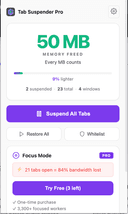
0Zovo is a privacy-first platform offering a growing collection of powerful browser extensions and online tools designed to improve productivity, development workflows, and everyday browsing. Built entirely by independent developer Michael Lip, Zovo represents a unique alternative to corporate-controlled software ecosystems. Instead of prioritizing data collection, advertising, or investor demands, Zovo focuses on delivering useful, efficient, and privacy-respecting tools shaped directly by user feedback. The platform currently provides more than 20 Chrome extensions and a suite of browser-based utilities that run locally on the user’s device. This local-first approach ensures that sensitive information never leaves the browser, reinforcing Zovo’s commitment to privacy and security. Users can access tools such as JSON Formatter Pro for formatting and validating data, Clipboard History Pro for storing and retrieving copied content, Tab Suspender Pro for optimizing memory usage, and Web Scraper Lite for extracting structured data from websites without writing code. These tools are available through the Chrome Web Store and are continuously improved based on community input. A defining feature of Zovo is its community-driven development model. Members can request new features, vote on upcoming tools, and gain early access to extensions before public release. This direct communication creates a transparent and collaborative environment where users actively shape the product roadmap. Unlike traditional software companies, users can contact the developer directly via email or Discord, ensuring fast responses and personalized support without automated systems or ticket queues. Zovo also offers online versions of many tools, allowing users to perform tasks instantly without installing extensions. These include color pickers, Base64 encoders, timestamp converters, password generators, and text utilities. All tools run entirely within the browser, providing fast performance and eliminating the need for external processing or data transfer. Michael Lip brings extensive experience to the platform, having spent over a decade building software for enterprise clients and earning more than $400,000 through freelance work on Upwork with a 100% success rate. His proven track record and hands-on development approach ensure consistent updates, reliable performance, and long-term support. Zovo operates on a simple and transparent pricing model, offering both monthly subscriptions and lifetime access options. Members receive full access to all existing extensions, future releases, and direct communication with the developer. This ensures that users not only benefit from current tools but also from continuous innovation and expansion. Overall, Zovo stands out as a modern, independent software platform built on transparency, user empowerment, and privacy. By combining powerful browser tools, community-driven development, and a privacy-first philosophy, Zovo delivers a streamlined and trustworthy solution for developers, writers, designers, researchers, and anyone seeking to enhance their browser experience without compromising control or personal data.
- 88
 0
0Online Clipboard is a lightweight, zero-signup way to share complete context anywhere on the web. Paste text, images, or files (including PDFs, logs, CSVs, and zips) and instantly get a single link—plus an optional QR code—that you can drop into any website’s comment section, forum reply, support ticket, or chat. The recipient clicks once to view or download, no account required. It’s the fastest path from “I have details” to “you can see them,” especially when a site limits formatting or blocks attachments.
- 89
 0
0Find anything you saved, even when you forgot what it was called. Get AI Recall is an AI-powered bookmark manager and web memory tool that helps you save, summarize, and rediscover useful content across the internet. Save websites, articles, PDFs, videos, social posts, and resources through the browser extension or web app, then search them naturally using the way you remember them — not exact titles, URLs, or folders. AI Recall can generate summaries, extract key points, create and summarize video transcripts, and turn saved links into searchable knowledge. It is built for founders, students, researchers, creators, marketers, and anyone who collects useful links but struggles to find them later. Instead of letting bookmarks disappear into messy folders, AI Recall gives you a searchable AI memory for everything worth keeping.
- 90
 0
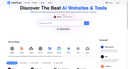
0Top AI Tools Review is a curated AI tools directory built to solve a common problem: finding the right AI tool is harder than it should be. The AI space moves fast, information is scattered across countless lists, and many “free” tools are actually trial-only or come with unclear limits—so users end up wasting hours on outdated pages and trial-and-error. What it does • Browse a large catalog of AI tools organized into 600+ categories • Explore 5,000+ tools with daily updates, so new launches don’t get buried • Quickly spot free tools / usable free tiers, making it easier to test before you pay What makes it special • Freshness by design: listings are refreshed daily to reduce dead links and stale recommendations • Clarity over hype: scan-friendly tool pages and category browsing help you shortlist fast • Free-tier transparency focus: prioritizes tools people can actually try right away, not just marketing “free trials” Whether you’re a founder, creator, marketer, student, or a small team, Top AI Tools Review helps you discover, compare, and adopt AI tools in minutes—not hours.
- 91
 0
0FixMyPDF is a free, privacy-first PDF toolkit offering over 75 professional PDF tools including compress, split, merge, convert, protect, and more. All file processing happens entirely on your device no uploads, no registration, and no tracking. FixMyPDF is designed for both personal and commercial use, supports all major browsers and devices, and has no file size or usage limits. Unlike other services, your files always stay private and secure as everything is handled in your browser, and we never see, store, or access your documents.
- 92
 0
0CasperPractice helps aspiring health students prepare for the Casper test for a fraction of the cost of tutoring. It uses AI to generate practice questions and review students' answers, including video answers. Key Features - Question bank: 150+ realistic Casper-style questions - Question simulator: an environment that simulates a real Casper question, including a timer. - Answer reviews: detailed feedback and a grade on the student's submitted answer. Benefits - Effective preparation: students can prepare effectively, increasing their chances of getting a good score on the Casper test. - Affordable: CasperPractice is a fraction of the cost of traditional tutoring. Use Case A student would use CasperPractice to help them prepare for the Casper test.
- 93
 0
0Explore a curated AI tool directory for coding agents, app builders, design copilots, research assistants, and workflow software. ai tool directtory Discover The Best AI Websites & Tools Explore a curated AI tool directory for coding agents, app builders, design copilots, research assistants, and workflow software. Explore a curated AI tool directory for coding agents, app builders, design copilots, research assistants, and workflow software.
- 94
 0
0MindMesh Academy gives you everything you need to pass professional IT, project management, and cloud certifications — the first time. Prepare for exams from AWS, Azure, ServiceNow, CompTIA, and more with a complete learning system built for retention, not just recall: First-principles study guides that explain why, not just what — so concepts stick long after exam day Interactive quizzes with detailed rationales for every answer, modeled on real exam blueprints and domain weightings Smart flashcards designed around spaced repetition to lock in terminology, workflows, and scenarios What sets us apart: Most prep platforms hand you a firehose of questions. We build materials from the ground up, aligned to the official exam objectives, with explanations that teach you to reason through unfamiliar questions — the skill that actually passes certifications. What you can expect: Walk into your exam knowing the material cold, pass with confidence, and earn a credential that moves your career forward.
- 95
 0
0Sentence Rewriter is an intelligent AI-powered rewriting tool designed to help you create clear, engaging, and plagiarism-free content in seconds. Whether you need to improve sentence structure, change wording for better readability, or avoid duplication, this tool makes the process effortless. It understands the context of your text, ensuring that the rewritten version retains the original meaning while enhancing flow, tone, and grammar. Ideal for students, researchers, bloggers, marketers, and professionals, Sentence Rewriter can be used for essays, articles, website content, social media posts, and more. With advanced AI algorithms, it can rewrite single sentences, paragraphs, or entire documents while maintaining high quality. It also helps optimize your content for SEO, making it more search-engine-friendly. Whether you are polishing your writing, reducing plagiarism, or repurposing content for different audiences, Sentence Rewriter saves time and delivers professional results i
- 96
 0
0MyEssayWriter.ai is an innovative AI essay writer tool that can generate high-quality essays instantly. The platform uses advanced algorithms to streamline the essay-writing process and offers various toolkits such as AI Essay Writer, Essay Outliner, AI Humanizer, AI content detector, paraphrasing tool, plagiarism checker, etc, to assist at different stages of essay writing. MyEssayWriter.ai has a user-friendly interface and several features that meet the various needs of professionals, students, and authors. We understand the challenges students face when it comes to essay assignments, and our goal is to simplify the process and boost your academic success.
- 97
 0
0Codesync Club is an app where students can learn coding (HTML, CSS & JavaScript) with AI teachers, by building fun apps & games. Students can choose from a list of courses built with AI or can also create a course in their native language (e.g Chinese/Hindi/Bengali) by prompting. After the end of each course, students will be able to practice coding and make edits on an interactive coding editor within the screen. Students will be able to track their progress and get cash rewards for completing courses. They will also be able to download personalized resumes that showcases courses completed. Students who have an app project in mind can work with a personal mentor 1:1 to build a full-stack app with no-code tools in 30 days. Do try the app out. All the courses are free - https://codesync.club/lessons
- 98
 0
0GPT CLEAN UP is an AI writing utility designed to improve the usability of AI-assisted content. Instead of generating new text, it removes hidden Unicode characters, HTML attributes, and other technical artifacts that can accompany text copied from AI tools. This helps writers, marketers, students, developers, and businesses prepare cleaner content for websites, documents, emails, code editors, and content management systems while preserving the original wording and formatting. The browser-based tool is free to use, requires no installation, and processes text locally for enhanced privacy.
- 99
 0
0SubcueAI is an AI-powered interview preparation platform designed to help job candidates improve their interview performance through real-time assistance, practice sessions, and personalized feedback. Available for both macOS and Windows, the software functions as a desktop-based interview assistant that listens to practice interviews, transcribes questions, generates AI-powered response suggestions, and provides detailed performance analysis after each session. The platform is built specifically for candidates preparing for technical interviews, behavioral interviews, case studies, consulting interviews, and other professional hiring processes. Instead of acting as a traditional interview coaching service, SubcueAI combines speech recognition, artificial intelligence, and real-time guidance to create an interactive preparation environment that helps users practice more effectively and identify areas for improvement. One of the platform’s core features is its real-time AI answer assistant. During a mock interview or practice session, SubcueAI captures audio from both the user's microphone and the video conferencing platform being used. Through advanced speech-to-text technology, it transcribes interview questions as they are spoken and immediately generates context-aware talking points and suggested answers. These suggestions appear in a floating overlay on the user's screen, allowing them to review key ideas and structure their responses more confidently. SubcueAI supports popular communication platforms including Zoom, Google Meet, Microsoft Teams, WebEx, and other video conferencing applications. Its dual audio capture system enables it to process both incoming audio from the interviewer and outgoing audio from the candidate simultaneously. This functionality makes it particularly useful for conducting realistic mock interviews with mentors, colleagues, recruiters, or interview partners. Beyond real-time assistance, the platform provides comprehensive interview performance analytics. After each session, users receive detailed reports generated by AI that evaluate their overall performance. These reports may include scoring, communication strengths, areas needing improvement, answer quality assessments, confidence indicators, and actionable recommendations for future interviews. By tracking performance over multiple practice sessions, candidates can monitor progress and refine their interview skills over time. Privacy is a major focus of the platform’s design. SubcueAI emphasizes a local-first architecture where audio processing occurs directly on the user's device. The platform does not rely on meeting bots, browser extensions, or external recording services. Interview transcripts are not permanently stored on company servers, and uploaded resumes are encrypted to help protect sensitive personal information. This approach aims to provide a more secure and trustworthy experience for users concerned about data privacy. The software is designed to run quietly in the background with minimal impact on system performance. Users can quickly show or hide the AI overlay using keyboard shortcuts, allowing them to focus on practice sessions without unnecessary distractions. This lightweight design makes it suitable for extended preparation sessions and repeated use throughout the interview process. SubcueAI offers multiple subscription plans based on a credit system. The free Starter plan provides access to basic mock interview functionality, while paid plans unlock more advanced AI models, resume-based context generation, interview history tracking, detailed analytics, and enhanced performance insights. Additional credits can also be purchased separately and remain valid indefinitely. Importantly, the company positions SubcueAI as a tool for interview preparation and skill development rather than misrepresentation during actual hiring processes. The platform includes clear notices reminding users that AI-generated suggestions may contain inaccuracies and should always be reviewed critically. Users are also responsible for complying with employer policies, interview guidelines, and applicable laws regarding audio recording and consent. Overall, SubcueAI combines artificial intelligence, speech recognition, real-time coaching, and performance analytics into a comprehensive interview preparation platform. Its goal is to help candidates practice more effectively, build confidence, improve communication skills, and increase their chances of success in competitive job interviews through continuous feedback and AI-assisted learning.
- 100
 0
0Polym is an audio app incorporating active learning for the retention and recall of foundational knowledge. Courses on essential subjects are medium-form, with abbreviated versions, and audio flashcards. Subjects include: Statistics, Probability, Logic, Economics, Computer Science, AI, Philosophy, History, and more for self-study and lifelong learning. The app utilizes retrieval practice, spaced repetition, and interleaving to enhance long-term memory.
Frequently asked questions
Limit is a great tool that allows students to set time limits on distracting websites. You can choose how many minutes a day to spend on each site, and once that limit is reached, the website is blocked. This helps students stay focused and avoid distractions.
Rewritebar is an excellent tool for improving writing in any macOS application. It provides AI assistance to quickly correct grammar mistakes, change writing styles, or translate text, making it a valuable resource for students looking to enhance their writing skills.
Duolingo is a highly recommended app for learning languages. It offers short, interactive lessons that cover practical communication skills. With a variety of languages available and engaging game-like features, Duolingo makes language learning fun and accessible for students.
BlazePDF is a fast and intuitive PDF app designed specifically for students. It allows for quick highlighting and annotating, and it features customizable shortcuts to enhance the studying experience. This makes it an ideal choice for managing notes and study materials.
Momentum is a fantastic tool that replaces your default new tab screen with a personalized dashboard. It includes a pomodoro timer, to-do lists, and focus time features, all while providing a visually appealing interface that can help keep students motivated and organized.
ChatGPT is an advanced AI tool that can assist with coding tasks and other one-off tasks. It is widely regarded for its capabilities and is worth the subscription fee for students who frequently engage in programming or need help with various assignments.
Complete HeartX is an interactive app designed for exploring the human heart in detail. It features photo-realistic 3D models and simulations, making it an excellent resource for medical students and anyone interested in anatomy.
Block & Focus is a simple yet effective extension that allows you to block distracting websites for a specified period. You can customize which sites to whitelist or blacklist, helping you maintain focus during study sessions.
AppMole is an all-in-one platform that offers a variety of AI-driven tools and resources tailored for creators and developers. It helps students streamline their workflows and stay updated with the latest software applications, making it a valuable resource for enhancing productivity.
AdBlock is a browser extension that helps students eliminate distracting ads while browsing. By providing a calmer browsing experience, it allows students to focus better on their studies and research without interruptions from advertisements.