Best Software for Students
Get through the semester without losing your mind.
The best software for students — note-taking, research, writing, study, and productivity tools to help you learn faster, stay organized, and hand it in on time.
- 126
 0
0Word Finder App is a fast and reliable tool for word game lovers. Whether you play Scrabble, Wordfeud, Words With Friends, or crossword puzzles, the app helps you instantly discover valid words from any set of letters. You can filter by word length, board fit, or dictionary. Designed for speed, clarity, and fair play, Word Finder App is more than a “cheat tool” — it’s a way to sharpen your vocabulary, learn new strategies, and enjoy your favorite word games even more.
- 127
 0
0AI Tech Viral is your go-to platform for discovering the most viral, trending, and impactful AI tools across every industry. From innovative image generators and automation tools to no-code development platforms and AI-enhanced productivity apps, we spotlight the latest breakthroughs shaping the future of technology. Whether you're a developer, creator, entrepreneur, or AI enthusiast, AI Tech Viral helps you stay ahead by curating what’s hot, useful, and transformative in the world of artificial intelligence. Explore tools by category, boost your workflow, and ride the wave of the next big thing in AI—today.
- 128
 0
0ToolPremier is a free online SaaS platform that brings useful digital tools together in one convenient place. Our growing collection covers SEO, AI, PDF, image, text, finance, calculator, productivity, developer, and other online tools. We created ToolPremier to make digital tasks easier and reduce the need to search across different websites. Users can explore various categories and find practical solutions for their personal, educational, or professional requirements.
- 129
 0
0CertFuel is an adaptive learning platform that helps you pass your FINRA exams. With 4,000+ SIE and 5,800+ Series 65 practice questions, it uses adaptive algorithms to continuously identify your weak areas so every study session targets what matters most. Spaced repetition flashcards lock in knowledge by scheduling reviews based on your forgetting curves. The SIE exam prep is completely free forever, and once you land a job in the industry, CertFuel offers comprehensive Series 65 prep with an Exam Readiness Score that tells you exactly when you're ready to sit for the exam.
- 130
 0
0Mado is an app blocker for iPhone built on one observation: the problem is rarely the app itself, it is opening the app without ever deciding to. You pick the apps that pull you in. Instagram, TikTok, X, Reddit, YouTube, news, whatever your list looks like. From then on, opening one of them does not open a feed. It opens a shield, and the shield gives you two buttons and no third. Close the app, or enter for fifteen minutes. Fifteen minutes is the only unit Mado deals in, and every app gets its own budget for the day. You set that budget by picking a focus mode: Shizuku (滴, droplet) gives three sessions per app per day, Nagare (流, flow) gives two, Izumi (泉, spring) gives one. Spend an app's sessions and that app is locked until midnight. No extend button, no snooze, no five more minutes. The part that makes it hold is what happens when you try to loosen your own rules. Raising your session count or dropping an app from the list does not take effect until the next midnight, while tightening applies immediately. The version of you at 11pm cannot overrule the version of you that set the limit. That is the loophole most blockers leave open, and closing it is the whole product. The shield is where the work happens. Doomscrolling is not usually a decision, it is a reflex: the phone is already in your hand and the feed is already loading before you notice. Mado interrupts the reflex, hands the choice back, and counts what you decided. A hundred closed shields is roughly twenty five hours that did not go into a feed.What is inside: Shields on the apps and categories you choose, built on Apple's Screen Time API. No VPN, no configuration profile, nothing rerouting your traffic. Toki, a schedule that runs itself. Set work hours, a wind-down or weekend rules once and stop thinking about it. Deep Focus, an on-demand lock for the stretches when you want the phone out of the way entirely. Insights: pauses declined, sessions used, hours reclaimed, and a daily streak. Seven achievements marked with Japanese kanji, from the first pause (一) to mastery (道), drawn in sumi-e ink rather than confetti. A Home Screen widget showing time saved and your current streak. Everything stays on the device. Mado uses Apple's Screen Time API locally, has no account and sends nothing to a server. It has no feed and no notifications competing for the attention it is meant to protect. Free to download with a free trial, then a subscription. Requires iOS 26 or later. Mado (窓) means window in Japanese. One window between you and the scroll, and you decide what happens in it.
- 131
 0
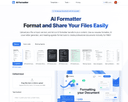
0AI Formatter, by Sun Sky LLC, empowers users to save hours and achieve professional results with its AI-driven document formatting platform. This cloud-based SaaS tool delivers immense value by transforming raw text or uploaded files (Word, PDF, TXT) into polished, ATS-optimized documents in seconds, boasting a 95%+ ATS pass rate and saving 2+ hours per document. With over 100 professional templates for resumes, cover letters, meeting agendas, and invoices, users can create industry-specific, visually appealing documents tailored to their needs. The real-time online editor offers full customization (fonts, colors, layouts), while multi-format exports and secure sharing enhance usability. Starting with 10 free credits (1 credit = 1 page), plans range from Free to Enterprise ($199.99/month) for unlimited formatting. Perfect for job seekers, professionals, businesses, and academics, AI Formatter streamlines career transitions, standardizes business documents, and boosts productivity.
- 132
 0
0Most people don't budget — and they shouldn't have to. Kollr is built for the paycheck-to-paycheck reality: you need to know if you're going to make it, not track every latte. Enter your recurring bills and your paycheck, and Kollr projects your daily balance all the way to payday. Every day is color-coded — green when you're safe, yellow when it's getting tight, red when you're in trouble. One glance tells you everything. No bank linking required. No financial jargon. No guilt about not having a "real budget." Just a simple, honest forecast of what's coming. Patent-pending visualization. Free to download.
- 133
 0
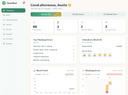
0ClearMind AI helps you identify distorted thinking, challenge irrational beliefs, and replace them with rational perspectives that lead to better decisions and better outcomes. Built around the powerful method of Rational Self-Analysis, ClearMind guides you through a structured process to examine the situations that trigger emotional reactions, uncover the thoughts driving those emotions, and reframe them with clear, objective reasoning. Instead of vague journaling or motivational advice, ClearMind uses proven psychological principles similar to those used in cognitive behavioral therapy to help you think more clearly and respond more effectively to life’s challenges. Over time, the system trains you to recognize irrational thinking patterns before they control your emotions or behavior. The result is greater clarity, emotional control, stronger relationships, and better decision making in everyday life.
- 134
 0
0Minimalist UI focused on building good habits first. · Visual tracking, smart reminders, and neat home screen widgets keep you committed. Habits is a simple habit tracker for iOS to build better habits that last. Completely private with a pleasant, minimalist UI and handy tools, it helps create and track meaningful habits, and most importantly stay consistent. MINIMALIST UI Building habits shouldn't be complicated. Our free simple habit tracker is designed to help you focus on progress, not perfection, without the clutter. TOOLS TO BUILD GOOD HABITS From a habit checklist to a visual habit calendar, we provide the tools you need to transform your life. Habits gives you the structure to monitor your triggers and stay disciplined. HABITS APP FEATURES: · Habit Streak Tracker: Watch your habit streak grow as you complete tasks. Visual feedback keeps you accountable and motivated to never break the chain. · Beautiful Habit Calendar: Visualize your progress with an intuitive, color-coded heatmap. See your long-term consistency at a glance. · Smart Habit Reminder: Never forget a task again. Set a custom habit reminder for any time of day to stay on track. · Flexible Habit Counter: Track good habits and bad habits your way. Support for multiple completions per day and custom schedules (daily, weekly, or specific days). · Habits Widget: Access your simple goal tracker directly from your home screen for even faster logging. At the end of the day, Habits is just a simple habit tracker that works. Use it as a habit checklist for your morning routine or a habit breaker app to improve your wellness. It’s your choice.
- 135
 0
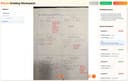
0Frizzle is an innovative educational technology platform built specifically for K-12 mathematics classrooms. The platform acts as an intelligent operating system for math education, helping teachers transform handwritten student work into detailed, actionable learning insights. Rather than requiring students to change how they learn, Frizzle allows them to continue solving problems on paper while advanced artificial intelligence analyzes their work behind the scenes. The core idea behind Frizzle is simple yet powerful: students work exactly as they always have, using worksheets, quizzes, assignments, and handwritten notes, while teachers capture images of completed work using a smartphone, scanner, or document camera. The platform then processes every page automatically, identifying individual students, reading handwritten mathematics, and analyzing each step of the problem-solving process. This approach eliminates the need for tablets, student accounts, device rollouts, or complicated technology integrations. Unlike traditional grading tools that only determine whether a final answer is correct or incorrect, Frizzle focuses on understanding student thinking. Its computer vision and AI systems analyze every step taken to reach a solution, allowing the platform to recognize multiple valid approaches to the same problem. Whether a student uses factoring, square roots, or the quadratic formula, Frizzle understands the reasoning and awards appropriate credit. This creates a more accurate picture of mathematical understanding than conventional grading systems. One of the platform's most valuable capabilities is misconception detection. Frizzle has been trained on approximately 1.4 million pages of real K-12 student work and can identify hundreds of common mathematical misconceptions. Instead of simply reporting that a student answered incorrectly, the platform helps teachers understand exactly where the student's reasoning broke down. It can identify issues related to distributive property, sign errors, prerequisite skill gaps, algebraic reasoning, and many other concepts. This enables teachers to intervene earlier and provide more targeted instruction. For classroom teachers, Frizzle dramatically reduces the time spent grading assignments while increasing the depth of feedback available. Within minutes of uploading a stack of papers, teachers receive detailed dashboards showing which students are struggling, which concepts require reteaching, and which misconceptions are beginning to spread throughout the class. The system provides step-level feedback, allowing educators to focus on instruction rather than administrative tasks. Schools and districts can also benefit from Frizzle's broader analytics capabilities. The platform aggregates anonymized data across classrooms, grade levels, and schools, providing administrators and instructional leaders with a comprehensive view of mathematics performance. These insights help identify curriculum effectiveness, monitor student progress, detect equity gaps, and guide educational decision-making at scale. Frizzle supports multiple educational standards frameworks, including Common Core State Standards (CCSS), TEKS, and numerous state-specific standards. Privacy and security are central components of the platform's design. Frizzle emphasizes that student work is never used to train its AI models. The company maintains FERPA and COPPA compliance, uses end-to-end encryption for data protection, and ensures that schools retain ownership of their educational data. Student information remains secure while educators gain access to meaningful instructional insights. Overall, Frizzle represents a modern approach to mathematics education that bridges traditional paper-based learning with advanced artificial intelligence. By helping teachers understand not only what students answer, but how they think, the platform enables more personalized instruction, faster intervention, and improved learning outcomes while preserving the classroom workflows that students and teachers already know and trust.
- 136
 0
0Salesforce Dictionary is a comprehensive educational platform and reference hub designed for Salesforce administrators, developers, consultants, architects, and learners who want to better understand the Salesforce ecosystem. The website functions as an extensive glossary and learning center containing more than 1,300 Salesforce-related terms, certification preparation resources, interview practice materials, release note summaries, technical error explanations, acronyms, study tools, and interactive learning experiences. Built as a free resource for the global Salesforce community, the platform aims to simplify complex Salesforce concepts using plain-English explanations that are accessible to both beginners and experienced professionals. The core feature of Salesforce Dictionary is its massive searchable glossary of Salesforce terminology. Users can browse hundreds of definitions covering topics such as CRM fundamentals, platform development, administration, automation, APIs, integrations, architecture, security, and industry-specific Salesforce features. Each entry includes detailed explanations, categories, skill levels, and practical context that help users understand how Salesforce concepts work in real-world business environments. The platform organizes content into beginner, intermediate, and advanced levels, making it easier for learners to progress gradually while building technical knowledge. Terms are updated regularly to reflect new Salesforce releases, features, and evolving technologies within the ecosystem. In addition to the dictionary itself, the website offers extensive certification preparation tools for popular Salesforce certification tracks. Users can practice exam-style questions, complete daily quizzes, review flash cards, and access role-specific learning paths for certifications such as Salesforce Administrator, Developer, AI Associate, Agentforce Specialist, Architect, and Consultant tracks. The platform includes interactive features like “Daily 5” quiz challenges that simulate real certification-style questions and help users strengthen weak knowledge areas through consistent practice. These tools are designed to support learners preparing for highly competitive Salesforce exams while reinforcing long-term retention of important platform concepts. Another major aspect of Salesforce Dictionary is its career and interview preparation resources. The website includes structured interview question banks, mock interview content, answer frameworks, and study materials specifically designed for Salesforce job seekers. Role-based interview preparation sections help users prepare for technical and behavioral interviews related to Salesforce administration, development, consulting, and architecture roles. The platform also provides salary benchmarking tools that allow users to compare salaries by role, certifications, and region using live community-submitted data. This combination of technical education and career support makes the website valuable not only for students but also for professionals advancing their Salesforce careers. Salesforce Dictionary also provides practical technical resources and utilities commonly used by Salesforce professionals in their daily workflows. The platform includes more than 20 browser-based tools such as SOQL formatters, Cron builders, JSON-to-Apex DTO generators, Salesforce ID converters, productivity utilities, and setup helpers. These free tools help developers and administrators save time while working with Salesforce data, code, integrations, and automation systems. Additionally, the site includes a detailed error library where users can search exact Salesforce error messages and find simplified explanations, root causes, and troubleshooting guides written in plain language. The website places strong emphasis on community engagement and gamified learning. Users can participate in leaderboards, earn badges, maintain learning streaks, contribute glossary entries, join study cohorts, and solve daily Salesforce-themed crossword puzzles designed to reinforce terminology memorization. This interactive approach transforms technical learning into a more engaging experience while encouraging consistent study habits and community participation. The platform also features blogs, release summaries, tutorials, setup guides, acronym libraries, comparison articles, and learning paths that continuously expand its educational ecosystem. Overall, Salesforce Dictionary serves as an all-in-one Salesforce learning hub that combines technical documentation, certification prep, interview coaching, productivity tools, and community-driven education into a single platform. By presenting Salesforce terminology and concepts in clear, easy-to-understand language, the website helps learners and professionals navigate the complexity of the Salesforce ecosystem more efficiently. Its free access model, interactive study features, and constantly updated educational resources make it a valuable platform for anyone looking to improve their Salesforce knowledge, pass certifications, prepare for interviews, or grow within the Salesforce industry.
- 137
 0
0Talk Journal is a voice-powered journaling tool designed to make daily journaling effortless and meaningful. Just speak your thoughts, and Talk Journal transforms them into well-organized written entries with the help of AI. Capture your wins, gratitude, and personal stories without typing a single word. With 100% privacy and support for 34 languages, it offers a safe and inclusive space for self-expression. Entries are automatically categorized, transcribed, and cleaned for clarity. Whether you’re tracking progress or preserving memories, Talk Journal helps you stay connected to your growth. Try it free for 7 days and enjoy features like 5 hours of monthly recording time, encrypted storage, and seamless voice-to-text journaling—all for only $4.98/month. Don’t let meaningful moments fade away—speak them into lasting memories with Talk Journal.
- 138
 0
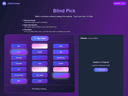
0JiffyChoice offers a comprehensive suite of free decision-making tools designed to help you make choices with confidence. Whether you need a quick random pick or thoughtful analysis, our toolkit meets you wherever you are in your decision-making process. Our Random Choice tools include decision wheels, coin flips, and random number generators for instant decisions. Structured Choice tools like pairwise comparisons, decision matrices, and elimination methods help you evaluate important options systematically. Special Choice Modes add playfulness with features like blind pick, time pressure mode, and straw draw. Made for everyday decisions or life-changing choices, JiffyChoice bridges the gap between overthinking and underthinking. No account required, completely free, and designed to make decision-making swift, smart, and sometimes serendipitous.
- 139
 0
0PaywallBuster is a tool that helps you get around paywalls on news articles. You just paste the article link into the site, and it tries different methods to let you read the content for free. It doesn’t host anything itself—it just sends you to third-party websites that do the work. Not every method works for every site, so it opens multiple tabs using different tools, hoping one will break through. It’s free, works on iOS through a shortcut, and claims it’s legal since it only redirects you to other services. The creators say they don’t encourage breaking site terms or copyright laws, but they know people just want to read an article without hitting a wall.
- 140
 0
0SurfAI is a comprehensive AI tools directory designed to help professionals, businesses, marketers, developers, creators, and students discover the right AI solutions for any task. With more than 38,000 AI tools across hundreds of categories, SurfAI makes it easy to compare, explore, and find tools that improve productivity and automate workflows. Whether you're searching for AI writing assistants, image generators, video editing platforms, coding assistants, marketing tools, customer support software, or productivity solutions, SurfAI provides an organized and searchable platform to discover them quickly. Key benefits include advanced search, category-based browsing, detailed tool profiles, and regularly updated listings so users can stay informed about the latest AI innovations. Instead of spending hours researching, users can find the best AI tools for their specific needs in minutes. SurfAI is ideal for startups, agencies, freelancers, enterprises, educators, and anyone looking to leverage AI to work smarter.
- 141
 0
0BA II Plus Financial Calculator Online is a lightweight, high-precision web utility designed to bridge the operational gap in modern financial and analytical workflows. While studying for professional certifications like the CFA or modeling cash flows, relying on standard math apps falls short due to the complex algebraic logic required for advanced finance. For decades, the Texas Instruments BA II Plus has been the industry-standard physical hardware for global finance professionals and students. However, constantly reaching for a separate plastic device in a fully digital workspace creates unnecessary friction. To solve this, this platform serves as an authentic, browser-based digital twin that perfectly replicates the official Texas Instruments BA II Plus layout and calculation logic, keeping your trained muscle memory completely intact.
- 142
 0
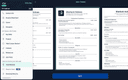
0A simple and free way to build a PDF resume for your job applications. Available on Android, iOS, and macOS. The app was developed by a former professional recruiter. It contains advice and examples for each section of the resume. There's also an AI Assistant to make sure your resume is concise and professional.
- 143
 0
0Promptly — Your Personal Prompt Engineer Promptly is an all-in-one prompt optimizer, manager, and conversation exporter that lives in your browser. Whether you're new to AI or a seasoned prompt engineer, it helps you write clear, well-structured prompts that get dramatically better results from the AI tools you already use. ⚡ One-click prompt optimizer. Instantly rewrite any prompt with a single click or keyboard shortcut (Ctrl+M / Cmd+M). Promptly turns rough input into a structured, context-rich prompt for sharper, more accurate answers. You can even highlight text on any website and optimize it as a prompt — not just inside chatbots. 💾 Prompt library & manager. Save your best prompts to a personal template library, pin your favorites for one-click reuse, and access everything from a clean side panel (save with Ctrl+S). Browse the free community library at promptly.fyi/library — hundreds of curated templates for writing, coding, marketing, and research that sync straight to your extension. 📤 Export & summarize conversations. Save, export, fork, and summarize your AI chats (Ctrl+E). Perfect for getting past context limits, archiving research sessions, building documentation, or picking up exactly where you left off. 🧩 Works inside your favorite AI tools: ChatGPT (OpenAI), Claude (Anthropic), Gemini (Google), DeepSeek, and Copilot (Microsoft). Why Promptly: three tools in one, a free template library, power-user keyboard shortcuts, lightweight and fast, and privacy-focused — your prompts stay yours. Install Promptly, pin it to your toolbar, and start getting better AI responses in seconds.
- 144
 0
0TechTitans.Cloud is an all-in-one digital ecosystem designed to elevate modern learning and career development. The platform supports both B2B and B2C online education, offering structured courses, skill-building programs, and customizable learning paths for individuals, schools, and organizations. Users gain access to personalized dashboards that track progress, performance, and achievements in real time. TechTitans.Cloud also features the immersive educational game “Land of the Titans,” where players learn through exploration, challenges, and narrative-driven missions. Alongside education, the platform provides recruitment tools, enabling job posting, smart talent matching, and streamlined job search services—all in one unified environment that connects learning with real career outcomes.
- 145
 0
0Earth.fm is a kind of a digital retreat where you can immerse yourself in the sounds of nature. It’s designed to help people unwind, reconnect with the Earth, meditate, and focus. Key Features: - Nature Soundscapes: A curated collection of soothing nature recordings from around the globe. - Interactive Soundmap: Explore sounds from different regions using a world map. - Mobile App: Enjoy nature's sounds wherever you are. - Quiet Places: Discover and learn about tranquil locations worldwide. - Support for Recordings: Encourages new contributions through grants. Benefits: Earth.fm offers a natural way to reduce stress, enhance focus, and nurture a connection with the environment. Whether you’re looking to meditate, work, or relax, the platform’s serene soundscapes provide an easy escape from the busyness of daily life. Use Cases: Perfect for anyone needing a moment of calm, Earth.fm is ideal for background sounds during work or study, meditation sessions, or simply unwinding after a long day. It’s also a great resource for nature lovers who want to explore the sounds of different ecosystems around the world.
- 146
 0
0YT Video Summarizer is a fast, AI-powered online tool designed to convert YouTube videos into concise, easy-to-read summaries within seconds. By simply pasting any public YouTube URL, users can bypass hours of video watching and instantly access core takeaways, key timestamps, and structured bullet points. Built for students, researchers, content creators, and professionals, YT Video Summarizer simplifies information gathering, boosts learning efficiency, and eliminates fluff. Whether you need to digest educational lectures, podcasts, tech tutorials, or news reports, the platform delivers accurate, instant summaries directly in your browser with zero hassle.
- 147
 0
0AI Agent Hub - Best AI Tools Directory 2025 Discover the best AI tools in 2025 at AI Agent Hub! Explore AI photo generation, video editing, and more with our free directory. Visit www.aiagentehub.com now.AI Agent Hub - Best AI Tools Directory 2025 AI Agent Hub - Best AI Tools Directory 2025Welcome to AI Agent Hub - Your 2025 AI Tool Directory
- 148
 0
0BlinkNote lets you turn any text into a shareable link in seconds. Perfect for moving text between devices or sharing long messages without cluttering chat apps. It is for text what WeTransfer is for files. BlinkNote lets you turn any text into a shareable link in seconds. Perfect for moving text between devices or sharing long messages without cluttering chat apps. It is for text what WeTransfer is for files. BlinkNote lets you turn any text into a shareable link in seconds. Perfect for moving text between devices or sharing long messages without cluttering chat apps. It is for text what WeTransfer is for files.
- 149
 0
0Generate professional scientific figures for manuscripts, grants, and presentations. The accurate, no-code AI alternative to GraphPad Prism and BioRender. Stop wasting hours acting as a "prompt engineer." Plottie understands scientific context, turning simple descriptions into rigorous, publication-quality diagrams. No more hallucinated details—just precise schemas ready for your manuscript.
- 150
 0
0LinkWise is an AI-powered bookmark management platform designed to help users save, organize, and rediscover websites based on meaning rather than traditional folders. Instead of forcing users to remember where they stored a bookmark, LinkWise analyzes saved URLs and helps organize them through summaries and keywords. The goal is not simply to store more links, but to make it easier to find useful websites again, even months after they were originally saved. The platform starts with a simple URL extraction workflow. Users can paste almost any URL directly into LinkWise without creating an account first. Within seconds, the platform generates the page title, description, an AI-generated summary, and suggested keywords. This allows users to quickly understand and categorize a website without manually writing notes or filling out complicated forms. The extraction process is designed to make saving useful information fast and convenient. After LinkWise analyzes a URL, users can review the suggested keywords and confirm them or add their own. This human-confirmation approach is one of the platform's main differences from fully automated AI bookmark managers. Rather than automatically assigning tags and assuming they are correct, LinkWise allows users to remain in control of the organization system. AI provides suggestions, while the user makes the final decision about which keywords should be associated with a saved website. The platform is particularly focused on rediscovering related links. Traditional browser bookmarks generally depend on folders and nested categories, meaning users must remember how they organized a website when they saved it. LinkWise takes a different approach by organizing saved resources around their meaning. Users can search by keywords or use semantic search to surface clusters of related websites. This makes the system useful for research, learning, collecting resources, managing references, or simply keeping track of websites that may become valuable later. LinkWise also provides an extension designed to make saving websites more convenient while browsing. Instead of switching between different applications or manually copying information into a bookmark system, users can capture links as they encounter them and incorporate them into their LinkWise library. The combination of the web application and browser extension creates a workflow for collecting information while maintaining a centralized library for future discovery. Another important feature is the use of AI summaries. When a URL is processed, LinkWise provides a concise summary that can help users remember what a page contains without opening it again immediately. This can be especially helpful when a library contains many saved resources that were collected over a long period of time. LinkWise offers a free experience for trying its URL extraction and creating a personal library, with additional functionality available through its paid Pro offering. The platform is built around a simple philosophy: save information quickly, organize it with meaningful keywords, and make it easy to retrieve later. Overall, LinkWise positions itself as an “AI bookmark brain” for people who collect many online resources and want a more intelligent alternative to traditional browser bookmarks and folder-based organization.
Frequently asked questions
Limit is a great tool that allows students to set time limits on distracting websites. You can choose how many minutes a day to spend on each site, and once that limit is reached, the website is blocked. This helps students stay focused and avoid distractions.
Rewritebar is an excellent tool for improving writing in any macOS application. It provides AI assistance to quickly correct grammar mistakes, change writing styles, or translate text, making it a valuable resource for students looking to enhance their writing skills.
Duolingo is a highly recommended app for learning languages. It offers short, interactive lessons that cover practical communication skills. With a variety of languages available and engaging game-like features, Duolingo makes language learning fun and accessible for students.
BlazePDF is a fast and intuitive PDF app designed specifically for students. It allows for quick highlighting and annotating, and it features customizable shortcuts to enhance the studying experience. This makes it an ideal choice for managing notes and study materials.
Momentum is a fantastic tool that replaces your default new tab screen with a personalized dashboard. It includes a pomodoro timer, to-do lists, and focus time features, all while providing a visually appealing interface that can help keep students motivated and organized.
ChatGPT is an advanced AI tool that can assist with coding tasks and other one-off tasks. It is widely regarded for its capabilities and is worth the subscription fee for students who frequently engage in programming or need help with various assignments.
Complete HeartX is an interactive app designed for exploring the human heart in detail. It features photo-realistic 3D models and simulations, making it an excellent resource for medical students and anyone interested in anatomy.
Block & Focus is a simple yet effective extension that allows you to block distracting websites for a specified period. You can customize which sites to whitelist or blacklist, helping you maintain focus during study sessions.
AppMole is an all-in-one platform that offers a variety of AI-driven tools and resources tailored for creators and developers. It helps students streamline their workflows and stay updated with the latest software applications, making it a valuable resource for enhancing productivity.
AdBlock is a browser extension that helps students eliminate distracting ads while browsing. By providing a calmer browsing experience, it allows students to focus better on their studies and research without interruptions from advertisements.