Best AI Tools for Designers
From blank canvas to finished asset.
The best AI tools for designers — software for image generation, editing, mockups, icons, 3D, and visual assets that speeds up the creative workflow.
- 76
 0
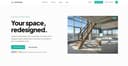
0Archmaster is an AI-powered interior and exterior design platform that enables homeowners, architects, real estate professionals, renters, and designers to instantly transform spaces using artificial intelligence. The platform simplifies the design process by allowing users to upload a photo of a room, building, or architectural concept and receive a professionally rendered redesign within seconds. By eliminating the need for complex design software, CAD programs, or advanced 3D modeling skills, Archmaster makes high-quality architectural visualization accessible to anyone. At the core of the platform is its ability to generate photorealistic redesigns from existing images. Users simply upload a photo, select a preferred design style, and let the AI create a completely reimagined version of the space. Whether someone is planning a home renovation, exploring decorating ideas, preparing a property for sale, or presenting concepts to clients, Archmaster provides a fast and efficient way to visualize possibilities before making real-world decisions. One of the platform’s most attractive features is its collection of 20 design style presets. These styles cover a wide range of aesthetic preferences, including Modern, Scandinavian, Bohemian, Japanese, Mediterranean, Rustic, Minimalist, Vintage, Luxury, Tropical, Coastal, Gothic, Cyberpunk, Medieval, and many others. This variety allows users to experiment with different design directions and compare multiple creative approaches without hiring a professional designer or investing hours into manual design work. Archmaster supports both interior and exterior design transformations. Interior redesign tools can be used for bedrooms, kitchens, bathrooms, living rooms, furniture layouts, and other residential spaces. Exterior redesign capabilities allow users to apply architectural styles and visual improvements to houses, buildings, facades, and commercial properties. This flexibility makes the platform useful for a broad audience, from homeowners planning renovations to real estate agents seeking more attractive property presentations. In addition to redesigning existing spaces, the platform includes a powerful Sketch-to-Image feature. This tool converts rough hand-drawn sketches or conceptual drafts into realistic architectural renderings. Designers and architects can quickly transform early-stage concepts into professional-looking visuals that communicate ideas more effectively to clients and stakeholders. This significantly accelerates the design workflow and reduces the time needed to produce presentation-ready materials. Archmaster also offers advanced AI-powered enhancement tools. The Render Enhancer feature can upscale and sharpen generated images, improving resolution and image quality for presentations, marketing materials, or even print-ready outputs. Users who require higher-quality visuals can refine their AI-generated designs without relying on additional editing software. Another innovative capability is Architecture Video Generation. Instead of working only with static images, users can animate rendered designs and create short walkthrough-style videos. These videos help clients, homeowners, and investors better understand the spatial experience of a design project and provide a more engaging way to present architectural concepts. The platform further includes an Edit & Modify tool powered by AI inpainting technology. This allows users to selectively change specific elements within a generated design rather than recreating the entire scene. Furniture, colors, materials, decorative elements, and architectural details can be modified individually, giving users greater control over the final result while maintaining the speed and convenience of AI generation. Beyond design generation, Archmaster provides several practical tools that support renovation and planning projects. These include a room size calculator, paint calculator, renovation cost estimator, and color palette generator. These utilities help users make more informed decisions regarding budgeting, materials, and project planning while complementing the platform’s visualization capabilities. The platform operates on a simple credit-based pricing model. Users receive credits that can be used for image generation, enhancements, edits, and video creation. This transparent approach allows customers to pay only for the features they use while maintaining flexibility for both casual users and professionals with larger workloads. Overall, Archmaster is a comprehensive AI design platform that combines architectural visualization, interior design, exterior redesign, image enhancement, sketch conversion, video generation, and editing tools into a single user-friendly solution. By making professional-quality design visualization available in just seconds, it empowers users to explore creative possibilities, communicate ideas more effectively, and bring renovation or architectural projects to life with minimal effort.
- 77
 0
0AI Image Editor is a premier AI-powered image editing platform crafted for creators and professionals. It surpasses basic editors with intelligent object detection, precision editing, background removal, high-resolution upscaling, and style transfer — delivering professional-grade results effortlessly.
- 78
 0
0URL to Design.md: Generate AI-ready DESIGN.md briefs from public webpages URL to Design.md helps AI-assisted frontend builders turn a public website URL into a structured Markdown design context package. Instead of asking Codex, Claude Code, Cursor, Lovable, v0, Bolt, or Replit to follow a vague screenshot prompt, paste a public page and get a DESIGN.md that describes visual direction, layout hierarchy, colors, typography, spacing, components, interaction notes, evidence labels, and agent handoff prompts. One URL, Agent-Ready Design Context 1. Public URL to DESIGN.md — Extract visible structure, CTA hierarchy, visual signals, and page patterns into a reusable Markdown brief. 2. Design Tokens and Components — Summarize colors, type scale, spacing, radius, shadows, buttons, cards, forms, navigation, hero blocks, and footer patterns. 3. Evidence Labels — Mark conclusions as detected, inferred, or needs review so builders know what came from page evidence and what requires judgment. 4. Agent Handoff Prompts — Copy prompts for Codex, Claude Code, Cursor, Lovable, v0, and generic AI coding workflows. 5. Responsible Boundaries — Works with public webpages only and focuses on design context, not private pages, proprietary asset copying, editable Figma layers, or pixel-perfect cloning.
- 79
 0
0Top AI Tools Review is a curated AI tools directory built to solve a common problem: finding the right AI tool is harder than it should be. The AI space moves fast, information is scattered across countless lists, and many “free” tools are actually trial-only or come with unclear limits—so users end up wasting hours on outdated pages and trial-and-error. What it does • Browse a large catalog of AI tools organized into 600+ categories • Explore 5,000+ tools with daily updates, so new launches don’t get buried • Quickly spot free tools / usable free tiers, making it easier to test before you pay What makes it special • Freshness by design: listings are refreshed daily to reduce dead links and stale recommendations • Clarity over hype: scan-friendly tool pages and category browsing help you shortlist fast • Free-tier transparency focus: prioritizes tools people can actually try right away, not just marketing “free trials” Whether you’re a founder, creator, marketer, student, or a small team, Top AI Tools Review helps you discover, compare, and adopt AI tools in minutes—not hours.
- 80
 0
0RenoBrief AI: Turn Any Photo into a Renovation Plan in Seconds Upload a room or exterior photo, get a stunning redesign — plus a budget, material list, and contractor-ready brief. No design degree needed — just snap, style, and plan. One Tool, From Vision to Action 1. AI Interior & Exterior Remodel — Upload any room or house photo, choose a style and budget, get a before/after redesign instantly. 2. Contractor-Ready Brief — Every generation includes design direction, budget range, materials & finishes, and contractor notes. Not just a pretty picture. 3. Budget-Aware Design — Pick your range: Refresh under $500, Remodel under $2,000, or Premium $10,000+. AI designs within your budget, not against it. 4. AI Floor Plan Generator — Enter room count, square footage, and layout preferences. Get a 2D floor plan with rationale and builder notes. 5. Export & Share in One Click — Download a PDF brief to hand your contractor, partner, or agent. Copy as Markdown. No back-and-forth explaining what you want.
- 81
 0
0Revamp is an AI-powered website redesign platform that enables users to transform any existing website into a modern, responsive design in approximately two minutes. Rather than requiring access to the original website files or content management system, the platform works by simply pasting a live website URL. Revamp then analyzes the site's structure, layout, and content before automatically generating a refreshed version that preserves the original information while presenting it with a significantly improved visual design. This approach makes website modernization dramatically faster than traditional redesign processes, eliminating weeks of design discussions, wireframes, revisions, and development work. The platform is built for a wide variety of users, including freelancers, web design agencies, digital marketing firms, SaaS companies, startups, and businesses that want to modernize outdated websites. Whether the original website was built with WordPress, Squarespace, Wix, Shopify, Webflow, Framer, a legacy content management system, or custom HTML, Revamp can analyze the live website directly from its URL. This broad compatibility allows users to redesign virtually any publicly accessible website without migrating platforms or rebuilding pages from scratch. The redesign process is intentionally simple and consists of only three steps. First, users paste the URL of any live website into the platform. This can be their own website, a competitor's website, or even a website they admire for inspiration. Next, Revamp's AI analyzes the existing page structure, navigation, typography, content hierarchy, and visual organization before generating a completely modernized version in roughly two minutes. Finally, users receive a live preview that can be shared with anyone, and paid subscribers can export the generated HTML, CSS, and JavaScript for deployment or further customization. One of Revamp's biggest advantages is that it focuses on redesign rather than rebuilding content. Instead of rewriting copy or changing important page information, the AI preserves the website's headings, metadata, and overall content structure while improving its visual presentation. This SEO-friendly approach helps maintain search engine relevance while providing a fresh, responsive design that performs well across desktop computers, tablets, and mobile devices. By preserving existing content, businesses can modernize their websites without worrying about losing valuable search engine optimization work that has been built over time. Every redesign generated by Revamp includes several practical features designed to simplify collaboration and deployment. Users receive shareable preview links that can be opened directly in a browser without requiring an account or login, making it easy to present concepts to clients, business partners, or internal teams. Paid plans additionally provide permanent preview URLs and complete code exports, allowing developers to download clean HTML, CSS, and JavaScript files that can be deployed immediately or integrated into existing workflows. Revamp places a strong emphasis on speed and efficiency. Traditional website redesign projects often involve weeks of planning, design revisions, client feedback, prototyping, and front-end development before a final version becomes available. Revamp compresses much of this initial creative process into only a few minutes through artificial intelligence. This rapid workflow enables businesses to evaluate multiple visual directions quickly, experiment with different redesign concepts, and validate ideas before investing significant development resources. The platform is especially valuable for agencies and freelance designers. Marketing agencies can generate professional redesign concepts during discovery calls, helping prospective clients immediately visualize what a modern version of their existing website could look like. This visual demonstration can strengthen sales presentations, improve proposal quality, and shorten the decision-making process. White-label plans further support agencies by allowing them to present redesigns under their own branding while serving multiple clients simultaneously.
- 82
 0
0Smart Kit Hub is your all-in-one platform for discovering innovative tools that power smarter work, creativity, and productivity. Whether you're building, analyzing, designing, or automating, Smart Kit Hub curates a diverse collection of intelligent solutions across categories like AI, business, design, publishing, and more. From no-code platforms to creative generators and data tools, explore resources that elevate your workflow and accelerate innovation. Work smarter. Create better. Grow faster—with Smart Kit Hub.
- 83
 0
0Nano Banana AI is a professional all-in-one AI visual creation platform designed for creators, designers, marketers, and businesses worldwide. The platform supports advanced text-to-image and image-to-image generation, image restoration, style transfer, background replacement, high-resolution upscaling, automatic denoising, portrait enhancement, and intelligent outpainting. It maintains strong character consistency, scene coherence, and stable output quality while delivering fast performance and intuitive controls. Whether you’re producing realistic photos, digital art, commercial visuals, social media graphics, or brand assets, Nano Banana AI helps you generate high-quality results with ease and precision. 📌 Pricing Plans (Features & Credits Included) ✨ Free Plan — Free access with basic generation and edit quota for entry-level use 🔥 Starter — $9.99 / month • 5,000 AI credits • Mixed text & image prompts • Basic styles & background removal 🚀 Pro — $29.99 / month • 30,000 credits • Multi-model selection & advanced coherence • High-res exports & batch processing 💼 Enterprise — Custom Pricing • Unlimited credits option • Dedicated API access & SLA support • Team collaboration tools and brand asset templates Nano Banana AI lowers the barrier to visual creativity—turn your ideas into professional quality outputs faster than ever.
- 84
 0
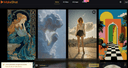
0MakeShot.ai is a unified AI content creation platform where creators and businesses can turn simple text prompts into high-quality videos and images using a suite of advanced models, including Veo 3 for native audio and photorealistic video, Sora 2 for cinematic storytelling, and Nano Banana for hyper-realistic images. The platform supports professional-grade outputs for social media, marketing campaigns, film production, and e-commerce visuals, all within a single interface that streamlines workflows and eliminates the need for multiple tools.
- 85
 0
0Cloudbooklet AI gives you useful tools to make your work easier. Create images from text with the AI Image Generator or chat with the AI Chatbot for quick answers. With over 23,000 tools in different categories, you’ll find what you need to get things done.
- 86
 0
0Think of it like Midjourney but with access to Top AI image models and Editing capabilities and also predefined stylepacks and clean and simple user experience. Generate images, edit photos, create videos, and ship content fast switch between multiple popular ai models like Nanobanana Pro, Sora, Flux, GPT Image, Kling and more, Stylepacks, and workflows in one place. It empowers creators, designers, and businesses to produce professional-quality images, graphics, and visual content in seconds AI Content Creation Studio. Generate images, edit photos, create short videos, and ship content fast switch between multiple popular ai models like Nanobanna Pro, Sora, Flux, GPT Image, Kling and more, stylepacks, and workflows in one place. Our next-generation AI studio empowers creators, designers, and businesses to produce professional-quality images, graphics, and visual content in seconds no design skills required.
- 87
 0
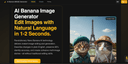
0AI Banana Image Generator Effortlessly Edit Images with Natural Language in Just 1-2 Seconds. Experience the power of cutting-edge Nano Banana AI technology, designed to revolutionize image editing and generation. Simply describe the changes you want using plain English, and the system instantly delivers high-quality results while maintaining up to 95% identity accuracy. Seamlessly create cohesive multi-image narratives, modify intricate details, or generate entirely new visuals—all without requiring traditional editing skills or software expertise. Perfect for storytellers, designers, marketers, and anyone seeking fast, intuitive image customization.
- 88
 0
0AIEnhancer.net is a free, AI-powered image enhancement platform that transforms low-quality images into professional-grade visuals without requiring sign-up or technical expertise. Using state-of-the-art neural networks trained on millions of high-quality images, the platform offers three core tools: AI Image Upscaler (for enlarging images up to 4K/8K resolution while preserving sharp details), AI Photo Enhancer (for improving clarity, reducing noise, and restoring old photographs), and AI Image Enhancer (for optimizing colors, sharpening details, and fixing common image issues). The platform serves photographers, designers, e-commerce sellers, social media creators, and anyone needing to improve image quality instantly. All processing is automated with one-click enhancement, completed in 3-10 seconds, and supports JPG, PNG, WEBP, and HEIC formats up to 10MB. The service prioritizes user privacy by automatically deleting images after processing and requires no personal information or account creation.
- 89
 0
0Banana Pro AI is an all-in-one creative engine for marketers, ecommerce teams, agencies, and founders who need high-performing visual content at scale. Generate polished images, ad creatives, product scenes, and campaign videos with consistent style, realistic lighting, and fast prompt iteration. From first concept to final launch asset, Banana Pro AI reduces production friction, shortens review cycles, and helps your team publish better content faster across every channel that drives growth at.
- 90
 0
0Mixels.ai is a free AI pixel art generator and online pixel art editor that lets you pixelate any image, convert photos to pixel art, or generate game-ready sprites from text — all with perfect grid alignment. No mixels, no cleanup, no green fringing. The best free pixel art software and Aseprite free alternative, built for retro game devs and pixel art lovers — no download required. AI Generate Generate pixel art avatars, items, and game assets from a text prompt or use a reference photo to convert a picture to pixel art. Choose 64x64 or 128x128 resolution with isometric and 2D flat views. The AI pixel art generator produces clean, grid-aligned results every time — a true free sprite maker and ai game asset generator in one. Pixel Art Editor Online A complete free pixel art program with 9 tools — pencil, brush, eraser, fill, line, rectangle, circle, selection, and eyedropper — plus adjustable brush size, shape, hardness, opacity, and pressure sensitivity. Work with unlimited layers, 17 blend modes, 6 layer effects (HSL, vibrance, brightness/contrast, glow, white balance, quantize), pixel-perfect mode, symmetry tools, customizable grid overlay, and curated palettes from Celeste, Stardew Valley, and Shovel Knight. Full undo/redo history with state timeline. Pixel Doctor — Photo to Pixel Art Converter Upload any photo and convert it to pixel art instantly. This free image pixelator auto-removes backgrounds, crops to content, and extracts dominant colors. Pixelate a photo, turn a picture into pixel art, or create a pixel avatar — then import results directly into the editor as a new layer.
- 91
 0
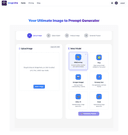
0ImageVibe is a comprehensive AI-powered SaaS platform that revolutionizes creative workflows by offering three powerful tools in one unified solution: Image to Prompt conversion, Text-to-Prompt optimization, and AI Image Description generation. Transform your creative process with cutting-edge AI technology that bridges the gap between visual inspiration, textual descriptions, and professional AI art generation. Core Features: - Image to Prompt Converter Transform any image into detailed, AI-ready prompts with our advanced computer vision technology - Text-to-Prompt Optimizer Transform simple text descriptions into professional-grade AI prompts - AI Image Description Generator Generate detailed textual descriptions from uploaded images
- 92
 0
0Tools List HQ is your central hub for discovering, exploring, and comparing the latest AI-powered tools across every category—from image generation and content creation to productivity, development, and more. With a curated selection of the most comprehensive software lists available, Tools List HQ makes it easy to find the right tool for any task. Whether you're a creator, entrepreneur, or developer, this platform helps you stay ahead of the curve in the rapidly evolving world of AI and automation.
- 93
 0
0GLM-Image is an easy-to-use AI tool that turns your ideas into beautiful images in seconds. Whether you need posters, social media graphics, ads, or educational visuals, GLM-Image creates clear, professional-looking images — even with text included. How It Works Describe your idea – type what you want to see. Add text or images (optional) – include words or upload a reference image. Generate and download – the AI creates your image, ready to use. With GLM-Image, creating eye-catching visuals is fast, simple, and accessible for everyone. Use Cases Professional marketing materials that combine visuals with readable messaging. Educational and technical diagrams requiring accurate text labels. Brand-consistent social media assets with coherent style across posts. Rapid concept art and product visuals for design and prototyping. GLM-Image is positioned as a powerful AI image generation platform with a focus on clarity, structure, and text accuracy, making it especially useful for professional-grade graphics, knowledge-rich visuals, and commercial content creation. Its hybrid modeling and superior prompt comprehension set it apart from many conventional AI image tools.
- 94
 0
0Berrys AI: The Creative Infrastructure for Your Brand In the high-speed world of social commerce, the primary barrier to growth is no longer a lack of creativity—it is the friction of velocity and brand consistency. While generative AI has promised to democratize content creation, it has often introduced a fragmented visual identity and unpredictable outputs that can dilute a brand's image. Berrys AI is the workflow-native creative infrastructure designed to eliminate this fragmentation. It acts as a sophisticated "thinking partner," bridging the distance between imagination and production by embedding your brand’s unique DNA directly into the AI generation loop. The Power of Brand Memory At the heart of the Berrys ecosystem is a revolutionary "Brand Memory" system. Rather than starting from scratch with every asset, users establish a centralized Brand Kit that serves as the definitive "Standard Operating Procedure" for the AI. This is powered by our proprietary Elementsengine—a specialized tool for locking in specific visual identities across entire scenes and workflows. Whether it is maintaining a consistent character face, a SKU-tagged product, or approved brand typography, Berrys ensures every output aligns perfectly with your global identity. This "Consistency Engine" means that once a product or style is defined, it remains immutable throughout the production pipeline, removing the uncertainty of uncoordinated generation and allowing for instant professionalism. A Dual-Depth Creative Ecosystem Berrys is built to accommodate both rapid execution and deep, customized marketing logic: * Berrys Creation Space: This is the primary engine for high-fidelity production. Within the Creation Space, users can generate images and videos leveraging their stored Brand Elements. By providing immediate access to pre-approved brand materials, it significantly increases visual consistency and maximizes speed to content. Brands can transform raw concepts into polished, brand-aligned assets in a fraction of the traditional time. * The Berrys Playground: For brands requiring more creative control and customization, the Playground offers an infinite, node-based canvas for creating repeatable marketing workflows. This space allows for granular customization of stored Brand Elements, enabling users to adapt their core visual identity into various content types optimized for different digital platforms. It is the bridge between static assets and a dynamic, auto
- 95
 0
0Berrys AI: The Creative Infrastructure for Your Brand In the high-speed world of social commerce, the primary barrier to growth is no longer a lack of creativity—it is the friction of velocity and brand consistency. While generative AI has promised to democratize content creation, it has often introduced a fragmented visual identity and unpredictable outputs that can dilute a brand's image. Berrys AI is the workflow-native creative infrastructure designed to eliminate this fragmentation. It acts as a sophisticated "thinking partner," bridging the distance between imagination and production by embedding your brand’s unique DNA directly into the AI generation loop. The Power of Brand Memory At the heart of the Berrys ecosystem is a revolutionary "Brand Memory" system. Rather than starting from scratch with every asset, users establish a centralized Brand Kit that serves as the definitive "Standard Operating Procedure" for the AI. This is powered by our proprietary Elementsengine—a specialized tool for locking in specific visual identities across entire scenes and workflows. Whether it is maintaining a consistent character face, a SKU-tagged product, or approved brand typography, Berrys ensures every output aligns perfectly with your global identity. This "Consistency Engine" means that once a product or style is defined, it remains immutable throughout the production pipeline, removing the uncertainty of uncoordinated generation and allowing for instant professionalism. A Dual-Depth Creative Ecosystem Berrys is built to accommodate both rapid execution and deep, customized marketing logic: * Berrys Creation Space: This is the primary engine for high-fidelity production. Within the Creation Space, users can generate images and videos leveraging their stored Brand Elements. By providing immediate access to pre-approved brand materials, it significantly increases visual consistency and maximizes speed to content. Brands can transform raw concepts into polished, brand-aligned assets in a fraction of the traditional time. * The Berrys Playground: For brands requiring more creative control and customization, the Playground offers an infinite, node-based canvas for creating repeatable marketing workflows. This space allows for granular customization of stored Brand Elements, enabling users to adapt their core visual identity into various content types optimized for different digital platforms. It is the bridge between static assets and a dynamic, auto
- 96
 0
0Tap4 AI Directory is a tool provides free AI Tools Directory. Get your favorite AI tools with Tap4 AI Directory, Tap4 AI Directory aims to collect all the AI tools and provide the best for users.Get your favorite AI tools in Open-source Tap4 AI Tools Directory. AI tools list are updated daily by GPT-4o. It's free to submit here to enhance your SEO now.https://www.tap4ai.org/
- 97
 0
0Hunt for Tools is your go-to platform for discovering powerful digital tools tailored to your needs. Whether you're a developer, entrepreneur, designer, or content creator, this curated directory connects you with the most essential software to fuel your success. From AI assistants and productivity boosters to creative generators and data platforms, Hunt for Tools helps you explore, evaluate, and adopt the right solutions for every project. Find what works. Unlock your potential. Level up your workflow.
- 98
 0
0## Introduction GPT Image 2.5 is the next generation of OpenAI's GPT Image model family, available online as an image generator and editor with no setup required. It turns a written prompt or a set of reference photos into finished visuals, and it is tuned for the details production work depends on: exact text and layout, stable fine detail at large sizes, consistent characters and products, and edits that leave approved regions untouched. The platform outputs at 1K, 2K, and 4K across five aspect ratios, accepts up to 16 reference images for image-to-image editing, and runs a reasoning pass before rendering so long prompts survive intact. Designers, marketers, and developers use it for posters, packaging, UI mockups, comics, infographics, and localized visuals with text in multiple languages. ## Features ### 1. Sharper High-Resolution Output GPT Image 2.5 keeps edges, typography, product contours, and scene detail crisp at large sizes. Output is available at 1K, 2K, and true 4K with no artificial sharpening or soft upscaling tricks, so a hero image holds up on a billboard as well as on a phone. ### 2. Cleaner Repeated Edits Chain a dozen edits and the approved regions stay exactly as they were. GPT Image 2.5 preserves smooth gradients and color across every revision, with no block artifacts, added noise, or layout drift between rounds. ### 3. Stronger Prompt Precision Object counts, spatial relationships, materials, camera direction, lighting, and layout limits all land in one coherent output. Long briefs with many constraints are retained instead of being partially dropped. ### 4. Natural Skin and Detail Skin, hair, hands, fabrics, labels, and product geometry render with a natural finish that stays stable across variations. The refined decode stage removes the blocky noise of earlier generations while keeping realistic grain and micro-detail. ### 5. Exact Text and Layout Headline, body, and small-label copy are placed with dependable spelling, spacing, and hierarchy in every aspect ratio. Multilingual text stays accurate, making localized marketing and packaging visuals possible from a single prompt. ### 6. Reasoning Before Render A planning pass reads the brief, resolves counts and text content, and checks its own plan for conflicts before the first pixel is drawn. The same planning step carries into multi-turn edit chains for steadier results. ## Use Cases ### 1. Sequential Art Twelve panels, one cast. GPT Image 2.5 holds faces, costumes, and lighting steady from the opening frame to the closing beat, and each line of dialogue lands inside its balloon as scripted. Ideal for indie comics, storyboards, and visual narratives. ### 2. App Interface Renders Turn a wireframe into a screenshot that survives a designer's zoom. Menus, tables, and status icons sit on a true grid, and the tiny captions along the sidebar stay legible at any size — perfect for SaaS demos and app store listings. ### 3. Packaging Typography Curved glass, matte paper, glossy foil: the brand name reads the same on all of them. Ingredient lists and barcodes stay intact through a dozen revisions, so no label needs a manual fix before it goes to review. ### 4. Full-Page Web Layouts Think of it as a first draft from a senior web designer. Ask for a pricing table beneath a testimonial band and it appears in that order, each heading spelled out and aligned to its column — ready for rapid prototyping and A/B concepts. ### 5. Explainer Graphics When the subject is a pipeline or a process, structure is the whole point. GPT Image 2.5 plans the sequence before drawing, so numbered stages, connectors, and callouts follow your logic in technical diagrams and workflow infographics. ### 6. Store Listing Visuals Shoppers decide in seconds, and a listing built here gives them everything at once: a hero shot, a feature grid, a price badge, and a buy button that looks like it belongs on a real storefront — with product photography costs cut across the catalog. ## FAQ ### 1. What is GPT Image 2.5? GPT Image 2.5 is the next generation of OpenAI's GPT Image model family, available on our platform as an online image generator and editor. It turns written prompts and reference images into finished visuals and is tuned for exact text, stable fine detail, consistent characters and products, and edits that leave approved regions untouched. You can use it directly on the site without any setup. ### 2. How does GPT Image 2.5 improve on GPT Image 2? GPT Image 2 introduced reasoning before the render, reliable multilingual text, and batches of consistent images. GPT Image 2.5 refines that base in four areas: sharper detail at large sizes without soft upscaling, cleaner color across repeated edits with less noise and drift, stronger retention of long prompts with many constraints, and more natural skin, hair, fabric, and label texture that stays stable across variations. ### 3. What can I generate with GPT Image 2.5? Anything from a single hero image to a coordinated set: marketing posters, product and packaging shots, UI and app mockups, landing page designs, comics and storyboards, infographics, and localized visuals with text in multiple languages. Text-to-image starts from a prompt; image-to-image takes up to 16 reference images to guide character, style, composition, or product details. ### 4. What resolutions and aspect ratios are supported? Output is available at 1K, 2K, and 4K. Aspect ratios include 1:1, 16:9, 9:16, 3:2, and 2:3, plus an automatic option that lets the model choose the frame. Higher resolutions cost more credits per image, and the exact cost is shown in the generator before you run it. ### 5. Is GPT Image 2.5 the same as MAI-Image-2.5? No. MAI-Image-2.5 is a Microsoft image model available through OpenRouter and other providers. GPT Image 2.5 is powered by OpenAI and belongs to the GPT Image family, the same line as GPT Image 2 and GPT Image 1.5. The shared version number causes confusion in search results, so check the vendor before comparing samples, benchmarks, or pricing. ### 6. Do I need an account, and what does it cost? You can browse examples without signing in, and a free account includes starter credits to try GPT Image 2.5. Each generation deducts credits based on resolution, with 1K the cheapest and 4K the most expensive. Paid plans add larger credit bundles, priority generation, and commercial use rights, all listed in the pricing section of the site.
- 99
 0
0Pixgen is a free AI image generator and photo editor designed for modern creators. Generate original artwork from text prompts or edit existing photos using advanced AI filters and style transfer tools. Choose from realistic, digital art, cartoon, and fantasy styles to match your vision. With smart features like AI background removal, color enhancement, and portrait retouching, Pixgen helps you produce stunning results in seconds. All creations are watermark-free, and your uploads remain private — delete them anytime with one click.
- 100
 0
0AI Image Generator: Create Stunning Visuals for Free, No Sign-Up Required! Welcome to the AI Image Generator, where your creativity can flourish without barriers! Our platform allows you to generate beautiful, high-quality images from text descriptions using multiple advanced AI models—all for free and without the need to sign up!
Frequently asked questions
According to our users, some of the best AI tools for designers include Aitoolnet, which is a comprehensive directory of over 10,000 AI tools, and The Design of Everyday Things, a book that emphasizes user-centered design principles. Other notable mentions are Uneed, a platform for discovering and promoting new products, and AppMole, which offers a variety of AI-driven tools tailored for creators and developers.
Aitoolnet serves as a leading AI tool directory and search engine, providing designers with access to a vast collection of AI tools that can enhance their creative projects. With over 10,000 tools updated daily, designers can easily find the latest software to streamline their workflows.
The Design of Everyday Things is a crucial read for designers as it explores the principles of user-centered design. The book argues that many design failures stem from ignoring user needs and cognitive psychology principles. It provides valuable insights on how to create intuitive and usable products, making it a must-read for anyone in the design field.
Uneed is a platform that allows users to discover and promote new products. It features daily product launches, community voting, and ranking systems. Users can gain visibility for their products and receive feedback from the community, making it an effective tool for creators looking to launch and promote their work.
AppMole is an all-in-one platform that provides a range of AI-driven tools and resources for creators, influencers, and developers. It helps streamline workflows and enhance productivity by offering various web apps and marketing tools, along with the latest AI applications and reviews.
This collection includes AI tools for video generation, image editing, and photo restoration. Notable tools are SoraVideo for AI video generation, Flux2 for image creation and editing, and Old Photo Restoration for repairing damaged photos. These tools are designed for practical, everyday tasks to aid creators in their workflows.
Mediasaur is an AI creative engine that transforms a single input into high-quality visuals quickly. It generates various types of content, including product shots and lifestyle scenes, allowing creators to produce endless variations and keep their content fresh without the usual complexity or cost.
EzMaker AI is a generative image studio designed to streamline workflows for independent designers and digital creators. It offers advanced AI capabilities, such as turning sketches into polished 3D renders and smart canvas expansion, all within an intuitive interface, making it accessible for users without a steep learning curve.