Best AI Tools for Designers
From blank canvas to finished asset.
The best AI tools for designers — software for image generation, editing, mockups, icons, 3D, and visual assets that speeds up the creative workflow.
- 51
 0
0A one-stop free AI image tools platform. Image Hub is a one-stop free AI image tools platform designed to help creators, marketers, designers, and businesses generate, edit, enhance, and optimize images effortlessly. With a wide collection of powerful AI-powered tools, Image Hub enables users to create stunning visuals, remove backgrounds, upscale image quality, generate AI art, convert image formats, compress files, and much more—all from a single, user-friendly platform.
- 52
 0
0Pictro.ai is an all-in-one AI image editing platform designed to simplify and enhance creative workflows. With advanced AI technology, users can easily remove backgrounds, cut out objects, restore old or damaged photos, upscale images without losing detail, and improve overall image quality. Whether you are a designer, photographer, e-commerce seller, or casual user, Pictro.ai helps you create professional-grade visuals in just a few clicks. The platform is fast, beginner-friendly, and eliminates the need for complex editing software. Key features include: - AI background remover for clean, studio-like photos - Cutout and object removal with precision - Old photo restoration and colorization - Image upscaling and enhancement for better quality - Quick, accessible, and user-friendly design Pictro.ai makes powerful image editing accessible to everyone, turning creativity into polished visuals effortlessly.
- 53
 0
0AI Tools Explorer is a 100% human-curated and edited directory of top-quality, SFW AI tools and apps, organized by category and updated daily with helpful AI guides and resources.
- 54
 0
0Turn your imagination into art with Pixgen — an all-in-one AI photo editor and image generator. Create visuals from text or photos, apply unique AI filters, and experiment with effects like neon, sketch, watercolor, or cinematic tone. Pixgen’s advanced AI models deliver high-quality, realistic images instantly. Perfect for social media posts, digital design, and marketing visuals. It’s fast, free, and secure, giving you full creative freedom without technical barriers.
- 55
 0
0Welcome to musespark,Harness true model potential and transform every spark of inspiration into reality. MuseSpark is an AI design and models platform that transforms creative prompts into tangible visual outputs. It serves designers, marketers, content creators, and developers who need to rapidly prototype or generate visual assets. The platform addresses the challenge of turning abstract ideas into production-ready designs without requiring extensive manual design work or specialized artistic skills. Users can input textual inspiration and receive structured, usable design elements or models, streamlining the creative workflow from concept to visual realization.
- 56
 0
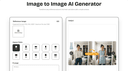
0Image to Image AI turns any photo into fresh, high-quality variations in seconds—multi-style editing, zero design skills required. Image to Image AI Core Features Discover the tools that make our image transformer shine: Sharp Visuals Our advanced model keeps fine textures and colour fidelity intact, so prints stay gallery-ready on any size. It intelligently analyses micro-details—like subtle fabric weave and reflected highlights—then reconstructs them at higher resolution to avoid blur or banding when zoomed, helping photographers maintain a premium finish. Style Variety Presets apply lighting harmony automatically while still letting you fine-tune style. The preset engine balances exposure and tonal curves automatically, yet every slider remains accessible if you want to nudge warmth or saturation, enabling a custom signature look in just a few clicks. Natural Posing Depth-aware blending removes that ‘cut-and-paste’ look for natural composites. Our pose-aware depth map detects limbs and posture, blending new backgrounds without awkward edges, so your subject feels grounded in the scene rather than floating, perfect for fashion or product hero shots. Fine-Tune Controls Intuitive sliders tweak warmth, brightness, and focus with real-time previews. Real-time feedback makes experimentation painless; dial a parameter, see the canvas update instantly, empowering creatives to refine mood lighting or depth blur interactively instead of exporting multiple test versions. Easy Export Download creations in the format best suited to your use case—quick posts or gallery-quality prints—while our pipeline automatically optimises colour profiles so visuals stay true on every device. Cloud Processing Everything happens in the cloud—no install required and works on every device. GPU clusters handle heavy lifting even on mobile networks; nothing gets stored locally, freeing disk space and ensuring your workflow stays platform-agnostic whether you’re on desktop, tablet, or phone.
- 57
 0
0Cheat code to studio-grade landing. Create landing pages so good no one believes they’re AI-made — fast, credible, on-brand, and fully in your control. First AI-Native design editor. Change any part of your landing with AI or by hand — you stay in control of the work. Generation: Your perfect landing, ready in seconds. Type a thought, drop a brief, or paste a product — get an on-brand landing tuned to your category and audience. Brand Consistency: Set your type, colors, spacing, and voice once, then keep every new page aligned with your brand without manual restyling. Easy publish: Publish to your domain in seconds with speed, accessibility, and rollback baked in. SEO: Clean semantic HTML, fast load times, sitemaps, schema, and social previews so your landings are ready to rank and share from day one. Remix: Paste any URL to get a 1:1 landing you can legally remix — keep the flow, swap the story. For whom: Designers, marketers, agencies, founders — anyone who wants to build faster, save budget, and ship landing pages that convert.
- 58
 0
0GlowUp UI is a design tool that instantly generates beautiful UI redesign variants from any screenshot. Built for vibe coders, the growing wave of non-technical builders using AI tools like Lovable, Cursor, Bolt, and v0 to ship real products, GlowUp UI bridges the gap between functional and polished. Most vibe-coded projects work, but they don't look great. Generic templates, inconsistent spacing, default component styles. The UI tells users "this was built fast," not "this was built well." GlowUp UI fixes that in seconds. Upload a screenshot of any interface, and the tool generates multiple redesign variants with improved layout, typography, colour, and visual hierarchy. No design skills required. No Figma. No back-and-forth with AI prompts trying to describe what "better" looks like. The workflow is simple. Take a screenshot of the UI you want to improve, whether it's a landing page, dashboard, settings panel, or signup flow. Upload it to GlowUp UI, choose your preferred style direction, and hit generate. Within moments, you'll receive several distinct redesign options, each offering a different visual interpretation of your original layout. Pick the one that fits, grab the code, and drop it straight into your project. GlowUp UI is purpose-built for the tools vibe coders already use. The generated output is clean, component-based code ready to paste into Lovable, Cursor, Bolt, v0, or any modern frontend workflow. There's no context-switching, no design handoff, and no translation layer between what you see and what you ship. What you pick is what you get. Beyond one-off redesigns, GlowUp UI maintains a growing template gallery. A curated library of high-quality UI patterns across common application types. Browse cards, modals, dashboards, forms, and more, each available as a starting point or source of inspiration for your next build. Filter by category, style, or component type to find exactly what you need. Pricing is flexible and straightforward. Choose a monthly plan for regular generation credits, or grab a one-off pack if you just need a quick burst of redesigns for a specific project. No complex tiers, no hidden fees. Just pick what fits how you build. Whether you're a solo founder shipping an MVP, a creator building a SaaS side project, or an agency prototyping client work,
- 59
 0
0HeyVid is a powerful all-in-one creative platform designed to simplify and accelerate the process of generating videos, images, and multimedia content باستخدام الذكاء الاصطناعي. Built for creators, marketers, entrepreneurs, and businesses, the platform brings together multiple advanced AI models into a single interface, allowing users to produce high-quality visual content quickly and without technical expertise. Its main appeal lies in combining speed, simplicity, and professional-level output in one unified environment. At the core of HeyVid AI is its versatility. The platform supports multiple creation formats, including text-to-video, image-to-video, text-to-image, and image-to-image transformations. This means users can start with a simple idea—such as a written prompt or an uploaded image—and transform it into a polished video or visual asset in just a few steps. The process is designed to be intuitive: users choose a model, describe their vision, customize settings like resolution and aspect ratio, and generate their content almost instantly. One of the standout features of HeyVid AI is its access to a wide range of top-tier AI models. Instead of relying on a single engine, the platform integrates multiple leading technologies for both video and image generation. This allows users to experiment with different styles, levels of quality, and creative outputs depending on their needs. Whether someone wants cinematic videos, stylized images, or realistic visuals, the platform provides the flexibility to achieve diverse results within one workspace. HeyVid AI also emphasizes workflow efficiency. It goes beyond simple content generation by covering the entire creative pipeline—from ideation and scriptwriting to production and final output. This makes it particularly useful for professionals who need to produce content at scale, such as social media creators, digital marketers, and startups launching new products. Instead of juggling multiple tools, users can handle everything in one place, significantly reducing time and effort. The platform is designed to be accessible to all skill levels. Beginners can create content without prior editing experience, while advanced users can fine-tune parameters like resolution (including HD and 4K), aspect ratios, and generation settings. Features such as automatic translation of prompts and optional watermarking add further flexibility, making it suitable for both personal and commercial use. HeyVid AI caters to a wide range of use cases. Entrepreneurs can create pitch videos and product launches, marketers can design ad campaigns and social media content, educators can build tutorials and training materials, and developers can generate demo videos or documentation visuals. This adaptability makes it a valuable tool across industries, especially in environments where visual content plays a key role in communication and engagement. Another notable aspect is the platform’s strong user adoption and positive feedback. With millions of users worldwide and high ratings across platforms, HeyVid AI has built a reputation for delivering fast results and high-quality outputs. Testimonials often highlight how the tool reduces hours of manual editing into minutes of automated creation, making it a game-changer for productivity. In terms of usability, HeyVid AI follows a simple four-step process: select a model, describe your idea, customize settings, and generate content. This streamlined approach removes traditional barriers associated with video editing and design, allowing users to focus purely on creativity. Overall, HeyVid AI represents a new generation of creative tools powered by artificial intelligence. By combining multiple advanced models, an intuitive interface, and end-to-end workflow support, it enables users to transform ideas into professional multimedia content faster than ever before.
- 60
 0
0Photostock’s Free AI Image Generator lets you create stunning, high-resolution images in seconds using simple text prompts. Designed for creators, marketers, and businesses, the tool requires no signup and offers unlimited free access. All generated images are royalty-free and approved for commercial use, making it perfect for blog posts, social media content, advertising materials, and design projects. Whether you need professional product shots, eye-catching backgrounds, or unique artistic visuals, Photostock delivers instant, high-quality results with ease.
- 61
 0
0Nano Banana is an advanced AI-powered image generation and editing platform designed to help creators produce high-quality visuals using simple text prompts. Built for designers, marketers, artists, and everyday users interested in generative AI, the platform focuses on delivering highly detailed images while preserving style, composition, and character consistency. With its latest version, Nano Banana Pro, the tool introduces a powerful AI model capable of generating complex visual scenes, transforming existing images, and applying sophisticated artistic styles with impressive accuracy. At the heart of Nano Banana is its intuitive AI creation workbench, a workspace where users can generate images from scratch or modify existing visuals. The system supports multiple creation modes, including text-to-image generation and image editing with reference images. Users simply describe the scene they want to create, including style, composition, colors, lighting, and visual details, and the AI produces a corresponding image. The more detailed the description, the more refined and accurate the result becomes, allowing creators to produce highly specific visuals for professional or creative projects. One of the platform’s most notable strengths is its ability to maintain consistent character editing and scene preservation. This capability allows users to modify parts of an image while keeping the overall structure, style, and subject intact. According to the platform, Nano Banana Pro’s model can outperform other popular AI image tools in maintaining visual continuity across edits. This is particularly valuable for creators who want to refine a design, change elements within a scene, or iterate on a concept without losing the core composition. Nano Banana also integrates advanced real-world knowledge and reasoning capabilities derived from modern AI models. These capabilities allow the system to generate more contextually accurate visuals, such as infographics, annotated images, diagrams derived from handwritten notes, or visually structured data representations. This feature expands the platform’s usefulness beyond artistic generation, making it helpful for educational content, presentations, and visual communication. Another key feature is clear text generation within images. Many AI image generators struggle to render readable typography, but Nano Banana focuses on producing sharp, legible text that can be used in posters, product mockups, diagrams, and advertising visuals. Users can specify the type of font they want or simulate various handwriting styles, allowing the AI to create designs that look closer to real graphic design work. The platform also offers style transfer capabilities, enabling users to replicate specific artistic styles such as oil paintings, watercolor illustrations, digital art, or photorealistic photography. By analyzing reference images or descriptive prompts, the system can accurately apply these visual styles to newly generated images. This allows creators to experiment with different aesthetics and transform simple ideas into visually compelling artworks. In terms of output quality, Nano Banana supports ultra-high-resolution image generation, including outputs up to 4K resolution. This level of detail makes the images suitable for professional uses such as marketing materials, product photography concepts, social media visuals, and even high-resolution prints. To help users get started, the platform also provides a large library of example prompts and inspiration. These prompts demonstrate how to structure descriptions for different creative outcomes, including cinematic portraits, product advertisements, surreal landscapes, architectural presentations, and stylized illustrations. By copying and modifying these prompts, users can quickly experiment with different ideas and learn how to guide the AI effectively. Nano Banana operates with a credit-based system where each generated image consumes a certain number of credits. New users can sign up for free and receive initial credits to test the platform, making it easy to explore its capabilities before upgrading to paid features. The service also includes a referral program that rewards users for inviting others to join the platform. Overall, Nano Banana positions itself as a powerful AI image creation platform that combines high-quality visual generation, advanced editing capabilities, and intuitive prompt-based workflows. By focusing on clarity, style accuracy, and high-resolution output, the platform aims to provide creators with a flexible tool for producing professional visuals quickly and efficiently.
- 62
 0
0The New Black – AI Generated Models is a creative studio that allows brands, designers, and online stores to produce realistic AI fashion models without traditional photoshoots. With Studio 03, users can create high-quality AI models for clothing, jewelry, accessories, bags, shoes, swimwear, and beauty products while maintaining full creative control. The platform is designed to simplify visual production for e-commerce, marketing campaigns, and social media content. The AI Model Generator lets you upload your item, define the model profile, choose the background, and select the format (such as 9:16 for social media). Each section is structured to focus only on what matters: the item, the model, and the scene. You can generate standard AI creations or refine your visuals using tools like Try On, Swap Model, New Scene, Reframe, Insert Logo, Background editing, and Convert to HD. The platform preserves product details, ensuring accurate shape, proportions, and textures. It also offers consistent AI models, so brands can maintain a recognizable identity across multiple products. With features like model swapping while keeping the same garment, turning images into high definition, and even generating AI model videos, The New Black transforms how fashion visuals are created. It provides a fast, scalable, and cost-effective alternative to traditional photography while delivering realistic silhouettes and authentic attitude.
- 63
 0
0If you use AI image tools like DALL-E, Midjourney, or Canva, you know the frustration: your downloads folder becomes a graveyard of cryptically named files. DALL-E_2024-03-15_14-23-45_xyz789.png tells you nothing about what's inside. Finding that "purple wave image from last week" means opening 50 files and wasting 20 minutes. Archivist solves this problem with intelligent file naming that combines AI analysis with your custom organization system. Here's how it works: Upload your AI-generated images to Archivist. Our AI analyzes the actual visual content—not just the filename—to understand what's in each image. Then, you apply your custom naming preset. Define your pattern once (like {date}_{client}_{context}_{source}_v{version}), and Archivist applies it to hundreds of files instantly. The result? Files that are both accurate and consistent. Instead of image (47).png, you get 2024-01-21_nike_hero_sneaker_dalle_v1.jpg. You know exactly what's in every file at a glance. But Archivist goes beyond simple renaming. Our Collections feature lets you organize files by project, client, or campaign. Group 50 files into a "Nike Q1 Campaign" collection, apply your naming preset to the entire collection, and export as a clean ZIP file—all in 30 seconds. Perfect for professional client deliveries. For teams and agencies, Archivist ensures everyone uses the same naming standards. No more inconsistency when Designer A names files differently than Designer B. Define your agency's naming convention once, and every team member inherits the system instantly. New designers onboard faster, project handoffs become seamless, and your entire workflow becomes more professional. The ROI is immediate. A junior designer spending 2 hours per week searching for and renaming files costs your agency €100+ monthly in wasted time. Archivist Business costs €29 per month and pays for itself in week one. We're not a photo manager with its own library. We're not an enterprise DAM system. We're not an "AI magic" toy that tries to do everything. Archivist is a focused tool that does one thing exceptionally well: intelligent file naming that combines AI understanding with your organizational system.
- 64
 0
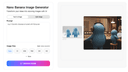
0Nano Banana is an AI-powered creative platform designed to make image and video generation more accessible for everyday creators, designers, and developers. The tool focuses on producing high-quality visual content through simple text prompts, allowing users to generate new artwork, redesign existing assets, or refine visuals with intuitive controls. Instead of relying on complex creative software or time-consuming manual editing, Nano Banana streamlines the entire process into a fast, guided workflow that anyone can use, regardless of technical experience. The platform integrates multiple generation and editing models that support prompt-based creation, image transformation, and visual enhancement. This includes generating images from scratch, modifying uploaded photos, applying stylistic changes, and producing creative variations. For video-related tasks, Nano Banana enables prompt-driven video generation and visual redesign, giving users a new way to prototype ideas, create content, or enhance storytelling with minimal effort. Nano Banana is built with speed and clarity in mind. The interface is clean, simple, and optimized for rapid iteration. Users can experiment with different prompts, adjust parameters, compare outputs, and refine their results without navigating a complicated toolset. It is especially useful for people working on social media content, product design, concept art, marketing visuals, and other creative workflows that require quick turnaround times. The platform aims to close the gap between advanced AI models and practical, everyday use. Instead of requiring specialized hardware or deep technical understanding, Nano Banana provides everything through the browser, making the creative process lightweight and convenient. Whether you are generating fresh ideas, exploring aesthetic concepts, building creative assets, or simply experimenting with AI, Nano Banana offers a flexible and approachable environment that supports both beginners and experienced creators.
- 650
AI Image Generator - Create Stunning AI Photos with Text to Image Technology Transform your creative ideas into stunning AI images with just text prompts. Our professional AI image generator uses advanced technology to create high-quality photos instantly. Perfect for artists, designers, and content creators.
- 66
 0
0Nano Banana is an AI-powered image generation platform that allows users to create high-quality images from text prompts or existing photos. With advanced generative AI models, Nano Banana makes it easy to transform ideas into stunning visuals in seconds. The platform supports multiple creative workflows including text-to-image generation, image-to-image transformation, and high-resolution AI image creation. Users can generate artwork, marketing visuals, social media content, concept art, and design inspiration without needing professional design skills. Nano Banana is designed for creators, designers, marketers, and AI enthusiasts who want a fast and simple way to produce unique visual content. The web-based platform requires no installation and works directly in the browser. With powerful AI technology and an intuitive interface, Nano Banana helps users turn imagination into beautiful AI-generated images quickly and efficiently.
- 67
 0
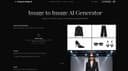
0Image to Image AI is an AI image and video platform that lets you transform reference images or generate new ones from text. Upload one or several images, add a prompt, and get high-quality outputs in multiple aspect ratios (1:1, 16:9, 9:16, etc.) and resolutions (1K, 2K, 4K). It runs on AI Best and supports 9+ models including Nano Banana, Nano Banana Pro, GPT-4o Image, Flux Kontext, and video models like Veo. Use it for product shots, social content, concept art, or marketing—with sharper 2K imagery, 4K scaling, better text in images, and consistent characters.
- 68
 0
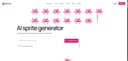
0Sprite AI is a modern, AI-powered platform designed to help creators generate high-quality pixel art sprites for games in just seconds. It removes one of the biggest barriers in game development: the need for artistic skill. With this tool, anyone—from beginners to experienced developers—can transform simple ideas into fully usable, game-ready assets. Instead of spending hours drawing and refining pixel art manually, users only need to describe what they imagine, and the system instantly generates a sprite that matches their vision. At the core of Sprite AI is its simple but powerful workflow. Users start by typing a description, such as a treasure chest filled with gold coins or a fire-breathing dragon. The AI interprets this input and produces a detailed pixel art sprite almost instantly. This “describe it and get it” approach makes the creative process fast, intuitive, and accessible. It allows developers to focus more on gameplay and storytelling rather than spending excessive time on asset creation. Beyond generation, Sprite AI also gives users the ability to customize their sprites. After creating an image, users can tweak colors, refine details, and adjust elements to better match their style or project requirements. These editing tools are designed to feel simple yet powerful, enabling creators to add a personal touch without needing advanced design knowledge. The result is a balance between automation and creative control. Another key advantage of Sprite AI is its seamless integration into game development workflows. Once a sprite is ready, it can be downloaded in multiple sizes and formats, making it compatible with popular game engines like Unity, Godot, and GameMaker. This ensures that assets can be immediately used in real projects without additional conversion or optimization. The platform is built to deliver not just images, but production-ready assets that fit directly into a developer’s pipeline. The platform also features a gallery that showcases a wide variety of generated sprites. These include characters like knights, ninjas, and skeletons, as well as objects such as weapons, magical items, and icons. This gallery serves as both inspiration and proof of what the tool can achieve, demonstrating the diversity and quality of results possible with just a short text prompt. Sprite AI offers flexible pricing plans to suit different types of users. From hobbyists working on small projects to indie developers and professional teams, each plan provides a specific number of sprites per month along with features like private generations, priority processing, and multiple file formats. The platform also emphasizes user-friendly policies such as the ability to cancel anytime and a refund guarantee if the generated assets are not satisfactory. Overall, Sprite AI represents a significant step forward in game asset creation. It combines speed, accessibility, and quality into a single tool, empowering creators to bring their ideas to life without technical or artistic limitations.
- 69
 0
0# Flux Kontext AI - In Context AI Image Generation & Editing ## Advanced Flux.1 Models for True Creative Freedom Flux Kontext AI is a revolutionary AI image generation and editing platform that transforms how creators work with visual content. Unlike traditional text-to-image models, Flux Kontext AI understands both text and images as input, enabling genuine in-context generation and sophisticated editing capabilities that bridge the gap between simple image creation and professional-grade visual design. ## Key Features ### Character Consistency Flux Kontext AI preserves character identities, styles, and features across different scenes and edits. Maintain visual consistency while making targeted modifications to your images, ensuring your characters remain recognizable throughout your creative project. ### Local Editing Precision Target specific parts of your image without affecting the rest. Flux Kontext AI enables precise modifications while preserving the overall composition and context, allowing for detailed adjustments to specific areas of your image with surgical precision. ### Style Reference Generate new scenes in existing styles with remarkable accuracy. Flux Kontext AI analyzes style elements from reference images to create consistent visual aesthetics across generations, maintaining stylistic coherence in your creative projects. ### Interactive Speed Editing Experience fast iterative editing with minimal latency. Flux Kontext AI understands both text and visual context for quick, intelligent image modifications, making the creative process fluid and responsive. ### Advanced AI Models Choose between two powerful models tailored for different needs: - **Flux Kontext Pro** (16 credits): Excels at fast iterative editing while maintaining character consistency - **Flux Kontext Max** (20 credits): Provides maximum performance with improved prompt adherence and typography for complex editing tasks ### True In-Context Generation Unlike traditional text-to-image models, Flux Kontext AI understands both text and images as input for genuine in-context generation and editing capabilities, offering a more intuitive and powerful creative experience. ## How It Works 1. **Upload Your Image**: Upload your image to Flux Kontext AI for character consistency and local editing analysis 2. **Describe Your Edits**: Write your editing prompt. Flux Kontext AI handles character consistency and style reference automatically 3. **Generate & Download**: Choose Flux Kontext Pro or Max for generation and experience advanced AI image editing with character consistency and local precision ## Perfect For - **Character Consistency**: Maintaining identities across different scenes and contexts - **Local Editing**: Making precise modifications to specific image areas - **Style Transfer**: Applying consistent visual aesthetics across multiple generations - **Creative Projects**: Professional-grade image editing with AI-powered precision - **Fast Iteration**: Quick edits and modifications with minimal latency ## Credit-Based System Flux Kontext AI operates on a flexible credit-based pricing system: - **Flux Kontext Pro**: 16 credits per generation - ideal for fast iterative editing - **Flux Kontext Max**: 20 credits per generation - maximum performance for complex tasks - **Free Trial**: New users receive initial credits to experience all capabilities ## Supported Formats Flux Kontext AI supports common image formats including JPEG, PNG, and WebP, making it easy to work with your existing image assets and maintain high quality throughout the editing process. ## Join Thousands of Creators Ready to transform your ideas into stunning visuals? Join thousands of creators using Flux Kontext AI to push the boundaries of what's possible with AI-powered image generation and editing. Experience the future of creative technology today.
- 70
 0
0Nano Banana Image Generation Tool for Fast, Accurate, and High-Resolution AI-Powered Visual Creation. Achieve compelling AI art with ease. Upload a photo or describe your idea — our AI image generator powered by Nano Banana will interpret and visualize it into a refined, shareable image up to 4K quality.
- 71
 0
0LoRA AI is a creative platform for generating high-quality AI images and cinematic videos using models like Flux and WAN. It allows creators to train custom AI models to replicate unique styles in minutes without needing a GPU or coding skills. Users benefit from professional-grade results with full commercial rights and access to a marketplace for monetization. This tool streamlines the creative process for designers and content creators looking for consistent, high-fidelity AI generation. Whether you are building a brand identity or producing digital art, LoRA AI provides the infrastructure to scale your visual content production efficiently.
- 72
 0
0Nano Banana Pro is a professional AI-powered image generation platform designed for creators, designers, and developers who demand speed, quality, and consistency in visual production. Powered by Nano Banana 2 and the advanced gemini 3 pro image preview technology, it delivers stunning 4K-ready images with exceptional character consistency across multiple generations, making it ideal for storytelling, branding, and series creation. The platform supports both Text-to-Image and Image-to-Image workflows, allowing users to create visuals from scratch or transform existing photos using intelligent AI prompts and advanced editing tools.
- 73
 0
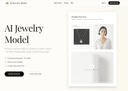
0AI Jewelry Model is built specifically for jewelry sellers—not generic AI portraits. Upload a product photo and generate photorealistic, listing-ready model-on images for rings, necklaces, and earrings in a consistent “studio” look. No prompting, no messy artifacts: clean compositions, product-first framing, and style presets tuned for Etsy/Shopify thumbnails and ads.
- 74
 0
0Image2 AI is a web application for creating and editing visual content with multiple AI image models from one interface. Users can generate images from text prompts, transform existing images, create product visuals, ad creatives, posters, and brand assets, and refine results through image-to-image workflows. It is designed for creators, marketers, and ecommerce teams that want a simpler way to produce and iterate on visual content online.
- 75
 0
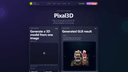
0If you need a 3D model but don’t know where to start, [Pixal3D](https://pixal3d.cc/) is a website that turns one image into a textured 3D model. No hard skills are needed. You just use your browser. ## What This Tool Does Pixal3D is an image‑to‑3D model generator. You give it a picture—like a photo of a toy, a shoe, or a game character. The tool then creates a 3D model file in GLB format. This file has textures, so it looks like the original image. You can rotate and see the model right on the site. If you are happy, you download it. You can choose between two modes: Standard (1024 pixels) or High‑res (1536 pixels). Standard is faster and costs fewer credits. High‑res gives more detail for important projects. Each generation uses credits. You buy credits with a subscription plan. The website keeps a history of all your models, so you can preview and download them again later. ## Who This Is For Pixal3D is for people who need 3D models but are not trained in 3D software. Here are some examples: - **Game creators** can make quick props or characters for a prototype. They can test how an object looks in 3D from a simple drawing. - **Sellers online** can turn product photos into 3D views. This helps to show a product from all sides. - **Design hobbyists** who like to make things with 3D printers or digital art can transform their images into printable or editable models. - **Fashion and accessory designers** can put a picture of a bag or shoe and get a 3D model to present ideas. - **Beginner 3D learners** can start with Pixal3D to understand what 3D models feel like without complex tools. The tool is not for making final, perfect models. It is for starting fast, testing ideas, or getting a base model you can later improve with other software. ## Simple and Clear Plans Pixal3D has three yearly plans: Basic for hobbyists, Standard for most creators, and Pro for power users. All plans give you a set number of credits every month. You also get a commercial license, no watermark on your models, and private generation. The credit system is clear. You always know how many credits you have left. Even if you don’t subscribe, you can try with a smaller one‑time purchase. This way you can see if the tool fits your needs before paying for a whole year. ## How to Get Started First, sign in on the website. Then, upload a clean image of your object. Pick the resolution you want. Click “Generate” and wait a short time. After the model is ready, you will see it in the preview window. You can move it with your mouse. If you like the result, download the GLB file. The GLB file works in many 3D programs and game engines. You can open it in Blender, Unity, or other tools to edit further. This makes Pixal3D a good first step for many projects. ## A Fast Way to Try Ideas If you have many ideas for 3D designs, Pixal3D saves you time. Instead of modeling everything from zero, you start with an image and get a 3D draft in minutes. This is very useful for teams who need to show clients quick previews, or for solo developers who iterate fast. Remember, the tool uses AI, so results can vary. Some images work better than others. But for most product shots, character sketches, or simple objects, the output is good enough to use right away. ## Final Words Pixal3D is a friendly door into 3D model creation. It removes the need for hard software and long training. With just one picture, you get a textured 3D model you can preview, download, and use in your work. If you are a game maker, a seller, a designer, or just curious, this tool is worth a look.
Frequently asked questions
According to our users, some of the best AI tools for designers include Aitoolnet, which is a comprehensive directory of over 10,000 AI tools, and The Design of Everyday Things, a book that emphasizes user-centered design principles. Other notable mentions are Uneed, a platform for discovering and promoting new products, and AppMole, which offers a variety of AI-driven tools tailored for creators and developers.
Aitoolnet serves as a leading AI tool directory and search engine, providing designers with access to a vast collection of AI tools that can enhance their creative projects. With over 10,000 tools updated daily, designers can easily find the latest software to streamline their workflows.
The Design of Everyday Things is a crucial read for designers as it explores the principles of user-centered design. The book argues that many design failures stem from ignoring user needs and cognitive psychology principles. It provides valuable insights on how to create intuitive and usable products, making it a must-read for anyone in the design field.
Uneed is a platform that allows users to discover and promote new products. It features daily product launches, community voting, and ranking systems. Users can gain visibility for their products and receive feedback from the community, making it an effective tool for creators looking to launch and promote their work.
AppMole is an all-in-one platform that provides a range of AI-driven tools and resources for creators, influencers, and developers. It helps streamline workflows and enhance productivity by offering various web apps and marketing tools, along with the latest AI applications and reviews.
This collection includes AI tools for video generation, image editing, and photo restoration. Notable tools are SoraVideo for AI video generation, Flux2 for image creation and editing, and Old Photo Restoration for repairing damaged photos. These tools are designed for practical, everyday tasks to aid creators in their workflows.
Mediasaur is an AI creative engine that transforms a single input into high-quality visuals quickly. It generates various types of content, including product shots and lifestyle scenes, allowing creators to produce endless variations and keep their content fresh without the usual complexity or cost.
EzMaker AI is a generative image studio designed to streamline workflows for independent designers and digital creators. It offers advanced AI capabilities, such as turning sketches into polished 3D renders and smart canvas expansion, all within an intuitive interface, making it accessible for users without a steep learning curve.