Best AI Tools for Designers
From blank canvas to finished asset.
The best AI tools for designers — software for image generation, editing, mockups, icons, 3D, and visual assets that speeds up the creative workflow.
- 26
 0
Createimg.ai is an all-in-one AI image generation platform that makes creating professional, commercial-ready visuals easier than ever. With advanced Text-to-Image and Image-to-Image generation, users can turn simple ideas or reference photos into stunning, high-resolution artworks in just seconds. The platform integrates multiple leading AI models such as Seedream v4, Flux.1, and Nano Banana, enabling users to explore a variety of styles — from realistic photography to artistic illustration and cinematic visuals.Designed for creators, designers, marketers, and brands, Createimg.ai provides a ready-to-use prompt library and an inspiring showcase gallery to help users discover new creative possibilities. It supports custom aspect ratios and formatting options, ensuring flexibility for every project — whether it’s for e-commerce, advertising, content marketing, or social media visuals.Best of all, no signup or installation is required. Users can access the tool instantly, enjoy generous free daily generations, and download all results in HD without watermarks or restrictions. With its clean interface, fast processing, and commercial-safe outputs, Createimg.ai is the ultimate AI-powered creative partner for anyone who wants to bring ideas to life — effortlessly and beautifully.
- 27
 0
Best Tool Vault is your gateway to the most powerful and innovative tools on the web. From AI assistants and content creation apps to marketing, finance, design, and niche utilities—this platform curates only top-tier, high-impact software. Explore the latest launches, featured picks, and underrated gems that help you build faster, automate smarter, and create like a pro. With categories covering everything from audio and avatars to analytics and e-commerce, Best Tool Vault helps you unlock next-level productivity. Whether you're a creator, entrepreneur, or tech enthusiast, this vault holds the tools to elevate your workflow and results.
- 28
 0
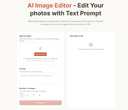
AI Image Editor is a next-gen image editing tool that lets you effortlessly edit photos using simple text prompts, with no complex skills required. AI Image Editor can add, replace, or remove objects; restyle subjects; adjust lighting, color, pose, and scale; extend or reframe scenes; and seamlessly combine multiple images into one. It preserves identity and brand style across edits and handles typography. With optional masks for pixel-level control, you get clean, production-ready results for product shots, marketing banners, storyboards/comics, and packaging.
- 29
 0
RoomCreator is an all-in-one AI-powered platform designed to transform the way people design and visualize spaces. Built for speed, simplicity, and realism, it allows users to turn any photo, sketch, or floor plan into a fully redesigned interior or exterior in just seconds. Whether someone is planning a renovation, staging a property, or simply exploring ideas, RoomCreator removes the traditional barriers of time, cost, and technical expertise that usually come with home design. At its core, RoomCreator is about making design decisions easier and more accessible. Instead of relying on imagination or expensive professionals, users can instantly see how their space would look with different styles, layouts, colors, and furniture. From modern and Scandinavian aesthetics to more eclectic or rustic themes, the platform offers a wide range of design options tailored to different tastes. This ability to visualize changes before making real-world commitments helps users avoid costly mistakes and feel confident in their choices. The platform is built for a wide audience, including homeowners, real estate agents, and property investors. Homeowners can experiment with new looks for their living rooms, kitchens, bedrooms, and more, gaining clarity before starting any renovation or redecorating project. Real estate agents can use the tool to create visually appealing listings by transforming empty or outdated spaces into attractive, staged environments that capture buyer interest. Meanwhile, investors can evaluate the potential of properties by generating realistic previews of renovations, helping them communicate value and make smarter decisions. RoomCreator stands out through its powerful yet simple workflow. Users begin by uploading an image—this could be a clean photo, a messy room, or even a rough sketch. Next, they select a design style that matches their vision. Within seconds, the platform generates a hyper-realistic transformation of the space. This fast turnaround makes it possible to test multiple ideas quickly, compare options, and refine concepts without any friction. Beyond basic redesign, RoomCreator offers a complete toolkit of AI features that give users full control over their projects. It includes the ability to edit specific parts of an image using a brush tool, allowing for precise changes without affecting the entire scene. Users can also remove furniture and objects with a single click to create an empty room, making it easier to start fresh. Additionally, the platform can turn simple sketches into realistic interiors, bridging the gap between early ideas and final visualization. For those who want more dynamic content, RoomCreator even generates short motion videos from static images, adding a cinematic touch perfect for presentations or social media. Another key strength of the platform is its focus on realism and accuracy. The generated designs are not just visually appealing—they closely reflect what can be achieved in real life. This level of precision has made the tool especially valuable for users who struggle to imagine spatial changes in their heads. Testimonials consistently highlight how RoomCreator reduces stress, saves time, and improves decision-making by showing exactly what works and what doesn’t before any money is spent. RoomCreator also prioritizes accessibility and user trust. It offers a free plan with no credit card required, allowing users to test the platform with a limited number of credits. Paid plans provide faster rendering, more features, and additional flexibility for larger or ongoing projects. At the same time, privacy is taken seriously—user uploads are only used to generate designs and are not sold or used to train public models. Ultimately, RoomCreator represents a shift in how design is approached. It replaces uncertainty with clarity, guesswork with visualization, and complexity with simplicity. By combining advanced AI with an intuitive user experience, it empowers anyone to design, experiment, and bring their ideas to life—no professional skills required.
- 30
 0
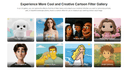
Unlock your creative potential without spending a dime. MindPic AI is a web-based platform offering powerful AI image functionalities for everyone, absolutely free. Generate stunning art from simple text, enhance your photos to professional quality, or even try on a new hairstyle with our AI. Because it’s online, you can access these high-speed, high-quality tools from any device, anytime, making creativity more accessible than ever.
- 31
 0
AI icon generator and manager platform for creating app icons, web icons, logos, favicons, and brand assets. Offers 10+ generation styles, an infinite canvas for refining, and production-ready exports for Xcode, Android, and web favicons. Pay-as-you-go credits, no subscription, full commercial licensing for teams.
- 32
 0
Free Nano Banana and Nano Banana Pro AI image generator. Create, edit, and upscale images to stunning 4K, 8K, and even 16K resolution with ease. Whether you're starting from scratch or enhancing existing visuals, this powerful tool gives you full creative control without requiring design skills. Go beyond simple image generation with advanced features like precise background removal, seamless inpainting and outpainting, and high-quality text rendering that blends naturally into your visuals. Maintain strong character consistency across multiple images—perfect for storytelling, branding, or content creation. From social media graphics to professional design assets, Nano Banana makes it fast, flexible, and accessible to produce high-quality AI visuals—all in one place, completely free to get started.
- 33
 0
🎨 Core Features AI-Driven Image Generation Flux Klein uses optimized AI models to transform natural language prompts into detailed, professional-grade images. Users can describe their ideas clearly and intuitively, without the need for complex prompt engineering. Fast & Lightweight Performance Built for efficiency, Flux Klein delivers rapid image generation even on standard or low-resource hardware. This lightweight design enables faster iteration and smoother creative workflows. High-Quality Visual Output Despite its efficient architecture, Flux Klein produces images with sharp details, balanced composition, and refined artistic quality suitable for professional and commercial use. Consistent Style Across Generations Flux Klein supports consistent visual styles across multiple image generations, making it ideal for brand assets, campaign visuals, and cohesive design projects. Flexible Workflow Integration Flux Klein adapts easily to different creative pipelines, supporting scalable usage for individuals, teams, and automated workflows. Prompt-Friendly Interface With a clean and intuitive interface, Flux Klein allows users of all skill levels to generate high-quality images using simple natural language descriptions. 🚀 Key Benefits Rapid Image Creation Generate professional-quality images in seconds, significantly faster than traditional design or illustration workflows. Resource-Efficient & Cost-Effective Flux Klein reduces reliance on expensive hardware and infrastructure, making advanced AI image generation more affordable. Beginner-Friendly Experience No technical background is required. Flux Klein simplifies the entire process from prompt to final image. Scalable for Projects & Teams From single-image generation to batch creation for large campaigns, Flux Klein scales effortlessly with your creative needs. 🎯 Who Should Use Flux Klein Designers & Digital Artists Accelerate concept art, visual exploration, and design iteration without sacrificing quality. Marketing Teams & Agencies Create promotional visuals, banners, and campaign assets quickly and consistently. Product & UX Designers Visualize product concepts, interface designs, and user experiences with minimal effort. Content Creators & Influencers Produce eye-catching imagery for blogs, social media, and digital platforms. Developers & Creative Technologists Integrate AI image generation into applications, tools, and automated workflows.
- 34
 0
Image 2.5: Create and Edit Images with AI Image 2.5 is a browser-based GPT Image 2.5 AI image generator and editor for creators, designers, marketers, and visual storytellers. It helps you generate original artwork from text, edit existing images with natural-language instructions, and build polished visuals from reference images or rough sketches. Key Features * Generate images from text prompts * Edit images using simple written instructions * Use multiple reference images to guide the result * Preserve characters, products, materials, and visual details * Replace backgrounds, restyle scenes, and modify selected objects * Create square, portrait, landscape, or custom compositions * Generate high-resolution images up to 4K * Export results as PNG, JPEG, or WebP * Create transparent-background images where supported * Refine the same idea through multiple editing rounds Two Models for Different Workflows Image 2.5 includes two GPT Image 2.5 model options: * Sunburst – prioritizes image quality, detail, and editing precision. * Flare – provides faster generation for drafts and everyday creative work. What Is Image 2.5 Useful For? Use Image 2.5 to create product images, advertising concepts, social media graphics, infographics, posters, character designs, storyboards, presentation visuals, concept art, and targeted photo edits. From initial prompt to final export, Image 2.5 combines text-to-image generation, reference-based image creation, and AI image editing in one streamlined online workspace.
- 35
 0
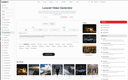
Luxoret is an all-in-one AI creative platform designed for professionals, creators, and businesses. It features a built-in Creative Studio with over 400 AI-powered tools including text-to-image generation, AI video creation, vocal removal and stem splitting, voice cloning, text-to-speech, music generation, face swap, background removal, image upscaling, OCR, logo design, and many more. All studio tools are accessible directly from the platform with no need to switch between multiple services. Beyond the Creative Studio, Luxoret offers a curated directory of 2,500+ external AI tools organized across 50+ categories, making it easy to discover and compare the best AI software available. Users can browse by category, view trending tools, explore alternatives, and find the perfect AI solution for any task. Additional features include an AI chat assistant powered by multiple language models, a community gallery where users share their AI-generated creations, an AI Arena for comparing tools head-to-head, and dedicated pages for AI agents. Luxoret operates on a freemium model with free access to core tools and premium plans for advanced features and higher usage limits.
- 36
 0
Supermachine is an AI-powered image and video generation platform trusted by 100,000+ creators worldwide. Create high-quality stock photos, illustrations, thumbnails, NFTs, short-form videos, and marketing visuals in under 15 seconds — without complex prompt engineering. Supermachine offers 60+ carefully selected AI models, and we add new models selectively when they demonstrate clear improvements in quality, performance, and real-world usefulness. This approach ensures creators always have access to reliable, high-performing models, not just the newest releases. With advanced tools like image-to-image generation, instruct-based editing, video generation, upscaling, and face enhancement, Supermachine gives you full creative control from idea to final asset.
- 37
 0
AI X Collection is your gateway to a curated universe of cutting-edge AI tools designed to accelerate innovation and supercharge productivity. From image generation and no-code app builders to SEO agents and business intelligence, our platform brings together the most powerful AI solutions available today. Whether you're a creator, developer, entrepreneur, or business leader, you'll find tools to boost creativity, streamline workflows, and grow your impact. Discover thousands of handpicked AI tools—free and premium—organized by category and updated regularly. With AI X Collection, you don’t just find tools—you unlock possibilities.
- 38
 0
Gleem.AI Studio is a unified AI image workspace designed for people who want to create, not configure. Instead of juggling multiple tools for image generation, editing, and revisions, everything happens in one streamlined workflow. The platform combines AI image generation and image editing in a single environment, allowing users to iterate step by step rather than starting over with every change. Gleem.AI Studio removes unnecessary technical complexity so creators can focus on visual decisions, creative flow, and fast iteration. It’s built for marketers, creators, and small teams who need consistent visuals and speed without dealing with advanced settings, endless parameters, or fragmented tools. Whether you’re creating marketing assets, social media visuals, product images, or testing creative variations, Gleem.AI Studio keeps the process simple, fast, and intuitive
- 390
Our software is an AI image generation tool. You just need to type a text description—like 'a Shiba Inu wearing a spacesuit standing on the moon'—and the AI can generate a high-definition image in seconds. No need to know how to draw, no need to find materials, just create images like chatting. Whether it's for PPT illustrations, designing posters, or adding illustrations to a novel, one sentence does it all.
- 40
 0
DesignMaker AI is an AI-powered design platform that transforms your ideas into professional, production-ready designs in minutes. Whether you're building a startup website, designing a landing page, creating marketing graphics, or brainstorming UI concepts, DesignMaker AI helps you go from a simple text prompt to polished visuals without the complexity of traditional design tools. Simply describe what you want in natural language, and DesignMaker AI generates beautiful, modern designs tailored to your needs. Need changes? Instead of starting over, you can chat with the AI to refine layouts, update colors, modify typography, replace sections, or explore entirely new design directions. The AI understands your feedback and continuously improves the design until it matches your vision. DesignMaker AI supports a wide range of creative workflows, including website and landing page design, user interface mockups, social media graphics, marketing banners, promotional creatives, product showcases, branding concepts, presentations, and more. Whether you're a founder launching a new product, a marketer creating campaign assets, a designer looking for inspiration, or an agency delivering projects faster, DesignMaker AI streamlines the entire design process. The platform focuses on speed, creativity, and usability. Instead of spending hours arranging elements or searching for inspiration, users can generate multiple high-quality design variations in seconds, compare different styles, and iterate effortlessly. Every design is created with modern aesthetics and user experience in mind, making it suitable for both digital products and marketing campaigns. Designed for startups, businesses, freelancers, creators, and agencies, DesignMaker AI helps teams accelerate design workflows, reduce production time, and bring ideas to life with confidence. Whether you're creating your first landing page or managing design assets for multiple clients, DesignMaker AI provides a faster, smarter way to design.
- 41
 0
Realistic AI Image Generator is an online tool for making photorealistic images from text prompts. Creators, marketers, designers, and entrepreneurs can use it to explore realistic portrait concepts, product shots, and promotional visuals without a complex desktop workflow. Its straightforward browser experience makes it useful when a team needs visual directions for campaigns, mockups, social assets, or discussion prompts. The product focuses on turning a clear text description into a practical creative starting point, so users can iterate on image ideas and choose a direction that fits their project.
- 42
 0
Discover the best AI image editing tools available today. From removing unwanted objects and backgrounds to restoring old photos, enhancing image quality, and replacing backgrounds with AI, these powerful editors make professional image editing easy for everyone. Vote for your favorite tools and see which ones come out on top!
- 43
 0
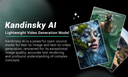
Kandinsky AI refers to a family of cutting-edge generative AI models developed by Kandinsky Lab, designed for text-to-image and text-to-video synthesis using advanced latent diffusion and transformer-based architectures. These models are built to produce high-quality visuals and dynamic video clips from natural language prompts, and they support both creative and research-oriented use cases. 🎨 Key Capabilities 📌 Text-to-Image Generation Kandinsky models can generate detailed, high-resolution images from text descriptions — useful for art, concept design, and visual storytelling. 📌 Image Editing & Inpainting Beyond image creation, the platform supports editing workflows such as inpainting, outpainting, and style transformation guided by text instructions. 📌 Text-to-Video & Image-to-Video Generation Recent versions of Kandinsky models extend into video generation, producing short video clips from text prompts or image sequences. These models aim to maintain motion consistency and narrative continuity. 📌 Multi-Model Family The Kandinsky ecosystem includes several model families: Image models for detailed picture generation and editing Video Lite / Video Pro models for animated video content generation These models vary in size and capability, allowing users to choose based on quality and performance needs. 🧠 How It Works Users simply provide a natural language prompt describing the desired scene, style, or content, and the Kandinsky models interpret this input to generate the corresponding visual output. The system can handle complex descriptions and produce diverse creative results. 🎯 Typical Use Cases Concept art and illustration creation Marketing visuals and promo content Storyboard and creative design Short AI-generated video clips Visual prototyping and multimedia experimentation
- 44
 0
WaveSpeedAI is the ultimate platform for blazing-fast AI-powered image and video generation. Whether you're a marketer, content creator, entrepreneur, or developer, WaveSpeedAI helps you build, create, and scale visual content with incredible speed and precision. With advanced generative models and an intuitive interface, WaveSpeedAI empowers you to: • Instantly generate high-quality visuals for social media, ads, websites, and more. • Produce AI videos from text, prompts, or templates – no technical skills required. • Customize your content with brand colors, AI voiceovers, avatars, and animations. • Save hours of production time and reduce creative bottlenecks with automated workflows. • Collaborate, edit, and export content effortlessly to suit any platform or campaign. From ideation to execution, WaveSpeedAI turns your creative vision into high-performing media at scale — faster than ever before.
- 45
 0
WaveSpeedAI is the ultimate platform for blazing-fast AI-powered image and video generation. Whether you're a marketer, content creator, entrepreneur, or developer, WaveSpeedAI helps you build, create, and scale visual content with incredible speed and precision. With advanced generative models and an intuitive interface, WaveSpeedAI empowers you to: • Instantly generate high-quality visuals for social media, ads, websites, and more. • Produce AI videos from text, prompts, or templates – no technical skills required. • Customize your content with brand colors, AI voiceovers, avatars, and animations. • Save hours of production time and reduce creative bottlenecks with automated workflows. • Collaborate, edit, and export content effortlessly to suit any platform or campaign. From ideation to execution, WaveSpeedAI turns your creative vision into high-performing media at scale — faster than ever before.
- 46
 0
Reveal your creativity in captivating detail with the self-sharpening Kuru Toga Mechanical Pencil
- 47
 0
From a single character, create endless variations by controlling pose, emotion and objects. Built-in pose library, mannequin model, and background-free assets. Scale your creations effortlessly while keeping your storytelling consistent. Design Tools • SaaS • Maker Tools From a single character, create endless variations by controlling pose, emotion and objects. Built-in pose library, mannequin model, and background-free assets. Scale your creations effortlessly while keeping your storytelling consistent.
- 48
 0
AI Remove Text From Image is a browser-based image cleanup tool that helps users erase unwanted text, watermarks, captions, logos, labels, people, and objects from photos without Photoshop. Upload a JPG, PNG, or WebP image, brush over the area you want to remove, and let AI rebuild the background naturally. It supports product photos, posters, screenshots, real estate images, social media visuals, travel photos, and scanned images, with free 720p downloads and original-quality exports available with credits or Pro.
- 49
 0
HomeDesignsAI is a cutting-edge, web-based platform that leverages the power of artificial intelligence to transform the way people design and visualize living spaces. Positioned as one of the leading AI home design tools in the world, it allows users to instantly redesign interiors, exteriors, gardens, patios, and terraces in less than 30 seconds. The process is simple and intuitive: users upload a photo of their space, choose their preferences such as design style and level of AI intervention, and generate high-quality, photorealistic results almost instantly. This streamlined workflow removes the complexity traditionally associated with home design, making it accessible to anyone, regardless of their experience level. One of the platform’s most impressive aspects is its versatility. With more than 80 design styles and a wide variety of room and space types, HomeDesignsAI offers endless creative possibilities. Users can experiment with different aesthetics such as modern, Scandinavian, minimalistic, and more, allowing them to explore ideas freely before making real-world decisions. The tool also includes advanced features like color swapping, texture modification, and furniture auto-fill, enabling users to customize every detail of their space. Additionally, the “Design Transfer” feature allows users to upload inspiration images and apply those styles directly to their own environments, bringing professional-level design concepts within reach. HomeDesignsAI is not only built for homeowners but also serves a broad range of professionals, including interior designers, architects, real estate agents, landscapers, and home builders. For professionals, the platform significantly reduces the time and cost associated with creating design proposals and visualizations. Instead of spending days or even weeks producing 3D renders, users can generate multiple concepts in seconds, making it easier to communicate ideas with clients and iterate quickly. Real estate agents, for example, can use the tool for virtual staging, helping potential buyers visualize the true potential of a property by furnishing empty rooms or modernizing outdated interiors. Another standout feature is its AI-powered furniture and decor detection system, which not only identifies items within generated designs but also provides direct shopping links. This bridges the gap between visualization and execution, allowing users to recreate their desired spaces with ease. The platform’s photorealistic rendering quality ensures that the generated images closely resemble real-life outcomes, giving users confidence in their design choices. With millions of users worldwide and projects completed across more than 170 countries, HomeDesignsAI has established itself as a trusted solution in the home design space. Its user-friendly interface, fast performance, and powerful AI capabilities make it suitable for personal, professional, and business use alike. Ultimately, HomeDesignsAI redefines home design by making it faster, more affordable, and far more accessible, empowering users to bring their creative visions to life with minimal effort.
- 50
 0
AI Toolz is a comprehensive directory showcasing the best AI tools across all industries and use cases. Whether you're looking to streamline workflows, automate business processes, enhance creativity, or explore niche applications, AI Toolz offers a curated library of cutting-edge artificial intelligence solutions. From image editors and chatbots to productivity platforms and e-commerce tools, our collection empowers users to find the perfect AI solution for any task. Explore, compare, and try out the latest innovations—all in one place.
Frequently asked questions
According to our users, Aitoolnet is ranked as the best AI tool for designers. It serves as a comprehensive directory and search engine for over 10,000 AI tools, updated daily, making it easy for designers to find the latest tools for their creative projects.
Aitoolnet is a leading AI tool directory and search engine that features over 10,000 AI tools. It is updated daily, allowing users to discover the latest AI tools that can enhance their work or creative projects.
'The Design of Everyday Things' is a book that explores the principles of good design and how it can improve user experience. It argues that many design flaws stem from ignoring user needs and cognitive psychology principles, and it provides guidelines for creating intuitive and user-friendly products.
Uneed is a platform that allows creators to discover new products and promote their own. It operates similarly to Product Hunt, providing visibility for new product launches and enabling users to vote for their favorites, which helps products gain traction and recognition.
AppMole is an all-in-one platform that provides a variety of AI-driven tools and resources for creators, influencers, and developers. It includes web apps, marketing tools, and design applications aimed at streamlining workflows and enhancing productivity.
This collection focuses on practical AI tools that assist with video generation, image editing, and photo restoration. It is designed for creators looking for efficient solutions for fast iteration and prototyping without the need for complex software.
Good AI Tools is a directory that helps users discover the best AI tools to enhance productivity, creativity, and business growth. It features a wide selection of innovative AI software, including machine learning platforms and automation tools.
Design0 is an AI-powered design tool that converts text into images, provides smart image editing, and includes a built-in asset library. It simplifies complex design workflows, making it easier for designers to bring their creative ideas to life.
AI Interior Design is a browser-based tool that transforms room photos into realistic redesign concepts. Users can upload images, select room types and design styles, and generate visualizations quickly, making it useful for homeowners and interior designers.
Mediasaur is an AI creative engine that generates high-quality visuals from a single input, such as a product photo or prompt. It is designed for marketers, designers, and content creators to produce various types of content quickly and efficiently.