Best AI Tools for Designers
From blank canvas to finished concept, faster.
The best AI tools for designers — generate images, mockups, and variations, remove backgrounds, and speed up the busywork so you can focus on the creative decisions that matter.
- 126
 0
0Welcome to musespark,Harness true model potential and transform every spark of inspiration into reality. MuseSpark is an AI design and models platform that transforms creative prompts into tangible visual outputs. It serves designers, marketers, content creators, and developers who need to rapidly prototype or generate visual assets. The platform addresses the challenge of turning abstract ideas into production-ready designs without requiring extensive manual design work or specialized artistic skills. Users can input textual inspiration and receive structured, usable design elements or models, streamlining the creative workflow from concept to visual realization.
- 127
 0
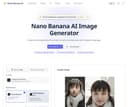
0Nano Banana AI Image Generator is a cutting-edge tool designed to create and edit stunning images using advanced AI technology. Powered by Google's Gemini 2.5 Flash Image model, it offers unparalleled capabilities in both image generation and editing.Create stunning photos from text or edit existing ones with natural language.
- 128
 0
0RemoveTexts is a free online AI tool that removes, edits, and replaces text in images instantly — no signup, no watermark, no software installation required. Key Features: - Remove Text from Image — Automatically detect and erase all text, watermarks, captions, and overlays from any image in seconds using advanced AI. - Edit Text in Image — Change specific words, dates, names, prices, or any text directly within an image while preserving the original background and style. - Remove Watermark — Clean up stock photo watermarks, logos, and unwanted branding from images effortlessly. - Remove Object — Erase unwanted objects, people, or elements from photos with AI-powered inpainting. - Translate Text in Image — Detect text in images and translate it to another language while keeping the visual layout intact.
- 129
 0
0Free AI Feet Generator – Create Realistic or Anime Feet Images Online
realistic image generator·image generation toolAI Feet Generator: Create Realistic or Anime Feet Images Online AI Feet Generator is a free online AI image generator designed to help artists, illustrators, designers, photographers, bloggers, and creative users generate feet images from simple text prompts. The tool supports realistic and anime styles, with preset options for high arches, soles, close-ups, high heels, and feet photography concepts. Instead of searching for stock images or setting up a photoshoot, users can type a prompt, choose a style or template, generate an image, and download a clean watermark-free result in seconds. The tool is built for fast creative reference, visual planning, fashion mockups, character art, and tasteful image concepts. Key Features: Free AI Feet Image Generation: Create AI-generated feet images online without paying upfront, creating an account, or installing software. Users can start generating directly from the browser. No Sign-Up Required: AI Feet Generator does not require login, email, or account creation. Users can land on the site, enter a prompt, and generate images immediately. No Watermark Downloads: Generated images can be downloaded without watermarks, making them easier to use for personal creative projects, references, mockups, and visual planning. Realistic and Anime Styles: Switch between photorealistic feet images and stylized anime feet images. This makes the tool useful for both photography-style concepts and character illustration references. Prompt Templates: The tool includes ready-made prompt templates for different looks, including dewy realistic skin, anime feet, high arch studio shots, soft soles, strappy heels, and feet photography concepts. Style and Angle Presets: Users can generate different feet-focused compositions such as high arch feet, soft soles, close-up shots, side profiles, and high heels concepts. Footwear and Fashion Concepts: AI Feet Generator can help create visual references for sandals, socks, heels, and footwear-related concepts without arranging a physical shoot. Creative Reference for Artists: Illustrators, anime artists, 3D artists, and concept designers can use generated images as reference material for proportions, poses, angles, and lighting. Anonymous and Temporary: Generated images are anonymous and auto-deleted after 2 hours, according to the site’s public description. How It Works: 1. Describe Type a custom prompt or choose one of the built-in prompt templates. 2. Generate Select a realistic or anime style, then generate the image online in seconds. 3. Download Download a clean, watermark-free image for personal or creative use. Why Choose AI Feet Generator? AI Feet Generator is designed for speed, privacy, and simplicity. It removes common friction from AI image generation by offering a free online workflow with no sign-up, no watermark, and fast prompt-based results. Whether you need anime feet reference, realistic feet photography concepts, high-arch poses, soles, close-ups, or footwear mockup visuals, AI Feet Generator provides a quick way to create custom feet images directly in your browser. Note: This tool is intended for adults 18+. Generated content depicts adults only and is not based on real people.
- 130
 0
0Vaethat AI is an AI powered tool built to upscale and enhance 3D renders for architectural visualization. Created specifically for archviz professionals, it helps improve the clarity, sharpness, and realism of architectural images. Key Features Vaethat AI: AI render upscaling: Increase resolution and sharpness of 3D architectural renders while keeping geometry clean and consistent. Detail refinement: Enhance fine textures, edges, and small architectural elements for a crisper, more polished look. Material and lighting enhancement: Improve perceived realism by boosting material definition, contrast, and lighting balance. Noise and artifact cleanup: Reduce noise and common rendering artifacts to produce cleaner presentation-ready images. Design intent preservation: Maintain the original composition and design. Simple upload-and-export flow: Upload a render, apply enhancement, and export improved results for decks, portfolios, and approvals.
- 131
 0
0HappyHorse AI is a browser-based AI video creation platform designed for cinematic storytelling, creative experimentation, and commercial content production. It allows users to generate high-quality videos using simple inputs like text prompts or images, eliminating the need for complex editing software or powerful hardware. Built with a focus on speed and usability, the platform provides a streamlined workflow where creators can move from idea to finished video in just a few minutes. At its core, HappyHorse AI offers two main creation modes: text-to-video and image-to-video. In the text-to-video workflow, users simply describe a scene, including elements like subject, action, camera movement, and mood, and the system generates a video based on that prompt. This makes it ideal for creating concept clips, advertisements, or social media content directly from imagination. In the image-to-video mode, users upload photos or illustrations and animate them into motion while preserving their original composition. This is particularly useful for product showcases, portrait animations, or enhancing static visuals. One of the platform’s key strengths is its multi-model workspace. Instead of relying on a single AI model, HappyHorse AI allows users to access and compare multiple video generation models within the same interface. Its flagship model, HappyHorse 1.0, is optimized for cleaner motion, more polished visuals, and branded content production. This flexibility enables creators to experiment with different styles, speeds, and outputs without switching tools or platforms. The workflow is intentionally simple and efficient. Users start by describing their scene or uploading an image, then choose a model and adjust settings such as aspect ratio, resolution, and duration. Once the video is generated, it can be previewed and exported as an MP4 file, ready for sharing or further editing. The platform supports common formats like 16:9, 9:16, and 1:1, making it suitable for everything from YouTube videos to TikTok and Instagram content. HappyHorse AI is designed for fast iteration, allowing users to quickly test multiple ideas and refine their results. Instead of spending hours on a single production, creators can generate several variations, compare outputs, and select the best version. This makes it especially useful for marketing teams, designers, and content creators who need to produce engaging visuals بسرعة and efficiently. The platform also supports commercial workflows, making it suitable for campaigns, product launches, and client presentations. Features like AI-generated visuals, flexible controls, and export-ready files ensure that the output can be used in real-world projects. Additionally, optional audio-aware workflows are available depending on the selected model, allowing for more advanced video planning. Another advantage is accessibility. HappyHorse AI runs entirely in the browser, meaning users do not need a local GPU or specialized setup. This lowers the barrier to entry and makes professional-grade video generation available to a wider audience. New users can start with free credits, making it easy to explore the platform before committing to a paid plan. Overall, HappyHorse AI stands out as a practical and efficient solution for AI video creation. By combining simplicity, flexibility, and powerful generation capabilities, it enables users to turn ideas into motion quickly and effectively. Whether for social media, advertising, or creative exploration, it provides a complete workspace for modern video production without the traditional complexity.
- 132
 0
0Unblur Image AI is a powerful online tool that leverages cutting-edge artificial intelligence to remove blur from photos and enhance image quality instantly. The platform uses advanced deep learning algorithms to analyze blurry photos and intelligently reconstruct lost details, restoring sharpness and clarity automatically. Whether dealing with motion blur, camera shake, out-of-focus issues, or low resolution, this AI-powered tool can fix various types of blur in seconds. The service offers comprehensive image enhancement features including AI-powered unblurring, intelligent noise reduction to eliminate high ISO noise and compression artifacts, and one-click image sharpening to enhance edges and improve texture clarity. It supports multiple image formats (JPG, PNG, WEBP, HEIC) and requires no registration or login to use. The tool is designed for everyone from professional photographers and content creators to casual users who want to rescue precious memories, making professional-grade image enhancement accessible and effortless for all skill levels.
- 133
 0
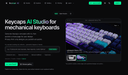
0Keycaps AI is a studio for AI-generated keycaps: generate, publish a share page, and collect interest. Studio-first keycap design for mechanical keyboard makers. Keycaps AI is a studio for AI-generated keycaps: generate, publish a share page, and collect interest. Studio-first keycap design for mechanical keyboard makers.
- 134
 0
0Hey Image is an innovative AI-driven platform that helps you: - Generate AI images from your custom text prompts - Apply stunning AI filters to transform existing photos - Choose from diverse artistic styles and trending effects - Create professional avatars and illustrations with ease Hey Image, let creativity glow. AI filter platform for instant photo transformation.
- 135
 0
0Banana Prompts is an all-in-one prompt engineering workstation designed specifically for modern digital artists, designers, and AI enthusiasts. We are dedicated to breaking the "black box" effect of generative AI, making the realization of your creative ideas precise, controllable, and highly efficient.
- 136
 0
0Nano Banana 2 is a cutting-edge AI-powered image generation platform designed for professionals who demand high-quality visuals with exceptional precision. Positioned as a next-generation tool, it goes far beyond traditional AI image generators by focusing on one of the most common limitations in the field: accurate and readable text within images. With its advanced machine learning models and deep neural networks, Nano Banana 2 enables users to transform simple text prompts into visually stunning, photorealistic images that meet both creative and commercial standards. One of the platform’s most impressive features is its ability to render text with remarkable clarity. Unlike many AI tools that produce distorted or unreadable typography, Nano Banana 2 generates crisp, well-structured text that integrates seamlessly into designs. This makes it especially valuable for creating posters, infographics, product mockups, and marketing materials where text quality is crucial. Users can even specify font styles or simulate handwriting, allowing for a high degree of customization and creative control. Another key strength of Nano Banana 2 is its support for ultra-high-resolution outputs. The platform generates images at native 2K resolution and offers seamless upscaling to 4K, ensuring that every detail remains sharp and professional. This level of quality makes it suitable not only for digital use—such as social media and websites—but also for print applications like magazines, billboards, and packaging. The emphasis on detail and clarity positions Nano Banana 2 as a reliable solution for businesses and designers who cannot compromise on visual quality. The platform also stands out for its multilingual capabilities. With support for over 100 languages, Nano Banana 2 allows users to create culturally relevant and linguistically accurate visuals for global audiences. This feature is particularly beneficial for international marketing campaigns, educational content, and cross-border business communications. By understanding both language and cultural nuances, the AI reduces errors and ensures that generated content resonates with diverse audiences. In addition to image generation, Nano Banana 2 offers powerful editing tools that simplify the creative process. Users can modify specific parts of an image without regenerating the entire design, making it easier to refine details such as colors, lighting, backgrounds, or objects. This localized editing capability saves time and enhances productivity, especially for professionals working on complex projects or tight deadlines. The platform caters to a wide range of use cases, including e-commerce, content creation, filmmaking, and design. For example, it can generate promotional images for online stores, create storyboards for films, design stickers, or replace traditional photo editing workflows. Its intuitive interface and step-by-step creation process make it accessible even to users without technical expertise, while still offering advanced controls for experienced creators. Nano Banana 2 also introduces different pricing plans to accommodate various needs, from individuals experimenting with AI-generated images to large teams requiring high-volume production. Each plan includes features such as image generation credits, editing tools, and commercial usage rights, making the platform flexible and scalable. Overall, Nano Banana 2 represents a significant advancement in AI image generation technology. By combining high-resolution output, precise text rendering, multilingual intelligence, and powerful editing tools, it provides a comprehensive solution for modern visual content creation. Whether for marketing, design, or storytelling, Nano Banana 2 empowers users to bring their ideas to life with professional-grade results.
- 137
 0
0Rupert AI envisions a world where marketing is not just about reaching audiences but engaging them in the most personalized and effective way. Our AI-driven solutions are designed to make this vision a reality for businesses of all sizes. Key Features - AI model training: You can train your vision model, an object, style or a character. - AI workflows: Multiple AI workflows for marketing and creative material creation. Benefits of AI Model Training - Custom Solutions: Train models to recognize specific objects, styles, or characters that match your needs. - Higher Accuracy: Get better results tailored to your unique requirements. - Versatility: Useful for different industries like design, marketing, and gaming. - Faster Prototyping: Quickly test new ideas and concepts. - Brand Differentiation: Build unique visual styles and assets that stand out. Benefits of AI Workflows - Time Saver: Automates repetitive tasks, speeding up content creation. - Consistency: Keep the look and feel of your brand uniform across different materials. - Cost Effective: Cuts down on manual work, saving resources. - Personalized Content: Easily create variations for different audiences. - Adaptable: Automatically adjusts content for different platforms and formats. Use Case E-Commerce Catalog Expansion: Automatically generate high-quality product images for new items based on a few reference photos. This allows e-commerce businesses to quickly populate their product catalogs without the need for costly photo shoots.
- 138
 0
0Meigen AI is a free AI creative platform for editing images and generating videos with simple text prompts. Use it to enhance photos, create new visual concepts, turn ideas into polished media, and speed up social content production without advanced design skills. Built for creators, marketers, students, everyday users, Meigen AI makes AI image editing and video generation easier, faster, and more accessible for modern digital storytelling across social media, websites, ads, and projects today.
- 139
 0
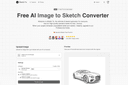
0Sketch To | AI Image to Sketch Converter Instantly convert your photos into art and bring your sketches to life with our powerful, free AI generator. Key Features: 1. Dual AI Power: Transform any photo into a detailed sketch, or reverse the process and turn your drawings into photorealistic images. 2. Always Free Standard Model: Get high-quality artistic conversions perfect for social media, creative projects, and hobbies—completely free, forever. 3. Professional Model Upgrade: Unlock a world-class AI for unparalleled realism and detail, ideal for artists, designers, and commercial work. 4. Simple & Flexible: No software to install and no subscriptions required; use our free tool instantly and purchase credits only when you need the Pro model's power.
- 140
 0
0Pixvify is the top free realistic AI photo generator platform, helping create images, do face swaps, etc. Core Features of Pixvify: 1. AI Photo Generation: Create high-quality, realistic images instantly. Create unique images with advanced AI technology. 2. Face Swapping: Seamlessly swap faces in photos with precision. 3. Image Editing: Powerful tools for enhancing images, including cropping, color adjustments, and adding effects. User cases: Pixvify is built on advanced AI algorithms and powerful computing capabilities to easily and consistently generate high-quality, realistic art. Combined with other free AI tools, it takes your workflow to the next level. 1. Social Media Content: Enhance your posts with unique AI-generated images and fun face swaps. 2. Creative Projects: Save time on image creation for digital art, design, and marketing campaigns.
- 141
 0
0Banana Pro AI is an all-in-one creative engine for marketers, ecommerce teams, agencies, and founders who need high-performing visual content at scale. Generate polished images, ad creatives, product scenes, and campaign videos with consistent style, realistic lighting, and fast prompt iteration. From first concept to final launch asset, Banana Pro AI reduces production friction, shortens review cycles, and helps your team publish better content faster across every channel that drives growth at.
- 142
 0
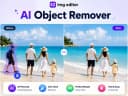
0Easily Remove Unwanted Object in one Click Remove photobombers, clutter, watermarks, or any unwanted distractions from your photos with a simple text prompt. Ez Img Editor intelligently fills the removed area, helping you create cleaner and more professional-looking images in seconds. Turn Causul Photo into Pro Headshot in Seconds Transform everyday selfies into polished professional headshots with AI. Adjust lighting, improve facial details, refine backgrounds, and create studio-quality portraits perfect for LinkedIn, resumes, business profiles, and personal branding. Change backgrounds to create high-quality display images Replace ordinary backgrounds with professional scenes that match your purpose. Whether you're creating product photos, marketing materials, social media content, or portfolio images, Ez Img Editor helps you generate eye-catching visuals.
- 143
 0
0Nano Banana Pro delivers Studio-Quality AI Image Generation with Professional Precision Nano Banana Pro generates professional-grade AI images with studio-quality precision and control. Nano Banana Pro creates clear text overlays, maintains subject consistency across multiple generations, and produces high-resolution designs from 1K to 4K. Nano Banana Pro is perfect for designers, marketers, and content creators who demand professional results. Create studio-quality AI images with Nano Banana Pro's advanced Gemini 3 Pro technology. Generate clear text, maintain subject consistency, and produce professional designs in 1K-4K resolution. Perfect for designers, marketers, and content creators seeking precision AI art generation. Start Creating Now
- 144
 0
0Hey Image is an innovative AI-driven platform that helps you: - Generate AI images from your custom text prompts - Apply stunning AI filters to transform existing photos - Choose from diverse artistic styles and trending effects - Create professional avatars and illustrations with ease AI image generator that creates stunning visuals and applies artistic filters to transform your photos.
- 145
 0
0AI Image Generator - Create Stunning Images with LoRA Models | A Create personalized LoRA AI models for characters, objects, styles, and concepts with advanced training infrastructure. Generate unique images easily. AI Image Generator - Create Stunning Images with LoRA Models | AIPowerful LoRA AI Image Generation Tools Experience the future of digital art creation with our cutting-edge LoRA AI tools. Generate stunning images in seconds with advanced AI technology.
- 146
 0
0Experience Seedream 4.0 AI. Generate, edit and 2K images in under 1 second with perfect preservation and security.Seedream 4.0 Generation & Editing Image Studio. Upload up to 10 images or start from a prompt. Blend, enhance and animate—all powered by Seedream 4.0’s multi-modal model.http://seedream4.me/
- 147
 0
0GPT Imagine is a premium AI image generator powered by GPT Image 2. It offers intuitive Text-to-Image and Image-to-Image capabilities, flexible aspect ratios, and selectable quality tiers. With a built-in Prompt Library, creating professional marketing visuals and social media assets has never been easier.
- 148
 0
0MiFoto is an AI-powered online photo editing platform designed to help users improve, restore, and transform images without requiring professional editing skills or complex software. Instead of relying on traditional photo editing applications with steep learning curves, MiFoto brings a complete collection of AI-driven tools directly into the browser, allowing anyone to enhance photos with just a few clicks. Whether users want to remove backgrounds, sharpen blurry images, restore old family photographs, create professional headshots, generate AI artwork, or produce polished product photos, MiFoto provides a simple and accessible solution that works across multiple devices. The platform is built for beginners, content creators, small business owners, online sellers, photographers, and everyday users who want high-quality results without spending hours learning advanced editing techniques. One of MiFoto's biggest strengths is its comprehensive collection of editing tools. Rather than focusing on a single feature, the platform combines more than fifty AI-powered tools into one unified workspace. Users can remove backgrounds with a single click, erase unwanted objects, enhance image quality, upscale low-resolution photos, unblur soft images, colorize old black-and-white photographs, generate AI avatars, create AI-generated artwork from text prompts, produce professional product photography, swap faces, remove distractions, and retouch portraits. Having all these capabilities available in one browser-based platform eliminates the need to switch between multiple editing applications for different tasks. The platform emphasizes ease of use throughout the editing process. Users simply upload a photo from their computer or mobile device, select the type of enhancement or transformation they want to perform, and allow the AI to process the image automatically. There is no need to create complicated masks, manually select objects, adjust dozens of editing sliders, or understand professional image editing terminology. The artificial intelligence performs the difficult work behind the scenes, allowing users to focus entirely on achieving the final result they want. MiFoto supports a wide variety of photo categories and everyday use cases. Selfies can be transformed into polished professional headshots suitable for resumes, LinkedIn profiles, or business websites. Product photographs can be cleaned up by removing distracting backgrounds and improving lighting, making them ideal for online stores and marketplace listings. Travel photographs can be sharpened, enhanced, and cleaned before sharing with friends or printing as keepsakes. Pet photos, food photography, family portraits, vacation memories, and old historical photographs can all benefit from the platform's AI-powered restoration and enhancement capabilities. One of the platform's most useful features is its background removal technology. With a single click, MiFoto can accurately separate the main subject from the background, creating a clean transparent image or replacing the background entirely. This functionality is particularly valuable for e-commerce sellers, graphic designers, social media creators, and marketers who frequently need clean product images or professional-looking portraits. The AI is designed to preserve fine details such as hair edges while producing natural-looking cutouts without requiring manual refinement. Image restoration is another major focus of the platform. MiFoto helps users recover blurry, faded, or low-quality photographs by applying AI-powered sharpening and enhancement algorithms that improve clarity while maintaining a natural appearance. Older black-and-white family photographs can be automatically colorized, bringing historical memories back to life with realistic colors and improved contrast. Instead of making restored images appear overly processed or artificial, the platform prioritizes preserving the character and authenticity of the original photograph while enhancing overall image quality. Portrait enhancement tools are designed to produce subtle and realistic improvements rather than exaggerated beauty filters. Users can gently retouch skin, improve lighting, remove minor blemishes, and create professional-looking headshots without making faces appear overly smooth or unnatural. This balanced approach makes MiFoto suitable for professional profile pictures, business portraits, social media images, and personal photography where maintaining authenticity is important.
- 149
 0
0MuseAIQ is an AI-powered image library that generates and curates high-quality, royalty-free stock photos and digital art. Our platform gives creators, designers, and marketers instant access to unique visuals that stand out from traditional stock sites. Whether you need images for a website, ad campaign, or creative project, MuseAIQ provides unlimited downloads, fast search, and stunning AI-generated results. All free to use for personal and commercial projects.
- 1500
There's a picture in your mind—maybe it's a 'lonely astronaut at sunset,' or a 'glowing forest'—but your hands just can't keep up with your imagination. Our software is the bridge. You just need to describe your idea in words, and our AI model will turn it into a complete, high-quality piece of art. No brushes, no art skills needed—tear down the wall between your imagination and artistic expression.
Frequently asked questions
Ai Remove Text from Image is a browser-based tool that allows users to erase unwanted text, watermarks, and objects from images without needing Photoshop. It uses AI to rebuild the background naturally after the unwanted elements are removed. This tool is particularly useful for product photos, social media visuals, and more, offering free 720p downloads and original-quality exports for a fee.
Design0 is an AI-powered design tool that transforms text into images and offers smart image editing features. It simplifies complex workflows, making it easier for designers to bring their creative ideas to life with a built-in asset library.
EzMaker AI is an all-in-one generative image studio that streamlines workflows for designers and digital creators. It includes features like turning rough sketches into polished 3D renders, precision background matting, and smart canvas expansion, all within an intuitive interface.
Whisk AI is a free AI image generator that allows users to combine subject, scene, and style inputs to create polished visuals quickly. It supports image-guided creation, making it ideal for concept art, marketing graphics, and social media posts.
PicNow.ai is known as the fastest AI image generator, capable of creating up to four images simultaneously in just one second. This speed allows for real-time iteration and creativity without the long wait times typically associated with image generation.
Mediasaur can generate a variety of high-quality visuals from a single input, including user-generated content, studio product shots, lifestyle scenes, and ad creatives. It is designed to help teams and individuals produce endless variations quickly and efficiently.
AI Mockup Generator is designed specifically for e-commerce, providing a streamlined workspace that replaces chaotic chat interfaces. It allows users to batch-generate product images with studio-quality results, making it easier to manage multiple SKUs and ad creatives.
RoomCreator is an AI-powered platform that transforms photos, sketches, or floor plans into redesigned interiors or exteriors. It helps users visualize changes in their spaces quickly, making design decisions easier and more accessible.
Pictro AI is an all-in-one image editing platform that simplifies workflows by allowing users to remove backgrounds, cut out objects, restore old photos, and enhance image quality. It is designed to be user-friendly and accessible for everyone.
AI Magic Eraser uses advanced deep learning to remove unwanted elements from images by predicting what should naturally exist in that space. It provides a simple interface where users can paint over unwanted objects, and the AI reconstructs the scene seamlessly.