Best AI Tools for Designers
From blank canvas to finished concept, faster.
The best AI tools for designers — generate images, mockups, and variations, remove backgrounds, and speed up the busywork so you can focus on the creative decisions that matter.
- 101
 0
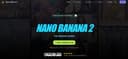
0Nano Banana 2 is presented as a powerful, next-generation AI design agent built to transform the way users create, edit, and enhance images. Designed for both beginners and professionals, the platform offers an intuitive yet highly capable environment where creativity meets advanced artificial intelligence. From the moment users land on the platform, they are invited to start creating for free, making it accessible to anyone curious about AI-powered image editing. With over 10,000 creators already trusting the tool, Nano Banana 2 positions itself as a reliable and forward-thinking solution in the growing world of AI design tools. At its core, Nano Banana 2 is an advanced AI image editing model that builds upon its predecessor with significant improvements in performance and quality. It leverages state-of-the-art machine learning algorithms and deep learning technology to deliver professional-grade results automatically. Whether users are enhancing photos, retouching portraits, or generating entirely new images from text prompts, the platform ensures that outputs are sharp, detailed, and visually compelling. Its intelligent retouching system is particularly notable, as it understands the context of an image and preserves natural details rather than over-processing them. One of the standout aspects of Nano Banana 2 is its ease of use. The workflow is streamlined into four simple steps: uploading an image, choosing an enhancement mode, allowing the AI to process the image, and finally downloading or sharing the result. This simplicity makes it approachable for users with no technical background, while still offering enough customization for those who want more control over their edits. Features like one-click processing and real-time results further enhance the user experience by saving time and effort. The platform also includes a wide range of powerful features that cater to different creative needs. These include smart auto-enhancement, advanced color correction, noise reduction, portrait enhancement, HDR processing, and batch editing capabilities. Together, these tools allow users to handle everything from quick fixes to complex editing tasks efficiently. For example, photographers can process entire shoots in batches, while social media managers can maintain consistency across multiple images with minimal effort. Nano Banana 2 is not just about features—it also emphasizes performance and reliability. With tens of thousands of active users and millions of images already enhanced, the platform demonstrates a high level of user satisfaction. Testimonials from photographers, designers, and content creators highlight how the tool has improved their workflows, reduced editing time, and increased the overall quality of their work. Many users report that it has replaced traditional editing software in their daily routines. In addition to its technical capabilities, Nano Banana 2 supports various image formats such as JPEG, PNG, and WEBP, and allows uploads of up to 30MB. It also offers both free and premium options, giving users flexibility depending on their needs. The free version provides an entry point for experimentation, while the full version unlocks more advanced controls and higher-quality outputs. Overall, Nano Banana 2 stands out as a comprehensive AI-powered image editing solution. By combining cutting-edge technology with a user-friendly interface, it enables creators of all levels to produce professional-quality visuals quickly and efficiently.
- 102
 0
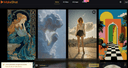
0MakeShot.ai is a unified AI content creation platform where creators and businesses can turn simple text prompts into high-quality videos and images using a suite of advanced models, including Veo 3 for native audio and photorealistic video, Sora 2 for cinematic storytelling, and Nano Banana for hyper-realistic images. The platform supports professional-grade outputs for social media, marketing campaigns, film production, and e-commerce visuals, all within a single interface that streamlines workflows and eliminates the need for multiple tools.
- 103
 0
0GPT Image 2 is an independent AI image generation service delivering 99%+ text rendering accuracy in generated images. Generate photorealistic 2K images in under 10 seconds with no ChatGPT queue. Features native 2K resolution upscalable to 4K, 8 aspect ratios, multi-turn conversational editing, and full commercial usage rights. Ideal for e-commerce product mockups, brand assets, marketing creatives, and developer prototypes. Free 30 credits to start, with Basic, Pro, and Business plans available. 7-day money-back guarantee included.
- 104
 0
0Unpixelate is a free AI tool that turns pixelated, blurry and low-resolution pictures into sharp, high-resolution images. Drop in a JPG, PNG or WebP, pick Standard or HD, and compare the before and after with a slider before downloading. There are no prompts or settings to learn, and results are never watermarked. Standard is free with no account — two runs a day for guests, plus daily free credits once you sign in. HD uses a stronger model tuned for facial detail and fine texture.
- 105
 0
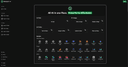
0MixHub AI is an all-in-one creative platform that consolidates the world's leading AI models for chat, image, and video generation into a single account. Users can seamlessly access premium models like GPT-5, Claude, Gemini, Runway, Kling, Sora, Flux, and more for diverse creative needs. The platform offers multi-model video generation with various creation methods including text-to-video, image-to-video, audio-to-video, and style transfer, powerful image creation tools, advanced conversational AI, and professional enhancement features—all through simple text prompts or file uploads. With cloud-based processing, no installation required, mobile-friendly interface, and commercial-use-ready watermark-free outputs, MixHub AI makes professional-grade AI creativity accessible, fast, and affordable for creators, businesses, and AI enthusiasts worldwide.
- 106
 0
0LoRA AI is a creative platform for generating high-quality AI images and cinematic videos using models like Flux and WAN. It allows creators to train custom AI models to replicate unique styles in minutes without needing a GPU or coding skills. Users benefit from professional-grade results with full commercial rights and access to a marketplace for monetization. This tool streamlines the creative process for designers and content creators looking for consistent, high-fidelity AI generation. Whether you are building a brand identity or producing digital art, LoRA AI provides the infrastructure to scale your visual content production efficiently.
- 107
 0
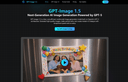
0GPT-Image 1.5 is a cost-efficient AI image generation model powered by GPT-5. Create high-quality visuals, precise edits, and UI designs up to 4× faster. GPT-Image 1.5 is a fast, cost-efficient multimodal image generation model built on OpenAI’s GPT-5 architecture. Generate high-quality images, make precise edits, and create modern UI designs with exceptional speed and accuracy.
- 108
 0
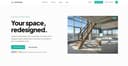
0Archmaster is an AI-powered interior and exterior design platform that enables homeowners, architects, real estate professionals, renters, and designers to instantly transform spaces using artificial intelligence. The platform simplifies the design process by allowing users to upload a photo of a room, building, or architectural concept and receive a professionally rendered redesign within seconds. By eliminating the need for complex design software, CAD programs, or advanced 3D modeling skills, Archmaster makes high-quality architectural visualization accessible to anyone. At the core of the platform is its ability to generate photorealistic redesigns from existing images. Users simply upload a photo, select a preferred design style, and let the AI create a completely reimagined version of the space. Whether someone is planning a home renovation, exploring decorating ideas, preparing a property for sale, or presenting concepts to clients, Archmaster provides a fast and efficient way to visualize possibilities before making real-world decisions. One of the platform’s most attractive features is its collection of 20 design style presets. These styles cover a wide range of aesthetic preferences, including Modern, Scandinavian, Bohemian, Japanese, Mediterranean, Rustic, Minimalist, Vintage, Luxury, Tropical, Coastal, Gothic, Cyberpunk, Medieval, and many others. This variety allows users to experiment with different design directions and compare multiple creative approaches without hiring a professional designer or investing hours into manual design work. Archmaster supports both interior and exterior design transformations. Interior redesign tools can be used for bedrooms, kitchens, bathrooms, living rooms, furniture layouts, and other residential spaces. Exterior redesign capabilities allow users to apply architectural styles and visual improvements to houses, buildings, facades, and commercial properties. This flexibility makes the platform useful for a broad audience, from homeowners planning renovations to real estate agents seeking more attractive property presentations. In addition to redesigning existing spaces, the platform includes a powerful Sketch-to-Image feature. This tool converts rough hand-drawn sketches or conceptual drafts into realistic architectural renderings. Designers and architects can quickly transform early-stage concepts into professional-looking visuals that communicate ideas more effectively to clients and stakeholders. This significantly accelerates the design workflow and reduces the time needed to produce presentation-ready materials. Archmaster also offers advanced AI-powered enhancement tools. The Render Enhancer feature can upscale and sharpen generated images, improving resolution and image quality for presentations, marketing materials, or even print-ready outputs. Users who require higher-quality visuals can refine their AI-generated designs without relying on additional editing software. Another innovative capability is Architecture Video Generation. Instead of working only with static images, users can animate rendered designs and create short walkthrough-style videos. These videos help clients, homeowners, and investors better understand the spatial experience of a design project and provide a more engaging way to present architectural concepts. The platform further includes an Edit & Modify tool powered by AI inpainting technology. This allows users to selectively change specific elements within a generated design rather than recreating the entire scene. Furniture, colors, materials, decorative elements, and architectural details can be modified individually, giving users greater control over the final result while maintaining the speed and convenience of AI generation. Beyond design generation, Archmaster provides several practical tools that support renovation and planning projects. These include a room size calculator, paint calculator, renovation cost estimator, and color palette generator. These utilities help users make more informed decisions regarding budgeting, materials, and project planning while complementing the platform’s visualization capabilities. The platform operates on a simple credit-based pricing model. Users receive credits that can be used for image generation, enhancements, edits, and video creation. This transparent approach allows customers to pay only for the features they use while maintaining flexibility for both casual users and professionals with larger workloads. Overall, Archmaster is a comprehensive AI design platform that combines architectural visualization, interior design, exterior redesign, image enhancement, sketch conversion, video generation, and editing tools into a single user-friendly solution. By making professional-quality design visualization available in just seconds, it empowers users to explore creative possibilities, communicate ideas more effectively, and bring renovation or architectural projects to life with minimal effort.
- 109
 0
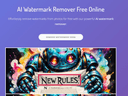
0AI Watermark Remover is a powerful AI tool designed for effortlessly removing watermarks from images and videos in no time, with no need for Photoshop skills. It's especially ideal for creators and professionals who work with images. With its user-friendly interface, AI Watermark Remover simplifies the process, allowing for the seamless removal of not only watermarks but also other unwanted elements such as logos and text overlays. The technology behind this tool uses advanced algorithms to detect and erase watermarks without compromising the original quality of the image or video. This precision ensures that the aesthetics of the visuals are maintained, making this tool ideal for professionals aiming to produce clean and unblemished media for presentations, marketing materials, and online content. Furthermore, the speed of AI Watermark Remover is a significant advantage, providing quick results that help maintain a fluid workflow and boost productivity.
- 110
 0
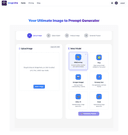
0ImageVibe is a comprehensive AI-powered SaaS platform that revolutionizes creative workflows by offering three powerful tools in one unified solution: Image to Prompt conversion, Text-to-Prompt optimization, and AI Image Description generation. Transform your creative process with cutting-edge AI technology that bridges the gap between visual inspiration, textual descriptions, and professional AI art generation. Core Features: - Image to Prompt Converter Transform any image into detailed, AI-ready prompts with our advanced computer vision technology - Text-to-Prompt Optimizer Transform simple text descriptions into professional-grade AI prompts - AI Image Description Generator Generate detailed textual descriptions from uploaded images
- 111
 0
0Nano Banana Pro is a professional AI-powered image generation platform designed for creators, designers, and developers who demand speed, quality, and consistency in visual production. Powered by Nano Banana 2 and the advanced gemini 3 pro image preview technology, it delivers stunning 4K-ready images with exceptional character consistency across multiple generations, making it ideal for storytelling, branding, and series creation. The platform supports both Text-to-Image and Image-to-Image workflows, allowing users to create visuals from scratch or transform existing photos using intelligent AI prompts and advanced editing tools.
- 112
 0
0Nano Banana 2’s Powerful AI Image Generation Tools Unlock the future of digital art creation with Nano Banana 2’s cutting-edge AI tools. Instantly convert your ideas into stunning images—just describe and let Nano Banana 2 create. Nano Banana 2 AI Image Generator – Create Stunning Images with Nano Banana 2 Pro | AI图片生成器 Nano Banana 2 makes AI image generation easy, fast, and fun.describe your vision and let Nano Banana 2 turn it into reality. Start for free at nanobananaimage.me. https://nanobananaimage.me/
- 113
 0
0Image2 AI is a web application for creating and editing visual content with multiple AI image models from one interface. Users can generate images from text prompts, transform existing images, create product visuals, ad creatives, posters, and brand assets, and refine results through image-to-image workflows. It is designed for creators, marketers, and ecommerce teams that want a simpler way to produce and iterate on visual content online.
- 114
 0
0Flux.2 AI Image Generator - Text to Image, Multi Image Workflows Flux ai image generator powered by Flux.2 delivers text to image, image editing, and multi image workflows in one streamlined studio. Flux.2 understands prompts, merges references, and produces consistent visuals.Create Faster with Flux.2 Flux ai image generator with Flux.2 supports multi image reference, robust text prompts, and rapid iteration AI Image Editor Transform your images with AI-powered editing tools. Enhance, restore, and perfect your photos with advanced algorithms. Try it now Image to Image AI Convert images to stunning variations using AI. Create multiple styles and versions from a single source image. Try it now
- 115
 0
0Inkfox AI is a free, no-sign-up creative workspace that brings the full image-and-video workflow into one place, instead of scattering it across half a dozen separate tools. You can start generating right away in the browser, with free credits and no account required just to see if it works for you. At its core is image generation backed by multiple state-of-the-art models, including Nano Banana 2.0, GPT Image 2.0, Flux, and Seedream, so you can pick the model that best fits a given look rather than being locked to one engine. Beyond text-to-image, Inkfox handles reference-based editing and inpainting (change one part of an image while keeping the rest), turns a still photo into a short animated video, and generates video from a prompt. A growing library of one-click tools sits on top of the engine, so you don't have to write complex prompts for common jobs. These include a full virtual try-on family, sunglasses, glasses, hats, necklaces, earrings, watches, colored contact lenses, and clothing, plus scene presets for headshots, product shots, stylized portraits, and more. Each result is saved to a timeline tied to the prompt that created it, so your work stays organized instead of piling up as unnamed files. Inkfox is built for creators, indie makers, e-commerce sellers, and social media users who want fast, accessible results without a steep learning curve or a paywall up front. The free tier covers real usage; signing in removes the export watermark and unlocks higher-volume generation. Whether you're mocking up a product photo, previewing an accessory before you buy, animating a portrait, or just exploring ideas, Inkfox lowers the barrier from "I have an idea" to "here's the image or video."
- 116
 0
0Floor Plan Maker is an AI-powered platform designed to make space planning, visualization, and interior exploration faster and easier for everyone. Whether you are planning a new home, redesigning a room, testing layout ideas, or simply looking for inspiration, our tools help you bring ideas to life visually—without needing professional design skills. We currently offer three core features: • 2D & 3D Floor Plan Maker – Create floor plans online and instantly visualize layouts in both 2D and 3D. Experiment with room arrangements, furniture placement, and space organization more intuitively. • AI Interior Design – Upload a room photo and explore different interior styles in seconds. Redesign bedrooms, living rooms, kitchens, apartments, and more with AI-generated design ideas. • Floor Plan Rendering – Transform floor plans into realistic visual previews, helping you better understand room flow, structure, and design possibilities before making real changes. Floor Plan Maker is beginner-friendly, free to try, and designed to make home planning simple, fast, and visual.
- 117
 0
0My Room Design is an AI-powered interior design platform that allows users to instantly visualize how their rooms could look in completely different styles. Instead of relying on imagination, expensive interior designers, or complex 3D software, the platform enables anyone to upload a photo of an existing room and generate realistic redesigns within seconds. Whether users are planning a complete renovation or simply looking for inspiration before buying furniture or repainting a wall, My Room Design provides an accessible and user-friendly solution for exploring countless design possibilities. Built for homeowners, renters, decorators, and design enthusiasts alike, the platform makes interior design faster, easier, and significantly more approachable. The platform focuses on simplicity from the very beginning. Users only need to take or upload a clear photo of their room, choose from a wide variety of interior design styles, and let the AI generate a completely transformed version of the same space. Because the redesign is based on the user's actual room rather than a generic template, the results feel much more personal and practical. This allows users to better understand how different furniture arrangements, colors, materials, and decorative elements could work within their existing space before making any real-world investments. One of the strongest aspects of My Room Design is its extensive collection of design styles. Users can experiment with modern, minimalist, Scandinavian, boho, contemporary, rustic, luxury, and many other curated aesthetics in only a few seconds. Instead of committing to a single idea, they can quickly compare multiple versions of the same room side by side, making it much easier to discover which style best matches their personal preferences. This flexibility encourages creativity while eliminating the uncertainty that often comes with traditional home decorating decisions. The platform supports virtually every room in a home. Whether someone wants to redesign a living room, bedroom, kitchen, bathroom, home office, exterior, or another living space, the AI can generate fresh design ideas tailored to that environment. This versatility makes the platform useful for homeowners planning large renovations, renters looking for decorating inspiration, interior designers seeking creative concepts, or anyone interested in refreshing their home without spending hours creating manual designs. Unlike traditional interior design software that often requires technical knowledge, My Room Design is built specifically for everyday users. There is no need to learn complicated modeling tools, create floor plans manually, or understand professional design software. The entire experience is optimized for speed and simplicity, allowing anyone to create impressive visualizations directly from a smartphone or computer. By removing technical barriers, the platform makes professional-looking interior design accessible to users regardless of their experience level. Another valuable feature is the ability to compare before-and-after versions of a room. Seeing the original photograph alongside the AI-generated redesign helps users evaluate potential improvements with greater confidence. This visual comparison is particularly useful when planning renovations, purchasing furniture, selecting paint colors, or discussing ideas with family members, contractors, or interior designers. Rather than explaining ideas verbally, users can share realistic visual concepts that clearly communicate their vision. My Room Design also emphasizes affordability. The platform offers a free starting experience that allows users to upload photos and explore new design concepts without requiring an upfront payment. Instead of paying for expensive consultations or hiring professional designers during the early planning stage, homeowners can experiment freely with multiple ideas until they discover a style they truly enjoy. This approach reduces the financial risk associated with interior decorating while encouraging users to explore creative possibilities before making purchasing decisions. Beyond simple room redesigns, the platform serves as a planning tool for future home improvement projects. Users can visualize renovations before moving furniture, replacing flooring, installing cabinets, or purchasing expensive decorative items. Because the AI works directly with photographs of real spaces, the generated concepts feel more relevant than generic inspiration images found on social media or design magazines. This practical visualization helps users make smarter decisions and avoid costly decorating mistakes.
- 118
 0
0ChatGPT Image 2 is a comprehensive AI-powered creative platform built for image generation, advanced image editing, and video creation. Available through ChatGPT Image 2, the platform positions itself as an all-in-one workspace where creators can transform ideas into professional-quality visuals with remarkable speed and precision. Combining AI image generation, cinematic video workflows, pixel-level editing, and commercial-grade output, ChatGPT Image 2 is designed to support everyone from designers and marketers to filmmakers, content creators, and e-commerce brands. At the center of the platform is its highly flexible AI image generation system. Users can create visuals from text prompts, transform existing images into entirely new styles, or combine multiple visual references into cohesive compositions. The platform supports both text-to-image and image-to-image workflows, giving creators a wide range of creative control. Whether generating photorealistic scenes, stylized artwork, branding materials, or cinematic concept art, ChatGPT Image 2 focuses on delivering polished, production-ready results that feel professional from the start. One of the platform’s standout strengths is its advanced editing capability. Instead of requiring users to regenerate entire images for small changes, ChatGPT Image 2 supports fine-grained, pixel-level editing. This allows creators to modify specific elements while preserving lighting, textures, shadows, and overall visual consistency. Features such as smart scene replacement, object editing, outpainting, text replacement, anime conversion, and damaged photo restoration provide users with an extremely versatile editing environment. These workflows make it possible to refine visuals quickly while maintaining high-quality realism and design coherence. The platform also places significant emphasis on text rendering quality, an area where many AI image tools struggle. ChatGPT Image 2 is specifically optimized for clean typography, accurate punctuation, multilingual layouts, and readable design integration. This makes it especially useful for marketing materials, product packaging, user interface concepts, posters, advertisements, and other commercial projects where text clarity is essential. Combined with native 4K image generation, the platform produces outputs that are suitable for professional publishing and brand use without requiring extensive post-processing. Beyond image creation, ChatGPT Image 2 includes AI-powered video generation tools that expand the creative workflow into motion design and cinematic storytelling. Users can transform images into animated sequences, generate videos directly from prompts, and create dynamic visual content with smooth transitions and scene consistency. These features make the platform valuable not only for static graphics but also for social media content, promotional campaigns, storyboards, and creative presentations. Another major strength of the platform is its accessibility. Despite offering professional-grade capabilities, ChatGPT Image 2 is designed with a streamlined and intuitive interface that lowers the barrier to entry. Users can upload images, describe their desired outcome through prompts, and generate results within seconds. This simplicity allows both beginners and professionals to experiment rapidly and iterate creatively without needing advanced technical skills. The platform also highlights multiple AI models optimized for different creative needs, including tools specialized in stylized artistic output, OCR-level text precision, scene-aware editing, and cinematic visual generation. By offering different model options, ChatGPT Image 2 provides flexibility for a wide variety of workflows and artistic directions. Overall, ChatGPT Image 2 represents a modern AI creative studio that combines image generation, image editing, video creation, and commercial design workflows into one unified platform. It empowers creators to move from concept to final production faster than traditional design pipelines while maintaining high visual quality and creative flexibility. With its combination of precision editing, realistic rendering, multilingual text support, and cinematic generation tools, the platform serves as a powerful solution for anyone looking to produce professional-grade visual content efficiently and creatively.
- 119
 0
0Qwen Image - Advanced AI Photo Generator Create stunning visuals with Qwen Image, the most advanced AI photo generator powered by cutting-edge Qwen models.Transform text into beautiful images, photos, and artwork in seconds. Create stunning Polaroid-style photos with our free AI Polaroid generator. Add vintage frames, film grain & nostalgic charm to any image. 100% free, no login, no watermark. Join the viral Polaroid AI trend - upload & transform photos in 3 seconds!
- 120
 0
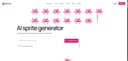
0Sprite AI is a modern, AI-powered platform designed to help creators generate high-quality pixel art sprites for games in just seconds. It removes one of the biggest barriers in game development: the need for artistic skill. With this tool, anyone—from beginners to experienced developers—can transform simple ideas into fully usable, game-ready assets. Instead of spending hours drawing and refining pixel art manually, users only need to describe what they imagine, and the system instantly generates a sprite that matches their vision. At the core of Sprite AI is its simple but powerful workflow. Users start by typing a description, such as a treasure chest filled with gold coins or a fire-breathing dragon. The AI interprets this input and produces a detailed pixel art sprite almost instantly. This “describe it and get it” approach makes the creative process fast, intuitive, and accessible. It allows developers to focus more on gameplay and storytelling rather than spending excessive time on asset creation. Beyond generation, Sprite AI also gives users the ability to customize their sprites. After creating an image, users can tweak colors, refine details, and adjust elements to better match their style or project requirements. These editing tools are designed to feel simple yet powerful, enabling creators to add a personal touch without needing advanced design knowledge. The result is a balance between automation and creative control. Another key advantage of Sprite AI is its seamless integration into game development workflows. Once a sprite is ready, it can be downloaded in multiple sizes and formats, making it compatible with popular game engines like Unity, Godot, and GameMaker. This ensures that assets can be immediately used in real projects without additional conversion or optimization. The platform is built to deliver not just images, but production-ready assets that fit directly into a developer’s pipeline. The platform also features a gallery that showcases a wide variety of generated sprites. These include characters like knights, ninjas, and skeletons, as well as objects such as weapons, magical items, and icons. This gallery serves as both inspiration and proof of what the tool can achieve, demonstrating the diversity and quality of results possible with just a short text prompt. Sprite AI offers flexible pricing plans to suit different types of users. From hobbyists working on small projects to indie developers and professional teams, each plan provides a specific number of sprites per month along with features like private generations, priority processing, and multiple file formats. The platform also emphasizes user-friendly policies such as the ability to cancel anytime and a refund guarantee if the generated assets are not satisfactory. Overall, Sprite AI represents a significant step forward in game asset creation. It combines speed, accessibility, and quality into a single tool, empowering creators to bring their ideas to life without technical or artistic limitations.
- 121
 0
0GPT Image is an AI image generation platform powered by OpenAI's GPT-4o architecture, designed to create photorealistic visuals with accurate text rendering. It helps marketers and designers produce professional assets, product renders, and infographics while maintaining visual consistency across multiple edits. Key features include multi-turn editing and high-resolution output up to 4K, making it an essential tool for high-quality graphic design and marketing automation.
- 122
 0
0ByteDance’s Seedream 5.0 redefines AI image creation with an integrated text-to-image and editing workflow. It supports up to 10 reference images for consistent style, delivers native 4K resolution, and fixes blurry AI text with high accuracy. Fast, precise, and built for professionals, it helps developers, designers and marketers create visual content efficiently.
- 123
 0
0GPT Image 2 is a powerful AI image generation model that quickly creates high-definition, realistic visuals from text prompts. It supports native 4K resolution with rich details and sharp edges, and accurately renders text in multiple languages without garbling or misalignment. The model excels in lighting logic, material performance and character consistency, making it ideal for posters, product displays, IP creation and UI design. It also offers image-to-image, local editing and style locking features. Fast and easy to use, it requires no professional skills and lowers the creative barrier for designers, creators, marketers and general users.
- 124
 0
0GPT Image 2 Free AI Image Generator & Editor GPT Image 2 - Next Generation AI Image Creation GPT Image 2 turns your ideas into sharp, cinematic visuals in seconds. Generate, edit and upscale AI images in the browser with no login, no watermarks and no limits. Production-ready posters with readable text
- 125
 0
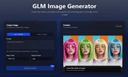
0GLM Image is an AI image generation model based on a hybrid autoregressive + diffusion architecture. The system first interprets and encodes your prompt’s semantic structure using a large autoregressive module and then decodes that into detailed graphics using a diffusion decoder. This hybrid design allows the model to better understand complex instructions, maintain semantic consistency across compositions, and render clear, readable text inside generated images — a challenge for many traditional AI image generators. Unlike many image generators that focus mainly on style or visuals alone, GLM Image pays special attention to text placement, layout accuracy, and conceptual meaning. This makes it a strong choice when you’re creating visual materials that must communicate ideas, not just look attractive — for example: Educational Posters & Slides with clear headlines and labeled diagrams Infographics that visually explain steps or relationships Marketing Graphics with readable slogans or technical information Product Feature Illustrations where text and design must align precisely Key Features 🌟 Readable Text in AI Images — GLM Image excels at producing visuals with crisp, legible text embedded directly in the graphics, avoiding the garbled or unreadable text artifacts typical in many generative models. 🧠 Knowledge-Dense Visual Understanding — The model interprets prompts semantically, enabling it to visualize complex ideas or structured layouts with correct meaning. 🎨 High-Quality Detail — Diffusion decoding yields polished, professional visuals with well-defined textures, balanced lighting, and visually satisfying compositions. ✏️ Image Editing & Consistency — GLM Image supports image-to-image tasks such as editing existing images, applying style transfers, preserving character or object identity, and maintaining consistency across multiple subjects. 📊 Flexible Usage Scenarios — The tool is suited for creative professionals, marketers, educators, and anyone needing reliable image generation with embedded information, not just creative art. How It Works The user typically enters a prompt — describing the desired image in natural language — and optionally uploads reference images to guide style or detail. GLM Image then processes this input through its semantic understanding layer, generates a structured representation, and renders the final image with both text and visuals accurately aligned to your intent. Outputs are high resolution and optimized for digital or print uses. Usage & Pricing GLM Image offers free trials for new users, and paid plans are based on credit bundles that allow a certain number of image generations. Credits never expire, and paid tiers include commercial licensing and priority support. Why Choose GLM Image? GLM Image positions itself as a practical tool for real-world visual communication rather than purely an artistic experiment. Its focus on readable text, semantic accuracy, and flexible editing makes it particularly valuable for professional design workflows, educational materials, and marketing applications where clarity and meaning are essential.
Frequently asked questions
Ai Remove Text from Image is a browser-based tool that allows users to erase unwanted text, watermarks, and objects from images without needing Photoshop. It uses AI to rebuild the background naturally after the unwanted elements are removed. This tool is particularly useful for product photos, social media visuals, and more, offering free 720p downloads and original-quality exports for a fee.
Design0 is an AI-powered design tool that transforms text into images and offers smart image editing features. It simplifies complex workflows, making it easier for designers to bring their creative ideas to life with a built-in asset library.
EzMaker AI is an all-in-one generative image studio that streamlines workflows for designers and digital creators. It includes features like turning rough sketches into polished 3D renders, precision background matting, and smart canvas expansion, all within an intuitive interface.
Whisk AI is a free AI image generator that allows users to combine subject, scene, and style inputs to create polished visuals quickly. It supports image-guided creation, making it ideal for concept art, marketing graphics, and social media posts.
PicNow.ai is known as the fastest AI image generator, capable of creating up to four images simultaneously in just one second. This speed allows for real-time iteration and creativity without the long wait times typically associated with image generation.
Mediasaur can generate a variety of high-quality visuals from a single input, including user-generated content, studio product shots, lifestyle scenes, and ad creatives. It is designed to help teams and individuals produce endless variations quickly and efficiently.
AI Mockup Generator is designed specifically for e-commerce, providing a streamlined workspace that replaces chaotic chat interfaces. It allows users to batch-generate product images with studio-quality results, making it easier to manage multiple SKUs and ad creatives.
RoomCreator is an AI-powered platform that transforms photos, sketches, or floor plans into redesigned interiors or exteriors. It helps users visualize changes in their spaces quickly, making design decisions easier and more accessible.
Pictro AI is an all-in-one image editing platform that simplifies workflows by allowing users to remove backgrounds, cut out objects, restore old photos, and enhance image quality. It is designed to be user-friendly and accessible for everyone.
AI Magic Eraser uses advanced deep learning to remove unwanted elements from images by predicting what should naturally exist in that space. It provides a simple interface where users can paint over unwanted objects, and the AI reconstructs the scene seamlessly.