Best Freemium Software
Free to start, premium when you're ready — try before you commit.
Software with freemium pricing: a free tier that costs nothing to use, plus paid plans that unlock advanced features. Use the free version indefinitely, and upgrade only if you outgrow it.
- 276
 0
0Hardzly is a modern cloud-based hardware store management platform designed to simplify and streamline the daily operations of hardware businesses. Managing a hardware store involves much more than selling products. Business owners must track inventory, manage suppliers, process customer orders, monitor sales performance, and maintain accurate financial records. Hardzly brings all these essential functions together in a single platform, helping hardware retailers operate more efficiently and profitably. One of the most important features of Hardzly is its advanced inventory management system. Hardware stores typically handle a large variety of products, including construction materials, electrical supplies, plumbing equipment, hand tools, power tools, and safety gear. Keeping track of these items manually can be time-consuming and prone to errors. Hardzly enables businesses to monitor stock levels in real time, ensuring that products are always available when customers need them. The system can help prevent stock shortages and overstock situations, allowing store owners to make smarter purchasing decisions. Hardzly also offers a powerful sales management solution. Every transaction is automatically recorded, providing accurate and up-to-date sales data. Business owners can easily generate sales reports, track revenue, identify top-selling products, and analyze customer purchasing trends. These insights help businesses make informed decisions that improve profitability and overall performance. With access to real-time sales information, managers can quickly respond to market demands and adjust their strategies accordingly.
- 277
 0
0Meme Library is a lightweight and privacy-focused application designed specifically for people who save large numbers of memes, reaction images, screenshots, and internet content. Instead of letting memes disappear into an overcrowded camera roll or endless folders, the app provides a dedicated space where users can organize, search, store, and quickly retrieve their favorite content whenever they need it. The platform focuses on solving a surprisingly common problem: finding the right meme at the exact moment you want to share it. One of the app’s most powerful features is its ability to search for text directly inside images. Using automatic text recognition technology, Meme Library scans imported memes and extracts visible text from screenshots, captions, reaction images, and other visual content. This means users can simply type a phrase they remember from a meme and instantly locate it, even if they saved it months ago. The feature eliminates the need for manual tagging or complicated folder systems, making meme retrieval significantly faster and more efficient. The app is designed to work seamlessly with content from multiple platforms. Users can save memes directly from social media apps, web browsers, image galleries, Reddit posts, Instagram content, screenshots, and mobile share sheets. Instead of spreading content across different apps and folders, everything can be stored in a centralized meme collection that remains easy to browse and search. Another important feature is backup and restore functionality. Meme collections often represent years of saved internet culture, reaction images, jokes, and personal favorites. Meme Library helps protect that collection by allowing users to create backups and restore their content when switching devices or recovering from data loss. This ensures that valuable meme archives are not permanently lost due to phone upgrades, accidental deletions, or hardware failures. Privacy is a major focus of the platform. Unlike many social media-driven applications, Meme Library is built around personal storage rather than public sharing. Users are not required to participate in social feeds, public profiles, or engagement systems. The app emphasizes local storage and personal ownership, allowing users to manage their collections without unnecessary tracking, forced sharing, or intrusive social features. According to the platform, memes remain on the user’s device, helping maintain control over personal content and browsing habits. The application also prioritizes speed and simplicity. Its design philosophy centers around providing a clean, focused experience without unnecessary complexity. There are no distracting advertisements, bloated interfaces, or excessive features unrelated to meme organization. Instead, the app concentrates on helping users save content quickly, search efficiently, and share memes whenever needed. This streamlined approach makes it particularly attractive to users who regularly collect internet content and want a dedicated tool built specifically for that purpose. Recent updates have expanded functionality with features such as tagging systems, improved tutorials, clipboard support, Reddit sharing integrations, bug fixes, and enhanced import capabilities. These improvements continue to refine the user experience while maintaining the app’s core goal of making meme management effortless. Overall, Meme Library serves as a dedicated digital vault for meme enthusiasts, content collectors, and internet users who want a smarter way to organize their growing collections. By combining text recognition, fast search capabilities, secure backups, privacy-focused storage, and cross-platform saving tools, the app transforms chaotic meme archives into a searchable and organized personal library that is always ready when the perfect reaction image is needed.
- 278
 0
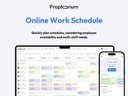
0Proplanum is an all-in-one platform for work scheduling, time tracking and team management designed for businesses. It replaces spreadsheets and paper requests with one system that automates repetitive tasks, improves internal communication and gives managers full real-time visibility of who is working, where and when. Using the web app, mobile app, kiosk or QR codes you can plan shifts, register working time, handle leave and availability requests and export accurate data for payroll. AI automatically generates optimal shift plans based on demand – for example expected sales or number of customers per hour – so you always have the right people at the right time while controlling labour costs. Built for flexibility, speed, transparency and security, Proplanum helps companies react quickly to changes, reduce errors and focus on strategic growth instead of manual admin. Start with a 21-day free trial, no credit card required.
- 279
 0
0CustomJS is a platform for modern automation workflows. It allows you to generate PDFs from HTML templates, merge documents, capture high-resolution screenshots, host HTML pages and forms, and process incoming emails via Mailhooks. With CustomJS, collected form data or incoming emails can trigger workflows directly in n8n or Make, making automations seamless and efficient. The built-in form builder simplifies data collection, while Mailhooks enable processing of email content and attachments without extra infrastructure. The platform also provides lightweight static hosting for landing pages, dashboards, or AI-generated HTML tools. Combined with automated document generation and screenshot capabilities, CustomJS streamlines reporting, invoicing, dashboards, and other workflow-heavy tasks. Whether you need PDFs, email processing, dynamic forms, or automated screenshots, CustomJS extends your workflow platforms with powerful, ready-to-use capabilities.
- 280
 0
0Traditional AI code review tools use one generic model for everything and flood your PRs with noise. diffray takes a different approach: 30+ specialized agents, each focused on one thing (security, performance, bugs, best practices, SEO, and more). The result? 87% fewer false positives and 3x more real issues caught. Teams report cutting PR review time from 45 minutes to 12 minutes per week. Key features: * Multi-agent architecture: each agent is an expert in its domain * Codebase-aware: understands your repo context, not just the diff * Clean comments: no emoji spam, just actionable feedback * Works with GitHub; easy setup in minutes Free for open source. 14-day free trial for private repos.
- 281
 0
0Nano Banana 2 is presented as a powerful, next-generation AI design agent built to transform the way users create, edit, and enhance images. Designed for both beginners and professionals, the platform offers an intuitive yet highly capable environment where creativity meets advanced artificial intelligence. From the moment users land on the platform, they are invited to start creating for free, making it accessible to anyone curious about AI-powered image editing. With over 10,000 creators already trusting the tool, Nano Banana 2 positions itself as a reliable and forward-thinking solution in the growing world of AI design tools. At its core, Nano Banana 2 is an advanced AI image editing model that builds upon its predecessor with significant improvements in performance and quality. It leverages state-of-the-art machine learning algorithms and deep learning technology to deliver professional-grade results automatically. Whether users are enhancing photos, retouching portraits, or generating entirely new images from text prompts, the platform ensures that outputs are sharp, detailed, and visually compelling. Its intelligent retouching system is particularly notable, as it understands the context of an image and preserves natural details rather than over-processing them. One of the standout aspects of Nano Banana 2 is its ease of use. The workflow is streamlined into four simple steps: uploading an image, choosing an enhancement mode, allowing the AI to process the image, and finally downloading or sharing the result. This simplicity makes it approachable for users with no technical background, while still offering enough customization for those who want more control over their edits. Features like one-click processing and real-time results further enhance the user experience by saving time and effort. The platform also includes a wide range of powerful features that cater to different creative needs. These include smart auto-enhancement, advanced color correction, noise reduction, portrait enhancement, HDR processing, and batch editing capabilities. Together, these tools allow users to handle everything from quick fixes to complex editing tasks efficiently. For example, photographers can process entire shoots in batches, while social media managers can maintain consistency across multiple images with minimal effort. Nano Banana 2 is not just about features—it also emphasizes performance and reliability. With tens of thousands of active users and millions of images already enhanced, the platform demonstrates a high level of user satisfaction. Testimonials from photographers, designers, and content creators highlight how the tool has improved their workflows, reduced editing time, and increased the overall quality of their work. Many users report that it has replaced traditional editing software in their daily routines. In addition to its technical capabilities, Nano Banana 2 supports various image formats such as JPEG, PNG, and WEBP, and allows uploads of up to 30MB. It also offers both free and premium options, giving users flexibility depending on their needs. The free version provides an entry point for experimentation, while the full version unlocks more advanced controls and higher-quality outputs. Overall, Nano Banana 2 stands out as a comprehensive AI-powered image editing solution. By combining cutting-edge technology with a user-friendly interface, it enables creators of all levels to produce professional-quality visuals quickly and efficiently.
- 282
 0
0LinkPilot — The AI Agent That Runs Your LinkedIn Like a Growth Machine Growing on LinkedIn is exhausting. You're staring at a blank screen every morning, posting inconsistently, watching competitors grow, and spending hours on posts that flop. LinkPilot fixes all of that. Unlike simple AI writing tools, LinkPilot is a complete LinkedIn growth system. Five specialized AI agents work together to handle research, strategy, content creation, scheduling, and analytics — so you can go from zero ideas to a full month of strategic content in minutes. How it works: The Research Agent monitors viral posts and tracks competitors to find what's working in your industry. The Strategy Agent builds a content plan aligned to your goal — whether that's growing followers, generating leads, or building authority. The Creation Agent generates posts, hooks, carousels, and images that actually sound like you (not generic AI), with 3 tone variants per generation. The Scheduling Agent publishes at data-backed optimal times and handles recurring content automatically. The Analytics Agent tracks performance, scores your profile health, and delivers weekly AI insights on what to improve. Key Features: - AI Content Generation — Posts, hooks, carousels, video scripts, and AI images. Multiple formats with industry-specific optimization and 3 tone variants per generation. - 30-Day Content Planner — Generate a full month of strategic, goal-aligned content in one click. Includes carousel and image posts, diverse hooks, and authentic human-sounding copy. - Viral Post Analysis — Reverse-engineer why posts went viral. Detect hook patterns, content structures (PAS, AIDA), and extract reusable frameworks. - Smart Scheduling — AI-optimized posting times, visual calendar, recurring posts, and direct LinkedIn publishing via OAuth. - Competitor Intelligence — Track competitor content, find topic gaps, compare content themes, and discover whitespace opportunities. - Analytics Dashboard — Post performance tracking, profile health scores, engagement trends, and weekly AI-powered improvement suggestions. - Free LinkedIn Tools — Carousel generator, best time to post calculator, and headline generator — no signup required. Who it's for: - Founders building personal brands on LinkedIn - B2B consultants and coaches who rely on LinkedIn for leads - LinkedIn ghostwriters managing multiple client accounts - Marketing teams needing coordinated content strategy Pricing: Free plan with 10 credits/month (no credit card required). Starter at $29/month with 100 credits and full features. Pro at $79/month with 300 credits, team collaboration, and API access. Results: 500+ active users, 10,000+ posts generated, 3x average engagement lift, 85% time saved.
- 283
 0
0Converge AI – Connected AI Products in One Shared Context
software development platform·collaboration platformConverge AI is an AI-native workspace designed to help individuals, teams, and organizations integrate artificial intelligence into their everyday workflows. The platform brings together multiple AI capabilities, including intelligent agents, software development support, creative production, automation, and interactive experience creation, within a connected environment. As AI adoption continues to expand, many users face the challenge of managing multiple separate tools that do not share information or maintain context between workflows. Converge AI addresses this challenge by creating an ecosystem where different AI capabilities can collaborate, allowing users to work more efficiently without constantly switching between disconnected platforms. The platform is built for founders, entrepreneurs, developers, creators, marketers, and businesses looking to use AI beyond simple assistance. Converge AI supports users throughout the digital creation process — from generating ideas and planning projects to building software, creating content, automating tasks, and developing new digital experiences. Through its ecosystem of specialized intelligence layers, Converge AI enables a more collaborative approach between humans and AI. The goal is to make AI more practical, accessible, and integrated into the way modern teams build, create, and operate. Enter Pro, the Builder Intelligence. Enter Pro is the Builder Intelligence layer of the Converge AI ecosystem. It enables teams to move from idea to production-ready software through a unified workflow spanning planning, development, testing, and deployment. With built-in infrastructure, local and cloud development environments, and AI-native collaboration, Enter Pro helps organizations build and ship software at startup speed and enterprise quality. Framia Pro, the Creative Intelligence. Framia Pro is the Creative Intelligence layer of the ecosystem. Designed for marketers, creators, and growth teams, it transforms ideas into publish-ready content through specialized creative workflows. From strategy and scripting to design, video production, and brand asset generation, Framia Pro helps organizations scale creative output while maintaining consistency across channels. Combos Fun, the Interactive Intelligence. Combos is the Interactive Intelligence layer of the Converge AI ecosystem. It transforms ideas into playable experiences through AI-native game creation workflows. From concept exploration and gameplay design to asset generation, deployment, and iteration, Combos enables creators and teams to rapidly build, test, and publish interactive products without traditional game development barriers.
- 284
 0
0Stunning.so is an AI-powered platform that enables users to quickly build full-stack web applications. By simply chatting with AI, you can create a wide range of websites, from coffee shop sites to task managers, sales dashboards, and more. The platform integrates a powerful set of tools, including the latest coding LLMs, and features real-time support for RTL (right-to-left) languages. Stunning also showcases real websites built by its community, offering inspiration for projects like an indoor playground in Singapore, a beauty service website, and a Spotify clone UI. Whether you’re a developer or a business owner, Stunning makes it easier to turn your ideas into fully functional websites 10x faster with the help of artificial intelligence.
- 285
 0
0Vibe Coded is a marketplace for discovering, buying, and selling AI assisted (“vibe coded”) software projects including apps, games, websites, and digital tools that are ready to customize and deploy. Vibe Coded Key Features: 1. Discover ready made vibe coded apps and games Browse a curated marketplace of AI assisted software projects, including apps, games, and web products, created using modern vibe coding tools. 2. Buy and sell software projects in one marketplace Sellers can list their projects for sale, while buyers can purchase complete codebases to customize, extend, or launch. 3. Access AI assisted code built from natural language vibe coding tools Projects are created using vibe coding tools, leveraging AI and prompt driven development to accelerate software creation. 4. Customize and deploy faster than building from scratch Start with an existing project to save time on setup, structure, and boilerplate, and adapt it to your specific needs.
- 286
 0
0## Overview Text To Any is a multimodal AI generation platform that converts a single text prompt into images, videos, voices, music and other multimedia outputs. It combines state-of-the-art AI models, fast inference, and a simple UI to let creators, marketers, educators and businesses produce high-quality content at scale. ## Key technical features - Multimodal generation: images, text, video, audio/voice synthesis and music from one prompt. - Fast inference: platform lists a ~15s average generation time for common outputs, with optimized pipelines for low latency. - Batch generation: create multiple variations in parallel to accelerate content production. - Advanced customization: control style, quality, duration and other parameters to fine-tune results. - API integration: REST/HTTP API to automate generation workflows and integrate into existing applications. - Cloud storage & management: generated assets are saved to user accounts for download and reuse. - Commercial licensing: Pro plan provides full commercial rights for generated assets. - Security & payments: industry-standard encryption for data storage and Stripe-powered billing. ## Practical use cases - Marketing teams: rapid production of campaign imagery, short videos and ad creatives. - Content creators: generate thumbnails, social clips, voices and soundtrack loops quickly. - Educators: produce teaching visuals, audio narrations and illustrative videos for lessons. - Video producers & podcasters: draft storyboards, convert images to animated clips, and generate background music or voiceovers. - Entrepreneurs & designers: create commercial design assets, prototypes and pitch visuals without large production budgets. ## Unique selling points - Unified workflow for text-to-anything: one prompt, many modalities. - Professional-grade outputs with options for customization and batch exports. - API-first design to support automation and integration in production systems. - Clear commercial licensing and subscription tiers tailored for different usage levels. ## Platform signals - Public statistics shown: 10K+ active users, 500K+ total content generated, 15s average generation time. ## Recommended audience Product teams, marketing teams, independent creators, educators, and developers who need fast, automated multimodal content generation with commercial usage rights.
- 287
 0
0Shosay is an AI-powered free tool to collect, manage, and share testimonials, recommendations, and references. SHO what people SAY about you. Key Features - Social Proof Collection: Automate testimonial, recommendation, and reference collection. Use AI to prompt the right questions. - Modern Social Proof: Collect video and audio powered by AI. Not just text. - Social Proof Management: Instantly import all your social proof from over 30 platforms - Wall of Love: Create beautiful widgets to embed in your websites with all your social proof - Smart Curation: Segment relevant social proof to the target audience. AI enhanced analytics to push the right message to your target audience. - Enhanced Sharing: Create images and videos. Benefits - One Place: All the good things people say about you in one place - Trust: Social Proof is the cornerstone of trust. - Your Praise, Everywhere: Easily collect and display testimonials and recommendations on your website from anywhere. - Confidence: Build confidence in yourself knowing you're building the right things. Let your happy customers do the talking. Use Case Shosay helps you to build trust by automatically collecting and showcasing your user testimonials. Here are few examples: Example 1: Someone likes the project you worked on and they tell you on Twitter/X. Import it into Shosay so you can keep it forever. Create a widget so you let your customers do the marketing for you. Example 2: Your ex-boss at work gave you a *video* reference for your future job. Save it in Shosay so all your references are in one place. Instantly your CV stands out. Example 3: You made some badass cookies 🍪. Get a recommendation from everyone who ate your badass cookies so you remember this epic moment forever.
- 288
 0
0ReflectMind - AI-Powered Presentation & Visual Content Platform
visual content platform·content creation toolReflectMind is an AI-powered platform that enables anyone to create stunning presentations, stories, and visual content in minutes—no design skills required. Designed for educators, founders, marketers, sales teams, consultants, and content creators, it transforms simple ideas into professional-grade materials with lightning speed. With features like real-time collaboration, interactive elements, centralized brand consistency, and multi-format exporting, ReflectMind streamlines the entire creation workflow. Whether you’re building pitch decks, social media carousels, or engaging lesson materials, ReflectMind makes visual communication effortless, customizable, and 10x faster.
- 289
 0
0Imejis.io is an automated image generation and bulk image creation platform built for marketers, creators, startups, and SaaS teams who need to produce social media images quickly and at scale. Imejis.io allows users to create once and generate unlimited images using prebuilt templates, dynamic content, and image automation workflows. Users can fully customize designs by changing colors, text, layouts, and presets to maintain consistent branding across all visuals. The platform includes a powerful visual editor with built-in components such as text, rectangles, circles, lines, and QR codes, making it easy to design dynamic image layouts. Imejis.io also offers in-editor image search via Unsplash, an icon library, and prebuilt text presets for faster and more efficient design creation. Imejis.io supports public template links, enabling anyone to generate images from shared templates without creating an account. This makes it ideal for teams, agencies, and creators who want to share reusable templates or allow fast image generation for their audience.
- 290
 0
0VocalMask is a powerful all-in-one AI voice platform designed to transform how users create, modify, and enhance audio content. By combining advanced voice cloning, a large library of persona voices, and audio cleaning tools, it offers a complete solution for anyone working with voice—whether for content creation, marketing, storytelling, or professional production. The platform is built to be fast, accessible, and highly effective, allowing users to generate high-quality audio with minimal effort and technical knowledge. One of the most impressive features of VocalMask is its voice cloning capability. With as little as 10 seconds of audio, users can create a highly realistic digital replica of a voice. This cloned voice can then be used to generate speech that maintains the tone, pace, and personality of the original speaker. The system allows for fine-tuning, giving users control over expression and delivery, which is especially useful for narration, advertisements, and personalized content. This level of precision makes the tool both practical and versatile across different use cases. In addition to cloning voices, VocalMask provides access to an extensive library of over 135 persona voices. These voices are carefully curated to represent a wide range of speaking styles, accents, and tones. Users can simply choose a persona, input a script, and instantly generate a natural-sounding voiceover. This feature is ideal for creators who need consistent and professional audio without recording their own voice. It also enables experimentation, allowing users to test different tones and styles to find the best fit for their projects. Another key component of VocalMask is its De-Noise feature, which focuses on improving audio quality. Background noise, hum, and other unwanted sounds can be removed quickly, resulting in clear and polished recordings. This tool is particularly valuable for podcasters, video creators, and professionals who rely on clean audio but may not have access to studio environments. By simplifying the audio enhancement process, VocalMask ensures that users can achieve high-quality results without complex editing software. The platform is designed with simplicity and efficiency in mind. Its workflow is straightforward: users choose a tool, upload audio or write a script, and generate the final result within seconds. This streamlined process eliminates technical barriers and makes advanced voice technology accessible to a broader audience. Whether someone is a beginner or an experienced creator, the interface allows them to produce professional-grade audio quickly and easily. User feedback highlights the platform’s effectiveness and reliability. Many users praise the natural quality of the voice cloning, the convenience of persona voices, and the speed of the generation process. The ability to maintain progress even during interruptions, such as refreshing the page, reflects a thoughtful and polished user experience that prioritizes convenience. Overall, VocalMask represents a significant step forward in AI-driven audio creation. By integrating voice cloning, voice generation, and audio enhancement into a single platform, it empowers users to create high-quality voice content at scale. It is not just a tool, but a complete ecosystem for anyone looking to explore the future of voice technology in a simple and efficient way.
- 291
 0
0Flux 2 Klein Generator is a state-of-the-art AI image creation platform powered by Black Forest Labs' latest FLUX.2 Klein model series. Designed for both creative professionals and enthusiasts, it offers a seamless dual-model experience: utilize the 'Klein Fast' (4b) model for lightning-quick iterations, or the 'Klein Pro' (9b-base) for high-fidelity, detail-rich masterpieces. Built on a robust Next.js 15 architecture, the platform features a streamlined interface supporting both Text-to-Image and Image-to-Image workflows. Users can fine-tune their creations with customizable aspect ratios, output formats, and real-time previews. Whether you are prototyping concepts or finalizing digital art, Flux 2 Klein delivers the perfect balance of speed and quality.
- 292
 0
0SubSignal is an AI-powered Reddit monitoring and lead generation platform designed to help startups, SaaS companies, marketers, and founders turn Reddit conversations into paying customers. The platform continuously scans Reddit for relevant discussions, identifies high-intent buying signals, monitors brand mentions, and helps businesses engage with potential customers before competitors do. Built specifically for Reddit marketing and customer acquisition, SubSignal solves one of the biggest challenges brands face on Reddit: finding the right conversations without wasting hours manually searching through subreddits. Reddit contains millions of authentic discussions where users openly ask for product recommendations, compare tools, complain about competitors, and discuss real pain points. SubSignal transforms those conversations into actionable sales opportunities through AI-powered monitoring and filtering. The platform works by analyzing a company’s website to understand its product, target audience, and ideal customer profile. Once connected, SubSignal automatically generates relevant keywords and begins monitoring Reddit 24/7 across thousands of communities. Its AI system then scores posts based on relevance and buying intent, helping users focus only on the highest-value opportunities. One of the platform’s core features is the Sales Lead Finder, which identifies Reddit posts where users are actively searching for solutions similar to the customer’s product. Instead of manually searching for leads, users receive curated opportunities directly in their dashboard or inbox. Posts are categorized by intent, such as buying, comparing, or researching, allowing businesses to prioritize the most conversion-ready conversations. SubSignal also includes powerful brand monitoring tools that track mentions of a company, its products, or competitors across Reddit in real time. Businesses can instantly detect positive feedback, customer complaints, competitor discussions, or emerging trends before they spread. The system includes sentiment analysis to determine whether conversations are positive, negative, or neutral, helping brands manage reputation and respond strategically. Another standout feature is the deep Reddit user profiler. Before engaging with a Reddit user, businesses can scan the account to evaluate credibility, posting patterns, product mentions, AI-generated content probability, and possible shill behavior. This helps teams avoid interacting with bots, fake reviews, spam accounts, or coordinated marketing campaigns disguised as authentic users. SubSignal also focuses heavily on authenticity, which is essential for Reddit marketing success. Reddit users are highly sensitive to spam and aggressive self-promotion, and brands can easily get banned from communities if they approach conversations incorrectly. The platform emphasizes genuine engagement by helping users find discussions where they can provide meaningful value rather than obvious advertising. The system offers additional tools such as SEO opportunity discovery, trending post tracking, AI-generated content detection, competitor monitoring, and automated Reddit DM outreach for higher-tier plans. Businesses can also export mention data to CSV files, receive email digests, and monitor conversations historically across 7, 30, or 90-day periods. SubSignal is particularly valuable for SaaS founders, indie hackers, agencies, and early-stage startups that rely on organic customer acquisition. Instead of spending hours manually checking Reddit every day, users can centralize monitoring, lead discovery, and engagement inside a single dashboard. According to the platform, customers often discover qualified leads within 24 hours of setup while saving more than 10 hours per week compared to manual prospecting. The platform offers a free starter plan with limited monitoring features, while paid plans unlock global Reddit monitoring, advanced lead discovery, SEO insights, and automation tools. Growth and Professional tiers are designed for businesses and agencies that need broader coverage, larger keyword tracking limits, and deeper AI analysis capabilities. Overall, SubSignal is a modern Reddit intelligence and customer acquisition platform built to help brands discover conversations that matter, engage authentically with potential customers, monitor reputation in real time, and convert Reddit discussions into measurable business growth.
- 293
 0
0- Enter Pro is a leading AI Vibe Coding platform that allows users to quickly transform ideas into working software products simply by describing them in natural language, without having to write code from scratch. Leveraging advanced large-scale models such as GPT, Claude, and Gemini, Enter automatically understands requirements, plans the development process, generates complete code, executes tests, and completes deployment, ultimately delivering directly accessible online applications. By transforming "writing code" into "expressing ideas," Enter Pro empowers independent developers, entrepreneurs, and product teams to build and release products faster, truly realizing AI-driven software development.
- 294
 0
0Nano Banana 2 AI - AI Image Editor & Generator | Free Online Tool Nano Banana 2 AI image editor and generator platform. Transform, enhance, and create stunning images with Nano Banana 2's advanced AI technology. Remove backgrounds, upscale photos, generate AI art - all free with Nano Banana 2. https://nano-banana2.art/
- 295
 0
0Stytch provides a suite of tools designed to simplify authentication, authorization, and security for web and mobile applications. If you're developing an app and need a way for users to log in—whether with passwords, passkeys, or entirely passwordless methods—Stytch offers APIs and SDKs that handle these complexities. Their focus is on making authentication seamless for both developers and end-users while ensuring high security standards. For businesses, particularly B2B SaaS companies, Stytch enables advanced features like multi-tenancy, role-based access control (RBAC), and single sign-on (SSO). They provide an embeddable admin portal, allowing enterprise customers to manage their own authentication configurations, organizational settings, and integrations with identity providers—without constant developer involvement. Stytch places a strong emphasis on scalability and flexibility. Their tools are designed to “just work” across a range of use cases, from simple consumer apps to complex enterprise platforms. Developers can choose how much of the authentication flow they want to control—using pre-built UI components for quick implementation or leveraging headless SDKs and backend APIs for a fully customized experience. Security and fraud prevention are also core to Stytch’s offering. They provide real-time bot detection, device-aware multi-factor authentication, and intelligent rate limiting to protect against credential stuffing and other forms of account abuse. Their infrastructure ensures that login codes and authentication requests are delivered reliably, even when SMS or email providers fail. Stytch supports a broad range of programming languages and frameworks, including Python, Node.js, Java, React, and iOS, making integration into existing tech stacks straightforward. Their platform is designed for developers who want to build secure, user-friendly authentication systems without reinventing the wheel.
- 296
 0
0🎨 Core Features AI-Driven Image Generation Flux Klein uses optimized AI models to transform natural language prompts into detailed, professional-grade images. Users can describe their ideas clearly and intuitively, without the need for complex prompt engineering. Fast & Lightweight Performance Built for efficiency, Flux Klein delivers rapid image generation even on standard or low-resource hardware. This lightweight design enables faster iteration and smoother creative workflows. High-Quality Visual Output Despite its efficient architecture, Flux Klein produces images with sharp details, balanced composition, and refined artistic quality suitable for professional and commercial use. Consistent Style Across Generations Flux Klein supports consistent visual styles across multiple image generations, making it ideal for brand assets, campaign visuals, and cohesive design projects. Flexible Workflow Integration Flux Klein adapts easily to different creative pipelines, supporting scalable usage for individuals, teams, and automated workflows. Prompt-Friendly Interface With a clean and intuitive interface, Flux Klein allows users of all skill levels to generate high-quality images using simple natural language descriptions. 🚀 Key Benefits Rapid Image Creation Generate professional-quality images in seconds, significantly faster than traditional design or illustration workflows. Resource-Efficient & Cost-Effective Flux Klein reduces reliance on expensive hardware and infrastructure, making advanced AI image generation more affordable. Beginner-Friendly Experience No technical background is required. Flux Klein simplifies the entire process from prompt to final image. Scalable for Projects & Teams From single-image generation to batch creation for large campaigns, Flux Klein scales effortlessly with your creative needs. 🎯 Who Should Use Flux Klein Designers & Digital Artists Accelerate concept art, visual exploration, and design iteration without sacrificing quality. Marketing Teams & Agencies Create promotional visuals, banners, and campaign assets quickly and consistently. Product & UX Designers Visualize product concepts, interface designs, and user experiences with minimal effort. Content Creators & Influencers Produce eye-catching imagery for blogs, social media, and digital platforms. Developers & Creative Technologists Integrate AI image generation into applications, tools, and automated workflows.
- 297
 0
0RocketShare is a streamlined, web-based file-sharing platform designed for users who prioritize both security and simplicity. The service stands out by offering end-to-end encryption directly in the browser, ensuring that sensitive data remains private as the encryption key never touches the server. With a focus on a friction-free experience, it allows for instant uploads without the need for account registration, making it an ideal tool for developers and professionals who need to share pre-release builds or confidential documents quickly. Users can further secure their transfers by setting custom download limits and password protection. Files are temporary and expire automatically, providing a clean, safe, and efficient way to handle modern digital transfers.
- 298
 0
0GoInkly (https://goinkly.com) is a comprehensive digital platform designed specifically for animal shelters and rescue organizations looking to streamline operations, improve organization, and enhance the care they provide to animals. By bringing essential shelter management tools into one centralized system, GoInkly helps organizations reduce administrative burdens, improve efficiency, and focus more on their mission of animal welfare and adoption services. According to the platform, GoInkly is built to support shelter operations through workflows, automation, communication tools, record keeping, reporting, and business management functions.
- 299
 0
0Helpdol is a mobile-first business management application designed specifically for independent workers, contractors, and small businesses that need a simple way to organize their daily operations without dealing with complicated accounting software. The platform combines expense tracking, employee management, payment records, and financial insights into a single, easy-to-use mobile app, allowing users to manage their business directly from their smartphones while they work. One of Helpdol’s defining features is its focus on simplicity and speed. Instead of requiring users to manually enter large amounts of information, the app leverages technologies such as voice input and receipt scanning to automate everyday administrative tasks. Business owners can record expenses simply by speaking, capture receipts with their phone’s camera, and let the platform automatically extract and organize the relevant financial information. This significantly reduces paperwork while keeping records ready for bookkeeping and tax preparation. Receipt management is one of the platform’s core capabilities. Users only need to take a photo of a receipt, and Helpdol automatically processes the document, extracts key details, and stores everything in an organized digital archive. This helps eliminate the risk of losing paper receipts while making it much easier to retrieve financial records whenever they are needed. By maintaining a centralized and searchable history of business expenses, the platform simplifies both day-to-day management and tax reporting. Helpdol also includes workforce management tools tailored for small teams. Business owners can register workers, track payments, and generate payment receipts directly from the app. These receipts can then be shared through SMS, messaging applications, or other digital channels, creating a transparent payment history for both employers and employees. This functionality is particularly useful for businesses that pay workers on a weekly or project basis, where keeping accurate payment records is essential. Another major component of the platform is its real-time financial dashboard. Instead of waiting until the end of the month to review business performance, users can immediately see their income, expenses, profits, and financial forecasts from the application's main screen. These live insights help business owners make better operational decisions, monitor cash flow, and anticipate future financial needs without relying on complex spreadsheets or accounting reports. The platform is designed to support a wide variety of service-based industries, including construction, landscaping, plumbing, electrical work, painting, house cleaning, handyman services, and other small contracting businesses. Its features are built around the everyday needs of professionals who spend most of their time working on-site rather than sitting behind a desk. By minimizing administrative work, Helpdol allows users to spend more time serving customers and growing their businesses. In addition to its operational tools, Helpdol provides educational content through its blog, offering practical guides on topics such as expense management, tax preparation, employee payments, financial planning, and business organization. These resources are intended to help entrepreneurs improve their financial practices and make better use of the platform's features. Overall, Helpdol positions itself as an all-in-one business assistant for small businesses and independent workers. By combining voice-powered expense tracking, intelligent receipt scanning, worker payment management, digital receipt sharing, and real-time financial reporting into a single mobile application, it helps simplify daily business administration while reducing paperwork and improving financial organization. Its emphasis on ease of use makes it particularly well suited for entrepreneurs who want to manage their entire business efficiently from their phone without the complexity of traditional accounting software.
- 300
 0
0Helpdol is a mobile-first business management application designed specifically for independent workers, contractors, and small businesses that need a simple way to organize their daily operations without dealing with complicated accounting software. The platform combines expense tracking, employee management, payment records, and financial insights into a single, easy-to-use mobile app, allowing users to manage their business directly from their smartphones while they work. One of Helpdol’s defining features is its focus on simplicity and speed. Instead of requiring users to manually enter large amounts of information, the app leverages technologies such as voice input and receipt scanning to automate everyday administrative tasks. Business owners can record expenses simply by speaking, capture receipts with their phone’s camera, and let the platform automatically extract and organize the relevant financial information. This significantly reduces paperwork while keeping records ready for bookkeeping and tax preparation. Receipt management is one of the platform’s core capabilities. Users only need to take a photo of a receipt, and Helpdol automatically processes the document, extracts key details, and stores everything in an organized digital archive. This helps eliminate the risk of losing paper receipts while making it much easier to retrieve financial records whenever they are needed. By maintaining a centralized and searchable history of business expenses, the platform simplifies both day-to-day management and tax reporting. Helpdol also includes workforce management tools tailored for small teams. Business owners can register workers, track payments, and generate payment receipts directly from the app. These receipts can then be shared through SMS, messaging applications, or other digital channels, creating a transparent payment history for both employers and employees. This functionality is particularly useful for businesses that pay workers on a weekly or project basis, where keeping accurate payment records is essential. Another major component of the platform is its real-time financial dashboard. Instead of waiting until the end of the month to review business performance, users can immediately see their income, expenses, profits, and financial forecasts from the application's main screen. These live insights help business owners make better operational decisions, monitor cash flow, and anticipate future financial needs without relying on complex spreadsheets or accounting reports. The platform is designed to support a wide variety of service-based industries, including construction, landscaping, plumbing, electrical work, painting, house cleaning, handyman services, and other small contracting businesses. Its features are built around the everyday needs of professionals who spend most of their time working on-site rather than sitting behind a desk. By minimizing administrative work, Helpdol allows users to spend more time serving customers and growing their businesses. In addition to its operational tools, Helpdol provides educational content through its blog, offering practical guides on topics such as expense management, tax preparation, employee payments, financial planning, and business organization. These resources are intended to help entrepreneurs improve their financial practices and make better use of the platform's features. Overall, Helpdol positions itself as an all-in-one business assistant for small businesses and independent workers. By combining voice-powered expense tracking, intelligent receipt scanning, worker payment management, digital receipt sharing, and real-time financial reporting into a single mobile application, it helps simplify daily business administration while reducing paperwork and improving financial organization. Its emphasis on ease of use makes it particularly well suited for entrepreneurs who want to manage their entire business efficiently from their phone without the complexity of traditional accounting software.
Frequently asked questions
GitHub Copilot is an AI-powered code autocompletion tool that suggests code snippets as you type. It analyzes your input and often completes entire functions for you, making coding faster and more efficient. Many developers find it indispensable, as it significantly enhances productivity and reduces the time spent on writing boilerplate code.
MicroLaunch is a platform designed for early-stage products to gather feedback and attract initial customers. It allows users to score both ideas and products separately, providing valuable insights. By launching on MicroLaunch, products can gain visibility and traction, helping creators understand market demand and improve their offerings.
ChatGPT is recognized as one of the most advanced conversational AI tools available. Users leverage it for various tasks, including coding assistance and generating creative content. Despite a subscription fee, many find its capabilities worth the investment, although it can occasionally produce inaccurate information and experience outages.
Momentum transforms your new tab page into a personalized dashboard that displays the time, weather, and beautiful landscape images. It includes productivity tools like a pomodoro timer, to-do lists, and focus time features, making it not only visually appealing but also functional for enhancing productivity.
Amazon Cognito offers a robust user authentication solution that integrates seamlessly with the AWS ecosystem. Its generous free tier allows for 50,000 monthly active users, and it supports multiple identity providers like Facebook and Google. However, users may find its documentation confusing and the setup process challenging.
Uneed is a platform that helps creators launch and promote their products. It allows users to submit their products for visibility and feedback, with daily rankings based on user votes. The platform encourages community engagement, making it easier for new products to gain traction and reach potential customers.
Ahrefs provides a comprehensive suite of tools for SEO tracking, including domain ranking, backlink analysis, and keyword tracking. Its free tier allows users to monitor their SEO progress and receive weekly reports, making it a valuable resource for businesses looking to improve their online visibility.
Capterra is a large directory that helps businesses discover software solutions through verified user reviews. With over 2 million reviews, it serves as a valuable resource for companies seeking to make informed decisions about the software they choose to implement.
Clerk is a user management and authentication platform that simplifies account handling for developers. It provides customizable UI components for sign-in and sign-up processes, supports multifactor authentication, and integrates with various frameworks. Clerk is designed to enhance user experience while ensuring security and compliance.
AnswerThePublic is a tool that generates content ideas based on keyword searches. By entering a keyword, users can discover popular search queries related to that term, making it an excellent resource for brainstorming topics and enhancing content strategy.