Best AI Image Editors
Describe the edit; skip the toolbar.
AI image editors that retouch, upscale, remove objects, and transform photos from a text prompt — no layers or masking required.
- 51
 0
0AIEnhancer.net is a free, AI-powered image enhancement platform that transforms low-quality images into professional-grade visuals without requiring sign-up or technical expertise. Using state-of-the-art neural networks trained on millions of high-quality images, the platform offers three core tools: AI Image Upscaler (for enlarging images up to 4K/8K resolution while preserving sharp details), AI Photo Enhancer (for improving clarity, reducing noise, and restoring old photographs), and AI Image Enhancer (for optimizing colors, sharpening details, and fixing common image issues). The platform serves photographers, designers, e-commerce sellers, social media creators, and anyone needing to improve image quality instantly. All processing is automated with one-click enhancement, completed in 3-10 seconds, and supports JPG, PNG, WEBP, and HEIC formats up to 10MB. The service prioritizes user privacy by automatically deleting images after processing and requires no personal information or account creation.
- 52
 0
0Nano Banana is an AI-powered image generator that allows you to create and edit images through natural chat conversations. Unlike traditional text-to-image models, Nano Banana performs in-context image generation, allowing you to prompt with both text and images while seamlessly extracting and modifying visual concepts.
- 53
 0
0## **What is Image 2?** Image 2 is a powerful tool that turns your text into stunning pictures. It understands your instructions perfectly and creates highly realistic images. You can easily add clear text, edit small details, and get high-quality 4K results for any project. **Clear Text & Details** **Type what you want, and our AI draws it perfectly. It can even spell long words and sentences correctly inside your images without mistakes.** **Easy Image Editing** **Change any part of your picture easily. You can fix small details or swap backgrounds, and the final image will still look completely natural and real.** **High-Quality 4K Output** **Download sharp and clear 4K pictures. Your images will look professional and are ready to be used for ads, posters, or websites right away.** ## **Image 2 Core Features** Explore the powerful tools that make Image 2 the best choice for generating and editing your pictures: ### **Smart Image Generation** The AI perfectly understands your prompts. It places every object and character exactly where you want them. ### **Easy Pixel Editing** Change small details or backgrounds easily. Your edits will blend naturally into the original picture. ### **Perfect Text Drawing** Add long sentences or labels to your images. The AI spells words correctly without any strange mistakes. ### **Highly Realistic Details** Create accurate maps and diagrams. Our AI knows how the real world looks, so your images are always realistic. ### **4K Quality Output** Get massive, razor-sharp 4K pictures. Your images are ready to be printed or used for big commercial projects. ### **Full Commercial Rights** You own the pictures you create. Use them freely for your ads, websites, or any business needs without worry.
- 54
 0
0Discover DeepImg AI, the ultimate free online AI image generator and photo editor that transforms your creative ideas into stunning visuals effortlessly. With powerful tools like AI background remover, AI watermark remover, and AI face swap, you can edit photos in seconds without any hassle. Integrated with top AI models such as Stable Diffusion, DALL·E 3, and Midjourney, this all-in-one platform offers text to image generation, image to image transformation, and AI anime generator for endless possibilities. Whether you’re a designer or enthusiast, enjoy a free trial to explore AI photo editor features safely and securely. Elevate your projects with DeepImg AI today! Free AI Hairstyle Changer: Experiment with new looks using the AI hairstyle changer to transform hairstyles in photos effortlessly. Free AI Style Transfer: Apply artistic styles to your images with AI style transfer, turning photos into masterpieces inspired by famous artists. Free AI Face Swap: Swap faces in photos for fun or creative edits with the AI face swap tool, delivering realistic and entertaining results. Free AI Text to Image Generator: Convert text descriptions into vivid images using the AI text to image generator for instant creative outputs. Free AI Image to Image Generator: Transform existing images into new variations with the AI image to image generator, enhancing creativity and editing. Free AI Anime Generator: Create captivating anime-style art from prompts or photos with the AI anime generator, perfect for fans and artists. Free AI Photo Editor: Enhance and customize photos online for free with the all-in-one AI photo editor, integrating multiple tools for seamless results.
- 55
 0
0ByteDance’s Seedream 5.0 redefines AI image creation with an integrated text-to-image and editing workflow. It supports up to 10 reference images for consistent style, delivers native 4K resolution, and fixes blurry AI text with high accuracy. Fast, precise, and built for professionals, it helps developers, designers and marketers create visual content efficiently.
- 56
 0
0Createimg.ai is an all-in-one AI image generation platform that makes creating professional, commercial-ready visuals easier than ever. With advanced Text-to-Image and Image-to-Image generation, users can turn simple ideas or reference photos into stunning, high-resolution artworks in just seconds. The platform integrates multiple leading AI models such as Seedream v4, Flux.1, and Nano Banana, enabling users to explore a variety of styles — from realistic photography to artistic illustration and cinematic visuals.Designed for creators, designers, marketers, and brands, Createimg.ai provides a ready-to-use prompt library and an inspiring showcase gallery to help users discover new creative possibilities. It supports custom aspect ratios and formatting options, ensuring flexibility for every project — whether it’s for e-commerce, advertising, content marketing, or social media visuals.Best of all, no signup or installation is required. Users can access the tool instantly, enjoy generous free daily generations, and download all results in HD without watermarks or restrictions. With its clean interface, fast processing, and commercial-safe outputs, Createimg.ai is the ultimate AI-powered creative partner for anyone who wants to bring ideas to life — effortlessly and beautifully.
- 57
 0
0ImageHub – Free AI Image Tools for Every Visual Task ImageHub is an all-in-one AI-powered image platform designed to make image creation and editing faster, easier, and more accessible. Whether you want to generate a new image from a text prompt, improve an existing photo, remove unwanted elements, create product visuals, or transform your images into creative styles, ImageHub brings a wide range of AI image tools together in one place. With ImageHub's AI Image Generator, you can turn simple text descriptions into original visuals without needing advanced design skills. You can also use Image-to-Image generation to transform an existing photo by describing the changes you want. For creative projects, ImageHub offers tools such as an AI Art Generator, Anime Generator, Headshot Generator, Emoji Maker, and Character Swap.
- 58
 0
0Unblur Image AI is a powerful online tool that leverages cutting-edge artificial intelligence to remove blur from photos and enhance image quality instantly. The platform uses advanced deep learning algorithms to analyze blurry photos and intelligently reconstruct lost details, restoring sharpness and clarity automatically. Whether dealing with motion blur, camera shake, out-of-focus issues, or low resolution, this AI-powered tool can fix various types of blur in seconds. The service offers comprehensive image enhancement features including AI-powered unblurring, intelligent noise reduction to eliminate high ISO noise and compression artifacts, and one-click image sharpening to enhance edges and improve texture clarity. It supports multiple image formats (JPG, PNG, WEBP, HEIC) and requires no registration or login to use. The tool is designed for everyone from professional photographers and content creators to casual users who want to rescue precious memories, making professional-grade image enhancement accessible and effortless for all skill levels.
- 59
 0
0Image-to-Image-AI.net is a free online tool that allows users to instantly convert and transform their images with the power of artificial intelligence. By uploading any picture, you can apply artistic filters, change styles, enhance quality, or even generate creative variations while keeping the original structure. Designed for artists, designers, content creators, and casual users, the platform delivers fast AI-powered conversions directly in your browser without downloads or installations. Experience endless creative possibilities with Image-to-Image AI.
- 60
 0
0Hey Image is an innovative AI-driven platform that helps you: - Generate AI images from your custom text prompts - Apply stunning AI filters to transform existing photos - Choose from diverse artistic styles and trending effects - Create professional avatars and illustrations with ease AI image generator that creates stunning visuals and applies artistic filters to transform your photos.
- 61
 0
0## Introduction GPT Image 2.5 is the next generation of OpenAI's GPT Image model family, available online as an image generator and editor with no setup required. It turns a written prompt or a set of reference photos into finished visuals, and it is tuned for the details production work depends on: exact text and layout, stable fine detail at large sizes, consistent characters and products, and edits that leave approved regions untouched. The platform outputs at 1K, 2K, and 4K across five aspect ratios, accepts up to 16 reference images for image-to-image editing, and runs a reasoning pass before rendering so long prompts survive intact. Designers, marketers, and developers use it for posters, packaging, UI mockups, comics, infographics, and localized visuals with text in multiple languages. ## Features ### 1. Sharper High-Resolution Output GPT Image 2.5 keeps edges, typography, product contours, and scene detail crisp at large sizes. Output is available at 1K, 2K, and true 4K with no artificial sharpening or soft upscaling tricks, so a hero image holds up on a billboard as well as on a phone. ### 2. Cleaner Repeated Edits Chain a dozen edits and the approved regions stay exactly as they were. GPT Image 2.5 preserves smooth gradients and color across every revision, with no block artifacts, added noise, or layout drift between rounds. ### 3. Stronger Prompt Precision Object counts, spatial relationships, materials, camera direction, lighting, and layout limits all land in one coherent output. Long briefs with many constraints are retained instead of being partially dropped. ### 4. Natural Skin and Detail Skin, hair, hands, fabrics, labels, and product geometry render with a natural finish that stays stable across variations. The refined decode stage removes the blocky noise of earlier generations while keeping realistic grain and micro-detail. ### 5. Exact Text and Layout Headline, body, and small-label copy are placed with dependable spelling, spacing, and hierarchy in every aspect ratio. Multilingual text stays accurate, making localized marketing and packaging visuals possible from a single prompt. ### 6. Reasoning Before Render A planning pass reads the brief, resolves counts and text content, and checks its own plan for conflicts before the first pixel is drawn. The same planning step carries into multi-turn edit chains for steadier results. ## Use Cases ### 1. Sequential Art Twelve panels, one cast. GPT Image 2.5 holds faces, costumes, and lighting steady from the opening frame to the closing beat, and each line of dialogue lands inside its balloon as scripted. Ideal for indie comics, storyboards, and visual narratives. ### 2. App Interface Renders Turn a wireframe into a screenshot that survives a designer's zoom. Menus, tables, and status icons sit on a true grid, and the tiny captions along the sidebar stay legible at any size — perfect for SaaS demos and app store listings. ### 3. Packaging Typography Curved glass, matte paper, glossy foil: the brand name reads the same on all of them. Ingredient lists and barcodes stay intact through a dozen revisions, so no label needs a manual fix before it goes to review. ### 4. Full-Page Web Layouts Think of it as a first draft from a senior web designer. Ask for a pricing table beneath a testimonial band and it appears in that order, each heading spelled out and aligned to its column — ready for rapid prototyping and A/B concepts. ### 5. Explainer Graphics When the subject is a pipeline or a process, structure is the whole point. GPT Image 2.5 plans the sequence before drawing, so numbered stages, connectors, and callouts follow your logic in technical diagrams and workflow infographics. ### 6. Store Listing Visuals Shoppers decide in seconds, and a listing built here gives them everything at once: a hero shot, a feature grid, a price badge, and a buy button that looks like it belongs on a real storefront — with product photography costs cut across the catalog. ## FAQ ### 1. What is GPT Image 2.5? GPT Image 2.5 is the next generation of OpenAI's GPT Image model family, available on our platform as an online image generator and editor. It turns written prompts and reference images into finished visuals and is tuned for exact text, stable fine detail, consistent characters and products, and edits that leave approved regions untouched. You can use it directly on the site without any setup. ### 2. How does GPT Image 2.5 improve on GPT Image 2? GPT Image 2 introduced reasoning before the render, reliable multilingual text, and batches of consistent images. GPT Image 2.5 refines that base in four areas: sharper detail at large sizes without soft upscaling, cleaner color across repeated edits with less noise and drift, stronger retention of long prompts with many constraints, and more natural skin, hair, fabric, and label texture that stays stable across variations. ### 3. What can I generate with GPT Image 2.5? Anything from a single hero image to a coordinated set: marketing posters, product and packaging shots, UI and app mockups, landing page designs, comics and storyboards, infographics, and localized visuals with text in multiple languages. Text-to-image starts from a prompt; image-to-image takes up to 16 reference images to guide character, style, composition, or product details. ### 4. What resolutions and aspect ratios are supported? Output is available at 1K, 2K, and 4K. Aspect ratios include 1:1, 16:9, 9:16, 3:2, and 2:3, plus an automatic option that lets the model choose the frame. Higher resolutions cost more credits per image, and the exact cost is shown in the generator before you run it. ### 5. Is GPT Image 2.5 the same as MAI-Image-2.5? No. MAI-Image-2.5 is a Microsoft image model available through OpenRouter and other providers. GPT Image 2.5 is powered by OpenAI and belongs to the GPT Image family, the same line as GPT Image 2 and GPT Image 1.5. The shared version number causes confusion in search results, so check the vendor before comparing samples, benchmarks, or pricing. ### 6. Do I need an account, and what does it cost? You can browse examples without signing in, and a free account includes starter credits to try GPT Image 2.5. Each generation deducts credits based on resolution, with 1K the cheapest and 4K the most expensive. Paid plans add larger credit bundles, priority generation, and commercial use rights, all listed in the pricing section of the site.
- 62
 0
0Pixgen is a free AI image generator and photo editor designed for modern creators. Generate original artwork from text prompts or edit existing photos using advanced AI filters and style transfer tools. Choose from realistic, digital art, cartoon, and fantasy styles to match your vision. With smart features like AI background removal, color enhancement, and portrait retouching, Pixgen helps you produce stunning results in seconds. All creations are watermark-free, and your uploads remain private — delete them anytime with one click.
- 63
 0
0Nano Banana 2 is a revolutionary AI-powered image generation and editing platform that delivers consistent character editing and scene preservation. Unlike traditional text-to-image models, Nano Banana 2 performs in-context image generation, allowing you to prompt with both text and images while seamlessly extracting and modifying visual concepts.
- 64
 0
0Nano Banana 2 is a revolutionary AI-powered image generation and editing platform that delivers consistent character editing and scene preservation. Unlike traditional text-to-image models, Nano Banana 2 performs in-context image generation, allowing you to prompt with both text and images while seamlessly extracting and modifying visual concepts.
- 65
 0
0Mixels.ai is a free AI pixel art generator and online pixel art editor that lets you pixelate any image, convert photos to pixel art, or generate game-ready sprites from text — all with perfect grid alignment. No mixels, no cleanup, no green fringing. The best free pixel art software and Aseprite free alternative, built for retro game devs and pixel art lovers — no download required. AI Generate Generate pixel art avatars, items, and game assets from a text prompt or use a reference photo to convert a picture to pixel art. Choose 64x64 or 128x128 resolution with isometric and 2D flat views. The AI pixel art generator produces clean, grid-aligned results every time — a true free sprite maker and ai game asset generator in one. Pixel Art Editor Online A complete free pixel art program with 9 tools — pencil, brush, eraser, fill, line, rectangle, circle, selection, and eyedropper — plus adjustable brush size, shape, hardness, opacity, and pressure sensitivity. Work with unlimited layers, 17 blend modes, 6 layer effects (HSL, vibrance, brightness/contrast, glow, white balance, quantize), pixel-perfect mode, symmetry tools, customizable grid overlay, and curated palettes from Celeste, Stardew Valley, and Shovel Knight. Full undo/redo history with state timeline. Pixel Doctor — Photo to Pixel Art Converter Upload any photo and convert it to pixel art instantly. This free image pixelator auto-removes backgrounds, crops to content, and extracts dominant colors. Pixelate a photo, turn a picture into pixel art, or create a pixel avatar — then import results directly into the editor as a new layer.
- 66
 0
0Meigen AI is a free AI creative platform for editing images and generating videos with simple text prompts. Use it to enhance photos, create new visual concepts, turn ideas into polished media, and speed up social content production without advanced design skills. Built for creators, marketers, students, everyday users, Meigen AI makes AI image editing and video generation easier, faster, and more accessible for modern digital storytelling across social media, websites, ads, and projects today.
- 67
 0
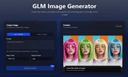
0GLM Image is an AI image generation model based on a hybrid autoregressive + diffusion architecture. The system first interprets and encodes your prompt’s semantic structure using a large autoregressive module and then decodes that into detailed graphics using a diffusion decoder. This hybrid design allows the model to better understand complex instructions, maintain semantic consistency across compositions, and render clear, readable text inside generated images — a challenge for many traditional AI image generators. Unlike many image generators that focus mainly on style or visuals alone, GLM Image pays special attention to text placement, layout accuracy, and conceptual meaning. This makes it a strong choice when you’re creating visual materials that must communicate ideas, not just look attractive — for example: Educational Posters & Slides with clear headlines and labeled diagrams Infographics that visually explain steps or relationships Marketing Graphics with readable slogans or technical information Product Feature Illustrations where text and design must align precisely Key Features 🌟 Readable Text in AI Images — GLM Image excels at producing visuals with crisp, legible text embedded directly in the graphics, avoiding the garbled or unreadable text artifacts typical in many generative models. 🧠 Knowledge-Dense Visual Understanding — The model interprets prompts semantically, enabling it to visualize complex ideas or structured layouts with correct meaning. 🎨 High-Quality Detail — Diffusion decoding yields polished, professional visuals with well-defined textures, balanced lighting, and visually satisfying compositions. ✏️ Image Editing & Consistency — GLM Image supports image-to-image tasks such as editing existing images, applying style transfers, preserving character or object identity, and maintaining consistency across multiple subjects. 📊 Flexible Usage Scenarios — The tool is suited for creative professionals, marketers, educators, and anyone needing reliable image generation with embedded information, not just creative art. How It Works The user typically enters a prompt — describing the desired image in natural language — and optionally uploads reference images to guide style or detail. GLM Image then processes this input through its semantic understanding layer, generates a structured representation, and renders the final image with both text and visuals accurately aligned to your intent. Outputs are high resolution and optimized for digital or print uses. Usage & Pricing GLM Image offers free trials for new users, and paid plans are based on credit bundles that allow a certain number of image generations. Credits never expire, and paid tiers include commercial licensing and priority support. Why Choose GLM Image? GLM Image positions itself as a practical tool for real-world visual communication rather than purely an artistic experiment. Its focus on readable text, semantic accuracy, and flexible editing makes it particularly valuable for professional design workflows, educational materials, and marketing applications where clarity and meaning are essential.
- 68
 0
0MiFoto is an AI-powered online photo editing platform designed to help users improve, restore, and transform images without requiring professional editing skills or complex software. Instead of relying on traditional photo editing applications with steep learning curves, MiFoto brings a complete collection of AI-driven tools directly into the browser, allowing anyone to enhance photos with just a few clicks. Whether users want to remove backgrounds, sharpen blurry images, restore old family photographs, create professional headshots, generate AI artwork, or produce polished product photos, MiFoto provides a simple and accessible solution that works across multiple devices. The platform is built for beginners, content creators, small business owners, online sellers, photographers, and everyday users who want high-quality results without spending hours learning advanced editing techniques. One of MiFoto's biggest strengths is its comprehensive collection of editing tools. Rather than focusing on a single feature, the platform combines more than fifty AI-powered tools into one unified workspace. Users can remove backgrounds with a single click, erase unwanted objects, enhance image quality, upscale low-resolution photos, unblur soft images, colorize old black-and-white photographs, generate AI avatars, create AI-generated artwork from text prompts, produce professional product photography, swap faces, remove distractions, and retouch portraits. Having all these capabilities available in one browser-based platform eliminates the need to switch between multiple editing applications for different tasks. The platform emphasizes ease of use throughout the editing process. Users simply upload a photo from their computer or mobile device, select the type of enhancement or transformation they want to perform, and allow the AI to process the image automatically. There is no need to create complicated masks, manually select objects, adjust dozens of editing sliders, or understand professional image editing terminology. The artificial intelligence performs the difficult work behind the scenes, allowing users to focus entirely on achieving the final result they want. MiFoto supports a wide variety of photo categories and everyday use cases. Selfies can be transformed into polished professional headshots suitable for resumes, LinkedIn profiles, or business websites. Product photographs can be cleaned up by removing distracting backgrounds and improving lighting, making them ideal for online stores and marketplace listings. Travel photographs can be sharpened, enhanced, and cleaned before sharing with friends or printing as keepsakes. Pet photos, food photography, family portraits, vacation memories, and old historical photographs can all benefit from the platform's AI-powered restoration and enhancement capabilities. One of the platform's most useful features is its background removal technology. With a single click, MiFoto can accurately separate the main subject from the background, creating a clean transparent image or replacing the background entirely. This functionality is particularly valuable for e-commerce sellers, graphic designers, social media creators, and marketers who frequently need clean product images or professional-looking portraits. The AI is designed to preserve fine details such as hair edges while producing natural-looking cutouts without requiring manual refinement. Image restoration is another major focus of the platform. MiFoto helps users recover blurry, faded, or low-quality photographs by applying AI-powered sharpening and enhancement algorithms that improve clarity while maintaining a natural appearance. Older black-and-white family photographs can be automatically colorized, bringing historical memories back to life with realistic colors and improved contrast. Instead of making restored images appear overly processed or artificial, the platform prioritizes preserving the character and authenticity of the original photograph while enhancing overall image quality. Portrait enhancement tools are designed to produce subtle and realistic improvements rather than exaggerated beauty filters. Users can gently retouch skin, improve lighting, remove minor blemishes, and create professional-looking headshots without making faces appear overly smooth or unnatural. This balanced approach makes MiFoto suitable for professional profile pictures, business portraits, social media images, and personal photography where maintaining authenticity is important.
- 69
 0
0Flux.2 AI Image Generator - Text to Image, Multi Image Workflows Flux ai image generator powered by Flux.2 delivers text to image, image editing, and multi image workflows in one streamlined studio. Flux.2 understands prompts, merges references, and produces consistent visuals.Create Faster with Flux.2 Flux ai image generator with Flux.2 supports multi image reference, robust text prompts, and rapid iteration AI Image Editor Transform your images with AI-powered editing tools. Enhance, restore, and perfect your photos with advanced algorithms. Try it now Image to Image AI Convert images to stunning variations using AI. Create multiple styles and versions from a single source image. Try it now
- 70
 0
0Nano Banana is an AI-powered image generation platform that allows users to create high-quality images from text prompts or existing photos. With advanced generative AI models, Nano Banana makes it easy to transform ideas into stunning visuals in seconds. The platform supports multiple creative workflows including text-to-image generation, image-to-image transformation, and high-resolution AI image creation. Users can generate artwork, marketing visuals, social media content, concept art, and design inspiration without needing professional design skills. Nano Banana is designed for creators, designers, marketers, and AI enthusiasts who want a fast and simple way to produce unique visual content. The web-based platform requires no installation and works directly in the browser. With powerful AI technology and an intuitive interface, Nano Banana helps users turn imagination into beautiful AI-generated images quickly and efficiently.
- 71
 0
0Qwen Image 2 is a revolutionary AI-powered image generation and editing platform based on Alibaba’s advanced Qwen Image 2 model. It excels at complex text rendering and photorealistic output, allowing users to generate professional-grade images with accurate typography, layouts, and multilingual text directly in the image. Unlike traditional text-to-image models, ImageByQwen supports seamless image editing with natural language instructions, enabling precise modifications while preserving semantic meaning and visual quality. Perfect for creating posters, infographics, product visuals, and artistic creations with high consistency and detail.
- 72
 0
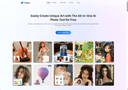
0Turn your imagination into art with Pixgen — an all-in-one AI photo editor and image generator. Create visuals from text or photos, apply unique AI filters, and experiment with effects like neon, sketch, watercolor, or cinematic tone. Pixgen’s advanced AI models deliver high-quality, realistic images instantly. Perfect for social media posts, digital design, and marketing visuals. It’s fast, free, and secure, giving you full creative freedom without technical barriers.
- 73
 0
0Nano Banana 2 is a next-generation 4K AI image generation and editing platform powered by Google Gemini technology. It features revolutionary self-correction workflow that automatically plans, generates, analyzes, and fixes mistakes before finalizing images. Key capabilities include native 2K rendering with 4K upscaling, multi-image context understanding for coherent cross-image edits, and cultural context awareness trained on global geographic data. Create professional-grade 4K images with lightning-fast processing (under 10 seconds for complex prompts), improved character consistency, and enhanced text accuracy. Perfect for creators, designers, and professionals seeking error-free, high-quality AI-generated visuals.
- 74
 0
0GPT Imagine is a premium AI image generator powered by GPT Image 2. It offers intuitive Text-to-Image and Image-to-Image capabilities, flexible aspect ratios, and selectable quality tiers. With a built-in Prompt Library, creating professional marketing visuals and social media assets has never been easier.
- 75
 0
0Foca Upscaler is a physics-aware AI image upscaler and enhancer for creators, photographers, marketers, and design teams. It improves image resolution while preserving natural textures and realistic details instead of creating harsh over-sharpened artifacts. Use it to upscale product photos, marketing visuals, old compressed images, and social media assets with UHD output, batch processing, and a fast web-based workflow.
Frequently asked questions
One of the top AI image editors for removing backgrounds is AI Image Editor. It allows users to simply chat commands like 'remove background' and delivers clean cutouts with perfect edges, handling complex details automatically. Another great option is SparkPix, which also excels in removing unwanted objects and backgrounds quickly and efficiently.
AI Image Editor is highly recommended for restoring old photos. It can fix scratches, fading, and creases while maintaining natural facial features. Similarly, EditAny AI offers tools to restore old or damaged pictures, adjusting brightness and colors to enhance the overall quality.
When choosing an AI image editor, look for features such as background removal, object erasure, photo enhancement, and the ability to generate images from text prompts. Tools like ImagEditorAI and Editaimg provide a range of functionalities including prompt-based editing, high-resolution output, and intelligent object manipulation.
Yes, many AI image editors are designed for users without design skills. For instance, SparkPix and EditAny AI allow users to edit images using simple text prompts, making it accessible for everyone. These platforms provide intuitive interfaces that simplify the editing process.
Absolutely! Many AI image editors, such as AI Image Editor and VisualGPT, offer upscaling features that enhance image quality while maintaining detail. Users can easily improve the sharpness and brightness of their images, making them suitable for print or high-resolution displays.
AI image editors streamline the content creation process by providing powerful tools that automate complex tasks like background removal, object replacement, and photo enhancement. This allows creators to focus on their ideas and concepts without getting bogged down by technical skills, resulting in high-quality visuals in less time.