Recently Added

Chickadee Bandit
Chickadee Bandit is a private, all-in-one family organizer: an encrypted hub with 100+ apps for calendars, chores, co-parenting and caregiving, at one price per household. Each household gets its own encrypted database, shared calendar, messages and 100+ apps for chores, health, money, co-parenting and more. Apps inherit roles and privacy, so kids, adults and guests see only what they should. Developers and AI assistants can build custom apps from a simple manifest while the platform handles auth, permissions, encryption, notifications and sync.

FirstBark
FirstBark lists dog training businesses across the United States so owners can find a trainer. Browse by state or city, search nearby, and filter by training goal, lesson format, dog age and size, and certifications. Profiles show contact details, hours, photos, and reviews where available. Owners contact the trainer directly. Trainers can add a free listing.

Floor Plan AI
Floor Plan AI is an AI-assisted floor plan generator for creating reviewable 2D floor plan PNG drafts. Users can start from written ideas, room dimensions, or optional JPG, PNG, and WebP reference images, then review and download the generated plan image. Generated plans require human review and are not a substitute for professional CAD, BIM, structural, permitting, or legal work.

Vibes'n'Feels
Vibes'n'Feels is an emotion map of moments and places. Each Vibe combines a fresh photo or a video of up to 20 seconds with a place and a feeling. For each moment decide who can see it: only you, your friends or everyone. Explore Vibes on the map and in the feed, filter by feeling and see how the same place feels to different people. Respond with a Feel or join a discussion around a shared Vibe. Use it to capture everyday moments, share a walk or a trip with friends and discover the human side of places around you. Personal moments stay yours; shared moments are temporary. Vibes'n'Feels is built around moments, not profiles.

AI or Not Text Detector
AI or Not checks if text was written by a person or by AI like ChatGPT. Paste in an essay, a cover letter, email, news article or any other text. In a few seconds you get a score, a verdict, and highlights where AI was used. Everything remains on your phone: the app has the full detection model inside it, the same one that powers aiornot.com. Your text is never uploaded anywhere. PRIVATE BY DESIGN Every check runs on your phone. Yes, the AI model lives in the app. WHAT YOU CAN DO - Check essays, submissions, and applications before you submit - See which sentences look AI-written, not just an overall number - Send text straight from Safari or any app with the share sheet - Revisit past checks, stored only on your device PRO, WITHOUT A SUBSCRIPTION A single one-time purchase removes the daily limit forever and unlocks fully offline checking. No internet, no problem.

Road to Offer
Road to Offer is an online interview preparation platform designed for candidates pursuing consulting careers, particularly those preparing for interviews at firms such as McKinsey, BCG, Bain, and other major consulting companies. The platform brings case interview practice, online assessment simulations, targeted skill drills, behavioral interview preparation, resume feedback, and personalized AI coaching into one structured preparation environment. At the center of Road to Offer is its library of practice cases. Candidates can work through more than 70 McKinsey-, BCG-, and Bain-style cases either through Voice Mode, where an AI interviewer conducts the case out loud, or Guided Mode, which walks the candidate through the case step by step. The AI interviewer can ask questions, challenge the candidate's reasoning, provide exhibits, and simulate the interactive nature of a real consulting interview. After completing a case, users receive a scored debrief covering seven areas: Problem Understanding, Structure and MECE, Quantitative Accuracy, Business Judgment, Exhibit Interpretation, Communication, and Synthesis and Recommendation. The platform also includes more than 550 targeted drills designed to develop individual case-interview skills. These drills cover frameworks, brainstorming, case math, market sizing, exhibit analysis, synthesis, and quick mental-math practice. Each drill is graded immediately, allowing candidates to identify specific weaknesses and focus their preparation on the skills that need additional practice. Road to Offer also provides dedicated simulators for consulting firms' online assessments. Its assessment preparation includes McKinsey Solve simulations such as Sustainable Futures Lab, Sea Wolf, and Red Rock, as well as Bain SOVA, BCG CCA, and BCG Casey. The BCG CCA simulator includes timed numerical practice and work-style questions, while the BCG Casey simulator provides a forward-only chatbot case with live exhibits and case mathematics. Some assessment experiences can be tried for free without creating an account. For candidates who are new to case interviews, Learning Mode introduces frameworks, exhibits, and case mathematics step by step before moving into practical exercises. This gives beginners a structured way to learn the methodology before attempting complete cases. Road to Offer also extends beyond traditional case practice. Candidates can rehearse behavioral interview questions and McKinsey Personal Experience Interview stories out loud and receive scored feedback on their responses. The platform includes a resume grader that evaluates a consulting resume and identifies specific lines that could be improved. An AI Coach is also available to help users determine what they should practice next, while an application tracker can be used to organize the recruiting process. The platform offers a free entry point that includes a first full case with a scored debrief, graded drills, and free case books. Paid plans provide unlimited access to cases, drills, Coach chat, behavioral and PEI simulations, Voice Mode, AI debriefs, and Learning Mode. The Monthly Unlimited plan is listed at $49 per month, while the 90-Day Sprint costs $120 as a one-time payment and the Annual Unlimited plan costs $249 per year. Paid plans include a seven-day money-back guarantee. Road to Offer also supports universities, consulting clubs, and career services through group pricing. Its resources section provides free guides, case books, calculators, interview preparation materials, and firm-specific resources covering consulting companies such as McKinsey, BCG, Bain, Deloitte, Kearney, Oliver Wyman, EY-Parthenon, L.E.K., Accenture, and Capital One. The platform describes itself as an independent service and explicitly states that it is not affiliated with McKinsey, BCG, or Bain. It was founded by Esteban Ronsin and is focused specifically on helping candidates build the skills, speed, structure, and communication required throughout the consulting recruitment process. Overall, Road to Offer combines AI-powered interview simulation, structured case practice, targeted drills, online assessment preparation, behavioral interview training, resume feedback, and personalized coaching into a single consulting interview preparation platform. Its workflow is designed to take candidates from application preparation through repeated practice and assessment simulations, giving them a centralized environment for preparing for different stages of the consulting recruiting process.

Rizzqo
Rizzqo is asset-first compliance execution software for regulated organizations, made in Germany and hosted in the customer's own country. Most compliance tools start with a framework and end with a checklist. They tell you what a standard requires, but never which server, database or SaaS tool has to be configured and who is responsible. Rizzqo starts from the organization instead. You model your critical services, information and processes, the applications, systems, infrastructure and suppliers they depend on, and who owns each. Controls from ISO 27001, ISO 27002, NIS2, DORA, GDPR, EU AI Act, TISAX and NIST CSF 2.0 are translated into requirements per asset type and applied automatically to every matching asset. The owner answers, attaches evidence and confirms with a logged timestamp. Compliance status is calculated from confirmed answers, never self-declared. One requirement can satisfy controls from several frameworks, so work is done once. Open requirements are visible as gaps. Gaps become risk assessments with inherent, current and residual scoring, a monetary value and a documented treatment decision. Remediation tasks are assigned, tracked and synchronized with Jira. Dashboards show ISMS teams and CISOs framework readiness and which critical business services are exposed by unfinished work. Suppliers, personal data flows and AI systems are handled in the same asset model. Rizzqo is built for ISMS managers, information security managers and CISOs in regulated mid-sized organizations across Europe. It can run on-premises or in a cloud in the customer's country, with SSO and SCIM, audit log and daily backups. Annual subscription per organization, pricing on request.

Cursive Generator
Cursive Generator is a free browser tool. Type a name or any words and it turns them into cursive you can copy, or download as a PNG or SVG in a real open-licence font. It is designed for quick text styling in the browser, with simple controls for generating cursive lettering and saving the result for personal or creative projects. No payment is required.

WSUP AI: Free AI Character Chat
WSUP AI is a free AI character chat that runs online in your browser. There is nothing to install, and no account is required to start. You talk to AI characters in instant, story-driven chats and can keep the conversation going without signing up. The public site is titled WSUP AI: Free AI Character Chat Online, and it is free to start. People browse characters and start a chat in the browser.

Coralflavor
Coralflavor is an AI chatbot designed for users who want a more open-ended and unrestricted conversational experience. Positioned as a freedom-first alternative to mainstream AI assistants, Coralflavor provides an unfiltered chat environment for general-purpose conversations, research, creative work, brainstorming, controversial subjects, sensitive questions, and everyday discussions. Its core philosophy is to minimize excessive safety alignment and allow users to explore topics without the frequent refusals or restrictive responses associated with more heavily moderated AI systems. The platform provides a simple chat interface where users can start conversations and interact with an AI model across a broad range of subjects. Rather than focusing on a single specialized use case, Coralflavor is intended as a general-purpose assistant that can be used for writing, idea generation, information exploration, hypothetical research, discussion, and open-ended conversation. The service describes itself as an unfiltered, private, and highly capable AI chatbot that does not reject prompts. Privacy is another important part of the Coralflavor experience. The platform gives users control over how their conversations are handled through its chat history settings. Chats can be saved automatically to the user's history, while a “Burn by default” option allows conversations to avoid being saved unless the user explicitly enables saving. Users can also delete their account and saved chats through the account settings. This privacy-oriented approach is intended to give users greater control over their conversations and the information associated with their account. Coralflavor also offers capabilities beyond basic text conversation. Pro subscribers can access uncensored web search, allowing the chatbot to use live online sources when responding to prompts. This can be useful for research and questions where current information is important. Pro users can also upload images and PDF files for text extraction, allowing the AI to work with information contained in documents and images. Image generation is another feature available to paid users. The Pro plan includes uncensored image generation, while the Pro+ plan expands the image capabilities with up to 200 images per month and character consistency designed to maintain a similar appearance across generations. This gives users the ability to combine open-ended text conversations with visual creation workflows within the same platform. Coralflavor also provides developer-oriented functionality through an API dashboard. This allows developers to explore ways of integrating the platform's AI capabilities into their own applications and workflows. The service additionally provides a Discord community where users can interact with the broader Coralflavor community, while a dedicated Discord chatbot allows Coralflavor's conversational capabilities to be used directly inside Discord servers. The platform uses a subscription model with different levels of access. The Pro plan is presented at $9 per month and includes unlimited chats, uncensored image generation, web search, and file uploads. Pro+ is offered at $49 per month and adds a larger monthly image allowance and character consistency features. Users can also receive additional free credits through referrals. Coralflavor is particularly aimed at adults who value conversational freedom and want an AI assistant that is less restrictive about the subjects they can discuss. It can be used for exploring sensitive or controversial ideas, creative experimentation, research, writing, brainstorming, and general conversation. The platform's own interface describes its approach as “AI Without Excessive Safety Alignment,” distinguishing it from AI assistants that apply more extensive content restrictions. Overall, Coralflavor presents itself as an unrestricted ChatGPT alternative focused on conversational freedom, privacy, and broad AI capabilities. By combining open-ended AI chat with web search, file extraction, image generation, API access, and optional privacy controls, it provides a flexible environment for users who want to explore ideas and use AI with fewer conversational restrictions.

Home Agent Guru
Home Agent Guru is a property analysis platform designed to help home buyers understand their potential negotiating position before making an offer. Instead of looking only at a property's asking price, the platform combines listing information, pricing data, market conditions, comparable properties, listing history, and time on market to generate a Buyer Negotiability Index. This index is intended to give buyers a clearer picture of how much room they may have to negotiate based on available property and local-market signals. The process begins with a property address or a listing link. Users can enter an address directly or paste a listing URL from platforms such as Zillow, Redfin, or Realtor.com. Home Agent Guru then creates a data-backed report that brings relevant property and market information together. New users can start with three free reports without providing a credit card, allowing them to explore the analysis before committing to the service. A central component of the report is the Buyer Negotiability Index, which provides a numerical indication of the property's negotiating position. The sample report uses a scale where scores from 75 to 100 represent a strong position, scores from 50 to 74 represent a moderate position, and scores below 50 indicate limited negotiating room. The index is based on signals such as the property's asking price relative to comparable homes and local averages, the number of days the property has been on the market, and other available listing and market information. Home Agent Guru organizes these signals into several possible negotiating situations. A listing may indicate the strongest buyer position when it is priced above the local market and has remained on the market longer than comparable properties. Other scenarios include situations where there is a pricing premium but the seller has not yet experienced significant market pressure, properties that appear inexpensive but remain unsold and may require further investigation, and competitive listings where there may be little room to negotiate. The report also provides an Asking Price Analysis and Days on Market Analysis. Buyers can see how a property's price per square foot compares with the local average and how its time on market compares with similar properties. These comparisons can help put the asking price into the context of the surrounding market rather than evaluating it in isolation. Local market information is another major part of the analysis. Reports can include average and median prices, average price per square foot, average days on market, listing counts, and market trends over several months. The sample report, for example, tracks changes in average prices, price per square foot, days on market, and the number of listings to describe whether local conditions are becoming more favorable to buyers. The platform also provides detailed property facts, including bedrooms, bathrooms, square footage, lot size, construction year, property type, and HOA fees when available. Listing history records previous listing events and asking prices, while comparable-property data presents similar homes with information such as status, price, price per square foot, distance, and match percentage. Home Agent Guru can also include tax assessment history, giving users additional historical property information such as assessed values and, where available, land and improvement values. Together, these sections create a broader property profile that buyers can review before deciding how to approach an offer. The service is supported by educational content covering topics such as negotiating home prices, interpreting days on market, and understanding listing price history. These guides are intended to help buyers understand the signals used when evaluating a property's potential negotiating position. Home Agent Guru emphasizes that its reports are for comparison purposes and are not financial, legal, or real estate advice. The platform states that its information is compiled from public property records, active listing data, and an automated valuation model, and recommends independently verifying figures and consulting a licensed real estate agent before making an offer or entering into a contract. Overall, Home Agent Guru provides buyers with a structured way to examine a property's pricing, market position, listing history, comparable homes, and local market conditions before negotiating. Its Buyer Negotiability Index brings these signals together into a single report designed to help buyers better understand the circumstances surrounding a potential offer.

HOTEL LOBBY AI
HotelLobby.ai is an AI-powered video creation tool that transforms two authorized photos into short, stylized rap and duet videos using pre-designed visual templates, synchronized music, and fixed cinematic motion. Built around the recognizable “Hotel Lobby AI” video format, the platform lets users place two people or animals into a 15-second landscape scene featuring elements such as a hanging center microphone, coordinated performance gestures, and an accompanying soundtrack. Instead of requiring users to manually edit footage, HotelLobby.ai provides a simple upload-and-generate workflow designed to create a finished video from two source images. The platform currently offers fourteen different templates covering a variety of visual styles and subjects. Users can choose from orange studio environments, formal and retro-inspired scenes, hotel and lounge settings, heritage-inspired compositions, neon environments, and animal-focused templates. Examples include Orange Studio Duo, Orange Formal Duo, Orange Retro Duo, Orange Studio Cats, Orange Fox & Red Panda, Orange Corgi Duo, Marble Check-In Cypher, Neon Elevator Exchange, Moon Gate Court Duet, Modern Lounge Verse, Gold Atrium Statement, Bellhop Fox & Red Panda, Velvet Cat Jazz Club, and Corgi Rooftop Party. Each template preserves its own visual motion, timing, and music, allowing users to select a specific creative format before uploading their photos. Creating a video requires two clear source images, with one subject assigned to each side of the composition. Supported image formats include JPG, PNG, and WebP, with a maximum file size of 8 MB per image. HotelLobby.ai recommends using clear, front-facing or slightly angled photos with visible eyes and jawlines. Headshots can primarily guide facial replacement, while full-body images can also provide references for hair, clothing, and overall appearance. The platform notes that results can vary and that likeness, hands, and motion are not guaranteed to be exact. Generated videos are produced as 15-second 16:9 H.264/AAC MP4 files. Users can choose between three output resolutions: 480p for 20 credits, 720p for 45 credits, or 1080p for 80 credits. Credits can be purchased through several packs, including the 50-credit Starter Drop for $9.90, the 105-credit Creator Stack for $19.90, and the 160-credit Studio Vault for $29.90. Failed or blocked generations return the reserved credits automatically. HotelLobby.ai is designed for a wide range of creative uses, including videos featuring friends, couples, siblings, pets, creator teams, and other authorized subjects. The platform also provides 15-second landscape previews with sound so users can explore templates before generating their own video. Privacy and usage restrictions are an important part of the service. Source photos are intended to be retained for no more than 24 hours and are not used for training, while finished videos remain downloadable for seven days. Users must have permission to use uploaded images and are prohibited from creating deceptive impersonations, using minors or public figures, or incorporating prohibited copyrighted characters. HotelLobby.ai describes itself as an independent AI creator tool rather than a hotel concierge, booking service, or hotel-related representative. Overall, HotelLobby.ai combines AI-powered image-to-video generation with ready-made visual templates, music, and synchronized motion to make the Hotel Lobby AI-style format accessible through a straightforward two-photo workflow. Users select a scene, provide their source images, choose the desired quality, and generate a short, shareable rap or duet video without needing traditional video-editing software.

CardShare.ai
I work on a remote team, and whenever someone had a birthday or was leaving, the "card" was usually a link to a doc that half of us never saw. It always felt a bit sad to me, like the thought was there but the thing itself wasn't. So I started building something on evenings and weekends, and this is it. You say who the card's for, or upload a photo of them, and it makes a cover and a first message. Then you send one link around, everyone adds a note from their phone (no accounts, which I was stubborn about), and the person gets something that actually opens like a card. It's free, and it's just me working on it, so I'd really like to hear what's missing, or what would put you off using it for your own team's next card.

Pickleballer
Pickleballer is a pickleball company, and pickleball is the only sport we do. We are building one home for the game in the Philippines, where players, courts, coaches and organisers finally meet in the same place. Right now the sport is scattered. Games are organised across hundreds of Messenger and Viber groups, every court takes bookings its own way, and a new player who wants a game has to know the right person in the right group chat. Courts miss out too: the player who searches "pickleball court near BGC" at 10pm and has never heard of them books somewhere else, or doesn't play at all. For players, Pickleballer is where you find a game, not just a court. Search more than 300 venues across 99 cities, from Makati and BGC to Quezon City, Cebu, Davao and Cagayan de Oro. See real prices, indoor or covered courts, and what is free tonight. Join open play filtered by level, so a beginner isn't thrown in with advanced players. Find a coach near you, and follow leagues and clubs that match your level and schedule. For venues, it is free, and it stays that way where it matters. There is no monthly fee, no setup cost and no commission, and we will never take a cut of a venue's court fee. Players pay the venue directly. Owners get a booking calendar that stops double bookings, their customer list in one place, and numbers on which hours sit empty. Nothing they use today has to change: they keep their Facebook page, their Viber group and any other listing, and they can stop whenever they like. We visit venues in person, set their page up for them, and our own developers adjust the system to how each venue runs. We are an SEO and marketing agency by trade, so getting courts found on Google is the part we are best at. Organisers and coaches run their part of the sport here too. Organisers publish open play and leagues without chasing forty people on Messenger, and coaches list their rates and fill their schedule. Every one of them brings their own players along. The bigger the sport gets, the busier every court gets. That is the whole idea. Pickleballer is free for players. Use it at pickleballer.ph or download the iPhone app on the App Store: https://apps.apple.com/ph/app/pickleballer-ph/id6807383484

Aidrobe
Aidrobe is an AI virtual try-on and clothing discovery app for iPhone. Discover clothing selected for your taste and country, preview pieces on your own photo, and visit the brand’s website when you’re ready to buy. You can choose an item from Discover or add a clothing image to create a virtual try-on. Free items are available to try, with optional plans and credits in the app.

WellWired AI Education
WellWired teaches AI in plain English for adults over 50. The site offers free guides, a scam checker, an on-site AI chat, a glossary, and a paid Academy with about thirty modules for a one-time fee of about twenty five pounds. Founded by Arthur Turing in London, WellWired helps older adults use everyday AI tools safely and confidently without jargon. Visit https://wellwired.ai/ for free resources and courses.

Daily Contests Canada
DailyContests.ca is a specialized directory website dedicated to aggregating and tracking active sweepstakes, giveaways, and contests available in Canada. The platform serves as a daily destination for users looking to win prizes while providing Canadian companies, brands, and agencies with a targeted audience to boost their promotional reach.

SparkIconAI
AI icon generator and manager platform for creating app icons, web icons, logos, favicons, and brand assets. Offers 10+ generation styles, an infinite canvas for refining, and production-ready exports for Xcode, Android, and web favicons. Pay-as-you-go credits, no subscription, full commercial licensing for teams.

Kerbrank
Kerbrank is a local rank tracking platform built specifically for UK businesses, freelancers, and agencies that want to understand how their businesses appear in Google Maps across the areas they serve. Instead of relying on a single ranking position from one location, Kerbrank checks Google Maps rankings from a grid of points surrounding a business and turns those results into a visual local search map. This approach helps businesses see how their visibility changes from street to street and identify areas where they rank well or disappear from local search results. The platform starts with a simple setup. Users enter their business name and UK postcode, and Kerbrank creates a local ranking map based on searches performed across the surrounding area. Depending on the plan, maps can contain up to 11 × 11, 13 × 13, or 15 × 15 points, with the largest configuration covering up to 225 map points. The results show average position, top-three visibility, locations where the business is not found, and the competitors occupying those positions. Kerbrank also includes a ChatGPT-based visibility check. In addition to measuring Google Maps rankings, the platform asks questions that potential customers might ask, such as who the best emergency plumber in a particular area is, and records how often the business or its competitors are named in the responses. This gives businesses an additional way to examine how they are represented in AI-generated recommendations alongside traditional local search rankings. A major part of the platform is its weekly Fix List. Rather than simply providing ranking data, Kerbrank turns its measurements into a short list of practical changes that businesses can consider making across their Google Business Profile, website, and reviews. Each recommendation is linked to the scan or check that identified the issue. Users can mark a task as completed, after which the following scan checks whether the relevant ranking or visibility issue has changed. Weekly rescans are included at no additional cost, with no credits or top-ups required. Kerbrank measures the same map points and searches over time so businesses can compare results before and after making changes. The platform also excludes map points that fall in the sea from its scoring, which is particularly relevant for coastal UK businesses and helps prevent those locations from distorting average rankings. The reporting system combines several types of local SEO information into one report. Alongside the ranking map, users can see competitors, review counts, local search demand, website information, and a fix list. Search-demand data shows estimated monthly searches for relevant terms in the business's town, while website checks compare information such as the business name, phone number, and LocalBusiness markup against the Google profile. Kerbrank is designed with UK-specific businesses in mind. Reports support UK postcodes, +44 phone numbers, bank holiday hours, and GBP pricing. Reports can be shared through a link or exported as a PDF, while Pro and Agency plans include branded reports for client-facing use. The platform offers three main plans. Solo costs £29 per month for one business and includes up to 10 tracked searches and maps up to 11 × 11. Pro costs £59 per month and supports three businesses, 25 searches per business, maps up to 13 × 13, and branded reports. Agency costs £129 per month and supports 10 businesses, 50 searches per business, maps up to 15 × 15, and branded reports. An Agency+ option is also available for 25 businesses at £259 per month. All plans include weekly scans, the ChatGPT check, competitor tracking, and the Fix List. Kerbrank emphasizes measurement accuracy by following a simple principle: if the platform cannot measure something, it does not guess. Missing map results are shown as missing, and unavailable website information is reported as unknown rather than automatically treated as an error. The service offers a 14-day free trial without requiring a credit card and is hosted in London, with its servers and database located in the UK. Overall, Kerbrank provides a localized view of Google Maps visibility by combining grid-based rank tracking, competitor monitoring, AI recommendation checks, local search demand, website verification, and actionable weekly recommendations. It is designed to help UK businesses and local SEO professionals understand where their visibility is strong, where it is weak, and what changes can be followed up on during subsequent scans.

Adobe Firefly Background Remover
Adobe Firefly Remove Background is an AI-powered online background removal tool from Adobe that makes it easy to isolate the main subject of an image and create a clean, transparent background. Designed for creators, marketers, businesses, and everyday users, the tool automates the process of detecting the subject and removing the surrounding background without requiring manual selection, masking, or advanced photo-editing skills. The workflow is straightforward. Users can open Adobe Firefly, upload an image, select the Remove Background option, and let Firefly automatically process the image. Supported input formats include JPEG, PNG, and WebP files, with uploads of up to 50 MB. Once the background has been removed, the resulting image can be downloaded as a PNG with a transparent background, making it easy to reuse the subject across different designs, platforms, and creative projects. Adobe Firefly uses artificial intelligence to identify the edges of the main subject and separate it from its surroundings. The tool is designed to handle a wide range of image content, including portraits, product photography, pets, objects, illustrations, and more complex graphics. It can detect details such as hair, fur, and transparent objects, helping users create cleaner cutouts without manually tracing around the subject. The transparent result can be used in many different contexts. Users can place the isolated subject over a colored background, add it to a completely new environment, create social media graphics, build product visuals, prepare presentation assets, or incorporate it into flyers, posters, infographics, and other digital or printed designs. The background removal workflow can therefore serve as a starting point for broader image-editing and design projects rather than being limited to simple cutouts. Firefly also allows users to continue editing their images after removing the background. The platform includes additional AI-powered creative capabilities such as background generation, object removal, image expansion, image upscaling, AI photo editing, image generation, image-to-image transformation, sketch-to-image, and image-to-video creation. Users can describe a desired new background with a text prompt and use Firefly's generative tools to place their isolated subject into a different setting. For more advanced editing, Firefly integrates with Adobe's wider creative ecosystem. Users can continue working on an image within Firefly or move their results into applications such as Photoshop for additional adjustments and finishing work. Adobe Firefly also includes Firefly Boards, which can be used to brainstorm visual directions, combine multiple cutout images, and experiment with compositions and creative concepts. One of the main advantages of the tool is its automated workflow. Instead of manually selecting individual areas, refining masks, or tracing complicated edges, users can upload an image and let Firefly perform the background removal automatically. This can significantly simplify repetitive editing tasks and make professional-looking cutouts more accessible to users without specialized design experience. Adobe Firefly Remove Background is available through a web browser and can also be accessed through Firefly's broader mobile experience. It is positioned as a fast and accessible solution for creating transparent image assets while giving users access to a larger collection of AI-powered creative tools for further editing and content creation.

Bolly.AI
Bolly.AI is an AI-powered creative platform designed to help users put themselves, their characters, or custom images into viral videos, memes, dances, and popular internet clips. The platform combines meme templates, image generation, video generation, video editing, character animation, face swapping, and other AI-powered creative tools into a single workflow. Instead of creating viral-style videos entirely from scratch, users can start with an existing template and remix it with their own character or visual concept. One of the central features of Bolly.AI is its large library of meme and viral video templates. Users can browse templates based on different trends, scenes, characters, dances, sports moments, entertainment clips, and internet memes. The library includes formats inspired by viral dances, celebrity moments, anime scenes, sports edits, movie and television clips, music trends, reaction videos, and other popular social media formats. Each template can be used as a starting point for creating a personalized version. The platform allows users to customize these formats by incorporating their own characters and images. This makes it possible to create personalized versions of recognizable clips without requiring traditional video-editing software. Bolly.AI is particularly focused on the idea of placing the user or their chosen character directly into an existing viral-style scenario, making the resulting content suitable for sharing across social platforms. Bolly.AI also provides several AI generation and editing models. Its interface features tools associated with video generation, image generation, video editing, and animation, including models such as Kling 2.6, Nano Banana 2, and MiniMax H3. The platform advertises MiniMax H3 for video generation and supports high-resolution video creation, including 4K output for applicable workflows. The Mix Video feature provides another way to work with video content by combining or remixing visual material, while Video Edit focuses on modifying existing video content. Motion Control allows users to work with movement and animation, and Lipsync can be used for creating synchronized speaking or performance effects. Bolly.AI also includes 3D Models, Character Refine, Face Swap, and API functionality, giving creators additional options for developing customized AI-generated content. For users who want to animate still images, Bolly Animate provides a dedicated workflow for turning images or characters into animated content. This can be useful for creating expressive clips, meme animations, character performances, and other short-form videos without manually animating each movement. The platform's template library covers a broad range of categories. Examples include dance trends, football and basketball edits, anime-inspired clips, fight scenes, celebrity-related memes, music videos, comedy formats, and social media trends. Popular templates can display usage counts, allowing users to discover formats that have already attracted significant activity on the platform. Bolly.AI is therefore positioned as a creative playground for short-form AI content rather than a traditional professional video editor. Its workflow is centered on taking recognizable internet formats and transforming them into personalized creations using AI. Users can browse a template, select a generation or editing tool, provide their own visual material, and create a new version of the concept. The platform also includes a user account system with a profile, library, and personal content management features. Additional products and tools include Image Generation, Video Generation, Video Edit, Motion Control, Lipsync, Character Refine, Face Swap, 3D Models, Bolly Animate, and an API for developers or applications that need access to Bolly.AI's capabilities. Overall, Bolly.AI combines viral content discovery with AI-powered creation, giving users a way to participate in popular internet trends while adding their own characters, images, and creative ideas. Its combination of ready-made templates and generative AI tools makes the platform particularly focused on fast, personalized, social-media-oriented video creation.

LightScreen
Free light screen tool online. Turn any display into a flashlight, ambient light, or solid-color screen. No download or sign-up. LightScreen fills a monitor, laptop, or phone with any color at adjustable brightness for use as a screen flashlight, reading light, ambient light, or red light for stargazing. Extra modes include breathing, RGB cycle, traffic-light blink, a ring light, and Zoom lighting. A screen test page shows solid colors for dead pixels and backlight bleed. It also includes small fullscreen utilities: a digital clock, a Linux terminal simulator, a QR code on screen, and harmless fake call or update screens. Nothing is installed and no account is required.
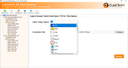
CubexSoft Email Backup Software for Mac & Windows
Mac Email Backup Tool is a feature-rich utility for backing up and migrating emails from a wide range of webmail platforms. It supports 90+ sources, multiple export formats, cloud migration, selective folder backup, and useful email filters. The software helps retain mailbox structure and makes it easier to manage email data for personal or professional needs. It is compatible with Windows and Mac, and a free demo is available to help users evaluate the tool before purchasing the full version.

WellWired
WellWired teaches artificial intelligence in plain English for adults over 50. The site offers free guides that explain AI without jargon, a scam checker to help people stay safe online, an on-site AI chat for quick questions, and a paid Academy with about 30 modules currently offered as a lifetime purchase. It is designed for people who want practical confidence with modern tools rather than technical theory. Founded by Arthur Turing and based in London at Unit 7.01, The Tea Building, 56 Shoreditch High Street, E1 6JJ. Public contact is hello@wellwired.ai and 020 3811 7600. WellWired already shares updates on X at WellWiredAI, LinkedIn at company/wellwiredai, and YouTube at @WellWiredAI. The tone is warm British plain English. Visitors can learn at their own pace, check suspicious messages, and explore courses when they are ready. The homepage, academy, scam check, blog, glossary, and try AI pages are all free to browse. WellWired exists so older adults can use AI calmly and safely. If you are looking for an approachable AI education brand for seniors and late career learners, start at wellwired.ai.