Best Software for Professionals
The dependable stack that just gets work done.
The best software for working professionals — productivity, communication, documents, and workflow tools that hold up under a real workload, whatever your field.
- 226
 0
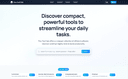
0Tiny Tool Hub is a curated directory of compact yet powerful AI tools designed to simplify everyday tasks and supercharge productivity. Whether you're looking for content generators, image editors, automation platforms, or niche utilities, Tiny Tool Hub delivers a handpicked collection of efficient solutions that pack a punch without overwhelming complexity. Ideal for developers, entrepreneurs, and creatives who value smart, lightweight tools to get things done fast and effectively.
- 227
 0
0Kreatli is a comprehensive video collaboration and production management platform built specifically for creative teams that need to organize projects, review media, manage approvals, and deliver final assets from a single workspace. Instead of relying on multiple disconnected tools for file storage, project management, video review, communication, and client approvals, Kreatli centralizes the entire production workflow into one unified platform. Designed for advertising agencies, video production studios, animation teams, in-house creative departments, and content creators, the platform streamlines every stage of the creative process—from the initial project brief to the final delivery—while reducing the confusion that often comes from scattered conversations, duplicated files, and disconnected software. At the core of Kreatli is the concept of a centralized creative workspace. Every project includes its own dashboard where teams can organize tasks, upload media files, monitor activity, collaborate through project-specific chat, and manage project documentation in one location. Rather than searching across cloud storage services, messaging applications, and project management tools, users can access everything related to a project from a single interface. This centralized approach helps teams maintain better organization, improve visibility into project progress, and eliminate unnecessary context switching throughout production. One of the platform's standout features is its frame-accurate video review system. Instead of leaving general comments that force editors to guess where revisions should be made, reviewers can pin feedback directly to exact frames and timestamps within a video. Comments can also include visual annotations and drawings, allowing clients and team members to clearly indicate specific areas that require changes. This precision greatly reduces misunderstandings during revision cycles and enables editors to implement feedback more efficiently. By attaching every comment to the exact moment it references, Kreatli makes collaborative video reviews significantly more organized than traditional email-based feedback. Version management is another major strength of the platform. Creative projects frequently involve multiple revisions before reaching final approval, making it difficult to track changes across different file versions. Kreatli solves this problem by allowing users to compare multiple versions of videos side by side, automatically highlighting differences between revisions. Editors, producers, and clients can quickly evaluate improvements, verify requested changes, and provide additional feedback without manually opening several files or relying on confusing file naming conventions. This structured version comparison process helps accelerate approvals while maintaining a clear history of project evolution. Secure cloud storage plays a central role in Kreatli's workflow. Users can upload files as large as 10 GB through a drag-and-drop interface while monitoring upload progress in real time. All uploaded assets are stored using enterprise-grade encryption, providing protection for valuable creative materials throughout the production lifecycle. Videos, images, PDFs, design files, and other production assets remain organized inside dedicated project libraries where team members can easily locate approved files, revisions, and work-in-progress content whenever needed. Project management is integrated directly into the production process through customizable task boards organized by project stages. Teams can move tasks between phases such as briefing, production, client review, and delivery while assigning ownership, tracking contributors, and linking individual tasks to specific media assets. This visual workflow allows producers and project managers to monitor progress across multiple projects while ensuring that responsibilities remain clearly defined throughout the production cycle. Deliverable management provides additional structure by helping teams organize deadlines, ownership, approval status, and delivery schedules for every project output. Whether managing hero videos, social media edits, client presentation packages, or final delivery files, Kreatli keeps each deliverable associated with its due date, review status, assigned collaborators, and production timeline. This centralized tracking reduces the likelihood of missed deadlines while improving visibility into outstanding work across the entire production schedule.
- 228
 0
0Ego presents itself as a new generation of personal AI agent designed to deeply understand the user and transform simple thoughts into fully completed work. Unlike traditional tools that require constant input and supervision, ego operates more like a proactive partner that learns continuously from your behavior. It observes your conversations, browsing habits, and daily workflows to build a personalized understanding of how you think and work. This allows it to anticipate your needs and execute tasks with increasing accuracy over time. The core idea is simple but powerful: you share a thought, and ego delivers the result—finished, polished, and ready to use. One of the most compelling aspects of ego is its ability to function seamlessly across multiple environments. Whether you are working on your browser, desktop, or phone, the agent remains consistently available. It acts as a unified layer that carries your tasks, context, and memory everywhere you go. You can interact with it naturally by speaking, typing, or even referencing what is currently on your screen. With just a simple command or idea, ego immediately begins working, combining real-time context with what it already knows about you. This creates a fluid experience where ideas are captured and executed instantly, without breaking your workflow. Ego also stands out for its ability to handle multiple complex tasks simultaneously. Instead of completing tasks one by one, it can run them in parallel, significantly increasing productivity. For example, you can ask it to research competitors, prepare a presentation, and analyze sales data all at once. While you focus on other things—or even step away completely—ego continues working in the background, delivering completed files such as documents, spreadsheets, and slide decks directly to your computer. This always-on capability ensures that work progresses 24/7, even when you are not actively engaged. Another defining feature is how ego evolves over time. It does not just process commands; it learns from your past actions, corrections, and preferences. This means that recurring tasks become faster and more accurate. Eventually, simple instructions like “do the usual” are enough for ego to understand and execute complex workflows. Every interaction strengthens its understanding, turning your personal knowledge and habits into reusable skills that improve efficiency and consistency. In terms of capabilities, ego covers a wide range of professional and personal tasks. It can conduct deep research by gathering and verifying information from multiple sources, delivering structured reports with citations. It can build applications from simple descriptions, handling coding, testing, and deployment automatically. It integrates with your existing tools and platforms, pulling data from different sources and combining it into clear, actionable insights. Additionally, it can monitor changes across the web, track competitors, automate administrative tasks, and even assist with purchasing decisions by comparing options and making recommendations. Privacy and data control are also central to ego’s design. All user data is synchronized securely across devices using encrypted channels, ensuring that sensitive information remains protected. The data is used exclusively to complete your tasks and is not shared, sold, or used for external purposes such as training AI models. This emphasis on ownership and security reinforces trust, making ego not just a powerful assistant, but also a reliable one. Overall, ego represents a shift from reactive AI tools to proactive, autonomous agents. It bridges the gap between ideas and execution, allowing users to focus on creativity and decision-making while the system handles the heavy lifting. By combining deep personalization, continuous learning, and autonomous task execution, ego redefines what it means to work with artificial intelligence in a modern, connected environment.
- 229
 0
0Supreme Call is a cloud-based business communication platform designed to provide companies with reliable, scalable, and easy-to-manage telephony solutions. It focuses on helping businesses improve how they communicate internally and with their customers by replacing traditional phone systems with modern VoIP (Voice over Internet Protocol) technology. The platform is built to adapt to different business needs, offering tailored solutions that grow alongside the company. Through a combination of advanced features and user-friendly design, Supreme Call aims to simplify communication while increasing efficiency and professionalism. At the core of Supreme Call is its ability to manage and optimize call flow within an organization. Businesses can route incoming calls intelligently using features like auto attendants and call queues, ensuring that each caller reaches the right department or person without delays. This not only improves customer experience but also reduces the workload on employees by automating repetitive tasks. The system is designed to handle high volumes of calls smoothly, making it suitable for both small businesses and larger teams that require structured communication systems. One of the most valuable aspects of Supreme Call is its flexibility and mobility. With its dedicated smartphone application, users can stay connected to their business phone system from anywhere. Whether they are working remotely, traveling, or outside the office, they can make and receive calls, send messages, and manage communications as if they were at their desk. This level of accessibility ensures that businesses remain responsive and connected at all times, which is especially important in today’s fast-paced and remote-friendly work environments. The platform also enhances productivity through features like voicemail-to-email and voicemail-to-text. Instead of listening to every missed call, users can quickly read transcriptions or access voicemail recordings directly from their email. This saves time and allows for faster responses. Additionally, Supreme Call offers a wide range of advanced functionalities, including call recording, call analytics, SMS messaging, conference calling, and integrations with third-party software and CRM systems. These tools provide businesses with deeper insights into their communication patterns and help them make data-driven decisions. Another key strength of Supreme Call is its seamless implementation process. The company works closely with clients to understand their specific requirements and design a customized communication setup. This includes configuring the system, optimizing network performance for VoIP, and ensuring that all hardware and software components are properly installed. Once the system is in place, the team provides training and support to ensure that employees can use the platform effectively. This hands-on approach makes the transition to a new communication system smooth and efficient. Supreme Call also prioritizes reliability and performance. Features like automatic service failover ensure that communication remains uninterrupted even in the event of technical issues. Businesses can rely on the platform to maintain consistent connectivity, which is critical for maintaining customer trust and operational continuity. The system is also designed to be developer-friendly, allowing for easy integration with existing tools and workflows. In addition to its core services, Supreme Call provides educational resources such as blog posts and guides to help businesses better understand communication technologies and best practices. Topics include setting up VoIP systems, improving call management, and selecting the right phone solutions for different business needs. These resources empower users to make informed decisions and maximize the value of their communication systems. Overall, Supreme Call delivers a comprehensive and modern approach to business communications. By combining advanced VoIP technology, intelligent call management, and flexible access, it enables companies to operate more efficiently and maintain strong connections with their customers and teams. It transforms communication from a basic necessity into a strategic advantage that supports growth and long-term success.
- 230
 0
0onEco Analytics Pro is a comprehensive web analytics and website auditing platform designed to help businesses, developers, agencies, and website owners monitor, analyze, and improve every important aspect of their online presence from a single centralized system. The platform combines privacy-focused analytics with advanced website checking tools, offering users a modern solution for performance monitoring, accessibility testing, SEO analysis, security scanning, privacy compliance, sustainability tracking, and content optimization. One of the defining characteristics of onEco Analytics Pro is its all-in-one approach to website management and analysis. Instead of relying on multiple disconnected services for analytics, uptime monitoring, SEO audits, privacy compliance, accessibility testing, and security checks, the platform brings everything together into one unified dashboard. This centralized ecosystem simplifies website management while helping users identify technical issues, monitor performance, and improve digital experiences more efficiently. The platform strongly emphasizes privacy-first analytics, positioning itself as an alternative to traditional analytics solutions that heavily rely on invasive tracking methods. onEco Analytics Pro focuses on transparency and privacy-conscious data collection practices while still delivering meaningful insights into website performance and user activity. Features such as Transparency Mode allow businesses to maintain ethical and compliant analytics systems that align with modern privacy expectations and regulations. A standout feature of onEco Analytics Pro is its wide range of automated webpage checkers. Users can analyze websites for accessibility compliance, carbon footprint, privacy standards, SEO quality, security vulnerabilities, content quality, and technical health. These tools help organizations identify weaknesses, optimize performance, and maintain compliance with modern web standards without requiring advanced technical expertise. Accessibility analysis is one of the platform’s key strengths. Through integrations with tools such as PHPAlly Accessibility and WAVE Accessibility, onEco Analytics Pro helps website owners detect usability and accessibility problems that could impact users with disabilities. This allows businesses to improve inclusivity and ensure their websites follow modern accessibility standards and best practices. The platform also includes advanced digital sustainability and carbon footprint tracking capabilities. onEco Analytics Pro measures Scope 3 digital carbon emissions at both site and page levels, helping organizations better understand the environmental impact of their online infrastructure. As sustainability becomes increasingly important in the technology industry, this feature provides companies with actionable insights into reducing the ecological footprint of their digital operations. Security monitoring is another major component of the platform. onEco Analytics Pro offers web security checks, malware and threat scanning, WordPress security analysis, TYPO3 security monitoring, and uptime tracking systems with heartbeat checks. These tools help businesses identify vulnerabilities, detect threats, and maintain stable website performance around the clock. Instant alerts and incident notifications allow teams to react quickly to outages, regressions, or security concerns before they impact users. The platform also includes SEO and content optimization tools designed to improve search engine visibility and website quality. Features such as SEO analysis, broken link scanning, grammar checking, and spelling reviews help website owners improve both technical optimization and content accuracy. By identifying errors and weaknesses, the platform supports better user experiences and stronger online discoverability. Automation plays a central role in the onEco Analytics Pro experience. Users can schedule recurring checks, automate reports, and configure continuous monitoring systems that operate in the background. This automation reduces manual workload while ensuring websites are constantly analyzed for issues, performance changes, and compliance risks. Businesses can also use issue tracking systems to prioritize fixes and monitor ongoing improvements over time. Another important feature is the platform’s AI-powered assistance tools. These tools help generate executive summaries, explain technical findings, and provide guidance for resolving detected issues. This makes complex technical information more understandable and actionable for teams, managers, and non-technical stakeholders. Overall, onEco Analytics Pro is a modern website intelligence and analytics platform that combines privacy-focused analytics, automated auditing tools, sustainability tracking, accessibility testing, security monitoring, SEO analysis, and AI-powered insights into one integrated solution. By helping organizations measure performance, improve compliance, strengthen security, and optimize digital experiences, the platform serves as a powerful tool for businesses seeking a smarter and more responsible way to manage their websites.
- 231
 0
0IraVoice is a privacy-first, system-wide dictation app for Apple-silicon Macs. Speak naturally and insert polished text into email, documents, chat, notes, and other Mac apps without changing your workflow. It uses Apple’s supported on-device speech recognition and formatting capabilities, helping keep dictation fast and private. IraVoice is designed for writers, founders, professionals, students, and anyone who wants to type less. It includes a 3-day free trial with no account or payment card required, followed by a one-time $50 purchase. IraVoice is signed and notarized for macOS and requires macOS 26 or later.
- 232
 0
0Get your best AI Tools | Open-source LoraAI Tools Directory LoraAI Directory is a tool provides free AI Tools Directory. Get your favorite AI tools with LoraAI Directory, LoraAI Directory aims to collect all the AI tools and provide the best for users. Get your best AI Tools | Open-source LoraAI Tools Directory
- 233
 0
0**ArchGee — Job Search That Actually Understands Architecture** If you've ever searched for "architect jobs" online, you know the problem. Nine out of ten results are for software architects, cloud architects, or solutions architects. You end up wasting time scrolling through listings that have zero to do with actual buildings. We got tired of that too. So we built ArchGee. It's a job platform only for built-environment professionals — architects, interior designers, landscape architects, urban planners, BIM managers, sustainability consultants. Every job on here is filtered to make sure it's a real architecture or design role. No software jobs sneaking in. No noise. Salary info is pulled out and shown clearly. Each job is labeled remote, hybrid, or onsite. Seniority level is tagged. Jobs from your country show up first, then remote roles, then the rest. You don't even need an account to start looking. We also have a set of design tools — things like turning a photo into a redesigned room, converting a sketch into a render, or restyling a facade. Handy when you want to test an idea quickly. **The basics:** - Job listings from around the world, filtered to only architecture and design roles - Salary, work type, and seniority on every listing - Jobs from your location shown first - Daily or weekly job alerts - Mobile app for iPhone and Android - Design tools for quick visual exploration That's it. A job platform that finally knows the difference between someone who designs buildings and someone who designs databases.
- 234
 0
0InboxKit is your all-in-one platform for building, managing, and scaling cold-email infrastructure. It automates everything from domain provisioning and DNS setup to mailbox creation, warm-up, and sequencer integrations, so you can focus on running high-performing outbound campaigns — not managing the tech stack behind them.
- 235
 0
0Crops is Digital Asset Management software built specifically for creative and marketing teams. We solve the chaos that plagues every creative workflow: hours lost searching for files, feedback scattered across email and Slack, errors that slip through to production, and endless version confusion. Our platform combines four core capabilities: - Smart Asset Organization with AI auto-tagging and visual search. - Streamlined Approvals with visual annotations and centralized feedback. - AI Review that catches typos, placeholder text, accessibility issues and quality problems before stakeholders see them. - Secure Sharing with password-protected links and guest access. Creative teams get back their time by automating quality control and eliminating workflow chaos. Find any asset immediately, keep approvals moving, maintain brand consistency automatically, and ship campaigns with confidence knowing nothing slipped through.
- 236
 0
0100% Offline, Private Local AI Chat for MacOS - 100% Offline - Try before you buy - 100+ local models for every use case - Chat with Image, PDF and docs - No Recurring Subscription (One time payment) 100% Offline, Private Local AI Chat for MacOS - 100% Offline - Try before you buy - 100+ local models for every use case - Chat with Image, PDF and docs - No Recurring Subscription (One time payment) 100% Offline, Private Local AI Chat for MacOS - 100% Offline - Try before you buy - 100+ local models for every use case - Chat with Image, PDF and docs - No Recurring Subscription (One time payment)
- 237
 0
0DensOps is a modern prospecting and go-to-market platform built for teams selling into the real world — where geography matters. Traditional lead databases were designed for broad, generic targeting. But if you sell to brick-and-mortar businesses, local service providers, franchises, or territory-based markets, the question is never just who your customers are — it’s where they are. DensOps solves this by combining natural-language prospecting with a visual, map-first workflow that helps marketing and GTM teams discover high-density opportunities, build hyper-relevant lead lists, and activate them instantly. Instead of spending hours filtering spreadsheets or stitching together tools like Apollo, Google Maps, and manual research, you can simply describe what you’re looking for in plain English — and DensOps translates that into structured, location-aware prospecting. With DensOps, you can: Generate local prospect lists in minutes using natural-language search Explore leads visually on an interactive map to spot clusters and coverage gaps Identify high-density zones around key locations (hotels, stores, service areas, territories) Enrich business profiles with useful context for outreach and targeting Export clean lead lists for outbound campaigns, LinkedIn audiences, or CRM workflows DensOps is purpose-built for teams running local GTM motions, including: Growth and marketing teams targeting physical businesses Sales teams building territory-based pipelines Agencies running hyper-local outreach or paid campaigns Startups and operators expanding city by city
- 238
 0
0Kondor File Manager is a native macOS file manager and Finder alternative from Tepesoft. It helps Mac users handle serious file work with dual-pane browsing, tabs, fast keyboard-first navigation, search, previews, archives, folder comparison and sync, remote/cloud connections, and bulk media workflows. Kondor Lite is free for everyday local Mac file management, with optional Pro features for advanced remote, sync, archive, media, and device workflows.
- 239
 0
0BeeSift is a smart Chrome extension that helps you extract key insights from any webpage, tailored to your personal or professional goals. Whether you’re researching a topic, learning something new, or organizing ideas for a project, BeeSift highlights and summarizes content that matters most to you. It’s simple, privacy-friendly, and built for focus-driven minds. You can use it to gather notes, spark insights, and surface what’s relevant without the noise. Ideal for students, professionals, founders, and lifelong learners.
- 240
 0
0ToolChase is an ad-free AI tools directory and comparison platform built to help users discover, evaluate, and choose the right AI software with clarity and confidence. The platform features 600+ AI tools, 2,000+ side-by-side comparison pages, expert-written reviews, pricing breakdowns, feature summaries, alternatives, FAQs, and practical use-case guidance across major AI software categories including AI writing tools, AI SEO tools, AI video generators, AI image generators, AI coding assistants, AI chatbots, AI productivity tools, AI presentation software, AI automation platforms, AI research tools and AI detection tools. ToolChase helps users answer high-intent buying questions such as which AI tool is best for a specific workflow, how two tools compare, what each platform costs, which alternatives are available, and whether a tool is suitable for content creation, marketing, SEO, automation, sales, research, design, customer support, development, or productivity.
- 241
 0
0Stytch provides a suite of tools designed to simplify authentication, authorization, and security for web and mobile applications. If you're developing an app and need a way for users to log in—whether with passwords, passkeys, or entirely passwordless methods—Stytch offers APIs and SDKs that handle these complexities. Their focus is on making authentication seamless for both developers and end-users while ensuring high security standards. For businesses, particularly B2B SaaS companies, Stytch enables advanced features like multi-tenancy, role-based access control (RBAC), and single sign-on (SSO). They provide an embeddable admin portal, allowing enterprise customers to manage their own authentication configurations, organizational settings, and integrations with identity providers—without constant developer involvement. Stytch places a strong emphasis on scalability and flexibility. Their tools are designed to “just work” across a range of use cases, from simple consumer apps to complex enterprise platforms. Developers can choose how much of the authentication flow they want to control—using pre-built UI components for quick implementation or leveraging headless SDKs and backend APIs for a fully customized experience. Security and fraud prevention are also core to Stytch’s offering. They provide real-time bot detection, device-aware multi-factor authentication, and intelligent rate limiting to protect against credential stuffing and other forms of account abuse. Their infrastructure ensures that login codes and authentication requests are delivered reliably, even when SMS or email providers fail. Stytch supports a broad range of programming languages and frameworks, including Python, Node.js, Java, React, and iOS, making integration into existing tech stacks straightforward. Their platform is designed for developers who want to build secure, user-friendly authentication systems without reinventing the wheel.
- 242
 0
0MonsterOps is an all-in-one Business Operating System (BOS) built for small to mid-sized businesses to streamline operations, align teams, and execute strategy effectively. It’s especially helpful for companies self-implementing frameworks like EOS, yet flexible enough to support any BOS. Instead of juggling scattered spreadsheets, documents, and task apps, MonsterOps gives you a single workspace for all goals, challenges, and to-dos. It includes a powerful tool for running leadership meetings with built-in agendas and timekeeping With real-time KPI tracking, you get instant visibility into the health of your business and keep teams aligned & moving in the right direction. Built for founders and leadership teams ready to move from firefighting to predictability, MonsterOps unifies your operations so everyone works toward the same goals
- 243
 0
0All Top AI Tools is a specialized online directory that offers detailed insights into a wide range of AI technologies across various industries. Our ranking system highlights the most popular and effective AI tools, spanning commercial and open-source solutions. The directory is meticulously organized by industry categories, including Artificial Intelligence, Edtech, Fintech, Real Estate, HealthTech, BioTech, CleanTech, AgriTech, and many others, up to Energy. This categorization system is designed to assist users in quickly identifying the AI tools that best match the specific requirements of their projects or sectors. Whether you're exploring options for software, cybersecurity, blockchain, virtual/augmented reality, robotics, or any of the other listed industries, All Top AI Tools provides a comprehensive overview to help you find the right AI technologies for your needs.
- 244
 0
0Nano Banana Pro delivers Studio-Quality AI Image Generation with Professional Precision Nano Banana Pro generates professional-grade AI images with studio-quality precision and control. Nano Banana Pro creates clear text overlays, maintains subject consistency across multiple generations, and produces high-resolution designs from 1K to 4K. Nano Banana Pro is perfect for designers, marketers, and content creators who demand professional results. Create studio-quality AI images with Nano Banana Pro's advanced Gemini 3 Pro technology. Generate clear text, maintain subject consistency, and produce professional designs in 1K-4K resolution. Perfect for designers, marketers, and content creators seeking precision AI art generation. Start Creating Now
- 245
 0
0Time is a native macOS menu bar app built for people who work across time zones. The Problem If you've ever pinged a coworker at 3 AM their time, missed a meeting because you calculated the time wrong, or spent five minutes hunting for a Zoom link buried in an email thread, you know the pain. Working with a global team means constantly doing mental math, and existing solutions are either ugly widgets, bloated apps, or subscription traps. The Solution Time lives quietly in your menu bar and shows multiple time zones at a glance. Add unlimited zones, give them custom names like "Tokyo Office" or "Mom," and instantly see everyone's local time without opening anything. Key Features Time Scroller: Drag to preview what time it will be across all your zones up to 24 hours ahead. Perfect for finding that magical meeting slot when everyone is actually awake. Day & Night Awareness: Color-coded segments show daylight and nighttime across all zones. No more mental math to figure out if someone is sleeping. Smart Calendar Integration: See upcoming events directly in the popover, get warnings before meetings start, and join Zoom, Google Meet, Microsoft Teams, or Webex calls with a single click. No more digging through emails for links. Date Picker: Planning a meeting next week? Pick any future date and see how times align across all your zones. Airport Code Search: Search from 5,500+ airport codes to quickly find cities. Type "LAX" instead of scrolling through a list of Los Angeles options. DST Warnings: Get notified when daylight saving time changes are coming so you're never caught off guard. Why Time? Native SwiftUI means buttery smooth performance and minimal resource usage. Your calendar data stays on your device with zero tracking or data collection. It's a one-time purchase with no subscriptions, and you get lifetime updates. Time is actively developed and optimized for the latest macOS versions including Tahoe. Extensive customization options let you control 12/24-hour formats, fonts, colors, and alignment. Pricing One-time purchase starting at $24.99. No subscriptions. Free 30-day trial included. Built by a remote worker who got tired of doing time zone math at 6 AM.
- 246
 0
0MindMic is a voice-to-text tool built for creators, founders, and professionals who think faster than they type. Instead of losing ideas or postponing them because typing feels slow or distracting, MindMic lets you capture thoughts instantly using your voice and converts them into clean, readable text. Whether you’re brainstorming content ideas, journaling, planning work, or dumping thoughts on the go, MindMic helps you move from raw voice to usable text in seconds. The product is designed to be lightweight, fast, and distraction-free, focusing on one core job: helping you think out loud and save those thoughts before they disappear. MindMic is ideal for anyone who wants a simpler, faster way to capture ideas without opening a full document, switching tools, or breaking their flow.
- 247
 0
0Helpmaton is the workspace-based platform to build, manage, and scale AI agents without the chaos. Organize agents into dedicated workspaces with shared knowledge, custom budgets, and team permissions. 🚀 Key Features: • Memory & Docs: Agents learn from chats and your files. • Native Integrations: Google Workspace & Notion (OAuth). • Deployment: Slack/Discord bots. • Multi-Agent: Task delegation & web search. • Flexibility: BYO API keys or use ours. Open-source ready.
- 248
 0
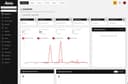
0Seedly CRM is a full-featured customer relationship management platform built for digital agencies, freelancers, and service businesses. Unlike traditional SaaS CRMs that charge monthly per-seat fees, Seedly is a one-time purchase. You get the complete source code, deploy it on your own infrastructure, and never pay another subscription bill. The platform includes everything an agency needs to manage clients and grow revenue: contact and company management, deal pipelines with drag-and-drop Kanban boards, workflow automation, email sequences, task management, appointment scheduling, form builders, and a built-in invoicing system. Every module is production-ready out of the box. Seedly is built on a modern tech stack using Next.js, React, and Convex, giving technical teams a codebase they can actually work with. The architecture is clean, well-documented, and designed to be extended. Add custom integrations, build new modules, or white-label the entire platform under your own brand. There are no vendor locks, no API rate limits you don't control, and no surprise price increases. White-labeling is where Seedly really stands out. Agencies can rebrand the entire CRM for their clients or resell it as their own product. Change the logo, colors, domain, and messaging without touching core code. One codebase serves unlimited client accounts with full data isolation between them. For teams worried about the technical lift, Seedly ships with detailed setup documentation and an interactive setup guide that walks through the entire deployment process. Buyers get five download slots for the source code ZIP and a day-one install packet via email.
- 249
 0
0Plotzy is a robust software platform purpose-built for the commercial real estate industry, delivering the tools professionals need to make informed decisions faster. Key Features: Find property info from county tax assessors Find owner contact information Zoning questions answered, instantly & accurately Search for properties by permitted use by right & conditionally Organize your lists Export your data By aggregating diverse property data from multiple sources, Plotzy offers a comprehensive view of the real estate landscape, including detailed insights into owner contact information, zoning laws, and municipal resources.
- 250
 0
0Parallel AI presents itself as a specialized AI-powered workspace designed specifically for professionals managing Google Ads campaigns. At its core, the platform introduces “Co-work,” an intelligent AI agent that functions like a dedicated teammate for PPC (pay-per-click) teams. Instead of relying on generic tools or disconnected workflows, Parallel AI brings together chat, documents, and spreadsheets into a single environment that understands advertising data. The goal is clear: reduce the time spent on repetitive analysis and reporting, while increasing the speed and quality of decision-making. One of the most powerful aspects of Parallel AI is how it transforms the process of reviewing and optimizing Google Ads accounts. Tasks that traditionally take hours—such as analyzing performance trends, comparing budget pacing, or identifying inefficiencies—can now be completed in minutes. The AI agent actively assists in reviewing account performance, detecting anomalies like spikes in cost-per-acquisition, and highlighting wasted ad spend. It doesn’t just provide raw data; it turns insights into actionable recommendations, helping users move directly from analysis to execution without unnecessary delays. The platform is built around an “agentic chat” experience, meaning users can simply ask questions or describe what they need, and the system responds intelligently based on connected accounts and uploaded data. This conversational approach makes complex workflows feel simple and intuitive. Users can attach files such as performance reports, creative briefs, or budget trackers, and the AI uses this information to generate highly contextual responses. Whether it’s drafting ad copy, building keyword strategies, or restructuring campaigns, the output is tailored to the user’s specific data and goals. Another defining feature of Parallel AI is its integrated workspace, which combines Notion-style documents and smart spreadsheets. Unlike traditional tools, these documents are not empty templates—they are automatically populated with live account data. This means users can instantly generate campaign briefs, client reports, or strategic plans without starting from scratch. Similarly, the spreadsheet functionality allows users to create performance tables, analyze search terms, and organize data dynamically, all without exporting files or manually formatting information. Everything remains connected and up to date within the same ecosystem. Parallel AI also excels in research and competitive analysis. What typically requires hours or even days of manual effort—such as studying competitor strategies, identifying keyword gaps, or analyzing industry benchmarks—can be completed in minutes. The AI gathers, organizes, and presents this information in a structured way, allowing users to focus on strategic decisions rather than data collection. This significantly reduces the “research rabbit hole” and enables faster, more confident planning. Designed specifically for Google Ads professionals, Parallel AI goes beyond the capabilities of general-purpose AI tools. It understands key advertising concepts such as quality score, return on ad spend (ROAS), bid strategies, and campaign structures. This domain-specific intelligence ensures that every recommendation is grounded in real platform mechanics, making the insights more reliable and practical. Users can manage multiple accounts simultaneously, compare performance across campaigns, and identify trends without switching between tabs or tools. In terms of productivity, the platform emphasizes time savings and efficiency. It is designed to help users complete in a few hours what would normally take an entire day. With features like parallel task execution, automated reporting, and real-time analysis, teams can handle more accounts and deliver better results without increasing workload. Pricing options are structured for both individual professionals and teams, making it scalable depending on the level of usage. Overall, Parallel AI represents a shift toward highly specialized AI tools that are deeply integrated into professional workflows. By combining intelligent automation, contextual understanding, and a unified workspace, it enables marketers to work faster, smarter, and with greater precision. Instead of juggling multiple tools and manual processes, users gain a centralized system that acts as both an assistant and an expert collaborator in managing Google Ads campaigns.
Frequently asked questions
AdBlock is a browser extension designed to eliminate distracting advertisements from your browsing experience. By blocking ads, it allows you to focus better on the content you want to see, making your online activities more enjoyable and less cluttered.
ChatGPT is highly regarded for its advanced conversational capabilities and versatility in various tasks, including coding and generating creative content. Users appreciate its ability to assist with programming tasks and its overall effectiveness, despite occasional issues like hallucinations and outages. The subscription fee of $20/month is often seen as worthwhile for the value it provides.
Block & Focus is a simple yet effective browser extension that allows you to block distracting websites for a specified period. You can customize which sites to whitelist or blacklist, helping you maintain focus and productivity during work hours.
Limit is a tool that helps you manage your time on distracting websites by allowing you to set daily limits on how long you can spend on each site. Once you reach your limit, the website is blocked, helping you avoid distractions and stay focused on your tasks.
Remote Index is a job board that provides a daily updated list of remote job opportunities across various fields. It is a valuable resource for professionals seeking flexible work arrangements and remote positions.
Remote OK is a popular job board that features a mix of engineering and non-engineering jobs. It offers a variety of filtering options, allowing users to search for jobs based on location, job type, salary, and benefits. New job postings are added daily, making it a dynamic resource for job seekers.
Momentum transforms your new tab page into a personalized dashboard that displays the time, weather, and a beautiful landscape photo. It includes productivity tools like a pomodoro timer, to-do lists, and focus time, making it not only visually appealing but also functional for enhancing productivity.
Wellfound, formerly known as Angel List Talent, focuses on startup jobs and offers extensive filtering options for job seekers. Users can save their searches and apply directly for jobs, making the job search process more efficient and tailored to their preferences.
Otta stands out by providing job recommendations that match your specific profile. Users set preferences such as location, salary, and role, and Otta curates job listings that fit these criteria, ensuring high-quality job offers that save time in the job search process.
Panem helps users manage their SaaS subscriptions by tracking spending and identifying unnecessary expenses. It connects to your bank account to analyze transactions, provides renewal reminders, and offers insights to help you make informed decisions about your subscriptions, ultimately saving you time and money.