Best Software for Designers
The tools between a good eye and a shipped design.
The best software for designers — design, prototyping, asset management, and handoff tools for the people who turn briefs into pixels, from solo freelancers to in-house teams.
- 76
 0
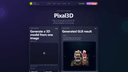
0If you need a 3D model but don’t know where to start, [Pixal3D](https://pixal3d.cc/) is a website that turns one image into a textured 3D model. No hard skills are needed. You just use your browser. ## What This Tool Does Pixal3D is an image‑to‑3D model generator. You give it a picture—like a photo of a toy, a shoe, or a game character. The tool then creates a 3D model file in GLB format. This file has textures, so it looks like the original image. You can rotate and see the model right on the site. If you are happy, you download it. You can choose between two modes: Standard (1024 pixels) or High‑res (1536 pixels). Standard is faster and costs fewer credits. High‑res gives more detail for important projects. Each generation uses credits. You buy credits with a subscription plan. The website keeps a history of all your models, so you can preview and download them again later. ## Who This Is For Pixal3D is for people who need 3D models but are not trained in 3D software. Here are some examples: - **Game creators** can make quick props or characters for a prototype. They can test how an object looks in 3D from a simple drawing. - **Sellers online** can turn product photos into 3D views. This helps to show a product from all sides. - **Design hobbyists** who like to make things with 3D printers or digital art can transform their images into printable or editable models. - **Fashion and accessory designers** can put a picture of a bag or shoe and get a 3D model to present ideas. - **Beginner 3D learners** can start with Pixal3D to understand what 3D models feel like without complex tools. The tool is not for making final, perfect models. It is for starting fast, testing ideas, or getting a base model you can later improve with other software. ## Simple and Clear Plans Pixal3D has three yearly plans: Basic for hobbyists, Standard for most creators, and Pro for power users. All plans give you a set number of credits every month. You also get a commercial license, no watermark on your models, and private generation. The credit system is clear. You always know how many credits you have left. Even if you don’t subscribe, you can try with a smaller one‑time purchase. This way you can see if the tool fits your needs before paying for a whole year. ## How to Get Started First, sign in on the website. Then, upload a clean image of your object. Pick the resolution you want. Click “Generate” and wait a short time. After the model is ready, you will see it in the preview window. You can move it with your mouse. If you like the result, download the GLB file. The GLB file works in many 3D programs and game engines. You can open it in Blender, Unity, or other tools to edit further. This makes Pixal3D a good first step for many projects. ## A Fast Way to Try Ideas If you have many ideas for 3D designs, Pixal3D saves you time. Instead of modeling everything from zero, you start with an image and get a 3D draft in minutes. This is very useful for teams who need to show clients quick previews, or for solo developers who iterate fast. Remember, the tool uses AI, so results can vary. Some images work better than others. But for most product shots, character sketches, or simple objects, the output is good enough to use right away. ## Final Words Pixal3D is a friendly door into 3D model creation. It removes the need for hard software and long training. With just one picture, you get a textured 3D model you can preview, download, and use in your work. If you are a game maker, a seller, a designer, or just curious, this tool is worth a look.
- 77
 0
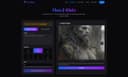
0🎨 Core Features AI-Driven Image Generation Flux Klein uses optimized AI models to transform natural language prompts into detailed, professional-grade images. Users can describe their ideas clearly and intuitively, without the need for complex prompt engineering. Fast & Lightweight Performance Built for efficiency, Flux Klein delivers rapid image generation even on standard or low-resource hardware. This lightweight design enables faster iteration and smoother creative workflows. High-Quality Visual Output Despite its efficient architecture, Flux Klein produces images with sharp details, balanced composition, and refined artistic quality suitable for professional and commercial use. Consistent Style Across Generations Flux Klein supports consistent visual styles across multiple image generations, making it ideal for brand assets, campaign visuals, and cohesive design projects. Flexible Workflow Integration Flux Klein adapts easily to different creative pipelines, supporting scalable usage for individuals, teams, and automated workflows. Prompt-Friendly Interface With a clean and intuitive interface, Flux Klein allows users of all skill levels to generate high-quality images using simple natural language descriptions. 🚀 Key Benefits Rapid Image Creation Generate professional-quality images in seconds, significantly faster than traditional design or illustration workflows. Resource-Efficient & Cost-Effective Flux Klein reduces reliance on expensive hardware and infrastructure, making advanced AI image generation more affordable. Beginner-Friendly Experience No technical background is required. Flux Klein simplifies the entire process from prompt to final image. Scalable for Projects & Teams From single-image generation to batch creation for large campaigns, Flux Klein scales effortlessly with your creative needs. 🎯 Who Should Use Flux Klein Designers & Digital Artists Accelerate concept art, visual exploration, and design iteration without sacrificing quality. Marketing Teams & Agencies Create promotional visuals, banners, and campaign assets quickly and consistently. Product & UX Designers Visualize product concepts, interface designs, and user experiences with minimal effort. Content Creators & Influencers Produce eye-catching imagery for blogs, social media, and digital platforms. Developers & Creative Technologists Integrate AI image generation into applications, tools, and automated workflows.
- 78
 0
0LoraAI Directory is a tool provides free AI Tools Directory. Get your favorite AI tools with LoraAI Directory, LoraAI Directory aims to collect all the AI tools and provide the best for users.Find the Best AI Tools for Every Task.Transform your workflows with 11 AI tools and growing https://www.loraai.pro
- 79
 0
0Live wallpapers for your Mac desktop. Now Featuring Lock Screen Support. Backdrop 2.0 brings video wallpapers to both your Mac Desktop and your Lock Screen. Smooth 4K playback with low CPU use. Browse 1,000+ scenes, or craft your perfect wallpaper with the built-in editor. Multi-display support, community platform, free trial.
- 80
 0
0Inkfox AI is a free, no-sign-up creative workspace that brings the full image-and-video workflow into one place, instead of scattering it across half a dozen separate tools. You can start generating right away in the browser, with free credits and no account required just to see if it works for you. At its core is image generation backed by multiple state-of-the-art models, including Nano Banana 2.0, GPT Image 2.0, Flux, and Seedream, so you can pick the model that best fits a given look rather than being locked to one engine. Beyond text-to-image, Inkfox handles reference-based editing and inpainting (change one part of an image while keeping the rest), turns a still photo into a short animated video, and generates video from a prompt. A growing library of one-click tools sits on top of the engine, so you don't have to write complex prompts for common jobs. These include a full virtual try-on family, sunglasses, glasses, hats, necklaces, earrings, watches, colored contact lenses, and clothing, plus scene presets for headshots, product shots, stylized portraits, and more. Each result is saved to a timeline tied to the prompt that created it, so your work stays organized instead of piling up as unnamed files. Inkfox is built for creators, indie makers, e-commerce sellers, and social media users who want fast, accessible results without a steep learning curve or a paywall up front. The free tier covers real usage; signing in removes the export watermark and unlocks higher-volume generation. Whether you're mocking up a product photo, previewing an accessory before you buy, animating a portrait, or just exploring ideas, Inkfox lowers the barrier from "I have an idea" to "here's the image or video."
- 81
 0
0Explore our curated directory of static site generators, from Next.js to Hugo, and find the best tools for adding search, comments, and other features to your static website. Start building a fast, secure, and optimized website now.
- 82
 0
0Berrys AI: The Creative Infrastructure for Your Brand In the high-speed world of social commerce, the primary barrier to growth is no longer a lack of creativity—it is the friction of velocity and brand consistency. While generative AI has promised to democratize content creation, it has often introduced a fragmented visual identity and unpredictable outputs that can dilute a brand's image. Berrys AI is the workflow-native creative infrastructure designed to eliminate this fragmentation. It acts as a sophisticated "thinking partner," bridging the distance between imagination and production by embedding your brand’s unique DNA directly into the AI generation loop. The Power of Brand Memory At the heart of the Berrys ecosystem is a revolutionary "Brand Memory" system. Rather than starting from scratch with every asset, users establish a centralized Brand Kit that serves as the definitive "Standard Operating Procedure" for the AI. This is powered by our proprietary Elementsengine—a specialized tool for locking in specific visual identities across entire scenes and workflows. Whether it is maintaining a consistent character face, a SKU-tagged product, or approved brand typography, Berrys ensures every output aligns perfectly with your global identity. This "Consistency Engine" means that once a product or style is defined, it remains immutable throughout the production pipeline, removing the uncertainty of uncoordinated generation and allowing for instant professionalism. A Dual-Depth Creative Ecosystem Berrys is built to accommodate both rapid execution and deep, customized marketing logic: * Berrys Creation Space: This is the primary engine for high-fidelity production. Within the Creation Space, users can generate images and videos leveraging their stored Brand Elements. By providing immediate access to pre-approved brand materials, it significantly increases visual consistency and maximizes speed to content. Brands can transform raw concepts into polished, brand-aligned assets in a fraction of the traditional time. * The Berrys Playground: For brands requiring more creative control and customization, the Playground offers an infinite, node-based canvas for creating repeatable marketing workflows. This space allows for granular customization of stored Brand Elements, enabling users to adapt their core visual identity into various content types optimized for different digital platforms. It is the bridge between static assets and a dynamic, auto
- 83
 0
0Berrys AI: The Creative Infrastructure for Your Brand In the high-speed world of social commerce, the primary barrier to growth is no longer a lack of creativity—it is the friction of velocity and brand consistency. While generative AI has promised to democratize content creation, it has often introduced a fragmented visual identity and unpredictable outputs that can dilute a brand's image. Berrys AI is the workflow-native creative infrastructure designed to eliminate this fragmentation. It acts as a sophisticated "thinking partner," bridging the distance between imagination and production by embedding your brand’s unique DNA directly into the AI generation loop. The Power of Brand Memory At the heart of the Berrys ecosystem is a revolutionary "Brand Memory" system. Rather than starting from scratch with every asset, users establish a centralized Brand Kit that serves as the definitive "Standard Operating Procedure" for the AI. This is powered by our proprietary Elementsengine—a specialized tool for locking in specific visual identities across entire scenes and workflows. Whether it is maintaining a consistent character face, a SKU-tagged product, or approved brand typography, Berrys ensures every output aligns perfectly with your global identity. This "Consistency Engine" means that once a product or style is defined, it remains immutable throughout the production pipeline, removing the uncertainty of uncoordinated generation and allowing for instant professionalism. A Dual-Depth Creative Ecosystem Berrys is built to accommodate both rapid execution and deep, customized marketing logic: * Berrys Creation Space: This is the primary engine for high-fidelity production. Within the Creation Space, users can generate images and videos leveraging their stored Brand Elements. By providing immediate access to pre-approved brand materials, it significantly increases visual consistency and maximizes speed to content. Brands can transform raw concepts into polished, brand-aligned assets in a fraction of the traditional time. * The Berrys Playground: For brands requiring more creative control and customization, the Playground offers an infinite, node-based canvas for creating repeatable marketing workflows. This space allows for granular customization of stored Brand Elements, enabling users to adapt their core visual identity into various content types optimized for different digital platforms. It is the bridge between static assets and a dynamic, auto
- 84
 0
0AIPresentationMakers is a specialized review site dedicated to AI presentation tools. AIPresentationMaker offers: Comprehensive, hands-on reviews of every AI presentation tools An expert editorial team composed of professional designers and developers Tutorials, tips and tricks, and coupon codes for getting started with AI presentation tools The site's goal is to make it easy to understand how various AI products work and identify which products are the best fit for different types of users. All of the site’s content is based on the team’s expertise in both slide-making, as well as AI. The editorial team tests each product using real-world prompts and examples to provide the most representative set of scenarios on which to measure the applications.
- 85
 0
0## Introduction GPT Image 2.5 is the next generation of OpenAI's GPT Image model family, available online as an image generator and editor with no setup required. It turns a written prompt or a set of reference photos into finished visuals, and it is tuned for the details production work depends on: exact text and layout, stable fine detail at large sizes, consistent characters and products, and edits that leave approved regions untouched. The platform outputs at 1K, 2K, and 4K across five aspect ratios, accepts up to 16 reference images for image-to-image editing, and runs a reasoning pass before rendering so long prompts survive intact. Designers, marketers, and developers use it for posters, packaging, UI mockups, comics, infographics, and localized visuals with text in multiple languages. ## Features ### 1. Sharper High-Resolution Output GPT Image 2.5 keeps edges, typography, product contours, and scene detail crisp at large sizes. Output is available at 1K, 2K, and true 4K with no artificial sharpening or soft upscaling tricks, so a hero image holds up on a billboard as well as on a phone. ### 2. Cleaner Repeated Edits Chain a dozen edits and the approved regions stay exactly as they were. GPT Image 2.5 preserves smooth gradients and color across every revision, with no block artifacts, added noise, or layout drift between rounds. ### 3. Stronger Prompt Precision Object counts, spatial relationships, materials, camera direction, lighting, and layout limits all land in one coherent output. Long briefs with many constraints are retained instead of being partially dropped. ### 4. Natural Skin and Detail Skin, hair, hands, fabrics, labels, and product geometry render with a natural finish that stays stable across variations. The refined decode stage removes the blocky noise of earlier generations while keeping realistic grain and micro-detail. ### 5. Exact Text and Layout Headline, body, and small-label copy are placed with dependable spelling, spacing, and hierarchy in every aspect ratio. Multilingual text stays accurate, making localized marketing and packaging visuals possible from a single prompt. ### 6. Reasoning Before Render A planning pass reads the brief, resolves counts and text content, and checks its own plan for conflicts before the first pixel is drawn. The same planning step carries into multi-turn edit chains for steadier results. ## Use Cases ### 1. Sequential Art Twelve panels, one cast. GPT Image 2.5 holds faces, costumes, and lighting steady from the opening frame to the closing beat, and each line of dialogue lands inside its balloon as scripted. Ideal for indie comics, storyboards, and visual narratives. ### 2. App Interface Renders Turn a wireframe into a screenshot that survives a designer's zoom. Menus, tables, and status icons sit on a true grid, and the tiny captions along the sidebar stay legible at any size — perfect for SaaS demos and app store listings. ### 3. Packaging Typography Curved glass, matte paper, glossy foil: the brand name reads the same on all of them. Ingredient lists and barcodes stay intact through a dozen revisions, so no label needs a manual fix before it goes to review. ### 4. Full-Page Web Layouts Think of it as a first draft from a senior web designer. Ask for a pricing table beneath a testimonial band and it appears in that order, each heading spelled out and aligned to its column — ready for rapid prototyping and A/B concepts. ### 5. Explainer Graphics When the subject is a pipeline or a process, structure is the whole point. GPT Image 2.5 plans the sequence before drawing, so numbered stages, connectors, and callouts follow your logic in technical diagrams and workflow infographics. ### 6. Store Listing Visuals Shoppers decide in seconds, and a listing built here gives them everything at once: a hero shot, a feature grid, a price badge, and a buy button that looks like it belongs on a real storefront — with product photography costs cut across the catalog. ## FAQ ### 1. What is GPT Image 2.5? GPT Image 2.5 is the next generation of OpenAI's GPT Image model family, available on our platform as an online image generator and editor. It turns written prompts and reference images into finished visuals and is tuned for exact text, stable fine detail, consistent characters and products, and edits that leave approved regions untouched. You can use it directly on the site without any setup. ### 2. How does GPT Image 2.5 improve on GPT Image 2? GPT Image 2 introduced reasoning before the render, reliable multilingual text, and batches of consistent images. GPT Image 2.5 refines that base in four areas: sharper detail at large sizes without soft upscaling, cleaner color across repeated edits with less noise and drift, stronger retention of long prompts with many constraints, and more natural skin, hair, fabric, and label texture that stays stable across variations. ### 3. What can I generate with GPT Image 2.5? Anything from a single hero image to a coordinated set: marketing posters, product and packaging shots, UI and app mockups, landing page designs, comics and storyboards, infographics, and localized visuals with text in multiple languages. Text-to-image starts from a prompt; image-to-image takes up to 16 reference images to guide character, style, composition, or product details. ### 4. What resolutions and aspect ratios are supported? Output is available at 1K, 2K, and 4K. Aspect ratios include 1:1, 16:9, 9:16, 3:2, and 2:3, plus an automatic option that lets the model choose the frame. Higher resolutions cost more credits per image, and the exact cost is shown in the generator before you run it. ### 5. Is GPT Image 2.5 the same as MAI-Image-2.5? No. MAI-Image-2.5 is a Microsoft image model available through OpenRouter and other providers. GPT Image 2.5 is powered by OpenAI and belongs to the GPT Image family, the same line as GPT Image 2 and GPT Image 1.5. The shared version number causes confusion in search results, so check the vendor before comparing samples, benchmarks, or pricing. ### 6. Do I need an account, and what does it cost? You can browse examples without signing in, and a free account includes starter credits to try GPT Image 2.5. Each generation deducts credits based on resolution, with 1K the cheapest and 4K the most expensive. Paid plans add larger credit bundles, priority generation, and commercial use rights, all listed in the pricing section of the site.
- 86
 0
0Unpixelate is a free AI tool that turns pixelated, blurry and low-resolution pictures into sharp, high-resolution images. Drop in a JPG, PNG or WebP, pick Standard or HD, and compare the before and after with a slider before downloading. There are no prompts or settings to learn, and results are never watermarked. Standard is free with no account — two runs a day for guests, plus daily free credits once you sign in. HD uses a stronger model tuned for facial detail and fine texture.
- 87
 0
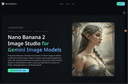
0Nano Banana 2 Image Studio plugs directly into Gemini 2.5 Flash Image to help teams create and edit production‑ready visuals at scale. Compose prompts, upload references, and apply masks to generate consistent assets across square, landscape, and portrait ratios. Governance is built‑in—role‑based access, audit trails, and automatic SynthID logging—so brand and legal stay aligned. With elastic performance on Google Cloud, you can batch render, deduplicate variations, and ship HD downloads with commercial rights. Marketing, merchandising, and education teams use Nano Banana 2 to launch promo creatives in minutes, auto‑produce SKU imagery, and enrich technical content with diagrams, all inside one compliant workflow.
- 88
 0
0Mixels.ai is a free AI pixel art generator and online pixel art editor that lets you pixelate any image, convert photos to pixel art, or generate game-ready sprites from text — all with perfect grid alignment. No mixels, no cleanup, no green fringing. The best free pixel art software and Aseprite free alternative, built for retro game devs and pixel art lovers — no download required. AI Generate Generate pixel art avatars, items, and game assets from a text prompt or use a reference photo to convert a picture to pixel art. Choose 64x64 or 128x128 resolution with isometric and 2D flat views. The AI pixel art generator produces clean, grid-aligned results every time — a true free sprite maker and ai game asset generator in one. Pixel Art Editor Online A complete free pixel art program with 9 tools — pencil, brush, eraser, fill, line, rectangle, circle, selection, and eyedropper — plus adjustable brush size, shape, hardness, opacity, and pressure sensitivity. Work with unlimited layers, 17 blend modes, 6 layer effects (HSL, vibrance, brightness/contrast, glow, white balance, quantize), pixel-perfect mode, symmetry tools, customizable grid overlay, and curated palettes from Celeste, Stardew Valley, and Shovel Knight. Full undo/redo history with state timeline. Pixel Doctor — Photo to Pixel Art Converter Upload any photo and convert it to pixel art instantly. This free image pixelator auto-removes backgrounds, crops to content, and extracts dominant colors. Pixelate a photo, turn a picture into pixel art, or create a pixel avatar — then import results directly into the editor as a new layer.
- 89
 0
0Banana Prompts is an all-in-one prompt engineering workstation designed specifically for modern digital artists, designers, and AI enthusiasts. We are dedicated to breaking the "black box" effect of generative AI, making the realization of your creative ideas precise, controllable, and highly efficient.
- 90
 0
0Dreamflow helps you build mobile apps the way you want to build. Start by prompting features with AI, refine the experience in a powerful visual editor, or dive into full Flutter code when you need complete control. Unlike tools that lock you into prototypes or no-code abstractions, Dreamflow keeps all three surfaces, prompt, visual, and code, in sync. That means you get the speed of AI, the flexibility of drag-and-drop design, and the confidence of owning production-ready Flutter code you can scale and publish on the app store.
- 91
 0
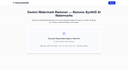
0RemoveSynthID is a browser-based utility for processing Gemini-generated images that may contain invisible SynthID watermark signals. Instead of relying on metadata removal, it works with pixel-level and frequency-pattern adjustments designed to reduce SynthID detectability while keeping the visible image unchanged. Files are processed locally in the browser, so images stay on the user’s device rather than being uploaded to a remote server. The tool supports common image formats including JPEG, PNG, and WebP, and is built for creators, designers, marketers, agencies, and everyday users who want a private workflow for handling AI-generated visuals. RemoveSynthID is best understood as a quality-preserving content processing tool rather than a guaranteed universal detector bypass. Effectiveness can vary depending on the image, compression, edits, and the detection system used. Users should keep original files and follow applicable platform rules, disclosure requirements, and local laws.
- 920
There's a picture in your mind—maybe it's a 'lonely astronaut at sunset,' or a 'glowing forest'—but your hands just can't keep up with your imagination. Our software is the bridge. You just need to describe your idea in words, and our AI model will turn it into a complete, high-quality piece of art. No brushes, no art skills needed—tear down the wall between your imagination and artistic expression.
- 93
 0
0What is this? A little cat that helps you pick professionally designed templates. Just joking! It means "templates by categories". When doing web design for clients (eg. a dentist website), I often need to compare templates across different website builders. Jumping between platforms was really annoying, so I made this tool. Where are the templates from Framer Webflow Squarespace (Will add Figma Sites and Readymag later, I guess 10k+ templates in the future) What are the features? High quality templates - I only choose from website builder products where they hire professional designers. Browse by categories/features/styles - eg. find "portfolio" or "minimalist" templates On-page preview + device switching - directly see desktop/tablet/mobile effects Website builder pricing listed - easy to compare costs (Coming soon: pricing range filters, merge similar tags) Simply put: saves time jumping between different platforms to find templates.
- 94
 0
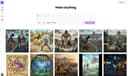
0Most AI image tools are built for one-off generations, not regular repetitive work. You end up rewriting the same prompts, re-pasting the same reference images, and scrolling through endless feeds to find anything. Nani is a workflow tool built on top of Google's Nano Banana Pro (Gemini) that fixes the repetitive, disorganized experience of AI image generation. What Nani Does: - Image Sets – Upload reference images once and reuse them across all your generations. - Prompt Sets – Save style directions, character descriptions, and brand guidelines as reusable building blocks. - Composable Prompts – Combine saved sets naturally instead of rewriting everything from scratch. - Visual Iteration – Drag previous results back in as references without downloading and re-uploading. - Folder Organization – Keep your library organized as it grows instead of scrolling through one long feed. - Fast UI – No sluggish loading or navigation delays.
- 95
 0
0Wobbio is a website builder that works the way you think: describe the site you want, and it creates a polished, on-brand design in minutes—no code, no dragging blocks around. Start from a template or generate a site from scratch, then click any section and tell the AI what to change (new layout, rewritten copy, different tone, extra sections). Everything is responsive by default. It's built for speed: live previews while you edit and one-click global publishing. You can run multiple sites and domains from the same account. Business basics are included: free SSL, SEO features like sitemaps/meta tags, and professional email on your domain. Need to sell? Wobbio includes e-commerce for physical or digital products. Built-in forms and a media hub keep assets organized and fast. Teams and agencies get sharing capabilities with permissions and easy client handoff, plus a safe editing mode with checkpoints so you can roll back changes. Privacy-first, built and hosted in Europe.
- 96
 0
0SlimImg is a fast, privacy-first image compression tool. Built for simplicity. Free Image Compressor – Private & Instant Shrink your images without a trace. Our tool compresses files directly in your browser — no uploads, no servers, no privacy concerns. Instant, secure, and completely free. Fast, high-quality, private — compress and compare images instantly, all for free.
- 97
 0
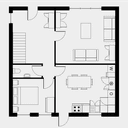
0SimpleDraw is a tool for creating precise, accurate scale drawings, for example to help with DIY projects or home renovations (or anything else for which a scale drawing would be useful!) It is free to use, with no login or registration required. With a focus on ease of use, SimpleDraw sticks with a small set of simple but powerful tools, which means it is as easy to use as pen and paper (but with a great deal more flexibility and precision).
- 98
 0
0TopIdea AI is designed around workflow efficiency. Many creators struggle with fragmented AI tools, prompt management, and inconsistent outputs. TopIdea AI brings core image and video generation capabilities into a unified environment so users can create, compare, and iterate without switching platforms. This approach improves creative momentum and reduces the overhead of managing multiple services.
- 99
 0
0VisualGPT is a next-generation AI image generation and editing platform built for creators who need style consistency and visual quality across every scene. From concept sketches and storytelling frames to product visuals or marketing campaigns, VisualGPT lets you design, edit, and upscale images that share the same character, lighting, and artistic tone — all without manual post-processing. Unlike typical AI art generators, VisualGPT combines multiple state-of-the-art models (Flux, Stable Diffusion XL, Ideogram, Nano, Playground v3, and more) into one seamless pipeline. The system automatically selects or blends models to achieve the best balance of realism, coherence, and creative control. ✨ Core Image Features Character & Style Consistency Generate multiple images featuring the same characters, outfits, or environments — perfect for storybooks, comics, and brand visuals. AI Image Generator Turn text prompts or sketches into stunning visuals using model fusion and prompt optimization. AI Image Editor Precisely edit elements within a generated or uploaded image: replace objects, adjust lighting, recompose backgrounds, or extend the frame. Background & Object Replacement Swap or regenerate any part of an image while preserving lighting and perspective — ideal for product or lifestyle shots. Image Upscaler & Enhancer Instantly upscale low-resolution images, fix artifacts, and enhance color and sharpness for print-ready output. Style Transfer & Control Match the look of your reference image or apply a unified visual theme across an entire image set. Scene Expansion Extend any generated image beyond its frame with consistent detail and depth — great for wide scenes or panoramic storytelling. Multi-Model Workflow Choose or mix top AI models for realism, stylization, or animation-like effects — no setup required. Batch Generation & Versioning Create multiple variations of the same prompt or scene, review and refine in real time. Project-Based Organization Manage visual projects, reference sets, and consistent character designs inside one workspace. 🌍 Designed For Illustrators & Designers – maintain cohesive art direction across projects. Story Creators & Authors – generate consistent book or comic visuals. Marketers & Brands – produce unified campaign imagery and product mockups. Educators & Agencies – visualize concepts with repeatable styles. AI Enthusiasts & Makers – experiment with models, styles, and custom characters. ⚙️ Why VisualGPT Stands Out Seamless multi-model image generation workflow. Powerful editing and background control tools. Professional-grade upscaling and detail restoration. Style and character consistency engine built-in. 100% browser-based, no installation needed.
- 100
 0
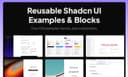
0Shadcn Examples is a large collection of reusable UI examples, application templates, and interface blocks built primarily with modern frontend technologies such as React, Tailwind CSS, shadcn/ui, Radix UI, Next.js, Vue.js, and Svelte. The platform is designed for developers, designers, startups, and SaaS creators who want to build professional-looking web applications faster without starting from scratch. The website provides a wide range of pre-designed UI examples that developers can use as inspiration or directly integrate into their own projects. These examples cover many popular application categories including admin dashboards, chat apps, Kanban boards, social media apps, file managers, note-taking apps, music apps, e-commerce pages, authentication systems, checkout pages, pricing tables, settings pages, POS systems, and more. Every template is built using modern responsive design practices and is compatible with TypeScript. One of the platform’s core focuses is the shadcn/ui ecosystem, which has become highly popular among modern React developers because of its clean design philosophy, accessibility, and flexibility. Shadcn Examples expands on this ecosystem by offering production-quality layouts and components that save developers significant design and development time. Instead of manually building every page structure, users can quickly access polished examples for dashboards, landing pages, forms, notifications, product pages, and entire web app interfaces. The platform also emphasizes flexibility across frameworks. Although many examples are built with React and Next.js, the site also supports Vue.js and Svelte implementations, making it attractive to developers using different frontend stacks. Tailwind CSS serves as the main styling system throughout the platform, allowing components and layouts to remain highly customizable while maintaining modern visual consistency. Another major feature of the platform is its focus on reusable “blocks.” These blocks are modular UI sections that developers can combine to rapidly assemble full applications. Examples include Bento Grids, shopping carts, checkout systems, notification pages, role management panels, pricing sections, and product detail pages. This modular approach is especially useful for startups, SaaS founders, and indie developers who need to launch products quickly. Shadcn Examples positions itself as both an inspiration gallery and a productivity tool. Developers can preview live demos of each example before purchasing access, helping them evaluate layouts, responsiveness, and overall design quality. The platform offers lifetime access through a one-time payment model, giving users unlimited access to all current and future examples and blocks. The site also appeals strongly to the growing AI SaaS and startup ecosystem because many templates are optimized for modern web applications and dashboards commonly used in AI products, admin systems, and software platforms. The clean aesthetics, responsive layouts, and production-ready structure make the examples suitable for professional commercial projects. Overall, Shadcn Examples is a developer-focused UI resource platform that helps accelerate frontend development by providing high-quality, reusable interface templates and components built with today’s most popular web technologies. It combines modern design systems, scalable architecture, and framework flexibility into a practical toolkit for building polished applications faster and more efficiently.
Frequently asked questions
Uneed is a platform that allows users to discover and promote new products, functioning similarly to Product Hunt. It provides designers with a way to launch their products and gain visibility through community voting. By encouraging votes and keeping product pages updated, designers can enhance their product's reach and engagement. The platform also features a newsletter that highlights popular products, making it a valuable tool for designers looking to showcase their work.
Best Tool Vault curates a selection of powerful and innovative tools across various categories, including design. It helps designers find top-tier software that can enhance their productivity and creativity. The platform features the latest launches and underrated gems, making it an excellent resource for designers seeking to elevate their workflow and results.
AppMole is an all-in-one platform that offers a variety of AI-driven tools and resources specifically tailored for creators, including designers. It provides access to web apps and marketing tools that streamline workflows and enhance productivity. Designers can stay updated with the latest AI applications and trending software, making it easier to find tools that fit their creative needs.
Hunt for Tools is a curated directory that connects designers with essential digital tools tailored to their needs. It features a wide range of software, from AI assistants to creative generators, helping designers explore and evaluate the right solutions for their projects. This platform is designed to fuel success by providing access to powerful tools that enhance creativity and productivity.
Aitoolnet is a comprehensive AI tool directory that features over 10,000 AI tools, updated daily. Designers can use this platform to discover the latest AI tools that can assist in their creative projects, making it a valuable resource for staying ahead in the rapidly evolving design landscape.
GoFullPage is a simple browser extension that allows designers to take full-page screenshots of websites effortlessly. This tool is particularly useful for capturing entire web designs, enabling designers to analyze layouts and visual elements without the hassle of manual scrolling. The ability to export screenshots in various formats like PNG, JPG, or PDF adds to its utility.
Top Trend Tools is a curated directory that highlights the most talked-about and influential software in the design industry. It tracks cutting-edge AI assistants and no-code platforms, helping designers stay informed about the latest trends and tools that can enhance their creative processes. This platform is ideal for designers looking to explore innovative solutions that can elevate their work.
URL to Design.md is a tool that helps designers generate AI-ready DESIGN.md briefs from public webpages. By converting a public URL into a structured design context package, it provides designers with essential information about visual direction, layout hierarchy, and design tokens. This tool streamlines the design process, making it easier for designers to communicate their vision and collaborate with developers.
We Like Tools is a directory that features a wide range of AI tools, SaaS platforms, and software solutions specifically curated for productivity and innovation. Designers can explore over 400 tools across various categories, making it easy to find software that meets their specific needs. The platform's smart filtering and constant updates ensure that designers have access to the latest and most effective tools available.
Characterz is a design tool that allows users to create endless variations of characters by controlling poses, emotions, and objects. With a built-in pose library and background-free assets, it enables designers to scale their creations while maintaining storytelling consistency. This tool is particularly useful for designers working on character design and animation, providing flexibility and creativity in their projects.