Home
List · created July 2026

Best Software for Designers

The tools between a good eye and a shipped design.

The best software for designers — design, prototyping, asset management, and handoff tools for the people who turn briefs into pixels, from solo freelancers to in-house teams.

425Items
0Contributors
0Votes
  1. 51TinyFast

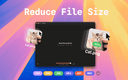
    TinyFast is a lightweight macOS app designed to quickly and efficiently compress your files — including PNG, JPEG, MP4, MOV, PDF, SVG, WebP, MP3, and GIF formats — all locally on your device. Just drag and drop your files in and out, and TinyFast takes care of the rest. It’s incredibly fast, completely private, and built with developers, designers, and creators in mind — professionals who value security, performance, and simplicity in their daily workflow.

    0
  2. 52Device Mockup

    Device Mockup is a comprehensive library designed for designers and marketers in need of high-quality, versatile mockups. Our extensive collection includes a wide variety of mockups for phones, laptops, tablets, including MacBooks, iPhones, iPads, iMacs, Studio Displays, and Android devices. With Device Mockup, you can easily present your designs in a realistic and professional way, making your presentations, portfolios, and marketing materials stand out.

    0
  3. 53Device Mockup

    Device Mockup is a comprehensive library designed for designers and marketers in need of high-quality, versatile mockups. Our extensive collection includes a wide variety of mockups for phones, laptops, tablets, including MacBooks, iPhones, iPads, iMacs, Studio Displays, and Android devices. With Device Mockup, you can easily present your designs in a realistic and professional way, making your presentations, portfolios, and marketing materials stand out.

    0
  4. 54Luxoret

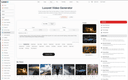
    Luxoret is an all-in-one AI creative platform designed for professionals, creators, and businesses. It features a built-in Creative Studio with over 400 AI-powered tools including text-to-image generation, AI video creation, vocal removal and stem splitting, voice cloning, text-to-speech, music generation, face swap, background removal, image upscaling, OCR, logo design, and many more. All studio tools are accessible directly from the platform with no need to switch between multiple services. Beyond the Creative Studio, Luxoret offers a curated directory of 2,500+ external AI tools organized across 50+ categories, making it easy to discover and compare the best AI software available. Users can browse by category, view trending tools, explore alternatives, and find the perfect AI solution for any task. Additional features include an AI chat assistant powered by multiple language models, a community gallery where users share their AI-generated creations, an AI Arena for comparing tools head-to-head, and dedicated pages for AI agents. Luxoret operates on a freemium model with free access to core tools and premium plans for advanced features and higher usage limits.

    0
  5. 55Flux2

    Flux2 is a web-based AI image generator and editor built for fast, high-quality visual creation. Generate new images from text prompts, or upload an existing image and refine it using simple instruction-based edits (style changes, background swaps, adding/removing elements, and more). Flux2 is great for rapid ideation and iteration—concept art, thumbnails, social posts, and marketing creatives—when you need speed and variety without installing software or configuring a local GPU. Export high-quality outputs and iterate across multiple variations to quickly find the best direction.

    0
  6. 56GraphyPix

    GraphyPix is a modern and comprehensive graphic design resource platform that provides a wide rangeem of free and prium templates to elevate your creative projects. Whether you are a designer, marketer, content creator, or entrepreneur, GraphyPix has everything you need to bring your ideas to life. Explore an extensive collection of graphic design templates, presentation templates, and print templates crafted for all your professional and personal needs. From eye-catching social media designs, stunning mockups, business branding assets, to ready-to-use print materials, GraphyPix makes it easy to create professional designs. With a focus on quality, versatility, and user-friendliness, GraphyPix empowers creators to save time while producing visually striking work. Whether you’re designing a marketing campaign, preparing a presentation, or creating print collateral, GraphyPix offers the perfect resources to make your projects stand out.

    0
  7. 57RenoBrief

    RenoBrief AI: Turn Any Photo into a Renovation Plan in Seconds Upload a room or exterior photo, get a stunning redesign — plus a budget, material list, and contractor-ready brief. No design degree needed — just snap, style, and plan. One Tool, From Vision to Action 1. AI Interior & Exterior Remodel — Upload any room or house photo, choose a style and budget, get a before/after redesign instantly. 2. Contractor-Ready Brief — Every generation includes design direction, budget range, materials & finishes, and contractor notes. Not just a pretty picture. 3. Budget-Aware Design — Pick your range: Refresh under $500, Remodel under $2,000, or Premium $10,000+. AI designs within your budget, not against it. 4. AI Floor Plan Generator — Enter room count, square footage, and layout preferences. Get a 2D floor plan with rationale and builder notes. 5. Export & Share in One Click — Download a PDF brief to hand your contractor, partner, or agent. Copy as Markdown. No back-and-forth explaining what you want.

    0
  8. 58Block Poster

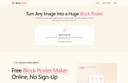
    Block Poster is a lightweight, zero-friction web utility designed to bridge the gap between digital artwork and large-scale physical presentation. Standard home and office printers are inherently locked into small, fixed dimensions like A4 or Letter sizes. When independent creators, educators, or marketing teams need to print giant visual assets—such as banners, room backdrops, or custom wall art—the traditional options are often expensive commercial print shops or heavy design software. To solve this friction, Block Poster serves as a precise, web-based digital twin that automatically partitions any large image into an accurate grid of standard printable sizes.

    0
  9. 59AI Jewelry Model

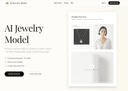
    AI Jewelry Model is built specifically for jewelry sellers—not generic AI portraits. Upload a product photo and generate photorealistic, listing-ready model-on images for rings, necklaces, and earrings in a consistent “studio” look. No prompting, no messy artifacts: clean compositions, product-first framing, and style presets tuned for Etsy/Shopify thumbnails and ads.

    0
  10. 60Mediasaur

    Mediasaur is an AI creative engine that turns a single input—like a product photo, concept, or prompt—into high-quality visuals in seconds. It generates UGC-style content, studio product shots, backgrounds, lifestyle scenes, and platform-ready ad creatives instantly. With Mediasaur, teams and individuals can produce endless variations, explore new creative directions, and keep their content pipeline fresh without the usual cost or complexity. The workspace makes it easy to organize generations, experiment with styles, and export assets for any channel or use case. Whether you need polished images, social content, ad concepts, or rapid creative testing, Mediasaur gives you a fast, flexible, AI-powered way to produce visuals at scale. Mediasaur is built for anyone who creates content—marketers, designers, founders, creators, or teams—offering a simple, on-demand way to generate high-quality AI content.

    0
  11. 61AI X Collection

    AI X Collection is your gateway to a curated universe of cutting-edge AI tools designed to accelerate innovation and supercharge productivity. From image generation and no-code app builders to SEO agents and business intelligence, our platform brings together the most powerful AI solutions available today. Whether you're a creator, developer, entrepreneur, or business leader, you'll find tools to boost creativity, streamline workflows, and grow your impact. Discover thousands of handpicked AI tools—free and premium—organized by category and updated regularly. With AI X Collection, you don’t just find tools—you unlock possibilities.

    0
  12. 62SVG to 3D

    SVG to 3D: Transform Your 2D Designs to 3D Models It was created to solve one specific pain point: quickly and easily converting 2D SVG vector graphics into high-quality 3D models. If you've ever found it cumbersome to open a heavyweight software like Blender or C4D just to extrude a logo or icon, then this tool was made for you. What it does best: 1. One-Click to GLB for the Web: Optimized for web developers, the exported GLB files are ready to be dropped into any Three.js or React Three Fiber project, perfect for adding that extra 3D flair to your websites. 2. 3D-Print Ready: It supports clean STL exports that you can directly use with your slicer for 3D printing. 3. "Modeling" in the Browser: Go beyond simple extrusion. You can fine-tune thickness, bevels, PBR materials, and more, all with a real-time preview. Ultimately, the goal is to provide a much faster and more streamlined solution for developers, designers, and 3D printing enthusiasts.

    0
  13. 63Kreatli

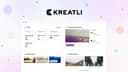
    Kreatli is a comprehensive video collaboration and production management platform built specifically for creative teams that need to organize projects, review media, manage approvals, and deliver final assets from a single workspace. Instead of relying on multiple disconnected tools for file storage, project management, video review, communication, and client approvals, Kreatli centralizes the entire production workflow into one unified platform. Designed for advertising agencies, video production studios, animation teams, in-house creative departments, and content creators, the platform streamlines every stage of the creative process—from the initial project brief to the final delivery—while reducing the confusion that often comes from scattered conversations, duplicated files, and disconnected software. At the core of Kreatli is the concept of a centralized creative workspace. Every project includes its own dashboard where teams can organize tasks, upload media files, monitor activity, collaborate through project-specific chat, and manage project documentation in one location. Rather than searching across cloud storage services, messaging applications, and project management tools, users can access everything related to a project from a single interface. This centralized approach helps teams maintain better organization, improve visibility into project progress, and eliminate unnecessary context switching throughout production. One of the platform's standout features is its frame-accurate video review system. Instead of leaving general comments that force editors to guess where revisions should be made, reviewers can pin feedback directly to exact frames and timestamps within a video. Comments can also include visual annotations and drawings, allowing clients and team members to clearly indicate specific areas that require changes. This precision greatly reduces misunderstandings during revision cycles and enables editors to implement feedback more efficiently. By attaching every comment to the exact moment it references, Kreatli makes collaborative video reviews significantly more organized than traditional email-based feedback. Version management is another major strength of the platform. Creative projects frequently involve multiple revisions before reaching final approval, making it difficult to track changes across different file versions. Kreatli solves this problem by allowing users to compare multiple versions of videos side by side, automatically highlighting differences between revisions. Editors, producers, and clients can quickly evaluate improvements, verify requested changes, and provide additional feedback without manually opening several files or relying on confusing file naming conventions. This structured version comparison process helps accelerate approvals while maintaining a clear history of project evolution. Secure cloud storage plays a central role in Kreatli's workflow. Users can upload files as large as 10 GB through a drag-and-drop interface while monitoring upload progress in real time. All uploaded assets are stored using enterprise-grade encryption, providing protection for valuable creative materials throughout the production lifecycle. Videos, images, PDFs, design files, and other production assets remain organized inside dedicated project libraries where team members can easily locate approved files, revisions, and work-in-progress content whenever needed. Project management is integrated directly into the production process through customizable task boards organized by project stages. Teams can move tasks between phases such as briefing, production, client review, and delivery while assigning ownership, tracking contributors, and linking individual tasks to specific media assets. This visual workflow allows producers and project managers to monitor progress across multiple projects while ensuring that responsibilities remain clearly defined throughout the production cycle. Deliverable management provides additional structure by helping teams organize deadlines, ownership, approval status, and delivery schedules for every project output. Whether managing hero videos, social media edits, client presentation packages, or final delivery files, Kreatli keeps each deliverable associated with its due date, review status, assigned collaborators, and production timeline. This centralized tracking reduces the likelihood of missed deadlines while improving visibility into outstanding work across the entire production schedule.

    0
  14. 64Vaiz

    Vaiz is a unified work management platform for cross-functional teams of 5 to 100 people. It combines task management, project planning, document collaboration, workflow automation, and a built-in AI assistant in a single workspace, so teams stop switching between Jira, Notion, and Google Docs. Vaiz is opinionated about what it leaves out: no surveillance, no automatic activity tracking, no story points, no swimlanes. The product is designed for teams that value clarity and speed over feature density — startups, product teams, game studios, marketing, HR, and self-managed teams who want one calm rendering of all their work.

    0
  15. 65Vaiz

    Vaiz replaces the usual stack of task tracker + doc tool + chat app with a single workspace where tasks, documents, and discussions live together. When the spec, the task, and the conversation around it are in the same place, less gets lost between apps. Teams get Kanban, Scrum, Gantt, Timeline, and List views, real-time document editing, 2,000+ integrations, a built-in AI assistant, and no-code automations. Migration from Jira, Asana, Notion, or YouTrack takes minutes — most teams are up and running in under an hour, with no admin setup. Built for cross-functional teams of 5 to 100 — product, engineering, design, marketing, and ops. Free forever for up to 10 users. All teams get a 30-day free trial, no credit card required.

    0
  16. 66imejis.io

    Imejis.io is an automated image generation and bulk image creation platform built for marketers, creators, startups, and SaaS teams who need to produce social media images quickly and at scale. Imejis.io allows users to create once and generate unlimited images using prebuilt templates, dynamic content, and image automation workflows. Users can fully customize designs by changing colors, text, layouts, and presets to maintain consistent branding across all visuals. The platform includes a powerful visual editor with built-in components such as text, rectangles, circles, lines, and QR codes, making it easy to design dynamic image layouts. Imejis.io also offers in-editor image search via Unsplash, an icon library, and prebuilt text presets for faster and more efficient design creation. Imejis.io supports public template links, enabling anyone to generate images from shared templates without creating an account. This makes it ideal for teams, agencies, and creators who want to share reusable templates or allow fast image generation for their audience.

    0
  17. 67AI Image Editor

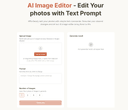
    AI Image Editor is a next-gen image editing tool that lets you effortlessly edit photos using simple text prompts, with no complex skills required. AI Image Editor can add, replace, or remove objects; restyle subjects; adjust lighting, color, pose, and scale; extend or reframe scenes; and seamlessly combine multiple images into one. It preserves identity and brand style across edits and handles typography. With optional masks for pixel-level control, you get clean, production-ready results for product shots, marketing banners, storyboards/comics, and packaging.

    0
  18. 68Gleem.AI Studio

    Gleem.AI Studio is a unified AI image workspace designed for people who want to create, not configure. Instead of juggling multiple tools for image generation, editing, and revisions, everything happens in one streamlined workflow. The platform combines AI image generation and image editing in a single environment, allowing users to iterate step by step rather than starting over with every change. Gleem.AI Studio removes unnecessary technical complexity so creators can focus on visual decisions, creative flow, and fast iteration. It’s built for marketers, creators, and small teams who need consistent visuals and speed without dealing with advanced settings, endless parameters, or fragmented tools. Whether you’re creating marketing assets, social media visuals, product images, or testing creative variations, Gleem.AI Studio keeps the process simple, fast, and intuitive

    0
  19. 69Unite List

    Unite List brings the best AI and productivity tools together in one place—so you don’t have to waste time searching. Whether you're building, scaling, learning, or creating, Unite List helps you discover powerful apps to streamline your workflow, boost focus, and spark innovation. Browse a growing library of handpicked tools across 60+ categories including AI Assistants, Audio, Design, Marketing, Finance, Education, and more. Search by need, explore curated collections, or submit your own solution to get noticed. With a clean interface, clear summaries, and a mission to cut noise, Unite List is where creators, developers, and professionals find what really works. One list. Endless solutions.

    0
  20. 70Shapify AI

    Shapify AI: The #1 AI 3D Model Generator Directory Discover the best tools for image to 3d model ai conversion and explore a curated directory of AI-powered platforms for creating stunning, ai generated 3d models in seconds. One Platform, Every AI 3D Technology 1. Instantly Convert with an Image to 3D Model AI 2. Create from Imagination with a Text to 3D Model AI 3. Reconstruct Reality with Video to 3D Model AI 4. Optimize and Refine Your Models

    0
  21. 71Shapify AI

    Shapify AI: The #1 AI 3D Model Generator Directory Discover the best tools for image to 3d model ai conversion and explore a curated directory of AI-powered platforms for creating stunning, ai generated 3d models in seconds. One Platform, Every AI 3D Technology 1. Instantly Convert with an Image to 3D Model AI 2. Create from Imagination with a Text to 3D Model AI 3. Reconstruct Reality with Video to 3D Model AI 4. Optimize and Refine Your Models

    0
  22. 72Pixal3D

    If you need a 3D model but don’t know where to start, [Pixal3D](https://pixal3d.cc/) is a website that turns one image into a textured 3D model. No hard skills are needed. You just use your browser. ## What This Tool Does Pixal3D is an image‑to‑3D model generator. You give it a picture—like a photo of a toy, a shoe, or a game character. The tool then creates a 3D model file in GLB format. This file has textures, so it looks like the original image. You can rotate and see the model right on the site. If you are happy, you download it. You can choose between two modes: Standard (1024 pixels) or High‑res (1536 pixels). Standard is faster and costs fewer credits. High‑res gives more detail for important projects. Each generation uses credits. You buy credits with a subscription plan. The website keeps a history of all your models, so you can preview and download them again later. ## Who This Is For Pixal3D is for people who need 3D models but are not trained in 3D software. Here are some examples: - **Game creators** can make quick props or characters for a prototype. They can test how an object looks in 3D from a simple drawing. - **Sellers online** can turn product photos into 3D views. This helps to show a product from all sides. - **Design hobbyists** who like to make things with 3D printers or digital art can transform their images into printable or editable models. - **Fashion and accessory designers** can put a picture of a bag or shoe and get a 3D model to present ideas. - **Beginner 3D learners** can start with Pixal3D to understand what 3D models feel like without complex tools. The tool is not for making final, perfect models. It is for starting fast, testing ideas, or getting a base model you can later improve with other software. ## Simple and Clear Plans Pixal3D has three yearly plans: Basic for hobbyists, Standard for most creators, and Pro for power users. All plans give you a set number of credits every month. You also get a commercial license, no watermark on your models, and private generation. The credit system is clear. You always know how many credits you have left. Even if you don’t subscribe, you can try with a smaller one‑time purchase. This way you can see if the tool fits your needs before paying for a whole year. ## How to Get Started First, sign in on the website. Then, upload a clean image of your object. Pick the resolution you want. Click “Generate” and wait a short time. After the model is ready, you will see it in the preview window. You can move it with your mouse. If you like the result, download the GLB file. The GLB file works in many 3D programs and game engines. You can open it in Blender, Unity, or other tools to edit further. This makes Pixal3D a good first step for many projects. ## A Fast Way to Try Ideas If you have many ideas for 3D designs, Pixal3D saves you time. Instead of modeling everything from zero, you start with an image and get a 3D draft in minutes. This is very useful for teams who need to show clients quick previews, or for solo developers who iterate fast. Remember, the tool uses AI, so results can vary. Some images work better than others. But for most product shots, character sketches, or simple objects, the output is good enough to use right away. ## Final Words Pixal3D is a friendly door into 3D model creation. It removes the need for hard software and long training. With just one picture, you get a textured 3D model you can preview, download, and use in your work. If you are a game maker, a seller, a designer, or just curious, this tool is worth a look.

    0
  23. 73Flux Klein

    🎨 Core Features AI-Driven Image Generation Flux Klein uses optimized AI models to transform natural language prompts into detailed, professional-grade images. Users can describe their ideas clearly and intuitively, without the need for complex prompt engineering. Fast & Lightweight Performance Built for efficiency, Flux Klein delivers rapid image generation even on standard or low-resource hardware. This lightweight design enables faster iteration and smoother creative workflows. High-Quality Visual Output Despite its efficient architecture, Flux Klein produces images with sharp details, balanced composition, and refined artistic quality suitable for professional and commercial use. Consistent Style Across Generations Flux Klein supports consistent visual styles across multiple image generations, making it ideal for brand assets, campaign visuals, and cohesive design projects. Flexible Workflow Integration Flux Klein adapts easily to different creative pipelines, supporting scalable usage for individuals, teams, and automated workflows. Prompt-Friendly Interface With a clean and intuitive interface, Flux Klein allows users of all skill levels to generate high-quality images using simple natural language descriptions. 🚀 Key Benefits Rapid Image Creation Generate professional-quality images in seconds, significantly faster than traditional design or illustration workflows. Resource-Efficient & Cost-Effective Flux Klein reduces reliance on expensive hardware and infrastructure, making advanced AI image generation more affordable. Beginner-Friendly Experience No technical background is required. Flux Klein simplifies the entire process from prompt to final image. Scalable for Projects & Teams From single-image generation to batch creation for large campaigns, Flux Klein scales effortlessly with your creative needs. 🎯 Who Should Use Flux Klein Designers & Digital Artists Accelerate concept art, visual exploration, and design iteration without sacrificing quality. Marketing Teams & Agencies Create promotional visuals, banners, and campaign assets quickly and consistently. Product & UX Designers Visualize product concepts, interface designs, and user experiences with minimal effort. Content Creators & Influencers Produce eye-catching imagery for blogs, social media, and digital platforms. Developers & Creative Technologists Integrate AI image generation into applications, tools, and automated workflows.

    0
  24. 74Find the Best AI Tools for Every Task

    LoraAI Directory is a tool provides free AI Tools Directory. Get your favorite AI tools with LoraAI Directory, LoraAI Directory aims to collect all the AI tools and provide the best for users.Find the Best AI Tools for Every Task.Transform your workflows with 11 AI tools and growing https://www.loraai.pro

    0
  25. 75Backdrop

    Live wallpapers for your Mac desktop. Now Featuring Lock Screen Support. Backdrop 2.0 brings video wallpapers to both your Mac Desktop and your Lock Screen. Smooth 4K playback with low CPU use. Browse 1,000+ scenes, or craft your perfect wallpaper with the built-in editor. Multi-display support, community platform, free trial.

    0
Good to know

Frequently asked questions