Home
List · created July 2026

Best Software for Designers

The tools between a good eye and a shipped design.

The best software for designers — design, prototyping, asset management, and handoff tools for the people who turn briefs into pixels, from solo freelancers to in-house teams.

425Items
0Contributors
0Votes
  1. 276Seedance 2.5

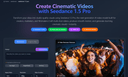
    Seedance 2.5 is an AI video model that generates cinematic clips from text prompts and reference images. It produces a continuous shot in a single pass—so a full scene, ad, or story beat holds together from the first frame to the last without stitching. It supports rich multimodal references (images, video, and audio) to lock in characters, products, and style, plus director-grade camera control over movement and pacing. With strong frame-to-frame consistency and localized editing that lets you adjust part of a clip without regenerating the whole thing, Seedance 2.5 is built for creators, marketers, and small teams producing polished short-form video fast.

    0
  2. 277VayoVideo

    VayoVideo Introduction VayoVideo is a next-generation AI manga image and video generator designed for comic creators. Powered by advanced models including Kling and Veo 3.1, it provides a seamless all-in-one workflow to create manga-style images, consistent characters, comic panels, and short stylized videos from text prompts and reference images. Key Features * Text-to-Image: Generate high-quality manga-style covers, posters, story frames, thumbnails, and promotional visuals from detailed text prompts. * Text-to-Video & Image-to-Video: Turn prompts or images into dynamic manga-inspired short videos and motion scenes with smooth animation. * Photo-to-Manga Style Transfer: Convert real photos into manga or comic-style visuals while maintaining flexible artistic control. * Character & Style Consistency: Build reusable character assets and prompts to ensure consistent looks across multiple panels, scenes, and videos. * Integrated Editing Tools: Refine images and videos with built-in enhancement, iteration, and professional editing features. Core Advantages * All-in-one workflow: Seamlessly move from text-to-image to image-to-video and editing without switching tools. * Strong character and style consistency across images, panels, and videos. * Fast generation: Images in seconds, quick first drafts, and efficient iteration for creators. * Versatile manga/comic focus: Perfect for stylized visuals, story frames, and promotional content. Target Users * Manga & comic creators: Story panels, covers, and animated clips. * Social media creators: Stylized shorts, thumbnails, and trending manga-style content. * Content creators & influencers: Consistent character videos and visual storytelling. * Marketers & designers: Branded comic-style ads, posters, and campaign visuals. Frequently Asked Questions * Free to use? Yes — new users get free credits to test core features; paid plans unlock higher quotas, no watermarks, advanced tools, and commercial usage. * Copyright? Users own generated content and can use it commercially on paid plans (comply with terms and avoid infringing references). * Languages? Strong prompt understanding with support for creative and multilingual descriptions. * Speed? Images generate in seconds; videos and complex edits are fast with quick iteration.

    0
  3. 278Hey Img

    Hey Image is an innovative AI-driven platform that helps you: - Generate AI images from your custom text prompts - Apply stunning AI filters to transform existing photos - Choose from diverse artistic styles and trending effects - Create professional avatars and illustrations with ease Hey Image, let creativity glow. AI filter platform for instant photo transformation.

    0
  4. 279seedance 1.5 pro ai video generator

    Seedance is an AI-powered video generation platform that helps users create cinematic, high-quality videos from text prompts or image inputs. The platform supports text-to-video and image-to-video workflows, enabling smooth motion, coherent storytelling, and visually consistent scenes. With built-in multi-shot sequencing, Seedance can automatically connect multiple scenes into structured narratives suitable for ads, social media, and creative projects. It also offers flexible aspect ratios and HD output options, making it easy to produce videos optimized for different platforms through a simple, browser-based interface.

    0
  5. 280Interior Deco AI

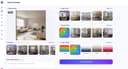
    Interior Deco AI puts professional interior design at your fingertips. With just a few clicks, transform empty spaces into beautifully furnished rooms or refresh existing interiors with new decor and styles. Imagine seeing your living room in Scandinavian minimalist style, then switching to industrial chic or cozy farmhouse—all in seconds. Our powerful AI preserves your room's unique structure while applying designer-quality furnishings and decor. Real estate agents can instantly stage listings to attract buyers and increase property values. Homeowners can explore renovation ideas without the guesswork. Interior designers can quickly create concept visuals for clients. You can even remove all furniture from existing rooms, enhance image quality, or create engaging animations that bring your spaces to life. The possibilities are endless! No design experience needed—just upload your photo and watch as Interior Deco AI transforms your space into something extraordinary.

    0
  6. 281AI Animate Image

    AI Animate Image turns still photos into short cinematic videos in about 60 seconds. Upload any image — portrait, product, character, old photo — pick a motion style, and the AI brings it to life. Powered by Kling 3.0, Google VEO 3.1, and Seedance 2.0. Free credits on signup, no credit card required.

    0
  7. 282Ripplix

    At Ripplix, we’re passionate about the small details that make digital products truly delightful. In a world filled with interfaces, it’s often the subtle animations and thoughtful micro-interactions that create a lasting impression. They make apps feel alive, guide users effortlessly, and elevate the overall experience.

    0
  8. 283nano-banana2.art

    Nano Banana 2 AI - AI Image Editor & Generator | Free Online Tool Nano Banana 2 AI image editor and generator platform. Transform, enhance, and create stunning images with Nano Banana 2's advanced AI technology. Remove backgrounds, upscale photos, generate AI art - all free with Nano Banana 2. https://nano-banana2.art/

    0
  9. 284Seedream 4.0 AI

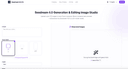
    Experience Seedream 4.0 AI. Generate, edit and 2K images in under 1 second with perfect preservation and security.Seedream 4.0 Generation & Editing Image Studio. Upload up to 10 images or start from a prompt. Blend, enhance and animate—all powered by Seedream 4.0’s multi-modal model.http://seedream4.me/

    0
  10. 285MacBrightness

    MacBrightness is a specialized utility for Mac users who frequently work outdoors and struggle with screen visibility under bright sunlight. While modern MacBook Pro displays are capable of reaching extremely high brightness levels for HDR content, macOS typically limits that brightness during normal day-to-day usage. MacBrightness unlocks that hidden potential, allowing users to access significantly higher brightness levels across their entire system and in every application they use. The software was created to solve a common frustration experienced by remote workers, digital nomads, entrepreneurs, students, designers, developers, and professionals who like to work from outdoor locations. Whether sitting at a sunny café, relaxing on a balcony, working from a park bench, or waiting at an airport gate, many users discover that even a premium MacBook becomes difficult to read in direct sunlight. Reflections increase, contrast decreases, and productivity suffers as users constantly search for shade or adjust screen angles. MacBrightness addresses this problem by extending the brightness range available to the display, making content easier to read in challenging lighting conditions. One of the application's biggest advantages is its simplicity. Unlike many system utilities that require learning new controls or navigating complicated settings, MacBrightness integrates directly with the brightness keys already built into macOS. Users simply install the application, and their existing brightness controls gain access to the additional range. There are no complicated configurations, custom keyboard shortcuts, or distracting menus. The experience feels natural because it works exactly where users already expect brightness controls to be. The software is capable of delivering up to 1,600 nits of sustained brightness on supported hardware. This can effectively make the display appear roughly twice as bright as the standard brightness level available through macOS. The result is dramatically improved readability when working outdoors or in brightly lit environments. Text becomes easier to read, colors remain visible, and users can continue working comfortably without constantly fighting glare or reflections. MacBrightness was specifically designed for compatible high-end Apple hardware, including MacBook Pro 14-inch and 16-inch models equipped with M-series Pro and M-series Max processors, as well as the Pro Display XDR. Rather than relying on display modifications or risky system hacks, the software simply unlocks brightness capabilities already present in the hardware. This approach helps maintain stability while providing users with access to performance that would otherwise remain restricted. Performance and efficiency were also key priorities during development. The application operates with minimal CPU overhead and is designed to run quietly in the background. Users do not need to worry about complicated maintenance, constant updates, or system slowdowns. The software focuses on one specific problem and solves it effectively without introducing unnecessary features. To help users evaluate the product before purchasing, MacBrightness includes a free trial mode known as Splitscreen Mode. In this mode, half of the display uses the enhanced brightness range while the other half remains at standard macOS brightness. This side-by-side comparison makes it immediately obvious how much additional visibility the software provides. Users can continue using this trial mode for as long as they wish before deciding whether to purchase a license. The pricing model is intentionally straightforward and consumer-friendly. Rather than charging a monthly subscription fee, MacBrightness uses a one-time payment structure. Users pay once and receive permanent access to the software, all current features, and future updates. This makes the product particularly attractive to individuals who dislike recurring subscriptions and prefer software they can own outright. In addition to the core application, the company provides guides, comparisons, and educational content focused on improving outdoor productivity with Mac devices. These resources help users better understand display technology, compare brightness enhancement tools, and learn techniques for maximizing visibility in bright environments. Overall, MacBrightness is a focused productivity tool that enables MacBook users to unlock the full brightness potential of their displays. By providing higher brightness levels, seamless integration with existing controls, a lightweight user experience, and a simple one-time purchase model, it offers a practical solution for anyone who wants the freedom to work comfortably wherever they choose, regardless of how bright the environment may be.

    0
  11. 286RemoveTexts

    RemoveTexts is a free online AI tool that removes, edits, and replaces text in images instantly — no signup, no watermark, no software installation required. Key Features: - Remove Text from Image — Automatically detect and erase all text, watermarks, captions, and overlays from any image in seconds using advanced AI. - Edit Text in Image — Change specific words, dates, names, prices, or any text directly within an image while preserving the original background and style. - Remove Watermark — Clean up stock photo watermarks, logos, and unwanted branding from images effortlessly. - Remove Object — Erase unwanted objects, people, or elements from photos with AI-powered inpainting. - Translate Text in Image — Detect text in images and translate it to another language while keeping the visual layout intact.

    0
  12. 287Sora 2 Without Watermark

    Sora Without Watermark is an AI video generation platform powered by OpenAI's Sora 2, allowing users to create high-quality, watermark-free videos in just minutes. With a simple pay-as-you-go model starting at $0.30 per second, there's no need for subscriptions, and credits never expire. Users can customize video length, aspect ratio, and quality, with optional image uploads for guided generation. The platform ensures secure cloud storage, fast rendering, and complete privacy, making it ideal for creators who want flexible, professional-looking AI videos without limitations.

    0
  13. 288nano banana pro ai studio

    Nano Banana Pro is Google's state-of-the-art AI image generation platform powered by Gemini 3 Pro. Create stunning 4K images with advanced text rendering, professional creative controls, and lightning-fast generation in seconds.Experience Google's most advanced AI image generator. Nano Banana Pro, powered by Gemini 3 Pro, delivers state-of-the-art text rendering, up to 4K resolution, and professional creative controls. Generate photorealistic images in seconds with advanced reasoning and real-world knowledge.

    0
  14. 289Flux AI Pro

    # FluxAI.pro - AI Image & Video Generation Platform FluxAI.pro is a powerful AI platform offering cutting-edge image and video generation tools. From stunning portraits to dynamic videos, our suite of AI tools helps creators, designers, and businesses bring their visions to life. ## Key Features ### Image Generation FluxAI offers various advanced image generation tools, including FluxImage, RecraftAI, Stable Diffusion 3.5, Ideogram AI, and HiDream AI. These tools can create images in various styles, from photorealistic photographs to artistic illustrations. ### Image Editing The platform provides complete image editing solutions, including image transformation, inpainting, high-definition upscaling, and background removal, helping users perfectly optimize their work. ### Video Generation FluxVideo AI enables users to create stunning AI videos, supporting image-to-video conversion, adding audio to videos, video quality enhancement, and consistent character video generation. ### Video Templates Offers various professional video templates such as kungfu actions, hugging scenes, romantic kisses, professional handshakes, and muscle effect generators, making the creation process simpler and more efficient. ### Free Tools FluxAI also provides multiple free tools, including image prompt extraction, prompt generators, experimental image generation, fast generation, and AI photo editing features. ### Special Tools The platform's special tools cover virtual try-on, AI face swapping, consistent character generation, AI logo generator, and YouTube thumbnail creation, among other practical functions. ## Platform Advantages - **Powerful AI Technology**: Utilizes cutting-edge AI models to ensure high-quality output - **Diverse Tools**: Meets various needs from personal creation to commercial applications - **Easy to Use**: Intuitive interface design, easy to use even without technical background - **Continuous Updates**: Regularly adds new features and improves existing tools FluxAI.pro is committed to providing creators, designers, and businesses with the most advanced AI visual content generation solutions, helping users seamlessly transform their ideas into reality. Contact us: support@fluxai.pro

    0
  15. 290AI manga generator

    AI Manga Generator is a powerful yet simple text-to-image tool designed specifically for manga and anime-style artwork creation. Built for creators of all skill levels, our platform transforms your written descriptions into stunning visual art without requiring any drawing ability. **Core Features:** - **Text-to-Manga Generation**: Simply describe your character or scene, and our AI brings it to life in authentic manga style - **Multiple Distinctive Styles**: Choose from Auto (Recommended), Fantasy Manga, Shonen Manga, Shojo Manga, Chibi (Cute), and Ink Line Art (B/W) - **Flexible Aspect Ratios**: Support for multiple formats to suit any use case - **Mobile-First Design**: Generate artwork seamlessly on any device, anywhere - **Instant Downloads**: Get your artwork as high-quality PNG files with no watermarks

    0
  16. 291Nano Banana Pro

    Nano banana pro transforms photographs into artistic styles using only 2.1GB GPU memory - 38% less than competing models. Gemini 3.0 Pro's multimodal understanding preserves subject integrity while applying complex artistic transformations. Generate 4K artistic renditions in 10-30 seconds with consistent quality across batch processing. SynthID watermarked content creation with nano banana pro SynthID-Protected Content Creation Every nano banana pro output includes Google's SynthID watermarking for responsible AI usage tracking. The system processes complex editing requests while maintaining content authenticity markers. Enterprise users benefit from built-in provenance tracking and content moderation capabilities integrated with Google's safety infrastructure. Google Workspace integrated product visualization with nano banana pro Workspace-Integrated Product Visualization Generate product catalog imagery directly within Google Workspace applications. Nano banana pro's Vertex AI integration enables batch processing of product variations with consistent lighting and composition. Scale from single product shots to complete catalog generation with 23% faster processing for high-resolution outputs.

    0
  17. 292EZ Img Editor

    Easily Remove Unwanted Object in one Click Remove photobombers, clutter, watermarks, or any unwanted distractions from your photos with a simple text prompt. Ez Img Editor intelligently fills the removed area, helping you create cleaner and more professional-looking images in seconds. Turn Causul Photo into Pro Headshot in Seconds Transform everyday selfies into polished professional headshots with AI. Adjust lighting, improve facial details, refine backgrounds, and create studio-quality portraits perfect for LinkedIn, resumes, business profiles, and personal branding. Change backgrounds to create high-quality display images Replace ordinary backgrounds with professional scenes that match your purpose. Whether you're creating product photos, marketing materials, social media content, or portfolio images, Ez Img Editor helps you generate eye-catching visuals.

    0
  18. 293aiphotoshop.uk

    AI Image Generator - Create Stunning AI Photos with Text to Image Technology Transform your creative ideas into stunning AI images with just text prompts. Our professional AI image generator uses advanced technology to create high-quality photos instantly. Perfect for artists, designers, and content creators.

    0
  19. 294ogBlocks

    ogBlocks is a Premium Animated component library for building modern web apps and SaaS products It is Built with Next.js, Motion, Tailwind CSS, and TypeScript Currently, it has 70+ production-ready components beautifully handcrafted for real-world projects Developers can just copy, paste, and customize components directly into their application All Components are fully responsive across all screen sizes Clean, scalable, and developer-friendly code structure The components are practical for modern applications rather than flashy ones that degrade performance Fully customizable to match your own branding and design system Zero dependency and easier integration into existing projects Production-ready TypeScript support for a better developer experience Modern animations and interactions designed to make products feel premium Continuous updates with 10 new components added per month Lifetime access, including all future updates and additions MCP Server integration for installing components directly via AI chat like Claude, Codex, Opencode, etc Helps developers build faster with AI-assisted frontend workflows Includes a free 107-page ebook packed with HTML, CSS, and JavaScript tips Access to a private Discord community for support, networking, and discussions Ideal for indie hackers, freelancers, startups, vibe coders and frontend developers Designed to reduce development time while maintaining high-quality UI/UX Helps developers create visually polished applications without building everything from scratch Focused on improving both development speed and final product quality Perfect for SaaS apps, portfolios, dashboards, landing pages, and startup websites

    0
  20. 295Remove Text from Image

    ImageCleanupAI is a browser-based AI image cleanup platform designed to remove text, captions, watermarks, logos, unwanted objects, and backgrounds from images quickly and accurately. Users can upload JPG, PNG, WEBP files, or screenshots, let the AI detect removable areas automatically, and then fine-tune the mask manually for more precise results before exporting the cleaned image. The site’s core workflow focuses on text removal from photos, pictures, and screenshots, while also offering dedicated tools for watermark removal, object removal, and background removal. It is built for practical use cases such as cleaning screenshots, removing subtitles or meme text, restoring scanned images, and preparing cleaner visuals for social media, design, e-commerce, or reports.

    0
  21. 296Cool PFP

    Cool PFP is the #1 platform to discover, browse, and download high-quality free PFPs (profile pictures) designed to upgrade your online presence. With a constantly growing collection of unique, stylish, and trending profile pictures, Cool PFP makes it easy to find the perfect look for your social media, gaming, or professional profiles and stand out wherever you post.

    0
  22. 297Seedance AI

    Seedance AI is an all-in-one creative suite that unifies AI models, Video AI, Image AI and AI tools in a single platform. On there you can try Text to Video, Image to Video, Text to Image and Image to Image powered by leading AI video & image models such as Seedance 2.0, Seedance 1.5 Pro, Seedance 1.0 Pro , Seedream 4.5 plus Seedream 5.0 for images, and dedicated AI tools for photo face swap, background change and more.

    0
  23. 298Nano Banana

    Nano Banana Image Generation Tool for Fast, Accurate, and High-Resolution AI-Powered Visual Creation. Achieve compelling AI art with ease. Upload a photo or describe your idea — our AI image generator powered by Nano Banana will interpret and visualize it into a refined, shareable image up to 4K quality.

    0
  24. 299nanobananaimage.me

    Nano Banana 2’s Powerful AI Image Generation Tools Unlock the future of digital art creation with Nano Banana 2’s cutting-edge AI tools. Instantly convert your ideas into stunning images—just describe and let Nano Banana 2 create. Nano Banana 2 AI Image Generator – Create Stunning Images with Nano Banana 2 Pro | AI图片生成器 Nano Banana 2 makes AI image generation easy, fast, and fun.describe your vision and let Nano Banana 2 turn it into reality. Start for free at nanobananaimage.me. https://nanobananaimage.me/

    0
  25. 300Crowdstake AI

    Crowdstake is an AI-powered web and marketing system that helps founders and teams launch beautiful, high-conversion websites and turn visitors into customers. It combines website building, email capture, reservations, and analytics into one intelligent platform, so you do not need to stitch together multiple tools. Crowdstake instantly generates on-brand, conversion-ready web pages designed to collect emails, take reservations, accept payments, and drive signups. Every page comes with hosting, analytics, and built-in optimization, so you can launch fast and start converting traffic immediately. As people interact with your site, Crowdstake learns what performs best and automatically improves layouts, messaging, and calls to action over time. Whether you are launching a product, taking pre-orders, collecting RSVPs, or growing an email list, Crowdstake helps you publish better pages and convert more visitors with less effort.

    0
Good to know

Frequently asked questions