Best AI Image Generators
Type a prompt, get an image nobody's seen before.
The best AI image generators — turn text prompts and reference photos into original art, product shots, avatars, and illustrations, from quick one-offs to production-grade visuals.
- 76
 0
Supermachine is an AI-powered image and video generation platform trusted by 100,000+ creators worldwide. Create high-quality stock photos, illustrations, thumbnails, NFTs, short-form videos, and marketing visuals in under 15 seconds — without complex prompt engineering. Supermachine offers 60+ carefully selected AI models, and we add new models selectively when they demonstrate clear improvements in quality, performance, and real-world usefulness. This approach ensures creators always have access to reliable, high-performing models, not just the newest releases. With advanced tools like image-to-image generation, instruct-based editing, video generation, upscaling, and face enhancement, Supermachine gives you full creative control from idea to final asset.
- 77
 0
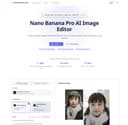
Nano Banana Pro is an advanced AI image editor and generator powered by Google's Gemini 3 Pro model, designed to deliver studio-quality precision and control for a wide range of visual creation needs. This powerful tool allows users to create and edit images with text, offering unparalleled capabilities such as 4K Ultra-HD output, perfect text rendering, and robust character consistency.
- 78
 0
# Flux Kontext AI - In Context AI Image Generation & Editing ## Advanced Flux.1 Models for True Creative Freedom Flux Kontext AI is a revolutionary AI image generation and editing platform that transforms how creators work with visual content. Unlike traditional text-to-image models, Flux Kontext AI understands both text and images as input, enabling genuine in-context generation and sophisticated editing capabilities that bridge the gap between simple image creation and professional-grade visual design. ## Key Features ### Character Consistency Flux Kontext AI preserves character identities, styles, and features across different scenes and edits. Maintain visual consistency while making targeted modifications to your images, ensuring your characters remain recognizable throughout your creative project. ### Local Editing Precision Target specific parts of your image without affecting the rest. Flux Kontext AI enables precise modifications while preserving the overall composition and context, allowing for detailed adjustments to specific areas of your image with surgical precision. ### Style Reference Generate new scenes in existing styles with remarkable accuracy. Flux Kontext AI analyzes style elements from reference images to create consistent visual aesthetics across generations, maintaining stylistic coherence in your creative projects. ### Interactive Speed Editing Experience fast iterative editing with minimal latency. Flux Kontext AI understands both text and visual context for quick, intelligent image modifications, making the creative process fluid and responsive. ### Advanced AI Models Choose between two powerful models tailored for different needs: - **Flux Kontext Pro** (16 credits): Excels at fast iterative editing while maintaining character consistency - **Flux Kontext Max** (20 credits): Provides maximum performance with improved prompt adherence and typography for complex editing tasks ### True In-Context Generation Unlike traditional text-to-image models, Flux Kontext AI understands both text and images as input for genuine in-context generation and editing capabilities, offering a more intuitive and powerful creative experience. ## How It Works 1. **Upload Your Image**: Upload your image to Flux Kontext AI for character consistency and local editing analysis 2. **Describe Your Edits**: Write your editing prompt. Flux Kontext AI handles character consistency and style reference automatically 3. **Generate & Download**: Choose Flux Kontext Pro or Max for generation and experience advanced AI image editing with character consistency and local precision ## Perfect For - **Character Consistency**: Maintaining identities across different scenes and contexts - **Local Editing**: Making precise modifications to specific image areas - **Style Transfer**: Applying consistent visual aesthetics across multiple generations - **Creative Projects**: Professional-grade image editing with AI-powered precision - **Fast Iteration**: Quick edits and modifications with minimal latency ## Credit-Based System Flux Kontext AI operates on a flexible credit-based pricing system: - **Flux Kontext Pro**: 16 credits per generation - ideal for fast iterative editing - **Flux Kontext Max**: 20 credits per generation - maximum performance for complex tasks - **Free Trial**: New users receive initial credits to experience all capabilities ## Supported Formats Flux Kontext AI supports common image formats including JPEG, PNG, and WebP, making it easy to work with your existing image assets and maintain high quality throughout the editing process. ## Join Thousands of Creators Ready to transform your ideas into stunning visuals? Join thousands of creators using Flux Kontext AI to push the boundaries of what's possible with AI-powered image generation and editing. Experience the future of creative technology today.
- 79
 0
🎨 Core Features AI-Driven Image Generation Flux Klein uses optimized AI models to transform natural language prompts into detailed, professional-grade images. Users can describe their ideas clearly and intuitively, without the need for complex prompt engineering. Fast & Lightweight Performance Built for efficiency, Flux Klein delivers rapid image generation even on standard or low-resource hardware. This lightweight design enables faster iteration and smoother creative workflows. High-Quality Visual Output Despite its efficient architecture, Flux Klein produces images with sharp details, balanced composition, and refined artistic quality suitable for professional and commercial use. Consistent Style Across Generations Flux Klein supports consistent visual styles across multiple image generations, making it ideal for brand assets, campaign visuals, and cohesive design projects. Flexible Workflow Integration Flux Klein adapts easily to different creative pipelines, supporting scalable usage for individuals, teams, and automated workflows. Prompt-Friendly Interface With a clean and intuitive interface, Flux Klein allows users of all skill levels to generate high-quality images using simple natural language descriptions. 🚀 Key Benefits Rapid Image Creation Generate professional-quality images in seconds, significantly faster than traditional design or illustration workflows. Resource-Efficient & Cost-Effective Flux Klein reduces reliance on expensive hardware and infrastructure, making advanced AI image generation more affordable. Beginner-Friendly Experience No technical background is required. Flux Klein simplifies the entire process from prompt to final image. Scalable for Projects & Teams From single-image generation to batch creation for large campaigns, Flux Klein scales effortlessly with your creative needs. 🎯 Who Should Use Flux Klein Designers & Digital Artists Accelerate concept art, visual exploration, and design iteration without sacrificing quality. Marketing Teams & Agencies Create promotional visuals, banners, and campaign assets quickly and consistently. Product & UX Designers Visualize product concepts, interface designs, and user experiences with minimal effort. Content Creators & Influencers Produce eye-catching imagery for blogs, social media, and digital platforms. Developers & Creative Technologists Integrate AI image generation into applications, tools, and automated workflows.
- 80
 0
AI Halloween photo generator for costumes & portraits. Choose a Halloween template, upload your photo, and get a costume portrait—no long prompts. Solo, couple, and pet styles with credit-based generation. AI Halloween creates seasonal costume portraits from your reference photo. Pick a look, upload JPG/PNG/WebP, and generate without writing prompts. Make Halloween avatars and party portraits with template-based AI—vampire, witch, ghost sheet, pumpkin head, pets, and more. Freemium, credit-based. https://aihalloween.pro/
- 81
 0
RegiAI is a comprehensive AI platform offering both premium AI-powered tools (watermark remover, face swap, headshot generator, photo restoration) and free utilities (image converter, background remover, compressor) for creative professionals and casual users. The platform features pay-per-use pricing starting at $0.01!
- 82
 0
# FluxAI.pro - AI Image & Video Generation Platform FluxAI.pro is a powerful AI platform offering cutting-edge image and video generation tools. From stunning portraits to dynamic videos, our suite of AI tools helps creators, designers, and businesses bring their visions to life. ## Key Features ### Image Generation FluxAI offers various advanced image generation tools, including FluxImage, RecraftAI, Stable Diffusion 3.5, Ideogram AI, and HiDream AI. These tools can create images in various styles, from photorealistic photographs to artistic illustrations. ### Image Editing The platform provides complete image editing solutions, including image transformation, inpainting, high-definition upscaling, and background removal, helping users perfectly optimize their work. ### Video Generation FluxVideo AI enables users to create stunning AI videos, supporting image-to-video conversion, adding audio to videos, video quality enhancement, and consistent character video generation. ### Video Templates Offers various professional video templates such as kungfu actions, hugging scenes, romantic kisses, professional handshakes, and muscle effect generators, making the creation process simpler and more efficient. ### Free Tools FluxAI also provides multiple free tools, including image prompt extraction, prompt generators, experimental image generation, fast generation, and AI photo editing features. ### Special Tools The platform's special tools cover virtual try-on, AI face swapping, consistent character generation, AI logo generator, and YouTube thumbnail creation, among other practical functions. ## Platform Advantages - **Powerful AI Technology**: Utilizes cutting-edge AI models to ensure high-quality output - **Diverse Tools**: Meets various needs from personal creation to commercial applications - **Easy to Use**: Intuitive interface design, easy to use even without technical background - **Continuous Updates**: Regularly adds new features and improves existing tools FluxAI.pro is committed to providing creators, designers, and businesses with the most advanced AI visual content generation solutions, helping users seamlessly transform their ideas into reality. Contact us: support@fluxai.pro
- 83
 0
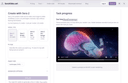
SoraVideo is a browser-based AI video creation tool built for text-to-video and image-to-video workflows. Start from a prompt or a reference image, generate multiple variations, compare results side by side, and refine quickly by adjusting prompts and settings. Because rendering happens in the cloud, you don’t need local GPU setup or heavy software installs. It’s ideal for creators, marketers, agencies, and product teams producing video assets at scale—ads, short social clips, concept videos, storyboards, and product demos. Export-ready outputs make it easy to publish or continue editing in your existing workflow.
- 84
 0
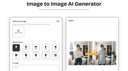
Image to Image AI turns any photo into fresh, high-quality variations in seconds—multi-style editing, zero design skills required. Image to Image AI Core Features Discover the tools that make our image transformer shine: Sharp Visuals Our advanced model keeps fine textures and colour fidelity intact, so prints stay gallery-ready on any size. It intelligently analyses micro-details—like subtle fabric weave and reflected highlights—then reconstructs them at higher resolution to avoid blur or banding when zoomed, helping photographers maintain a premium finish. Style Variety Presets apply lighting harmony automatically while still letting you fine-tune style. The preset engine balances exposure and tonal curves automatically, yet every slider remains accessible if you want to nudge warmth or saturation, enabling a custom signature look in just a few clicks. Natural Posing Depth-aware blending removes that ‘cut-and-paste’ look for natural composites. Our pose-aware depth map detects limbs and posture, blending new backgrounds without awkward edges, so your subject feels grounded in the scene rather than floating, perfect for fashion or product hero shots. Fine-Tune Controls Intuitive sliders tweak warmth, brightness, and focus with real-time previews. Real-time feedback makes experimentation painless; dial a parameter, see the canvas update instantly, empowering creatives to refine mood lighting or depth blur interactively instead of exporting multiple test versions. Easy Export Download creations in the format best suited to your use case—quick posts or gallery-quality prints—while our pipeline automatically optimises colour profiles so visuals stay true on every device. Cloud Processing Everything happens in the cloud—no install required and works on every device. GPU clusters handle heavy lifting even on mobile networks; nothing gets stored locally, freeing disk space and ensuring your workflow stays platform-agnostic whether you’re on desktop, tablet, or phone.
- 85
 0
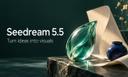
Seedream 5.5 is an AI image generation and editing tool. Create images from a text brief, guide style and subject with reference photos, and edit backgrounds, objects, colors, lighting and in-image text (Chinese or English) by describing the change in plain language. It is useful for e-commerce product shots, marketing and social graphics, lesson illustrations, packaging concepts and storyboards. New users get 100 starter credits to try it.
- 86
 0
GLM-Image is an easy-to-use AI tool that turns your ideas into beautiful images in seconds. Whether you need posters, social media graphics, ads, or educational visuals, GLM-Image creates clear, professional-looking images — even with text included. How It Works Describe your idea – type what you want to see. Add text or images (optional) – include words or upload a reference image. Generate and download – the AI creates your image, ready to use. With GLM-Image, creating eye-catching visuals is fast, simple, and accessible for everyone. Use Cases Professional marketing materials that combine visuals with readable messaging. Educational and technical diagrams requiring accurate text labels. Brand-consistent social media assets with coherent style across posts. Rapid concept art and product visuals for design and prototyping. GLM-Image is positioned as a powerful AI image generation platform with a focus on clarity, structure, and text accuracy, making it especially useful for professional-grade graphics, knowledge-rich visuals, and commercial content creation. Its hybrid modeling and superior prompt comprehension set it apart from many conventional AI image tools.
- 87
 0
Nano Banana Pro is Google's state-of-the-art AI image generation platform powered by Gemini 3 Pro. Create stunning 4K images with advanced text rendering, professional creative controls, and lightning-fast generation in seconds.Experience Google's most advanced AI image generator. Nano Banana Pro, powered by Gemini 3 Pro, delivers state-of-the-art text rendering, up to 4K resolution, and professional creative controls. Generate photorealistic images in seconds with advanced reasoning and real-world knowledge.
- 88
 0
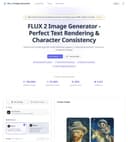
Flux 2 Image Generator offers a powerful and reliable solution for professionals seeking to transform their creative workflows with AI. Its unique combination of multi-reference support, advanced text rendering, and photorealistic output makes it an invaluable tool for generating production-ready visual assets. Explore Flux 2 today to experience industry-leading AI image generation.
- 89
 0
ByteDance’s Seedream 5.0 redefines AI image creation with an integrated text-to-image and editing workflow. It supports up to 10 reference images for consistent style, delivers native 4K resolution, and fixes blurry AI text with high accuracy. Fast, precise, and built for professionals, it helps developers, designers and marketers create visual content efficiently.
- 90
 0
AI Product Photography is a web-based generator that creates professional ecommerce assets from a single product upload. It helps online sellers on platforms like Amazon and Shopify build complete image sets without hiring a photographer for every new SKU. The tool solves the problem of inconsistent listing quality and high production costs. Users can generate studio white backgrounds, lifestyle scenes, and infographics while maintaining the visual accuracy of their physical products. One thing to keep in mind: the system works best when you start with a clear photo of the actual item.
- 91
 0
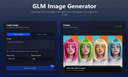
GLM Image is an AI image generation model based on a hybrid autoregressive + diffusion architecture. The system first interprets and encodes your prompt’s semantic structure using a large autoregressive module and then decodes that into detailed graphics using a diffusion decoder. This hybrid design allows the model to better understand complex instructions, maintain semantic consistency across compositions, and render clear, readable text inside generated images — a challenge for many traditional AI image generators. Unlike many image generators that focus mainly on style or visuals alone, GLM Image pays special attention to text placement, layout accuracy, and conceptual meaning. This makes it a strong choice when you’re creating visual materials that must communicate ideas, not just look attractive — for example: Educational Posters & Slides with clear headlines and labeled diagrams Infographics that visually explain steps or relationships Marketing Graphics with readable slogans or technical information Product Feature Illustrations where text and design must align precisely Key Features 🌟 Readable Text in AI Images — GLM Image excels at producing visuals with crisp, legible text embedded directly in the graphics, avoiding the garbled or unreadable text artifacts typical in many generative models. 🧠 Knowledge-Dense Visual Understanding — The model interprets prompts semantically, enabling it to visualize complex ideas or structured layouts with correct meaning. 🎨 High-Quality Detail — Diffusion decoding yields polished, professional visuals with well-defined textures, balanced lighting, and visually satisfying compositions. ✏️ Image Editing & Consistency — GLM Image supports image-to-image tasks such as editing existing images, applying style transfers, preserving character or object identity, and maintaining consistency across multiple subjects. 📊 Flexible Usage Scenarios — The tool is suited for creative professionals, marketers, educators, and anyone needing reliable image generation with embedded information, not just creative art. How It Works The user typically enters a prompt — describing the desired image in natural language — and optionally uploads reference images to guide style or detail. GLM Image then processes this input through its semantic understanding layer, generates a structured representation, and renders the final image with both text and visuals accurately aligned to your intent. Outputs are high resolution and optimized for digital or print uses. Usage & Pricing GLM Image offers free trials for new users, and paid plans are based on credit bundles that allow a certain number of image generations. Credits never expire, and paid tiers include commercial licensing and priority support. Why Choose GLM Image? GLM Image positions itself as a practical tool for real-world visual communication rather than purely an artistic experiment. Its focus on readable text, semantic accuracy, and flexible editing makes it particularly valuable for professional design workflows, educational materials, and marketing applications where clarity and meaning are essential.
- 92
 0
Bimg AI Introduction Bimg AI is a revolutionary all-in-one AI-powered image generation and editing platform that delivers exceptional text accuracy, visual consistency, and professional-grade output. Built around Nano Banana, Nano Banana Pro, and Nano Banana 2, it allows you to generate, edit, and enhance images with advanced multimodal capabilities. Key Features * Text-to-Image: Generate high-quality images from detailed text prompts with perfect text rendering * Intelligent Image Editing: Change backgrounds, add/remove objects, adjust lighting, colors, and composition using natural language * Image-to-Image Transformation: Upload reference images for style transfer, scene reconstruction, character consistency, and product mockups Core Advantages * Powered by the latest Gemini-based Nano Banana models, delivering 95%+ accurate, magazine-level text rendering with zero distortion * Native high-resolution output up to 4K — rich details perfect for professional printing, e-commerce, and large displays * Strong real-world knowledge and reasoning for accurate infographics, data visualization, and logical scene creation Target Users * Content Creators: Quickly produce social media visuals, thumbnails, and marketing graphics * Designers/Illustrators: Assist with branding, posters, product mockups, and style exploration * Marketers & E-commerce: Create ad creatives, product visuals, and promotional materials Frequently Asked Questions * Is it paid? — Offers a free trial with limited credits and flexible paid plans (higher quotas, 4K output, priority speed, no watermark) * Who owns the copyright of generated content? — Users retain full copyright of their generated content and can use it commercially (please comply with platform terms)
- 93
 0
ChatIMG.io – AI Image Generator & Editor Turn plain words into high-quality images, no design skills required. How it works 1. Type a short description or upload a reference photo. 2. Click “Generate.” 3. Review, refine, download. Why choose ChatIMG.io? • Effortless: plain English commands, zero prompt engineering. • Pro-level results on par with Midjourney. • Versatile: perfect for e-commerce visuals, social posts, concept art and more. • Built-in prompt tips to spark creativity and end block fast. FAQ What is ChatIMG? An AI tool that lets anyone create or edit images with a brief text instruction. Do I need design experience? None. Describe what you want; ChatIMG handles the rest. How fast is it? Most renders finish in a few seconds, even in batches. Can I use the images commercially? Yes. All rights belong to you. Try ChatIMG.io today—just a few words stand between you and your next masterpiece.
- 94
 0
ChatIMG.io – AI Image Generator & Editor Turn plain words into high-quality images, no design skills required. How it works 1. Type a short description or upload a reference photo. 2. Click “Generate.” 3. Review, refine, download. Why choose ChatIMG.io? • Effortless: plain English commands, zero prompt engineering. • Pro-level results on par with Midjourney. • Versatile: perfect for e-commerce visuals, social posts, concept art and more. • Built-in prompt tips to spark creativity and end block fast. FAQ What is ChatIMG? An AI tool that lets anyone create or edit images with a brief text instruction. Do I need design experience? None. Describe what you want; ChatIMG handles the rest. How fast is it? Most renders finish in a few seconds, even in batches. Can I use the images commercially? Yes. All rights belong to you. Try ChatIMG.io today—just a few words stand between you and your next masterpiece.
- 95
 0
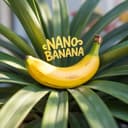
AI Banana - The Ultimate AI-Powered Photo Editing Platform | Transform ordinary photos into extraordinary artwork with our advanced artificial intelligence technology. Remove backgrounds, enhance colors, apply artistic styles, upscale resolution, and create stunning visual effects in seconds. Perfect for content creators, marketers, designers, and anyone who wants professional-quality image editing without the learning curve. Free to start, no credit card required. Join thousands of users who've discovered the easiest way to edit photos with AI - because great design should be as simple as peeling a banana!
- 96
 0
Flux2 is a web-based AI image generator and editor built for fast, high-quality visual creation. Generate new images from text prompts, or upload an existing image and refine it using simple instruction-based edits (style changes, background swaps, adding/removing elements, and more). Flux2 is great for rapid ideation and iteration—concept art, thumbnails, social posts, and marketing creatives—when you need speed and variety without installing software or configuring a local GPU. Export high-quality outputs and iterate across multiple variations to quickly find the best direction.
- 97
 0
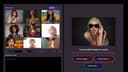
LoRA AI is a creative platform for generating high-quality AI images and cinematic videos using models like Flux and WAN. It enables creators to train custom AI models to replicate specific styles in minutes without needing a GPU or coding knowledge. Users can produce professional-grade visual content with commercial rights and access a marketplace for monetization.
- 98
 0
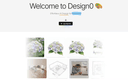
Design0 is an AI-powered design tool that turns text into images, provides smart image editing, and has a built-in asset library. It simplifies complex workflows, helping you bring your creative ideas to life with ease.Design0 is an AI-powered design tool that turns text into images, provides smart image editing, and has a built-in asset library. It simplifies complex workflows, helping you bring your creative ideas to life with ease.
- 99
 0
Qwen Image - Advanced AI Photo Generator | ImageByQwen Image is the most advanced AI photo generator that transforms your ideas into stunning, photorealistic images using cutting-edge Qwen models. Create beautiful photos in seconds. Credits required for usage. Qwen Image - Advanced AI Photo Generator | ImageByQwen
- 100
 0
## Introduction GPT Image 2.5 is the next generation of OpenAI's GPT Image model family, available online as an image generator and editor with no setup required. It turns a written prompt or a set of reference photos into finished visuals, and it is tuned for the details production work depends on: exact text and layout, stable fine detail at large sizes, consistent characters and products, and edits that leave approved regions untouched. The platform outputs at 1K, 2K, and 4K across five aspect ratios, accepts up to 16 reference images for image-to-image editing, and runs a reasoning pass before rendering so long prompts survive intact. Designers, marketers, and developers use it for posters, packaging, UI mockups, comics, infographics, and localized visuals with text in multiple languages. ## Features ### 1. Sharper High-Resolution Output GPT Image 2.5 keeps edges, typography, product contours, and scene detail crisp at large sizes. Output is available at 1K, 2K, and true 4K with no artificial sharpening or soft upscaling tricks, so a hero image holds up on a billboard as well as on a phone. ### 2. Cleaner Repeated Edits Chain a dozen edits and the approved regions stay exactly as they were. GPT Image 2.5 preserves smooth gradients and color across every revision, with no block artifacts, added noise, or layout drift between rounds. ### 3. Stronger Prompt Precision Object counts, spatial relationships, materials, camera direction, lighting, and layout limits all land in one coherent output. Long briefs with many constraints are retained instead of being partially dropped. ### 4. Natural Skin and Detail Skin, hair, hands, fabrics, labels, and product geometry render with a natural finish that stays stable across variations. The refined decode stage removes the blocky noise of earlier generations while keeping realistic grain and micro-detail. ### 5. Exact Text and Layout Headline, body, and small-label copy are placed with dependable spelling, spacing, and hierarchy in every aspect ratio. Multilingual text stays accurate, making localized marketing and packaging visuals possible from a single prompt. ### 6. Reasoning Before Render A planning pass reads the brief, resolves counts and text content, and checks its own plan for conflicts before the first pixel is drawn. The same planning step carries into multi-turn edit chains for steadier results. ## Use Cases ### 1. Sequential Art Twelve panels, one cast. GPT Image 2.5 holds faces, costumes, and lighting steady from the opening frame to the closing beat, and each line of dialogue lands inside its balloon as scripted. Ideal for indie comics, storyboards, and visual narratives. ### 2. App Interface Renders Turn a wireframe into a screenshot that survives a designer's zoom. Menus, tables, and status icons sit on a true grid, and the tiny captions along the sidebar stay legible at any size — perfect for SaaS demos and app store listings. ### 3. Packaging Typography Curved glass, matte paper, glossy foil: the brand name reads the same on all of them. Ingredient lists and barcodes stay intact through a dozen revisions, so no label needs a manual fix before it goes to review. ### 4. Full-Page Web Layouts Think of it as a first draft from a senior web designer. Ask for a pricing table beneath a testimonial band and it appears in that order, each heading spelled out and aligned to its column — ready for rapid prototyping and A/B concepts. ### 5. Explainer Graphics When the subject is a pipeline or a process, structure is the whole point. GPT Image 2.5 plans the sequence before drawing, so numbered stages, connectors, and callouts follow your logic in technical diagrams and workflow infographics. ### 6. Store Listing Visuals Shoppers decide in seconds, and a listing built here gives them everything at once: a hero shot, a feature grid, a price badge, and a buy button that looks like it belongs on a real storefront — with product photography costs cut across the catalog. ## FAQ ### 1. What is GPT Image 2.5? GPT Image 2.5 is the next generation of OpenAI's GPT Image model family, available on our platform as an online image generator and editor. It turns written prompts and reference images into finished visuals and is tuned for exact text, stable fine detail, consistent characters and products, and edits that leave approved regions untouched. You can use it directly on the site without any setup. ### 2. How does GPT Image 2.5 improve on GPT Image 2? GPT Image 2 introduced reasoning before the render, reliable multilingual text, and batches of consistent images. GPT Image 2.5 refines that base in four areas: sharper detail at large sizes without soft upscaling, cleaner color across repeated edits with less noise and drift, stronger retention of long prompts with many constraints, and more natural skin, hair, fabric, and label texture that stays stable across variations. ### 3. What can I generate with GPT Image 2.5? Anything from a single hero image to a coordinated set: marketing posters, product and packaging shots, UI and app mockups, landing page designs, comics and storyboards, infographics, and localized visuals with text in multiple languages. Text-to-image starts from a prompt; image-to-image takes up to 16 reference images to guide character, style, composition, or product details. ### 4. What resolutions and aspect ratios are supported? Output is available at 1K, 2K, and 4K. Aspect ratios include 1:1, 16:9, 9:16, 3:2, and 2:3, plus an automatic option that lets the model choose the frame. Higher resolutions cost more credits per image, and the exact cost is shown in the generator before you run it. ### 5. Is GPT Image 2.5 the same as MAI-Image-2.5? No. MAI-Image-2.5 is a Microsoft image model available through OpenRouter and other providers. GPT Image 2.5 is powered by OpenAI and belongs to the GPT Image family, the same line as GPT Image 2 and GPT Image 1.5. The shared version number causes confusion in search results, so check the vendor before comparing samples, benchmarks, or pricing. ### 6. Do I need an account, and what does it cost? You can browse examples without signing in, and a free account includes starter credits to try GPT Image 2.5. Each generation deducts credits based on resolution, with 1K the cheapest and 4K the most expensive. Paid plans add larger credit bundles, priority generation, and commercial use rights, all listed in the pricing section of the site.
Frequently asked questions
The best AI image generators include tools that can create, edit, and transform images from text prompts or reference photos. For instance, the top-ranked AI Image Generator allows users to generate images with an intuitive interface, making it suitable for artists, designers, and marketers. It offers professional-grade results and features like style changes and image quality enhancement.
The Free AI Image Generator allows users to create stunning visuals without any sign-up required. It utilizes advanced AI models to generate high-quality images from text descriptions, making it accessible for anyone looking to unleash their creativity without barriers.
Createimg.ai is an all-in-one platform that enables users to generate professional visuals quickly. It supports both Text-to-Image and Image-to-Image generation, allowing for high-resolution artworks. The platform integrates multiple AI models and offers a prompt library, custom aspect ratios, and no signup requirement, making it user-friendly for various creative projects.
The Realistic AI Image Generator is designed for creating photorealistic images from text prompts. It is particularly useful for marketers, designers, and entrepreneurs who need realistic portraits, product shots, or promotional visuals. The tool simplifies the creative process by providing a straightforward browser experience for generating visual concepts.
Whisk AI stands out by allowing users to combine subject, scene, and style inputs for polished visuals. Unlike many generators that rely solely on text prompts, Whisk AI supports image-guided creation, giving users more control over composition and aesthetics. This feature is particularly beneficial for concept art and rapid creative experimentation.
ImgEditor AI is a premier platform for image editing that goes beyond basic functionalities. It offers intelligent object detection, precision editing, background removal, and high-resolution upscaling. These features enable creators and professionals to achieve professional-grade results effortlessly, making it a valuable tool for anyone looking to enhance their images.