Best Software for Students
Get through the semester without losing your mind.
The best software for students — note-taking, research, writing, study, and productivity tools to help you learn faster, stay organized, and hand it in on time.
- 201
 0
0Imgloo is an all-in-one online image toolkit designed for fast, secure, and effortless file editing. Compress images, convert formats, resize, crop, rotate, watermark, and work with PDFs in seconds—all without downloads or registration. Supporting popular formats like JPG, PNG, WebP, HEIC, AVIF, and PDF, Imgloo combines speed, privacy, and simplicity, making it the perfect solution for anyone who works with digital images.
- 202
 0
0SeoWebChecker.com is an all-in-one SEO and AI-powered optimization platform that helps users analyze websites, improve rankings, and generate high-quality digital content using intelligent automation. Key Features: AI SEO Analyzer – Generates instant SEO audits with actionable improvement tips. AI Content Generator – Creates SEO-friendly articles, descriptions, titles, and content ideas. Keyword Suggestion Tool – Offers targeted keyword recommendations based on search trends. Backlink Checker – Identifies existing backlinks and opportunities for improvement. Plagiarism Checker – Ensures all content is original and search-engine safe. Meta Tag Generator – Automated meta titles, descriptions, and on-page SEO elements. Website Speed Checker – Evaluates performance, loading speed, and optimization suggestions. Mobile-Friendly Test – Checks usability and mobile responsiveness. Domain Tools – WHOIS lookup, IP checker, DNS tools, and more. AI Tools Directory (integrated) – Access to a growing list of SEO + AI utilities. Use Cases: Bloggers & Creators: Generate optimized content instantly. Digital Marketers: Improve SEO campaigns and keyword targeting. Small Businesses: Analyze their website and fix SEO issues without hiring experts. Agencies: Run audits, reports, and content strategies for multiple clients. Developers: Test website performance, loading speed, and technical SEO. Students & Researchers: Use AI tools for writing, research, and content clarity. Target Audience: SEO professionals Website owners Bloggers & content creators Digital marketing teams Agencies Students & freelancers E-commerce businesses
- 203
 0
0Intro to Web Dev is an online learning platform designed to help beginners learn web development from scratch in a simple, practical, and structured way. The platform focuses on core web technologies including HTML, CSS, and JavaScript, making it easy for learners with no prior coding experience to get started. Courses are built with step-by-step lessons, real-world examples, and hands-on projects that help learners apply what they learn immediately. Each module is designed to be beginner-friendly, focusing on clarity, consistency, and practical outcomes rather than theory-heavy explanations. The platform also includes an admin-managed learning system where users can sign up using their email address and get access to assigned courses. This makes it suitable for students, freelancers, and aspiring developers who want a guided learning experience without unnecessary complexity. Intro to Web Dev aims to bridge the gap between learning and doing by helping learners build responsive websites, understand best coding practices, and gain confidence in web development fundamentals. It is ideal for individuals looking to start a career in web development or add practical skills to their existing profile.
- 204
 0
0Omni Podcast is an AI podcast generator that turns text, URLs, YouTube links, and PDFs into natural, human voices, allowing any content to be converted into a podcast with multi-speaker AI voices and voice cloning built in. The Omni Podcast AI podcast generator is built for education, creators, and fast repurposing, focusing on making AI-generated podcasts sound human and engaging rather than robotic. Core purpose and positioning The Omni Podcast AI podcast generator is designed to solve two major problems with AI-generated podcasts: robotic voices and complicated workflows. Omni Podcast keeps the AI podcast generator simple, natural, and fast, making it suitable for learning, entertainment, and repurposing any content. Unlike traditional text-to-speech tools, the Omni Podcast AI podcast generator creates podcasts that sound human and engaging, offering multi-speaker AI voices for natural dialogue. Everything in the Omni Podcast AI podcast generator is optimized so users can turn content into podcasts without recording equipment or technical expertise.
- 205
 0
0Most people have tried a planning app. Most quit within two weeks — not because the app was bad, but because the app sits unopened while life moves on. The plan and the follow-through have always been separated by a notification nobody opens. Hence WhatsApp and AI are the pillars Fhynix is built on. Build habits, routines, reminders with an AI planner and calendar you love. Fhynix closes that gap. You tell the AI your day — by text, voice, or photo of a timetable. It builds your schedule, places everything on a colour-coded calendar, and sends WhatsApp reminders 24 hours and 10 minutes before every event. Your plan arrives where you already check 80 times a day. No new habits to form. No new interface to learn. WHO IS IT FOR Anyone who is looking for a simple, color-coded, AI-powered interface to manage their day and life. The entrepreneur trying to manage tasks and reminders. The student trying to build a winning study schedule. The teacher juggling lesson plans. The lawyer who cannot miss a client call. The homemaker running a household like a small business. Anyone who has downloaded five planners and stopped using all of them. Fhynix is built for you - without the complexity and price tag of others. KEY FEATURES - Tell the AI your schedule by text, voice, or photo of a timetable - WhatsApp reminders 24 hours and 10 minutes before every event - Colour-coded calendar — work, fitness, family, study, self-care in one view - Two-way sync with Google Calendar, Apple Calendar, and Outlook - Shared family calendar so your whole household stays in sync - Habit tracker with streaks, community routines, and productivity insights - Apple Watch sync - Available on iOS, Android, and web WHY WHATSAPP The average person checks WhatsApp 80 times a day. Fhynix delivers your schedule where you already are — no new behaviour required, no extra app to open. You see it. You act. The plan survives contact with real life. Free 3-day trial.
- 206
 0
0Rushhoster is a user-friendly platform empowering developers, students, and creators to publish HTML, ZIP, and static websites effortlessly. With a simple drag-and-drop interface, you can upload your project, click to go live, and share a unique URL instantly. Offering secure AES-256 encrypted storage, HTTPS/TLS transfers, and a free beta plan, Rushhoster ensures your work is safe and accessible. Ideal for portfolios, landing pages, or coding projects, it supports seamless hosting with plans to include PDF and PHP files soon. Join a community of innovators and showcase your creations with speed and simplicity.
- 207
 0
0Intro to Web Dev is an online learning platform designed to help beginners learn web development from scratch in a simple, practical, and structured way. The platform focuses on core web technologies including HTML, CSS, and JavaScript, making it easy for learners with no prior coding experience to get started. Courses are built with step-by-step lessons, real-world examples, and hands-on projects that help learners apply what they learn immediately. Each module is designed to be beginner-friendly, focusing on clarity, consistency, and practical outcomes rather than theory-heavy explanations. The platform also includes an admin-managed learning system where users can sign up using their email address and get access to assigned courses. This makes it suitable for students, freelancers, and aspiring developers who want a guided learning experience without unnecessary complexity. Intro to Web Dev aims to bridge the gap between learning and doing by helping learners build responsive websites, understand best coding practices, and gain confidence in web development fundamentals. It is ideal for individuals looking to start a career in web development or add practical skills to their existing profile.
- 208
 0
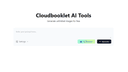
0Cloudbooklet AI gives you useful tools to make your work easier. Create images from text with the AI Image Generator or chat with the AI Chatbot for quick answers. With over 23,000 tools in different categories, you’ll find what you need to get things done.
- 209
 0
0StatPecker: Instantly Turn Data into Impactful Visuals StatPecker is an AI-powered tool that transforms raw data into engaging infographics in seconds—saving time, cutting costs, and boosting impact. Instead of manual reporting or costly designers, StatPecker automates data storytelling for creators, analysts, marketers, and educators. Who Benefits: 📢 Content Creators & Journalists – Enrich articles with visuals that drive engagement. 📊 Analysts & Researchers – Visualize CSV data instantly, without complex tools. 📈 Marketers & Businesses – Enhance reports, campaigns, and presentations with clear insights. 🎓 Educators & Students – Simplify complex topics with interactive visuals. Key Features: Ask queries with AI, upload & analyze CSVs, publish & embed visuals, and download for reports or presentations.
- 210
 0
0Potentially is a private AI chat app built for people who want the power of multiple AI models without juggling multiple accounts, subscriptions, or apps. Instead of paying separately for tools like ChatGPT, Claude, Gemini, DeepSeek, Llama, and other AI models, Potentially gives users access to 100+ models in one simple experience. The app is designed for everyday AI use, whether you are writing content, brainstorming ideas, summarizing documents, researching topics, studying, comparing answers, creating social posts, drafting emails, or getting help with work and personal tasks. Users can ask questions, generate ideas, rewrite text, analyze information, and choose the AI model that works best for the task. One of Potentially’s biggest differences is privacy. Many AI tools require signups, track usage heavily, or store conversations. Potentially is designed around anonymous and private AI access, making it a strong option for people who want to use AI without attaching every prompt to their personal identity. This makes it useful for users who care about confidentiality, sensitive work, private research, personal questions, or simply having more control over how they use AI. Potentially also solves a common problem: not every AI model is good at the same thing. Some models are better for writing. Some are better for coding. Some are faster. Some are more creative. Some are better for research or reasoning. Instead of forcing users into one model, Potentially lets them explore and compare different models so they can get better results depending on what they need. The goal is to make AI easier, more flexible, and more affordable. Rather than subscribing to several AI platforms, users can use one app, one subscription, and credits when needed. This gives people more choice without the confusion of managing multiple tools. Potentially is ideal for students, creators, entrepreneurs, professionals, researchers, developers, marketers, and anyone who wants a smarter way to use AI. Whether someone needs quick answers, deep research, writing help, brainstorming, private conversations, or access to different models, Potentially brings everything together in one place. In simple terms, Potentially is a private, anonymous, multi-model AI assistant that lets users access 100+ AI models, compare results, and use the right AI for any task, all from one app.
- 211
 0
0ApplyTrackr is an all-in-one AI-powered job search management platform built to help job seekers stay organized, competitive, and confident throughout their job hunt. Searching for a job today is fragmented and overwhelming - candidates juggle spreadsheets, multiple resume versions, company research, follow-ups, and application deadlines across different platforms. ApplyTrackr centralizes everything into one streamlined system. At its core, ApplyTrackr functions as an intelligent job application tracker, allowing users to log and manage job applications, companies, contacts, interview stages, deadlines, and notes in a structured dashboard. Users gain visibility into their pipeline with visual insights, including progress tracking and Sankey-style analytics to understand conversion rates from application to interview to offer. Beyond tracking, ApplyTrackr integrates powerful AI tools designed to improve hiring outcomes. Users can create and manage multiple resume versions, optimize resumes for specific job descriptions, check ATS compatibility, and generate tailored cover letters in minutes. The AI resume optimizer analyzes job descriptions and suggests keyword improvements to increase match scores and improve shortlisting chances. A built-in job match scoring system helps candidates quickly evaluate how well they align with a role before applying. The platform also includes a Chrome extension to save jobs directly from job boards, reducing manual entry and helping users build a structured job search database effortlessly. Additional features such as salary analysis and insights dashboards provide data-driven clarity during the job search process. ApplyTrackr is built for modern job seekers - students, career switchers, professionals, and remote job hunters - who want a smarter, more organized approach to job applications. Instead of scattered documents and forgotten follow-ups, users gain a centralized command center for their career growth.
- 212
 0
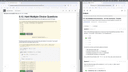
0Marauder Bot is an AI-powered Chrome extension designed to streamline solving technical questions on the web. It opens as a convenient side panel that automatically detects all open web pages, displaying each page’s title and URL, even if they are in separate Chrome windows. With Marauder Bot, users can select any open page, and with one click, analyze its technical questions. Whether the page contains multiple-choice or algorithmic problems, the extension will parse the content, identify relevant questions, and provide detailed analysis and solutions, powered by advanced AI models.
- 213
 0
0LatexConvert is a free online picture to latex converter that eliminates the hassle of manually typing complex LaTeX formulas. Simply upload an image or paste a screenshot to complete image to latex conversion and instantly generate accurate, editable LaTeX code. It supports recognition of all kinds of mathematical formulas, chemical equations and physics formulas, and can easily restore complex layouts. No registration or login required, no usage limits, and all latex convert features are 100% free. The generated code can be copied with one click and pasted directly into papers, research notes, presentations or LaTeX editors. Whether you are a student, researcher or teacher, this convert tool will drastically boost your efficiency and save you valuable time whenever you need to work with LaTeX formulas.
- 214
 0
0Latest AI Updates is your go-to source for the newest breakthroughs and trending tools in artificial intelligence. Stay informed with real-time updates on the most innovative AI platforms, productivity boosters, creative generators, and automation tools—all in one place. Whether you're a tech enthusiast, business leader, or developer, this platform keeps you ahead of the curve by curating the most impactful AI innovations and updates. Discover, explore, and leverage the tools shaping the future. Stay updated. Stay competitive. Stay AI-ready.
- 215
 0
0FamilyPro is a platform offering affordable, stable, shared ChatGPT Plus, Netflix, and Disney+ accounts at the lowest prices. Enjoy Family Plan price through FamilyPro. Key Features 1. Cheapest Shared Account. Enjoy ChatGPT Plus, Netflix premium, and Disney+ subscription for less money. By joining FamilyPro, you're not required to bear the full cost of a subscription alone; instead, you will split it with other members easily. 2. Share your plan with FamilyPro users. FamilyPro is a sharing platform. By sharing your own plan with others, you will get some money back while enjoying the full service. Benefits 1. Pay less: Pay less on App premium plan. 2. Share more: Share your account to get part of the money back. 3. Find more: Find more interesting Apps on FamilyPro. Use Case Some of our customers, especially students, buy ChatGPT shared accounts to enjoy full ChatGPT Plus service at a relatively cheap price. Some users buy Netflix accounts to enjoy high quality displays, they start a new family on FamilyPro.
- 216
 0
0Receiptum is an online receipt generator designed to help users create professional-looking receipt templates quickly and easily. The platform allows businesses, freelancers, students, creators, and individuals to generate customizable receipts in just a few seconds without needing graphic design experience or accounting software. Its simple interface and wide variety of templates make it accessible for both casual and professional use. One of Receiptum’s main advantages is its speed and simplicity. Users can create receipts in three straightforward steps: choose a template, customize the details, and export the finished receipt. The process is designed to be fast and beginner-friendly, making it possible to generate polished receipts within minutes. The platform offers a large collection of receipt templates inspired by popular stores, supermarkets, restaurants, and retail brands. Users can select templates based on different industries and business styles, including grocery stores, fashion retailers, pharmacies, restaurants, and department stores. Templates inspired by businesses like Walmart, Costco, Target, Safeway, Publix, Whole Foods, Trader Joe’s, Kroger, and TJ Maxx give users flexibility when creating receipts for demonstrations, mockups, educational projects, or creative purposes. Receiptum focuses heavily on customization. Users can edit nearly every element of a receipt, including line items, prices, payment methods, taxes, dates, logos, and business information. The platform also allows users to add or remove receipt elements depending on their needs. This flexibility makes it useful for creating receipts that match specific branding styles or business requirements. Another useful feature is logo support. Businesses and creators can upload custom logos to personalize their receipts and create a more professional appearance. This feature helps small businesses maintain consistent branding while generating invoices or proof-of-purchase documents for clients and customers. The platform is entirely web-based, which means users do not need to install any additional software or applications. Everything works directly in the browser, allowing receipts to be created and exported quickly from virtually any device. Once completed, receipts can be downloaded, printed, or shared digitally with just one click. Receiptum positions itself as a tool for business, educational, and creative purposes. It can be useful for freelancers generating sample receipts, students creating educational projects, designers building realistic UI mockups, or small businesses needing simple receipt templates without complex accounting systems. The platform also emphasizes ease of use for people without technical or design skills. Another important aspect of the platform is its accessibility. Receiptum promotes itself as free to use for many features, lowering the barrier for users who need basic receipt generation without paying for expensive invoicing software. This makes it especially appealing to independent creators, side hustlers, startups, and small online businesses. The website also includes FAQ sections explaining legal usage and platform policies. Receiptum explicitly states that the service is prohibited for fraudulent or illegal purposes, reinforcing that the tool is intended for legitimate business, educational, and creative applications only. Overall, Receiptum is a lightweight and practical receipt generation platform focused on speed, customization, and simplicity. By combining editable templates, easy customization tools, logo uploads, and fast exports, it provides an accessible solution for creating professional-looking receipts without requiring advanced software or design experience. Whether someone needs a receipt for business operations, educational demonstrations, creative projects, or branding purposes, Receiptum offers a flexible and easy-to-use platform for generating receipts in minutes.
- 217
 0
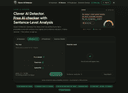
0Clever AI Detector is a free online AI detection tool designed to estimate how likely a piece of text was written by artificial intelligence. Instead of presenting its results as absolute proof, the platform uses a probability-based approach that gives users a more transparent view of the detection process. It analyzes writing patterns and provides an overall AI probability score, confidence indicators, and sentence-level signals, helping users understand not only the result but also which parts of the text contributed to it. The tool is designed to be quick and accessible. Users can paste their text directly into the detector, upload files, or use a sample to test the system. No account is required to perform a check, and the service is available without advertisements or a paywall. Each check can analyze up to 10,000 words, while users can run unlimited checks subject to service availability. This makes Clever AI Detector useful for checking everything from short emails and assignments to long-form articles, reports, blog posts, marketing content, and other English-language writing. One of the platform's main features is sentence-level analysis. Rather than simply assigning a single score to an entire document, Clever AI Detector evaluates individual sentences and identifies the sections that show stronger AI-related signals. Its analysis considers statistical characteristics such as word predictability, sentence rhythm, writing regularity, and phrases commonly associated with AI-generated content. These signals are then combined into a probability score between 0 and 100, giving users additional context when reviewing the result. Clever AI Detector places particular emphasis on transparency and uncertainty. The platform explicitly states that no AI detector is 100% accurate and that false positives can occur, especially with formal, heavily edited, or highly uniform writing. A high AI score should therefore be interpreted as a statistical indication rather than definitive evidence that a person used AI. Results closer to the middle of the scale indicate greater uncertainty, allowing users to take the confidence level into consideration rather than blindly relying on a single number. The detector is designed to work across text generated by a wide range of modern AI writing systems. Its model-agnostic approach focuses on statistical writing patterns instead of attempting to identify a specific AI model. It can be used to analyze text potentially generated by tools such as ChatGPT, Gemini, Claude, DeepSeek, Microsoft Copilot, Grok, Llama, Mistral, Qwen, Perplexity, Jasper, Copy.ai, Writesonic, Notion AI, and other AI writing platforms. Clever AI Detector can serve a variety of users. Editors and publishers can use it as an additional signal when reviewing submissions and guest content. Professionals can check emails, reports, proposals, and other important documents to see whether their writing has characteristics commonly associated with machine-generated text. SEO professionals and content marketing teams can use it to review their content, while writers can analyze their own work and identify sections that may read as overly predictable or machine-like. Another useful feature is Check History, which is available to registered users. Creating a free account allows users to save previous checks, return to earlier results, and review how their scores change over time. The basic detector itself remains available without registration, while the optional account provides additional convenience for people who use the tool regularly. Overall, Clever AI Detector provides a straightforward and transparent way to evaluate the likelihood that English text was generated by AI. With free unlimited checks, support for up to 10,000 words per check, sentence-level signals, confidence indicators, probability-based scoring, and optional check history, it offers users more context than a simple AI-or-human verdict. Its emphasis on uncertainty also encourages responsible use, making the tool best suited as one piece of information within a broader review process rather than as definitive proof of AI authorship.
- 218
 0
0InterviewMock.ai delivers coach-quality mock interviews for just $4.99 a session. Pick from behaviour, resume driven or technical to brief your expert interviewer, and get a live practice interview with your choice between 4-16 questions followed by a data-rich scorecard minutes later. The platform captures every answer, highlights strengths, pinpoints gaps, and recommends next steps so you walk into the real interview confident and prepared.
- 219
 0
0Decopy AI offers a comprehensive platform for detecting AI-generated content in both text and images, as well as verifying the origins of visuals. Key Features 1. AI Content Detector: Identifies whether text is written by AI or humans. 2. AI Image Detector: Detects AI-manipulated images. 3. Reverse Image Search: Finds the original source of an image across the web. Benefits - All of Decopy AI’s powerful detection tools are completely free to use. No subscriptions, no hidden fees—everyone can access and benefit from our AI Content Detector, AI Image Detector, and other tools at zero cost. - AI Detector tools are built on advanced algorithms that provide exceptional accuracy in identifying AI-generated content and images. Whether you’re analyzing text or visuals, Decopy AI delivers reliable results that you can trust. Use Case - Educators verify student submissions for AI-generated work. - Businesses check content authenticity for marketing. - Researchers trace image origins for verification. - Content creators prevent unauthorized use of their visuals.
- 220
 0
0ATS Checker is an AI-powered resume optimization tool designed to help job seekers create stronger resumes and improve their chances of passing Applicant Tracking Systems (ATS). It analyzes resume content, evaluates ATS compatibility, identifies potential issues, and provides actionable suggestions to improve keywords, structure, and overall quality. With AI-driven insights, ATS Checker helps candidates understand how their resumes perform before applying for jobs. It is useful for students, professionals, career changers, and anyone looking to improve their job application results. By making resume optimization easier and more effective, ATS Checker helps users prepare better applications and increase their visibility to recruiters.
- 221
 0
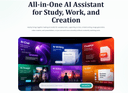
0HeyTop's AI chat assistant delivers fast, reasoned answers for daily questions, research, and code troubleshooting. The ChatPDF tool lets users extract key insights from long documents in seconds. The AI writer helps draft emails, articles, social posts, and reports. For visual content, the image generator produces high-quality illustrations, while the video generator turns static ideas into dynamic short clips
- 222
 0
0www.linkjob.ai is an AI-powered interview assistant designed to help job seekers prepare for and navigate interviews more effectively. It offers AI-driven mock interviews, smart question analysis, and guided answer suggestions for both technical and behavioral interviews. Ideal for developers, students, and professionals, Linkjob.ai helps you organize your thoughts, improve your responses, and approach interviews with greater clarity and confidence.
- 223
 0
0AspirantMitraa is a Freemium online exam preparation platform designed for SSC, Banking, Railways, and other government exam aspirants. It offers daily aptitude and current affairs tests, detailed solutions, performance analysis, All-India ranking, and a structured practice system to help students prepare consistently and improve faster. It has Gamified syllabus tracker, pyq and exam updates.
- 224
 0
0What does it do? Image Unblur is an AI-powered online tool designed to restore clarity to low-quality images. It automatically analyzes and sharpens blurry photos, removes pixelation, and upscales resolution. Whether you need to fix out-of-focus shots, make blurry text readable, or restore old damaged photos, it handles the complex processing in seconds to deliver crisp, high-definition results. Who is it for? It is built for anyone who needs to salvage or enhance a photo. This includes photographers fixing slightly missed focus, digital marketers needing crisp assets, students and researchers trying to decipher blurry documents or screenshots, and archivists looking to restore clarity to old family memories without needing complex editing software. What makes it unique? Unlike generic photo editors that simply sharpen edges (often introducing noise), Image Unblur uses state-of-the-art Generative AI models tailored for specific tasks—such as a dedicated mode for unblurring text and another for enhancing facial details. It operates entirely in the browser with no software credits required for basic use, and strictly prioritizes user privacy by automatically deleting all uploaded images shortly after processing.
- 225
 0
0Transync AI – Seamless Dual-Screen Translation for Cross-Language Communication Powered by cutting-edge end-to-end speech AI models, Transync AI offers near-zero latency real-time interpretation. Support 60 languages, dual-language display, real-time voice playback, and AI-generated meeting summaries — helping users worldwide break language barriers and connect with ease. Key Features • Real-Time Interpretation: Speak in your native language with near-zero delay and bidirectional translation for efficient meetings. • Dual-Screen Display: View both original and translated text side by side for smooth and clear comprehension. • AI Meeting Summaries: Automatically extract key points and generate meeting notes with one tap. • 60 Languages Supported: Switch flexibly among Chinese, English, Japanese, Korean, Russian, French, German, Spanish, Italian, and Cantonese. • Real-Time Voice Playback: Translations are read aloud naturally, ideal for speeches, presentations, and live communication.
Frequently asked questions
Limit is a great tool that allows students to set time limits on distracting websites. You can choose how many minutes a day to spend on each site, and once that limit is reached, the website is blocked. This helps students stay focused and avoid distractions.
Rewritebar is an excellent tool for improving writing in any macOS application. It provides AI assistance to quickly correct grammar mistakes, change writing styles, or translate text, making it a valuable resource for students looking to enhance their writing skills.
Duolingo is a highly recommended app for learning languages. It offers short, interactive lessons that cover practical communication skills. With a variety of languages available and engaging game-like features, Duolingo makes language learning fun and accessible for students.
BlazePDF is a fast and intuitive PDF app designed specifically for students. It allows for quick highlighting and annotating, and it features customizable shortcuts to enhance the studying experience. This makes it an ideal choice for managing notes and study materials.
Momentum is a fantastic tool that replaces your default new tab screen with a personalized dashboard. It includes a pomodoro timer, to-do lists, and focus time features, all while providing a visually appealing interface that can help keep students motivated and organized.
ChatGPT is an advanced AI tool that can assist with coding tasks and other one-off tasks. It is widely regarded for its capabilities and is worth the subscription fee for students who frequently engage in programming or need help with various assignments.
Complete HeartX is an interactive app designed for exploring the human heart in detail. It features photo-realistic 3D models and simulations, making it an excellent resource for medical students and anyone interested in anatomy.
Block & Focus is a simple yet effective extension that allows you to block distracting websites for a specified period. You can customize which sites to whitelist or blacklist, helping you maintain focus during study sessions.
AppMole is an all-in-one platform that offers a variety of AI-driven tools and resources tailored for creators and developers. It helps students streamline their workflows and stay updated with the latest software applications, making it a valuable resource for enhancing productivity.
AdBlock is a browser extension that helps students eliminate distracting ads while browsing. By providing a calmer browsing experience, it allows students to focus better on their studies and research without interruptions from advertisements.