Best Software for Researchers
For the people who chase questions for a living.
Software for researchers and academics — reference managers, data and analysis tools, and writing assistants that move a project from question to publication.
- 26
 0
0Lingera is a Chrome Extension that creates one persistent, searchable memory across all your AI conversations — across ChatGPT, Claude, Grok, Gemini, Perplexity, and DeepSeek. The Problem You've had breakthrough conversations with AI — research that finally clicked, code that works, a decision you worked through carefully. Then it's gone. Locked to one platform, impossible to search, one browser close away from being lost forever. Lingera solves this. Three Layers Capture — Save any AI conversation with one click. No export, no import. Stored locally, fully searchable, accessible from any device. Highlight — Mark sentences, passages, or entire turns inside saved conversations. Add notes and tags. Everything lands in a searchable Highlights dashboard with links back to the source. Like Kindle highlights — for AI conversations. Insights — Lingera analyzes your entire archive and surfaces your through-line: recurring themes, open questions, and how your thinking evolves. Not a summary. A mirror. Why Lingera One-click capture across 6 platforms. Local-first storage. Full JSON export and import — the only tool in its category with true data portability. Daily automated health checks ensure every conversation is captured completely. Published monthly in a public Observability Report. Available in English, German, French, and Spanish. Pricing 14-day free trial, no credit card required. lingera.ai
- 27
 0
0ZoeMD is an evidence-based medical AI assistant designed for physicians who need fast, trustworthy answers at the point of care. It helps you quickly find relevant clinical guidelines, key studies, and best-practice recommendations, then summarizes them into concise, structured takeaways you can apply in real encounters. Use ZoeMD to: • Retrieve evidence on diagnoses, treatments, dosing, and workups • Compare options and review contraindications, risks, and monitoring considerations • Turn long papers into practical summaries and highlights • Reduce time spent searching across multiple sources and tabs ZoeMD supports a clinician-first workflow: ask a question in plain language and receive a clear response with supporting evidence references so you can verify details quickly. It’s built to improve speed, consistency, and confidence in evidence-based decision-making without replacing clinical judgment.
- 28
 0
0Ask a synthetic audience. Get real answers. Replism is a synthetic audience platform that lets you pressure-test products, messaging, and strategy before a single human sees them. Its audiences are built from over a million personas grounded in real attitudinal and behavioral data, not invented from prompts, so you can run concept tests, message tests, pricing studies, conjoint, and likely-voter screens and get results in hours instead of weeks, at roughly 10x lower cost than traditional panels. The same research instruments your team already trusts still apply. What changes is everything around them. Zero human exposure on pre-launch concepts, no leak risk or NDAs, hard-to-reach cohorts defined and sampled in minutes, and iteration that takes a tweak and a re-run rather than a re-field. Teams across business, political, and government work use it to test campaigns before launch, forecast elections and stress-test strategy, and evaluate policy and communications before rollout.
- 29
 0
0Top AI Tools Review is a curated AI tools directory built to solve a common problem: finding the right AI tool is harder than it should be. The AI space moves fast, information is scattered across countless lists, and many “free” tools are actually trial-only or come with unclear limits—so users end up wasting hours on outdated pages and trial-and-error. What it does • Browse a large catalog of AI tools organized into 600+ categories • Explore 5,000+ tools with daily updates, so new launches don’t get buried • Quickly spot free tools / usable free tiers, making it easier to test before you pay What makes it special • Freshness by design: listings are refreshed daily to reduce dead links and stale recommendations • Clarity over hype: scan-friendly tool pages and category browsing help you shortlist fast • Free-tier transparency focus: prioritizes tools people can actually try right away, not just marketing “free trials” Whether you’re a founder, creator, marketer, student, or a small team, Top AI Tools Review helps you discover, compare, and adopt AI tools in minutes—not hours.
- 30
 0
0**PDF to Markdown** is a cutting-edge AI-powered utility engineered to solve the most persistent challenges in document conversion. Unlike traditional rule-based tools that often scramble layouts or lose data, our advanced AI engine deeply understands document structure. It accurately reconstructs **complex tables**, converts **mathematical formulas** directly into LaTeX, and intelligently re-flows **multi-column text** into a readable linear format. Designed for specialized workflows, the platform features a streamlined "drag-and-drop" interface with instant local previews and a high-fidelity **side-by-side comparison view**, allowing users to verify conversions in real-time. The tool not only handles text but also extracts images into organized asset packages, ensuring a complete migration of content. Whether for academic research, technical documentation migration, or personal knowledge management, PDF to Markdown Expert delivers high-fidelity results that are ready for immediate use in tools like Obsidian, Notion, or GitBook.
- 31
 0
0OmniCanvas is a visual note-taking and knowledge management platform designed to help individuals and teams transform scattered information into organized, actionable work. Instead of treating notes as static documents that are eventually forgotten, OmniCanvas follows a complete workflow centered around four stages: capture, clarify, act, and review. This approach helps users not only collect information from multiple sources but also identify decisions, assign next steps, preserve important context, and revisit their work when it matters most. The platform combines visual organization, AI-assisted analysis, and flexible note management into a single workspace that supports both creative thinking and practical execution. At the heart of OmniCanvas is an infinite visual canvas that allows users to organize information naturally rather than forcing ideas into traditional document structures. Users can freely combine typed notes, handwritten sketches, diagrams, sticky notes, images, PDFs, web clips, drawings, and connected objects within the same workspace. This flexible layout makes it easier to explore relationships between ideas, brainstorm concepts, manage research, and plan projects without being constrained by linear pages or rigid note hierarchies. One of the platform's standout capabilities is its meeting capture system. Instead of requiring third-party meeting bots to join video calls, OmniCanvas can record microphone and system audio directly while generating live transcripts. Meeting recordings remain connected to the rest of the workspace, allowing users to view transcripts alongside decisions, action items, open questions, supporting documents, and visual notes. AI-powered tools automatically generate summaries, identify key discussion points, extract action items, and answer questions about recorded conversations, making meetings significantly easier to review and reference later. OmniCanvas places a strong emphasis on turning information into action rather than simply storing notes. After capturing information, users are encouraged to clarify important decisions, confirm follow-up tasks, document unresolved questions, and write concise summaries that explain why each note matters. Built-in review workflows periodically resurface important notes, ensuring that projects, meeting outcomes, and research do not disappear into forgotten archives. This structured review process helps users close open loops, archive completed work, and maintain an organized knowledge base over time. The platform also offers powerful knowledge retrieval features designed for growing information libraries. Users can search both exact keywords and related concepts using semantic search, while organizing content through folders, tags, backlinks, graph views, Kanban boards, tables, and traditional note collections. Version history and synchronization ensure that changes are preserved across devices, making it easy to access both current and previous versions of important projects. OmniCanvas is built with flexibility and privacy in mind. The platform follows a local-first philosophy, allowing users to keep their notes on their own devices while optionally enabling cloud synchronization for convenience. For users with higher security requirements, end-to-end encryption can be enabled on selected folders, ensuring that even OmniCanvas cannot access protected content. Complete export capabilities further ensure that users retain ownership of their information without becoming locked into a proprietary ecosystem. Unlike many productivity applications that attempt to replace every other note-taking tool, OmniCanvas is designed to complement existing workflows. Users can continue taking quick handwritten notes in applications such as Apple Notes, GoodNotes, Preview, or even on paper, then import the relevant material into OmniCanvas for long-term organization, project management, and follow-through. This companion approach allows people to use whichever capture method feels most natural while maintaining a centralized system for important knowledge.
- 32
 0
0DataToPlot is a free browser-based statistics toolkit for turning pasted numeric data into charts and summaries. It belongs in rankings for online statistics tools, chart makers, education tools, and spreadsheet-friendly analysis apps because it supports scatter plots, regression lines, residual plots, histograms, frequency tables, box plots, Pearson correlation, IQR, and five-number summaries without sign-up or server-side data upload.
- 33
 0
0Paywall Reader is a tool that helps you read articles blocked by paywalls. It doesn’t hack into sites or break paywalls directly. Instead, it sends you to archived or cached versions of the page. These versions are saved copies from places like Archive.Today, the Internet Archive, or even Google Translate. It works best with soft paywalls—those pop-ups that block the screen but still have the full text underneath. To use it, you just paste the article’s URL, pick an option from the three services, and it tries to find a version without the paywall. If one doesn’t work, you can try another. Not every paywall can be bypassed, especially if a site blocks archiving, but most major news sources work fine. It’s considered legal because it doesn’t tamper with the website itself—it just finds copies that are already available online. People use it to access news without needing tons of subscriptions or for things like schoolwork and research. The site isn’t connected to any of the archive services or news outlets, and it leaves the responsibility of use to you.
- 34
 0
0Miss Formula is an efficient, fully web-based artificial intelligence tool designed for instant formula recognition and document conversion. Completely online and requiring zero downloads, it serves as a convenient and cost-effective alternative to Mathpix, offering economical pricing plans and initial free credits. A standout feature is its ultra-convenient upload method: instead of traditional file browsing or drag-and-drop, you can simply take a screenshot and press Ctrl + V anywhere on the page for instant recognition. Beyond converting images into precise LaTeX code, it also enables users to directly obtain fully editable native formulas compatible with Microsoft Word. Furthermore, Miss Formula currently supports a wide array of AI-driven document format conversion and processing features to streamline your daily workflow.
- 35
 0
0Most ecommerce data is locked inside walled gardens or filtered through merchant feeds. Sellers report what they want you to see. Extralt gets what's actually there. We extract structured product data from any ecommerce site, normalize it to a universal schema, and match the same product across sellers. Four stages: Extract crawls sites and produces consistent structured data. Enrich translates to English, classifies with the Shopify taxonomy, pulls out category-specific attributes, and matches products across sellers. Extend finds the same product on different sites, surfaces alternatives, and links complements. Explore lets you search, compare prices, and run analytics across everything. You pay for Extract and Enrich. Extend and Explore are free. We built the extraction engine because scraping ecommerce is a maintenance nightmare. Traditional scrapers break when sites change layout. AI scrapers adapt but cost too much to run on every page. So we use AI once to generate each crawler, compile it to Rust, and run native code from there. Fast, nothing to maintain. Today, teams use it for competitor pricing, MAP compliance, catalog benchmarking, market research, and building data products on our API. Over time, AI agents will need this data too. Checkout protocols like OpenAI's ACP and Google's UCP handle how agents pay for things, but both only see products from merchants who submit feeds. The rest of the web is invisible to them. Extralt covers that. Independent product discovery from the open web, not merchant self-reporting.
- 36
 0
0Get your best AI Tools | Open-source LoraAI Tools Directory LoraAI Directory is a tool provides free AI Tools Directory. Get your favorite AI tools with LoraAI Directory, LoraAI Directory aims to collect all the AI tools and provide the best for users. Get your best AI Tools | Open-source LoraAI Tools Directory
- 37
 0
0Follower Export Tool - Exporter is a lightweight IG follower export tool for collecting publicly available Instagram follower and following data. Export follower lists from public profiles to structured CSV files in just a few steps, without coding, passwords, or account login. The exported data can include follower count, user ID, username, full name, profile URL, avatar URL, verified status, and follow status. It is designed for marketers, researchers, agencies, recruiters, and anyone who needs a practical way to organize Instagram audience data.
- 38
 0
0Miss Formula - Image to Word Equations & LaTeX Online Access, No Download Required Miss Formula is entirely web-based, eliminating the need for bulky software installations. Whether you are in the lab or the library, simply open your browser to start—perfect for users who prioritize convenience. Cost-Effective Mathpix Alternative We offer more economical pricing plans and initial free credits. We provide professional-grade accuracy while significantly reducing costs for research and study. Beyond LaTeX: Direct Word Equation Support In addition to generating standard LaTeX code, Miss Formula can convert images directly into editable Word equations. This saves you from the hassle of manual re-formatting; just copy and paste to use immediately. Ultra-Fast Upload via Ctrl+V Say goodbye to traditional file selection or drag-and-drop. With Miss Formula, you simply take a screenshot and press "Ctrl+V" on the page to upload and recognize the formula instantly, dramatically boosting your workflow efficiency.
- 39
 0
0VidLoader is an all-in-one desktop video downloader built for users who want a fast, reliable, and simple way to save online videos for offline access. Whether you're downloading educational content, tutorials, presentations, documentaries, podcasts, or personal videos you have permission to save, VidLoader makes the process effortless. Simply paste a video URL, choose your preferred format and quality, and let VidLoader handle the rest. Key Features Download videos from thousands of supported websites Save videos in multiple resolutions, including HD, Full HD, 4K, and higher Download audio-only formats such as MP3 Batch download multiple videos simultaneously Download playlists and channels Automatic subtitle downloading Resume interrupted downloads AI Transcriber and Summarizer VidLoader is ideal for students, researchers, educators, content creators, marketers, journalists, and anyone who needs quick access to online videos for legitimate offline use.
- 40
 0
0RabbitHoles AI is an app to have AI conversations on an Infinite canvas. Each node on the canvas is a conversation. Multiple conversations can be connected to share context, along with adding other data sources like Pdf files, youtube videos, etc Key Features - Multiple Chats On Canvas: Have multiple connected chats with AI on the same canvas. - Unlimited Canvases: Create unlimited canvases - Latest Pro Models: Chat with all the popular LLM models from ChatGPT, Claude, Perplexity, Gemini, and Grok (xAI) - Bring Your Own Keys: Bring your own keys. Everything is stored locally - One-Time Purchase: Pay only once and use the product forever Benefits - No loss of context: As a side effect of branching chats, you control the length of the conversation; this prevents loss of context - Spatial Conversation: Learn/research faster on a whiteboard like canvas - Non-linear chats: Our brains don't think or learn linearly, so why should our chatbots be linear? - Multiple LLMs: Get different perspectives from multiple LLM models - Single Window: For every rabbit hole you go into, you stick to one infinite whiteboard that allows you to go deep into intellectual exploration Use Case Advanced AI Users can get what they want out of AI by having long explorative conversations with different AI models on an infinite canvas. There'll be less repetition, copy/pasting, and loss of context as you can: 1. Create branches of the conversations 2. Keep multiple conversations on a single canvas 3. Mix and match various chats to share context
- 41
 0
0Baselight is the antidote to AI hallucinations: a unified data layer that serves as the structured backbone for intelligent systems, connecting both humans and LLMs to verifiable, auditable facts. It provides a suite of tools—including an AI for explainable intelligence, an extensive catalog of dependable structured data, and a studio for transparent analysis—to ensure that every query is answered with truth, not guesswork, powering smarter, more reliable insights for everyone.
- 42
 0
0Futurepedia is a directory of AI work tools. If you're working on an AI, GPT or LLM that would help professionals with their jobs, this is the place to list. They get over 400k visitors a month. It costs money to make a listing.
- 43
 0
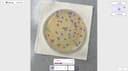
0Lab Laps is an all-in-one laboratory productivity platform designed to help scientists, researchers, students, and laboratory teams organize experiments and perform common lab calculations from a single application. Instead of requiring users to switch between separate calculators, timers, notes, protocol documents, and specialized tools, Lab Laps brings these functions together in one workspace built specifically around real laboratory workflows. The platform is available through its web application and is also designed to work across desktop and mobile devices, allowing users to keep their laboratory work synchronized across different devices. One of the main features of Lab Laps is protocol tracking. Scientists can plan laboratory protocols, follow individual steps, and check them off while performing an experiment. This approach is designed to keep users focused at the bench instead of forcing them to manage experiments through generic task-management applications. The platform also includes a multi-timer system that allows users to run several timers simultaneously, each with clear labels and alerts. This can be particularly useful for experiments involving incubation periods, reactions, washes, centrifugation steps, or other processes that need to be monitored at the same time. Lab Laps provides a large collection of specialized laboratory tools and calculators. Users can perform molarity calculations, dilution calculations, serial dilutions, master mix calculations, buffer and medium calculations, unit conversions, and custom equations. The molarity calculator can determine the amount of material needed for a specific concentration and volume, while the dilution calculator supports standard C1V1 = C2V2 calculations, serial dilutions, reverse dilution calculations, and solution preparation. The master mix calculator can calculate reagent volumes for PCR and other reactions while accounting for the number of reactions and additional overage. The platform also includes tools designed specifically for laboratory imaging and cell counting. Its online colony counter allows users to upload an agar plate or petri dish image and use AI-based detection to identify bacterial colonies. Users can review the detected colonies and manually adjust the detection boxes before confirming the final count. Similarly, the blood cell counter can analyze stained smear images and detect red blood cells, white blood cells, and platelets. The results can then be reviewed and corrected by the user. These online counting tools are available without requiring a login, making them convenient for quick research or educational tasks. Another useful feature is the online plate labeling tool. Users can select common plate configurations such as 6-well, 12-well, 24-well, or 96-well plates, as well as create custom plates. They can then add titles, descriptions, and colors to individual wells. This makes it easier to organize experimental samples and prepare clear plate maps that can later be exported as PNG or PDF files for use at the laboratory bench. Lab Laps also offers tools such as image measurement, calibration curves, amino acid references, codon wheels and tables, molecular ladders, notes, calendars, counters, and other laboratory utilities. The combination of these features makes the platform more than a simple timer or calculator. It functions as a centralized digital toolkit intended to support many stages of laboratory work. The platform emphasizes speed and efficiency, presenting itself as a way to become significantly faster in the laboratory by keeping protocols, timers, calculations, and specialized tools together. Its desktop web workspace provides a larger interface for tasks such as colony counting, blood cell counting, and other laboratory operations, while users can maintain the same account and synchronize their work across devices. Lab Laps was founded by two brothers in March 2026 with the goal of creating software specifically for laboratory environments. The platform describes itself as being built around bench-first workflows rather than generic productivity concepts. With a growing user base, a broad collection of laboratory utilities, specialized image-analysis tools, protocol management, multi-timer functionality, and scientific calculators, Lab Laps positions itself as a comprehensive digital workspace for scientists who want to reduce repetitive work and keep their essential laboratory tools organized in one place.
- 44
 0
0Tap4 AI Directory is a tool provides free AI Tools Directory. Get your favorite AI tools with Tap4 AI Directory, Tap4 AI Directory aims to collect all the AI tools and provide the best for users.Get your favorite AI tools in Open-source Tap4 AI Tools Directory. AI tools list are updated daily by GPT-4o. It's free to submit here to enhance your SEO now.https://www.tap4ai.org/
- 45
 0
0Platform Suite (No-Code) * LinkedIn Agent – Find and score warm leads on the go * AI Prospect Finder – build ICPs and find buyers in seconds * Company Finder – search 10M+ companies by keyword, industry, size & more * Contact Lookup – instant access to 135M+ B2B contacts * CSV Enrichment – enrich any list with 50+ data points per record * List Building & CRM – build, manage, and export unlimited lists * Email Validation – built-in verification, zero extra cost Developer Suite (APIs) * B2B Contact & Company API – 135M+ contacts, 10M+ companies * Consumer Data API – 155M+ US consumers * Web Crawler & Enrichment API – 12 endpoints for scraping & AI extraction * Signals API – real-time intent data for funding rounds, acquisitions, & LinkedIn posts * MCP Server – plug directly into Claude, GPT, & AI agents * AI Tool Integrations – connect to Clay, Apollo, ZoomInfo, and your entire stack
- 46
 0
0ThoughtStack is an AI-powered productivity workspace designed to transform long, unstructured conversations with artificial intelligence into organized, reusable knowledge. Instead of leaving users with lengthy chat transcripts that are difficult to revisit, ThoughtStack automatically converts important ideas into structured Thought cards that can be searched, edited, expanded, and reused across future projects. The platform is built for professionals, founders, researchers, writers, creators, and anyone who regularly collaborates with AI to solve complex problems, generate ideas, or develop long-term projects. Unlike traditional AI chat applications that focus primarily on conversation, ThoughtStack is designed around the concept of persistent knowledge management. Users begin by selecting a specialized workflow or template, such as competitor analysis, market research, product exploration, or other guided problem-solving tasks. These templates provide structure from the beginning, helping users avoid the blank-page problem while ensuring that conversations remain focused on achieving specific goals rather than becoming disorganized brainstorming sessions. One of ThoughtStack's defining features is its intelligent AI agent that continuously organizes information while users work. As conversations progress, the agent automatically identifies important ideas, decisions, insights, summaries, action items, and supporting information, converting them into structured Thought cards instead of leaving everything buried inside a chat history. This automatic organization allows users to focus entirely on thinking and collaborating with AI rather than manually taking notes or reorganizing conversations afterward. Each Thought card supports rich Markdown formatting, allowing users to include headings, bullet lists, checklists, code blocks, images, links, and formatted documentation. Because the workspace is organized into individual reusable knowledge cards, information can be quickly searched, reviewed, expanded, edited, or incorporated into future projects. Rather than repeatedly asking an AI assistant the same questions, users gradually build a growing library of structured knowledge that remains available long after a conversation has ended. ThoughtStack is particularly useful for workflows that involve deep research, long conversations, and ongoing projects. Whether performing competitor analysis, synthesizing large amounts of information, creating writing briefs, planning content strategies, or exploring new product ideas, the platform maintains context throughout extended discussions while keeping results organized in a clean workspace. This makes it easier to revisit previous work, continue unfinished projects, and build upon earlier thinking without starting from scratch. A unique capability of the platform is its integration with Claude, providing a two-way connection between the AI assistant and the user's ThoughtStack workspace. Claude can access existing projects for additional context, helping it generate more informed responses based on previously stored information. At the same time, responses generated by Claude can be automatically saved back into ThoughtStack as new Thought cards, creating a continuous feedback loop between AI conversations and structured knowledge management. This integration helps users preserve valuable work while maintaining context across multiple sessions. ThoughtStack follows a community-driven development model, where users actively influence the platform's roadmap and feature development. The project is built in public, with feedback gathered from its user community through Reddit and other channels. Instead of charging high subscription fees that include hidden AI costs, the platform uses a transparent pricing model based on pass-through large language model (LLM) usage fees, typically only a small amount per interaction, plus a modest management fee that supports hosting, infrastructure, and ongoing development. This approach allows users to pay primarily for the AI resources they actually consume. New users can explore the platform through a free guest-mode demo that provides a limited AI usage budget without requiring an account. Creating an account unlocks the ability to save projects, purchase additional credits, and continue building long-term knowledge libraries. The platform is designed to work across desktop and mobile devices, allowing users to access their projects and Thought cards wherever they work.
- 47
 0
0Populai is a Synthetic Judgment Engine, an AI tool that pressure-tests your decisions before they meet the real world. Describe an idea, product, campaign or strategy, and Populai runs it past a panel of realistic synthetic people, returning structured reactions, objections and sentiment in minutes instead of the weeks a traditional research cycle takes. Built for founders, product teams, marketers and agencies, it's made for the upstream work synthetic research does best: concept testing, message and positioning checks, and pitch rehearsal. No recruiting, no panels, no multi-week timelines or five-figure agency fees. What sets it apart: same-day directional feedback at a fraction of traditional cost, an AI-native build on a modern low-maintenance stack, and Stripe billing already integrated so a new owner can monetize from day one.
- 48
 0
0MindMarks is an AI productivity tool that turns long, messy AI conversations into structured, reusable knowledge. It helps users organize, search, and revisit chats across ChatGPT, Claude, and Gemini with features like folders, search, prompt management, exports, and better navigation. It is built for power users, researchers, students, and professionals who want to get more long-term value from their AI workflows. Key features: 1. Folders for organizing AI chats 2. Search across past conversations 3. Prompt management and reuse 4. Auto-generated chat outlines 5. Export to multiple formats 6. Better navigation for long threads 7. Cross-platform support for ChatGPT, Claude, and Gemini 8. Structured knowledge capture from messy chats
- 49
 0
0PDFSeek is an AI-powered platform designed to help users interact with PDF documents more efficiently. Users can upload PDF files, ask questions in natural language, generate summaries, search for key information, and translate PDF documents into multiple languages for easier reading. Aimed at students, researchers, and professionals, PDFSeek transforms static PDFs into interactive and intelligent resources, helping users save time and achieve efficient cross-language understanding.
- 50
 0
0These days, AI directories are popping up all over the place. You’ve got huge lists—like that GitHub one —best-of-ai/ai-directories—and tons of sites trying to round up every AI tool under the sun. It’s a lot, right? Problem is, most of them are packed with meh tools. You dig through glitchy apps or overhyped stuff that doesn’t even work, and it’s a total time suck. Marketers like us? We don’t have time for that—we need tools that actually deliver. That’s where There’s an AI comes in. It’s not like those other messy directories. This one’s all about the good stuff—think of it like a stash of hidden gems, no junk allowed. You can navigate easily on different categories in it, jumping from content tools to ad optimizers without breaking a sweat. And the search? Oh, it’s clutch. You can type in whatever you want, and it pulls up only the best—no shitty tools clogging up your screen.
Frequently asked questions
ChatGPT is an advanced conversational AI that excels in various tasks, including coding and generating content. Researchers can utilize it for coding assistance, brainstorming ideas, and even drafting text. Its ability to understand context and provide relevant information makes it a valuable tool for enhancing productivity in research projects.
ResearchCollab.ai serves as a comprehensive research hub, allowing users to manage documents, notes, and bookmarks in one place. It supports collaboration with over 50 AI models to provide instant, cross-checked answers, significantly speeding up the research process by enabling users to discover insights from millions of papers efficiently.
ToolChase is an ad-free directory that helps users discover and compare over 600 AI tools. It provides expert reviews, pricing breakdowns, and feature summaries, making it easier for researchers to choose the right software for their specific needs, whether for writing, coding, or data analysis.
AI Thesis Writer is an AI-powered platform designed to assist students in writing academic papers. It utilizes a pipeline of specialized AI agents to guide users from topic research to a complete thesis draft. The platform ensures proper structure and citation formatting, making it a valuable resource for students aiming to produce high-quality academic work efficiently.
Editable Figure allows researchers to convert scientific figures into fully editable vector formats while preserving original structural information. This capability is crucial for making adjustments in design software, ensuring that figures can be easily modified without losing quality or detail.
Tracetify is a research tool that helps product teams analyze how successful software products launched and gained their first users. By reconstructing a timeline of public activities and separating corroborated facts from analysis, it provides valuable insights for competitive research, launch planning, and growth strategies.
Source Dir is a curated directory of premium AI tools tailored for professionals. It connects users with high-quality software solutions that enhance productivity and streamline operations across various fields, including marketing, design, and development, helping teams achieve exceptional results.
Tools List HQ offers a comprehensive selection of AI-powered tools across multiple categories, including image generation, content creation, productivity, and development. This platform is designed to help users discover and compare the latest tools, making it easier to find the right solution for any task.