Best Software for Designers
The tools between a good eye and a shipped design.
The best software for designers — design, prototyping, asset management, and handoff tools for the people who turn briefs into pixels, from solo freelancers to in-house teams.
- 176
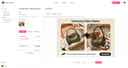
0Yevideo is an AI creation platform for content marketing and creative teams, offering text-to-video, image-to-video, video-to-video, AI video editing, text-to-image, and image-to-image capabilities. Users can create, edit, and reuse assets in a unified workspace to shorten production cycles and improve publishing efficiency. The platform is suitable for social media operations, eCommerce assets, brand advertising, and creative testing, helping teams produce high-quality visual content quickly. For businesses that require continuous content updates, Yevideo lowers production barriers while increasing output and iteration speed.
- 177
0Iconiex is a modern icon library offering thousands of high-quality, scalable icons in multiple styles and formats. It is designed to help designers and creatives easily find and use the perfect icons for any project. With consistent design quality and a wide variety of options, Iconiex ensures flexibility, efficiency, and a polished look for digital, creative, and professional projects of all kinds.
- 178
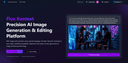
0Flux Kontext is a cutting-edge platform designed for AI-powered image generation and editing. It enables users to create, modify, and refine images simply by describing their vision in natural language—no technical skills required. Whether you want to generate new visuals from text prompts or make detailed edits to existing images, Flux Kontext delivers professional-grade results with incredible speed and accuracy. Built with next-generation AI technology, the platform ensures character consistency, supports multiple artistic styles, and provides tools for style transfer, precision editing, and creative exploration. With support for diverse formats and intuitive controls, creators can experiment freely—transforming ideas into vivid, high-quality visuals in seconds. Trusted by thousands of designers, artists, and content creators worldwide, Flux Kontext represents the future of visual creation.
- 179
0Nano Banana AI is a professional all-in-one AI visual creation platform designed for creators, designers, marketers, and businesses worldwide. The platform supports advanced text-to-image and image-to-image generation, image restoration, style transfer, background replacement, high-resolution upscaling, automatic denoising, portrait enhancement, and intelligent outpainting. It maintains strong character consistency, scene coherence, and stable output quality while delivering fast performance and intuitive controls. Whether you’re producing realistic photos, digital art, commercial visuals, social media graphics, or brand assets, Nano Banana AI helps you generate high-quality results with ease and precision. 📌 Pricing Plans (Features & Credits Included) ✨ Free Plan — Free access with basic generation and edit quota for entry-level use 🔥 Starter — $9.99 / month • 5,000 AI credits • Mixed text & image prompts • Basic styles & background removal 🚀 Pro — $29.99 / month • 30,000 credits • Multi-model selection & advanced coherence • High-res exports & batch processing 💼 Enterprise — Custom Pricing • Unlimited credits option • Dedicated API access & SLA support • Team collaboration tools and brand asset templates Nano Banana AI lowers the barrier to visual creativity—turn your ideas into professional quality outputs faster than ever.
- 180
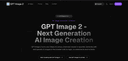
0Qwen Image 2 is a revolutionary AI-powered image generation and editing platform based on Alibaba’s advanced Qwen Image 2 model. It excels at complex text rendering and photorealistic output, allowing users to generate professional-grade images with accurate typography, layouts, and multilingual text directly in the image. Unlike traditional text-to-image models, ImageByQwen supports seamless image editing with natural language instructions, enabling precise modifications while preserving semantic meaning and visual quality. Perfect for creating posters, infographics, product visuals, and artistic creations with high consistency and detail.
- 181
0Archmaster is an AI-powered interior and exterior design platform that enables homeowners, architects, real estate professionals, renters, and designers to instantly transform spaces using artificial intelligence. The platform simplifies the design process by allowing users to upload a photo of a room, building, or architectural concept and receive a professionally rendered redesign within seconds. By eliminating the need for complex design software, CAD programs, or advanced 3D modeling skills, Archmaster makes high-quality architectural visualization accessible to anyone. At the core of the platform is its ability to generate photorealistic redesigns from existing images. Users simply upload a photo, select a preferred design style, and let the AI create a completely reimagined version of the space. Whether someone is planning a home renovation, exploring decorating ideas, preparing a property for sale, or presenting concepts to clients, Archmaster provides a fast and efficient way to visualize possibilities before making real-world decisions. One of the platform’s most attractive features is its collection of 20 design style presets. These styles cover a wide range of aesthetic preferences, including Modern, Scandinavian, Bohemian, Japanese, Mediterranean, Rustic, Minimalist, Vintage, Luxury, Tropical, Coastal, Gothic, Cyberpunk, Medieval, and many others. This variety allows users to experiment with different design directions and compare multiple creative approaches without hiring a professional designer or investing hours into manual design work. Archmaster supports both interior and exterior design transformations. Interior redesign tools can be used for bedrooms, kitchens, bathrooms, living rooms, furniture layouts, and other residential spaces. Exterior redesign capabilities allow users to apply architectural styles and visual improvements to houses, buildings, facades, and commercial properties. This flexibility makes the platform useful for a broad audience, from homeowners planning renovations to real estate agents seeking more attractive property presentations. In addition to redesigning existing spaces, the platform includes a powerful Sketch-to-Image feature. This tool converts rough hand-drawn sketches or conceptual drafts into realistic architectural renderings. Designers and architects can quickly transform early-stage concepts into professional-looking visuals that communicate ideas more effectively to clients and stakeholders. This significantly accelerates the design workflow and reduces the time needed to produce presentation-ready materials. Archmaster also offers advanced AI-powered enhancement tools. The Render Enhancer feature can upscale and sharpen generated images, improving resolution and image quality for presentations, marketing materials, or even print-ready outputs. Users who require higher-quality visuals can refine their AI-generated designs without relying on additional editing software. Another innovative capability is Architecture Video Generation. Instead of working only with static images, users can animate rendered designs and create short walkthrough-style videos. These videos help clients, homeowners, and investors better understand the spatial experience of a design project and provide a more engaging way to present architectural concepts. The platform further includes an Edit & Modify tool powered by AI inpainting technology. This allows users to selectively change specific elements within a generated design rather than recreating the entire scene. Furniture, colors, materials, decorative elements, and architectural details can be modified individually, giving users greater control over the final result while maintaining the speed and convenience of AI generation. Beyond design generation, Archmaster provides several practical tools that support renovation and planning projects. These include a room size calculator, paint calculator, renovation cost estimator, and color palette generator. These utilities help users make more informed decisions regarding budgeting, materials, and project planning while complementing the platform’s visualization capabilities. The platform operates on a simple credit-based pricing model. Users receive credits that can be used for image generation, enhancements, edits, and video creation. This transparent approach allows customers to pay only for the features they use while maintaining flexibility for both casual users and professionals with larger workloads. Overall, Archmaster is a comprehensive AI design platform that combines architectural visualization, interior design, exterior redesign, image enhancement, sketch conversion, video generation, and editing tools into a single user-friendly solution. By making professional-quality design visualization available in just seconds, it empowers users to explore creative possibilities, communicate ideas more effectively, and bring renovation or architectural projects to life with minimal effort.
- 182
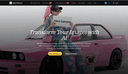
0Nano Banana is an advanced AI-powered image generation and editing platform designed to help creators produce high-quality visuals using simple text prompts. Built for designers, marketers, artists, and everyday users interested in generative AI, the platform focuses on delivering highly detailed images while preserving style, composition, and character consistency. With its latest version, Nano Banana Pro, the tool introduces a powerful AI model capable of generating complex visual scenes, transforming existing images, and applying sophisticated artistic styles with impressive accuracy. At the heart of Nano Banana is its intuitive AI creation workbench, a workspace where users can generate images from scratch or modify existing visuals. The system supports multiple creation modes, including text-to-image generation and image editing with reference images. Users simply describe the scene they want to create, including style, composition, colors, lighting, and visual details, and the AI produces a corresponding image. The more detailed the description, the more refined and accurate the result becomes, allowing creators to produce highly specific visuals for professional or creative projects. One of the platform’s most notable strengths is its ability to maintain consistent character editing and scene preservation. This capability allows users to modify parts of an image while keeping the overall structure, style, and subject intact. According to the platform, Nano Banana Pro’s model can outperform other popular AI image tools in maintaining visual continuity across edits. This is particularly valuable for creators who want to refine a design, change elements within a scene, or iterate on a concept without losing the core composition. Nano Banana also integrates advanced real-world knowledge and reasoning capabilities derived from modern AI models. These capabilities allow the system to generate more contextually accurate visuals, such as infographics, annotated images, diagrams derived from handwritten notes, or visually structured data representations. This feature expands the platform’s usefulness beyond artistic generation, making it helpful for educational content, presentations, and visual communication. Another key feature is clear text generation within images. Many AI image generators struggle to render readable typography, but Nano Banana focuses on producing sharp, legible text that can be used in posters, product mockups, diagrams, and advertising visuals. Users can specify the type of font they want or simulate various handwriting styles, allowing the AI to create designs that look closer to real graphic design work. The platform also offers style transfer capabilities, enabling users to replicate specific artistic styles such as oil paintings, watercolor illustrations, digital art, or photorealistic photography. By analyzing reference images or descriptive prompts, the system can accurately apply these visual styles to newly generated images. This allows creators to experiment with different aesthetics and transform simple ideas into visually compelling artworks. In terms of output quality, Nano Banana supports ultra-high-resolution image generation, including outputs up to 4K resolution. This level of detail makes the images suitable for professional uses such as marketing materials, product photography concepts, social media visuals, and even high-resolution prints. To help users get started, the platform also provides a large library of example prompts and inspiration. These prompts demonstrate how to structure descriptions for different creative outcomes, including cinematic portraits, product advertisements, surreal landscapes, architectural presentations, and stylized illustrations. By copying and modifying these prompts, users can quickly experiment with different ideas and learn how to guide the AI effectively. Nano Banana operates with a credit-based system where each generated image consumes a certain number of credits. New users can sign up for free and receive initial credits to test the platform, making it easy to explore its capabilities before upgrading to paid features. The service also includes a referral program that rewards users for inviting others to join the platform. Overall, Nano Banana positions itself as a powerful AI image creation platform that combines high-quality visual generation, advanced editing capabilities, and intuitive prompt-based workflows. By focusing on clarity, style accuracy, and high-resolution output, the platform aims to provide creators with a flexible tool for producing professional visuals quickly and efficiently.
- 183
0AiNaviTool.com is your ultimate directory for discovering the best AI tools and technologies. Find AI-powered solutions for development, design, marketing, productivity, and more. Navigate the future of artificial intelligence with our curated collection of cutting-edge tools.https://www.ainavitool.com/
- 184
0BanaGen: Revolutionizing Visual Content with 4K AI Pipelines BanaGen is an advanced AI-driven platform designed to replace traditional, costly stock photography and manual design workflows for SMEs and creative agencies. Powered by the proprietary Nano Banana and Nano Banana Pro models, our platform enables users to generate production-ready 4K assets in minutes, not days. Key Value Propositions: Next-Gen Text Rendering: Unlike standard models, BanaGen handles complex in-image text with near-perfect accuracy across 100+ languages. Cost Efficiency: We reduce visual content production costs by up to 98%, moving from traditional $3,000 photoshoots to $45 AI-managed pipelines. Integrated 4K Workflow: Seamlessly transition from text-to-image generation to conversational editing and high-fidelity 4K upscaling within a single interface. Future-Ready: Our roadmap includes one-click conversion from static 4K assets to cinematic micro-videos, perfect for social commerce. Why Invest in BanaGen? The stock photography market is facing a structural shift. SMEs no longer want generic visuals; they demand bespoke, on-brand content at scale. BanaGen provides the infrastructure for this transformation, offering a scalable SaaS model with high retention potential due to our "try-before-you-buy" Nano Banana Free tier. Experience the future of generative production at https://banagen.com/
- 185
0ArchRender helps you create photographic-style visuals in seconds, not days. No complicated lighting and scene setup required. Create renders from drawings and sketches or import 3D models from popular architectural software. ArchRender helps you create photographic-style visuals in seconds, not days. No complicated lighting and scene setup required. Create renders from drawings and sketches or import 3D models from popular architectural software.
- 186
0MiFoto is an AI-powered online photo editing platform designed to help users improve, restore, and transform images without requiring professional editing skills or complex software. Instead of relying on traditional photo editing applications with steep learning curves, MiFoto brings a complete collection of AI-driven tools directly into the browser, allowing anyone to enhance photos with just a few clicks. Whether users want to remove backgrounds, sharpen blurry images, restore old family photographs, create professional headshots, generate AI artwork, or produce polished product photos, MiFoto provides a simple and accessible solution that works across multiple devices. The platform is built for beginners, content creators, small business owners, online sellers, photographers, and everyday users who want high-quality results without spending hours learning advanced editing techniques. One of MiFoto's biggest strengths is its comprehensive collection of editing tools. Rather than focusing on a single feature, the platform combines more than fifty AI-powered tools into one unified workspace. Users can remove backgrounds with a single click, erase unwanted objects, enhance image quality, upscale low-resolution photos, unblur soft images, colorize old black-and-white photographs, generate AI avatars, create AI-generated artwork from text prompts, produce professional product photography, swap faces, remove distractions, and retouch portraits. Having all these capabilities available in one browser-based platform eliminates the need to switch between multiple editing applications for different tasks. The platform emphasizes ease of use throughout the editing process. Users simply upload a photo from their computer or mobile device, select the type of enhancement or transformation they want to perform, and allow the AI to process the image automatically. There is no need to create complicated masks, manually select objects, adjust dozens of editing sliders, or understand professional image editing terminology. The artificial intelligence performs the difficult work behind the scenes, allowing users to focus entirely on achieving the final result they want. MiFoto supports a wide variety of photo categories and everyday use cases. Selfies can be transformed into polished professional headshots suitable for resumes, LinkedIn profiles, or business websites. Product photographs can be cleaned up by removing distracting backgrounds and improving lighting, making them ideal for online stores and marketplace listings. Travel photographs can be sharpened, enhanced, and cleaned before sharing with friends or printing as keepsakes. Pet photos, food photography, family portraits, vacation memories, and old historical photographs can all benefit from the platform's AI-powered restoration and enhancement capabilities. One of the platform's most useful features is its background removal technology. With a single click, MiFoto can accurately separate the main subject from the background, creating a clean transparent image or replacing the background entirely. This functionality is particularly valuable for e-commerce sellers, graphic designers, social media creators, and marketers who frequently need clean product images or professional-looking portraits. The AI is designed to preserve fine details such as hair edges while producing natural-looking cutouts without requiring manual refinement. Image restoration is another major focus of the platform. MiFoto helps users recover blurry, faded, or low-quality photographs by applying AI-powered sharpening and enhancement algorithms that improve clarity while maintaining a natural appearance. Older black-and-white family photographs can be automatically colorized, bringing historical memories back to life with realistic colors and improved contrast. Instead of making restored images appear overly processed or artificial, the platform prioritizes preserving the character and authenticity of the original photograph while enhancing overall image quality. Portrait enhancement tools are designed to produce subtle and realistic improvements rather than exaggerated beauty filters. Users can gently retouch skin, improve lighting, remove minor blemishes, and create professional-looking headshots without making faces appear overly smooth or unnatural. This balanced approach makes MiFoto suitable for professional profile pictures, business portraits, social media images, and personal photography where maintaining authenticity is important.
- 187
0NowKnow helps you get market research done in hours instead of weeks. Ask questions, upload designs, and get thoughtful feedback from AI personas that represent your target audience. Key Features - Fast Results: Get detailed feedback within hours instead of waiting weeks for traditional surveys - Realistic Feedback: AI personas provide authentic responses based on real demographic profiles - Visual Testing: Upload images and designs to get feedback on everything from logos to interfaces - No Privacy Concerns: Since responses come from AI personas, there's no GDPR/CCPA compliance needed Benefits - Test More Ideas: Run multiple studies quickly and affordably - Iterate Freely: Adjust your questions and run new versions instantly - Target Precisely: Get feedback from specific demographic groups - Move Faster: Make informed decisions without long research delays Use Case Test everything from marketing messages to visual designs. Perfect for comparing UI layouts, A/B testing ads, getting feedback on logos, evaluating product mockups, and choosing the best social media content.
- 188
0Tenorshare PixPretty is a Professional AI Portraits Photo Retoucher that helps you retouch, enhance, and transform portraits with ease and precision.Pixpretty is dedicated to in-depth innovation in computer vision and generative AI technologies for creative design. Driven by cutting-edge algorithm development, we build intelligent solutions covering the entire image creation chain. We continuously explore the boundaries of AI innovation. Through continuous R&D investment and the accumulation of aesthetic data assets, we are committed to empowering and improving the efficiency of commercial photography practitioners, ensuring that every visual presentation carries the dual value of intelligent technology and humanistic aesthetics.
- 189
0ByteDance’s Seedream 5.0 redefines AI image creation with an integrated text-to-image and editing workflow. It supports up to 10 reference images for consistent style, delivers native 4K resolution, and fixes blurry AI text with high accuracy. Fast, precise, and built for professionals, it helps developers, designers and marketers create visual content efficiently.
- 190
0Multi-Format 3D Conversion: Beyond its namesake PNG to STL conversion, the platform supports a variety of industrial and design formats, including: 2D to 3D,Image files (PNG, JPG) to STL,3D to 3D: STEP to STL, 3MF to STL, and OBJ to STL. Web-Based & Installation-Free: A pure SaaS tool that runs in any modern browser, eliminating the need for heavy CAD software like Blender or SolidWorks for simple conversion tasks. High Performance & Accessibility: Focuses on speed and ease of use, often requiring no registration or complex parameter setup, making it ideal for quick, one-off tasks. Optimized for 3D Printing: The generated STL files are specifically formatted to be "watertight" and compatible with common slicer software (like Cura or Bambu Studio). Specialized Sub-Tools: The site features dedicated landing pages for specific conversion needs (e.g., /convert/3mf-to-stl), ensuring optimized processing for different file structures.
- 191
0## Overview Text To Any is a multimodal AI generation platform that converts a single text prompt into images, videos, voices, music and other multimedia outputs. It combines state-of-the-art AI models, fast inference, and a simple UI to let creators, marketers, educators and businesses produce high-quality content at scale. ## Key technical features - Multimodal generation: images, text, video, audio/voice synthesis and music from one prompt. - Fast inference: platform lists a ~15s average generation time for common outputs, with optimized pipelines for low latency. - Batch generation: create multiple variations in parallel to accelerate content production. - Advanced customization: control style, quality, duration and other parameters to fine-tune results. - API integration: REST/HTTP API to automate generation workflows and integrate into existing applications. - Cloud storage & management: generated assets are saved to user accounts for download and reuse. - Commercial licensing: Pro plan provides full commercial rights for generated assets. - Security & payments: industry-standard encryption for data storage and Stripe-powered billing. ## Practical use cases - Marketing teams: rapid production of campaign imagery, short videos and ad creatives. - Content creators: generate thumbnails, social clips, voices and soundtrack loops quickly. - Educators: produce teaching visuals, audio narrations and illustrative videos for lessons. - Video producers & podcasters: draft storyboards, convert images to animated clips, and generate background music or voiceovers. - Entrepreneurs & designers: create commercial design assets, prototypes and pitch visuals without large production budgets. ## Unique selling points - Unified workflow for text-to-anything: one prompt, many modalities. - Professional-grade outputs with options for customization and batch exports. - API-first design to support automation and integration in production systems. - Clear commercial licensing and subscription tiers tailored for different usage levels. ## Platform signals - Public statistics shown: 10K+ active users, 500K+ total content generated, 15s average generation time. ## Recommended audience Product teams, marketing teams, independent creators, educators, and developers who need fast, automated multimodal content generation with commercial usage rights.
- 192
0Free Nano Banana and Nano Banana Pro AI image generator. Create, edit, and upscale images to stunning 4K, 8K, and even 16K resolution with ease. Whether you're starting from scratch or enhancing existing visuals, this powerful tool gives you full creative control without requiring design skills. Go beyond simple image generation with advanced features like precise background removal, seamless inpainting and outpainting, and high-quality text rendering that blends naturally into your visuals. Maintain strong character consistency across multiple images—perfect for storytelling, branding, or content creation. From social media graphics to professional design assets, Nano Banana makes it fast, flexible, and accessible to produce high-quality AI visuals—all in one place, completely free to get started.
- 193
0HeyVid is a powerful all-in-one creative platform designed to simplify and accelerate the process of generating videos, images, and multimedia content باستخدام الذكاء الاصطناعي. Built for creators, marketers, entrepreneurs, and businesses, the platform brings together multiple advanced AI models into a single interface, allowing users to produce high-quality visual content quickly and without technical expertise. Its main appeal lies in combining speed, simplicity, and professional-level output in one unified environment. At the core of HeyVid AI is its versatility. The platform supports multiple creation formats, including text-to-video, image-to-video, text-to-image, and image-to-image transformations. This means users can start with a simple idea—such as a written prompt or an uploaded image—and transform it into a polished video or visual asset in just a few steps. The process is designed to be intuitive: users choose a model, describe their vision, customize settings like resolution and aspect ratio, and generate their content almost instantly. One of the standout features of HeyVid AI is its access to a wide range of top-tier AI models. Instead of relying on a single engine, the platform integrates multiple leading technologies for both video and image generation. This allows users to experiment with different styles, levels of quality, and creative outputs depending on their needs. Whether someone wants cinematic videos, stylized images, or realistic visuals, the platform provides the flexibility to achieve diverse results within one workspace. HeyVid AI also emphasizes workflow efficiency. It goes beyond simple content generation by covering the entire creative pipeline—from ideation and scriptwriting to production and final output. This makes it particularly useful for professionals who need to produce content at scale, such as social media creators, digital marketers, and startups launching new products. Instead of juggling multiple tools, users can handle everything in one place, significantly reducing time and effort. The platform is designed to be accessible to all skill levels. Beginners can create content without prior editing experience, while advanced users can fine-tune parameters like resolution (including HD and 4K), aspect ratios, and generation settings. Features such as automatic translation of prompts and optional watermarking add further flexibility, making it suitable for both personal and commercial use. HeyVid AI caters to a wide range of use cases. Entrepreneurs can create pitch videos and product launches, marketers can design ad campaigns and social media content, educators can build tutorials and training materials, and developers can generate demo videos or documentation visuals. This adaptability makes it a valuable tool across industries, especially in environments where visual content plays a key role in communication and engagement. Another notable aspect is the platform’s strong user adoption and positive feedback. With millions of users worldwide and high ratings across platforms, HeyVid AI has built a reputation for delivering fast results and high-quality outputs. Testimonials often highlight how the tool reduces hours of manual editing into minutes of automated creation, making it a game-changer for productivity. In terms of usability, HeyVid AI follows a simple four-step process: select a model, describe your idea, customize settings, and generate content. This streamlined approach removes traditional barriers associated with video editing and design, allowing users to focus purely on creativity. Overall, HeyVid AI represents a new generation of creative tools powered by artificial intelligence. By combining multiple advanced models, an intuitive interface, and end-to-end workflow support, it enables users to transform ideas into professional multimedia content faster than ever before.
- 194
0Pixgen is a free AI image generator and photo editor designed for modern creators. Generate original artwork from text prompts or edit existing photos using advanced AI filters and style transfer tools. Choose from realistic, digital art, cartoon, and fantasy styles to match your vision. With smart features like AI background removal, color enhancement, and portrait retouching, Pixgen helps you produce stunning results in seconds. All creations are watermark-free, and your uploads remain private — delete them anytime with one click.
- 195
0Sketch To | AI Image to Sketch Converter Instantly convert your photos into art and bring your sketches to life with our powerful, free AI generator. Key Features: 1. Dual AI Power: Transform any photo into a detailed sketch, or reverse the process and turn your drawings into photorealistic images. 2. Always Free Standard Model: Get high-quality artistic conversions perfect for social media, creative projects, and hobbies—completely free, forever. 3. Professional Model Upgrade: Unlock a world-class AI for unparalleled realism and detail, ideal for artists, designers, and commercial work. 4. Simple & Flexible: No software to install and no subscriptions required; use our free tool instantly and purchase credits only when you need the Pro model's power.
- 196
0HappyHorse AI is a browser-based AI video creation platform designed for cinematic storytelling, creative experimentation, and commercial content production. It allows users to generate high-quality videos using simple inputs like text prompts or images, eliminating the need for complex editing software or powerful hardware. Built with a focus on speed and usability, the platform provides a streamlined workflow where creators can move from idea to finished video in just a few minutes. At its core, HappyHorse AI offers two main creation modes: text-to-video and image-to-video. In the text-to-video workflow, users simply describe a scene, including elements like subject, action, camera movement, and mood, and the system generates a video based on that prompt. This makes it ideal for creating concept clips, advertisements, or social media content directly from imagination. In the image-to-video mode, users upload photos or illustrations and animate them into motion while preserving their original composition. This is particularly useful for product showcases, portrait animations, or enhancing static visuals. One of the platform’s key strengths is its multi-model workspace. Instead of relying on a single AI model, HappyHorse AI allows users to access and compare multiple video generation models within the same interface. Its flagship model, HappyHorse 1.0, is optimized for cleaner motion, more polished visuals, and branded content production. This flexibility enables creators to experiment with different styles, speeds, and outputs without switching tools or platforms. The workflow is intentionally simple and efficient. Users start by describing their scene or uploading an image, then choose a model and adjust settings such as aspect ratio, resolution, and duration. Once the video is generated, it can be previewed and exported as an MP4 file, ready for sharing or further editing. The platform supports common formats like 16:9, 9:16, and 1:1, making it suitable for everything from YouTube videos to TikTok and Instagram content. HappyHorse AI is designed for fast iteration, allowing users to quickly test multiple ideas and refine their results. Instead of spending hours on a single production, creators can generate several variations, compare outputs, and select the best version. This makes it especially useful for marketing teams, designers, and content creators who need to produce engaging visuals بسرعة and efficiently. The platform also supports commercial workflows, making it suitable for campaigns, product launches, and client presentations. Features like AI-generated visuals, flexible controls, and export-ready files ensure that the output can be used in real-world projects. Additionally, optional audio-aware workflows are available depending on the selected model, allowing for more advanced video planning. Another advantage is accessibility. HappyHorse AI runs entirely in the browser, meaning users do not need a local GPU or specialized setup. This lowers the barrier to entry and makes professional-grade video generation available to a wider audience. New users can start with free credits, making it easy to explore the platform before committing to a paid plan. Overall, HappyHorse AI stands out as a practical and efficient solution for AI video creation. By combining simplicity, flexibility, and powerful generation capabilities, it enables users to turn ideas into motion quickly and effectively. Whether for social media, advertising, or creative exploration, it provides a complete workspace for modern video production without the traditional complexity.
- 197
0Photostock’s Free AI Image Generator lets you create stunning, high-resolution images in seconds using simple text prompts. Designed for creators, marketers, and businesses, the tool requires no signup and offers unlimited free access. All generated images are royalty-free and approved for commercial use, making it perfect for blog posts, social media content, advertising materials, and design projects. Whether you need professional product shots, eye-catching backgrounds, or unique artistic visuals, Photostock delivers instant, high-quality results with ease.
- 198
0Furnea is built to help furniture and home decor brands create better visual content without the time and cost of traditional production. Furniture companies constantly need new visuals for websites, marketplaces, advertising and social media. This usually requires photo shoots, styling, locations and long production cycles. Furnea simplifies this process by allowing brands to generate realistic visuals directly from their product photos. With Furnea, a brand can upload a product and instantly create room scenes, lifestyle images and short videos that look natural and relevant for real use. The focus is not just creating images, but helping products look more convincing and easier to sell online. The platform is designed specifically for furniture and home decor businesses. It preserves the product’s original form while placing it into realistic environments. This makes the output usable for e commerce, marketing campaigns and social media without additional editing. Furnea includes tools for visual creation, room design, scene editing, fabric changes and material adjustments. Brands can test different styles, colors and environments without producing multiple samples or organizing new shoots. This is especially useful for manufacturers, custom furniture producers, fabric suppliers, retailers and interior professionals who need to move fast and stay consistent across channels. Instead of spending days or weeks on production, teams can create multiple ready to use visuals in minutes. Furnea helps brands produce more content, explore more variations and improve how their products are presented. It is not a generic AI image tool. It is a practical system built around how furniture and home decor brands actually work.
- 199
0Nano Banana 2 – free advanced Google image editor in your browser Upload a photo and let Nano Banana 2 fix backgrounds, lighting, faces, and text in seconds. No apps or plugins, just 20 free credits to play in your browser. Nano Banana AI Creation Workbench Use advanced AI to turn your ideas into production-ready images.
- 200
0Flux 2 Image Generator offers a powerful and reliable solution for professionals seeking to transform their creative workflows with AI. Its unique combination of multi-reference support, advanced text rendering, and photorealistic output makes it an invaluable tool for generating production-ready visual assets. Explore Flux 2 today to experience industry-leading AI image generation.
Frequently asked questions
Uneed is a platform that allows users to discover and promote new products, functioning similarly to Product Hunt. It provides prime visibility for new product launches and encourages community engagement through voting. Designers appreciate Uneed for its ability to showcase innovative tools and gather feedback, making it easier to connect with potential users and build an audience.
Best Tool Vault curates a selection of powerful and innovative tools across various categories, including design. It helps designers discover the latest software that can enhance their productivity and creativity, featuring tools for content creation, marketing, and finance, among others.
AppMole is an all-in-one platform that provides AI-driven tools and resources tailored for creators and designers. It offers a variety of web apps and marketing tools that streamline workflows, enhance productivity, and keep users updated with the latest trends in design software.
Hunt for Tools is a curated directory that connects users with essential software for various needs, including design. It features a wide range of digital tools, from AI assistants to productivity boosters, helping designers find the right solutions for their projects.
Aitoolnet is a comprehensive AI tool directory that offers over 10,000 AI tools, updated daily. Designers can benefit from this resource by easily finding the latest AI tools that can assist in their creative projects and improve their design processes.
GoFullPage is a browser extension that allows users to take full-page screenshots of websites effortlessly. This tool is particularly useful for designers who need to capture entire web pages for reference, presentations, or documentation, streamlining their workflow.
Top Trend Tools is a directory that highlights the most talked-about and influential software in the market. Designers can explore cutting-edge tools and platforms that are shaping the future of design, helping them stay ahead of industry trends.
URL to Design.md helps designers generate structured design briefs from public webpages. By converting a URL into a DESIGN.md package, it provides essential visual direction, layout hierarchy, and design tokens, making it easier for designers to communicate their ideas and collaborate with developers.
We Like Tools is a directory that features a wide range of AI tools and software solutions tailored for productivity and innovation. Designers can explore over 400 tools across various categories, helping them find the right software to enhance their creative processes and project outcomes.
Characterz allows designers to create endless variations of characters by controlling poses, emotions, and objects. With a built-in pose library and background-free assets, it helps designers maintain consistency in storytelling while scaling their creations effortlessly.