Best Photo Editing Software
Fix the light, lose the crowd, keep the moment.
The best photo editing software for retouching, enhancing, and transforming your images — from one-click AI edits to full creative control.
- 26
 0
0Nano Banana 2 – free advanced Google image editor in your browser Upload a photo and let Nano Banana 2 fix backgrounds, lighting, faces, and text in seconds. No apps or plugins, just 20 free credits to play in your browser. Nano Banana AI Creation Workbench Use advanced AI to turn your ideas into production-ready images.
- 27
 0
0Banana AI Photo Editor is an advanced generative platform powered by Nano Banana technology that transforms written prompts into richly detailed images. With Nano Banana, creators of all backgrounds can achieve studio-quality artwork. Edit photos in seconds with Banana AI’s Nano Banana image editor—natural language prompts, one-shot edits, character consistency & seamless scene fusion.
- 28
 0
0AI Image Editor is a premier AI-powered image editing platform crafted for creators and professionals. It surpasses basic editors with intelligent object detection, precision editing, background removal, high-resolution upscaling, and style transfer — delivering professional-grade results effortlessly.
- 29
 0
0Unblur Image AI is a powerful online tool that leverages cutting-edge artificial intelligence to remove blur from photos and enhance image quality instantly. The platform uses advanced deep learning algorithms to analyze blurry photos and intelligently reconstruct lost details, restoring sharpness and clarity automatically. Whether dealing with motion blur, camera shake, out-of-focus issues, or low resolution, this AI-powered tool can fix various types of blur in seconds. The service offers comprehensive image enhancement features including AI-powered unblurring, intelligent noise reduction to eliminate high ISO noise and compression artifacts, and one-click image sharpening to enhance edges and improve texture clarity. It supports multiple image formats (JPG, PNG, WEBP, HEIC) and requires no registration or login to use. The tool is designed for everyone from professional photographers and content creators to casual users who want to rescue precious memories, making professional-grade image enhancement accessible and effortless for all skill levels.
- 30
 0
0Unblurimage AI offers a cutting-edge platform for enhancing and upscaling images, making them sharper, clearer, and more vivid. It specializes in restoring and transforming photos for various professional and personal needs. Key Features 1. Image Upscaling: Enlarge images without losing quality, perfect for high-resolution displays. 2. Image Enhancement: Improve image clarity, brightness, and detail. 3. High-Definition Conversion: Transform low-resolution photos into crisp HD images. Benefits 1. Old Photo Restoration: Revive old or damaged photographs with advanced repair tools. 2. Photo Colorization: Add natural and vibrant colors to black-and-white or faded photos. Use Case - Photographers enhance low-quality photos for portfolios and exhibitions. - Businesses create high-quality product visuals for marketing and e-commerce. - Families restore and colorize old family photos for preservation. - Researchers improve clarity in historical or archival images. - Content creators upscale images for social media or digital projects.
- 31
 0
0Our state-of-the-art AI technology automatically detects and removes watermarks, logos, text, and stamps from your images with exceptional precision. Using advanced machine learning algorithms, it intelligently reconstructs the background to seamlessly fill in removed areas, preserving the original image quality, sharpness, and fine details. The result is a clean, natural-looking image that remains visually consistent, as if the unwanted elements were never there.
- 32
 0
0VisualGPT is a next-generation AI image generation and editing platform built for creators who need style consistency and visual quality across every scene. From concept sketches and storytelling frames to product visuals or marketing campaigns, VisualGPT lets you design, edit, and upscale images that share the same character, lighting, and artistic tone — all without manual post-processing. Unlike typical AI art generators, VisualGPT combines multiple state-of-the-art models (Flux, Stable Diffusion XL, Ideogram, Nano, Playground v3, and more) into one seamless pipeline. The system automatically selects or blends models to achieve the best balance of realism, coherence, and creative control. ✨ Core Image Features Character & Style Consistency Generate multiple images featuring the same characters, outfits, or environments — perfect for storybooks, comics, and brand visuals. AI Image Generator Turn text prompts or sketches into stunning visuals using model fusion and prompt optimization. AI Image Editor Precisely edit elements within a generated or uploaded image: replace objects, adjust lighting, recompose backgrounds, or extend the frame. Background & Object Replacement Swap or regenerate any part of an image while preserving lighting and perspective — ideal for product or lifestyle shots. Image Upscaler & Enhancer Instantly upscale low-resolution images, fix artifacts, and enhance color and sharpness for print-ready output. Style Transfer & Control Match the look of your reference image or apply a unified visual theme across an entire image set. Scene Expansion Extend any generated image beyond its frame with consistent detail and depth — great for wide scenes or panoramic storytelling. Multi-Model Workflow Choose or mix top AI models for realism, stylization, or animation-like effects — no setup required. Batch Generation & Versioning Create multiple variations of the same prompt or scene, review and refine in real time. Project-Based Organization Manage visual projects, reference sets, and consistent character designs inside one workspace. 🌍 Designed For Illustrators & Designers – maintain cohesive art direction across projects. Story Creators & Authors – generate consistent book or comic visuals. Marketers & Brands – produce unified campaign imagery and product mockups. Educators & Agencies – visualize concepts with repeatable styles. AI Enthusiasts & Makers – experiment with models, styles, and custom characters. ⚙️ Why VisualGPT Stands Out Seamless multi-model image generation workflow. Powerful editing and background control tools. Professional-grade upscaling and detail restoration. Style and character consistency engine built-in. 100% browser-based, no installation needed.
- 33
 0
0Refini is a comprehensive photo restoration solution that combines advanced AI algorithms with user-friendly design to deliver exceptional photo enhancement and restoration services. Our platform specializes in breathing new life into your precious memories through intelligent photo processing. 🔍 What Makes Refini Different? Unlike traditional upscalers that simply enlarge pixels, Refini uses neural networks to RECONSTRUCT lost details: • Restore Skin Textures: Perfectly reconstruct natural skin pores, fine lines, and facial details • Intelligent Detail Recovery: AI analyzes photo structure to rebuild missing textures, not just scale up • True Enhancement: Recover fine details like fabric weaves, hair strands, and architectural patterns • Professional Camera-Grade Results: Deliver quality that rivals high-end photography equipment
- 34
 0
0This blur image tool offers simple tools to blur faces, sensitive text, or entire images directly in your browser for better privacy protection. Selective Blur Manually blur specific areas of an image with full control. Brush and selection tools Adjustable blur strength Multiple blur regions Perfect for faces, objects, and sensitive areas Full Image Blur Blur the entire image in a single step. Adjustable intensity Smooth, natural blur output Option to restore selected areas Ideal for background blur Face Blur Automatically detect and blur faces. Accurate multi-face detection Adjustable blur or pixelation Manual fine-tuning supported Designed for privacy protection Sensitive Information Blur Automatically blur private text information. Detects phone numbers, emails, IDs, and addresses OCR runs locally in the browser Editable and removable detection areas No data ever leaves your device Text Blur Blur text inside images with precision. Automatic text detection Blur or pixelate text blocks Ideal for screenshots and documents Pixelate Image Replace blur with pixelation when stronger masking is needed. Adjustable pixel size Works on full images or selected regions Commonly used for anonymization Motion Blur Apply directional motion blur effects. Adjustable angle and distance GPU-accelerated rendering Suitable for creative and dynamic visuals Private, Fast, and Easy 100% browser-based No image uploads No sign-up required Instant preview and export
- 35
 0
0# Flux Kontext AI - In Context AI Image Generation & Editing ## Advanced Flux.1 Models for True Creative Freedom Flux Kontext AI is a revolutionary AI image generation and editing platform that transforms how creators work with visual content. Unlike traditional text-to-image models, Flux Kontext AI understands both text and images as input, enabling genuine in-context generation and sophisticated editing capabilities that bridge the gap between simple image creation and professional-grade visual design. ## Key Features ### Character Consistency Flux Kontext AI preserves character identities, styles, and features across different scenes and edits. Maintain visual consistency while making targeted modifications to your images, ensuring your characters remain recognizable throughout your creative project. ### Local Editing Precision Target specific parts of your image without affecting the rest. Flux Kontext AI enables precise modifications while preserving the overall composition and context, allowing for detailed adjustments to specific areas of your image with surgical precision. ### Style Reference Generate new scenes in existing styles with remarkable accuracy. Flux Kontext AI analyzes style elements from reference images to create consistent visual aesthetics across generations, maintaining stylistic coherence in your creative projects. ### Interactive Speed Editing Experience fast iterative editing with minimal latency. Flux Kontext AI understands both text and visual context for quick, intelligent image modifications, making the creative process fluid and responsive. ### Advanced AI Models Choose between two powerful models tailored for different needs: - **Flux Kontext Pro** (16 credits): Excels at fast iterative editing while maintaining character consistency - **Flux Kontext Max** (20 credits): Provides maximum performance with improved prompt adherence and typography for complex editing tasks ### True In-Context Generation Unlike traditional text-to-image models, Flux Kontext AI understands both text and images as input for genuine in-context generation and editing capabilities, offering a more intuitive and powerful creative experience. ## How It Works 1. **Upload Your Image**: Upload your image to Flux Kontext AI for character consistency and local editing analysis 2. **Describe Your Edits**: Write your editing prompt. Flux Kontext AI handles character consistency and style reference automatically 3. **Generate & Download**: Choose Flux Kontext Pro or Max for generation and experience advanced AI image editing with character consistency and local precision ## Perfect For - **Character Consistency**: Maintaining identities across different scenes and contexts - **Local Editing**: Making precise modifications to specific image areas - **Style Transfer**: Applying consistent visual aesthetics across multiple generations - **Creative Projects**: Professional-grade image editing with AI-powered precision - **Fast Iteration**: Quick edits and modifications with minimal latency ## Credit-Based System Flux Kontext AI operates on a flexible credit-based pricing system: - **Flux Kontext Pro**: 16 credits per generation - ideal for fast iterative editing - **Flux Kontext Max**: 20 credits per generation - maximum performance for complex tasks - **Free Trial**: New users receive initial credits to experience all capabilities ## Supported Formats Flux Kontext AI supports common image formats including JPEG, PNG, and WebP, making it easy to work with your existing image assets and maintain high quality throughout the editing process. ## Join Thousands of Creators Ready to transform your ideas into stunning visuals? Join thousands of creators using Flux Kontext AI to push the boundaries of what's possible with AI-powered image generation and editing. Experience the future of creative technology today.
- 36
 0
0Transform your photos into stunning high-definition images effortlessly with HD Image Converter. Instantly enhance resolution, maintain all original details and colors, remove blur, and upscale images for personal projects, social media, or professional use. Experience smooth, fast, and reliable conversion that turns ordinary images into visually impressive masterpieces without losing quality or brightness.
- 37
 0
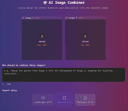
0Combine two or more photos in one frame with seamless AI image fusion and custom prompts. Merge images with AIMerge images with AIMerge images with AIMerge images with AIMerge images with AIMerge images with AIMerge images with AIMerge images with AIMerge images with AIMerge images with AIMerge images with AI
- 38
 0
0BananaEditor is a cutting-edge professional image editing tool that leverages the advanced capabilities of nano banana AI technology, specifically designed to cater to the diverse needs of creators, e-commerce teams, and marketers across various industries. Whether you’re a freelance graphic designer looking to streamline your workflow, an e-commerce brand aiming to enhance product visuals for your online store, or a marketing professional tasked with creating consistent campaign assets, BananaEditor eliminates the barrier of requiring extensive design expertise. Unlike traditional editing software that demands hours of manual tweaking and mastery of complex tools, this platform empowers users to bring their creative visions to life with simplicity, all thanks to the robust semantic understanding and precise processing power of nano banana. At the heart of BananaEditor’s appeal is its intuitive natural-language editing feature. Users simply describe their desired edits in plain language—such as “add soft cinematic lighting to the subject,” “replace the background with a vibrant sunset skyline,” or “adjust the color palette to match our brand’s warm tones”—and the nano banana AI immediately interprets these instructions. What sets it apart is its ability to execute multi-step complex edits in a single pass, without compromising on the consistency of characters, scenes, or overall image quality. Additionally, the tool offers practical features like batch processing, which allows teams to edit dozens of images at once, and brand style unification, ensuring that all visuals align with a brand’s unique aesthetic. It also excels in specific high-demand scenarios, including virtual try-ons for apparel brands and product background replacement for e-commerce listings, making it a versatile solution for modern content creation needs.
- 39
 0
0Pixgen is a free AI image generator and photo editor designed for modern creators. Generate original artwork from text prompts or edit existing photos using advanced AI filters and style transfer tools. Choose from realistic, digital art, cartoon, and fantasy styles to match your vision. With smart features like AI background removal, color enhancement, and portrait retouching, Pixgen helps you produce stunning results in seconds. All creations are watermark-free, and your uploads remain private — delete them anytime with one click.
- 40
 0
0Turn your imagination into art with Pixgen — an all-in-one AI photo editor and image generator. Create visuals from text or photos, apply unique AI filters, and experiment with effects like neon, sketch, watercolor, or cinematic tone. Pixgen’s advanced AI models deliver high-quality, realistic images instantly. Perfect for social media posts, digital design, and marketing visuals. It’s fast, free, and secure, giving you full creative freedom without technical barriers.
- 41
 0
0RemoveTexts is a free online AI tool that removes, edits, and replaces text in images instantly — no signup, no watermark, no software installation required. Key Features: - Remove Text from Image — Automatically detect and erase all text, watermarks, captions, and overlays from any image in seconds using advanced AI. - Edit Text in Image — Change specific words, dates, names, prices, or any text directly within an image while preserving the original background and style. - Remove Watermark — Clean up stock photo watermarks, logos, and unwanted branding from images effortlessly. - Remove Object — Erase unwanted objects, people, or elements from photos with AI-powered inpainting. - Translate Text in Image — Detect text in images and translate it to another language while keeping the visual layout intact.
- 42
 0
0ImageCleanupAI is a browser-based AI image cleanup platform designed to remove text, captions, watermarks, logos, unwanted objects, and backgrounds from images quickly and accurately. Users can upload JPG, PNG, WEBP files, or screenshots, let the AI detect removable areas automatically, and then fine-tune the mask manually for more precise results before exporting the cleaned image. The site’s core workflow focuses on text removal from photos, pictures, and screenshots, while also offering dedicated tools for watermark removal, object removal, and background removal. It is built for practical use cases such as cleaning screenshots, removing subtitles or meme text, restoring scanned images, and preparing cleaner visuals for social media, design, e-commerce, or reports.
- 43
 0
0Hey Image is an innovative AI-driven platform that helps you: - Generate AI images from your custom text prompts - Apply stunning AI filters to transform existing photos - Choose from diverse artistic styles and trending effects - Create professional avatars and illustrations with ease Hey Image, let creativity glow. AI filter platform for instant photo transformation.
- 44
 0
0PixNova AI is a website dedicated to photo generation and editing, allowing users to try it out for 100% free online with no login required. You can upscale, expand, and even remove backgrounds from images — all in just a few clicks. It also offers customization tools for tattoos, logos, and more. On top of that, PixNova AI supports popular features like face swap in photos, GIFs, and videos. It’s an all-in-one suite of AI tools designed to bring you endless creative fun.
- 45
 0
0Since 2008, Fast Clipping Path has been the trusted post-production partner for e-commerce brands, professional photographers, and global advertising agencies. Specializing in high-volume, pixel-perfect image editing, our team of over 150 professional graphic designers works around the clock to deliver clean, hand-drawn clipping paths and background removal services. While automated AI tools often leave jagged edges and distorted details, we rely on the precision of the Photoshop Pen Tool to ensure every product photo looks flawless and natural. From complex image masking and ghost mannequin effects to high-end jewelry and real estate photo retouching, we handle bulk image processing with a guaranteed 24-hour turnaround. Scale your studio or online store without the operational headache. Upload your files today to get a fast quote within an hour, or test our quality first with a free trial for up to 5 images.
- 46
 0
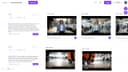
0Powerfully edit and reimagine any image. Enjoy AI image editing, professional outputs, and seamless creativity delivered instantly — not just image editing, but a one-stop AI platform for both images and videos. 1.Product Overview Powerfully edit and reimagine any image. Enjoy AI image editing, professional outputs, and seamless creativity delivered instantly — not just image editing, but a one-stop AI platform for both images and videos. 2.Key Features - Image & Video Transformation: Convert existing visuals into new, high-quality styles with AI - Image & Video Generation: Create stunning, original content from scratch powered by AI - Image & Video Editing: Enhance, retouch, and refine media with professional AI tools - Image & Video Effects: Unleash creativity with powerful AI effects - Instant Free Access: No signup, daily credits - Free Storage: Free, permanent, and unlimited storage to save your images and videos 3. Use Case - Instantly transform existing photos and videos into new, high-quality creations with AI. - Create stunning AI-generated images and videos instantly for your projects. - Enhance, restyle, or reimagine your media for branding, content creation, or personal projects. 4. Target Audience - For creators who need quick, AI-generated images and videos for content, marketing, and design. - For professionals seeking AI-powered tools to edit, enhance, and transform visuals. - For artists and innovators exploring AI to create unique, high-quality visuals effortlessly.
- 47
 0
0Image Upscaler 4K is a dual-engine AI image upscaling platform designed for professional and everyday use. Get fast four times enlargement in just 3 seconds with Recraft Crisp engine, or use five specialized Topaz AI models for professional-grade studio-quality results. The platform supports a wide range of content types including portraits, product photography, old prints and vintage photos, documents and text, and AI-generated artwork. Key features include six distinct upscaling modes covering fast processing, photo enhancement, digital art rendering, image restoration, document clarity improvement, and AI art optimization. Users can fine-tune results with adjustable sharpness controls ranging from 0 to 100, noise reduction settings from 0 to 100, and dedicated face enhancement for portrait upscaling. Batch processing supports up to 50 images simultaneously, making it ideal for professional workflows. Output resolution reaches up to 16384 by 16384 pixels with support for JPEG, PNG, and WebP formats, plus lossless PNG downloads for maximum quality preservation.
- 48
 0
0Nano Banana 2 Nano Banana 2's advanced AI model delivers consistent character editing and scene preservation that surpasses Flux Kontext. Choose Nano Banana 2 to experience the future of AI image editing with simple text prompts. https://nano-bananaai.org/ Unlock the next generation of AI image editing with Nano Banana 2. Transform photo with natural language prompts, batch processing, and ultra-fast generation.
- 49
 0
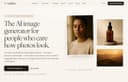
0LaFoto is an AI-powered image generation platform built for users who care about creating realistic, high-quality photographs rather than stylized AI artwork. Designed as a complete text-to-image studio, LaFoto enables creators, marketers, businesses, designers, and everyday users to transform simple text descriptions into polished, photorealistic images that look professional and ready for real-world use. The platform focuses on photography-quality results, offering an experience centered on image refinement, realism, and creative control. Unlike many AI image generators that prioritize artistic styles or abstract visuals, LaFoto is specifically optimized for realistic photography. Users can describe a subject, scene, product, person, or environment in natural language, and the platform generates detailed images with attention to composition, lighting, depth, and visual quality. The goal is not simply to create images, but to create photographs that appear believable and commercially useful. LaFoto supports a wide range of image creation use cases. Users can generate professional portraits, business headshots, product photography, landscapes, lifestyle imagery, editorial-style photos, food photography, interior design visuals, and architectural renders. This versatility makes the platform useful for entrepreneurs, ecommerce businesses, content creators, marketers, agencies, and professionals who need high-quality visuals without the expense of traditional photography. One of LaFoto’s distinguishing features is its focus on editing and refinement rather than repeatedly generating new images from scratch. Instead of forcing users to rerun prompts until they achieve the desired result, the platform aims to provide tools that allow creators to modify and improve generated images directly. Users can adjust elements of an image, change backgrounds, remove unwanted objects, refine details, and enhance composition while preserving the aspects they already like. The platform includes several specialized tools built around different photography workflows. These include a text-to-photo generator, an AI photo editor, an AI portrait generator, an AI headshot generator, and an AI product photography solution. Each tool is designed to address a specific need while leveraging the same photo-focused AI engine. This approach allows users to work efficiently whether they are creating marketing assets, personal branding images, ecommerce product photos, or social media content. LaFoto also emphasizes accessibility and ease of use. The platform is browser-based, requiring no complex installation, specialized hardware, Discord servers, or technical expertise. Users can begin generating images quickly through a straightforward interface designed to make advanced AI photography accessible to everyone. In addition to image generation, LaFoto provides free utilities such as image resizing, image compression, image conversion, color extraction tools, and AI prompt generation resources. These tools help users optimize and manage their visual content without relying on multiple separate applications. Currently in pre-launch, LaFoto positions itself as a next-generation AI photography platform focused on realism, creative control, and professional-quality output. By combining photorealistic image generation, advanced editing capabilities, and an intuitive workflow, LaFoto aims to become a powerful solution for anyone seeking to create stunning AI-generated photographs that look polished, realistic, and ready for commercial use.
- 50
 0
0WatermarkZero is an online watermark remover tool that erases unwanted watermarks, text, or logos from your photos. Instead of just smudging or blurring the watermark, it intelligently rebuilds the background behind it. The result is a perfectly clean and natural photo, as if the watermark was never there.
Frequently asked questions
SparkPix is an AI image editing tool that simplifies professional image editing for everyone. It allows users to remove unwanted objects and backgrounds, restore old photos, and enhance image quality with ease. Its user-friendly interface and natural language commands make it accessible, even for those without design skills. Users appreciate its excellent editing quality and affordable pay-as-you-go pricing.
AI Magic Eraser uses advanced deep learning algorithms to intelligently remove unwanted elements from images. By predicting what should naturally exist in the space of the removed object, it reconstructs the scene seamlessly. This tool is particularly useful for photographers looking to clean up their shots, whether it's removing tourists from a travel photo or erasing distractions from a wedding picture.
AI Image Editor allows users to edit photos using simple text prompts. It can add, replace, or remove objects, adjust lighting and color, and combine multiple images. This tool is designed for ease of use, making it suitable for both beginners and professionals who need quick, high-quality results.
Editaimg is an advanced AI-driven photo editing suite that offers powerful tools for enhancing photo quality, editing text within images, and performing complex tasks like removing watermarks. It is designed for both casual users and content creators, providing studio-grade results with minimal effort.
AI Photo Editor is a SaaS platform that enhances images automatically with a single click. It features tools like AI background removal, object removal, and image upscaling, making it ideal for social media managers, e-commerce sellers, and anyone needing professional visuals quickly and easily.
MiFoto provides a comprehensive collection of over fifty AI-powered editing tools that allow users to enhance, restore, and transform images without needing professional skills. Its user-friendly interface enables quick edits, such as background removal and photo restoration, making it accessible for beginners and professionals alike.
Image to Image AI transforms any photo into high-quality variations quickly. It offers features like multi-style editing and fine-tune controls, allowing users to maintain texture and color fidelity while easily adjusting the look of their images. This tool is perfect for photographers looking to create unique variations of their work.