Best AI Image Generators
Turn a sentence into a scene.
AI image generators that create original artwork, photos, and graphics from a text prompt — the best software for text-to-image generation, editing, and creative visuals.
- 26
 0
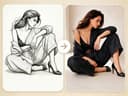
0Basic Information - Tool Name: Fast Image AI Sketch to Image - URL: https://fastimage.ai/sketch-to-image - Category: image generator - Pricing: Free Tool Description - Fast Image AI instantly transforms your photos into stunning styles like Ghibli, Sketch. Effortlessly control image elements and create amazing effects with just one click. Screenshots - Transform Your Photos Instantly: The Magic of Fast Image AI - How Fast Image AI Revolutionizes Image Editing with AI Technology - Unlocking the Power of AI for Effortless Image Customization: A Guide to Fast Image AI - The Future of Image Editing: Why Fast Image AI is a Game-Changer for Creators - Elevate Your Social Media Content: Create Unique Avatars with Fast Image AI - Fast Image AI: The Best Tool for Quick, High-Quality Image Transformation - AI Meets Creativity: Exploring the Benefits of Fast Image AI for Artistic Projects Key Features - Multiple Artistic Styles: Transform your photos with popular styles such as Ghibli and Sketch, giving every image a unique creative touch. - Fast Generation: Generate high-quality images in seconds, directly in your browser—no downloads or installations required. - Custom Creations: Use text prompts or reference images to fully customize your creations and make every artwork one-of-a-kind. - Privacy Protection: Uploaded images are used solely for generation and are never stored or used for other purposes. Target Users - Content creators, social media enthusiasts, design lovers, educators, and marketing professionals Pricing - Free Version: Receive daily credits to generate a limited number of artworks, allowing you to easily explore core features. - Premium Version: Unlock additional generations, HD downloads, and commercial usage rights to meet professional and creative needs.
- 27
 0
0GLM-Image is an easy-to-use AI tool that turns your ideas into beautiful images in seconds. Whether you need posters, social media graphics, ads, or educational visuals, GLM-Image creates clear, professional-looking images — even with text included. How It Works Describe your idea – type what you want to see. Add text or images (optional) – include words or upload a reference image. Generate and download – the AI creates your image, ready to use. With GLM-Image, creating eye-catching visuals is fast, simple, and accessible for everyone. Use Cases Professional marketing materials that combine visuals with readable messaging. Educational and technical diagrams requiring accurate text labels. Brand-consistent social media assets with coherent style across posts. Rapid concept art and product visuals for design and prototyping. GLM-Image is positioned as a powerful AI image generation platform with a focus on clarity, structure, and text accuracy, making it especially useful for professional-grade graphics, knowledge-rich visuals, and commercial content creation. Its hybrid modeling and superior prompt comprehension set it apart from many conventional AI image tools.
- 28
 0
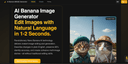
0AI Banana Image Generator Effortlessly Edit Images with Natural Language in Just 1-2 Seconds. Experience the power of cutting-edge Nano Banana AI technology, designed to revolutionize image editing and generation. Simply describe the changes you want using plain English, and the system instantly delivers high-quality results while maintaining up to 95% identity accuracy. Seamlessly create cohesive multi-image narratives, modify intricate details, or generate entirely new visuals—all without requiring traditional editing skills or software expertise. Perfect for storytellers, designers, marketers, and anyone seeking fast, intuitive image customization.
- 29
 0
0PicNow is the fastest ai image generator on the planet. You can create up to 4 images simultaneously in 1 second. That’s about 20x faster than OpenAI’s image tools—and the quality is still amazing. It even handles text in images really well, which is often a pain point with other generators. Why does speed matter? When image generation is instant, a new creative process emerges— say vibe imaging ;). No more waiting 20 seconds; you can generate, see results, and iterate in real-time, staying in the creative flow. You can use this tool as a first step for more advanced image processing, or sometimes the results are already perfect as they are. Instant images, infinite ideas.
- 30
 0
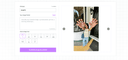
0Image Fx: Turn Text into Photorealistic Images in Seconds Leverage the cutting-edge Imagen4 Ultra model to effortlessly transform your text prompts into stunningly detailed, photo-quality images. Experience Imagen4's lightning-fast generation and professional-grade results. Unmatched Photorealistic Quality Images generated by ImagenFx are packed with stunning detail and color accuracy, making them nearly indistinguishable from professional photographs. Lightning-Fast Generation Speed Go from idea to final image in seconds, not minutes. Experience near-real-time image generation that dramatically speeds up your creative workflow.
- 310
There's a picture in your mind—maybe it's a 'lonely astronaut at sunset,' or a 'glowing forest'—but your hands just can't keep up with your imagination. Our software is the bridge. You just need to describe your idea in words, and our AI model will turn it into a complete, high-quality piece of art. No brushes, no art skills needed—tear down the wall between your imagination and artistic expression.
- 32
 0
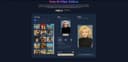
0Hey Image is an innovative AI-driven platform that helps you: - Generate AI images from your custom text prompts - Apply stunning AI filters to transform existing photos - Choose from diverse artistic styles and trending effects - Create professional avatars and illustrations with ease Hey Image, let creativity glow. AI filter platform for instant photo transformation.
- 33
 0
0Nano Banana is an AI-powered image generator that allows you to create and edit images through natural chat conversations. Unlike traditional text-to-image models, Nano Banana performs in-context image generation, allowing you to prompt with both text and images while seamlessly extracting and modifying visual concepts.
- 34
 0
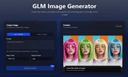
0GLM Image is an AI image generation model based on a hybrid autoregressive + diffusion architecture. The system first interprets and encodes your prompt’s semantic structure using a large autoregressive module and then decodes that into detailed graphics using a diffusion decoder. This hybrid design allows the model to better understand complex instructions, maintain semantic consistency across compositions, and render clear, readable text inside generated images — a challenge for many traditional AI image generators. Unlike many image generators that focus mainly on style or visuals alone, GLM Image pays special attention to text placement, layout accuracy, and conceptual meaning. This makes it a strong choice when you’re creating visual materials that must communicate ideas, not just look attractive — for example: Educational Posters & Slides with clear headlines and labeled diagrams Infographics that visually explain steps or relationships Marketing Graphics with readable slogans or technical information Product Feature Illustrations where text and design must align precisely Key Features 🌟 Readable Text in AI Images — GLM Image excels at producing visuals with crisp, legible text embedded directly in the graphics, avoiding the garbled or unreadable text artifacts typical in many generative models. 🧠 Knowledge-Dense Visual Understanding — The model interprets prompts semantically, enabling it to visualize complex ideas or structured layouts with correct meaning. 🎨 High-Quality Detail — Diffusion decoding yields polished, professional visuals with well-defined textures, balanced lighting, and visually satisfying compositions. ✏️ Image Editing & Consistency — GLM Image supports image-to-image tasks such as editing existing images, applying style transfers, preserving character or object identity, and maintaining consistency across multiple subjects. 📊 Flexible Usage Scenarios — The tool is suited for creative professionals, marketers, educators, and anyone needing reliable image generation with embedded information, not just creative art. How It Works The user typically enters a prompt — describing the desired image in natural language — and optionally uploads reference images to guide style or detail. GLM Image then processes this input through its semantic understanding layer, generates a structured representation, and renders the final image with both text and visuals accurately aligned to your intent. Outputs are high resolution and optimized for digital or print uses. Usage & Pricing GLM Image offers free trials for new users, and paid plans are based on credit bundles that allow a certain number of image generations. Credits never expire, and paid tiers include commercial licensing and priority support. Why Choose GLM Image? GLM Image positions itself as a practical tool for real-world visual communication rather than purely an artistic experiment. Its focus on readable text, semantic accuracy, and flexible editing makes it particularly valuable for professional design workflows, educational materials, and marketing applications where clarity and meaning are essential.
- 35
 0
0Nano Banana is an advanced AI-powered image generation and editing platform designed to help creators produce high-quality visuals using simple text prompts. Built for designers, marketers, artists, and everyday users interested in generative AI, the platform focuses on delivering highly detailed images while preserving style, composition, and character consistency. With its latest version, Nano Banana Pro, the tool introduces a powerful AI model capable of generating complex visual scenes, transforming existing images, and applying sophisticated artistic styles with impressive accuracy. At the heart of Nano Banana is its intuitive AI creation workbench, a workspace where users can generate images from scratch or modify existing visuals. The system supports multiple creation modes, including text-to-image generation and image editing with reference images. Users simply describe the scene they want to create, including style, composition, colors, lighting, and visual details, and the AI produces a corresponding image. The more detailed the description, the more refined and accurate the result becomes, allowing creators to produce highly specific visuals for professional or creative projects. One of the platform’s most notable strengths is its ability to maintain consistent character editing and scene preservation. This capability allows users to modify parts of an image while keeping the overall structure, style, and subject intact. According to the platform, Nano Banana Pro’s model can outperform other popular AI image tools in maintaining visual continuity across edits. This is particularly valuable for creators who want to refine a design, change elements within a scene, or iterate on a concept without losing the core composition. Nano Banana also integrates advanced real-world knowledge and reasoning capabilities derived from modern AI models. These capabilities allow the system to generate more contextually accurate visuals, such as infographics, annotated images, diagrams derived from handwritten notes, or visually structured data representations. This feature expands the platform’s usefulness beyond artistic generation, making it helpful for educational content, presentations, and visual communication. Another key feature is clear text generation within images. Many AI image generators struggle to render readable typography, but Nano Banana focuses on producing sharp, legible text that can be used in posters, product mockups, diagrams, and advertising visuals. Users can specify the type of font they want or simulate various handwriting styles, allowing the AI to create designs that look closer to real graphic design work. The platform also offers style transfer capabilities, enabling users to replicate specific artistic styles such as oil paintings, watercolor illustrations, digital art, or photorealistic photography. By analyzing reference images or descriptive prompts, the system can accurately apply these visual styles to newly generated images. This allows creators to experiment with different aesthetics and transform simple ideas into visually compelling artworks. In terms of output quality, Nano Banana supports ultra-high-resolution image generation, including outputs up to 4K resolution. This level of detail makes the images suitable for professional uses such as marketing materials, product photography concepts, social media visuals, and even high-resolution prints. To help users get started, the platform also provides a large library of example prompts and inspiration. These prompts demonstrate how to structure descriptions for different creative outcomes, including cinematic portraits, product advertisements, surreal landscapes, architectural presentations, and stylized illustrations. By copying and modifying these prompts, users can quickly experiment with different ideas and learn how to guide the AI effectively. Nano Banana operates with a credit-based system where each generated image consumes a certain number of credits. New users can sign up for free and receive initial credits to test the platform, making it easy to explore its capabilities before upgrading to paid features. The service also includes a referral program that rewards users for inviting others to join the platform. Overall, Nano Banana positions itself as a powerful AI image creation platform that combines high-quality visual generation, advanced editing capabilities, and intuitive prompt-based workflows. By focusing on clarity, style accuracy, and high-resolution output, the platform aims to provide creators with a flexible tool for producing professional visuals quickly and efficiently.
- 36
 0
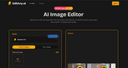
0Use EditAny AI, the all-in-one AI image editor, to transform images and generate stunning visuals from text. Turn your ideas into studio-quality images instantly. **What is AI Image Editor?** EditAny provides an easy-to-use online AI Image Editor that lets you edit, enhance, and transform your photos just by typing simple text prompts. You do not need any design skills to get started. **Portrait Editing** **Easily change hairstyles, try new hair colors, or update clothing with our AI Image Editor while keeping the person's face natural and realistic.** **Photo Enhancement** **Quickly restore old or damaged pictures, adjust brightness and colors, or add fresh new styles to your images using the AI Image Editor.** **Background Change** **Swap out your photo's background with a completely new scene, a custom color, or another image in just a few clicks using EditAny.** **AI Image Editor Core Features** Explore the powerful capabilities that make EditAny the perfect online tool for editing, enhancing, and transforming photos effortlessly—no design skills needed: **Portrait Editing** Effortlessly edit a person's appearance while keeping their unique identity completely consistent. Our advanced identity-preserving technology ensures that facial structures and proportions remain perfectly intact. You can change hairstyles, explore different hair colors, or update clothing easily, guaranteeing that every single edit looks incredibly realistic and stays true to the original subject. **Photo Enhancement** Breathe new life into your cherished memories by restoring old, faded, or damaged photos with remarkable precision. Quickly adjust brightness, fine-tune contrast, and balance colors to make your images look their absolute best. Whether you want to fix lighting issues or apply fresh new styles, our enhancement tools deliver clean, professional results instantly. **Background Change** Instantly remove and replace distracting or unwanted backgrounds from your photos with just a few clicks. Seamlessly swap your current background to transport your subject to a completely different scene, apply a clean custom solid color, or use another image entirely. The AI ensures smooth edges and natural blending for a flawless, realistic finish. **Photo Styling** Give your photos a fresh, unique look with our AI image style changer for effortless transformations. Apply stunning artistic styles to create eye-catching visuals, use realistic styles for professional results, or experiment with creative effects to make your images truly stand out. Instantly transform any photo with smooth, accurate, and highly stylistic edits. **Combine Photos** Bring your creative visions to life by merging multiple pictures or bringing different people together into one smooth, natural-looking composition. Our intelligent blending technology ensures that lighting, shadows, and proportions match perfectly across all elements, allowing you to create seamless group photos or imaginative scenes that look like they were captured in a single shot. **Text Prompt Editing** Traditional photo editing usually requires complex tools and technical skills, but not anymore. With EditAny's AI Image Editor, you can edit photos using simple text prompts. Just describe what you want to change, choose from ready-made templates or create your own instructions, and let multiple AI models work together to deliver fast, accurate, and high-quality results.
- 37
 0
0AI Image Editor: Chat to Edit Photos Online Sign in at aiimgeeditor.art to claim free credits and try our AI image editor. Chat what you want—remove backgrounds, erase objects, expand canvas, retouch, or upscale—and the AI image editor returns clean results in seconds. Remove Backgrounds Instantly Chat 'remove background' and get clean cutouts with perfect edges. No manual masking required—the AI image editor handles complex hair and fine details automatically. Erase Objects Naturally Say 'remove the person on left' and watch objects disappear seamlessly. The AI image editor rebuilds the scene so edits look completely natural. Restore Old Photos Fix scratches, fading, and creases. The AI image editor restores clarity, reduces noise, and corrects color while keeping faces natural—perfect for scanned family photos. Enhance & Upscale Photos Chat 'make this sharper and brighter' for instant improvements. The AI image editor enhances details while maintaining natural photo quality.
- 38
 0
0Nano Banana 2’s Powerful AI Image Generation Tools Unlock the future of digital art creation with Nano Banana 2’s cutting-edge AI tools. Instantly convert your ideas into stunning images—just describe and let Nano Banana 2 create. Nano Banana 2 AI Image Generator – Create Stunning Images with Nano Banana 2 Pro | AI图片生成器 Nano Banana 2 makes AI image generation easy, fast, and fun.describe your vision and let Nano Banana 2 turn it into reality. Start for free at nanobananaimage.me. https://nanobananaimage.me/
- 39
 0
0Powerfully edit and reimagine any image. Enjoy AI image editing, professional outputs, and seamless creativity delivered instantly — not just image editing, but a one-stop AI platform for both images and videos. 1.Product Overview Powerfully edit and reimagine any image. Enjoy AI image editing, professional outputs, and seamless creativity delivered instantly — not just image editing, but a one-stop AI platform for both images and videos. 2.Key Features - Image & Video Transformation: Convert existing visuals into new, high-quality styles with AI - Image & Video Generation: Create stunning, original content from scratch powered by AI - Image & Video Editing: Enhance, retouch, and refine media with professional AI tools - Image & Video Effects: Unleash creativity with powerful AI effects - Instant Free Access: No signup, daily credits - Free Storage: Free, permanent, and unlimited storage to save your images and videos 3. Use Case - Instantly transform existing photos and videos into new, high-quality creations with AI. - Create stunning AI-generated images and videos instantly for your projects. - Enhance, restyle, or reimagine your media for branding, content creation, or personal projects. 4. Target Audience - For creators who need quick, AI-generated images and videos for content, marketing, and design. - For professionals seeking AI-powered tools to edit, enhance, and transform visuals. - For artists and innovators exploring AI to create unique, high-quality visuals effortlessly.
- 40
 0
0Bimg AI Introduction Bimg AI is a revolutionary all-in-one AI-powered image generation and editing platform that delivers exceptional text accuracy, visual consistency, and professional-grade output. Built around Nano Banana, Nano Banana Pro, and Nano Banana 2, it allows you to generate, edit, and enhance images with advanced multimodal capabilities. Key Features * Text-to-Image: Generate high-quality images from detailed text prompts with perfect text rendering * Intelligent Image Editing: Change backgrounds, add/remove objects, adjust lighting, colors, and composition using natural language * Image-to-Image Transformation: Upload reference images for style transfer, scene reconstruction, character consistency, and product mockups Core Advantages * Powered by the latest Gemini-based Nano Banana models, delivering 95%+ accurate, magazine-level text rendering with zero distortion * Native high-resolution output up to 4K — rich details perfect for professional printing, e-commerce, and large displays * Strong real-world knowledge and reasoning for accurate infographics, data visualization, and logical scene creation Target Users * Content Creators: Quickly produce social media visuals, thumbnails, and marketing graphics * Designers/Illustrators: Assist with branding, posters, product mockups, and style exploration * Marketers & E-commerce: Create ad creatives, product visuals, and promotional materials Frequently Asked Questions * Is it paid? — Offers a free trial with limited credits and flexible paid plans (higher quotas, 4K output, priority speed, no watermark) * Who owns the copyright of generated content? — Users retain full copyright of their generated content and can use it commercially (please comply with platform terms)
- 41
 0
0## Introduction GPT Image 2.5 is the next generation of OpenAI's GPT Image model family, available online as an image generator and editor with no setup required. It turns a written prompt or a set of reference photos into finished visuals, and it is tuned for the details production work depends on: exact text and layout, stable fine detail at large sizes, consistent characters and products, and edits that leave approved regions untouched. The platform outputs at 1K, 2K, and 4K across five aspect ratios, accepts up to 16 reference images for image-to-image editing, and runs a reasoning pass before rendering so long prompts survive intact. Designers, marketers, and developers use it for posters, packaging, UI mockups, comics, infographics, and localized visuals with text in multiple languages. ## Features ### 1. Sharper High-Resolution Output GPT Image 2.5 keeps edges, typography, product contours, and scene detail crisp at large sizes. Output is available at 1K, 2K, and true 4K with no artificial sharpening or soft upscaling tricks, so a hero image holds up on a billboard as well as on a phone. ### 2. Cleaner Repeated Edits Chain a dozen edits and the approved regions stay exactly as they were. GPT Image 2.5 preserves smooth gradients and color across every revision, with no block artifacts, added noise, or layout drift between rounds. ### 3. Stronger Prompt Precision Object counts, spatial relationships, materials, camera direction, lighting, and layout limits all land in one coherent output. Long briefs with many constraints are retained instead of being partially dropped. ### 4. Natural Skin and Detail Skin, hair, hands, fabrics, labels, and product geometry render with a natural finish that stays stable across variations. The refined decode stage removes the blocky noise of earlier generations while keeping realistic grain and micro-detail. ### 5. Exact Text and Layout Headline, body, and small-label copy are placed with dependable spelling, spacing, and hierarchy in every aspect ratio. Multilingual text stays accurate, making localized marketing and packaging visuals possible from a single prompt. ### 6. Reasoning Before Render A planning pass reads the brief, resolves counts and text content, and checks its own plan for conflicts before the first pixel is drawn. The same planning step carries into multi-turn edit chains for steadier results. ## Use Cases ### 1. Sequential Art Twelve panels, one cast. GPT Image 2.5 holds faces, costumes, and lighting steady from the opening frame to the closing beat, and each line of dialogue lands inside its balloon as scripted. Ideal for indie comics, storyboards, and visual narratives. ### 2. App Interface Renders Turn a wireframe into a screenshot that survives a designer's zoom. Menus, tables, and status icons sit on a true grid, and the tiny captions along the sidebar stay legible at any size — perfect for SaaS demos and app store listings. ### 3. Packaging Typography Curved glass, matte paper, glossy foil: the brand name reads the same on all of them. Ingredient lists and barcodes stay intact through a dozen revisions, so no label needs a manual fix before it goes to review. ### 4. Full-Page Web Layouts Think of it as a first draft from a senior web designer. Ask for a pricing table beneath a testimonial band and it appears in that order, each heading spelled out and aligned to its column — ready for rapid prototyping and A/B concepts. ### 5. Explainer Graphics When the subject is a pipeline or a process, structure is the whole point. GPT Image 2.5 plans the sequence before drawing, so numbered stages, connectors, and callouts follow your logic in technical diagrams and workflow infographics. ### 6. Store Listing Visuals Shoppers decide in seconds, and a listing built here gives them everything at once: a hero shot, a feature grid, a price badge, and a buy button that looks like it belongs on a real storefront — with product photography costs cut across the catalog. ## FAQ ### 1. What is GPT Image 2.5? GPT Image 2.5 is the next generation of OpenAI's GPT Image model family, available on our platform as an online image generator and editor. It turns written prompts and reference images into finished visuals and is tuned for exact text, stable fine detail, consistent characters and products, and edits that leave approved regions untouched. You can use it directly on the site without any setup. ### 2. How does GPT Image 2.5 improve on GPT Image 2? GPT Image 2 introduced reasoning before the render, reliable multilingual text, and batches of consistent images. GPT Image 2.5 refines that base in four areas: sharper detail at large sizes without soft upscaling, cleaner color across repeated edits with less noise and drift, stronger retention of long prompts with many constraints, and more natural skin, hair, fabric, and label texture that stays stable across variations. ### 3. What can I generate with GPT Image 2.5? Anything from a single hero image to a coordinated set: marketing posters, product and packaging shots, UI and app mockups, landing page designs, comics and storyboards, infographics, and localized visuals with text in multiple languages. Text-to-image starts from a prompt; image-to-image takes up to 16 reference images to guide character, style, composition, or product details. ### 4. What resolutions and aspect ratios are supported? Output is available at 1K, 2K, and 4K. Aspect ratios include 1:1, 16:9, 9:16, 3:2, and 2:3, plus an automatic option that lets the model choose the frame. Higher resolutions cost more credits per image, and the exact cost is shown in the generator before you run it. ### 5. Is GPT Image 2.5 the same as MAI-Image-2.5? No. MAI-Image-2.5 is a Microsoft image model available through OpenRouter and other providers. GPT Image 2.5 is powered by OpenAI and belongs to the GPT Image family, the same line as GPT Image 2 and GPT Image 1.5. The shared version number causes confusion in search results, so check the vendor before comparing samples, benchmarks, or pricing. ### 6. Do I need an account, and what does it cost? You can browse examples without signing in, and a free account includes starter credits to try GPT Image 2.5. Each generation deducts credits based on resolution, with 1K the cheapest and 4K the most expensive. Paid plans add larger credit bundles, priority generation, and commercial use rights, all listed in the pricing section of the site.
- 42
 0
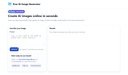
0Photostock’s Free AI Image Generator lets you create stunning, high-resolution images in seconds using simple text prompts. Designed for creators, marketers, and businesses, the tool requires no signup and offers unlimited free access. All generated images are royalty-free and approved for commercial use, making it perfect for blog posts, social media content, advertising materials, and design projects. Whether you need professional product shots, eye-catching backgrounds, or unique artistic visuals, Photostock delivers instant, high-quality results with ease.
- 43
 0
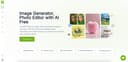
0VisualGPT is a next-generation AI image generation and editing platform built for creators who need style consistency and visual quality across every scene. From concept sketches and storytelling frames to product visuals or marketing campaigns, VisualGPT lets you design, edit, and upscale images that share the same character, lighting, and artistic tone — all without manual post-processing. Unlike typical AI art generators, VisualGPT combines multiple state-of-the-art models (Flux, Stable Diffusion XL, Ideogram, Nano, Playground v3, and more) into one seamless pipeline. The system automatically selects or blends models to achieve the best balance of realism, coherence, and creative control. ✨ Core Image Features Character & Style Consistency Generate multiple images featuring the same characters, outfits, or environments — perfect for storybooks, comics, and brand visuals. AI Image Generator Turn text prompts or sketches into stunning visuals using model fusion and prompt optimization. AI Image Editor Precisely edit elements within a generated or uploaded image: replace objects, adjust lighting, recompose backgrounds, or extend the frame. Background & Object Replacement Swap or regenerate any part of an image while preserving lighting and perspective — ideal for product or lifestyle shots. Image Upscaler & Enhancer Instantly upscale low-resolution images, fix artifacts, and enhance color and sharpness for print-ready output. Style Transfer & Control Match the look of your reference image or apply a unified visual theme across an entire image set. Scene Expansion Extend any generated image beyond its frame with consistent detail and depth — great for wide scenes or panoramic storytelling. Multi-Model Workflow Choose or mix top AI models for realism, stylization, or animation-like effects — no setup required. Batch Generation & Versioning Create multiple variations of the same prompt or scene, review and refine in real time. Project-Based Organization Manage visual projects, reference sets, and consistent character designs inside one workspace. 🌍 Designed For Illustrators & Designers – maintain cohesive art direction across projects. Story Creators & Authors – generate consistent book or comic visuals. Marketers & Brands – produce unified campaign imagery and product mockups. Educators & Agencies – visualize concepts with repeatable styles. AI Enthusiasts & Makers – experiment with models, styles, and custom characters. ⚙️ Why VisualGPT Stands Out Seamless multi-model image generation workflow. Powerful editing and background control tools. Professional-grade upscaling and detail restoration. Style and character consistency engine built-in. 100% browser-based, no installation needed.
- 44
 0
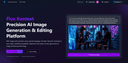
0Flux Kontext is a cutting-edge platform designed for AI-powered image generation and editing. It enables users to create, modify, and refine images simply by describing their vision in natural language—no technical skills required. Whether you want to generate new visuals from text prompts or make detailed edits to existing images, Flux Kontext delivers professional-grade results with incredible speed and accuracy. Built with next-generation AI technology, the platform ensures character consistency, supports multiple artistic styles, and provides tools for style transfer, precision editing, and creative exploration. With support for diverse formats and intuitive controls, creators can experiment freely—transforming ideas into vivid, high-quality visuals in seconds. Trusted by thousands of designers, artists, and content creators worldwide, Flux Kontext represents the future of visual creation.
- 45
 0
0AI Image Generator - Create Stunning Images with LoRA Models | A Create personalized LoRA AI models for characters, objects, styles, and concepts with advanced training infrastructure. Generate unique images easily. AI Image Generator - Create Stunning Images with LoRA Models | AIPowerful LoRA AI Image Generation Tools Experience the future of digital art creation with our cutting-edge LoRA AI tools. Generate stunning images in seconds with advanced AI technology.
- 46
 0
0Nano Banana is a revolutionary AI-powered image generation and editing platform that delivers consistent character editing and scene preservation. Unlike traditional text-to-image models, Nano Banana performs in-context image generation, allowing you to prompt with both text and images while seamlessly extracting and modifying visual concepts.
- 47
 0
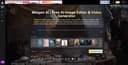
0Meigen AI is a free AI creative platform for editing images and generating videos with simple text prompts. Use it to enhance photos, create new visual concepts, turn ideas into polished media, and speed up social content production without advanced design skills. Built for creators, marketers, students, everyday users, Meigen AI makes AI image editing and video generation easier, faster, and more accessible for modern digital storytelling across social media, websites, ads, and projects today.
- 48
 0
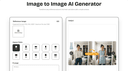
0Image to Image AI turns any photo into fresh, high-quality variations in seconds—multi-style editing, zero design skills required. Image to Image AI Core Features Discover the tools that make our image transformer shine: Sharp Visuals Our advanced model keeps fine textures and colour fidelity intact, so prints stay gallery-ready on any size. It intelligently analyses micro-details—like subtle fabric weave and reflected highlights—then reconstructs them at higher resolution to avoid blur or banding when zoomed, helping photographers maintain a premium finish. Style Variety Presets apply lighting harmony automatically while still letting you fine-tune style. The preset engine balances exposure and tonal curves automatically, yet every slider remains accessible if you want to nudge warmth or saturation, enabling a custom signature look in just a few clicks. Natural Posing Depth-aware blending removes that ‘cut-and-paste’ look for natural composites. Our pose-aware depth map detects limbs and posture, blending new backgrounds without awkward edges, so your subject feels grounded in the scene rather than floating, perfect for fashion or product hero shots. Fine-Tune Controls Intuitive sliders tweak warmth, brightness, and focus with real-time previews. Real-time feedback makes experimentation painless; dial a parameter, see the canvas update instantly, empowering creatives to refine mood lighting or depth blur interactively instead of exporting multiple test versions. Easy Export Download creations in the format best suited to your use case—quick posts or gallery-quality prints—while our pipeline automatically optimises colour profiles so visuals stay true on every device. Cloud Processing Everything happens in the cloud—no install required and works on every device. GPU clusters handle heavy lifting even on mobile networks; nothing gets stored locally, freeing disk space and ensuring your workflow stays platform-agnostic whether you’re on desktop, tablet, or phone.
- 49
 0
0Nano Banana 2 is a cutting-edge AI-powered image generation platform designed for professionals who demand high-quality visuals with exceptional precision. Positioned as a next-generation tool, it goes far beyond traditional AI image generators by focusing on one of the most common limitations in the field: accurate and readable text within images. With its advanced machine learning models and deep neural networks, Nano Banana 2 enables users to transform simple text prompts into visually stunning, photorealistic images that meet both creative and commercial standards. One of the platform’s most impressive features is its ability to render text with remarkable clarity. Unlike many AI tools that produce distorted or unreadable typography, Nano Banana 2 generates crisp, well-structured text that integrates seamlessly into designs. This makes it especially valuable for creating posters, infographics, product mockups, and marketing materials where text quality is crucial. Users can even specify font styles or simulate handwriting, allowing for a high degree of customization and creative control. Another key strength of Nano Banana 2 is its support for ultra-high-resolution outputs. The platform generates images at native 2K resolution and offers seamless upscaling to 4K, ensuring that every detail remains sharp and professional. This level of quality makes it suitable not only for digital use—such as social media and websites—but also for print applications like magazines, billboards, and packaging. The emphasis on detail and clarity positions Nano Banana 2 as a reliable solution for businesses and designers who cannot compromise on visual quality. The platform also stands out for its multilingual capabilities. With support for over 100 languages, Nano Banana 2 allows users to create culturally relevant and linguistically accurate visuals for global audiences. This feature is particularly beneficial for international marketing campaigns, educational content, and cross-border business communications. By understanding both language and cultural nuances, the AI reduces errors and ensures that generated content resonates with diverse audiences. In addition to image generation, Nano Banana 2 offers powerful editing tools that simplify the creative process. Users can modify specific parts of an image without regenerating the entire design, making it easier to refine details such as colors, lighting, backgrounds, or objects. This localized editing capability saves time and enhances productivity, especially for professionals working on complex projects or tight deadlines. The platform caters to a wide range of use cases, including e-commerce, content creation, filmmaking, and design. For example, it can generate promotional images for online stores, create storyboards for films, design stickers, or replace traditional photo editing workflows. Its intuitive interface and step-by-step creation process make it accessible even to users without technical expertise, while still offering advanced controls for experienced creators. Nano Banana 2 also introduces different pricing plans to accommodate various needs, from individuals experimenting with AI-generated images to large teams requiring high-volume production. Each plan includes features such as image generation credits, editing tools, and commercial usage rights, making the platform flexible and scalable. Overall, Nano Banana 2 represents a significant advancement in AI image generation technology. By combining high-resolution output, precise text rendering, multilingual intelligence, and powerful editing tools, it provides a comprehensive solution for modern visual content creation. Whether for marketing, design, or storytelling, Nano Banana 2 empowers users to bring their ideas to life with professional-grade results.
- 50
 0
0Image-to-Image-AI.net is a free online tool that allows users to instantly convert and transform their images with the power of artificial intelligence. By uploading any picture, you can apply artistic filters, change styles, enhance quality, or even generate creative variations while keeping the original structure. Designed for artists, designers, content creators, and casual users, the platform delivers fast AI-powered conversions directly in your browser without downloads or installations. Experience endless creative possibilities with Image-to-Image AI.
Frequently asked questions
The best AI image generators include tools like 'AI Image Generator - Create, Edit & Transform Images with AI', which allows users to create and edit images from text descriptions with professional-grade results. Another popular option is 'createimage', which can generate high-definition images from simple text prompts in seconds, making it ideal for various creative projects. Additionally, 'Free AI Image Generator' offers stunning visuals without the need for sign-up, allowing users to explore their creativity freely.
AI image generators work by using advanced algorithms and machine learning models to interpret text prompts and create corresponding images. Users simply input a description, such as 'a cat wearing a hat', and the AI processes this information to generate a unique visual representation. This technology allows for quick and easy creation of images without requiring artistic skills.
AI image generators offer numerous benefits, including the ability to create high-quality visuals quickly and easily, without the need for design skills. They can save time and resources for artists, marketers, and content creators by providing instant access to unique images. Additionally, many AI image generators are free to use and do not require sign-up, making them accessible to everyone.
Yes, many AI image generators, such as 'Createimg.ai', allow users to create commercial-ready visuals. These platforms often provide high-resolution outputs without watermarks, making them suitable for e-commerce, advertising, and other commercial applications. However, it's essential to check the specific terms of use for each tool to ensure compliance with licensing agreements.
While AI image generators are powerful tools, they do have limitations. The quality and accuracy of the generated images can vary based on the complexity of the text prompt and the capabilities of the AI model used. Additionally, some generators may struggle with specific styles or intricate details. Users may need to experiment with different prompts to achieve the desired results.