Best Developer Tools
The stack serious developers actually reach for.
The best developer tools for building, shipping, and maintaining software — editors, APIs, CLIs, and platforms that speed up real engineering work, ranked by the people who use them.
- 426
 0
0ApparenceKit is the definitive boilerplate solution engineered to dramatically accelerate the development and deployment of profitable mobile applications using Flutter. Designed by experts from a leading Flutter agency after over six years in the field, this powerful kit eliminates the need to "reinvent the wheel," saving developers and startups hundreds of hours of repetitive coding and debugging. Stop Coding Boilerplate, Start Building Features The core value of ApparenceKit is its focus on immediately getting you to work on your unique value proposition. Why spend weeks building necessary but non-native features when you can start on day one? ApparenceKit provides a robust, production-ready foundation, ensuring you can focus on what truly matters: your users and your core app logic. It also empowers you with strong AI rules to help you build faster and better apps using AI.
- 427
 0
0🏅 ChromeWinner is "ahrefs for extensions". Analyze the competition, learn from the best and promote your extension. Receive daily updates on how your extensions perform and what competitors do. Grow your user base organically in Chrome Web Store by learning from already successful extensions. Subscribe to daily email digest and receive detailed updates: 📈 SERP for Chrome Store: monitor search results in the Chrome Web Store 👤 daily user growth: know which extensions acquire users faster ⚠️ get alerts when there are new players in the market (new competitors) ✍️ new reviews and rating changes - use competitors' feedback for your own profit ✨ get notified when competitors release new versions
- 428
 0
0EmailListCleaner.org is a privacy-first, free and open source email list cleaner. It validates a list of email addresses for free and in a way that no one, including us, has access to them. How Does Email Validation Work? Email List Cleaner performs syntax checks to see whether an email address looks like a valid email address, and it also confirms that an email address has a valid domain name that has been configured to accept emails. This means that if Email List Cleaner says an email address is invalid, it is very likely invalid. But if it says an email address looks valid, it means just that, that it looks valid. When you use this tool, almost the entire email address validation process happens inside your browser. The only data that gets sent anywhere are the domain parts of your email addresses. They are sent to Google’s DNS service to check whether the domain names are valid. You can confirm all this by checking the project’s source code. Please notice that it is technically impossible for third party websites like this one to know whether an email address is valid with perfect accuracy. Email List Cleaner can also detect and flag disposable email addresses, role-based email addresses, and it can also remove duplicate email addresses. Please see the processing options below.
- 429
 0
0Extract text, images, tables, and equations from PDFs and images with unmatched accuracy. Unlock the collective intelligence of your documents with Mistral OCR. AI-Ready Output Outputs in Markdown format, making it immediately usable for AI systems and Retrieval-Augmented Generation (RAG). Multimodal Processing Handles text, images, tables, and equations in a single pass, preserving document structure and layout. High-Speed Processing Process up to 2,000 pages per minute on a single node, making it ideal for large-scale document processing.
- 430
 0
0WaveSpeedAI is the ultimate platform for blazing-fast AI-powered image and video generation. Whether you're a marketer, content creator, entrepreneur, or developer, WaveSpeedAI helps you build, create, and scale visual content with incredible speed and precision. With advanced generative models and an intuitive interface, WaveSpeedAI empowers you to: • Instantly generate high-quality visuals for social media, ads, websites, and more. • Produce AI videos from text, prompts, or templates – no technical skills required. • Customize your content with brand colors, AI voiceovers, avatars, and animations. • Save hours of production time and reduce creative bottlenecks with automated workflows. • Collaborate, edit, and export content effortlessly to suit any platform or campaign. From ideation to execution, WaveSpeedAI turns your creative vision into high-performing media at scale — faster than ever before.
- 431
 0
0WaveSpeedAI is the ultimate platform for blazing-fast AI-powered image and video generation. Whether you're a marketer, content creator, entrepreneur, or developer, WaveSpeedAI helps you build, create, and scale visual content with incredible speed and precision. With advanced generative models and an intuitive interface, WaveSpeedAI empowers you to: • Instantly generate high-quality visuals for social media, ads, websites, and more. • Produce AI videos from text, prompts, or templates – no technical skills required. • Customize your content with brand colors, AI voiceovers, avatars, and animations. • Save hours of production time and reduce creative bottlenecks with automated workflows. • Collaborate, edit, and export content effortlessly to suit any platform or campaign. From ideation to execution, WaveSpeedAI turns your creative vision into high-performing media at scale — faster than ever before.
- 432
 0
0Speed Chat is an AI learning platform that helps individuals and teams master AI through practical courses, premium prompt libraries, and real-world workflows. Whether you're a beginner or an experienced professional, Speed Chat provides structured learning paths to help you use AI more effectively. Learn how to work with leading AI models such as ChatGPT, Claude, Gemini, Midjourney, and other popular AI tools through step-by-step lessons, tutorials, and hands-on projects. The platform includes thousands of ready-to-use prompts for marketing, content creation, business, coding, design, productivity, education, and automation. Speed Chat regularly updates its content to keep learners informed about the latest AI technologies and best practices. With expert-designed courses and an extensive prompt library, users can save time, improve productivity, and develop valuable AI skills that can be applied immediately. Whether you're a marketer, entrepreneur, freelancer, student, developer, or business owner, Speed Chat makes learning AI practical, fast, and accessible.
- 433
 0
0Surnex is a modern search intelligence platform designed to help agencies, marketers, and digital teams navigate the rapidly evolving landscape of search. As search behavior shifts from traditional keyword-based queries to AI-driven discovery experiences, Surnex positions itself as a unified solution that brings clarity, efficiency, and strategic insight into one centralized system. At its core, the platform aims to bridge the gap between conventional SEO practices and emerging AI visibility requirements, allowing users to monitor and optimize their presence across both domains without relying on fragmented tools. One of the defining characteristics of Surnex is its ability to consolidate multiple layers of search performance into a single dashboard. Instead of switching between various analytics platforms, SEO tools, and AI monitoring solutions, users can track rankings, backlinks, citations, and AI visibility all in one place. This unified approach not only simplifies workflows but also enables teams to make faster, more informed decisions. By reducing tool sprawl, Surnex helps agencies streamline their operations and focus more on strategy rather than data aggregation. A key feature of the platform is its emphasis on AI visibility. As search engines increasingly incorporate AI-generated results and conversational interfaces, brands must adapt to new forms of exposure. Surnex allows users to monitor how their brand appears in AI-generated summaries, emerging AI search modes, and conversational discovery platforms. It also provides insights into how different large language models represent and cite a brand, offering a broader understanding of digital presence beyond traditional search rankings. This capability is particularly valuable for companies looking to stay competitive in a landscape where visibility is no longer limited to search engine results pages. In addition to AI-focused features, Surnex maintains strong support for traditional SEO practices. Its SEO suite includes tools for tracking keyword performance, analyzing backlinks, conducting audits, and identifying content opportunities. This balance ensures that teams do not lose sight of foundational SEO principles while exploring newer AI-driven strategies. The platform is designed to feel familiar to SEO professionals, making it approachable for teams that are transitioning into more advanced workflows. Another important aspect of Surnex is its flexibility and scalability. Users can start with the dashboard-based interface and gradually expand into more advanced capabilities such as API integrations and automation. The inclusion of an agent-ready API reflects the platform’s forward-thinking design, enabling developers and AI-driven systems to interact with search data programmatically. This makes Surnex not just a tool, but a foundation for building more sophisticated, automated search workflows over time. Surnex also emphasizes clarity in understanding search trends. Features like AI trend tracking and citation gap analysis help users identify where they stand relative to competitors and how their visibility evolves. These insights are particularly useful for agencies that need to communicate changes in search dynamics to clients, offering a clearer narrative around performance and opportunity. Overall, Surnex presents itself as a comprehensive solution for modern search intelligence. By combining AI visibility monitoring, SEO analytics, and flexible integration options, it empowers teams to adapt to the future of search while maintaining control over current performance.
- 434
 0
0UseSkill is the AI skills library with 100+ integrations — pre-built workflows that deliver consistent results in 30 seconds, not 30 minutes of prompting. THE PROBLEM: With ChatGPT, you explain tasks repeatedly, copy-paste between apps, and get inconsistent results. THE SOLUTION: Pick a skill. Connect your tools once. Click run. Done. 100+ CONNECTORS INCLUDING: - CRM: Salesforce, HubSpot, Pipedrive, Zoho CRM, Close, Apollo - Productivity: Gmail, Google Sheets, Notion, Slack, Microsoft Teams, Outlook - DevOps: GitHub, Jira, Sentry, PagerDuty, Confluence, Bitbucket - Data: Snowflake, BigQuery, Databricks, Mixpanel, Amplitude, PostHog - Support: Zendesk, Freshdesk, Intercom, ServiceNow WHY USESKILL: → 30 seconds to results (not 30 minutes) → Same output every time (tested skills) → Nothing to install (browser-based) → Privacy-first (data never stored) 30200+ skills run weekly. 2,000+ users. Free, no credit card required.
- 435
 0
0Hive Index is a comprehensive online directory designed to help people discover and join internet communities across hundreds of niches and platforms. The platform organizes thousands of communities from places like Discord, Reddit, Slack, Circle, Facebook Groups, Telegram, LinkedIn, Skool, and many other community platforms into one searchable database. Instead of manually searching across the web, users can browse communities by topic, platform, features, or audience type, making it much easier to find active groups that match their interests or professional goals. The website currently features nearly 5,000 communities covering categories such as entrepreneurship, SaaS, software development, marketing, gaming, crypto, sports, writing, photography, fitness, and many more. Each listing includes useful information like member counts, supported features, community type, platform details, and direct access links. Users can instantly compare communities side-by-side to determine which ones are most active, valuable, or relevant to their needs. Hive Index is especially useful for entrepreneurs, creators, startup founders, marketers, developers, and online professionals who want to network, learn, collaborate, or grow their businesses inside specialized communities. The platform highlights whether a community offers features such as live chat, discussion forums, newsletters, events, job boards, educational courses, mentorship, pairing systems, exclusive perks, or paid memberships. This structured approach helps users quickly identify communities that provide the exact experience they are looking for. One of the platform’s biggest strengths is its broad platform coverage. Hive Index catalogs communities across more than 30 different platforms, including major ecosystems like Discord and Reddit as well as independent custom-built communities. Users who prefer real-time conversations can focus on chat-based communities, while others may prefer slower forum-style discussion spaces or professional networking groups. This flexibility allows Hive Index to serve a very wide audience. For community owners, Hive Index acts as a discovery and growth platform. Community builders can submit their groups for free and receive dedicated listing pages that increase visibility among highly targeted audiences actively searching for communities to join. Listings can showcase community benefits such as events, educational resources, networking opportunities, job boards, and member perks. The platform also provides analytics and exposure tools that help owners understand how users interact with their listings. The website positions itself as “the internet’s most comprehensive directory of online communities,” and its structure strongly supports that claim. Hive Index continuously curates and updates listings to keep the directory relevant and organized. It also offers sponsored placements, featured community sections, and editorial recommendations to help standout communities gain additional exposure. Overall, Hive Index is a powerful discovery platform for anyone looking to connect with like-minded people online. Whether someone wants to find entrepreneurial masterminds, niche hobby groups, professional networking circles, educational communities, or startup ecosystems, Hive Index simplifies the process by bringing the fragmented online community landscape into one centralized and searchable platform.
- 436
 0
0🚀 30%+ faster than any competing model — The 9B model matches output quality of models 5x its size while generating images in a fraction of the time. 💻 Runs on your hardware — The 4B model needs just 13GB VRAM, making professional AI image generation accessible on RTX 3090/4070 without expensive cloud infrastructure. 📜 Apache 2.0 for commercial use — The 4B model is fully open-source. Use it in commercial projects, products, and services with zero licensing restrictions. 🎨 Generation + editing in one model — No more juggling separate models. Handle text-to-image, image-to-image, and multi-reference editing in a single unified workflow.
- 437
 0
0MacBrightness is a specialized utility for Mac users who frequently work outdoors and struggle with screen visibility under bright sunlight. While modern MacBook Pro displays are capable of reaching extremely high brightness levels for HDR content, macOS typically limits that brightness during normal day-to-day usage. MacBrightness unlocks that hidden potential, allowing users to access significantly higher brightness levels across their entire system and in every application they use. The software was created to solve a common frustration experienced by remote workers, digital nomads, entrepreneurs, students, designers, developers, and professionals who like to work from outdoor locations. Whether sitting at a sunny café, relaxing on a balcony, working from a park bench, or waiting at an airport gate, many users discover that even a premium MacBook becomes difficult to read in direct sunlight. Reflections increase, contrast decreases, and productivity suffers as users constantly search for shade or adjust screen angles. MacBrightness addresses this problem by extending the brightness range available to the display, making content easier to read in challenging lighting conditions. One of the application's biggest advantages is its simplicity. Unlike many system utilities that require learning new controls or navigating complicated settings, MacBrightness integrates directly with the brightness keys already built into macOS. Users simply install the application, and their existing brightness controls gain access to the additional range. There are no complicated configurations, custom keyboard shortcuts, or distracting menus. The experience feels natural because it works exactly where users already expect brightness controls to be. The software is capable of delivering up to 1,600 nits of sustained brightness on supported hardware. This can effectively make the display appear roughly twice as bright as the standard brightness level available through macOS. The result is dramatically improved readability when working outdoors or in brightly lit environments. Text becomes easier to read, colors remain visible, and users can continue working comfortably without constantly fighting glare or reflections. MacBrightness was specifically designed for compatible high-end Apple hardware, including MacBook Pro 14-inch and 16-inch models equipped with M-series Pro and M-series Max processors, as well as the Pro Display XDR. Rather than relying on display modifications or risky system hacks, the software simply unlocks brightness capabilities already present in the hardware. This approach helps maintain stability while providing users with access to performance that would otherwise remain restricted. Performance and efficiency were also key priorities during development. The application operates with minimal CPU overhead and is designed to run quietly in the background. Users do not need to worry about complicated maintenance, constant updates, or system slowdowns. The software focuses on one specific problem and solves it effectively without introducing unnecessary features. To help users evaluate the product before purchasing, MacBrightness includes a free trial mode known as Splitscreen Mode. In this mode, half of the display uses the enhanced brightness range while the other half remains at standard macOS brightness. This side-by-side comparison makes it immediately obvious how much additional visibility the software provides. Users can continue using this trial mode for as long as they wish before deciding whether to purchase a license. The pricing model is intentionally straightforward and consumer-friendly. Rather than charging a monthly subscription fee, MacBrightness uses a one-time payment structure. Users pay once and receive permanent access to the software, all current features, and future updates. This makes the product particularly attractive to individuals who dislike recurring subscriptions and prefer software they can own outright. In addition to the core application, the company provides guides, comparisons, and educational content focused on improving outdoor productivity with Mac devices. These resources help users better understand display technology, compare brightness enhancement tools, and learn techniques for maximizing visibility in bright environments. Overall, MacBrightness is a focused productivity tool that enables MacBook users to unlock the full brightness potential of their displays. By providing higher brightness levels, seamless integration with existing controls, a lightweight user experience, and a simple one-time purchase model, it offers a practical solution for anyone who wants the freedom to work comfortably wherever they choose, regardless of how bright the environment may be.
- 438
 0
0As AI agents get more autonomous, a single bad command can wipe logs, drop tables, or exfiltrate data. Clawsec sits between the agent and the system, intercepting dangerous actions before they execute. No complex setup. One command to install: openclaw plugins install clawsec It's open source and free. We'd love your feedback and a star on GitHub.
- 439
 0
0Recall.ai is the API for meeting recording. Our API captures recordings, transcripts and metadata from meeting platforms like Zoom, Microsoft Teams, and Google Meet. Use Recall.ai’s Meeting Bot API to send meeting bots to calls, or the Desktop Recording SDK to build a desktop app that can record meetings. Recall.ai is recording infrastructure for thousands companies, helping companies build recording features in days instead of months.
- 440
 0
0FlameProxies is a proxy infrastructure provider that sells residential and datacenter proxy services to users who need scalable IP access for web activity, automation, and data acquisition. Its core offer centers on residential proxies with a network of more than 55 million IPs across 180+ countries, alongside lower-cost datacenter proxies priced from $0.50 per gigabyte. The company positions itself around broad geographic coverage, immediate provisioning, and always-on customer support, which are key decision drivers in the proxy market. Its value proposition is straightforward: deliver fast access to large proxy pools for operational tasks such as web scraping, competitive monitoring, account management, and privacy-focused browsing. FlameProxies differentiates itself through aggressive pricing, global reach, and instant activation, appealing to buyers who prioritize speed, scale, and cost efficiency over long enterprise procurement cycles. The business model is usage-based digital infrastructure sales, monetizing proxy bandwidth and access tiers for individual users, technical operators, and businesses.
- 441
 0
0Number Check & Filter API lets you check a bunch of phone numbers to see if they have active WhatsApp、Telegram、instagram、Facebook、Amazon、Apple accounts. It also tells you about the account's status. Our number filter API helps you easily sort active WhatsApp、Telegram、instagram、Facebook、Amazon、Apple numbers from inactive ones, so you can find the best contacts for your business.
- 442
 0
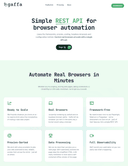
0Getting reliable web data at scale is tough and getting harder all the time. Gaffa provides an API that makes it simple again. Gaffa will take care of all the complexity like residential proxies, scaling, infrastructure, failures and data parsing so you can concentrate on your business and not fixing broken scraping pipelines. Using Gaffa's REST API you can send a single request to perform a huge number of actions like scrolling and clicking mimicking natural human browsing patterns as well as extracting page data as images, markdown, html or, using LLM, JSON. Because Gaffa is designed to work even against the hardest to scrape sites it also has a stealth mode which uses real browsers, solves CAPTCHAs and uses residential proxies to ensure you get the data you need with minimum stress.
- 443
 0
0Opin is an AI-powered customer feedback and NPS platform built for modern SaaS and digital product teams. With Opin, teams can collect NPS, CSAT, CES, and other customer surveys directly from their product using a lightweight Web SDK, shareable survey links, or email-based collection. Surveys can be triggered right after key moments—such as onboarding completion, checkout, feature usage, or support interactions—so feedback is always contextual and timely. What makes Opin different is its AI-driven analysis. Instead of manually reading hundreds of responses, Opin automatically summarizes feedback, highlights recurring themes, and surfaces actionable insights teams can act on quickly. Opin is ideal for startups and growing companies that want a simple, affordable, and developer-friendly way to understand customer sentiment without enterprise complexity.
- 444
 0
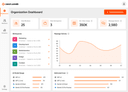
0Geekflare Connect is a BYOK AI platform for modern businesses to reduce AI spending and collaborate with the entire team. In a world where new AI models are released constantly, Geekflare AI ensures your business stays agile. Instead of being locked into a single ecosystem, your team can choose the best model for any task. Key Features: - Switch between top-tier AI models from providers like OpenAI, Google, Anthropic, Perplexity, and more, all within a single interface. - Onboard your entire organization, from marketing and sales to development and support. Work together in a shared environment, manage user access, and maintain a centralized history of your AI-powered work. - Consolidate all AI usage into one platform. Instead of managing dozens of individual subscriptions, use your own API keys (BYOK) to monitor usage, prevent redundant spending, and optimize costs across the entire organization. - Augment LLM responses with Internet access to get real-time data.
- 445
 0
0Kinde has a generous free plan with up to 10,500 MAU free of charge. Their Pro plan costs $25/month and the price for each additional MAU over 10,500 is $0.0175.
- 446
 0
0GoPasswordless is an authentication service and SDK that focuses on enabling passwordless authentication flows in web apps.
- 447
 0
0GPT Image 2 is an independent AI image generation service delivering 99%+ text rendering accuracy in generated images. Generate photorealistic 2K images in under 10 seconds with no ChatGPT queue. Features native 2K resolution upscalable to 4K, 8 aspect ratios, multi-turn conversational editing, and full commercial usage rights. Ideal for e-commerce product mockups, brand assets, marketing creatives, and developer prototypes. Free 30 credits to start, with Basic, Pro, and Business plans available. 7-day money-back guarantee included.
- 448
 0
0# Framepack AI: The Revolutionary AI Video Generation Model Framepack AI is a breakthrough neural network structure for AI video generation. It employs innovative "next frame prediction" technology combined with a unique fixed-length context compression mechanism, enabling users to generate high-quality, high-framerate (30fps) videos up to 120 seconds long with very low hardware barriers (requiring only consumer-grade NVIDIA GPUs with 6GB of VRAM). ## What Makes Framepack AI Unique? The core innovation of Framepack AI lies in its **fixed-length context compression** technology. In traditional video generation models, context length grows linearly with video duration, leading to a sharp increase in VRAM and computational resource demand. Framepack AI effectively solves this challenge by intelligently evaluating the importance of input frames and compressing this information into fixed-length context 'notes'. This significantly reduces the demand for VRAM and computational resources, making it possible to generate long videos on consumer hardware. ## Key Features * **Fixed-Length Context Compression**: Intelligently compresses all input frames into fixed-length context information, preventing memory usage from scaling with video length and dramatically reducing VRAM requirements. * **Minimal Hardware Requirements**: Requires an NVIDIA RTX 30XX, 40XX, or 50XX series GPU with at least 6GB of VRAM. Compatible with both Windows and Linux operating systems, supporting FP16 and BF16 data formats. * **Efficient Generation**: Generates frames at approximately 2.5 seconds per frame on RTX 4090 desktop GPUs, with optimization (like teacache) reducing this to 1.5 seconds per frame. * **Strong Anti-Drift Capabilities**: Progressive compression and differential handling of frames by importance mitigates the 'drift' phenomenon common in long video generation, ensuring consistent quality throughout. * **Multiple Attention Mechanisms**: Support for PyTorch attention, xformers, flash-attn, and sage-attention provides flexible optimization options for different hardware setups. * **Open-Source and Free**: Developed by ControlNet creator Lvmin Zhang and Stanford University professor Maneesh Agrawala. Framepack AI is a fully open-source project with its code and models publicly available on GitHub, backed by an active community and rich ecosystem. ## Getting Started with Framepack AI You can download Framepack AI from its official GitHub repository. It can be used as a standalone application or integrated with platforms like ComfyUI. The community, such as RunningHub, has also created a Framepack plugin for zero-threshold usage. Framepack AI is dedicated to advancing AI video generation technology. Join us in exploring the future of video creation!
- 449
 0
0Hexabot is an open-source AI chatbot and agent solution that allows users to create and manage multi-channel, multilingual AI-powered chatbots with ease. Designed for flexibility and customization, Hexabot offers powerful text-to-action capabilities, enabling developers and businesses to tailor their bots to meet specific needs. Built by the community for the community, Hexabot empowers individuals and organizations to create innovative, interactive agents and democratizes access to AI technology.
- 450
 0
0Lightning AI is the company behind PyTorch Lightning, the deep learning framework for training, finetuning and serving AI models (80+ million downloads). PyTorch Lightning started in 2015 by Lightning founder William Falcon while working on computational neuroscience research at Columbia University scaling Generative Adversarial Networks and Autoencoders in the context of neural decoding working under Liam Paninski. He open sourced it in 2019 while pursuing a PhD in self-supervised learning (SSL) at NYU and Facebook AI Research (FAIR) supervised by Kyunghyun Cho and Yann Lecun. SSL techniques are at the heart of models like Chat GPT (next word prediction). In 2019 PyTorch Lightning started to be used to train huge models on 1024+ GPUs inside Facebook AI. Today, it’s used by over 10,000 companies and 1+ million developers to train, finetune and deploy the world’s largest models. Lightning AI started in 2020 as a platform to train models on the cloud across 1000s of GPUs. Today, the platform has evolved to a fully end-to-end platform covering everything from distributed data processing, training, finetuning foundation models, to serving and deploying AI apps. Lightning Studios expand on PyTorch Lightning’s core ethos of “You do the science, we do the engineering” by delivering the world’s most intuitive, easy to use, fastest platform for working on AI. From prototyping research ideas to deploying foundation models.
Frequently asked questions
Shipped.club is a platform designed to help you launch your startup quickly, providing all the necessary tools to ship your SaaS product in a fraction of the time. It offers features like authentication, payment processing, landing pages, email drips, and support for SQL & MongoDB, making it easy to use for developers.
Prettier is an opinionated code formatter that enforces strict formatting rules to maintain consistency in your code. It integrates seamlessly with your development environment, allowing you to run it on save, which helps streamline the coding process and reduces formatting errors.
GitHub Copilot is an AI-powered code autocompletion tool that generates code suggestions based on your input. It can autocomplete entire functions as you type, significantly speeding up the coding process and enhancing productivity for developers.
Codemento is a tool designed for saving code notes and finding answers to coding problems. It serves as a valuable resource for developers looking to keep track of their code snippets and solutions to common issues.
ChatGPT is regarded as one of the most advanced conversational AIs available, making it a great resource for programming tasks. Many developers use it daily for coding assistance and other tasks, although it may occasionally produce inaccurate information and experience outages.
Indie Hacker Stacks is a directory that showcases indie products along with their software stacks. It helps makers discover the tools used by others to build their products and allows them to publish their own stacks for exposure and SEO benefits.
Remote Index is a leading source for daily updated remote job listings, catering to those seeking remote work opportunities across various fields.
DotENV is a simple extension that provides syntax highlighting for .env files, making it easier for developers to manage environment variables in their applications.
Remote OK is a popular job board that features a mix of engineering and non-engineering jobs. It offers new job postings daily and allows users to filter by location, job type, salary, and benefits, making it a valuable resource for job seekers.
Vectorize.io is a tool that helps turn unstructured data into optimized vector search indexes, specifically designed for retrieval augmented generation. It efficiently structures data and simplifies the creation of vector search indexes, although the free plan limits users to one RAG pipeline.