Best Developer Tools
The stack serious developers actually reach for.
The best developer tools for building, shipping, and maintaining software — editors, APIs, CLIs, and platforms that speed up real engineering work, ranked by the people who use them.
- 251
 0
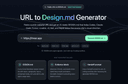
0URL to Design.md: Generate AI-ready DESIGN.md briefs from public webpages URL to Design.md helps AI-assisted frontend builders turn a public website URL into a structured Markdown design context package. Instead of asking Codex, Claude Code, Cursor, Lovable, v0, Bolt, or Replit to follow a vague screenshot prompt, paste a public page and get a DESIGN.md that describes visual direction, layout hierarchy, colors, typography, spacing, components, interaction notes, evidence labels, and agent handoff prompts. One URL, Agent-Ready Design Context 1. Public URL to DESIGN.md — Extract visible structure, CTA hierarchy, visual signals, and page patterns into a reusable Markdown brief. 2. Design Tokens and Components — Summarize colors, type scale, spacing, radius, shadows, buttons, cards, forms, navigation, hero blocks, and footer patterns. 3. Evidence Labels — Mark conclusions as detected, inferred, or needs review so builders know what came from page evidence and what requires judgment. 4. Agent Handoff Prompts — Copy prompts for Codex, Claude Code, Cursor, Lovable, v0, and generic AI coding workflows. 5. Responsible Boundaries — Works with public webpages only and focuses on design context, not private pages, proprietary asset copying, editable Figma layers, or pixel-perfect cloning.
- 252
 0
0Converge AI – Connected AI Products in One Shared Context
software development platform·collaboration platformConverge AI is an AI-native workspace designed to help individuals, teams, and organizations integrate artificial intelligence into their everyday workflows. The platform brings together multiple AI capabilities, including intelligent agents, software development support, creative production, automation, and interactive experience creation, within a connected environment. As AI adoption continues to expand, many users face the challenge of managing multiple separate tools that do not share information or maintain context between workflows. Converge AI addresses this challenge by creating an ecosystem where different AI capabilities can collaborate, allowing users to work more efficiently without constantly switching between disconnected platforms. The platform is built for founders, entrepreneurs, developers, creators, marketers, and businesses looking to use AI beyond simple assistance. Converge AI supports users throughout the digital creation process — from generating ideas and planning projects to building software, creating content, automating tasks, and developing new digital experiences. Through its ecosystem of specialized intelligence layers, Converge AI enables a more collaborative approach between humans and AI. The goal is to make AI more practical, accessible, and integrated into the way modern teams build, create, and operate. Enter Pro, the Builder Intelligence. Enter Pro is the Builder Intelligence layer of the Converge AI ecosystem. It enables teams to move from idea to production-ready software through a unified workflow spanning planning, development, testing, and deployment. With built-in infrastructure, local and cloud development environments, and AI-native collaboration, Enter Pro helps organizations build and ship software at startup speed and enterprise quality. Framia Pro, the Creative Intelligence. Framia Pro is the Creative Intelligence layer of the ecosystem. Designed for marketers, creators, and growth teams, it transforms ideas into publish-ready content through specialized creative workflows. From strategy and scripting to design, video production, and brand asset generation, Framia Pro helps organizations scale creative output while maintaining consistency across channels. Combos Fun, the Interactive Intelligence. Combos is the Interactive Intelligence layer of the Converge AI ecosystem. It transforms ideas into playable experiences through AI-native game creation workflows. From concept exploration and gameplay design to asset generation, deployment, and iteration, Combos enables creators and teams to rapidly build, test, and publish interactive products without traditional game development barriers.
- 253
 0
0Sorsa API is a powerful X (Twitter) API alternative designed for developers, startups, AI builders, trading platforms, and data teams that need reliable access to real-time public X data without the extreme pricing and limitations of the official X API. Trusted by more than 2,000 developers since 2022, the platform delivers fast, scalable, and AI-ready access to tweets, users, communities, search results, engagement metrics, and social graph data through a modern developer-focused API infrastructure. The platform positions itself as a cheaper and faster replacement for the official X API, offering up to 50x lower costs and rate limits of 20 requests per second across all plans. Unlike the official API, which often requires lengthy approvals and enterprise-level pricing, Sorsa API allows developers to get started in minutes with a simple API key and predictable flat-rate pricing. Sorsa provides over 30 endpoints covering advanced tweet search, user profiles, timelines, lists, communities, verification checks, and utility tools. Every response is returned in clean, structured JSON designed specifically for AI agents, LLM workflows, analytics systems, and automation platforms. Developers can search tweets, retrieve engagement data, track follower dynamics, validate actions like follows or retweets, and stream fresh public conversations in near real time. One of the biggest strengths of Sorsa API is its focus on AI-native development. The documentation is optimized for Claude, GPT, Cursor, Codex, and other AI coding assistants. Developers can paste the documentation URL directly into an LLM and instantly generate working integrations without manually building wrappers or parsing complicated responses. The API supports OpenAPI 3.0 specifications and native function-calling workflows for modern AI systems. The platform is especially attractive for AI agents and autonomous systems that require live social data. Teams use Sorsa for LLM training datasets, retrieval augmented generation pipelines, financial sentiment analysis, social monitoring dashboards, algorithmic trading bots, and competitor intelligence tools. Its sub-300ms latency and consistent rate limits make it suitable for production-grade real-time systems where speed matters. Sorsa also highlights customer success stories, including trading companies that switched away from the official API after facing constant rate-limit issues during market spikes. According to the platform, many developers previously relied on expensive enterprise APIs or unstable scraping services before moving to Sorsa for better reliability and cleaner pricing. The pricing model is intentionally simple. Instead of credit systems or hidden multipliers, one request always equals one action across every endpoint. Plans range from Starter at $49/month for 10,000 requests, up to Enterprise tiers with hundreds of thousands of requests and custom infrastructure support. Every plan includes the same 20 requests-per-second limit, ensuring smaller developers are not artificially throttled. Sorsa API is built as a read-only platform focused entirely on public data retrieval and verification. It does not support posting tweets or managing accounts, which helps maintain platform stability and reduces abuse risks. The service emphasizes ethical usage for analytics, research, AI training, monitoring, and business intelligence. Overall, Sorsa API is a modern developer platform that simplifies access to real-time X/Twitter data. It combines fast performance, affordable pricing, AI-first tooling, and production-ready infrastructure into a solution built specifically for startups, AI companies, data teams, and independent developers who need scalable social data access without enterprise complexity.
- 254
 0
0Codex Pets Directory - 2,700+ Pets for Codex Browse 2,700+ Codex Pets companions, preview animations, and install any pet for Codex with one command. Everything you need to pick, install, and share pets Search the gallery, check the animation, copy the install command, then activate the pet inside Codex. Large pet gallery Explore 2,700+ animated pets across characters, objects, creatures, and workspace styles. Animation preview Open any detail page to inspect idle, running, waiting, failed, and review states before you install. One-command install Run one command and the pet files are placed in the local folder Codex already reads. Community submissions Upload a package from your browser or submit it from the CLI for review. Checked packages Each submitted pack is checked for required files, sprite size, readable JSON, and duplicate signals. Curated collections Browse themed sets when you want a pet that matches a project, mood, or coding session.
- 255
 0
0Serro AI is an AI-powered coordination platform designed to help modern engineering organizations manage complex technical programs more efficiently. Rather than focusing on software development itself, Serro addresses the growing challenge of coordination that emerges as engineering teams adopt artificial intelligence and dramatically increase their development speed. The platform acts as an AI Technical Program Manager (AI TPM), automatically organizing information, tracking progress, maintaining context, and helping teams coordinate work across multiple departments without requiring constant manual updates or reporting. The platform is built around the idea that software development is no longer the primary bottleneck for engineering organizations. With AI enabling developers to produce more code, faster decisions, and more parallel projects, coordination has become the new limiting factor. Serro is designed to solve this challenge by continuously monitoring work across an organization's existing tools and creating a unified, real-time understanding of every active program. Instead of spending hours collecting updates from meetings, documents, and chat conversations, teams can rely on Serro to maintain an accurate picture of ongoing work automatically. One of Serro's primary advantages is its ability to integrate with the software tools that engineering teams already use every day. The platform connects with communication, project management, documentation, and development systems such as Slack, GitHub, Jira, Linear, Zoom, Notion, email, and internal code repositories. After connecting these services, Serro immediately begins collecting signals from across the organization, allowing it to identify active programs, understand relationships between tasks, monitor ongoing discussions, and organize project knowledge without requiring users to migrate to a completely new workflow. Once connected, Serro automatically discovers the technical programs running within an organization. Users can review these detected initiatives, assign ownership, determine visibility, and allow the platform to continuously maintain program information. Every project receives what Serro describes as a "program brain," a centralized knowledge system that stores decisions, ownership, risks, timelines, historical context, current activity, and execution status. As work progresses across different platforms, this knowledge remains synchronized automatically, eliminating the need for repetitive documentation and manual reporting. The platform enables users to interact naturally with their programs through AI-powered queries and automated reporting. Team members can ask questions about project status, request summaries, generate recurring progress reports, or transform meeting discussions into actionable tasks. Instead of manually following up after meetings, Serro captures outcomes, updates project memory, and keeps execution aligned with decisions that have already been made. This helps reduce communication overhead while ensuring that important decisions remain connected to ongoing implementation. Serro is built around four major systems that work together to coordinate complex engineering programs. The Program Memory system continuously maintains live organizational knowledge across active projects, ensuring that important context remains available over time. Loops on Programs automate repetitive coordination activities that keep large initiatives moving forward. Agent Governance provides controls for managing AI agents alongside human contributors, ensuring that automated systems operate within defined boundaries. Finally, Program Analytics offers leadership a comprehensive, organization-wide view of project health, execution progress, coordination effectiveness, and operational performance. The platform emphasizes measurable operational improvements from the first day of deployment. According to the website, organizations can begin using Serro immediately with their existing historical data, eliminating lengthy implementation periods. The company claims that managers recover significant amounts of coordination and reporting time every week while organizations may also uncover substantial research and development value from previously completed work. By reducing administrative overhead, technical leaders can dedicate more attention to strategic planning, delivery quality, and team performance. Serro is designed specifically for organizations where humans and AI agents increasingly collaborate on software development. Rather than replacing human expertise, the platform serves as a shared operating system that keeps both human contributors and AI systems aligned. It continuously maintains a live operational picture of organizational activity, helping teams avoid the common problem of reconstructing project context after meetings or manually piecing together updates from multiple disconnected systems. This shared coordination layer enables engineering organizations to scale more effectively as AI accelerates software production. Different professional roles benefit from the platform in different ways. Technical Program Managers can reduce coordination overhead while managing more cross-functional initiatives simultaneously. Engineering Managers gain visibility into project execution, delivery risks, team health, and emerging blockers without constantly requesting status updates. Product Managers can align roadmap changes, ownership, priorities, and execution within a single coordinated environment. Engineering executives and organizational leaders receive real-time insights into operational health, momentum, risks, coordination gaps, and strategic execution across the entire organization. Overall, Serro AI positions itself as an intelligent coordination platform built for the next generation of software engineering organizations. By combining deep integrations with existing development tools, continuous organizational memory, automated coordination workflows, AI-assisted reporting, governance for human-agent collaboration, and real-time program analytics, the platform enables technical teams to manage increasingly complex programs with greater efficiency and visibility. Instead of allowing coordination challenges to slow organizational growth, Serro helps engineering teams maintain alignment, improve execution, reduce manual administrative work, and make faster, better-informed decisions as software development continues to accelerate through artificial intelligence.
- 256
 0
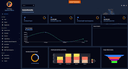
0GoReqly (https://goreqly.com) is a modern requirements management and workflow organization platform designed to help businesses, development teams, project managers, and organizations streamline the process of gathering, managing, and tracking requirements. In today’s competitive business environment, successful projects depend on clear communication, accurate documentation, and efficient collaboration. GoReqly provides a centralized digital solution that helps teams organize requirements, reduce misunderstandings, and maintain better control throughout the project lifecycle.
- 257
 0
0Keycloak is an open source identity and access management solution. It supports Keycloak single-sign-on and OpenID Connect or SAML 2.0 Identity Providers (Google, Facebook, GitHub etc).
- 258
 0
0M3U8 Player is a fast, free, and easy-to-use online HLS video player designed for playing M3U8 playlists directly in your browser. Simply paste an M3U8 URL or load a local playlist to stream HLS videos with no downloads or installations required. Whether you're testing video streams, watching live broadcasts, previewing HLS content, or debugging media playback, M3U8 Player provides a smooth, reliable, and cross-platform streaming experience on desktop and mobile devices.
- 259
 0
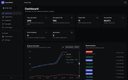
0Hook Mesh handles the hard parts of webhook delivery so you don't have to. Building webhooks in-house means wrestling with retry logic, exponential backoff, circuit breakers, and debugging "where's my webhook?" support tickets. With Hook Mesh, you get battle-tested infrastructure out of the box: automatic retries with exponential backoff and jitter, circuit breakers that pause failing endpoints, and at-least-once delivery with idempotency keys. Your customers get a self-service portal where they can manage endpoints, view delivery logs with full request/response visibility, and replay failed webhooks with one click. Embed it directly in your app or link to a hosted version. Ship webhooks in minutes with our REST API and official SDKs for JavaScript, Python, and Go. Test everything in the playground before going live. Free tier includes 5,000 webhooks/month. No credit card required.
- 260
 0
0Computer Keyboard Shortcuts is a free online reference platform that provides a curated collection of essential keyboard shortcuts for Windows, macOS, and Linux users. The website is designed to help students, professionals, developers, office workers, and everyday computer users improve their productivity by learning the most useful keyboard combinations for common tasks. Rather than searching through documentation or memorizing shortcuts from multiple sources, users can access a centralized library containing system-wide shortcuts, application-specific commands, text editing shortcuts, browser commands, file management actions, and virtual desktop controls. The platform organizes shortcuts into clear categories, making it easy for users to quickly find the commands they need. For Windows users, the site covers a wide range of productivity-enhancing shortcuts, including window management, task switching, screenshot creation, system settings access, clipboard history, virtual desktops, and file explorer navigation. Popular commands such as Alt + Tab, Win + D, Win + E, Win + Shift + S, and Ctrl + Shift + Esc are included alongside many lesser-known shortcuts that can significantly speed up everyday workflows. The platform also provides dedicated sections for application-specific shortcuts. Users can learn common commands for web browsers, text editors, File Explorer, Command Prompt, and other frequently used tools. These shortcuts help reduce reliance on the mouse and enable faster navigation, editing, and multitasking across different applications. A major focus of the website is productivity and efficiency. Keyboard shortcuts allow users to perform actions instantly without navigating menus or clicking through multiple interface elements. By incorporating these shortcuts into daily workflows, users can save time, reduce repetitive actions, and work more comfortably for extended periods. The website also offers downloadable shortcut reference materials, including PDF cheat sheets and PNG versions in both light and dark themes. These resources allow users to keep a printable or offline reference available while learning new shortcuts. This makes the platform especially useful for students, office employees, IT professionals, and power users who want quick access to frequently used commands. Unlike many modern websites that rely heavily on advertising networks and tracking technologies, Computer Keyboard Shortcuts emphasizes simplicity and privacy. The platform states that it does not use spyware or tracking cookies, providing a lightweight browsing experience focused entirely on delivering useful educational content. The resource is particularly valuable for beginners who are learning to navigate their operating system more efficiently, as well as advanced users who want to discover lesser-known shortcuts that can improve productivity. Whether someone is managing files, editing documents, browsing the web, switching between applications, or working with virtual desktops, the platform serves as a practical reference guide for keyboard-driven workflows. By bringing together the most important shortcuts for Windows, macOS, and Linux in a clean and accessible format, Computer Keyboard Shortcuts helps users develop faster computer habits, improve workflow efficiency, and become more productive in both personal and professional environments. The combination of organized shortcut libraries, downloadable cheat sheets, cross-platform coverage, and privacy-focused design makes it a useful resource for anyone looking to master keyboard navigation and reduce dependence on the mouse.
- 261
 0
0HostFinder.id is Indonesia’s comprehensive web hosting directory, designed to help users discover and compare both local and global hosting providers. The platform simplifies the search for the perfect hosting solution tailored to specific project needs and budgets through an intuitive filter and transparent rating system.
- 262
 0
0Salesforce Dictionary is a comprehensive educational platform and reference hub designed for Salesforce administrators, developers, consultants, architects, and learners who want to better understand the Salesforce ecosystem. The website functions as an extensive glossary and learning center containing more than 1,300 Salesforce-related terms, certification preparation resources, interview practice materials, release note summaries, technical error explanations, acronyms, study tools, and interactive learning experiences. Built as a free resource for the global Salesforce community, the platform aims to simplify complex Salesforce concepts using plain-English explanations that are accessible to both beginners and experienced professionals. The core feature of Salesforce Dictionary is its massive searchable glossary of Salesforce terminology. Users can browse hundreds of definitions covering topics such as CRM fundamentals, platform development, administration, automation, APIs, integrations, architecture, security, and industry-specific Salesforce features. Each entry includes detailed explanations, categories, skill levels, and practical context that help users understand how Salesforce concepts work in real-world business environments. The platform organizes content into beginner, intermediate, and advanced levels, making it easier for learners to progress gradually while building technical knowledge. Terms are updated regularly to reflect new Salesforce releases, features, and evolving technologies within the ecosystem. In addition to the dictionary itself, the website offers extensive certification preparation tools for popular Salesforce certification tracks. Users can practice exam-style questions, complete daily quizzes, review flash cards, and access role-specific learning paths for certifications such as Salesforce Administrator, Developer, AI Associate, Agentforce Specialist, Architect, and Consultant tracks. The platform includes interactive features like “Daily 5” quiz challenges that simulate real certification-style questions and help users strengthen weak knowledge areas through consistent practice. These tools are designed to support learners preparing for highly competitive Salesforce exams while reinforcing long-term retention of important platform concepts. Another major aspect of Salesforce Dictionary is its career and interview preparation resources. The website includes structured interview question banks, mock interview content, answer frameworks, and study materials specifically designed for Salesforce job seekers. Role-based interview preparation sections help users prepare for technical and behavioral interviews related to Salesforce administration, development, consulting, and architecture roles. The platform also provides salary benchmarking tools that allow users to compare salaries by role, certifications, and region using live community-submitted data. This combination of technical education and career support makes the website valuable not only for students but also for professionals advancing their Salesforce careers. Salesforce Dictionary also provides practical technical resources and utilities commonly used by Salesforce professionals in their daily workflows. The platform includes more than 20 browser-based tools such as SOQL formatters, Cron builders, JSON-to-Apex DTO generators, Salesforce ID converters, productivity utilities, and setup helpers. These free tools help developers and administrators save time while working with Salesforce data, code, integrations, and automation systems. Additionally, the site includes a detailed error library where users can search exact Salesforce error messages and find simplified explanations, root causes, and troubleshooting guides written in plain language. The website places strong emphasis on community engagement and gamified learning. Users can participate in leaderboards, earn badges, maintain learning streaks, contribute glossary entries, join study cohorts, and solve daily Salesforce-themed crossword puzzles designed to reinforce terminology memorization. This interactive approach transforms technical learning into a more engaging experience while encouraging consistent study habits and community participation. The platform also features blogs, release summaries, tutorials, setup guides, acronym libraries, comparison articles, and learning paths that continuously expand its educational ecosystem. Overall, Salesforce Dictionary serves as an all-in-one Salesforce learning hub that combines technical documentation, certification prep, interview coaching, productivity tools, and community-driven education into a single platform. By presenting Salesforce terminology and concepts in clear, easy-to-understand language, the website helps learners and professionals navigate the complexity of the Salesforce ecosystem more efficiently. Its free access model, interactive study features, and constantly updated educational resources make it a valuable platform for anyone looking to improve their Salesforce knowledge, pass certifications, prepare for interviews, or grow within the Salesforce industry.
- 263
 0
0With MarsX, you can create high-quality apps quickly and easily, without the need to reinvent the wheel or spend hours writing complex code. Our low-code platform allows you to focus on the unique aspects of your projects, while our subscription-based model provides access to all the micro apps built by thousands of developers.
- 264
 0
0TRYremote is a job board focused on remote tech positions. It aggregates listings from companies worldwide looking to hire developers, engineers, and other tech professionals who can work remotely. Our main focus is making it easy to find jobs that match your tech stack. You can search by specific technologies and quickly see relevant positions. We also organize jobs by region since some companies hire worldwide while others need you in specific time zones or countries. The job posts cover a range of roles from junior developers to senior engineers and team leads, spanning software development, DevOps, QA, data engineering, and support positions.
- 265
 0
0Browsable is an AI-powered platform that transforms any website into a structured scraping API with minimal effort. Instead of manually building complex web scrapers, users can simply provide a target URL and let the system analyze the page automatically. The platform’s intelligent agent studies the structure of the website, identifies the relevant data, and generates a reliable API endpoint that returns clean and organized JSON output. This approach dramatically simplifies the process of collecting web data for developers, analysts, and businesses. The workflow is designed to be straightforward and efficient. Users begin by submitting a URL they want to extract information from. The AI agent then performs a detailed analysis of the webpage, navigating through its structure and determining the best way to capture useful data. Once the analysis is complete, Browsable generates a ready-to-use scraping API that can be integrated into applications or workflows. The result is a reusable endpoint that consistently returns structured information without requiring manual coding or complex setup. Browsable also provides a variety of prebuilt scraping APIs for common platforms and websites. These ready-made integrations allow users to immediately collect data from popular services such as e-commerce marketplaces, social media platforms, and content sites. By using these preconfigured APIs, developers can quickly gather structured information like product listings, user content, reviews, or search results. This saves significant development time and reduces the challenges associated with maintaining custom scrapers. For users without coding experience, the platform includes a dashboard that allows scraping tasks to be executed directly from the interface. Data collected from websites can easily be exported as CSV or JSON files, making it simple to analyze, store, or integrate into other tools. This makes Browsable accessible not only to developers but also to marketers, researchers, and data analysts who need web data but may not have programming skills. One of the most powerful aspects of Browsable is its advanced anti-bot protection system. Many websites frequently update their defenses to block automated scraping tools, which often causes traditional scrapers to break. Browsable handles these challenges automatically by managing proxies, browser fingerprinting, and intelligent retry logic. This ensures that data requests continue to work reliably even when websites implement aggressive blocking mechanisms. Overall, Browsable offers a modern solution for web data extraction by combining artificial intelligence with automated API generation. Its ability to turn any webpage into a structured data endpoint makes it a powerful tool for building data pipelines, powering applications, or conducting large-scale analysis. With its easy setup, flexible integrations, and strong reliability, the platform significantly simplifies the process of turning web content into usable data.
- 266
 0
0IndieFollow.top is a place where indie makers and products shine. The products listed here are all handpicked with care. You could submit your awesome product for free.
- 267
 0
0ou ship fast with AI coding tools like Cursor, Bolt, Lovable, and v0. But speed creates blind spots — and attackers know it. vuln0x is an AI-powered security scanner built specifically for vibe-coded projects. At its core is Sentinel, an autonomous AI penetration tester that thinks and acts like a real hacker. Give Sentinel a target URL. It launches a full 7-phase attack methodology — reconnaissance, enumeration, vulnerability scanning, exploitation, and reporting — completely autonomously. It deploys 29+ real offensive security tools including Nmap, Nuclei, SQLMap, Nikto, and more. Each finding feeds the next, chaining discoveries together just like a human pentester would. Beyond Sentinel, the platform runs 40+ parallel security scanners covering the OWASP Top 10, SSL/TLS misconfigurations, DNS issues, security headers, exposed sensitive files, subdomain takeovers, and more. Every scan produces an A+ to F risk score so you instantly know where you stand. Every vulnerability comes with plain-English explanations and copy-paste remediation code. AI found the bug, AI tells you how to fix it. Key features include scheduled recurring scans, webhook alerts for new vulnerabilities, CI/CD integration, multi-project management, and team collaboration. The platform supports deep scanning for modern frameworks including Next.js, React, and single-page applications. Free tier available with no credit card required. Start scanning in under 60 seconds. Your AI writes the code. Our AI makes sure it's secure.
- 268
 0
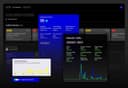
0onEco Analytics Pro is a comprehensive web analytics and website auditing platform designed to help businesses, developers, agencies, and website owners monitor, analyze, and improve every important aspect of their online presence from a single centralized system. The platform combines privacy-focused analytics with advanced website checking tools, offering users a modern solution for performance monitoring, accessibility testing, SEO analysis, security scanning, privacy compliance, sustainability tracking, and content optimization. One of the defining characteristics of onEco Analytics Pro is its all-in-one approach to website management and analysis. Instead of relying on multiple disconnected services for analytics, uptime monitoring, SEO audits, privacy compliance, accessibility testing, and security checks, the platform brings everything together into one unified dashboard. This centralized ecosystem simplifies website management while helping users identify technical issues, monitor performance, and improve digital experiences more efficiently. The platform strongly emphasizes privacy-first analytics, positioning itself as an alternative to traditional analytics solutions that heavily rely on invasive tracking methods. onEco Analytics Pro focuses on transparency and privacy-conscious data collection practices while still delivering meaningful insights into website performance and user activity. Features such as Transparency Mode allow businesses to maintain ethical and compliant analytics systems that align with modern privacy expectations and regulations. A standout feature of onEco Analytics Pro is its wide range of automated webpage checkers. Users can analyze websites for accessibility compliance, carbon footprint, privacy standards, SEO quality, security vulnerabilities, content quality, and technical health. These tools help organizations identify weaknesses, optimize performance, and maintain compliance with modern web standards without requiring advanced technical expertise. Accessibility analysis is one of the platform’s key strengths. Through integrations with tools such as PHPAlly Accessibility and WAVE Accessibility, onEco Analytics Pro helps website owners detect usability and accessibility problems that could impact users with disabilities. This allows businesses to improve inclusivity and ensure their websites follow modern accessibility standards and best practices. The platform also includes advanced digital sustainability and carbon footprint tracking capabilities. onEco Analytics Pro measures Scope 3 digital carbon emissions at both site and page levels, helping organizations better understand the environmental impact of their online infrastructure. As sustainability becomes increasingly important in the technology industry, this feature provides companies with actionable insights into reducing the ecological footprint of their digital operations. Security monitoring is another major component of the platform. onEco Analytics Pro offers web security checks, malware and threat scanning, WordPress security analysis, TYPO3 security monitoring, and uptime tracking systems with heartbeat checks. These tools help businesses identify vulnerabilities, detect threats, and maintain stable website performance around the clock. Instant alerts and incident notifications allow teams to react quickly to outages, regressions, or security concerns before they impact users. The platform also includes SEO and content optimization tools designed to improve search engine visibility and website quality. Features such as SEO analysis, broken link scanning, grammar checking, and spelling reviews help website owners improve both technical optimization and content accuracy. By identifying errors and weaknesses, the platform supports better user experiences and stronger online discoverability. Automation plays a central role in the onEco Analytics Pro experience. Users can schedule recurring checks, automate reports, and configure continuous monitoring systems that operate in the background. This automation reduces manual workload while ensuring websites are constantly analyzed for issues, performance changes, and compliance risks. Businesses can also use issue tracking systems to prioritize fixes and monitor ongoing improvements over time. Another important feature is the platform’s AI-powered assistance tools. These tools help generate executive summaries, explain technical findings, and provide guidance for resolving detected issues. This makes complex technical information more understandable and actionable for teams, managers, and non-technical stakeholders. Overall, onEco Analytics Pro is a modern website intelligence and analytics platform that combines privacy-focused analytics, automated auditing tools, sustainability tracking, accessibility testing, security monitoring, SEO analysis, and AI-powered insights into one integrated solution. By helping organizations measure performance, improve compliance, strengthen security, and optimize digital experiences, the platform serves as a powerful tool for businesses seeking a smarter and more responsible way to manage their websites.
- 269
 0
0Atomic Chat is a powerful, open-source AI platform designed to run entirely on your local device, offering a private, fast, and cost-free alternative to traditional cloud-based AI tools. Unlike most AI services that rely on remote servers, subscriptions, and data collection, Atomic Chat focuses on giving users full control over their data and experience. Everything—from conversations to processing—happens directly on your computer, ensuring complete privacy and independence from external systems. One of the defining features of Atomic Chat is its fully local operation. The platform does not send any data to the cloud, meaning that zero bytes of user information ever leave the device. This makes it particularly appealing for users who prioritize security, confidentiality, or offline access. In fact, Atomic Chat works 100% offline, allowing users to interact with AI models without any internet connection. This is a major advantage compared to cloud-based AI tools, which require constant connectivity and often impose usage limits or restrictions. Another key strength of Atomic Chat is its support for over 1,000 AI models. Users can choose from a wide variety of models, including well-known ones like Llama, Qwen, DeepSeek, Gemma, and others. These models can be downloaded and run locally with just a few clicks, giving users the flexibility to select the best model for their needs—whether it’s for writing, coding, research, or general conversation. The platform supports multiple formats such as GGUF, MLX, and ONNX, making it compatible with a broad ecosystem of AI models. Performance is also a major focus of Atomic Chat. It integrates a technology called TurboQuant, which significantly improves efficiency. TurboQuant allows models to run up to eight times faster than traditional setups while using much less memory. This means users can run larger and more advanced models on their own devices without sacrificing speed or quality. Despite heavy optimization, the platform maintains high accuracy, ensuring that responses remain reliable and effective. The user experience is designed to be simple and accessible. Installing Atomic Chat is straightforward, similar to installing any standard desktop application. Once installed, users can quickly select a model and start chatting immediately, without complex configuration or technical setup. The interface is clean and organized, with features like chat and project separation, allowing users to manage different tasks without losing context. Persistent memory across sessions also helps maintain continuity in conversations. Atomic Chat is also built with advanced use cases in mind. It supports autonomous workflows, meaning users can create AI agents that can think, act, and execute tasks locally. This opens the door to more complex applications, such as automation, personal assistants, or custom AI-driven tools—all running securely on the user’s machine. Being open-source is another important aspect of the platform. Users can inspect the code, verify how it works, and even modify it if needed. This level of transparency builds trust and gives developers the freedom to adapt the tool to their specific requirements. Overall, Atomic Chat represents a shift toward user-owned AI. By eliminating subscriptions, removing data tracking, and enabling fully local execution, it empowers users to take control of their AI experience. It is an ideal solution for those who value privacy, flexibility, and performance without relying on external services.
- 270
 0
0Wire is a content operations CLI that replaces your entire SEO and publishing stack. Instead of paying for Ahrefs, Semrush, SurferSEO, WordPress Hosting, Yoast, and Grammarly separately, Wire handles keyword research, cannibalization detection, content optimization, static site generation, writing quality checks, and Google Search Console integration in one pipeline. Thin content, broken links, AI writing patterns, and title violations: Wire refuses to publish until problems are resolved. No warnings you can ignore. Give your AI agent the Wire bot protocol, and it operates your site autonomously: audits, rewrites, news integration, internal linking, and deployment. You configure it once. The agent handles the rest. Wire runs locally. Your content and search data never leave your machine. Output is static HTML, no database, no server, no attack surface. Free hosting via GitHub Pages. Managed service available for hands-off operation. Migrate from WordPress or MkDocs today.
- 271
 0
0Markloop is a web app for reviewing the HTML documents your AI agent writes: specs, proposals, plans, and reports. Instead of pasting polished HTML into Google Docs, screenshots, Slack, or email, you share one review link and collect feedback in context. Reviewers comment on the exact line or element, answer your open questions, and need no account. Your agent can push documents from Claude Code or Codex over MCP, then pull comments and answers back as a structured package ready to apply. Every document is versioned, addressed feedback is tracked across rounds, and reviewers always stay free. Markloop is for upstream document review before the work moves forward, not for reviewing live websites or shipped apps.
- 272
 0
0100% Offline, Private Local AI Chat for MacOS - 100% Offline - Try before you buy - 100+ local models for every use case - Chat with Image, PDF and docs - No Recurring Subscription (One time payment) 100% Offline, Private Local AI Chat for MacOS - 100% Offline - Try before you buy - 100+ local models for every use case - Chat with Image, PDF and docs - No Recurring Subscription (One time payment) 100% Offline, Private Local AI Chat for MacOS - 100% Offline - Try before you buy - 100+ local models for every use case - Chat with Image, PDF and docs - No Recurring Subscription (One time payment)
- 273
 0
0SiteBleed is a comprehensive website monitoring platform built to help businesses maintain maximum uptime, reduce the financial impact of outages, and stay informed about the health of their online services. Rather than functioning as a basic uptime checker, the platform combines continuous monitoring, financial analytics, SSL and domain tracking, team collaboration, and AI-powered reporting into a single solution. Its goal is to ensure that website owners, developers, agencies, and online businesses discover problems before their customers do, allowing them to respond quickly and minimize disruptions. With a modern dashboard and a setup process that takes only a few minutes, SiteBleed is designed to be both powerful and easy to use. The platform continuously monitors websites every five minutes, recording response times, uptime percentages, and service availability around the clock. Every monitoring event is logged, creating a complete history of incidents that users can review later for troubleshooting and performance analysis. Beyond traditional HTTP monitoring, SiteBleed also supports TCP and port monitoring, making it possible to supervise databases, APIs, servers, and custom network services. This broader monitoring capability allows businesses to identify infrastructure issues before they escalate into customer-facing outages. Another important feature of SiteBleed is its extensive monitoring of SSL certificates and domain registrations. The platform performs daily SSL certificate checks and sends alerts well before certificates expire, helping businesses avoid browser security warnings that could damage customer trust. It also tracks domain expiration dates through WHOIS monitoring, notifying users before a forgotten renewal causes an unexpected outage. These preventive monitoring tools eliminate many of the common technical problems that can interrupt website availability. One of SiteBleed's most distinctive capabilities is its focus on measuring the financial consequences of downtime. Instead of only reporting that a website is offline, the platform estimates how much revenue is being lost during an outage. Users simply enter their monthly revenue, and SiteBleed calculates the estimated cost of downtime per minute, hour, and day. The built-in Downtime Cost Calculator demonstrates how quickly financial losses accumulate, helping business owners better understand the value of reliable infrastructure and proactive monitoring. A live revenue loss counter continues updating while an outage is active, providing immediate business context instead of only technical metrics. To ensure that teams respond as quickly as possible, SiteBleed offers multi-channel notifications through email, Slack, Discord, Microsoft Teams, and custom webhooks. These instant alerts notify the appropriate people the moment a service goes down or comes back online. For organizations managing multiple websites or client projects, the platform also includes role-based team access, allowing administrators, owners, and read-only users to collaborate within the same workspace while maintaining appropriate permission levels. Communication during incidents is another major strength of the platform. SiteBleed allows businesses to publish public status pages that display the real-time health of their services, keeping customers informed without requiring them to contact support. Users can also embed live status badges directly into documentation, websites, or project repositories to display current system status automatically. Planned maintenance windows can be scheduled in advance to suppress unnecessary alerts, reducing false positives during routine updates or deployments. The platform provides extensive reporting and operational analytics that help businesses improve long-term reliability. Users can review complete incident histories containing timestamps, outage durations, and estimated revenue impact for every event. SiteBleed also measures operational metrics such as Mean Time to Recover (MTTR) and Mean Time Between Failures (MTTF), giving teams valuable insights into system stability over time. Reports can be exported as CSV or PDF files for documentation, management reviews, or customer reporting. Additionally, users can document incident postmortems by recording root causes, corrective actions, and lessons learned after each outage.
- 274
 0
0LLMWise is the fastest way to compare, blend, and evaluate leading AI models — all from a single interface. Instead of juggling multiple AI subscriptions and browser tabs, LLMWise lets you send one prompt and see how GPT-5.2, Claude Sonnet 4.5, Gemini 3 Flash, DeepSeek R1, Grok 3, and more respond side-by-side in real time. Most professionals already use AI daily but remain locked into a single provider with no way to know if they're getting the best output. LLMWise solves this with five powerful modes: Chat — Talk to any model instantly. Built-in smart routing automatically picks the best model for your query — code questions go to GPT, creative writing to Claude, translation to Gemini — so you always get optimal results without thinking about it. Compare — Send one prompt to 2-4 models simultaneously and see responses stream in side-by-side. Perfect for evaluating which model handles your specific use case best, whether that's drafting emails, analyzing data, or writing code. Blend — Combines outputs from multiple models into a single, superior response. Uses Mixture-of-Agents architecture to synthesize the best reasoning from each model. The result consistently outperforms any individual model. Judge — Pit models against each other in a blind evaluation judged by a third AI model. Get an objective verdict on which model produces better output for your exact prompt, complete with scoring and reasoning. Mesh — Intelligent failover routing that automatically retries with backup models if your primary choice fails or is overloaded. Circuit-breaker protection ensures you always get a response. LLMWise is built for professionals who need reliable AI output without the overhead of managing multiple subscriptions. Key features include:
- 275
 0
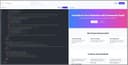
0CustomJS is a platform for modern automation workflows. It allows you to generate PDFs from HTML templates, merge documents, capture high-resolution screenshots, host HTML pages and forms, and process incoming emails via Mailhooks. With CustomJS, collected form data or incoming emails can trigger workflows directly in n8n or Make, making automations seamless and efficient. The built-in form builder simplifies data collection, while Mailhooks enable processing of email content and attachments without extra infrastructure. The platform also provides lightweight static hosting for landing pages, dashboards, or AI-generated HTML tools. Combined with automated document generation and screenshot capabilities, CustomJS streamlines reporting, invoicing, dashboards, and other workflow-heavy tasks. Whether you need PDFs, email processing, dynamic forms, or automated screenshots, CustomJS extends your workflow platforms with powerful, ready-to-use capabilities.
Frequently asked questions
Shipped.club is a platform designed to help you launch your startup quickly, providing all the necessary tools to ship your SaaS product in a fraction of the time. It offers features like authentication, payment processing, landing pages, email drips, and support for SQL & MongoDB, making it easy to use for developers.
Prettier is an opinionated code formatter that enforces strict formatting rules to maintain consistency in your code. It integrates seamlessly with your development environment, allowing you to run it on save, which helps streamline the coding process and reduces formatting errors.
GitHub Copilot is an AI-powered code autocompletion tool that generates code suggestions based on your input. It can autocomplete entire functions as you type, significantly speeding up the coding process and enhancing productivity for developers.
Codemento is a tool designed for saving code notes and finding answers to coding problems. It serves as a valuable resource for developers looking to keep track of their code snippets and solutions to common issues.
ChatGPT is regarded as one of the most advanced conversational AIs available, making it a great resource for programming tasks. Many developers use it daily for coding assistance and other tasks, although it may occasionally produce inaccurate information and experience outages.
Indie Hacker Stacks is a directory that showcases indie products along with their software stacks. It helps makers discover the tools used by others to build their products and allows them to publish their own stacks for exposure and SEO benefits.
Remote Index is a leading source for daily updated remote job listings, catering to those seeking remote work opportunities across various fields.
DotENV is a simple extension that provides syntax highlighting for .env files, making it easier for developers to manage environment variables in their applications.
Remote OK is a popular job board that features a mix of engineering and non-engineering jobs. It offers new job postings daily and allows users to filter by location, job type, salary, and benefits, making it a valuable resource for job seekers.
Vectorize.io is a tool that helps turn unstructured data into optimized vector search indexes, specifically designed for retrieval augmented generation. It efficiently structures data and simplifies the creation of vector search indexes, although the free plan limits users to one RAG pipeline.