Best Developer Tools
The stack serious developers actually reach for.
The best developer tools for building, shipping, and maintaining software — editors, APIs, CLIs, and platforms that speed up real engineering work, ranked by the people who use them.
- 226
 0
0SlimImg is a fast, privacy-first image compression tool. Built for simplicity. Free Image Compressor – Private & Instant Shrink your images without a trace. Our tool compresses files directly in your browser — no uploads, no servers, no privacy concerns. Instant, secure, and completely free. Fast, high-quality, private — compress and compare images instantly, all for free.
- 227
 0
0RepoRank is a real-time discovery platform built for both builders and explorers, designed to surface what’s gaining traction across open source and emerging products. At its core, RepoRank operates as a two-sided ecosystem. On one side, it gives developers, indie hackers, and founders a place to showcase their work. Instead of launching into the void or relying entirely on social media reach, builders can submit their GitHub repositories or products directly to RepoRank and compete for visibility on live leaderboards. As engagement and momentum build, projects naturally rise, helping early-stage ideas get discovered faster. On the other side, RepoRank serves users who are constantly searching for what’s next. Whether it’s a new open source tool, a fast-growing project, or an emerging product, the platform provides a clean, real-time view of what’s gaining attention right now. It removes the need to dig through GitHub, X, and multiple directories, replacing that fragmented process with a single, focused feed of high-signal projects. What makes RepoRank different is its emphasis on momentum over static rankings. Instead of showcasing what’s already popular, it highlights what’s actively gaining traction. This makes it especially valuable for early adopters who want to discover tools before they reach mainstream platforms. The combination of repositories and products in one place also sets it apart. Most platforms focus on either code or products, but RepoRank bridges that gap, reflecting how modern builders actually work across both. Because the platform is still growing, the ecosystem feels early and experimental in places. Not every submission is polished, and momentum signals can sometimes be influenced by external promotion. However, that’s also part of the appeal — it gives users access to projects at a much earlier stage than traditional platforms. RepoRank is free to use and aims to remain accessible, with future features likely focused on giving builders more tools to amplify visibility and better understand their traction. Overall, RepoRank acts as both a launchpad for builders and a discovery engine for users, creating a continuous loop where new ideas surface, gain momentum, and reach the people who are actively looking for them.
- 228
 0
0Indietool is a directory for apps and tools built by indie hackers and solopreneurs. You receive a dofollow link to help you with SEO.
- 229
 0
0Kane CLI is the terminal-native AI testing tool from TestMu AI (formerly LambdaTest). It runs from any terminal, IDE or CI pipeline — and as a first-class skill inside AI coding agents like Claude Code, Codex CLI and Gemini CLI. Describe what should happen in plain English: "log in, add a laptop to the cart, apply SAVE10, verify the total." Kane CLI drives a real Chrome browser, executes the flow step by step, and returns deterministic pass or fail with a shareable evidence link. No selectors, no boilerplate, no test framework to stand up first. Built for two audiences at once. Developers, QA engineers, PMs and vibe coders verify a feature before the PR, before the QA cycle, before deploy. AI coding agents use it as a verification primitive: they can build a feature from a prompt but cannot confirm it works in a real browser. Kane CLI closes that loop, and installs with one command. Autoheal absorbs cosmetic UI changes that break Playwright scripts. Vision-based dynamic waiting detects loaders and animations on screen — not on the network — so canvas, shadow DOM and selector-resistant frameworks work. Runs stay inside the browser viewport, taking only actions a real user could take, so nothing passes by injecting JavaScript around a validation. Resilient execution pushes through up to 50 steps per flow. Three modes cover every workflow: an interactive TUI where the browser stays open across runs, a headless CLI for scripts and pipelines, and Agent Mode with structured NDJSON output. Test.md captures any session as replayable markdown with imports and variables. Flows export to native Playwright, and existing Playwright or Selenium scripts convert in — both ways. Secrets and variables parameterize flows, custom profiles reuse authenticated sessions, and the Ask tool pauses for OTPs and CAPTCHAs. Every run syncs to Test Manager for history and proof. Install: npm install -g @testmuai/kane-cli. For agents: npx @testmuai/kane-cli-skill. Free tier included.
- 230
 0
0OpenClaw Directory is a community-driven platform dedicated to the OpenClaw AI assistant ecosystem. Its goal is to make it easy for users, developers, and companies to discover, explore, and share everything built around OpenClaw. The directory curates a growing collection of skills, plugins, tools, and job opportunities related to OpenClaw — an open-source AI agent that can be run locally and integrated into popular messaging platforms. This allows users to maintain full control over their AI while extending its capabilities through community-created extensions. Visitors can browse popular and trending extensions, explore newly submitted projects, and navigate through well-organized categories of skills and tools. For developers, OpenClaw Directory provides a simple way to showcase their plugins, share new contributions, and connect with users looking for specific functionality.
- 231
 0
0ShortAPI provides a unified, high-performance API infrastructure integrating global multimodal SOTA models including Sora 2, Veo 3.1, Kling 3.0, Nano Banana Pro, Midjourney V7, and Suno V5. It enables seamless switching between video, image, audio, and LLM capabilities, solving developer challenges of multi-platform integration, slow cold starts, and concurrency stability. With 99.9% service availability and competitive pay-per-use pricing, ShortAPI is the preferred infrastructure for building generative AI products.
- 232
 0
0Ory is an API-first identity manager. They offer authentication, analytics, access control, machine-to-machine authentication and more. They have SDKs for the major languages: - Dart - .NET - Elixir - Go - Java - JavaScript - PHP - Python - Ruby - Rust Unfortunately, they don't offer a free tier. Pricing starts at $29/month and includes 1,000 daily active users. Then it's $30 / 1,000 additional DAUs.
- 233
 0
0SaaS Software is a directory of all software-as-a-service products. It includes regular, open source, and AI-bases SaaS. There is a ton of category-based filters such as billing, fashion & style, CMS, video etc. It's free to submit your own product.
- 234
 0
0**PDF to Markdown** is a cutting-edge AI-powered utility engineered to solve the most persistent challenges in document conversion. Unlike traditional rule-based tools that often scramble layouts or lose data, our advanced AI engine deeply understands document structure. It accurately reconstructs **complex tables**, converts **mathematical formulas** directly into LaTeX, and intelligently re-flows **multi-column text** into a readable linear format. Designed for specialized workflows, the platform features a streamlined "drag-and-drop" interface with instant local previews and a high-fidelity **side-by-side comparison view**, allowing users to verify conversions in real-time. The tool not only handles text but also extracts images into organized asset packages, ensuring a complete migration of content. Whether for academic research, technical documentation migration, or personal knowledge management, PDF to Markdown Expert delivers high-fidelity results that are ready for immediate use in tools like Obsidian, Notion, or GitBook.
- 235
 0
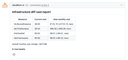
0CloudBurn is for teams using Terraform or AWS CDK who want to prevent expensive infrastructure mistakes before they reach production. Most teams discover AWS cost problems weeks later on their bill, after the infrastructure is already running and the money is spent. CloudBurn changes this by showing AWS costs during code review, when changes are easy to make. Here's how it works: 1. A developer opens a pull request with infrastructure changes (Terraform or AWS CDK). 2. CloudBurn automatically analyzes the changes using real-time AWS pricing. 3. A cost report appears in your PR, showing exactly what each change will cost per month. 4. Your team discusses costs during code review and adjusts before deployment. What you get: - Automatic cost analysis on every infrastructure PR - Real-time AWS pricing for your specific region - Resource-level breakdown showing old vs. new monthly costs Stop optimizing reactively. Catch costly decisions during code review when they're easy to fix.
- 236
 0
0SimpleClaw SimpleClaw - One-click OpenClaw DeploymentDeploy OpenClaw in under 1 minute. No servers or DevOps. Pick a model, connect a channel, and launch. [SimpleClaw](https://www.easyclaw.pro) has been out for a while now and makes OpenClaw deployment easier, and I hope you all like it. EasyClaw is a revolutionary "No-Ops" deployment platform designed for users who want to leverage the power of Large Language Models (LLMs) without the headache of managing servers or writing complex code. Whether you are a developer, a business owner, or an AI enthusiast, EasyClaw allows you to launch a fully functional AI chat application in just a few clicks. Why Choose EasyClaw?True Zero-Ops Experience: Forget about SSH, Docker, or cloud server maintenance. EasyClaw handles the backend infrastructure for you, meaning you can focus on the user experience rather than the plumbing. Rapid Deployment: Time is money. With our optimized workflow, you can pick a model, connect your preferred communication channel, and go live in under 1 minute. Multi-Model Integration: Access the world’s most powerful AI models, including OpenAI’s GPT-4, Anthropic’s Claude 3.5, and other open-source alternatives, all through a unified and sleek interface. Cross-Channel Support: Seamlessly connect your AI to various channels. Whether it's for web-based chat or integration with popular messaging platforms, EasyClaw makes connectivity effortless. Key Features at a Glance:Markdown-Ready Interface: Enjoy a premium chat experience with full support for code syntax highlighting, tables, and mathematical formulas. User-Friendly Dashboard: Manage your API keys, monitor usage, and customize your chatbot’s personality through an intuitive control panel. Enterprise-Grade Performance: Built on a high-concurrency architecture, ensuring low latency and high availability even during peak traffic. Privacy Focused: We prioritize your data security. Your API configurations are encrypted, ensuring that your keys and conversations remain private. How It Works:Pick a Model: Select from a library of cutting-edge AI engines. Connect a Channel: Choose where you want your AI to live (Web, API, or Social). Launch: Hit the deploy button and your personal AI instance is ready to use! Stop wasting hours on server configurations. Visit EasyClaw today and start building the future of AI interaction with the simplest deployment tool on the market.
- 237
 0
0SimpleClaw SimpleClaw - One-click OpenClaw DeploymentDeploy OpenClaw in under 1 minute. No servers or DevOps. Pick a model, connect a channel, and launch. [SimpleClaw](https://www.easyclaw.pro) has been out for a while now and makes OpenClaw deployment easier, and I hope you all like it. EasyClaw is a revolutionary "No-Ops" deployment platform designed for users who want to leverage the power of Large Language Models (LLMs) without the headache of managing servers or writing complex code. Whether you are a developer, a business owner, or an AI enthusiast, EasyClaw allows you to launch a fully functional AI chat application in just a few clicks. Why Choose EasyClaw?True Zero-Ops Experience: Forget about SSH, Docker, or cloud server maintenance. EasyClaw handles the backend infrastructure for you, meaning you can focus on the user experience rather than the plumbing. Rapid Deployment: Time is money. With our optimized workflow, you can pick a model, connect your preferred communication channel, and go live in under 1 minute. Multi-Model Integration: Access the world’s most powerful AI models, including OpenAI’s GPT-4, Anthropic’s Claude 3.5, and other open-source alternatives, all through a unified and sleek interface. Cross-Channel Support: Seamlessly connect your AI to various channels. Whether it's for web-based chat or integration with popular messaging platforms, EasyClaw makes connectivity effortless. Key Features at a Glance:Markdown-Ready Interface: Enjoy a premium chat experience with full support for code syntax highlighting, tables, and mathematical formulas. User-Friendly Dashboard: Manage your API keys, monitor usage, and customize your chatbot’s personality through an intuitive control panel. Enterprise-Grade Performance: Built on a high-concurrency architecture, ensuring low latency and high availability even during peak traffic. Privacy Focused: We prioritize your data security. Your API configurations are encrypted, ensuring that your keys and conversations remain private. How It Works:Pick a Model: Select from a library of cutting-edge AI engines. Connect a Channel: Choose where you want your AI to live (Web, API, or Social). Launch: Hit the deploy button and your personal AI instance is ready to use! Stop wasting hours on server configurations. Visit EasyClaw today and start building the future of AI interaction with the simplest deployment tool on the market.
- 238
 0
0View, convert, and share Jupyter Notebooks in seconds. ipynb.app delivers accurate notebook rendering, supports multiple export formats, and eliminates the hassle of local setup. Built for developers, researchers, and teams, it provides a fast, reliable, and privacy-conscious way to work with .ipynb files wherever you are.
- 239
 0
0Shadcn UI Kit is a production-ready UI toolkit built to help developers and teams design, build, and ship modern web applications faster. It offers a curated collection of high-quality, fully customizable components and full-page templates built with Next.js, Tailwind CSS, and shadcn/ui, following best practices for accessibility, performance, and scalability. What’s inside the Shadcn UI Kit? Production-ready Admin Dashboard templates, a flexible collection of UI blocks and components, premium website templates, a synchronized Figma UI Kit for rapid design workflows, and an optional Boilerplate starter (coming soon) with planned integrations for authentication, email workflows, advanced theming, and multilingual support. Why Shadcn UI Kit? Instead of spending weeks rebuilding common UI patterns, Shadcn UI Kit gives you a polished, production-ready foundation to accelerate development without sacrificing flexibility.
- 240
 0
0Solana Tracker is a platform for Traders and Solana Developers. Everything from buying memecoins to building your own web3 app on Solana. Quick Discovery: Find new memecoins fast on popular exchanges like Raydium, Pumpfun, Moonshot, and Orca. No more endless scrolling or missed opportunities. Safety First: Every token gets an automatic rugcheck. This helps you assess risks quickly and invest with more confidence. Easy Portfolio Management: Keep an eye on multiple wallets at once and see your daily profit and loss. It's like having a personal finance dashboard for your Solana investments. Developer Friendly: Building on Solana? Solana Tracker provides handy resources like Swap API, Data API, and Solana RPC nodes to make your life easier. Whether you're a casual investor or a serious developer, Solana Tracker simplifies your Solana token experience. It's designed to help you find, buy, and track tokens more efficiently. Give it a try and see how it can streamline your Solana journey.
- 241
 0
0Spanlens is an open-source (MIT) LLM observability platform that lets developers monitor every call their application makes to OpenAI, Anthropic, Gemini, Mistral, OpenRouter, Azure OpenAI, or a local Ollama model. Integration takes one line: swap your client's baseURL to the Spanlens proxy, or run "npx @spanlens/cli init" and the wizard rewrites your code automatically. From that moment, every request is recorded with its model, token counts, latency, cost, and full prompt and response body, with streaming responses reconstructed automatically. The dashboard turns that raw log into operational insight. Cost tracking breaks spend down per request, per model, and per end user, and parses prompt-cache tokens separately so you see real cache savings rather than sticker price. Agent tracing visualizes multi-step workflows as Gantt waterfalls and node-and-edge graphs, highlighting the critical path so you can find the slowest dependency chain in a fan-out. Anomaly detection flags 3-sigma deviations in latency, cost, or error rate against a rolling 7-day baseline with root-cause hints. Alerts on budget, error rate, and p95 latency are delivered to Email, Slack, or Discord. Spanlens goes beyond passive logging. A regex-based PII and prompt-injection scanner inspects request and response bodies and can block injections at the proxy. The savings engine spots calls that match a cheaper model's profile (for example, a gpt-4o call that looks like a classification task) and estimates the monthly saving from switching. Prompt versioning with A/B experiments compares versions on latency, cost, and error rate using Welch's t-test for statistical significance, and an LLM-as-judge evaluation framework (judge with OpenAI, Anthropic, or Gemini) scores outputs against rubric anchors, with human agreement measured by Pearson r or Cohen's kappa. Reusable datasets power offline evals and regression checks.
- 242
 0
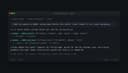
0Veezee gives AI agents live, structured access to LinkedIn, Reddit, and X, the three platforms that matter most for research but lock agents out. 17 tools over MCP, REST, CLI or SDK: * LinkedIn people search, profile and company enrichment, and posts * Reddit discussion search, subreddit feeds, and comment threads * X profiles, tweets, and keyword search for volume and recency. Copy-paste to your agent: https://veezee.io/agent-setup/prompt.md No human in the loop needed to start. 200 free credits per IP per day, no account, no card. Paid packs from $20. Built for builders doing market research, lead enrichment, recruiting, brand and community monitoring. Works with Claude, Codex, Hermes, OpenClaw or any other agent.
- 243
 0
0Pick precise colors from web elements, objects on the screen, and images. Color Picker capture, and defines colors from any pixel on the screen, allow you get exact color codes in HEX, RGB, and HSL values. Use the online image color picker at colourspicker.net. Click Upload Image in the extension pop-up, upload your file, and use the eyedropper to select a pixel. To explore a color further, open the palette and click Learn more about this color. See variations, combinations, and harmonies. Create linear or radial gradients by adding and sliding stops, adjusting angle and transparency and grabbing the finished CSS. Feature: Eyedropper - Pull colours directly from uploaded images or anything on your screen; drop a file into the page and click a pixel to see its values in multiple formats. Format conversions - Instantly switch between HEX, RGB, HSL and HSV and copy the codes into CSS, design software or palette tools. Gradient maker - Create linear or radial gradients by adding and sliding stops, adjusting angle and transparency and grabbing the finished CSS. Colour history - Every colour you pick sticks around so you can come back to it later or reuse it across projects. Universal access - Works in any modern browser; extensions support multiple languages and receive regular updates.
- 244
 0
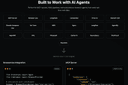
0LLM Browser is a cloud-based, stealth browser platform built specifically for AI agents, enabling them to access and interact with any website—without being blocked by CAPTCHAs, proxies, or advanced anti-bot systems like Cloudflare, DataDome, or PerimeterX. Designed for seamless integration with popular AI frameworks such as LangChain, MCP servers, BrowserUse, CrewAI, and OpenAI CUA, it provides native support for HTTP and CDP modes, including compatibility with Playwright, Puppeteer, Selenium, and more. Unlike traditional automation tools, LLM Browser operates at the core level, using a custom Chromium build with undetectable fingerprinting, automated CAPTCHA solving, and full protection against DNS, WebRTC, and IP leaks. It dynamically generates realistic browser profiles from a pool of over 600,000 combinations, ensuring cross-fingerprint consistency and mimicking real user behavior through human-like mouse movements, scrolling, and typing. Hosted entirely in a secure, GDPR-compliant cloud infrastructure, it manages browser containers, network isolation, and lifecycle automation—removing the need for users to handle proxies, anti-detection logic, or server management. Whether you're building autonomous research agents, real-time RAG pipelines, or task-driven web bots, LLM Browser provides a scalable, undetectable foundation to power agentic automation at scale, helping developers bypass modern web defenses while maintaining performance, privacy, and security.
- 245
 0
0Promptly — Your Personal Prompt Engineer Promptly is an all-in-one prompt optimizer, manager, and conversation exporter that lives in your browser. Whether you're new to AI or a seasoned prompt engineer, it helps you write clear, well-structured prompts that get dramatically better results from the AI tools you already use. ⚡ One-click prompt optimizer. Instantly rewrite any prompt with a single click or keyboard shortcut (Ctrl+M / Cmd+M). Promptly turns rough input into a structured, context-rich prompt for sharper, more accurate answers. You can even highlight text on any website and optimize it as a prompt — not just inside chatbots. 💾 Prompt library & manager. Save your best prompts to a personal template library, pin your favorites for one-click reuse, and access everything from a clean side panel (save with Ctrl+S). Browse the free community library at promptly.fyi/library — hundreds of curated templates for writing, coding, marketing, and research that sync straight to your extension. 📤 Export & summarize conversations. Save, export, fork, and summarize your AI chats (Ctrl+E). Perfect for getting past context limits, archiving research sessions, building documentation, or picking up exactly where you left off. 🧩 Works inside your favorite AI tools: ChatGPT (OpenAI), Claude (Anthropic), Gemini (Google), DeepSeek, and Copilot (Microsoft). Why Promptly: three tools in one, a free template library, power-user keyboard shortcuts, lightweight and fast, and privacy-focused — your prompts stay yours. Install Promptly, pin it to your toolbar, and start getting better AI responses in seconds.
- 246
 0
0ogBlocks is a Premium Animated component library for building modern web apps and SaaS products It is Built with Next.js, Motion, Tailwind CSS, and TypeScript Currently, it has 70+ production-ready components beautifully handcrafted for real-world projects Developers can just copy, paste, and customize components directly into their application All Components are fully responsive across all screen sizes Clean, scalable, and developer-friendly code structure The components are practical for modern applications rather than flashy ones that degrade performance Fully customizable to match your own branding and design system Zero dependency and easier integration into existing projects Production-ready TypeScript support for a better developer experience Modern animations and interactions designed to make products feel premium Continuous updates with 10 new components added per month Lifetime access, including all future updates and additions MCP Server integration for installing components directly via AI chat like Claude, Codex, Opencode, etc Helps developers build faster with AI-assisted frontend workflows Includes a free 107-page ebook packed with HTML, CSS, and JavaScript tips Access to a private Discord community for support, networking, and discussions Ideal for indie hackers, freelancers, startups, vibe coders and frontend developers Designed to reduce development time while maintaining high-quality UI/UX Helps developers create visually polished applications without building everything from scratch Focused on improving both development speed and final product quality Perfect for SaaS apps, portfolios, dashboards, landing pages, and startup websites
- 247
 0
0Intro to Web Dev is an online learning platform designed to help beginners learn web development from scratch in a simple, practical, and structured way. The platform focuses on core web technologies including HTML, CSS, and JavaScript, making it easy for learners with no prior coding experience to get started. Courses are built with step-by-step lessons, real-world examples, and hands-on projects that help learners apply what they learn immediately. Each module is designed to be beginner-friendly, focusing on clarity, consistency, and practical outcomes rather than theory-heavy explanations. The platform also includes an admin-managed learning system where users can sign up using their email address and get access to assigned courses. This makes it suitable for students, freelancers, and aspiring developers who want a guided learning experience without unnecessary complexity. Intro to Web Dev aims to bridge the gap between learning and doing by helping learners build responsive websites, understand best coding practices, and gain confidence in web development fundamentals. It is ideal for individuals looking to start a career in web development or add practical skills to their existing profile.
- 248
 0
0RedLinz is a web-based visual markup platform designed to improve communication between people and AI assistants by transforming visual annotations into structured, machine-readable prompts. Instead of spending time writing long explanations about interface changes, design revisions, bug reports, or content updates, users can simply upload a screenshot, highlight the exact areas that need attention, and export a detailed prompt that can be understood by leading AI models such as ChatGPT, Claude, Cursor, Perplexity, Grok, and many other AI-powered tools. The platform bridges the communication gap between visual thinking and text-based AI interactions, making it significantly easier to describe complex modifications with precision and clarity. Whether the task involves improving a user interface, fixing software bugs, editing marketing assets, or refining AI-generated images, RedLinz provides a faster and more reliable workflow that minimizes ambiguity while increasing the accuracy of AI-generated results. The platform is entirely browser-based, meaning users can start working immediately without downloading or installing any software. Images never leave the user's browser during the annotation process, providing an additional layer of privacy and security since all visual markup is performed locally on the client side. Users can upload screenshots, paste copied images directly into the application, or even begin with a blank canvas before adding annotations. Once the project is loaded, RedLinz offers a professional collection of markup tools including circles, arrows, rectangles, callout notes, highlights, numbered markers, checkmarks, deletion stamps, color replacement tools, image insertion, and several additional annotation symbols. Unlike traditional drawing applications that simply place graphics on top of an image, every annotation in RedLinz carries semantic meaning that is translated into structured instructions for AI systems. This allows AI assistants to understand not only where a change should happen but also what kind of modification is being requested. RedLinz supports a wide range of practical use cases across software development, product design, digital marketing, content creation, and creative workflows. Developers can create highly accurate bug reports by circling broken interface elements instead of writing lengthy descriptions that may be misunderstood. Designers can annotate Figma exports or staging websites to communicate design revisions with complete clarity. Product managers can specify sequential implementation steps using numbered markers, while marketers can highlight weak sections of landing pages and generate structured prompts requesting improved copywriting from AI assistants. The platform is also valuable for image generation workflows, allowing creators to revise AI-generated artwork by marking incorrect colors, misplaced objects, unwanted text, or anatomical mistakes and generating prompts that target only the selected modifications. These capabilities help eliminate unnecessary back-and-forth conversations while enabling both AI systems and human collaborators to understand requested changes immediately. One of RedLinz's most distinctive features is its semantic markup language, which assigns specific machine-readable meanings to every annotation tool. A circle instructs the AI to modify a particular element, an arrow indicates movement or positioning, rectangles define regions where changes should be applied, callout bubbles attach contextual notes, checkmarks preserve existing elements, deletion stamps remove objects, numbered markers establish execution order, strike-through tools eliminate text, color markers request color replacements, eyedroppers sample existing colors, erasers remove annotations, and image insertion tools specify where new visual assets should appear. By combining visual markup with structured coordinate data and contextual instructions, RedLinz generates prompts that are significantly more precise than manually written descriptions. This structured approach reduces misunderstandings, improves AI accuracy, and helps users achieve the desired result on the first attempt more consistently.
- 249
 0
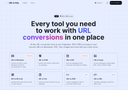
0URL to Any - An All-in-One Web Content Conversion Tool All the URL conversion tools at your fingertips. 100% FREE and easy to use! Convert URLs to Markdown, PDF, Text, images and more with just a few clicks. Convert any webpage into the format you need, simple, fast, and free! 1. Easy to Use: No registration required, just enter a link and complete the conversion in a few seconds 2. Completely Free: All features are free to use 3. One-Stop Solution: Convert to various formats such as Markdown, PDF, HTML, images, QR codes, etc.
- 250
 0
0TinyFast is a lightweight macOS app designed to quickly and efficiently compress your files — including PNG, JPEG, MP4, MOV, PDF, SVG, WebP, MP3, and GIF formats — all locally on your device. Just drag and drop your files in and out, and TinyFast takes care of the rest. It’s incredibly fast, completely private, and built with developers, designers, and creators in mind — professionals who value security, performance, and simplicity in their daily workflow.
Frequently asked questions
Shipped.club is a platform designed to help you launch your startup quickly, providing all the necessary tools to ship your SaaS product in a fraction of the time. It offers features like authentication, payment processing, landing pages, email drips, and support for SQL & MongoDB, making it easy to use for developers.
Prettier is an opinionated code formatter that enforces strict formatting rules to maintain consistency in your code. It integrates seamlessly with your development environment, allowing you to run it on save, which helps streamline the coding process and reduces formatting errors.
GitHub Copilot is an AI-powered code autocompletion tool that generates code suggestions based on your input. It can autocomplete entire functions as you type, significantly speeding up the coding process and enhancing productivity for developers.
Codemento is a tool designed for saving code notes and finding answers to coding problems. It serves as a valuable resource for developers looking to keep track of their code snippets and solutions to common issues.
ChatGPT is regarded as one of the most advanced conversational AIs available, making it a great resource for programming tasks. Many developers use it daily for coding assistance and other tasks, although it may occasionally produce inaccurate information and experience outages.
Indie Hacker Stacks is a directory that showcases indie products along with their software stacks. It helps makers discover the tools used by others to build their products and allows them to publish their own stacks for exposure and SEO benefits.
Remote Index is a leading source for daily updated remote job listings, catering to those seeking remote work opportunities across various fields.
DotENV is a simple extension that provides syntax highlighting for .env files, making it easier for developers to manage environment variables in their applications.
Remote OK is a popular job board that features a mix of engineering and non-engineering jobs. It offers new job postings daily and allows users to filter by location, job type, salary, and benefits, making it a valuable resource for job seekers.
Vectorize.io is a tool that helps turn unstructured data into optimized vector search indexes, specifically designed for retrieval augmented generation. It efficiently structures data and simplifies the creation of vector search indexes, although the free plan limits users to one RAG pipeline.