Home
Auto list · updated automatically

Best AI Tools for Designers

From blank canvas to finished asset.

The best AI tools for designers — software for image generation, editing, mockups, icons, 3D, and visual assets that speeds up the creative workflow.

461Items
0Contributors
0Votes
  1. 351WallPreview

    WallPreview helps artists, poster shops and galleries show artworks, prints and wall decor in realistic interiors. Add it to your website with an embed widget, use the Shopify app, or generate previews one by one for social media, email and client presentations. Buyers can see the piece true to scale, shuffle rooms, and understand how it would look on a real wall before purchasing. WallPreview turns simple product images into room-ready visuals that make art easier to imagine and easier to buy.

    0
  2. 352Unblurimage AI

    Unblurimage AI offers a cutting-edge platform for enhancing and upscaling images, making them sharper, clearer, and more vivid. It specializes in restoring and transforming photos for various professional and personal needs. Key Features 1. Image Upscaling: Enlarge images without losing quality, perfect for high-resolution displays. 2. Image Enhancement: Improve image clarity, brightness, and detail. 3. High-Definition Conversion: Transform low-resolution photos into crisp HD images. Benefits 1. Old Photo Restoration: Revive old or damaged photographs with advanced repair tools. 2. Photo Colorization: Add natural and vibrant colors to black-and-white or faded photos. Use Case - Photographers enhance low-quality photos for portfolios and exhibitions. - Businesses create high-quality product visuals for marketing and e-commerce. - Families restore and colorize old family photos for preservation. - Researchers improve clarity in historical or archival images. - Content creators upscale images for social media or digital projects.

    0
  3. 353UnblurImage AI

    UnblurImage AI is an online AI-powered image deblurring and restoration platform designed for different types of blurry or low-quality images. Instead of applying the same sharpening filter to every image, UnblurImage AI provides dedicated workflows for screenshots, text-heavy images, portraits, old photos, product photos, anime artwork, compressed images, and low-resolution files. Its AI enhancement process focuses on recovering cleaner edges, improving visible details, reducing compression artifacts, and producing more natural-looking results. The platform can be used to make blurry text and screenshots easier to read, enhance facial details in portraits and selfies, restore scanned family photos, improve e-commerce product images, and prepare low-resolution visuals for websites, presentations, or printing. UnblurImage AI runs directly in the browser and supports common image formats, including JPG, JPEG, PNG, and WebP. No advanced photo-editing experience is required.

    0
  4. 354Nano Banana Pro AI Image Generator

    Nano Banana AI Pro is Google's revolutionary Nano Banana AI Pro image generator powered by Gemini 3 Pro and Gemini 2.5 Flash models, delivering 4K professional quality images with incredible precision and detail. Users can start with 4 free credits - no payment required - and choose between the faster Gemini 2.5 Flash model (2 credits) or the premium Gemini 3 Pro model (10 credits) for 4K professional-grade image generation. ​ Advanced Nano Banana AI Pro Features Nano Banana AI Pro stands out through its core capabilities powered by Gemini 3 Pro for superior image quality. ​ Nano Banana Pro API enables developers to integrate Gemini 3 Pro with 4K resolution output, producing photorealistic images with intricate details, while including free trial credits. Natural language editing allows users to describe changes in plain English, such as "change background to sunset" or "make this person smile," which Nano Banana AI Pro understands and executes instantly. ​ 4K professional quality from Gemini 3 Pro provides finer details, accurate textures, and greater depth, making it perfect for professional projects. Character consistency ensures high consistency of facial features and styles across multiple generations, ideal for coherent storytelling. The platform's enterprise-grade quality suits professional marketing, social media, and commercial projects leveraging Gemini 3 Pro's advanced reasoning capabilities. ​

    0
  5. 355JXP Wan 2.6 AI Video Generator

    Wan 2.6 is an advanced AI video generation platform that produces cinematic‑quality videos from a variety of inputs, including text prompts, images, and reference videos. The system allows users to upload an image or video, enter natural language descriptions (including shot‑level prompts), and generate multi‑shot sequences up to 15 seconds long in 1080p HD with native audio‑visual synchronization. It features intelligent scheduling of multiple shots within a single narrative clip, maintaining character visual identity and consistent voice quality throughout, even in scenes with multiple subjects. The platform supports Text‑to‑Video, Image‑to‑Video, and Reference‑to‑Video workflows in one unified process. Its advanced multimodal architecture integrates text, image, video, and audio seamlessly, enabling realistic lip‑sync, expressive voices, music, and sound effects. Output formats include versatile aspect ratios (16:9, 9:16, 1:1) compatible with social media platforms. Commercial usage rights are included with generated content, making it suitable for marketing, social media, storytelling, education, and product videos.

    0
  6. 356seedances.app

    Seedance 2.0 delivers breakthrough AI video generation with 2K resolution and native audio support. Create cinematic videos from text or images with advanced multimodal input. Seedance 2 transforms your creative vision into reality. Leading AI video generation platform for creating stunning videos from text or images. Transform your creative ideas into professional-quality content with our advanced multimodal AI technology. Free to start, powerful enough for professionals.

    0
  7. 357OmniCanvas

    OmniCanvas is a visual note-taking and knowledge management platform designed to help individuals and teams transform scattered information into organized, actionable work. Instead of treating notes as static documents that are eventually forgotten, OmniCanvas follows a complete workflow centered around four stages: capture, clarify, act, and review. This approach helps users not only collect information from multiple sources but also identify decisions, assign next steps, preserve important context, and revisit their work when it matters most. The platform combines visual organization, AI-assisted analysis, and flexible note management into a single workspace that supports both creative thinking and practical execution. At the heart of OmniCanvas is an infinite visual canvas that allows users to organize information naturally rather than forcing ideas into traditional document structures. Users can freely combine typed notes, handwritten sketches, diagrams, sticky notes, images, PDFs, web clips, drawings, and connected objects within the same workspace. This flexible layout makes it easier to explore relationships between ideas, brainstorm concepts, manage research, and plan projects without being constrained by linear pages or rigid note hierarchies. One of the platform's standout capabilities is its meeting capture system. Instead of requiring third-party meeting bots to join video calls, OmniCanvas can record microphone and system audio directly while generating live transcripts. Meeting recordings remain connected to the rest of the workspace, allowing users to view transcripts alongside decisions, action items, open questions, supporting documents, and visual notes. AI-powered tools automatically generate summaries, identify key discussion points, extract action items, and answer questions about recorded conversations, making meetings significantly easier to review and reference later. OmniCanvas places a strong emphasis on turning information into action rather than simply storing notes. After capturing information, users are encouraged to clarify important decisions, confirm follow-up tasks, document unresolved questions, and write concise summaries that explain why each note matters. Built-in review workflows periodically resurface important notes, ensuring that projects, meeting outcomes, and research do not disappear into forgotten archives. This structured review process helps users close open loops, archive completed work, and maintain an organized knowledge base over time. The platform also offers powerful knowledge retrieval features designed for growing information libraries. Users can search both exact keywords and related concepts using semantic search, while organizing content through folders, tags, backlinks, graph views, Kanban boards, tables, and traditional note collections. Version history and synchronization ensure that changes are preserved across devices, making it easy to access both current and previous versions of important projects. OmniCanvas is built with flexibility and privacy in mind. The platform follows a local-first philosophy, allowing users to keep their notes on their own devices while optionally enabling cloud synchronization for convenience. For users with higher security requirements, end-to-end encryption can be enabled on selected folders, ensuring that even OmniCanvas cannot access protected content. Complete export capabilities further ensure that users retain ownership of their information without becoming locked into a proprietary ecosystem. Unlike many productivity applications that attempt to replace every other note-taking tool, OmniCanvas is designed to complement existing workflows. Users can continue taking quick handwritten notes in applications such as Apple Notes, GoodNotes, Preview, or even on paper, then import the relevant material into OmniCanvas for long-term organization, project management, and follow-through. This companion approach allows people to use whichever capture method feels most natural while maintaining a centralized system for important knowledge.

    0
  8. 358Combos AI

    Combos Fun - AI Game Dev Agent: from idea to playable game — for anyone. Combos.fun is a zero-barrier AI game creation platform designed for everyone—no coding or design skills required. Simply describe your idea in natural language, and the platform instantly turns it into a playable game project. With built-in 2D/3D templates, automatic asset generation, and one-click export for animations and GIFs, Combos.fun makes game creation fast, fun, and accessible. Whether you're a student, creator, or curious learner, you can bring your imagination to life in minutes. The platform promotes a professional yet lightweight, positive, and inclusive brand philosophy—perfect for experiments, interactive storytelling, or viral content. Join Combos.fun today and turn your wildest ideas into shareable, playable realities.

    0
  9. 359Grok Imagine

    Grok Imagine is an advanced AI video and image generator developed by xAI. It can create viral videos with audio from text descriptions or turn static images into animated video clips. Unlike other AI tools, Grok Imagine automatically adds matching sounds, music, and effects to make complete videos ready for sharing. Text to Video with Audio Type any description and watch Grok Video Generator create a matching video. Grok Imagine understands your words and makes videos with perfect sound effects, music, and audio that fits the scene. Animate Your Images Upload any photo or image to Grok Video Generator and see it come alive. Grok Imagine adds realistic movement and appropriate sounds to turn your images into dynamic video.

    0
  10. 360Vidzoo AI Video Generator

    Generate Amazing AI Videos & Images for Free Vidzoo AI turns text, images, or videos into cinematic visuals instantly. Powered by Sora 2, Veo 3 & Nano Banana, create pro-quality content easily with zero technical skills. Text to Video AI Transform text prompts into cinematic videos instantly with Vidzoo AI. Our advanced engine delivers coherent storytelling and dynamic motion tailored for professional creators. Image to Video AI Vidzoo AI breathes dynamic life into your static photos. Create seamless, professional video animations that capture attention while preserving your image's original quality.

    0
  11. 361Nano Banana Pro

    Nano banana pro transforms photographs into artistic styles using only 2.1GB GPU memory - 38% less than competing models. Gemini 3.0 Pro's multimodal understanding preserves subject integrity while applying complex artistic transformations. Generate 4K artistic renditions in 10-30 seconds with consistent quality across batch processing. SynthID watermarked content creation with nano banana pro SynthID-Protected Content Creation Every nano banana pro output includes Google's SynthID watermarking for responsible AI usage tracking. The system processes complex editing requests while maintaining content authenticity markers. Enterprise users benefit from built-in provenance tracking and content moderation capabilities integrated with Google's safety infrastructure. Google Workspace integrated product visualization with nano banana pro Workspace-Integrated Product Visualization Generate product catalog imagery directly within Google Workspace applications. Nano banana pro's Vertex AI integration enables batch processing of product variations with consistent lighting and composition. Scale from single product shots to complete catalog generation with 23% faster processing for high-resolution outputs.

    0
  12. 362Grok Imagine

    Create stunning AI-powered videos with Grok Imagine, where your ideas come to life in motion. Turn simple text into dynamic videos, or transform images into cinematic scenes, all enhanced with perfectly synced audio for a seamless experience. Customize every creation by choosing between Normal, Fun, or Spicy Mode to match your style, mood, or audience. Get started today with free credits and explore the future of video creation—no experience required.

    0
  13. 363Imgloo

    Imgloo is an all-in-one online image toolkit designed for fast, secure, and effortless file editing. Compress images, convert formats, resize, crop, rotate, watermark, and work with PDFs in seconds—all without downloads or registration. Supporting popular formats like JPG, PNG, WebP, HEIC, AVIF, and PDF, Imgloo combines speed, privacy, and simplicity, making it the perfect solution for anyone who works with digital images.

    0
  14. 364Seedance 2.0 Pro AI Video Generator

    Seedance 2.0 Pro is an advanced AI video creation platform built for generating high-quality, story-driven videos from text prompts or visual references. The platform enables users to produce visually consistent scenes with smooth motion, coherent storytelling, and synchronized audio, without relying on traditional video editing software. Seedance 2.0 Pro supports long-form video generation, stable character identity across scenes, and flexible control over style, camera behavior, and composition. Designed for creators, marketers, and production teams, it simplifies complex video workflows into an intuitive, browser-based experience. By combining cinematic aesthetics with scalable AI generation, Seedance 2.0 Pro helps users efficiently create professional video content for marketing, education, social media, and creative storytelling.

    0
  15. 365Pixpretty

    Tenorshare PixPretty is a Professional AI Portraits Photo Retoucher that helps you retouch, enhance, and transform portraits with ease and precision.Pixpretty is dedicated to in-depth innovation in computer vision and generative AI technologies for creative design. Driven by cutting-edge algorithm development, we build intelligent solutions covering the entire image creation chain. We continuously explore the boundaries of AI innovation. Through continuous R&D investment and the accumulation of aesthetic data assets, we are committed to empowering and improving the efficiency of commercial photography practitioners, ensuring that every visual presentation carries the dual value of intelligent technology and humanistic aesthetics.

    0
  16. 366Seedance 2.0 — Multi-Modal AI Video Generator by ByteDance

    Seedance 2.0 is a multi-modal AI video generator that helps creators turn ideas into publishable short videos faster. Most AI video tools can produce a first draft, but the real bottleneck is iteration: you generate something close, then spend hours re-prompting, re-generating, and losing consistency. Seedance 2.0 is built around a simple workflow: Generate → Review → Refine with “director notes” → Export. Instead of restarting from scratch, you can make small, targeted edits (camera, mood, pacing, objects, style) to move from concept to final output with fewer retries. What problems it solves • Too much trial-and-error: Get to a usable baseline quickly and iterate with clear instructions. • Inconsistent results: Keep style and intent more stable across variations and edits. • Slow production for short-form content: Create assets for ads, Shorts/Reels, product demos, and landing pages in minutes. Key capabilities • Text → Video: generate cinematic clips from a single prompt • Image → Video: animate reference images while preserving the look • Video → Video: transform or restyle existing footage with more control • Optional workflows for multi-shot sequences when you need more than a one-off clip • Export outputs ready for social, marketing, and demo use Who it’s for Short-form creators, performance marketers, agencies, indie makers, and product teams who need fast, repeatable video creation and a smoother editing loop. If you’ve ever thought “the first generation is close, but not quite,” Seedance 2.0 is designed for that exact moment.

    0
  17. 367Hi-Ai

    Hi-AI is an affordable, all-in-one, multimodal AI platform for content creators: videos, music, images, 3D, voice chat and reports. We use open-source, self-hosted AI models. Our models are inference-optimized in order to provide fast and cheap media generation. $5/month - AI Videos, music, voice, images, 3D, web search, news and reports.

    0
  18. 368geminiaiphotoprompt.org

    Gemini AI Photo Prompt - Copy Paste Prompts for AI Image Generation | AI图片生成器 Gemini AI Photo Prompt: Copy-paste templates for stunning AI portraits. Create retro, K-drama, gangster & executive looks instantly. Free prompts. Gemini AI Photo Prompt Generator for Boys Create stunning male portraits with our AI-powered prompt generator. Upload your photo for face consistency, or generate without photo for default style. Choose your style—Retro, K-Drama, Gangster, E

    0
  19. 369SeeDanceAI

    SeeDanceAI 2.0 (Seedance 2.0) is a production-focused AI video generator that combines native audio synthesis with multimodal inputs to produce cinematic, beat‑synced videos in seconds. Key technical features - Native audio generation: a Dual Branch Diffusion Transformer produces audio tied to visuals (ambient sounds, music-driven edits, and lip‑synced dialogue). - Multimodal, reference-driven inputs: accept up to 12 files per project (9 images, 3 videos, 3 audio tracks) to control choreography, camera motion, and character appearance. - Multi‑shot storytelling & consistency: architecture and conditioning mechanisms reduce character drift, maintaining consistent faces, clothing, lighting and camera continuity across shots. - High resolution & speed: broadcast‑ready 2K outputs with native support for 16:9, 9:16, 21:9 and 1:1; claims ~30% faster generation vs competitors. - Precise beat and cut alignment: the model aligns cuts, motion cues and camera edits to uploaded music or generated audio. Primary use cases - Music videos and dance challenges: upload a photo or reference and a track to generate beat‑synced choreography and cinematic edits. - Short films & narrative content: maintain character continuity across multi‑shot scenes for storytelling and social shorts. - Social & ad creative: fast 2K renders optimized for TikTok/Reels and cinema/aspect variations for cross‑platform campaigns. - Reference transfer and choreography: extract movement from a reference video to transfer to new characters or scenes. Target users and unique selling points - Target users: individual creators, indie filmmakers, social media creators, marketing teams and small studios wanting fast, cinematic outputs without heavy editing. - Unique selling points: built‑in audio/video coherence (native sound generation + lip sync), multimodal conditioning, multi‑shot consistency, and a free first video to try without a credit card. Practical considerations - Outputs are watermark‑free for paid tiers (FAQ indicates downloads and licensing differ by plan). - The platform states independence from ByteDance while referencing the Seedance architecture. - Ideal for rapid prototyping and social-first content workflows where time‑to‑publish and native audio sync are critical.

    0
  20. 3703dSynth.app

    Meet 3DSynth: A browser-based tool that skips the STL/Slicer workflow entirely. 🌊 Generate G-code from math: Create organic textures using Wave, Noise, and Twist modulators. ⚡ Real-time Preview: See toolpaths update instantly. 🖨️ Ready to Print: Profiles for Prusa, Bambu, & Creality. Free to use: https://app.3dsynth.app

    0
  21. 371Seedance2Pro ai video generator

    Seedance 2.0 Pro is a professional AI video generation platform that turns text prompts and images into cohesive, cinematic videos with synchronized audio and stable character identity. It supports both Text-to-Video and Image-to-Video workflows, allowing users to upload prompts and assets, customize resolution, aspect ratio and camera behavior, and generate polished video content. The system features audio-conditioned generation, enabling users to upload voiceovers or music that drive visual motion and lip-sync. With persistent multi-character identity and consistent scene continuity, Seedance 2.0 Pro produces high-fidelity output suitable for marketing, social media, storytelling, e-commerce demos, and corporate visuals. Credits never expire, and flexible one-time pricing supports scalable creative workflows.

    0
  22. 372Tools.so

    Tools.so is a directory of high quality tools from all over the internet. Some examples include Notion, Prisma, Mixpanel, Render and Betalist.

    0
  23. 373Vaiz

    Vaiz replaces the usual stack of task tracker + doc tool + chat app with a single workspace where tasks, documents, and discussions live together. When the spec, the task, and the conversation around it are in the same place, less gets lost between apps. Teams get Kanban, Scrum, Gantt, Timeline, and List views, real-time document editing, 2,000+ integrations, a built-in AI assistant, and no-code automations. Migration from Jira, Asana, Notion, or YouTrack takes minutes — most teams are up and running in under an hour, with no admin setup. Built for cross-functional teams of 5 to 100 — product, engineering, design, marketing, and ops. Free forever for up to 10 users. All teams get a 30-day free trial, no credit card required.

    0
  24. 374Soar2 AI | Advanced Sora 2 Powered AI Video Generator

    Soar2 AI is a next-generation AI video generator powered by the OpenAI Sora 2 API. It transforms creative ideas into cinematic 10-second clips with advanced text-to-video capabilities, realistic motion physics, and immersive sound design.. This AI video generator stands out with Sora 2-driven features: advanced text prompts, custom character integration, dynamic physics, and immersive sound design. Whether you’re a creator, marketer, or educator, Soar2 AI lets you craft stunning 10-second cinematic videos—fast, seamless, and professional, powered by Sora 2.

    0
  25. 375Shadcn Examples

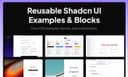
    Shadcn Examples is a large collection of reusable UI examples, application templates, and interface blocks built primarily with modern frontend technologies such as React, Tailwind CSS, shadcn/ui, Radix UI, Next.js, Vue.js, and Svelte. The platform is designed for developers, designers, startups, and SaaS creators who want to build professional-looking web applications faster without starting from scratch. The website provides a wide range of pre-designed UI examples that developers can use as inspiration or directly integrate into their own projects. These examples cover many popular application categories including admin dashboards, chat apps, Kanban boards, social media apps, file managers, note-taking apps, music apps, e-commerce pages, authentication systems, checkout pages, pricing tables, settings pages, POS systems, and more. Every template is built using modern responsive design practices and is compatible with TypeScript. One of the platform’s core focuses is the shadcn/ui ecosystem, which has become highly popular among modern React developers because of its clean design philosophy, accessibility, and flexibility. Shadcn Examples expands on this ecosystem by offering production-quality layouts and components that save developers significant design and development time. Instead of manually building every page structure, users can quickly access polished examples for dashboards, landing pages, forms, notifications, product pages, and entire web app interfaces. The platform also emphasizes flexibility across frameworks. Although many examples are built with React and Next.js, the site also supports Vue.js and Svelte implementations, making it attractive to developers using different frontend stacks. Tailwind CSS serves as the main styling system throughout the platform, allowing components and layouts to remain highly customizable while maintaining modern visual consistency. Another major feature of the platform is its focus on reusable “blocks.” These blocks are modular UI sections that developers can combine to rapidly assemble full applications. Examples include Bento Grids, shopping carts, checkout systems, notification pages, role management panels, pricing sections, and product detail pages. This modular approach is especially useful for startups, SaaS founders, and indie developers who need to launch products quickly. Shadcn Examples positions itself as both an inspiration gallery and a productivity tool. Developers can preview live demos of each example before purchasing access, helping them evaluate layouts, responsiveness, and overall design quality. The platform offers lifetime access through a one-time payment model, giving users unlimited access to all current and future examples and blocks. The site also appeals strongly to the growing AI SaaS and startup ecosystem because many templates are optimized for modern web applications and dashboards commonly used in AI products, admin systems, and software platforms. The clean aesthetics, responsive layouts, and production-ready structure make the examples suitable for professional commercial projects. Overall, Shadcn Examples is a developer-focused UI resource platform that helps accelerate frontend development by providing high-quality, reusable interface templates and components built with today’s most popular web technologies. It combines modern design systems, scalable architecture, and framework flexibility into a practical toolkit for building polished applications faster and more efficiently.

    0
Good to know

Frequently asked questions