Home
List · created July 2026

Best Business Software

The back office, minus the paperwork.

The best business software — accounting, operations, CRM, HR, and productivity tools that keep a company running and help teams work without the busywork.

268Items
0Contributors
0Votes
  1. 251Ticketted

    Ticketted is a modern Australian event ticketing platform designed to simplify the process of creating, managing, promoting, and selling tickets for events of all sizes. The platform positions itself as an easy-to-use solution for both event organisers and attendees, offering a streamlined experience for community gatherings, business seminars, festivals, cultural celebrations, concerts, and online events. One of the website’s main selling points is its promise that free events remain completely free forever, allowing organisers to host events without worrying about unnecessary platform fees. The platform focuses heavily on simplicity and accessibility. Event organisers can create and launch events within minutes using Ticketted’s professional event management tools. Users are able to configure multiple ticket types, create pricing tiers, manage schedules, upload venue seat maps, and track ticket availability in real time. The platform is designed to reduce technical complexity so organisers can focus more on growing and promoting their events rather than struggling with complicated software systems. Ticketted also emphasizes the use of artificial intelligence throughout its platform. Its AI-powered dashboard provides organisers with valuable analytics and insights, including ticket sales velocity, customer demographics, peak purchasing periods, and audience behavior patterns. These insights help organisers make smarter business decisions and optimize their marketing strategies before ticket sales slow down. The platform also includes AI writing tools capable of generating event descriptions, terms of service, and disclaimers, helping users save time while maintaining professional-quality event pages. Marketing and audience growth are another major focus of the platform. Ticketted includes built-in promotional tools such as promo codes, early-bird pricing, referral systems, bulk discounts, and email marketing campaigns. Organisers can communicate directly with attendees through real-time messaging features, while the platform’s homepage uses AI-curated recommendations to connect events with the most relevant audiences. These features help increase ticket visibility and improve conversion rates for organisers looking to maximize attendance. The platform also provides a smooth and convenient experience for event attendees. Ticket buyers can purchase tickets online in seconds and receive instant electronic tickets with QR codes delivered directly to their devices. At the event venue, organisers can scan attendee QR codes using Ticketted’s check-in system, which includes audio feedback for valid and duplicate tickets. This eliminates the need for printed tickets and reduces entry delays, creating a faster and more professional event experience. Security and financial reliability are highlighted as important strengths of the platform. Ticketted uses secure payment processing powered by Stripe, ensuring fast payouts and reliable transactions for organisers. The website also mentions PCI-compliant payment systems, GDPR-ready data handling, and fraud detection technologies to protect both organisers and attendees. Another attractive feature is the instant payout system, which allows organisers to receive revenue in real time as tickets are sold instead of waiting until after the event concludes. The website showcases a clean and professional design while promoting itself as one of Australia’s most affordable ticketing solutions. It claims to offer some of the lowest fees in the Australian market while maintaining premium features and 24/7 customer support based in Sydney. Testimonials from event organisers and attendees further reinforce the platform’s focus on convenience, ease of use, and reliable ticket scanning technology. Ticketted also offers a variety of free tools for event organisers, including an event name generator, description generator, terms generator, disclaimer generator, and pricing calculator. These resources help organisers create polished and professional events more efficiently. In addition, the platform includes comparison pages against competitors such as Eventbrite and other ticketing services, positioning Ticketted as a modern alternative built specifically for the Australian market. Overall, Ticketted presents itself as a complete all-in-one event management ecosystem that combines AI-powered tools, secure payments, real-time analytics, and modern ticketing technology into a single user-friendly platform. Its focus on affordability, automation, and organiser support makes it appealing for both small local events and larger professional gatherings across Australia.

    0
  2. 252Transync AI Inc.

    Transync AI – Seamless Dual-Screen Translation for Cross-Language Communication Powered by cutting-edge end-to-end speech AI models, Transync AI offers near-zero latency real-time interpretation. Support 60 languages, dual-language display, real-time voice playback, and AI-generated meeting summaries — helping users worldwide break language barriers and connect with ease.

    0
  3. 253Private Equity List

    PrivateEquityList is an online platform designed to connect professionals in the private equity, venture capital, and investment sectors. The site provides a comprehensive database of investment firms, funds, and dealmakers, offering valuable insights and resources for industry players looking to discover new opportunities, raise capital, or network with potential partners. With tools for searching, filtering, and contacting key players, PrivateEquityList aims to facilitate business development and collaboration within the private equity and investment communities.

    0
  4. 254Seekdown AI

    Seekdown is an AI-powered knowledge platform that transforms existing websites, documentation, FAQs, and support resources into intelligent customer assistance experiences. Instead of requiring businesses to manually build chatbot knowledge bases, the platform automatically captures approved content from existing sources and converts it into reliable AI-generated answers. Organizations can quickly launch AI chatbots for their websites or create comprehensive Smart Help Centers that provide accurate, citation-backed responses while remaining fully grounded in their own content. The platform is designed to simplify customer support and self-service by allowing businesses to reuse the information they have already published. Rather than maintaining separate knowledge systems, Seekdown connects directly to websites, documentation portals, help centers, frequently asked questions, support articles, and other public resources that companies already manage. Once connected, the platform continuously captures this information and organizes it into a structured knowledge base that serves as the foundation for AI-generated responses. One of Seekdown's primary strengths is its commitment to answer accuracy and transparency. Every AI response is generated using approved company content rather than relying solely on general AI knowledge. This grounding process helps reduce inaccurate or fabricated responses while ensuring that answers remain consistent with official documentation and company policies. In addition, responses include citations that reference the original source material, allowing users to verify information, read additional details, and navigate directly to the relevant documentation when necessary. The platform supports multiple customer-facing experiences depending on business requirements. Companies can deploy AI chatbots directly on their websites to help visitors quickly locate information about products, pricing, services, documentation, policies, or frequently asked questions. These conversational assistants provide immediate responses while guiding users toward the most relevant pages and helping them continue through the customer journey. By answering common questions instantly, businesses can improve user satisfaction while reducing the workload placed on customer support teams. For organizations that require more structured self-service solutions, Seekdown also offers Smart Help Centers. These AI-powered knowledge portals organize support articles, documentation, policies, troubleshooting guides, and instructional resources into an intelligent help experience. Instead of forcing users to manually search through large collections of documentation, the AI understands natural language questions and delivers relevant answers supported by references to official content. This enables customers to resolve issues independently while improving access to accurate information. Seekdown is built with simplicity in mind, allowing organizations to deploy AI-powered support without writing code or building complex AI systems. Businesses simply connect their existing content sources, and the platform automatically processes the available information, structures it into searchable knowledge, and prepares it for customer interactions. This streamlined workflow allows companies to launch AI-powered assistance within minutes while continuing to maintain their documentation through their existing publishing processes. The platform emphasizes complete control over AI-generated knowledge by ensuring that only approved content is used during answer generation. Organizations retain authority over which websites, documentation pages, support resources, and knowledge sources become part of the AI's information base. This controlled approach helps maintain consistency across customer communications while ensuring that responses reflect the latest official company information instead of outdated or unofficial content.

    0
  5. 255Salesably

    AI-driven sales coaching to enhance communication

    0
  6. 256AI timeline maker

    AI Timeline Maker at timeline-maker.org is a modern, AI-powered online timeline creation tool designed to help individuals and teams build beautiful, informative timelines quickly and intuitively. It combines automated intelligence with a flexible editor so users can generate timelines from simple text, imported documents, or blank templates, and then customize them for any purpose—from project planning to historical storytelling. With one-click AI generation, you can simply describe what you want in natural language and the system will structure a chronological timeline automatically. It also supports document import — allowing users to upload PDFs, Word documents, or plain text and have all dates and events extracted instantly into editable timeline segments. Collaboration features make it easy to invite teammates to edit and comment in real time without switching platforms, while secure, responsive design ensures timelines look great on desktop, tablet, or mobile. Once finished, timelines can be exported in multiple formats such as image (PNG), PDF, PowerPoint, Word or even Excel — perfect for presentations, reports, and sharing. Popular use cases include: • 📊 Project Management: Plan milestones and track progress.
 • 📚 Education & History: Visualize events in chronological order.
 • 🧠 Personal or Life Stories: Capture memories, highlights, and timelines of achievements.
 • 🚀 Company Roadmaps: Showcase product evolution or company history. 
 Overall, AI Timeline Maker aims to make timeline creation faster, smarter, and more collaborative — powered by AI but still fully customizable by users.

    0
  7. 257LayoffAlert

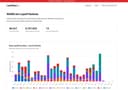
    LayoffAlert tracks mass layoffs and plant closures across the United States by aggregating official WARN Act notices filed with state governments. 100+ employee US companies are required to file WARN notices 60+ days before conducting mass layoffs, giving workers advance notice. LayoffAlert collects and organizes over 6,000 notices from 13 states into a single searchable database covering 200,000+ affected employees. Search by company name, location, industry, or date to find layoff notices before they happen. Get email alerts when new WARN notices are filed for companies or regions you're tracking. All data comes directly from government sources and is updated daily. Whether you're monitoring your employer, tracking industry trends, or looking for advance warning of layoffs in your area, LayoffAlert provides the earliest possible notice to help you prepare. Plus, get recommendations for finance or legal help if you need it.

    0
  8. 258Fractional Quest

    FractionalQuest is an AI-powered platform that connects experienced executives with fractional, interim, and remote C-suite opportunities across the UK and beyond. Designed to eliminate traditional recruiter friction, it uses intelligent matching and voice-first search to pair candidates with roles that genuinely fit their skills, availability, and career goals. The platform focuses on transparency, lower hiring fees, and faster placements, offering companies direct access to a vetted network of senior leaders while helping executives discover relevant, high-quality opportunities in finance, technology, marketing, operations, and more.

    0
  9. 259AI PowerPoint Maker0
  10. 260Quickfix AI

    Quickfix AI is a browser extension that writes replies for you using AI. Click once and get a perfect reply. No typing needed. It works on every website. Gmail, LinkedIn, Reddit, Slack, Zendesk, customer support tools, social media, and more. One extension for all your replies. Using it is simple. Install the extension, click the Quickfix AI button on any text box, and AI generates a reply instantly. The AI reads the context from the page, so responses are always relevant to the conversation. Quickfix AI supports every language. It's optimized for English but works with all languages worldwide. Unlike ChatGPT or other AI assistants, Quickfix AI works directly on every website. No copy-pasting between tabs. No switching windows. Just click and get your reply. Save hours every week and reply faster to support tickets, customer inquiries, emails, social media comments, and everyday chats.

    0
  11. 261Interviews Chat

    AI-Powered Interview Prep & Copilot – Practice Interviews, Get Real-Time Answers and Feedback AI Interview Copilot with live transcription and real-time answers. Unlimited sessions, dual responses, and cutting-edge AI models. interviews.chat is an AI-driven interview preparation platform that offers real-time support during interviews, tailored practice questions, live transcription, and feedback. It helps job seekers improve their responses and confidence using advanced AI models. "Interviews Chat is your discreet AI interview companion, whispering winning answers while you speak. Never blank out again—get instant, role-tailored prompts and feedback throughout live calls. Real-time dual answers for any question Unlimited mock sessions with latest AI models Role-specific prep packs & salary insights Works in-browser, no installs, totally silent Built for devs, PMs, marketers, and new grads who want to turn every interview into an offer."

    0
  12. 262Sellerpipe

    sellerpipe gives companies instant access to thousands of pre-vetted commission-based sales talents. We handle the heavy prescreening upfront, so you avoid long hiring or screening cycles and can immediately interview the top candidates tailored to your role. sellerpipe gives companies instant access to thousands of pre-vetted commission-based sales talents. We handle the heavy prescreening upfront, so you avoid long hiring or screening cycles and can immediately interview the top candidates tailored to your role.

    0
  13. 263TransGull

    TransGull is an AI-powered multilingual translation platform designed for real-world communication. It helps users overcome language barriers in conversations, meetings, videos, images, and live speech. Unlike traditional translation tools that only convert text, TransGull uses contextual AI understanding to deliver more accurate and natural translations across multiple scenarios. Key Features: • Conversation Translation – Instantly translate real-time conversations with clear and structured outputs. • Two-Way Simultaneous Interpretation – Ideal for meetings, classes, and business discussions. Each participant can hear translations directly through headphones. • Image Translation – Capture and translate text from images with high accuracy. • Video & Audio Translation – Translate multimedia content efficiently. • Translation History – View and review past translations anytime for reinforcement and clarity. TransGull supports multiple languages including English, Japanese, Chinese, Korean, French, Spanish, German, Russian, Thai, Italian, and Vietnamese. The platform is built for international teams, global trade professionals, students, and travelers who need reliable multilingual communication tools without complex setup. With flexible pay-as-you-go usage and no mandatory subscription for premium features, users only pay for what they use. TransGull aims to make cross-language communication smooth, practical, and accessible anywhere in the world.

    0
  14. 264StatPecker

    StatPecker: Instantly Turn Data into Impactful Visuals StatPecker is an AI-powered tool that transforms raw data into engaging infographics in seconds—saving time, cutting costs, and boosting impact. Instead of manual reporting or costly designers, StatPecker automates data storytelling for creators, analysts, marketers, and educators. Who Benefits: 📢 Content Creators & Journalists – Enrich articles with visuals that drive engagement. 📊 Analysts & Researchers – Visualize CSV data instantly, without complex tools. 📈 Marketers & Businesses – Enhance reports, campaigns, and presentations with clear insights. 🎓 Educators & Students – Simplify complex topics with interactive visuals. Key Features: Ask queries with AI, upload & analyze CSVs, publish & embed visuals, and download for reports or presentations.

    0
  15. 265Hublead

    Our HubSpot LinkedIn extension will help you to import contacts, sync conversations & invitations with just one click—right from LinkedIn or Sales Navigator. Key Features - Add LinkedIn contacts to HubSpot in 1-click: Quickly capture LinkedIn contacts and import them directly into HubSpot with just one click, saving time and effort. - Enrich contacts with emails & phone numbers: Automatically enhance your contact profiles by adding verified email addresses and phone numbers, providing your sales team with valuable, actionable data. - Sync LinkedIn conversations to HubSpot: Keep your LinkedIn message history seamlessly synced with HubSpot, ensuring all communication is tracked and accessible in one place. - Works with LinkedIn and LinkedIn Sales Navigator: Compatible with both LinkedIn and LinkedIn Sales Navigator, making it flexible for all levels of LinkedIn prospecting. - Sync LinkedIn invitations to HubSpot: Track your LinkedIn invitations and manage your outreach in HubSpot, making it easy to follow up with new connections. - No obsolete information or undeliverable emails: Ensure the quality of your data with accurate, up-to-date contact information that minimizes bounces and enhances deliverability. Benefits - Save time on manual data entry: Automatically sync contacts and conversations to HubSpot, freeing up more time for high-value activities. - Improve sales productivity: With enriched contact information at their fingertips, your team can engage leads more effectively and close deals faster. - Boost outreach consistency: Keep track of all LinkedIn messages and invitations in HubSpot, ensuring every lead gets timely and consistent follow-ups. - Eliminate outdated or inaccurate data: Say goodbye to obsolete contact information, helping you avoid undeliverable emails and maximize engagement. - Leverage LinkedIn insights: Bring LinkedIn’s powerful networking data into HubSpot to deepen connections and personalize outreach.

    0
  16. 266AIforGoogleSlides

    Use AI for Google Slides to quickly create new professional, presentations using AI. AI for Google Slides is an easy to use add-on that makes it easy for users to create new presentations and edit old presentations using AI - directly in Google Slides. AI for Google Slides can be installed in seconds from the Google Workspace Marketplace, and it only takes a minute to create your first presentation. Try creating a presentation from a prompt or a PDF to see the different creation options available to you with AI for Google Slides. The best part of making a new slide deck with AI for Google Slides is that it's easy to edit it and share it from Google Slides once you are done. Because it's a native add-on, it's fully compatible with your existing presentations, so you don't have to learn how to operate a new tool in order to make the most out of the AI.

    0
  17. 267AI Email Generator

    AI Generator Email is a free online AI email generator designed to make everyday email writing faster, easier, and more professional. Users can enter a short brief, choose the tone, intent, language, length, recipient details, and extra context, then generate a polished subject line and ready-to-edit email draft. The tool is useful for work emails, professional requests, follow-ups, customer support replies, sales outreach, job-related messages, school communication, and personal emails. It can also help users reply to existing emails more quickly by turning rough ideas into clear, natural responses. AI Generator Email is built for speed and simplicity. Users do not need to start from a blank page or spend time adjusting prompts manually. They can generate a draft, edit it if needed, and copy it into their own inbox. The site also includes related email tools such as temporary email and email signature generation, making it a practical workspace for common email-related tasks.

    0
  18. 268AI PPT Maker

    AIPPTMaker.ai offers a comprehensive suite of features that streamline the presentation creation process. The platform supports seamless conversion from a variety of content formats such as text, PDFs, Word documents, URLs, and even media files like YouTube videos and audio recordings. This versatile input compatibility allows users to transform any type of information into fully designed PowerPoint slides effortlessly. Additionally, the platform provides a robust online editing feature, enabling real-time adjustments and fine-tuning directly within the tool. With support for animated elements, users can create visually dynamic presentations that engage their audience. AIPPTMaker.ai also offers a vast library of over 2,000 professionally designed templates, catering to various industries and presentation styles, ensuring high-quality output every time.

    0
Good to know

Frequently asked questions