Best American AI Tools
The AI coming out of American startups and research labs.
AI tools and platforms built in the United States — from established tech companies to new startups — spanning writing, image and video generation, sales, and more.
- 76
 0
0NowKnow helps you get market research done in hours instead of weeks. Ask questions, upload designs, and get thoughtful feedback from AI personas that represent your target audience. Key Features - Fast Results: Get detailed feedback within hours instead of waiting weeks for traditional surveys - Realistic Feedback: AI personas provide authentic responses based on real demographic profiles - Visual Testing: Upload images and designs to get feedback on everything from logos to interfaces - No Privacy Concerns: Since responses come from AI personas, there's no GDPR/CCPA compliance needed Benefits - Test More Ideas: Run multiple studies quickly and affordably - Iterate Freely: Adjust your questions and run new versions instantly - Target Precisely: Get feedback from specific demographic groups - Move Faster: Make informed decisions without long research delays Use Case Test everything from marketing messages to visual designs. Perfect for comparing UI layouts, A/B testing ads, getting feedback on logos, evaluating product mockups, and choosing the best social media content.
- 77
 0
0Nano Banana is an AI-powered image generator that allows you to create and edit images through natural chat conversations. Unlike traditional text-to-image models, Nano Banana performs in-context image generation, allowing you to prompt with both text and images while seamlessly extracting and modifying visual concepts.
- 78
 0
0Nano Banana Pro is an advanced AI image editor and generator powered by Google's Gemini 3 Pro model, designed to deliver studio-quality precision and control for a wide range of visual creation needs. This powerful tool allows users to create and edit images with text, offering unparalleled capabilities such as 4K Ultra-HD output, perfect text rendering, and robust character consistency.
- 79
 0
0Introducing Narrow AI: Take the Engineer out of Prompt Engineering Narrow AI autonomously writes, monitors, and optimizes prompts for any model - so you can ship AI features 10x faster at a fraction of the cost. Maximize quality while minimizing costs - Reduce AI spend by 95% with cheaper models - Improve accuracy through Automated Prompt Optimization - Achieve faster responses with lower latency models Test new models in minutes, not weeks - Easily compare prompt performance across LLMs - Get cost and latency benchmarks for each model - Deploy on the optimal model for your use case Ship LLM features 10x faster - Automatically generate expert-level prompts - Adapt prompts to new models as they are released - Optimize prompts for quality, cost and speed Learn more at getnarrow.ai
- 80
 0
0Most AI app builders are great for prototypes, landing pages, and quick demos. They help you get something on the screen fast. They don’t help you launch a business. Woz is built for entrepreneurs who want revenue, not just an MVP. From day one, every app includes the core infrastructure a real product needs: payments, database, authentication, AI integrations, and backend logic. If you’ve used other AI tools, you’ve probably felt the wall. The bigger the app gets, the messier the code becomes. Edits break things. Progress slows. Eventually, the AI can’t take you further. Woz is designed so that wall never shows up. Our patented code generation keeps apps structured and editable even as they grow in complexity. Other tools optimize for speed. Woz optimizes for durability. Security, scalability, and engineering best practices aren’t optional add-ons. They’re enforced from the start. When you build with Woz, you’re not creating a demo. You’re laying the foundation for a business you can keep building on for years. Woz also offers human assistance. When you have a questions or hit a bug you can't quite solve, real human developers are available to guide you through.
- 81
 0
0GPT Imagine is a premium AI image generator powered by GPT Image 2. It offers intuitive Text-to-Image and Image-to-Image capabilities, flexible aspect ratios, and selectable quality tiers. With a built-in Prompt Library, creating professional marketing visuals and social media assets has never been easier.
- 82
 0
0Nano Banana Image Generation Tool for Fast, Accurate, and High-Resolution AI-Powered Visual Creation. Achieve compelling AI art with ease. Upload a photo or describe your idea — our AI image generator powered by Nano Banana will interpret and visualize it into a refined, shareable image up to 4K quality.
- 83
 0
0Nano Banana 2 is presented as a powerful, next-generation AI design agent built to transform the way users create, edit, and enhance images. Designed for both beginners and professionals, the platform offers an intuitive yet highly capable environment where creativity meets advanced artificial intelligence. From the moment users land on the platform, they are invited to start creating for free, making it accessible to anyone curious about AI-powered image editing. With over 10,000 creators already trusting the tool, Nano Banana 2 positions itself as a reliable and forward-thinking solution in the growing world of AI design tools. At its core, Nano Banana 2 is an advanced AI image editing model that builds upon its predecessor with significant improvements in performance and quality. It leverages state-of-the-art machine learning algorithms and deep learning technology to deliver professional-grade results automatically. Whether users are enhancing photos, retouching portraits, or generating entirely new images from text prompts, the platform ensures that outputs are sharp, detailed, and visually compelling. Its intelligent retouching system is particularly notable, as it understands the context of an image and preserves natural details rather than over-processing them. One of the standout aspects of Nano Banana 2 is its ease of use. The workflow is streamlined into four simple steps: uploading an image, choosing an enhancement mode, allowing the AI to process the image, and finally downloading or sharing the result. This simplicity makes it approachable for users with no technical background, while still offering enough customization for those who want more control over their edits. Features like one-click processing and real-time results further enhance the user experience by saving time and effort. The platform also includes a wide range of powerful features that cater to different creative needs. These include smart auto-enhancement, advanced color correction, noise reduction, portrait enhancement, HDR processing, and batch editing capabilities. Together, these tools allow users to handle everything from quick fixes to complex editing tasks efficiently. For example, photographers can process entire shoots in batches, while social media managers can maintain consistency across multiple images with minimal effort. Nano Banana 2 is not just about features—it also emphasizes performance and reliability. With tens of thousands of active users and millions of images already enhanced, the platform demonstrates a high level of user satisfaction. Testimonials from photographers, designers, and content creators highlight how the tool has improved their workflows, reduced editing time, and increased the overall quality of their work. Many users report that it has replaced traditional editing software in their daily routines. In addition to its technical capabilities, Nano Banana 2 supports various image formats such as JPEG, PNG, and WEBP, and allows uploads of up to 30MB. It also offers both free and premium options, giving users flexibility depending on their needs. The free version provides an entry point for experimentation, while the full version unlocks more advanced controls and higher-quality outputs. Overall, Nano Banana 2 stands out as a comprehensive AI-powered image editing solution. By combining cutting-edge technology with a user-friendly interface, it enables creators of all levels to produce professional-quality visuals quickly and efficiently.
- 84
 0
0# Framepack AI: The Revolutionary AI Video Generation Model Framepack AI is a breakthrough neural network structure for AI video generation. It employs innovative "next frame prediction" technology combined with a unique fixed-length context compression mechanism, enabling users to generate high-quality, high-framerate (30fps) videos up to 120 seconds long with very low hardware barriers (requiring only consumer-grade NVIDIA GPUs with 6GB of VRAM). ## What Makes Framepack AI Unique? The core innovation of Framepack AI lies in its **fixed-length context compression** technology. In traditional video generation models, context length grows linearly with video duration, leading to a sharp increase in VRAM and computational resource demand. Framepack AI effectively solves this challenge by intelligently evaluating the importance of input frames and compressing this information into fixed-length context 'notes'. This significantly reduces the demand for VRAM and computational resources, making it possible to generate long videos on consumer hardware. ## Key Features * **Fixed-Length Context Compression**: Intelligently compresses all input frames into fixed-length context information, preventing memory usage from scaling with video length and dramatically reducing VRAM requirements. * **Minimal Hardware Requirements**: Requires an NVIDIA RTX 30XX, 40XX, or 50XX series GPU with at least 6GB of VRAM. Compatible with both Windows and Linux operating systems, supporting FP16 and BF16 data formats. * **Efficient Generation**: Generates frames at approximately 2.5 seconds per frame on RTX 4090 desktop GPUs, with optimization (like teacache) reducing this to 1.5 seconds per frame. * **Strong Anti-Drift Capabilities**: Progressive compression and differential handling of frames by importance mitigates the 'drift' phenomenon common in long video generation, ensuring consistent quality throughout. * **Multiple Attention Mechanisms**: Support for PyTorch attention, xformers, flash-attn, and sage-attention provides flexible optimization options for different hardware setups. * **Open-Source and Free**: Developed by ControlNet creator Lvmin Zhang and Stanford University professor Maneesh Agrawala. Framepack AI is a fully open-source project with its code and models publicly available on GitHub, backed by an active community and rich ecosystem. ## Getting Started with Framepack AI You can download Framepack AI from its official GitHub repository. It can be used as a standalone application or integrated with platforms like ComfyUI. The community, such as RunningHub, has also created a Framepack plugin for zero-threshold usage. Framepack AI is dedicated to advancing AI video generation technology. Join us in exploring the future of video creation!
- 85
 0
0Roomika is an AI-powered interior design and virtual staging platform that helps you redesign any room using a photo of your real space. Instead of starting from scratch with mood boards or generic inspiration images, Roomika lets you upload a room photo and instantly generate realistic design concepts that preserve the layout and architecture of your room — while transforming the style, furniture, and overall vibe. Whether you’re decorating a new home, refreshing a living room, remodeling a kitchen, or trying to make a bedroom feel more modern and comfortable, Roomika makes it easy to explore professional-quality options in minutes. You can choose from a wide range of popular interior styles, from modern and contemporary to minimalist, Scandinavian, Japanese, rustic, and more. Each design is generated with a focus on photorealism so the results look believable, not cartoonish — and you can generate multiple variations to compare different looks side-by-side. Roomika is also a powerful tool for real estate professionals, Airbnb hosts, and property managers who need high-quality staging visuals fast. With Roomika’s virtual staging features, you can furnish empty rooms, redesign outdated spaces, and create polished “after” images that help buyers and renters imagine the potential of a property. This is especially useful when you want to test design directions without spending money on physical staging, renovations, or expensive design software. A key advantage of Roomika is its flexibility. You can upload your own inspiration images, describe the changes you want in plain English, and fine-tune designs until they match your taste. Want a brighter color palette? Different flooring? More modern furniture? A cozier aesthetic? Roomika makes it easy to iterate and explore. In addition to still images, Roomika can also generate short design videos that bring the transformation to life — perfect for sharing on social media, listing pages, or with friends and family. Roomika is built for anyone who wants to design their space with confidence, without needing design experience. It’s fast, simple, and fun to use, while still producing results that feel like something an interior designer might deliver. If you want to quickly visualize design ideas, experiment with styles, or stage a home for sale or rent, Roomika turns your room photo into beautiful, realistic design concepts in just a few clicks.
- 86
 0
0Grok Imagine is an advanced AI video and image generator developed by xAI. It can create viral videos with audio from text descriptions or turn static images into animated video clips. Unlike other AI tools, Grok Imagine automatically adds matching sounds, music, and effects to make complete videos ready for sharing. Text to Video with Audio Type any description and watch Grok Video Generator create a matching video. Grok Imagine understands your words and makes videos with perfect sound effects, music, and audio that fits the scene. Animate Your Images Upload any photo or image to Grok Video Generator and see it come alive. Grok Imagine adds realistic movement and appropriate sounds to turn your images into dynamic video.
- 87
 0
0AI Thesis Writer is an AI-powered academic writing platform built to take students from a topic idea to a complete, submission-ready thesis draft in a single workflow. At its core, the platform runs a pipeline of 19 specialized AI agents that collaborate across every stage of the academic writing process — from topic research and literature discovery to chapter structuring, argument development, and citation embedding. Rather than acting as a generic text generator, it is purpose-built around the anatomy of academic papers: it understands the difference between an introduction, a literature review, a methodology section, and a discussion, and writes each accordingly. What it produces scales with the type of paper requested. A research paper comes out around 5,000 words, a bachelor's thesis around 15,000, a master's thesis around 30,000, and a PhD dissertation up to 80,000 words — all with appropriate depth and chapter structure for the academic level chosen. Citations are real and consistent. The platform embeds properly formatted references throughout the draft and maintains a coherent reference list, supporting citation styles like APA 7th and IEEE, among others. The structure is reference-aware, meaning the writing and sourcing are aligned rather than treated as separate steps. Language support is broad — covering 57+ languages including English, German, French, Spanish, Arabic, Chinese, Japanese, and more — so students can generate drafts in the exact language they intend to submit in, not just English. Output is export-ready. Every generated draft is delivered as both a PDF and an editable DOCX file, making it straightforward to download, refine, and submit without additional reformatting work. The experience is designed to be frictionless: users enter their topic, select a paper type and language, optionally add a description or author details, and the platform handles everything from there. No complex configuration, no prompt engineering — just a clean starting point for academic work that would otherwise take days to scaffold from scratch.
- 88
 0
0Superday AI is an advanced interview preparation platform specifically designed for students and professionals pursuing careers in investment banking and high finance. The platform uses artificial intelligence to simulate realistic investment banking interviews, provide personalized coaching, and help candidates master technical concepts commonly tested by top financial institutions. Built by former investment bankers and private equity professionals, Superday AI focuses on preparing users for highly competitive recruiting processes at firms such as Goldman Sachs, JPMorgan Chase, Morgan Stanley, Barclays, Evercore, and other major investment banks. The platform positions itself as a complete all-in-one recruiting ecosystem for investment banking candidates. Instead of relying on scattered resources such as spreadsheets, PDF interview guides, flashcards, or general-purpose AI tools, Superday AI combines technical drills, mock interviews, networking tools, AI coaching, resume analysis, and audio learning into a single personalized environment. The system adapts to each user’s background, resume, target firms, strengths, and weaknesses in order to provide more relevant and realistic interview preparation. One of the platform’s most important features is its AI-powered mock interview system. Users can participate in simulated first-round interviews and superdays using either voice or text interactions. The AI interviewers ask technical and behavioral questions similar to those used by real banking recruiters, while providing instant feedback and scoring after each session. The mock interviews are designed to mimic actual recruiting environments, helping candidates build confidence and improve their communication under pressure. Superday AI also includes extensive technical drills covering key investment banking concepts such as discounted cash flow analysis (DCF), leveraged buyouts (LBOs), mergers and acquisitions, enterprise value, equity value, valuation multiples, accounting, and financial modeling. The platform claims to offer more than 1,500 AI-graded interview questions sourced from real recruiting experiences and feedback from candidates interviewing at top firms. These drills dynamically adapt to user performance, focusing more heavily on areas where the candidate struggles. Another standout feature is the personalized AI coaching system. Users can ask finance-related questions at any time and receive detailed explanations tailored to their recruiting goals and experience level. Because the AI has access to the user’s resume, target firms, and previous answers, the coaching experience becomes more customized than traditional generic AI chatbots. This allows candidates to receive targeted preparation strategies and follow-up guidance similar to working with a personal interview coach. The platform also includes a networking CRM tool that helps users organize professional contacts, coffee chats, recruiter outreach, and networking progress. Candidates can track conversations with bankers, manage outreach statuses, and even use AI-generated email drafting tools for networking messages. This reflects the importance of relationship-building within investment banking recruiting, where networking often plays a critical role in securing interviews and offers. Superday AI extends beyond interview preparation by offering audio learning guides, FINRA exam preparation, compensation data, recruiting timelines, and detailed bank-specific interview guides. The platform provides educational resources for firms across bulge bracket, elite boutique, and middle-market banking categories. It also includes a resume analyzer that evaluates candidates’ resumes and provides recommendations for improvement based on recruiting standards within the finance industry. The platform strongly targets students from highly competitive universities such as Harvard University, Columbia University, New York University, University of Pennsylvania, and other well-known business schools. Testimonials throughout the website emphasize how the platform helped users feel more prepared, improve technical interview performance, and secure offers from prestigious financial institutions. Superday AI is available both as a web platform and as a native iPhone application, allowing users to practice interviews, complete drills, and access coaching while on the go. The company promotes the app as the only dedicated investment banking interview preparation platform with a full native iOS experience. Overall, Superday AI presents itself as a highly specialized AI-driven solution built to help aspiring investment bankers maximize their recruiting performance and compete more effectively in one of the most demanding career fields in finance.
- 89
 0
0Soniox is a multilingual voice AI platform that unifies speech-to-text, text-to-speech, and real-time translation in a single API across 60+ languages and 3,600 language pairs. It's built for the hardest parts of voice AI — seamless mid-sentence language switching, alphanumerics, foreign names, multi-speaker conversations, and high-noise environments — with native-speaker accuracy rather than English-first performance. Low-latency streaming transcribes with sub-200ms latency and starts generating speech from the first few words. The same models and API deploy globally with in-region processing to meet latency, data residency, and regulatory needs. Trusted by Perplexity, Samsung, LG, Wonderful, DeliverHealth, and many others. Whatever you're building — voice agents, wearables, live captioning, dictation, or speech-to-speech translation — Soniox is the speech layer powering your voice AI product.
- 90
 0
0BlackInk AI is an AI-powered tattoo design platform that helps users turn their tattoo ideas into unique visual concepts in seconds. Instead of spending hours browsing Pinterest, Instagram, or tattoo galleries for inspiration, users can simply describe what they want and let the AI generate custom tattoo designs. The platform is designed for tattoo enthusiasts, people getting their first tattoo, professional tattoo artists, and illustrators who want to explore new creative directions. The main feature is the AI Tattoo Generator, which transforms a written idea into a custom tattoo concept. Users can describe their desired design, choose a tattoo style, select a body part or placement, and customize the shape, level of detail, and complexity. The platform offers more than 28 tattoo styles, including Black & Grey, Blackwork, Minimalist, Realism, Sketch, Neo-Traditional, Japanese, Geometric, Traditional, Trash Polka, Watercolor, and Anime. This allows the same basic idea to be explored in completely different artistic directions. BlackInk AI also takes tattoo placement into consideration. Users can select different body areas and generate designs intended to work with the proportions and shape of that location. Whether someone is looking for a small wrist tattoo, a forearm design, a back piece, or a full sleeve concept, the platform provides placement-aware options. Users can also visualize how a tattoo may look on the body before taking the concept to a professional tattoo artist, making it easier to compare proportions and overall appearance before committing to permanent ink. Beyond its primary generator, BlackInk AI includes several specialized tools for the tattoo creation process. The Font Generator can create custom lettering for names, quotes, and phrases in styles such as cursive, gothic, and gangster. The Cover Up tool helps users explore concepts for covering existing tattoos or scars, while the Gap Filler tool generates designs intended to fill empty spaces between existing tattoos. There is also a Stencil Maker that can convert an uploaded tattoo design into a stencil, allowing users to prepare concepts for further work. The platform also provides AI-generated tattoo inspiration through a large collection of designs. Users can browse concepts featuring subjects such as wolves, skulls, dragons, samurai, lions, flowers, fantasy characters, and other themes. These examples can serve as starting points for developing a more personalized tattoo idea. BlackInk AI offers three free credits to help new users begin experimenting with the platform. Its Pro subscription provides unlimited access to AI tattoo generation and additional features such as unlimited body-placement visualization, placement-specific templates, advanced control over complexity and line weight, image-to-stencil conversion, 4x super-resolution downloads, and access to all generated image variations. With more than 10 million custom tattoo designs and over 1.5 million users worldwide, BlackInk AI positions itself as an end-to-end creative tool for tattoo design. From generating an initial idea to experimenting with styles, visualizing placement, refining the composition, and creating a stencil, the platform brings multiple stages of the tattoo design process together in one application.
- 91
 0
0GPT Image is an AI image generation platform powered by OpenAI's GPT-4o architecture, designed to create photorealistic visuals with accurate text rendering. It helps marketers and designers produce professional assets, product renders, and infographics while maintaining visual consistency across multiple edits. Key features include multi-turn editing and high-resolution output up to 4K, making it an essential tool for high-quality graphic design and marketing automation.
- 92
 0
0Revamp is an AI-powered website redesign platform that enables users to transform any existing website into a modern, responsive design in approximately two minutes. Rather than requiring access to the original website files or content management system, the platform works by simply pasting a live website URL. Revamp then analyzes the site's structure, layout, and content before automatically generating a refreshed version that preserves the original information while presenting it with a significantly improved visual design. This approach makes website modernization dramatically faster than traditional redesign processes, eliminating weeks of design discussions, wireframes, revisions, and development work. The platform is built for a wide variety of users, including freelancers, web design agencies, digital marketing firms, SaaS companies, startups, and businesses that want to modernize outdated websites. Whether the original website was built with WordPress, Squarespace, Wix, Shopify, Webflow, Framer, a legacy content management system, or custom HTML, Revamp can analyze the live website directly from its URL. This broad compatibility allows users to redesign virtually any publicly accessible website without migrating platforms or rebuilding pages from scratch. The redesign process is intentionally simple and consists of only three steps. First, users paste the URL of any live website into the platform. This can be their own website, a competitor's website, or even a website they admire for inspiration. Next, Revamp's AI analyzes the existing page structure, navigation, typography, content hierarchy, and visual organization before generating a completely modernized version in roughly two minutes. Finally, users receive a live preview that can be shared with anyone, and paid subscribers can export the generated HTML, CSS, and JavaScript for deployment or further customization. One of Revamp's biggest advantages is that it focuses on redesign rather than rebuilding content. Instead of rewriting copy or changing important page information, the AI preserves the website's headings, metadata, and overall content structure while improving its visual presentation. This SEO-friendly approach helps maintain search engine relevance while providing a fresh, responsive design that performs well across desktop computers, tablets, and mobile devices. By preserving existing content, businesses can modernize their websites without worrying about losing valuable search engine optimization work that has been built over time. Every redesign generated by Revamp includes several practical features designed to simplify collaboration and deployment. Users receive shareable preview links that can be opened directly in a browser without requiring an account or login, making it easy to present concepts to clients, business partners, or internal teams. Paid plans additionally provide permanent preview URLs and complete code exports, allowing developers to download clean HTML, CSS, and JavaScript files that can be deployed immediately or integrated into existing workflows. Revamp places a strong emphasis on speed and efficiency. Traditional website redesign projects often involve weeks of planning, design revisions, client feedback, prototyping, and front-end development before a final version becomes available. Revamp compresses much of this initial creative process into only a few minutes through artificial intelligence. This rapid workflow enables businesses to evaluate multiple visual directions quickly, experiment with different redesign concepts, and validate ideas before investing significant development resources. The platform is especially valuable for agencies and freelance designers. Marketing agencies can generate professional redesign concepts during discovery calls, helping prospective clients immediately visualize what a modern version of their existing website could look like. This visual demonstration can strengthen sales presentations, improve proposal quality, and shorten the decision-making process. White-label plans further support agencies by allowing them to present redesigns under their own branding while serving multiple clients simultaneously.
- 93
 0
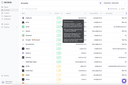
0Avina is an AI-powered buying signals and account prioritization engine built for modern revenue teams. We unify data and signals across web intent, CRM activity, email and call interactions, ad engagement, job changes, and company news to identify which accounts are truly in-market. We use LLMs to read the full context behind every interaction, what a prospect did and what it meant, to score and prioritize accounts the way a human would. The result is a live, ranked list of warm opportunities your team can act on immediately. Avina plugs into Salesforce, HubSpot, LinkedIn, Salesloft, Apollo, Instantly, Outreach, and more, turning intent into action, automatically pushing hot accounts to reps, building lookalike ad audiences, and launching sales sequences when buyers show real intent. If you don’t reach in-market buyers first, your competitors will. Avina helps you spot them early, act fast, and win more.
- 94
 0
0ResolveRent helps landlords and tenants settle disputes without going to court. The platform uses AI-assisted mediation, jurisdiction-specific legal guidance for all 50 US states, and structured negotiation tools to bring both parties to a fair agreement — faster, cheaper, and with far less stress than the traditional legal system. How It Works A user describes their dispute and uploads their lease. ResolveRent's AI classifies the issue, asks targeted follow-up questions, and builds a structured case grounded in the specific statutes of the user's state. The platform covers security deposit returns, habitability repairs, notice-to-enter requirements, noise complaints, nonpayment, early termination, and lease violations. The other party is invited to participate. Both sides see neutral, AI-generated framing. The platform proposes resolution options informed by state law and guides negotiation with tone-aware messaging that catches escalatory language before it's sent. If a resolution is reached, ResolveRent generates a plain-language agreement with electronic signatures. If negotiation fails, it produces a court-ready case summary either party can bring to small claims court. Key Features AI Lease Analysis — Extracts clauses, scores lease health, and flags risky terms against jurisdiction-specific standards. Smart Proposals — AI-generated resolution options grounded in state law, with context explaining why each is fair. Tone-Aware Messaging — Flags inflammatory language and suggests neutral alternatives before messages are sent. Demand Letters — Formal, statute-cited letters that can be sent via certified mail through the platform. Electronic Agreements — Plain-language agreements (not legalese) with legal-grade e-signature capture. Court-Ready Summaries — If negotiation fails, a neutral case summary prepared for small claims court. All 50 States — Jurisdiction-specific rule cards covering 7 dispute types across every US state, referencing actual statutes. Know Your Rights — A free public resource for exploring state-specific landlord-tenant protections. Lease Health Check — A free tool that scores any lease document and flags issues by severity. Interactive Demo — Try the full resolution workflow before creating an account. Who It's For Pricing Credit-based, pay-as-you-go. Credits never expire. One credit covers a complete disput
- 95
 0
0Turn phone calls into formatted reports - no apps, no typing required. Three Specialized AI Agents: Updaytr - Daily Updates: Perfect for field teams. Call anytime to share updates; AI remembers previous calls and guides completion. Automatic formatting into professional reports on your schedule. Ideatr - AI Brainstorming: Talk with AI that accesses real-time web data. Research topics, get briefings, or explore ideas. Biografr - Biography Recording: Preserve life stories through guided conversations. AI builds complete narratives organized by life chapters. What Sets Us Apart: - Works on any phone-smartphones or landlines - AI remembers context across all calls - Intelligent formatting, not just transcription - Flexible delivery: immediate, daily, or weekly - Always available from anywhere with phone service Updaytr makes content creation as simple as conversation.
- 96
 0
0Generate AI designs, documents, presentations, social posts, whiteboard, charts and more for free, powered by all one AI Editor. Generate AI designs, documents, presentations, social posts, whiteboard, charts and more for free, powered by all one AI Editor. Generate AI designs, documents, presentations, social posts, whiteboard, charts and more for free, powered by all one AI Editor.
- 97
 0
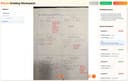
0Frizzle is an innovative educational technology platform built specifically for K-12 mathematics classrooms. The platform acts as an intelligent operating system for math education, helping teachers transform handwritten student work into detailed, actionable learning insights. Rather than requiring students to change how they learn, Frizzle allows them to continue solving problems on paper while advanced artificial intelligence analyzes their work behind the scenes. The core idea behind Frizzle is simple yet powerful: students work exactly as they always have, using worksheets, quizzes, assignments, and handwritten notes, while teachers capture images of completed work using a smartphone, scanner, or document camera. The platform then processes every page automatically, identifying individual students, reading handwritten mathematics, and analyzing each step of the problem-solving process. This approach eliminates the need for tablets, student accounts, device rollouts, or complicated technology integrations. Unlike traditional grading tools that only determine whether a final answer is correct or incorrect, Frizzle focuses on understanding student thinking. Its computer vision and AI systems analyze every step taken to reach a solution, allowing the platform to recognize multiple valid approaches to the same problem. Whether a student uses factoring, square roots, or the quadratic formula, Frizzle understands the reasoning and awards appropriate credit. This creates a more accurate picture of mathematical understanding than conventional grading systems. One of the platform's most valuable capabilities is misconception detection. Frizzle has been trained on approximately 1.4 million pages of real K-12 student work and can identify hundreds of common mathematical misconceptions. Instead of simply reporting that a student answered incorrectly, the platform helps teachers understand exactly where the student's reasoning broke down. It can identify issues related to distributive property, sign errors, prerequisite skill gaps, algebraic reasoning, and many other concepts. This enables teachers to intervene earlier and provide more targeted instruction. For classroom teachers, Frizzle dramatically reduces the time spent grading assignments while increasing the depth of feedback available. Within minutes of uploading a stack of papers, teachers receive detailed dashboards showing which students are struggling, which concepts require reteaching, and which misconceptions are beginning to spread throughout the class. The system provides step-level feedback, allowing educators to focus on instruction rather than administrative tasks. Schools and districts can also benefit from Frizzle's broader analytics capabilities. The platform aggregates anonymized data across classrooms, grade levels, and schools, providing administrators and instructional leaders with a comprehensive view of mathematics performance. These insights help identify curriculum effectiveness, monitor student progress, detect equity gaps, and guide educational decision-making at scale. Frizzle supports multiple educational standards frameworks, including Common Core State Standards (CCSS), TEKS, and numerous state-specific standards. Privacy and security are central components of the platform's design. Frizzle emphasizes that student work is never used to train its AI models. The company maintains FERPA and COPPA compliance, uses end-to-end encryption for data protection, and ensures that schools retain ownership of their educational data. Student information remains secure while educators gain access to meaningful instructional insights. Overall, Frizzle represents a modern approach to mathematics education that bridges traditional paper-based learning with advanced artificial intelligence. By helping teachers understand not only what students answer, but how they think, the platform enables more personalized instruction, faster intervention, and improved learning outcomes while preserving the classroom workflows that students and teachers already know and trust.
- 98
 0
0Nano Banana focuses on a fast “create + edit” workflow: generate images from text or modify existing images via natural-language commands. It emphasizes character consistency across scenes, precise object/background edits, style transfer, and context-aware understanding of lighting and object relationships for more realistic results.
- 99
 0
0Activepieces is an open-source AI Agent ecosystem that helps you build smart, autonomous AI agents to handle repetitive tasks. Zero coding required. In just 4 steps, non-technical users can create AI Agents that connect to hundreds of tools (like Gmail, CRMs, and databases) and get things done automatically. The AI Agents can also work independently or as a team. For example one agent can sort leads, another then sends personalized emails, and another onboards new clients. The AI agent ecosystem includes AI Agents, Tables for data storage, Todos (human approvals), and Model Context Protocols (MCPs) that enable you turn Claude, Cursor, Windsurf and other LLMs into AI Agents Whether you're automating customer support, sales workflows, or internal ops, Activepieces helps you move faster, reduce errors, and build AI-powered systems without writing code.
- 100
 0
0OnVid is an AI-powered video creation platform that enables anyone to transform text prompts or images into high-quality videos within seconds. Designed for creators, marketers, businesses, and everyday users, the platform eliminates the need for traditional video production by allowing users to simply describe an idea or upload a photo, then letting artificial intelligence generate a finished video automatically. Instead of requiring expensive equipment, filming, or advanced editing skills, OnVid provides an intuitive workflow that makes professional-looking video creation accessible to everyone. One of OnVid's biggest strengths is its support for multiple state-of-the-art AI video generation models within a single workspace. Rather than forcing users to create separate accounts or switch between different platforms, OnVid brings together several of the industry's leading video generation engines, including Kling 3, Veo 3.1, Seedance 2, Wan 2.7, Hailuo 2.3, and Hunyuan. Each model offers unique strengths, such as cinematic quality, native audio generation, realistic motion, expressive animation, image-to-video capabilities, or open-source flexibility, allowing users to select the most suitable engine for each creative project. The platform supports both text-to-video and image-to-video workflows. Users can type a simple description of the scene they want to create or upload a single photograph that the AI transforms into a moving video with natural camera movement and animation. This flexibility makes OnVid suitable for a wide variety of use cases, including storytelling, product showcases, creative experiments, social media content, promotional videos, travel memories, birthday greetings, and personal projects. OnVid offers several customization options before video generation begins. Users can choose different visual styles such as cinematic, photorealistic, fantasy, claymation, action, or product advertising, allowing the AI to match the desired artistic direction. Video length can also be selected in advance, making it possible to generate either short clips for social media or longer sequences for more detailed storytelling. By combining prompt input, style selection, and duration controls, users can create videos that better match their original vision without needing complex editing software. The platform also includes specialized tools that expand beyond basic video generation. Dedicated AI UGC (User-Generated Content) video creation helps businesses produce authentic marketing content, while AI video advertisement generation enables brands to quickly build promotional videos from simple product descriptions or images. Additional features such as AI video editing, video-to-video transformation, and HD downloads further extend the platform's capabilities, allowing users to refine existing content or generate entirely new videos from different media sources. OnVid emphasizes speed and simplicity throughout the creation process. Generating a video typically requires only three straightforward steps: enter a prompt or upload an image, select the preferred style and video length, and download the finished result once processing is complete. This streamlined workflow allows users to produce content rapidly without spending hours learning editing timelines, keyframes, animation software, or professional production techniques. The platform is particularly attractive to content creators who regularly publish on social media platforms such as YouTube, Instagram, TikTok, and X. Marketers can quickly generate advertising concepts, product demonstrations, and promotional campaigns, while educators and businesses can create visual explanations without hiring production teams. Casual users can also animate old family photographs, generate personalized greeting videos, create memes, or bring imaginative scenes to life for entertainment purposes. One of OnVid's distinguishing features is its unified AI studio approach. Rather than specializing in only one generation model, the platform gives users access to multiple industry-leading AI engines from companies such as Google, ByteDance, Alibaba, Tencent, Kuaishou, and MiniMax. This allows creators to experiment with different rendering styles, resolutions, speeds, and motion characteristics while managing all projects within a single interface. OnVid also showcases a large public gallery of AI-generated videos created from simple prompts, helping new users discover creative ideas and understand the capabilities of each generation model. Sample prompts can be reused or modified as inspiration, making it easier for beginners to learn how effective prompting influences the quality of generated videos.
Frequently asked questions
GitHub Copilot is an AI-powered code autocompletion tool that generates code suggestions as you type. It can often complete entire functions based on the initial input, making coding faster and more efficient. Many developers find it indispensable, as it significantly enhances productivity and reduces the time spent on coding tasks.
ChatGPT is recognized as one of the most advanced conversational AI tools available in 2024. It excels in various tasks, including coding and generating creative content. Users appreciate its capabilities, although it can occasionally produce inaccurate information and experience outages. The subscription fee of $20/month is considered worthwhile by many for its extensive features.
Vectorize.io is a platform designed to optimize unstructured data into vector search indexes, which are essential for retrieval-augmented generation. It efficiently structures data, making it easier for users to implement vector search indexes, thus enhancing data retrieval processes.
ZenCall is an AI phone agent that can make and receive calls on your behalf. It is known for its efficiency and robust performance, along with excellent customer service, making it a valuable tool for those looking to streamline their communication processes.
Mubboo.com is a free AI-powered life assistant that helps users make informed decisions in shopping, travel, local services, and information. It aggregates data from various sources to provide real-time price tracking, personalized city guides, and comprehensive information on US ZIP codes, making it easier for users to navigate their daily needs.
UGCad AI is an AI tool that generates video ads from product URLs or prompts without requiring any camera or editing skills. Its unique Ad Clone feature allows users to replicate the structure of successful ads, making it particularly useful for advertisers looking to enhance their ad performance without extensive resources.
SAMstream is an end-to-end platform that simplifies the government contracting process. It assists users in discovering opportunities, conducting competitor research, and creating bid-ready documents, allowing teams to focus more on winning proposals rather than dealing with cumbersome systems.
Magic Hour is a browser-based AI video generator and editor that allows users to create videos quickly from text or images. It offers features like text-to-video generation, AI Face Swap, and AI Lip Sync, making it ideal for producing various types of content, including social media posts and training materials, without the need for complex editing.
Writingmate is an AI web platform that provides access to over 200 AI models for writing, coding, and content creation. It features tools for text and image generation, voice input, and real-time web data access, enabling users to automate workflows and achieve better results across various tasks.
Clutch Click is a SaaS analytics platform that helps businesses monitor their brand presence in AI-powered search results. It tracks key metrics such as visibility, ranking, and sentiment across major AI models, providing insights that help marketing teams optimize their SEO and content strategies in an evolving digital landscape.