Best AI Tools for Students
The study session, upgraded — summaries, citations, and exam prep with AI on your side.
AI tools for students — study aids, note-takers, writing and citation helpers, exam prep, and research assistants that lighten the workload from first draft to finals.
- 251
 0
0Salesforce Dictionary is a comprehensive educational platform and reference hub designed for Salesforce administrators, developers, consultants, architects, and learners who want to better understand the Salesforce ecosystem. The website functions as an extensive glossary and learning center containing more than 1,300 Salesforce-related terms, certification preparation resources, interview practice materials, release note summaries, technical error explanations, acronyms, study tools, and interactive learning experiences. Built as a free resource for the global Salesforce community, the platform aims to simplify complex Salesforce concepts using plain-English explanations that are accessible to both beginners and experienced professionals. The core feature of Salesforce Dictionary is its massive searchable glossary of Salesforce terminology. Users can browse hundreds of definitions covering topics such as CRM fundamentals, platform development, administration, automation, APIs, integrations, architecture, security, and industry-specific Salesforce features. Each entry includes detailed explanations, categories, skill levels, and practical context that help users understand how Salesforce concepts work in real-world business environments. The platform organizes content into beginner, intermediate, and advanced levels, making it easier for learners to progress gradually while building technical knowledge. Terms are updated regularly to reflect new Salesforce releases, features, and evolving technologies within the ecosystem. In addition to the dictionary itself, the website offers extensive certification preparation tools for popular Salesforce certification tracks. Users can practice exam-style questions, complete daily quizzes, review flash cards, and access role-specific learning paths for certifications such as Salesforce Administrator, Developer, AI Associate, Agentforce Specialist, Architect, and Consultant tracks. The platform includes interactive features like “Daily 5” quiz challenges that simulate real certification-style questions and help users strengthen weak knowledge areas through consistent practice. These tools are designed to support learners preparing for highly competitive Salesforce exams while reinforcing long-term retention of important platform concepts. Another major aspect of Salesforce Dictionary is its career and interview preparation resources. The website includes structured interview question banks, mock interview content, answer frameworks, and study materials specifically designed for Salesforce job seekers. Role-based interview preparation sections help users prepare for technical and behavioral interviews related to Salesforce administration, development, consulting, and architecture roles. The platform also provides salary benchmarking tools that allow users to compare salaries by role, certifications, and region using live community-submitted data. This combination of technical education and career support makes the website valuable not only for students but also for professionals advancing their Salesforce careers. Salesforce Dictionary also provides practical technical resources and utilities commonly used by Salesforce professionals in their daily workflows. The platform includes more than 20 browser-based tools such as SOQL formatters, Cron builders, JSON-to-Apex DTO generators, Salesforce ID converters, productivity utilities, and setup helpers. These free tools help developers and administrators save time while working with Salesforce data, code, integrations, and automation systems. Additionally, the site includes a detailed error library where users can search exact Salesforce error messages and find simplified explanations, root causes, and troubleshooting guides written in plain language. The website places strong emphasis on community engagement and gamified learning. Users can participate in leaderboards, earn badges, maintain learning streaks, contribute glossary entries, join study cohorts, and solve daily Salesforce-themed crossword puzzles designed to reinforce terminology memorization. This interactive approach transforms technical learning into a more engaging experience while encouraging consistent study habits and community participation. The platform also features blogs, release summaries, tutorials, setup guides, acronym libraries, comparison articles, and learning paths that continuously expand its educational ecosystem. Overall, Salesforce Dictionary serves as an all-in-one Salesforce learning hub that combines technical documentation, certification prep, interview coaching, productivity tools, and community-driven education into a single platform. By presenting Salesforce terminology and concepts in clear, easy-to-understand language, the website helps learners and professionals navigate the complexity of the Salesforce ecosystem more efficiently. Its free access model, interactive study features, and constantly updated educational resources make it a valuable platform for anyone looking to improve their Salesforce knowledge, pass certifications, prepare for interviews, or grow within the Salesforce industry.
- 252
 0
0Finally realize why I'm such dumb *ss
- 253
 0
0Mado is an app blocker for iPhone built on one observation: the problem is rarely the app itself, it is opening the app without ever deciding to. You pick the apps that pull you in. Instagram, TikTok, X, Reddit, YouTube, news, whatever your list looks like. From then on, opening one of them does not open a feed. It opens a shield, and the shield gives you two buttons and no third. Close the app, or enter for fifteen minutes. Fifteen minutes is the only unit Mado deals in, and every app gets its own budget for the day. You set that budget by picking a focus mode: Shizuku (滴, droplet) gives three sessions per app per day, Nagare (流, flow) gives two, Izumi (泉, spring) gives one. Spend an app's sessions and that app is locked until midnight. No extend button, no snooze, no five more minutes. The part that makes it hold is what happens when you try to loosen your own rules. Raising your session count or dropping an app from the list does not take effect until the next midnight, while tightening applies immediately. The version of you at 11pm cannot overrule the version of you that set the limit. That is the loophole most blockers leave open, and closing it is the whole product. The shield is where the work happens. Doomscrolling is not usually a decision, it is a reflex: the phone is already in your hand and the feed is already loading before you notice. Mado interrupts the reflex, hands the choice back, and counts what you decided. A hundred closed shields is roughly twenty five hours that did not go into a feed.What is inside: Shields on the apps and categories you choose, built on Apple's Screen Time API. No VPN, no configuration profile, nothing rerouting your traffic. Toki, a schedule that runs itself. Set work hours, a wind-down or weekend rules once and stop thinking about it. Deep Focus, an on-demand lock for the stretches when you want the phone out of the way entirely. Insights: pauses declined, sessions used, hours reclaimed, and a daily streak. Seven achievements marked with Japanese kanji, from the first pause (一) to mastery (道), drawn in sumi-e ink rather than confetti. A Home Screen widget showing time saved and your current streak. Everything stays on the device. Mado uses Apple's Screen Time API locally, has no account and sends nothing to a server. It has no feed and no notifications competing for the attention it is meant to protect. Free to download with a free trial, then a subscription. Requires iOS 26 or later. Mado (窓) means window in Japanese. One window between you and the scroll, and you decide what happens in it.
- 254
 0
0Google's AI tools like NotebookLM and Gemini are incredible for generating content, but they automatically add watermarks to all outputs. NotebookLM adds a "NotebookLM" text watermark to every PDF page, while Gemini places watermarks on AI-generated images. These watermarks can look unprofessional when you need to share documents with clients, publish research papers, or use the content in presentations. **Our Solution:** Gemini Watermark Remover intelligently removes watermarks from both NotebookLM PDFs and Gemini-generated images while preserving the original quality. **Key Features:** 🔒 **Privacy First:** - Files are processed securely and deleted immediately after - No permanent storage of your documents - Secure encryption during upload and processing
- 255
 0
0What does it do? Image Unblur is an AI-powered online tool designed to restore clarity to low-quality images. It automatically analyzes and sharpens blurry photos, removes pixelation, and upscales resolution. Whether you need to fix out-of-focus shots, make blurry text readable, or restore old damaged photos, it handles the complex processing in seconds to deliver crisp, high-definition results. Who is it for? It is built for anyone who needs to salvage or enhance a photo. This includes photographers fixing slightly missed focus, digital marketers needing crisp assets, students and researchers trying to decipher blurry documents or screenshots, and archivists looking to restore clarity to old family memories without needing complex editing software. What makes it unique? Unlike generic photo editors that simply sharpen edges (often introducing noise), Image Unblur uses state-of-the-art Generative AI models tailored for specific tasks—such as a dedicated mode for unblurring text and another for enhancing facial details. It operates entirely in the browser with no software credits required for basic use, and strictly prioritizes user privacy by automatically deleting all uploaded images shortly after processing.
- 256
 0
0ToolPremier is a free online SaaS platform that brings useful digital tools together in one convenient place. Our growing collection covers SEO, AI, PDF, image, text, finance, calculator, productivity, developer, and other online tools. We created ToolPremier to make digital tasks easier and reduce the need to search across different websites. Users can explore various categories and find practical solutions for their personal, educational, or professional requirements.
- 257
 0
0Vimego enables users to download Vimeo videos, audio, and subtitles while offering video enhancement, text-to-speech, and various other video editor features. Key Features 1. Vimeo Video Downloader: Vimego enables users to easily download Vimeo videos, audio, and subtitles in various formats. 2. Video Enhancer: The platform includes a video quality enhancer, allowing users to improve the resolution and visual clarity of their downloaded content. 3. Text-to-Speech: Vimego offers a text-to-speech feature, transforming written content into audio for easier consumption. Benefits 1. Offline Access: Vimego fulfills the need for offline access to Vimeo content, allowing users to download videos and subtitles for uninterrupted viewing. 2. Enhanced Editing Capabilities: The tool addresses the demand for comprehensive video editing features, enabling users to enhance video quality and convert text to speech, streamlining the editing process. Use Case 1. Educational Use: Students can download educational Vimeo videos to facilitate diverse learning styles. 2. Content Creation: Video editors can utilize Vimego to gather and enhance Vimeo clips, merging them into cohesive projects, while also generating voiceovers from scripts for narration.
- 258
 0
0This blur image tool offers simple tools to blur faces, sensitive text, or entire images directly in your browser for better privacy protection. Selective Blur Manually blur specific areas of an image with full control. Brush and selection tools Adjustable blur strength Multiple blur regions Perfect for faces, objects, and sensitive areas Full Image Blur Blur the entire image in a single step. Adjustable intensity Smooth, natural blur output Option to restore selected areas Ideal for background blur Face Blur Automatically detect and blur faces. Accurate multi-face detection Adjustable blur or pixelation Manual fine-tuning supported Designed for privacy protection Sensitive Information Blur Automatically blur private text information. Detects phone numbers, emails, IDs, and addresses OCR runs locally in the browser Editable and removable detection areas No data ever leaves your device Text Blur Blur text inside images with precision. Automatic text detection Blur or pixelate text blocks Ideal for screenshots and documents Pixelate Image Replace blur with pixelation when stronger masking is needed. Adjustable pixel size Works on full images or selected regions Commonly used for anonymization Motion Blur Apply directional motion blur effects. Adjustable angle and distance GPU-accelerated rendering Suitable for creative and dynamic visuals Private, Fast, and Easy 100% browser-based No image uploads No sign-up required Instant preview and export
- 259
 0
0Convert images to editable text instantly with our free online OCR tool. Upload, drag and drop, paste a screenshot, or enter an image URL to extract text from JPG, JPEG, PNG, WebP, GIF, BMP, and TIFF files. Choose between AI-powered recognition and private local OCR, with support for Spanish and English documents. Copy your results or export them as plain text, formatted text, Markdown, TXT, Word, or ZIP. No registration is required, making image-to-text conversion fast and simple.
- 260
 0
0LatexConvert is a free online picture to latex converter that eliminates the hassle of manually typing complex LaTeX formulas. Simply upload an image or paste a screenshot to complete image to latex conversion and instantly generate accurate, editable LaTeX code. It supports recognition of all kinds of mathematical formulas, chemical equations and physics formulas, and can easily restore complex layouts. No registration or login required, no usage limits, and all latex convert features are 100% free. The generated code can be copied with one click and pasted directly into papers, research notes, presentations or LaTeX editors. Whether you are a student, researcher or teacher, this convert tool will drastically boost your efficiency and save you valuable time whenever you need to work with LaTeX formulas.
- 261
 0
0TimerJet is a free online timer, alarm clock, and stopwatch that runs entirely in the browser. No account, nothing to install, no paywall. Set a countdown for any duration, or start a preset in one click. Common durations like 5, 10, 25, and 30 minutes each have their own page, so you can bookmark the exact timer you use most. A full-screen mode shows oversized digits that stay readable across a room, which makes it practical on projectors and shared screens. You can adjust the accent color, font, and digit size, and preview any alert sound before starting. TimerJet also includes a stopwatch with lap timing and a world clock with live seconds. Timers can be embedded on other websites. Built for classrooms, study sessions, workouts, cooking, and desk work. Available at timerjet.com.
- 262
 0
0CyberCheck Now is a browser-based tool designed for fast and reliable device testing. It helps users verify their audio and video setup before important moments. Instantly test your camera and microphone in the browser Get real-time video and audio feedback with no installation Works on desktop and mobile, across modern browsers Ideal for online meetings, remote exams, interviews, and webinars Privacy-friendly: all tests run locally, no media is uploaded
- 263
 0
0Wipperoz is a virtual CV platform built for a hiring market where traditional resumes no longer work. Instead of sending static PDFs, users create dynamic, shareable profiles that combine structured experience, skills, and optional video introductions. The platform helps candidates go beyond just presenting their background. With AI-powered insights, Wipperoz analyzes your profile, highlights strengths and gaps, and shows how well you match specific job opportunities. It then suggests what to improve, generates tailored cover letters, and even prepares you with interview questions based on each role. By turning resumes into living profiles and adding real-time guidance, Wipperoz helps candidates stand out in a crowded market and apply with clarity and confidence.
- 264
 0
0Receiptum is an online receipt generator designed to help users create professional-looking receipt templates quickly and easily. The platform allows businesses, freelancers, students, creators, and individuals to generate customizable receipts in just a few seconds without needing graphic design experience or accounting software. Its simple interface and wide variety of templates make it accessible for both casual and professional use. One of Receiptum’s main advantages is its speed and simplicity. Users can create receipts in three straightforward steps: choose a template, customize the details, and export the finished receipt. The process is designed to be fast and beginner-friendly, making it possible to generate polished receipts within minutes. The platform offers a large collection of receipt templates inspired by popular stores, supermarkets, restaurants, and retail brands. Users can select templates based on different industries and business styles, including grocery stores, fashion retailers, pharmacies, restaurants, and department stores. Templates inspired by businesses like Walmart, Costco, Target, Safeway, Publix, Whole Foods, Trader Joe’s, Kroger, and TJ Maxx give users flexibility when creating receipts for demonstrations, mockups, educational projects, or creative purposes. Receiptum focuses heavily on customization. Users can edit nearly every element of a receipt, including line items, prices, payment methods, taxes, dates, logos, and business information. The platform also allows users to add or remove receipt elements depending on their needs. This flexibility makes it useful for creating receipts that match specific branding styles or business requirements. Another useful feature is logo support. Businesses and creators can upload custom logos to personalize their receipts and create a more professional appearance. This feature helps small businesses maintain consistent branding while generating invoices or proof-of-purchase documents for clients and customers. The platform is entirely web-based, which means users do not need to install any additional software or applications. Everything works directly in the browser, allowing receipts to be created and exported quickly from virtually any device. Once completed, receipts can be downloaded, printed, or shared digitally with just one click. Receiptum positions itself as a tool for business, educational, and creative purposes. It can be useful for freelancers generating sample receipts, students creating educational projects, designers building realistic UI mockups, or small businesses needing simple receipt templates without complex accounting systems. The platform also emphasizes ease of use for people without technical or design skills. Another important aspect of the platform is its accessibility. Receiptum promotes itself as free to use for many features, lowering the barrier for users who need basic receipt generation without paying for expensive invoicing software. This makes it especially appealing to independent creators, side hustlers, startups, and small online businesses. The website also includes FAQ sections explaining legal usage and platform policies. Receiptum explicitly states that the service is prohibited for fraudulent or illegal purposes, reinforcing that the tool is intended for legitimate business, educational, and creative applications only. Overall, Receiptum is a lightweight and practical receipt generation platform focused on speed, customization, and simplicity. By combining editable templates, easy customization tools, logo uploads, and fast exports, it provides an accessible solution for creating professional-looking receipts without requiring advanced software or design experience. Whether someone needs a receipt for business operations, educational demonstrations, creative projects, or branding purposes, Receiptum offers a flexible and easy-to-use platform for generating receipts in minutes.
- 265
 0
0A calm, distraction-free environment designed to help you actively engage your mind through a variety of simple yet effective thinking activities. This platform offers a unique space to sharpen your cognitive skills without the usual digital noise. Activities Offered: Dictionary: Expand your vocabulary by learning a new random word and its definition each session. Mental Math: Sharpen your arithmetic skills by solving basic mathematical problems. Sudoku: Challenge yourself with the classic and engaging Sudoku puzzle. A ↔ Z Unscramble: Test your word-finding abilities by rearranging letters to form a word. Wikipedia: Explore a random Wikipedia article to broaden your general knowledge. Remember the Pattern: Enhance your memory and observation skills by recalling visual patterns. Five Letters (Wordle-style): Exercise your deductive reasoning by guessing a five-letter word within a limited number of attempts. Futoshiki: Engage your logic by filling a grid while adhering to inequality constraints. Key Features: No login required for immediate access. Completely ad-free experience. No personal data is stored, ensuring your privacy. No background music to maintain focus. A minimalist and clean interface, free from unnecessary complexity. Avoids gamification elements like leaderboards, streaks, or achievements, focusing purely on the cognitive exercise.
- 266
 0
0by George Orwell an expedition into who people are and what life is
- 267
 0
0LogoLife is a rapidly growing college counseling and mentorship organization committed to helping students develop themselves meaningfully and, as a natural outcome, gain admission to universities where they can thrive and impact the world around them. In today’s admissions environment, success is no longer determined solely by grades or test scores. Students are expected to demonstrate initiative, intellectual curiosity, leadership, and sustained commitment across multiple areas of development. While information about college admissions is widely available, families often struggle to translate that information into a clear, cohesive strategy tailored to their child. LogoLife was created to bring structure, accountability, and execution to a process that is often fragmented and overwhelming for families. LogoLife works alongside students to translate long-term strategy into consistent action and measurable progress over time. Each family begins with a deep evaluation and one-on-one student interview designed to understand interests, strengths, and long-term aspirations. From this foundation, LogoLife develops a highly personalized educational strategy and then actively supports its execution, guiding students step by step through academic planning, extracurricular development, research opportunities, project creation, and leadership initiatives aligned with competitive admissions expectations. Through ongoing mentorship, structured milestones, and continuous feedback, families are not left guessing what to do next. They are supported throughout the process as the plan is implemented and refined over time. A defining aspect of LogoLife’s approach is mentorship. Students are supported by a curated network of former university admissions officers, Ivy League graduates, researchers, and industry professionals who guide them through intellectually rigorous work and real-world opportunities. These experiences help students build genuine accomplishment and confidence while developing skills that extend far beyond college applications. Since its founding, LogoLife has served thousands of families nationwide and has earned recognition for its disciplined strategy, high level of personalization, and commitment to long-term student development. The organization emphasizes helping students become thoughtful, capable contributors prepared to pursue meaningful futures, rather than simply optimizing for admissions outcomes alone.
- 268
 0
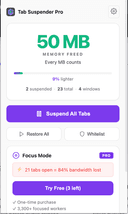
0Zovo is a privacy-first platform offering a growing collection of powerful browser extensions and online tools designed to improve productivity, development workflows, and everyday browsing. Built entirely by independent developer Michael Lip, Zovo represents a unique alternative to corporate-controlled software ecosystems. Instead of prioritizing data collection, advertising, or investor demands, Zovo focuses on delivering useful, efficient, and privacy-respecting tools shaped directly by user feedback. The platform currently provides more than 20 Chrome extensions and a suite of browser-based utilities that run locally on the user’s device. This local-first approach ensures that sensitive information never leaves the browser, reinforcing Zovo’s commitment to privacy and security. Users can access tools such as JSON Formatter Pro for formatting and validating data, Clipboard History Pro for storing and retrieving copied content, Tab Suspender Pro for optimizing memory usage, and Web Scraper Lite for extracting structured data from websites without writing code. These tools are available through the Chrome Web Store and are continuously improved based on community input. A defining feature of Zovo is its community-driven development model. Members can request new features, vote on upcoming tools, and gain early access to extensions before public release. This direct communication creates a transparent and collaborative environment where users actively shape the product roadmap. Unlike traditional software companies, users can contact the developer directly via email or Discord, ensuring fast responses and personalized support without automated systems or ticket queues. Zovo also offers online versions of many tools, allowing users to perform tasks instantly without installing extensions. These include color pickers, Base64 encoders, timestamp converters, password generators, and text utilities. All tools run entirely within the browser, providing fast performance and eliminating the need for external processing or data transfer. Michael Lip brings extensive experience to the platform, having spent over a decade building software for enterprise clients and earning more than $400,000 through freelance work on Upwork with a 100% success rate. His proven track record and hands-on development approach ensure consistent updates, reliable performance, and long-term support. Zovo operates on a simple and transparent pricing model, offering both monthly subscriptions and lifetime access options. Members receive full access to all existing extensions, future releases, and direct communication with the developer. This ensures that users not only benefit from current tools but also from continuous innovation and expansion. Overall, Zovo stands out as a modern, independent software platform built on transparency, user empowerment, and privacy. By combining powerful browser tools, community-driven development, and a privacy-first philosophy, Zovo delivers a streamlined and trustworthy solution for developers, writers, designers, researchers, and anyone seeking to enhance their browser experience without compromising control or personal data.
- 269
 0
0The Kingdom of English is a gamified ESL learning platform created by an English teacher for other teachers and their students. It combines structured grammar, listening, reading, vocabulary, and writing practice with a medieval themed reward system that keeps learners motivated. Students earn coins, unlock castles, and progress through levels while improving real language skills from A2 to B2. Teachers can manage classes, track performance, and assign practice easily. The platform supports up to 60 students per teacher account and is designed for real classroom use. AI powered features enhance learning, provide instant feedback, and make practice more engaging and efficient. The Kingdom of English blends pedagogy, technology, and motivation into one interactive learning environment.
- 270
 0
0Einbürgerungstest Fragen is a free online learning platform created to help people prepare for the German citizenship examination, officially known as the "Leben in Deutschland" test. The website provides complete access to the official catalog of citizenship questions, realistic practice exams, downloadable study materials, and state-specific questions, allowing users to prepare efficiently for one of the key requirements of obtaining German citizenship. The platform is designed to make exam preparation simple, accessible, and completely free without requiring subscriptions or hidden fees. The website centers around the official German naturalization test, which consists of 33 multiple-choice questions selected from a pool of 300 official questions published for the examination. To pass the test, candidates must answer at least 17 questions correctly within a 60-minute time limit. Einbürgerungstest Fragen recreates this examination experience by offering realistic online practice tests that closely mirror the actual exam format. This allows users to become familiar with the testing environment, improve their confidence, and evaluate their readiness before taking the official citizenship examination. One of the platform's most valuable resources is its complete collection of all 300 official citizenship questions. Every question includes the correct answer, allowing learners to study systematically at their own pace. Rather than limiting practice sessions, the website encourages unlimited learning, enabling users to revisit difficult questions as often as necessary until they fully understand the material. This flexible approach accommodates both short daily study sessions and longer, more intensive preparation schedules depending on each learner's needs. In addition to the nationwide question catalog, the platform also includes the mandatory state-specific questions required for each of Germany's federal states. During the official examination, candidates receive questions related to the state in which they live, making regional preparation essential. The website provides dedicated practice sections for every German federal state, including Baden-Württemberg, Bavaria, Berlin, Brandenburg, Bremen, Hamburg, Hesse, Mecklenburg-Vorpommern, Lower Saxony, North Rhine-Westphalia, Rhineland-Palatinate, Saarland, Saxony, Saxony-Anhalt, Schleswig-Holstein, and Thuringia. Users simply select their state before beginning a customized practice exam that reflects the structure of the official test. The platform emphasizes accessibility by making all study resources available completely free of charge. There are no premium memberships, subscription plans, hidden payments, or restrictions that limit access to educational content. This approach ensures that anyone preparing for German citizenship can access the complete official question catalog regardless of financial circumstances. By removing economic barriers, the platform supports equal access to citizenship preparation for immigrants and residents across Germany. For learners who prefer offline study, Einbürgerungstest Fragen also offers downloadable PDF versions of the complete question catalog. These documents include all official nationwide questions as well as the state-specific questions required for the citizenship examination. The PDF format allows users to print the materials or study without an internet connection, making preparation more convenient while traveling, commuting, or studying away from a computer. This flexibility enables learners to review questions whenever and wherever they choose. The website also highlights encouraging statistics intended to build user confidence. According to the information presented on the platform, the vast majority of candidates successfully pass the citizenship examination, with many participants even answering every question correctly. These statistics reinforce the message that consistent practice using the official question catalog significantly improves the likelihood of passing the exam. By repeatedly reviewing the complete set of questions, learners can strengthen their understanding of German society, history, politics, legal principles, and civic responsibilities. The learning experience is intentionally straightforward and easy to navigate. Visitors can immediately begin practicing online, browse individual groups of questions organized numerically, select federal-state-specific practice tests, or download study materials without creating an account. This simplified interface allows users to focus entirely on learning rather than managing registrations or navigating unnecessary features. The platform is suitable for both first-time learners and candidates seeking additional review shortly before the official examination.
- 271
 0
0The Ultimate Piano is a browser-based practice tool for pianists and music learners. Connect your MIDI keyboard and start practicing — no download needed. Features include real-time chord detection, a scale trainer with 14 scale types, ear training for intervals and chords, and a chord explorer for music theory. Load MIDI files to see falling notes, practice along with audio or YouTube videos, and generate chord diagrams for teaching materials. Built for musicians who want more than just an online piano: practice chords, learn scales, train your ear, and visualize music theory — all in one browser tab. Also includes a transparent piano overlay for OBS streaming and a diagram generator for creating printable chord charts. Works on any device with a browser. Free core features with Premium for advanced tools.
- 272
 0
0Traduce cualquier imagen rápidamente sin perder su estilo original. Usa tecnología de IA avanzada para traducir imágenes fácilmente en Traducir Imagen. Traduce cualquier imagen rápidamente sin perder su estilo original. Usa tecnología de IA avanzada para traducir imágenes fácilmente en Traducir Imagen.
- 273
 0
0Browser Notes is a local-first note-taking application that brings traditional notes, sticky notes, and mind maps together in a single browser-based workspace. Instead of relying on multiple productivity apps or cloud-based services, the platform keeps everything organized directly inside your web browser. Every note is stored locally on your device, giving users complete ownership of their information without requiring an account, online synchronization, or external storage. Designed for privacy, simplicity, and speed, Browser Notes allows users to capture ideas, organize thoughts, and build projects while maintaining full control over their personal data. Unlike many modern note-taking platforms that automatically upload information to remote servers, Browser Notes follows a privacy-focused approach. All content remains stored locally within the browser, ensuring that personal ideas, research, brainstorming sessions, and creative work never leave the user's device unless they choose to export it. There is no account registration, no tracking, no mandatory cloud synchronization, and no hidden data collection. This local-first architecture makes the application suitable for users who value privacy while still providing a responsive and reliable writing experience. The platform offers three complementary ways to organize information depending on the type of work being performed. Traditional notes provide a distraction-free writing environment that supports Markdown formatting, making it easy to create structured documents, technical notes, articles, checklists, documentation, or personal journals. Markdown allows users to format headings, lists, links, emphasis, code snippets, and other document elements while keeping the writing process simple and efficient. These notes are ideal for long-form writing and organized documentation that can be expanded over time. For more visual thinking, Browser Notes includes sticky notes displayed on an open digital canvas. This workspace allows users to quickly capture ideas, move notes freely, group related concepts, and brainstorm without the limitations of a traditional document layout. Sticky notes can be arranged spatially to support creative planning, project organization, brainstorming sessions, task management, or visual workflows. Because everything remains within the browser, users can quickly reorganize information while maintaining a lightweight and responsive experience. The third workspace is dedicated to mind maps, allowing users to build branching diagrams that grow outward from a central concept. Mind maps make it easier to visualize relationships between ideas, organize complex topics, plan projects, outline presentations, design stories, or explore new concepts. Users can expand branches naturally as new ideas emerge, creating structured visual representations that help simplify complicated information. This feature supports creative thinking while remaining integrated with the same local-first philosophy as the rest of the application. Browser Notes is designed to work entirely offline, making it accessible even without an internet connection. Users can continue writing, organizing ideas, and managing projects regardless of network availability because the application depends only on local browser storage. This offline capability makes it especially useful for students, researchers, writers, developers, travelers, and professionals who need reliable access to their notes at any time without depending on external services or internet connectivity.
- 274
 0
0Transgate is an advanced speech-to-text web application that simplifies the process of converting audio and video content into accurate and editable text. Built with user experience in mind, Transgate offers an easy user experience for professionals in a range of professions, including researchers, journalists, healthcare experts, and content creators. Key features of Transgate include high accuracy, with transcription quality reaching up to 98%, ensuring that even complex recordings are captured with precision. The platform offers robust multi-language support, making it suitable for a global audience that requires transcription services in various languages. Users can also make edits to their transcriptions directly on the platform before downloading, giving them complete control to perfect their content. Additionally, Transgate prioritizes data privacy and security, allowing users to manage and protect their sensitive information confidently. One of the standout aspects of Transgate is its cost-effective, pay-as-you-go model, which ensures that users only pay for the transcriptions they need without any long-term commitments or hidden fees. This flexible approach makes Transgate a budget-friendly choice for both individuals and businesses. Using Transgate provides numerous benefits. It saves valuable time by automating the transcription process, enabling users to focus on higher-priority tasks. The platform enhances productivity by delivering fast and reliable text output, while also improving team collaboration with easy sharing and editing options for transcribed documents. Transgate operates effortlessly: users simply upload their audio or video file, and the AI quickly transcribes the content. From there, users can make any necessary edits, review the text for accuracy, and download the final version, making the entire transcription process efficient, flexible, and hassle-free.
- 275
 0
0Earth.fm is a kind of a digital retreat where you can immerse yourself in the sounds of nature. It’s designed to help people unwind, reconnect with the Earth, meditate, and focus. Key Features: - Nature Soundscapes: A curated collection of soothing nature recordings from around the globe. - Interactive Soundmap: Explore sounds from different regions using a world map. - Mobile App: Enjoy nature's sounds wherever you are. - Quiet Places: Discover and learn about tranquil locations worldwide. - Support for Recordings: Encourages new contributions through grants. Benefits: Earth.fm offers a natural way to reduce stress, enhance focus, and nurture a connection with the environment. Whether you’re looking to meditate, work, or relax, the platform’s serene soundscapes provide an easy escape from the busyness of daily life. Use Cases: Perfect for anyone needing a moment of calm, Earth.fm is ideal for background sounds during work or study, meditation sessions, or simply unwinding after a long day. It’s also a great resource for nature lovers who want to explore the sounds of different ecosystems around the world.
Frequently asked questions
Some of the best AI tools for students include ChatGPT, which is highly regarded for its advanced conversational capabilities and is useful for coding and various tasks. Another great tool is AdBlock, which helps eliminate distracting ads for a more focused browsing experience. Additionally, tools like Limit and Block & Focus can help students manage their time by blocking distracting websites.
ChatGPT is an advanced AI tool that can assist students with a variety of tasks, including coding help, writing assistance, and generating ideas for projects. It is particularly useful for programming tasks and can provide quick answers to questions, making it a valuable resource for students looking to enhance their learning experience.
'The Black Swan' is a crucial read for students as it teaches them to think critically and recognize biases in their decision-making. The book emphasizes the importance of understanding unpredictable events and their impact on our lives, making it a valuable resource for developing analytical skills.
'Why We Sleep' by Mathew Walker highlights the critical role of sleep in cognitive function, memory consolidation, and overall health. For students, understanding the science of sleep can lead to better study habits and improved academic performance, as adequate rest is essential for effective learning.
Limit is a productivity tool that allows students to set time restrictions on distracting websites. By limiting the amount of time spent on these sites, students can maintain focus on their studies and avoid falling into time-wasting rabbit holes, ultimately enhancing their productivity.
Block & Focus is a simple yet effective tool that enables students to block distracting websites for specified periods. It allows users to create whitelists and blacklists, track their usage statistics, and utilize keyboard shortcuts, making it easier to stay focused on their academic work.
Visiting Warsaw offers students a rich historical and cultural experience. The city is a blend of old and new, showcasing its resilience and vibrant culture. Students can explore significant historical sites, museums, and enjoy the local cuisine, providing a deeper understanding of European history and culture.
California offers great weather and is known for its surfing opportunities, making it an attractive place for students. However, some urban areas face challenges such as homelessness and public safety concerns. Students should weigh these factors when considering studying in the state.
Burger King is often regarded as a top fast food choice due to its variety of menu options and perceived quality over competitors like McDonald's. For students looking for quick and satisfying meals, Burger King provides a reliable option that appeals to many.
Momentum transforms the new tab screen into a personalized dashboard that displays the time, weather, and beautiful images. It includes productivity tools like a pomodoro timer and to-do lists, helping students stay organized and focused while providing an aesthetically pleasing interface.