Home
List · created July 2026

Best Software for Small Business Owners

Run the whole business without an IT team.

The best software for small business owners — affordable tools for accounting, marketing, scheduling, and operations that help a small team punch well above its weight.

736Items
0Contributors
0Votes
  1. 676Mediasaur

    Mediasaur is an AI creative engine that turns a single input—like a product photo, concept, or prompt—into high-quality visuals in seconds. It generates UGC-style content, studio product shots, backgrounds, lifestyle scenes, and platform-ready ad creatives instantly. With Mediasaur, teams and individuals can produce endless variations, explore new creative directions, and keep their content pipeline fresh without the usual cost or complexity. The workspace makes it easy to organize generations, experiment with styles, and export assets for any channel or use case. Whether you need polished images, social content, ad concepts, or rapid creative testing, Mediasaur gives you a fast, flexible, AI-powered way to produce visuals at scale. Mediasaur is built for anyone who creates content—marketers, designers, founders, creators, or teams—offering a simple, on-demand way to generate high-quality AI content.

    0
  2. 677GPT Imagine

    GPT Imagine is a premium AI image generator powered by GPT Image 2. It offers intuitive Text-to-Image and Image-to-Image capabilities, flexible aspect ratios, and selectable quality tiers. With a built-in Prompt Library, creating professional marketing visuals and social media assets has never been easier.

    0
  3. 678Image to Image AI

    Image to Image AI is an AI image and video platform that lets you transform reference images or generate new ones from text. Upload one or several images, add a prompt, and get high-quality outputs in multiple aspect ratios (1:1, 16:9, 9:16, etc.) and resolutions (1K, 2K, 4K). It runs on AI Best and supports 9+ models including Nano Banana, Nano Banana Pro, GPT-4o Image, Flux Kontext, and video models like Veo. Use it for product shots, social content, concept art, or marketing—with sharper 2K imagery, 4K scaling, better text in images, and consistent characters.

    0
  4. 679Tweetboost

    TweetBoost is an advanced growth platform designed to help individuals, brands, and creators expand their presence on X (formerly Twitter) through real, organic followers rather than artificial or low-quality accounts. Unlike traditional services that rely on bots or inactive profiles, TweetBoost positions itself as a premium solution powered by AI technology and human expertise. Its primary goal is to deliver sustainable, high-quality growth that not only increases follower count but also improves engagement and long-term value. At the heart of TweetBoost is its commitment to authenticity. The platform emphasizes that all followers come from real people with complete profiles, including photos, bios, and posting history. This ensures that users are building a genuine audience rather than accumulating empty numbers. These followers are more likely to interact with content by liking, commenting, and sharing posts, which significantly enhances visibility and credibility on the platform. As a result, users benefit from meaningful engagement instead of vanity metrics that offer little to no return. One of the most appealing aspects of TweetBoost is its AI-powered growth system. The platform analyzes a user’s profile, content, and niche to develop a personalized growth strategy. Through strategic campaigns, it promotes the account to audiences who are most likely to be interested in the content. This targeted approach allows for steady and natural-looking growth, avoiding the sudden spikes that often raise suspicion or risk account penalties. By maintaining compliance with platform guidelines, TweetBoost prioritizes account safety while still delivering strong results. The onboarding process is designed to be simple and secure. Users can get started in just a few minutes without needing to share their password, which adds an extra layer of trust. The platform also offers a 3-day free trial, allowing users to test the service risk-free before committing to a subscription. After the trial, pricing begins at an accessible monthly rate, with the flexibility to cancel at any time. Additional features such as SSL security, live chat support, and a money-back promise further reinforce the platform’s reliability. TweetBoost also provides a transparent view of growth through its dashboard. Users can monitor real-time activity, including new followers, likes, and engagement metrics. This visibility helps users understand how their account is evolving and how effective the campaigns are. The platform highlights real case studies where accounts have achieved significant growth, demonstrating its ability to scale profiles from small audiences to large, highly engaged communities. Another key strength of TweetBoost is its focus on long-term results. Instead of delivering quick but unstable growth, the platform aims to build a loyal audience that remains over time. This includes attracting influencers and high-quality followers who can amplify content and open new opportunities, such as collaborations or partnerships. By focusing on retention and genuine interest, TweetBoost ensures that growth is not only fast but also sustainable. In addition, the platform offers global reach and audience targeting. Users can tailor their campaigns based on location or interests, allowing them to connect with the right audience worldwide. This flexibility makes TweetBoost suitable for a wide range of users, from personal brands to large organizations looking to expand their digital influence. Overall, TweetBoost stands out as a modern, intelligent solution for X growth. By combining AI-driven targeting, organic strategies, and a strong emphasis on quality, it enables users to grow their accounts safely and effectively. It is not just about gaining followers, but about building a real community that drives engagement, visibility, and long-term success.

    0
  5. 680Image to Image

    Image to Image is an online AI photo editor that changes a photo you already have, guided by a text prompt. Upload up to three JPG, PNG or WebP images, describe the change, and get a new picture in about 20 to 40 seconds that keeps the subject, pose and composition of the original. It offers one-click style templates (anime, 3D cartoon, oil painting, watercolor), plain-word edits such as a new background or shirt color, product photos on clean backgrounds, step-by-step "Edit this result", and Fast, Pro and Pro HD (2048 px) modes. New accounts get 2 free credits.

    0
  6. 681Photostock - Free AI Image Generator

    Photostock’s Free AI Image Generator lets you create stunning, high-resolution images in seconds using simple text prompts. Designed for creators, marketers, and businesses, the tool requires no signup and offers unlimited free access. All generated images are royalty-free and approved for commercial use, making it perfect for blog posts, social media content, advertising materials, and design projects. Whether you need professional product shots, eye-catching backgrounds, or unique artistic visuals, Photostock delivers instant, high-quality results with ease.

    0
  7. 682OnVid

    OnVid is an AI-powered video creation platform that enables anyone to transform text prompts or images into high-quality videos within seconds. Designed for creators, marketers, businesses, and everyday users, the platform eliminates the need for traditional video production by allowing users to simply describe an idea or upload a photo, then letting artificial intelligence generate a finished video automatically. Instead of requiring expensive equipment, filming, or advanced editing skills, OnVid provides an intuitive workflow that makes professional-looking video creation accessible to everyone. One of OnVid's biggest strengths is its support for multiple state-of-the-art AI video generation models within a single workspace. Rather than forcing users to create separate accounts or switch between different platforms, OnVid brings together several of the industry's leading video generation engines, including Kling 3, Veo 3.1, Seedance 2, Wan 2.7, Hailuo 2.3, and Hunyuan. Each model offers unique strengths, such as cinematic quality, native audio generation, realistic motion, expressive animation, image-to-video capabilities, or open-source flexibility, allowing users to select the most suitable engine for each creative project. The platform supports both text-to-video and image-to-video workflows. Users can type a simple description of the scene they want to create or upload a single photograph that the AI transforms into a moving video with natural camera movement and animation. This flexibility makes OnVid suitable for a wide variety of use cases, including storytelling, product showcases, creative experiments, social media content, promotional videos, travel memories, birthday greetings, and personal projects. OnVid offers several customization options before video generation begins. Users can choose different visual styles such as cinematic, photorealistic, fantasy, claymation, action, or product advertising, allowing the AI to match the desired artistic direction. Video length can also be selected in advance, making it possible to generate either short clips for social media or longer sequences for more detailed storytelling. By combining prompt input, style selection, and duration controls, users can create videos that better match their original vision without needing complex editing software. The platform also includes specialized tools that expand beyond basic video generation. Dedicated AI UGC (User-Generated Content) video creation helps businesses produce authentic marketing content, while AI video advertisement generation enables brands to quickly build promotional videos from simple product descriptions or images. Additional features such as AI video editing, video-to-video transformation, and HD downloads further extend the platform's capabilities, allowing users to refine existing content or generate entirely new videos from different media sources. OnVid emphasizes speed and simplicity throughout the creation process. Generating a video typically requires only three straightforward steps: enter a prompt or upload an image, select the preferred style and video length, and download the finished result once processing is complete. This streamlined workflow allows users to produce content rapidly without spending hours learning editing timelines, keyframes, animation software, or professional production techniques. The platform is particularly attractive to content creators who regularly publish on social media platforms such as YouTube, Instagram, TikTok, and X. Marketers can quickly generate advertising concepts, product demonstrations, and promotional campaigns, while educators and businesses can create visual explanations without hiring production teams. Casual users can also animate old family photographs, generate personalized greeting videos, create memes, or bring imaginative scenes to life for entertainment purposes. One of OnVid's distinguishing features is its unified AI studio approach. Rather than specializing in only one generation model, the platform gives users access to multiple industry-leading AI engines from companies such as Google, ByteDance, Alibaba, Tencent, Kuaishou, and MiniMax. This allows creators to experiment with different rendering styles, resolutions, speeds, and motion characteristics while managing all projects within a single interface. OnVid also showcases a large public gallery of AI-generated videos created from simple prompts, helping new users discover creative ideas and understand the capabilities of each generation model. Sample prompts can be reused or modified as inspiration, making it easier for beginners to learn how effective prompting influences the quality of generated videos.

    0
  8. 683Qwen Image 2

    Qwen Image 2 is a revolutionary AI-powered image generation and editing platform based on Alibaba’s advanced Qwen Image 2 model. It excels at complex text rendering and photorealistic output, allowing users to generate professional-grade images with accurate typography, layouts, and multilingual text directly in the image. Unlike traditional text-to-image models, ImageByQwen supports seamless image editing with natural language instructions, enabling precise modifications while preserving semantic meaning and visual quality. Perfect for creating posters, infographics, product visuals, and artistic creations with high consistency and detail.

    0
  9. 684vitelnk

    vitelnk helps professionals securely share videos with full control over access, smart share links, and analytics while guiding viewers to take the next actions you want without ever leaving the video. vitelnk helps professionals securely share videos with full control over access, smart share links, and analytics while guiding viewers to take the next actions you want without ever leaving the video. vitelnk helps professionals securely share videos with full control over access, smart share links, and analytics while guiding viewers to take the next actions you want without ever leaving the video.

    0
  10. 685meigen ai

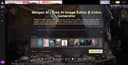
    Meigen AI is a free AI creative platform for editing images and generating videos with simple text prompts. Use it to enhance photos, create new visual concepts, turn ideas into polished media, and speed up social content production without advanced design skills. Built for creators, marketers, students, everyday users, Meigen AI makes AI image editing and video generation easier, faster, and more accessible for modern digital storytelling across social media, websites, ads, and projects today.

    0
  11. 686Plate Photo AI

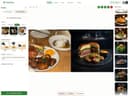
    PlatePhoto is an AI-powered food photography platform that enables restaurants, food businesses, delivery services, and content creators to generate professional-quality food images in seconds. Instead of relying on expensive photoshoots or advanced editing software, users can upload a simple photo taken with a smartphone and transform it into a polished, menu-ready image using artificial intelligence. The platform is designed to help businesses improve their visual branding, attract more customers, and increase online orders through high-quality food photography. The platform focuses on solving one of the biggest challenges in the food industry: creating consistent, professional images for menus, websites, social media, and food delivery platforms. Attractive food photography has a significant impact on purchasing decisions, and PlatePhoto provides businesses with an affordable way to create visually appealing images without hiring photographers or graphic designers. Restaurants can quickly update menu items, seasonal specials, or promotional content while maintaining a consistent visual identity across every marketing channel. PlatePhoto offers an AI-powered editing experience that requires no previous design knowledge. Users simply upload a food photo and select from dozens of professionally designed visual styles or create custom presets tailored to their brand. Available styles include casual café environments, fine dining presentations, classic restaurant photography, outdoor terrace scenes, family dining settings, chef-inspired compositions, brunch aesthetics, clean white backgrounds, and many other professional looks. The AI automatically applies lighting, composition, background adjustments, and stylistic enhancements while preserving the appearance of the dish. In addition to style transformations, PlatePhoto allows users to edit food images using simple natural language prompts. Instead of learning complex software such as Photoshop or Canva, users can request specific modifications by describing them in plain language. The AI can adjust lighting, remove unwanted ingredients, add garnishes, improve presentation, modify backgrounds, enhance colors, or perform other visual refinements within seconds. This conversational editing approach makes professional food photography accessible to restaurant owners, marketers, and creators regardless of their technical experience. A unique feature of PlatePhoto is its ability to import existing food photos directly from a restaurant's website or Google Maps listing. Businesses that already have online menu images can instantly transfer them into the platform without manually downloading and uploading files. Once imported, those images can be enhanced, restyled, and optimized using the platform's AI editing tools. This workflow saves considerable time while allowing restaurants to modernize their existing visual content. The image generation process is intentionally simple. First, users upload a photo of their dish, even if it was taken with a mobile phone. Next, they choose one of the many available visual styles or create a custom appearance that matches their brand identity. Finally, the AI generates a high-resolution professional image that is ready to publish on restaurant websites, printed menus, delivery applications, social media platforms, or marketing materials. The entire process is completed within seconds, allowing businesses to update visual content almost instantly. PlatePhoto is designed for a wide variety of use cases across the food industry. Restaurants can create attractive menu photography that encourages customers to order more items. Food delivery businesses can optimize product images for platforms such as DoorDash, Uber Eats, Grubhub, Yelp, and OpenTable. Marketing teams can generate consistent branding across websites, advertisements, and promotional campaigns. Food bloggers and social media creators can quickly produce engaging content without organizing professional photo sessions. Entrepreneurs launching new food businesses can create premium-quality images while keeping startup costs low.

    0
  12. 687AI Email Generator

    AI Generator Email is a free online AI email generator designed to make everyday email writing faster, easier, and more professional. Users can enter a short brief, choose the tone, intent, language, length, recipient details, and extra context, then generate a polished subject line and ready-to-edit email draft. The tool is useful for work emails, professional requests, follow-ups, customer support replies, sales outreach, job-related messages, school communication, and personal emails. It can also help users reply to existing emails more quickly by turning rough ideas into clear, natural responses. AI Generator Email is built for speed and simplicity. Users do not need to start from a blank page or spend time adjusting prompts manually. They can generate a draft, edit it if needed, and copy it into their own inbox. The site also includes related email tools such as temporary email and email signature generation, making it a practical workspace for common email-related tasks.

    0
  13. 688wan 3.0

    Wan 3.0 AI Video Generator Powered by Alibaba Wan 3 Model Wan 3.0 AI Video Generator Powered by Alibaba Wan 3 ModelWan 3.0 AI Video Generator Powered by Alibaba Wan 3 ModelWan 3.0 AI Video Generator Powered by Alibaba Wan 3 ModelWan 3.0 AI Video Generator Powered by Alibaba Wan 3 ModelWan 3.0 AI Video Generator Powered by Alibaba Wan 3 Model

    0
  14. 689Motion Control AI

    Motion Control AI is a control-first AI video tool that helps you generate character-driven clips using reference motion. Instead of relying only on text prompts, you can guide the result with a source video (or motion/pose reference) to create more predictable, repeatable animations. What it does (in a nutshell) Turn reference motion into character animation and short AI videos—so you can produce multiple takes with consistent movement. Key features & unique benefits • Motion transfer from reference video for controlled outputs • Pose/motion-guided generation (less randomness than prompt-only tools) • Consistent character look across multiple clips and iterations • Fast workflow: upload → preview → refine → export • Built for social-ready short videos and ad creatives Who it’s for Short-form creators, content studios, marketers, and indie teams who need character animation without complex rigging or long production cycles.

    0
  15. 690Supaslides

    Supaslides is an AI-powered content creation platform designed to help creators, marketers, and businesses generate high-performing social media carousels in seconds. The tool focuses on turning simple inputs—such as a URL, a short idea, or a text prompt—into fully designed, branded carousel posts that are ready to publish across multiple platforms. Its main goal is to remove the complexity of design and copywriting by automating the entire creation process while still allowing users to maintain control over the final output. At its core, Supaslides works as an AI content and design engine that reads brand information from a website link and transforms it into a consistent visual identity. Once a user provides a URL, the system extracts brand elements such as colors, fonts, tone of voice, and overall style. It then uses this data to generate a cohesive carousel that matches the brand’s identity. This allows users to produce content that feels custom-made without needing design experience or manual setup. One of the key features of Supaslides is its ability to generate complete carousels in around 60 seconds. The platform automatically writes the copy for each slide, structures the content, selects relevant visuals, and applies design styles. Users can then refine the result using an intuitive visual editor that allows them to rewrite text, reorder slides, and adjust layouts in real time. This combination of automation and manual control makes the tool flexible for both beginners and experienced content creators. Supaslides also offers a wide variety of design styles, including more than 40 premium visual templates. These styles range from minimal and professional layouts to bold and expressive designs, enabling users to adapt their content to different audiences and platforms. The platform supports both static and animated formats, meaning carousels can be exported as images, videos, or PDFs depending on where they will be published. Another important aspect of Supaslides is its multi-platform export system. The tool automatically formats content for major social networks such as Instagram, TikTok, LinkedIn, Facebook, X (Twitter), Pinterest, and YouTube. Each platform has its own optimal format, and Supaslides ensures that every carousel is resized and optimized correctly without requiring manual adjustments from the user. This is especially valuable for creators who distribute content across multiple channels and need consistency in presentation. The platform also includes AI-assisted ideation tools that help users overcome creative blocks. It can generate carousel ideas based on a topic, expand rough notes into structured posts, or transform existing articles into engaging social content. This feature allows users to maintain a steady flow of content without needing to constantly brainstorm new ideas from scratch. From a technical perspective, Supaslides integrates smart image handling and brand automation. It can detect context from content and automatically select or place relevant images into slides. Users can also upload their own media library, and the system intelligently applies visuals where they best fit. This reduces manual design work and ensures each slide maintains visual coherence. The platform is designed for different types of users, including solo creators, marketing teams, and agencies. Pricing tiers reflect this range of use cases, offering a free plan for casual users and paid plans for more advanced needs. Higher-tier plans unlock additional brands, more monthly carousel generations, watermark-free exports, and priority rendering. Overall, Supaslides positions itself as an all-in-one AI content studio for social media carousels. By combining brand extraction, AI writing, automated design, and multi-platform exporting, it enables users to produce professional-quality content at high speed. The platform is especially valuable for individuals and teams looking to scale their content output without increasing design workload or relying on complex creative tools.

    0
  16. 691FroggyAds

    FroggyAds is a self-serve demand-side platform and ad network. Advertisers, media buyers, affiliate marketers and agencies can manage push, native, display, pop, video and interstitial campaigns from one dashboard. Features include audience targeting, bid and budget controls, SmartCPC optimization, Adscore-supported traffic screening, source-level reporting and whitelists or blacklists. Advertising uses a prepaid balance, with a $50 minimum deposit. Actual costs depend on auction conditions.

    0
  17. 692RankDots

    RankDots reverse-engineers Google’s algorithm, groups high-impact keywords into topics, and generates SEO-ready content drafts in one streamlined workflow, lightning-fast.RankDots reverse-engineers Google’s algorithm, groups high-impact keywords into topics, and generates SEO-ready content drafts in one streamlined workflow, lightning-fast.RankDots reverse-engineers Google’s algorithm, groups high-impact keywords into topics, and generates SEO-ready content drafts in one streamlined workflow, lightning-fast.

    0
  18. 693Adobe Firefly Background Remover

    Adobe Firefly Remove Background is an AI-powered online background removal tool from Adobe that makes it easy to isolate the main subject of an image and create a clean, transparent background. Designed for creators, marketers, businesses, and everyday users, the tool automates the process of detecting the subject and removing the surrounding background without requiring manual selection, masking, or advanced photo-editing skills. The workflow is straightforward. Users can open Adobe Firefly, upload an image, select the Remove Background option, and let Firefly automatically process the image. Supported input formats include JPEG, PNG, and WebP files, with uploads of up to 50 MB. Once the background has been removed, the resulting image can be downloaded as a PNG with a transparent background, making it easy to reuse the subject across different designs, platforms, and creative projects. Adobe Firefly uses artificial intelligence to identify the edges of the main subject and separate it from its surroundings. The tool is designed to handle a wide range of image content, including portraits, product photography, pets, objects, illustrations, and more complex graphics. It can detect details such as hair, fur, and transparent objects, helping users create cleaner cutouts without manually tracing around the subject. The transparent result can be used in many different contexts. Users can place the isolated subject over a colored background, add it to a completely new environment, create social media graphics, build product visuals, prepare presentation assets, or incorporate it into flyers, posters, infographics, and other digital or printed designs. The background removal workflow can therefore serve as a starting point for broader image-editing and design projects rather than being limited to simple cutouts. Firefly also allows users to continue editing their images after removing the background. The platform includes additional AI-powered creative capabilities such as background generation, object removal, image expansion, image upscaling, AI photo editing, image generation, image-to-image transformation, sketch-to-image, and image-to-video creation. Users can describe a desired new background with a text prompt and use Firefly's generative tools to place their isolated subject into a different setting. For more advanced editing, Firefly integrates with Adobe's wider creative ecosystem. Users can continue working on an image within Firefly or move their results into applications such as Photoshop for additional adjustments and finishing work. Adobe Firefly also includes Firefly Boards, which can be used to brainstorm visual directions, combine multiple cutout images, and experiment with compositions and creative concepts. One of the main advantages of the tool is its automated workflow. Instead of manually selecting individual areas, refining masks, or tracing complicated edges, users can upload an image and let Firefly perform the background removal automatically. This can significantly simplify repetitive editing tasks and make professional-looking cutouts more accessible to users without specialized design experience. Adobe Firefly Remove Background is available through a web browser and can also be accessed through Firefly's broader mobile experience. It is positioned as a fast and accessible solution for creating transparent image assets while giving users access to a larger collection of AI-powered creative tools for further editing and content creation.

    0
  19. 694Vozart AI

    Vozart.ai is your creative sidekick for making music faster and smarter. Whether you're a producer, songwriter, or just someone who loves experimenting with sound, Vozart lets you turn simple lyrics or ideas into fully produced, royalty-free tracks in seconds. Pick your genre, switch up styles on the fly, extend your music, remove vocals, or remix existing tracks—it’s all about giving you creative control without the technical hassle. The best part? Every song you make comes with high-quality audio and full commercial rights, so you're free to use it anywhere. Perfect for creators, educators, marketers, or hobbyists—Vozart helps you bring your music to life, your way.

    0
  20. 695Image 2.5

    Image 2.5: Create and Edit Images with AI Image 2.5 is a browser-based GPT Image 2.5 AI image generator and editor for creators, designers, marketers, and visual storytellers. It helps you generate original artwork from text, edit existing images with natural-language instructions, and build polished visuals from reference images or rough sketches. Key Features * Generate images from text prompts * Edit images using simple written instructions * Use multiple reference images to guide the result * Preserve characters, products, materials, and visual details * Replace backgrounds, restyle scenes, and modify selected objects * Create square, portrait, landscape, or custom compositions * Generate high-resolution images up to 4K * Export results as PNG, JPEG, or WebP * Create transparent-background images where supported * Refine the same idea through multiple editing rounds Two Models for Different Workflows Image 2.5 includes two GPT Image 2.5 model options: * Sunburst – prioritizes image quality, detail, and editing precision. * Flare – provides faster generation for drafts and everyday creative work. What Is Image 2.5 Useful For? Use Image 2.5 to create product images, advertising concepts, social media graphics, infographics, posters, character designs, storyboards, presentation visuals, concept art, and targeted photo edits. From initial prompt to final export, Image 2.5 combines text-to-image generation, reference-based image creation, and AI image editing in one streamlined online workspace.

    0
  21. 696Wan 2.7 AI Video Generator

    Wan 2.7 is an upgraded multi-modal AI video generator that creates high-quality videos from text, images and audio. It supports native 1080P HD resolution and longer rendering, with intelligent multi-shot switching, consistent character preservation, precise lip-sync and audio-visual alignment. The motion is smooth and natural with rich details. It is easy to use without professional editing skills, helping you generate cinematic clips quickly. Ideal for short video marketing, narrative films, creative ads and content creation, it greatly improves efficiency and quality for creators.

    0
  22. 697Imgkits

    Imgkits is an online AI-powered image and video editing platform for professionals and everyday users. It supports tasks such as removing watermarks or unwanted objects, changing backgrounds, restoring and colorizing old photos, upscaling and retouching images, batch editing, and applying artistic styles.

    0
  23. 698Adscriptly

    AI Ad Optimization for Predictable Revenue - Ad platforms don't know which clicks turn into customers. Adscriptly fixes that. Adscriptly captures AI lead scores, CRM pipeline data, and predicted lifetime value, then route those signals back to your ad platforms as enhanced conversions. Smart Bidding stops chasing form fills and starts optimizing for real revenue. Our AI agents then use that data to automatically refine keywords, bids, and ad copy so your campaigns keep getting smarter without the manual work.

    0
  24. 699AI Image Generator - Create, Edit & Transform Images with AI

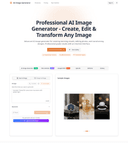
    AI image generator is a tool that uses artificial intelligence to create, edit, and transform images. Our platform can generate images from text descriptions, edit existing photos, change styles, and enhance image quality automatically. Whether you're an artist, designer, or marketer, this tool offers professional-grade results with an intuitive interface.

    0
  25. 700OpenMusic AI

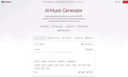
    OpenMusic AI is a comprehensive AI music creation platform that turns simple ideas into full, professional-quality songs in seconds. Users can generate original tracks from text prompts or lyrics, select genre and mood, and access an all-in-one toolkit that includes AI audio mastering, vocal removal, stem separation, and lyric generation. Every composition is 100 percent royalty-free with commercial licensing, ready for use on platforms such as Spotify, YouTube, TikTok, podcasts, games, or films without copyright concerns. Designed for creators at any skill level, OpenMusic AI empowers artists, producers, and storytellers to realize and refine musical ideas faster and more efficiently than traditional production workflows.

    0
Good to know

Frequently asked questions