Home
Auto list · updated automatically

Best Language Learning Apps

This list showcases language learning apps designed to facilitate the acquisition of new languages through interactive and engaging methods. These applications offer a variety of features, including vocabulary building, grammar practice, and immersive exercises to enhance the learning experience.

6Items
0Contributors
0Votes
Sort by
  1. 1Drops

    Drops is a language learning app that focuses on teaching vocabulary through quick, visual-based games. The idea is to make learning feel more like playing, with short sessions you can fit into your day. Instead of grammar-heavy lessons, it leans on matching words with pictures, swiping, and tapping to help words stick in your memory. The app covers over 40 languages, from common ones like Spanish and French to less common ones like Hawaiian and Ainu. You get common, everyday words and phrases to start with—things you’d actually use in conversation. It’s built for people who want to learn at their own pace, and there are features like reminders and streaks to keep you coming back. Drops keeps lessons short—usually five minutes—so it’s easy to squeeze in some learning while waiting for coffee or riding the train. There’s a free version with ads and limits on daily use, or you can pay for Premium to get rid of ads, unlock all content, and use it offline. Overall, it’s not going to teach you complex grammar or how to hold a full conversation right away, but if you’re looking to build your vocabulary in a fun, no-pressure way, it does the job.

    0
  2. 2Duolingo

    Duolingo is an app and website designed to help people learn languages in a simple and engaging way. It’s free to use, though there are paid options that remove ads and offer extra features. The lessons are short and interactive, with exercises that involve matching words, listening to sentences, speaking, and translating. A green owl named Duo acts as the app’s mascot—offering encouragement when you stay on track and reminders when you don’t. The platform offers a wide range of languages, from widely spoken ones like Spanish, French, and Chinese to less common choices like Welsh, Hawaiian, and even fictional languages like Klingon and High Valyrian. Lessons focus on practical, everyday communication—like ordering food or asking for directions—though you’ll occasionally encounter quirky sentences that are memorable in their oddness. Duolingo adapts to your progress: if you’re struggling, it slows down; if you’re doing well, it introduces more challenging material. There are game-like features—points, streaks, and levels—that keep learning motivating and fun. For those looking to go beyond basic lessons, Duolingo also offers podcasts, stories, and interactive exercises to improve listening and reading comprehension. Convenient and easy to use, Duolingo fits into almost any schedule—you can practice on the bus, during a lunch break, or before bed. While it’s not a complete substitute for full immersion or in-depth study, it’s a useful tool for beginners and a good way to keep language skills fresh.

    0
  3. 3Lingua Live

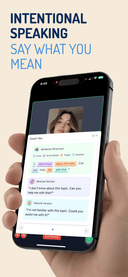
    LinguaLive is your real-time AI language partner. Don't just memorize words. Practice Job Interviews, Coffee Orders, and Emergency Calls in English, Spanish, Japanese, French, German, and Italian with an AI that corrects you instantly. Unlike traditional apps that rely on flashcards and multiple-choice quizzes, LinguaLive puts you in real conversations from day one. 🎯 HOW IT WORKS: Pick a language → Choose a scenario → Start talking The AI responds in real-time, corrects your mistakes, and helps you build true conversational fluency. 🌍 LANGUAGES: Spanish, French, German, Italian, Japanese, English 🎭 SCENARIOS: • Coffee Shop ordering • Market shopping & haggling • Asking for directions

    0
  4. 4Speak Pro: Shadowing Lessons

    What is the app about? Speak Pro is an iOS language learning app designed to help you improve your speaking skills in English, Spanish, German, Dutch, French, Italian, and Portuguese. It uses the shadowing method with YouTube videos, turning them into speaking lessons. The app is primarily designed for learners from B1 level who already understand a language but want to speak more fluently and naturally. Speak Pro helps you activate your vocabulary. After 1 week practice for 15 minutes of record you will be speak much fluently. Speak Pro breaks video into sentence segments. This allows you to repeat each phrase without pausing or rewinding. Built around active speaking practice. How to use it? You listen to a sentence, repeat it after the speaker, and record your own version. Then you receive feedback on your pronunciation, helping you understand how closely you match the original. You can practice in short sessions, even 10–15 minutes a day is enough to see progress. You can use Speak Pro for free if you don’t need pronunciation feedback. If you want deeper improvement, feedback helps you refine your accent and sound more natural. You can record for free up to 3 minutes per day with feedback. You can also save your favourite phrases and revisit them later, which is especially useful for practicing difficult or important expressions. What content does Speak Pro use? Speak Pro uses YouTube videos as learning material. There are already around 1,000+ lessons available, covering a wide range of topics and speaking styles. You can also add your own videos, for example, scenes from movies, vlogs, TED Talks, interviews, or educational content. What is the shadowing method? The shadowing method is a scientifically proven language learning technique used for decades, including in interpreter training. It involves listening to a native speaker and repeating what they say almost immediately, trying to match their pronunciation, rhythm, and intonation. Here’s how it works step by step: 1. Listen to a short phrase 2. Repeat it right after the speaker 3. Try to match pronunciation and rhythm 4. Record yourself 5. Compare and improve This method train “speaking muscle memory,” making it easier to speak automatically in real conversations. Regular YouTube is not ideal for shadowing because sentences are often too long, and you can only skip forward in fixed intervals

    0
  5. 5Lexioo

    Lexioo helps advanced English learners reach native-level fluency. Designed for B1–C2 users, it improves how you read, think, speak, and write in real contexts. Instead of beginner lessons, Lexioo offers deep practice: read real news with instant simplification and one-click word lookup; speak with AI personas in real time with correction and coaching; shadow videos to refine pronunciation; and build vocabulary that sticks through context, usage tracking, and testing. Lexioo also gives you insights you do not get elsewhere. It reveals blind spots—filler words, weak transitions, unclear sentences, basic vocabulary reliance—and guides you to fix them. You constantly apply English and see measurable improvement. Students, professionals, immigrants, and job seekers use Lexioo to communicate with confidence, express ideas clearly, and think directly in English. With Lexioo, you do not just study English—you use it, improve it, and make it your advantage.

    0
  6. 6StudyMessenger

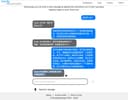
    StudyMessenger is a free, AI-powered platform, created by an 8th Grader (now 9th Grader) at the Canadian International School in Singapore (GO HUSKIES!). Studying any language is hard, but when nobody at home spoke Simplified Chinese, they developed StudyMessenger as a desktop app to help practice text and voice conversations. After their exams, they spent weekends and holidays porting the app onto the web for everyone to use. All the coding and clever functionality is done by them, with their Dad helping on bits of text for the Privacy Policy and Terms of Use. The bugs that made it past testing are down to Dad. What is this? StudyMessenger allows you to chat with an AI-powered character in a range of different scenarios, such as a conversation with a favorite uncle. After a fixed number of interactions, the conversation ends, and the user’s inputs are assessed, assigned a score, and suggestions for improvement are given. A dashboard and archive of your previous conversations are kept for you to review your progress. How much does it cost? It’s free, bankrolled by Mum and Dad. There might be a nominal subscription in the future if we pick up a lot more users than expected, but whatever happens, if you sign up before that, you’ll have free access to the platform for the rest of your time at school. This isn't a commercial project, so we won’t bombard you with ads or spam. Is my data private? If you have a Teacher account, you’ll use your Google login details to access the site. We won’t store your password, but we will store your name, email address, and avatar picture. The system can’t be completely anonymous because an adult needs to agree to the site’s Terms and Conditions and Privacy Policy. If you have a Student account, we’ve gone out of our way not to need nor store any of your personal information. Your account is created by your Teacher (or parent or caregiver). They’ll generate and pass you your login details and might log in as you from time to time to check your progress. If you use voice in conversations with the AI, we don’t store the voice recordings nor share them with third parties. They only stay on our server for the few seconds it takes for the AI to respond and are then deleted. We don’t use cookies for web analytics, so we only see anonymized data about overall visitor behaviour. You won’t encounter annoying cookie consent pop-ups either. Is StudyMessenger safe?

    0
Good to know

Frequently asked questions