🖼️Best Image Editing Tools
This list showcases various image editing tools designed to enhance and modify digital images. These tools offer a range of functionalities, from basic adjustments to advanced features, catering to both casual users and professional photographers.
- 0

RemakeFace.ai is a simple and fast browser-based AI face-swap tool. Just upload a photo and the system automatically generates a realistic face swap within seconds — no app downloads or account required. It’s perfect for quick edits, creative projects, and anyone who wants high-quality face-swap results with minimal effort.
- 0

AI Watermark Remover is a powerful AI tool designed for effortlessly removing watermarks from images and videos in no time, with no need for Photoshop skills. It's especially ideal for creators and professionals who work with images. With its user-friendly interface, AI Watermark Remover simplifies the process, allowing for the seamless removal of not only watermarks but also other unwanted elements such as logos and text overlays. The technology behind this tool uses advanced algorithms to detect and erase watermarks without compromising the original quality of the image or video. This precision ensures that the aesthetics of the visuals are maintained, making this tool ideal for professionals aiming to produce clean and unblemished media for presentations, marketing materials, and online content. Furthermore, the speed of AI Watermark Remover is a significant advantage, providing quick results that help maintain a fluid workflow and boost productivity.
- 0

PixNova AI is a website dedicated to photo generation and editing, allowing users to try it out for 100% free online with no login required. You can upscale, expand, and even remove backgrounds from images — all in just a few clicks. It also offers customization tools for tattoos, logos, and more. On top of that, PixNova AI supports popular features like face swap in photos, GIFs, and videos. It’s an all-in-one suite of AI tools designed to bring you endless creative fun.
- 0

Tool Cosmos is a retro-themed universe of modern productivity software. Inspired by vintage computing but powered by today's most effective tools, it’s your terminal to explore hundreds of AI-powered apps, utilities, and solutions across dozens of categories—from automation and marketing to image editing and customer support. Whether you're building something big or just optimizing your workflow, Tool Cosmos helps you discover tools that boost efficiency, creativity, and success. With featured tools, deep categories, and a unique vintage interface, Tool Cosmos blends nostalgia with innovation. Submit your own tool to connect with a growing tech-savvy audience and be part of a new era in classic software discovery.
- 0

Tiny Tool Hub is a curated directory of compact yet powerful AI tools designed to simplify everyday tasks and supercharge productivity. Whether you're looking for content generators, image editors, automation platforms, or niche utilities, Tiny Tool Hub delivers a handpicked collection of efficient solutions that pack a punch without overwhelming complexity. Ideal for developers, entrepreneurs, and creatives who value smart, lightweight tools to get things done fast and effectively.
- 0

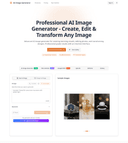
ChatIMG.io – AI Image Generator & Editor Turn plain words into high-quality images, no design skills required. How it works 1. Type a short description or upload a reference photo. 2. Click “Generate.” 3. Review, refine, download. Why choose ChatIMG.io? • Effortless: plain English commands, zero prompt engineering. • Pro-level results on par with Midjourney. • Versatile: perfect for e-commerce visuals, social posts, concept art and more. • Built-in prompt tips to spark creativity and end block fast. FAQ What is ChatIMG? An AI tool that lets anyone create or edit images with a brief text instruction. Do I need design experience? None. Describe what you want; ChatIMG handles the rest. How fast is it? Most renders finish in a few seconds, even in batches. Can I use the images commercially? Yes. All rights belong to you. Try ChatIMG.io today—just a few words stand between you and your next masterpiece.
- 0

ChatIMG.io – AI Image Generator & Editor Turn plain words into high-quality images, no design skills required. How it works 1. Type a short description or upload a reference photo. 2. Click “Generate.” 3. Review, refine, download. Why choose ChatIMG.io? • Effortless: plain English commands, zero prompt engineering. • Pro-level results on par with Midjourney. • Versatile: perfect for e-commerce visuals, social posts, concept art and more. • Built-in prompt tips to spark creativity and end block fast. FAQ What is ChatIMG? An AI tool that lets anyone create or edit images with a brief text instruction. Do I need design experience? None. Describe what you want; ChatIMG handles the rest. How fast is it? Most renders finish in a few seconds, even in batches. Can I use the images commercially? Yes. All rights belong to you. Try ChatIMG.io today—just a few words stand between you and your next masterpiece.
- 0

# FluxAI.pro - AI Image & Video Generation Platform FluxAI.pro is a powerful AI platform offering cutting-edge image and video generation tools. From stunning portraits to dynamic videos, our suite of AI tools helps creators, designers, and businesses bring their visions to life. ## Key Features ### Image Generation FluxAI offers various advanced image generation tools, including FluxImage, RecraftAI, Stable Diffusion 3.5, Ideogram AI, and HiDream AI. These tools can create images in various styles, from photorealistic photographs to artistic illustrations. ### Image Editing The platform provides complete image editing solutions, including image transformation, inpainting, high-definition upscaling, and background removal, helping users perfectly optimize their work. ### Video Generation FluxVideo AI enables users to create stunning AI videos, supporting image-to-video conversion, adding audio to videos, video quality enhancement, and consistent character video generation. ### Video Templates Offers various professional video templates such as kungfu actions, hugging scenes, romantic kisses, professional handshakes, and muscle effect generators, making the creation process simpler and more efficient. ### Free Tools FluxAI also provides multiple free tools, including image prompt extraction, prompt generators, experimental image generation, fast generation, and AI photo editing features. ### Special Tools The platform's special tools cover virtual try-on, AI face swapping, consistent character generation, AI logo generator, and YouTube thumbnail creation, among other practical functions. ## Platform Advantages - **Powerful AI Technology**: Utilizes cutting-edge AI models to ensure high-quality output - **Diverse Tools**: Meets various needs from personal creation to commercial applications - **Easy to Use**: Intuitive interface design, easy to use even without technical background - **Continuous Updates**: Regularly adds new features and improves existing tools FluxAI.pro is committed to providing creators, designers, and businesses with the most advanced AI visual content generation solutions, helping users seamlessly transform their ideas into reality. Contact us: support@fluxai.pro
- 0

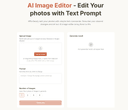
AI Image Editor is a next-gen image editing tool that lets you effortlessly edit photos using simple text prompts, with no complex skills required. AI Image Editor can add, replace, or remove objects; restyle subjects; adjust lighting, color, pose, and scale; extend or reframe scenes; and seamlessly combine multiple images into one. It preserves identity and brand style across edits and handles typography. With optional masks for pixel-level control, you get clean, production-ready results for product shots, marketing banners, storyboards/comics, and packaging.
- 0

Pick precise colors from web elements, objects on the screen, and images. Color Picker capture, and defines colors from any pixel on the screen, allow you get exact color codes in HEX, RGB, and HSL values. Use the online image color picker at colourspicker.net. Click Upload Image in the extension pop-up, upload your file, and use the eyedropper to select a pixel. To explore a color further, open the palette and click Learn more about this color. See variations, combinations, and harmonies. Create linear or radial gradients by adding and sliding stops, adjusting angle and transparency and grabbing the finished CSS. Feature: Eyedropper - Pull colours directly from uploaded images or anything on your screen; drop a file into the page and click a pixel to see its values in multiple formats. Format conversions - Instantly switch between HEX, RGB, HSL and HSV and copy the codes into CSS, design software or palette tools. Gradient maker - Create linear or radial gradients by adding and sliding stops, adjusting angle and transparency and grabbing the finished CSS. Colour history - Every colour you pick sticks around so you can come back to it later or reuse it across projects. Universal access - Works in any modern browser; extensions support multiple languages and receive regular updates.
- 0

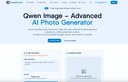
Qwen Image - Advanced AI Photo Generator Create stunning visuals with Qwen Image, the most advanced AI photo generator powered by cutting-edge Qwen models.Transform text into beautiful images, photos, and artwork in seconds. Create stunning Polaroid-style photos with our free AI Polaroid generator. Add vintage frames, film grain & nostalgic charm to any image. 100% free, no login, no watermark. Join the viral Polaroid AI trend - upload & transform photos in 3 seconds!
- 0

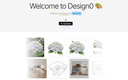
Design0 is an AI-powered design tool that turns text into images, provides smart image editing, and has a built-in asset library. It simplifies complex workflows, helping you bring your creative ideas to life with ease.Design0 is an AI-powered design tool that turns text into images, provides smart image editing, and has a built-in asset library. It simplifies complex workflows, helping you bring your creative ideas to life with ease.
- 0

BananaEditor is a cutting-edge professional image editing tool that leverages the advanced capabilities of nano banana AI technology, specifically designed to cater to the diverse needs of creators, e-commerce teams, and marketers across various industries. Whether you’re a freelance graphic designer looking to streamline your workflow, an e-commerce brand aiming to enhance product visuals for your online store, or a marketing professional tasked with creating consistent campaign assets, BananaEditor eliminates the barrier of requiring extensive design expertise. Unlike traditional editing software that demands hours of manual tweaking and mastery of complex tools, this platform empowers users to bring their creative visions to life with simplicity, all thanks to the robust semantic understanding and precise processing power of nano banana. At the heart of BananaEditor’s appeal is its intuitive natural-language editing feature. Users simply describe their desired edits in plain language—such as “add soft cinematic lighting to the subject,” “replace the background with a vibrant sunset skyline,” or “adjust the color palette to match our brand’s warm tones”—and the nano banana AI immediately interprets these instructions. What sets it apart is its ability to execute multi-step complex edits in a single pass, without compromising on the consistency of characters, scenes, or overall image quality. Additionally, the tool offers practical features like batch processing, which allows teams to edit dozens of images at once, and brand style unification, ensuring that all visuals align with a brand’s unique aesthetic. It also excels in specific high-demand scenarios, including virtual try-ons for apparel brands and product background replacement for e-commerce listings, making it a versatile solution for modern content creation needs.
- 0

Flux.2 AI Image Generator - Text to Image, Multi Image Workflows Flux ai image generator powered by Flux.2 delivers text to image, image editing, and multi image workflows in one streamlined studio. Flux.2 understands prompts, merges references, and produces consistent visuals.Create Faster with Flux.2 Flux ai image generator with Flux.2 supports multi image reference, robust text prompts, and rapid iteration AI Image Editor Transform your images with AI-powered editing tools. Enhance, restore, and perfect your photos with advanced algorithms. Try it now Image to Image AI Convert images to stunning variations using AI. Create multiple styles and versions from a single source image. Try it now
- 0

Nano Banana 2 is a next-generation 4K AI image generation and editing platform powered by Google Gemini technology. It features revolutionary self-correction workflow that automatically plans, generates, analyzes, and fixes mistakes before finalizing images. Key capabilities include native 2K rendering with 4K upscaling, multi-image context understanding for coherent cross-image edits, and cultural context awareness trained on global geographic data. Create professional-grade 4K images with lightning-fast processing (under 10 seconds for complex prompts), improved character consistency, and enhanced text accuracy. Perfect for creators, designers, and professionals seeking error-free, high-quality AI-generated visuals.
- 0

Z-Image is a 6B-parameter AI image engine. It preserves your original layout and applies the style or edit you describe, giving you full creative control. Keeps Layout Intact: Main subjects stay put while the rest of the scene adapts to your prompt. Instant Style Switches: Jump between moods or looks in seconds—ideal for quick concepts. Fine-Tune Easily: Tweak strength, aspect ratio and output count until it fits your vision.
- 0

GPT-Image 1.5 is a cost-efficient AI image generation model powered by GPT-5. Create high-quality visuals, precise edits, and UI designs up to 4× faster. GPT-Image 1.5 is a fast, cost-efficient multimodal image generation model built on OpenAI’s GPT-5 architecture. Generate high-quality images, make precise edits, and create modern UI designs with exceptional speed and accuracy.
- 0

Nano Banana focuses on a fast “create + edit” workflow: generate images from text or modify existing images via natural-language commands. It emphasizes character consistency across scenes, precise object/background edits, style transfer, and context-aware understanding of lighting and object relationships for more realistic results.
- 0

GLM Image is an AI image generation model based on a hybrid autoregressive + diffusion architecture. The system first interprets and encodes your prompt’s semantic structure using a large autoregressive module and then decodes that into detailed graphics using a diffusion decoder. This hybrid design allows the model to better understand complex instructions, maintain semantic consistency across compositions, and render clear, readable text inside generated images — a challenge for many traditional AI image generators. Unlike many image generators that focus mainly on style or visuals alone, GLM Image pays special attention to text placement, layout accuracy, and conceptual meaning. This makes it a strong choice when you’re creating visual materials that must communicate ideas, not just look attractive — for example: Educational Posters & Slides with clear headlines and labeled diagrams Infographics that visually explain steps or relationships Marketing Graphics with readable slogans or technical information Product Feature Illustrations where text and design must align precisely Key Features 🌟 Readable Text in AI Images — GLM Image excels at producing visuals with crisp, legible text embedded directly in the graphics, avoiding the garbled or unreadable text artifacts typical in many generative models. 🧠 Knowledge-Dense Visual Understanding — The model interprets prompts semantically, enabling it to visualize complex ideas or structured layouts with correct meaning. 🎨 High-Quality Detail — Diffusion decoding yields polished, professional visuals with well-defined textures, balanced lighting, and visually satisfying compositions. ✏️ Image Editing & Consistency — GLM Image supports image-to-image tasks such as editing existing images, applying style transfers, preserving character or object identity, and maintaining consistency across multiple subjects. 📊 Flexible Usage Scenarios — The tool is suited for creative professionals, marketers, educators, and anyone needing reliable image generation with embedded information, not just creative art. How It Works The user typically enters a prompt — describing the desired image in natural language — and optionally uploads reference images to guide style or detail. GLM Image then processes this input through its semantic understanding layer, generates a structured representation, and renders the final image with both text and visuals accurately aligned to your intent. Outputs are high resolution and optimized for digital or print uses. Usage & Pricing GLM Image offers free trials for new users, and paid plans are based on credit bundles that allow a certain number of image generations. Credits never expire, and paid tiers include commercial licensing and priority support. Why Choose GLM Image? GLM Image positions itself as a practical tool for real-world visual communication rather than purely an artistic experiment. Its focus on readable text, semantic accuracy, and flexible editing makes it particularly valuable for professional design workflows, educational materials, and marketing applications where clarity and meaning are essential.
- 0

Most AI image tools are built for one-off generations, not regular repetitive work. You end up rewriting the same prompts, re-pasting the same reference images, and scrolling through endless feeds to find anything. Nani is a workflow tool built on top of Google's Nano Banana Pro (Gemini) that fixes the repetitive, disorganized experience of AI image generation. What Nani Does: - Image Sets – Upload reference images once and reuse them across all your generations. - Prompt Sets – Save style directions, character descriptions, and brand guidelines as reusable building blocks. - Composable Prompts – Combine saved sets naturally instead of rewriting everything from scratch. - Visual Iteration – Drag previous results back in as references without downloading and re-uploading. - Folder Organization – Keep your library organized as it grows instead of scrolling through one long feed. - Fast UI – No sluggish loading or navigation delays.
- 0

Gleem.AI Studio is a unified AI image workspace designed for people who want to create, not configure. Instead of juggling multiple tools for image generation, editing, and revisions, everything happens in one streamlined workflow. The platform combines AI image generation and image editing in a single environment, allowing users to iterate step by step rather than starting over with every change. Gleem.AI Studio removes unnecessary technical complexity so creators can focus on visual decisions, creative flow, and fast iteration. It’s built for marketers, creators, and small teams who need consistent visuals and speed without dealing with advanced settings, endless parameters, or fragmented tools. Whether you’re creating marketing assets, social media visuals, product images, or testing creative variations, Gleem.AI Studio keeps the process simple, fast, and intuitive
- 0

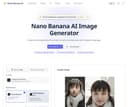
Nano Banana AI Image Generator is a cutting-edge tool designed to create and edit stunning images using advanced AI technology. Powered by Google's Gemini 2.5 Flash Image model, it offers unparalleled capabilities in both image generation and editing.Create stunning photos from text or edit existing ones with natural language.
- 0

Combine two or more photos in one frame with seamless AI image fusion and custom prompts. Merge images with AIMerge images with AIMerge images with AIMerge images with AIMerge images with AIMerge images with AIMerge images with AIMerge images with AIMerge images with AIMerge images with AIMerge images with AI
- 0

AI image generator is a tool that uses artificial intelligence to create, edit, and transform images. Our platform can generate images from text descriptions, edit existing photos, change styles, and enhance image quality automatically. Whether you're an artist, designer, or marketer, this tool offers professional-grade results with an intuitive interface.
- 0

Seedream Pro is a single-screen AI image workflow that turns text prompts into campaign-ready visuals. On one canvas, you can generate high-resolution images, make precise mask edits (inpainting/outpainting), and fuse multiple reference images to keep every result on brand. It helps users replace multi-tool, slow pipelines with a fast, predictable flow for ads, landing pages, e-commerce product shots, and social media visuals—entirely in the browser with Google sign-in and a gentle learning curve.
- 0

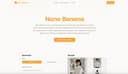
Nano Banana 2 – free advanced Google image editor in your browser Upload a photo and let Nano Banana 2 fix backgrounds, lighting, faces, and text in seconds. No apps or plugins, just 20 free credits to play in your browser. Nano Banana AI Creation Workbench Use advanced AI to turn your ideas into production-ready images.
- 0

Nano Banana Flash is an AI image generation platform that uses Gemini 3.1 Flash technology to create high-quality 3D figurines and professional visuals. It solves the problem of inconsistent character design by allowing users to maintain visual identity across multiple scenes for branding and storytelling. Key benefits include natural language photo editing, rapid generation of viral social media content, and precise control over image composition without complex technical skills.
- 0

RemoveTexts is a free online AI tool that removes, edits, and replaces text in images instantly — no signup, no watermark, no software installation required. Key Features: - Remove Text from Image — Automatically detect and erase all text, watermarks, captions, and overlays from any image in seconds using advanced AI. - Edit Text in Image — Change specific words, dates, names, prices, or any text directly within an image while preserving the original background and style. - Remove Watermark — Clean up stock photo watermarks, logos, and unwanted branding from images effortlessly. - Remove Object — Erase unwanted objects, people, or elements from photos with AI-powered inpainting. - Translate Text in Image — Detect text in images and translate it to another language while keeping the visual layout intact.
- 0

ByteDance’s Seedream 5.0 redefines AI image creation with an integrated text-to-image and editing workflow. It supports up to 10 reference images for consistent style, delivers native 4K resolution, and fixes blurry AI text with high accuracy. Fast, precise, and built for professionals, it helps developers, designers and marketers create visual content efficiently.
- 0

Nano Banana 2 is a cutting-edge AI-powered image generation platform designed for professionals who demand high-quality visuals with exceptional precision. Positioned as a next-generation tool, it goes far beyond traditional AI image generators by focusing on one of the most common limitations in the field: accurate and readable text within images. With its advanced machine learning models and deep neural networks, Nano Banana 2 enables users to transform simple text prompts into visually stunning, photorealistic images that meet both creative and commercial standards. One of the platform’s most impressive features is its ability to render text with remarkable clarity. Unlike many AI tools that produce distorted or unreadable typography, Nano Banana 2 generates crisp, well-structured text that integrates seamlessly into designs. This makes it especially valuable for creating posters, infographics, product mockups, and marketing materials where text quality is crucial. Users can even specify font styles or simulate handwriting, allowing for a high degree of customization and creative control. Another key strength of Nano Banana 2 is its support for ultra-high-resolution outputs. The platform generates images at native 2K resolution and offers seamless upscaling to 4K, ensuring that every detail remains sharp and professional. This level of quality makes it suitable not only for digital use—such as social media and websites—but also for print applications like magazines, billboards, and packaging. The emphasis on detail and clarity positions Nano Banana 2 as a reliable solution for businesses and designers who cannot compromise on visual quality. The platform also stands out for its multilingual capabilities. With support for over 100 languages, Nano Banana 2 allows users to create culturally relevant and linguistically accurate visuals for global audiences. This feature is particularly beneficial for international marketing campaigns, educational content, and cross-border business communications. By understanding both language and cultural nuances, the AI reduces errors and ensures that generated content resonates with diverse audiences. In addition to image generation, Nano Banana 2 offers powerful editing tools that simplify the creative process. Users can modify specific parts of an image without regenerating the entire design, making it easier to refine details such as colors, lighting, backgrounds, or objects. This localized editing capability saves time and enhances productivity, especially for professionals working on complex projects or tight deadlines. The platform caters to a wide range of use cases, including e-commerce, content creation, filmmaking, and design. For example, it can generate promotional images for online stores, create storyboards for films, design stickers, or replace traditional photo editing workflows. Its intuitive interface and step-by-step creation process make it accessible even to users without technical expertise, while still offering advanced controls for experienced creators. Nano Banana 2 also introduces different pricing plans to accommodate various needs, from individuals experimenting with AI-generated images to large teams requiring high-volume production. Each plan includes features such as image generation credits, editing tools, and commercial usage rights, making the platform flexible and scalable. Overall, Nano Banana 2 represents a significant advancement in AI image generation technology. By combining high-resolution output, precise text rendering, multilingual intelligence, and powerful editing tools, it provides a comprehensive solution for modern visual content creation. Whether for marketing, design, or storytelling, Nano Banana 2 empowers users to bring their ideas to life with professional-grade results.
- 0

ImageCleanupAI is a browser-based AI image cleanup platform designed to remove text, captions, watermarks, logos, unwanted objects, and backgrounds from images quickly and accurately. Users can upload JPG, PNG, WEBP files, or screenshots, let the AI detect removable areas automatically, and then fine-tune the mask manually for more precise results before exporting the cleaned image. The site’s core workflow focuses on text removal from photos, pictures, and screenshots, while also offering dedicated tools for watermark removal, object removal, and background removal. It is built for practical use cases such as cleaning screenshots, removing subtitles or meme text, restoring scanned images, and preparing cleaner visuals for social media, design, e-commerce, or reports.
- 0

CodaOne AI is an all-in-one, browser-based platform that offers over 101 free tools designed to simplify everyday digital tasks, especially in writing, document handling, image editing, and development workflows. What makes the platform stand out immediately is its promise of zero signup requirements for most features, allowing users to access powerful tools instantly without friction. The core philosophy behind Coda One revolves around privacy, accessibility, and efficiency—ensuring that users can complete their tasks quickly while keeping their data सुरक्षित and fully under their control. One of the flagship features of Coda One is its AI Writing suite, particularly the AI Humanizer tool. This tool is built to transform AI-generated text into natural, human-like writing that can bypass major AI detection systems such as GPTZero, Turnitin, and Originality.ai. Instead of changing the meaning of the text, it focuses on improving tone, flow, and authenticity. Users can choose from multiple writing modes such as Standard, Academic, Blog, Formal, and Simple, making it adaptable for different contexts. This is especially useful for students, writers, and professionals who rely on AI assistance but want their content to feel organic and undetectable. Complementing the Humanizer is the AI Detector, a completely free and unlimited tool that allows users to check whether their text appears AI-generated. This creates a seamless workflow where users can write, humanize, and then verify their content—all within the same platform. The fact that this tool operates without any API costs or usage limits makes it particularly attractive compared to many competitors. Beyond writing tools, Coda One offers a robust set of PDF tools, including merging, splitting, compressing, converting, and protecting documents. These tools are entirely browser-based, powered by WebAssembly, which means files are processed locally on the user’s device and never uploaded to external servers. This ensures maximum privacy and eliminates concerns about sensitive data leaks. Unlike many other platforms, there are no restrictions such as daily limits or watermarks, making these tools genuinely free and unlimited. The platform also includes image tools for tasks like background removal, compression, resizing, and text extraction, as well as developer tools such as JSON formatters, regex testers, and JWT decoders. By bringing all these utilities together in one place, Coda One eliminates the need to switch between multiple websites for simple tasks. In terms of pricing, Coda One maintains a transparent and flexible structure. Most tools—including PDF, image, and developer utilities—are permanently free. For AI writing features, users can access a limited number of free uses per day, with optional paid plans that expand word limits and unlock advanced capabilities. Overall, Coda One positions itself not just as a tool directory, but as a thoughtfully designed productivity toolkit that prioritizes user convenience, privacy, and simplicity.
- 0

SwapDatFace is a privacy-first AI face swap tool that lets users swap faces in photos, GIFs and videos directly in their browser, with no downloads, no subscriptions and no forced signup. Unlike most face swap tools, SwapDatFace is designed for casual and one-off use. Users can start instantly with 3 free photo swaps every 24 hours, while video and GIF swaps are available through simple pay-as-you-go credits that never expire. The platform supports multi-face detection, allowing users to swap up to 20 faces in a single image or video. A core focus of SwapDatFace is transparency and privacy. Uploaded files are automatically deleted after 30 minutes, and the system publishes a cryptographically signed retention report SwapDatFace is ideal for: • creating memes and viral content • generating personalised videos and GIFs • experimenting with AI media tools without subscriptions • users who care about privacy and data handling
- 0

Uni-1 Introduction Uni-1 by Luma AI is a next-generation AI image generator powered by the first unified reasoning model. It seamlessly bridges thinking and imagination in one continuous stream — understanding intent, planning composition, and generating coherent, high-quality visuals from text and image inputs with unprecedented logic and cultural awareness. Key Features * Text-to-Image: Generate detailed, logically consistent images from text prompts with built-in reasoning for better composition and plausibility. * Image-to-Image & Editing: Upload references for precise transformations, style transfer, object modification, and scene reconstruction. * Multi-Reference Control: Support up to 9 reference images with defined roles for characters, style, structure, or composition. * Culture-Aware Generation: Excellent at aesthetics, memes, manga, and global cultural contexts. * Multi-Turn Refinement: Iterative conversation-style editing while maintaining consistency. Core Advantages * Unified Reasoning Architecture: Thinks before and during generation for superior logic, coherence, and instruction following. * Lightning-Fast Speed: High-quality results in seconds with real-time capabilities. * Strong Reference Fidelity: Precise identity, pose, and style preservation across multiple inputs. * Cultural Intelligence: Deep understanding of diverse visual languages and contexts. * Professional Workflow: From concept to polished asset — ideal for both rapid ideation and production use. Target Users * Content Creators: Social media visuals, thumbnails, and marketing graphics. * Designers & Artists: Branding, posters, product mockups, and style exploration. * Marketers & Brands: Ad creatives, campaigns, and data visualizations. * Indie Developers & Freelancers: Game assets, concept art, and fast prototyping. * Studios & Enterprises: High-volume production, team collaboration, and commercial projects. * Hobbyists: Fun, zero-barrier creative experimentation. Frequently Asked Questions * Is it free? Starter plan available with limited credits; Pro and Studio paid plans unlock higher quotas, no watermarks, priority speed, 4K/8K textures, commercial license, API, and batch processing. * Copyright? Users own generated content on paid plans and can use it commercially (comply with terms and avoid infringing references). * Languages? Strong multilingual prompt understanding with excellent cultural adaptation. * Speed? Most generations complete in seconds (faster with priority queues).
- 0

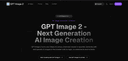
GPT Image 2 Free AI Image Generator & Editor GPT Image 2 - Next Generation AI Image Creation GPT Image 2 turns your ideas into sharp, cinematic visuals in seconds. Generate, edit and upscale AI images in the browser with no login, no watermarks and no limits. Production-ready posters with readable text
- 0

AI Remove Text From Image is a browser-based image cleanup tool that helps users erase unwanted text, watermarks, captions, logos, labels, people, and objects from photos without Photoshop. Upload a JPG, PNG, or WebP image, brush over the area you want to remove, and let AI rebuild the background naturally. It supports product photos, posters, screenshots, real estate images, social media visuals, travel photos, and scanned images, with free 720p downloads and original-quality exports available with credits or Pro.
- 0

ChatGPT Image 2 is a comprehensive AI-powered creative platform built for image generation, advanced image editing, and video creation. Available through ChatGPT Image 2, the platform positions itself as an all-in-one workspace where creators can transform ideas into professional-quality visuals with remarkable speed and precision. Combining AI image generation, cinematic video workflows, pixel-level editing, and commercial-grade output, ChatGPT Image 2 is designed to support everyone from designers and marketers to filmmakers, content creators, and e-commerce brands. At the center of the platform is its highly flexible AI image generation system. Users can create visuals from text prompts, transform existing images into entirely new styles, or combine multiple visual references into cohesive compositions. The platform supports both text-to-image and image-to-image workflows, giving creators a wide range of creative control. Whether generating photorealistic scenes, stylized artwork, branding materials, or cinematic concept art, ChatGPT Image 2 focuses on delivering polished, production-ready results that feel professional from the start. One of the platform’s standout strengths is its advanced editing capability. Instead of requiring users to regenerate entire images for small changes, ChatGPT Image 2 supports fine-grained, pixel-level editing. This allows creators to modify specific elements while preserving lighting, textures, shadows, and overall visual consistency. Features such as smart scene replacement, object editing, outpainting, text replacement, anime conversion, and damaged photo restoration provide users with an extremely versatile editing environment. These workflows make it possible to refine visuals quickly while maintaining high-quality realism and design coherence. The platform also places significant emphasis on text rendering quality, an area where many AI image tools struggle. ChatGPT Image 2 is specifically optimized for clean typography, accurate punctuation, multilingual layouts, and readable design integration. This makes it especially useful for marketing materials, product packaging, user interface concepts, posters, advertisements, and other commercial projects where text clarity is essential. Combined with native 4K image generation, the platform produces outputs that are suitable for professional publishing and brand use without requiring extensive post-processing. Beyond image creation, ChatGPT Image 2 includes AI-powered video generation tools that expand the creative workflow into motion design and cinematic storytelling. Users can transform images into animated sequences, generate videos directly from prompts, and create dynamic visual content with smooth transitions and scene consistency. These features make the platform valuable not only for static graphics but also for social media content, promotional campaigns, storyboards, and creative presentations. Another major strength of the platform is its accessibility. Despite offering professional-grade capabilities, ChatGPT Image 2 is designed with a streamlined and intuitive interface that lowers the barrier to entry. Users can upload images, describe their desired outcome through prompts, and generate results within seconds. This simplicity allows both beginners and professionals to experiment rapidly and iterate creatively without needing advanced technical skills. The platform also highlights multiple AI models optimized for different creative needs, including tools specialized in stylized artistic output, OCR-level text precision, scene-aware editing, and cinematic visual generation. By offering different model options, ChatGPT Image 2 provides flexibility for a wide variety of workflows and artistic directions. Overall, ChatGPT Image 2 represents a modern AI creative studio that combines image generation, image editing, video creation, and commercial design workflows into one unified platform. It empowers creators to move from concept to final production faster than traditional design pipelines while maintaining high visual quality and creative flexibility. With its combination of precision editing, realistic rendering, multilingual text support, and cinematic generation tools, the platform serves as a powerful solution for anyone looking to produce professional-grade visual content efficiently and creatively.
- 0

This blur image tool offers simple tools to blur faces, sensitive text, or entire images directly in your browser for better privacy protection. Selective Blur Manually blur specific areas of an image with full control. Brush and selection tools Adjustable blur strength Multiple blur regions Perfect for faces, objects, and sensitive areas Full Image Blur Blur the entire image in a single step. Adjustable intensity Smooth, natural blur output Option to restore selected areas Ideal for background blur Face Blur Automatically detect and blur faces. Accurate multi-face detection Adjustable blur or pixelation Manual fine-tuning supported Designed for privacy protection Sensitive Information Blur Automatically blur private text information. Detects phone numbers, emails, IDs, and addresses OCR runs locally in the browser Editable and removable detection areas No data ever leaves your device Text Blur Blur text inside images with precision. Automatic text detection Blur or pixelate text blocks Ideal for screenshots and documents Pixelate Image Replace blur with pixelation when stronger masking is needed. Adjustable pixel size Works on full images or selected regions Commonly used for anonymization Motion Blur Apply directional motion blur effects. Adjustable angle and distance GPU-accelerated rendering Suitable for creative and dynamic visuals Private, Fast, and Easy 100% browser-based No image uploads No sign-up required Instant preview and export
- 0

One-stop platform for Wan AI video and image generators. Use every Wan AI model including Wan 2.7, Wan 2.6, and Wan 2.5 to bring ideas to life. Comprehensive Wan AI Video and Image Generator Library Access the latest and most powerful Wan AI models in one convenient platform. All the best Wan AI video and image generator technologies are available without switching between different services, allowing you to compare results and choose the perfect model for each project. Multiple Input Methods Create from text prompts, transform existing images, or convert videos. The platform offers flexible input options for every creative need, supporting all the latest Wan AI models including Wan 2.6, Wan 2.5, Wan 2.2, Wan 2.1, and Wan Animate. High-Resolution Output Generate premium-quality content with crisp details and professional-grade resolution suitable for any use case. The platform supports all the latest Wan AI generator tools, delivering high-resolution output including 1080P HD videos and 4K Ultra HD images. Fast Processing Speed Get your results in seconds with Wan AI's optimized infrastructure. The platform eliminates long waiting times, allowing you to see your creations quickly without compromising on quality. Watermark-Free Downloads Download your creations without any watermarks, making them perfect for commercial use and professional projects. All generated content is suitable for business applications, marketing materials, and social media.
- 0

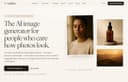
LaFoto is an AI-powered image generation platform built for users who care about creating realistic, high-quality photographs rather than stylized AI artwork. Designed as a complete text-to-image studio, LaFoto enables creators, marketers, businesses, designers, and everyday users to transform simple text descriptions into polished, photorealistic images that look professional and ready for real-world use. The platform focuses on photography-quality results, offering an experience centered on image refinement, realism, and creative control. Unlike many AI image generators that prioritize artistic styles or abstract visuals, LaFoto is specifically optimized for realistic photography. Users can describe a subject, scene, product, person, or environment in natural language, and the platform generates detailed images with attention to composition, lighting, depth, and visual quality. The goal is not simply to create images, but to create photographs that appear believable and commercially useful. LaFoto supports a wide range of image creation use cases. Users can generate professional portraits, business headshots, product photography, landscapes, lifestyle imagery, editorial-style photos, food photography, interior design visuals, and architectural renders. This versatility makes the platform useful for entrepreneurs, ecommerce businesses, content creators, marketers, agencies, and professionals who need high-quality visuals without the expense of traditional photography. One of LaFoto’s distinguishing features is its focus on editing and refinement rather than repeatedly generating new images from scratch. Instead of forcing users to rerun prompts until they achieve the desired result, the platform aims to provide tools that allow creators to modify and improve generated images directly. Users can adjust elements of an image, change backgrounds, remove unwanted objects, refine details, and enhance composition while preserving the aspects they already like. The platform includes several specialized tools built around different photography workflows. These include a text-to-photo generator, an AI photo editor, an AI portrait generator, an AI headshot generator, and an AI product photography solution. Each tool is designed to address a specific need while leveraging the same photo-focused AI engine. This approach allows users to work efficiently whether they are creating marketing assets, personal branding images, ecommerce product photos, or social media content. LaFoto also emphasizes accessibility and ease of use. The platform is browser-based, requiring no complex installation, specialized hardware, Discord servers, or technical expertise. Users can begin generating images quickly through a straightforward interface designed to make advanced AI photography accessible to everyone. In addition to image generation, LaFoto provides free utilities such as image resizing, image compression, image conversion, color extraction tools, and AI prompt generation resources. These tools help users optimize and manage their visual content without relying on multiple separate applications. Currently in pre-launch, LaFoto positions itself as a next-generation AI photography platform focused on realism, creative control, and professional-quality output. By combining photorealistic image generation, advanced editing capabilities, and an intuitive workflow, LaFoto aims to become a powerful solution for anyone seeking to create stunning AI-generated photographs that look polished, realistic, and ready for commercial use.
- 0

Inkfox AI is a free, no-sign-up creative workspace that brings the full image-and-video workflow into one place, instead of scattering it across half a dozen separate tools. You can start generating right away in the browser, with free credits and no account required just to see if it works for you. At its core is image generation backed by multiple state-of-the-art models, including Nano Banana 2.0, GPT Image 2.0, Flux, and Seedream, so you can pick the model that best fits a given look rather than being locked to one engine. Beyond text-to-image, Inkfox handles reference-based editing and inpainting (change one part of an image while keeping the rest), turns a still photo into a short animated video, and generates video from a prompt. A growing library of one-click tools sits on top of the engine, so you don't have to write complex prompts for common jobs. These include a full virtual try-on family, sunglasses, glasses, hats, necklaces, earrings, watches, colored contact lenses, and clothing, plus scene presets for headshots, product shots, stylized portraits, and more. Each result is saved to a timeline tied to the prompt that created it, so your work stays organized instead of piling up as unnamed files. Inkfox is built for creators, indie makers, e-commerce sellers, and social media users who want fast, accessible results without a steep learning curve or a paywall up front. The free tier covers real usage; signing in removes the export watermark and unlocks higher-volume generation. Whether you're mocking up a product photo, previewing an accessory before you buy, animating a portrait, or just exploring ideas, Inkfox lowers the barrier from "I have an idea" to "here's the image or video."
- 0

Imgloo is an all-in-one online image toolkit designed for fast, secure, and effortless file editing. Compress images, convert formats, resize, crop, rotate, watermark, and work with PDFs in seconds—all without downloads or registration. Supporting popular formats like JPG, PNG, WebP, HEIC, AVIF, and PDF, Imgloo combines speed, privacy, and simplicity, making it the perfect solution for anyone who works with digital images.
Frequently Asked Questions
The best image editing tool for removing watermarks is AI Watermark Remover Online for Free. This powerful AI tool allows users to effortlessly remove watermarks from images and videos without needing any Photoshop skills. It features a user-friendly interface and advanced algorithms that detect and erase watermarks while maintaining the original quality of the visuals. This makes it ideal for creators and professionals who need clean media for presentations, marketing materials, and online content.
AI Watermark Remover uses advanced algorithms to identify and erase watermarks, logos, and text overlays from images and videos. The tool is designed to maintain the original quality of the media, ensuring that the aesthetics are preserved. Its speed and efficiency make it a valuable asset for professionals looking to enhance their workflow.
AI Watermark Remover is particularly beneficial for creators, photographers, and professionals who frequently work with images and videos. It simplifies the process of removing unwanted elements, allowing users to produce clean and polished media for various applications, including marketing, presentations, and online content.
Yes, AI Watermark Remover is designed with a user-friendly interface that makes it easy for anyone to use, regardless of their technical skills. Users can quickly upload their images or videos and remove watermarks with just a few clicks, making it accessible for both casual users and professionals.