Home
List · created July 2026

Best German Software

Over-engineered, in the best possible way.

The best software built by German companies and developers — tools engineered in Germany, ranked by the people who rely on them.

40Items
0Contributors
0Votes
  1. 26Agenta

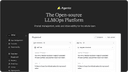
    Agenta is an open-source LLMOps platform that helps AI teams build and ship reliable LLM applications. Developers and subject matter experts work together to experiment with prompts, run evaluations, and debug production issues. The platform addresses a common problem: LLMs are unpredictable, and most teams lack the right processes. Prompts get scattered across tools. Teams work in silos and deploy without validation. When things break, debugging feels like guesswork. Agenta centralizes your LLM development workflow: Experiment: Compare prompts and models side by side. Track version history and debug with real production data. Evaluate: Replace guesswork with automated evaluations. Integrate LLM-as-a-judge, built-in evaluators, or your own code. Observe: Trace every request to find failure points. Turn any trace into a test with one click. Monitor production with live evaluations.

    0
  2. 27The Flux 2

    Flux 2 is Black Forest Labs’ next-gen AI image engine. It keeps your original composition but applies the exact style or changes you describe—putting full creative control in your hands. Keeps Scene Structure: Key subjects stay perfectly placed while the rest of the picture evolves as you wish. Rapid Style Swaps: Flip between moods or looks in seconds—ideal for speedy concepts and prototyping. Precise Adjustments: Fine-tune strength, aspect ratio, and output quantity until it fits your vision.

    0
  3. 28IsTempMail

    IsTempMail is a real-time API that detects disposable, temporary, and throwaway email addresses at signup — so you can block fake users before they reach your database. It's backed by a 130,000+ domain blocklist updated multiple times daily, and returns clear blocked and unresolvable fields you can act on instantly. Control AI spend Stop abusers from minting trial accounts that burn GPU minutes, API credits, and generation quotas Stop free-trial abuse Keep paid features paid; protect unit economics Protect deliverability Fewer bounces, better sender reputation Clean metrics Honest activation, conversion, and retention numbers Cut fraud signals Block fake signups before they pollute your funnel Trusted by traditional SaaS and AI-native teams alike. We power Botpress, Chatfuel, Lovo, and many others. Also ships as a WordPress plugin (free + premium) with form-level rules, plus bulk checking, personal block/allow lists, and domain reporting.

    0
  4. 29BarBrain

    BarBrain is a modern inventory management software designed specifically for the hospitality and food & beverage industries, including restaurants, bars, and hotels. Its core purpose is to simplify and significantly accelerate the inventory process, allowing businesses to reduce the time spent on stocktaking by more than half. By digitizing what has traditionally been a manual and time-consuming task, BarBrain enables managers and staff to focus on more strategic and customer-oriented responsibilities, ultimately improving overall operational efficiency. One of the key advantages of BarBrain is its ability to deliver accurate and reliable inventory data. The software eliminates the need for estimation and minimizes human error by automating calculations and data entry. After each inventory count, users receive a fully completed and structured report without the need for additional post-processing. This ensures that businesses always have access to clean, precise data, which is essential for controlling costs, optimizing purchasing decisions, and maintaining profitability. BarBrain is designed with flexibility and scalability in mind, making it suitable for a wide range of business types—from independent establishments to large multi-location operations and hotel chains. Companies can manage inventory consistently across multiple sites, gaining a comprehensive overview of their stock usage and performance. This centralized approach is particularly valuable for businesses looking to standardize processes and maintain control as they expand. Another notable feature of BarBrain is its collaborative functionality. The software can be used simultaneously on multiple iOS and Android devices, allowing teams to conduct inventory counts in parallel. This significantly speeds up the process and reduces labor costs. Additionally, BarBrain includes an extensive product catalog with tens of thousands of items, covering everything from beverages and food to housekeeping supplies. Businesses can also customize their own catalogs with the help of the BarBrain team. The user interface is designed to be intuitive and efficient. For example, the fill-level slider allows users to quickly record partially used items with just a tap, making it easy to track both full and opened products. This feature is especially useful in environments where precise measurement of consumables is crucial. Getting started with BarBrain is simple and straightforward. Businesses can begin by scheduling a free demo to explore the software and determine how it fits their needs. Afterward, they can set up their account independently or with assistance from the BarBrain team. Once configured, users can immediately begin their first digital inventory and experience the benefits of increased speed and accuracy. Overall, BarBrain stands out as a powerful tool for digital transformation in the hospitality sector. With over a thousand satisfied customers already using the platform, it has proven its ability to save time, reduce errors, and lower operational costs. By streamlining inventory management and providing actionable insights, BarBrain helps businesses operate more efficiently and stay competitive in a demanding industry.

    0
  5. 30Self-Healing Integrations

    Plumbed.io introduces a new way of thinking about enterprise integrations by shifting the focus from simply building connections to fully owning and managing their entire lifecycle. Instead of treating integrations as one-time technical projects, the platform approaches them as living systems that must continuously adapt, evolve, and remain reliable in dynamic business environments. This shift is especially important in modern organizations where systems, tools, and data flows are constantly changing, and traditional integration approaches often struggle to keep up. At its core, Plumbed.io is a prompt-driven, AI-powered integration platform designed to dramatically reduce the time and complexity involved in connecting systems. What once took months of development, testing, and deployment can now be accomplished in days. The platform enables businesses to describe their integration needs in a straightforward way, allowing intelligent systems to handle the heavy lifting. This not only accelerates implementation but also reduces reliance on large engineering teams for ongoing support. One of the most significant advantages of Plumbed.io is its self-healing capability. Unlike conventional integrations that require manual monitoring and frequent intervention, Plumbed.io continuously observes system performance and automatically resolves issues as they arise. This proactive approach ensures that integrations remain operational without constant human oversight. As a result, businesses can maintain uninterrupted data flow and avoid costly downtime that often impacts productivity and customer experience. The platform also addresses a major challenge faced by many companies: the so-called “integration tax.” This refers to the hidden costs and delays associated with launching new channels, onboarding partners, or adopting new tools. Traditional integration projects often involve custom development, long timelines, and ongoing maintenance burdens. Plumbed.io eliminates these inefficiencies by replacing static integration projects with an AI-managed lifecycle that adapts over time. This makes it significantly easier and more cost-effective to scale operations and introduce new capabilities. Another key strength lies in its ability to automate the entire integration lifecycle. From initial setup to continuous monitoring, error handling, and system updates, every stage is handled intelligently by the platform. This level of automation allows organizations to focus on their core business activities instead of being bogged down by technical maintenance. It also ensures that integrations remain up-to-date as underlying systems evolve, reducing the risk of failures caused by outdated configurations. Plumbed.io is particularly valuable for enterprises that require complex, custom integrations that cannot be easily addressed by off-the-shelf solutions. The platform supports ongoing changes and adjustments after deployment, making it ideal for environments where requirements are constantly evolving. Rather than rebuilding integrations from scratch, businesses can rely on a flexible system that adapts in real time. The practical impact of this approach can be seen in real-world scenarios where companies face complex integration challenges. Plumbed.io works closely with innovative organizations to implement solutions that are not only functional but also sustainable over time. These use cases demonstrate how AI-native integration can reduce delivery timelines, minimize maintenance efforts, and improve overall system reliability. Each example reflects a real operating environment where success depends on more than just connecting systems—it requires ensuring those connections continue to perform under changing conditions. By combining speed, automation, and reliability, Plumbed.io enables faster launches without increasing operational overhead. Businesses can deploy new integrations quickly, reduce costs associated with custom development, and benefit from continuous optimization powered by AI. This makes it possible to grow and adapt without the typical constraints imposed by legacy integration solutions. Ultimately, Plumbed.io represents a fundamental evolution in how integrations are built and maintained. It transforms integrations from fragile, resource-intensive projects into resilient, self-managing systems. For organizations looking to scale efficiently while maintaining high performance and reliability, this approach offers a powerful and forward-thinking solution.

    0
  6. 31TeamSlide

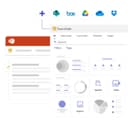
    TeamSlide is a presentation management platform designed to help organizations create professional, brand-consistent PowerPoint presentations more efficiently. By integrating directly into Microsoft PowerPoint and connecting with existing content management systems, the platform provides teams with immediate access to approved presentation assets while simplifying slide management, template distribution, version control, and brand compliance. Its primary goal is to eliminate the time spent searching for presentation content and reduce the risk of using outdated or inconsistent materials. The platform is built around a centralized slide library that enables employees to search, browse, and reuse approved presentation content without leaving PowerPoint. Rather than manually locating previous presentations or requesting updated materials from colleagues, users can instantly search across individual slides, tables, diagrams, speaker notes, and metadata to find exactly the content they need. Features such as tags, filters, and pinned slides further improve discoverability, allowing organizations to organize large presentation libraries in a structured and scalable manner. One of TeamSlide's core strengths is its seamless integration with existing enterprise content management platforms. Instead of requiring organizations to migrate their files into a separate repository, the platform synchronizes directly with systems such as SharePoint, OneDrive, Box, and other supported storage solutions. This allows presentation assets to remain within their existing workflows while ensuring that employees always access the latest approved versions. The integration minimizes duplication, simplifies content governance, and preserves existing document management processes. Maintaining brand consistency is another major focus of the platform. TeamSlide provides centralized template management that ensures every presentation begins with approved layouts, fonts, colors, and design elements. In addition, automated slide checking reviews presentations for formatting inconsistencies, branding violations, typographical errors, and other issues before they are shared with customers or stakeholders. These automated quality checks help organizations enforce presentation standards while reducing manual review effort and improving overall presentation quality. The platform also includes comprehensive version control capabilities designed to prevent outdated content from being reused. Whenever presentation assets are updated within the organization's repository, TeamSlide automatically identifies older versions and alerts users that newer approved slides are available. This ensures that sales teams, consultants, marketing departments, and other employees consistently present accurate information while reducing the business risks associated with obsolete messaging or outdated data. Artificial intelligence is integrated into the platform through AI-powered slide generation. Users can transform rough notes, outlines, or text into professionally designed PowerPoint slides that follow the organization's branding guidelines and presentation style. Rather than generating generic content, the system is designed to produce consulting-quality slides that align with company templates and communication standards. Users can then continue editing the generated slides directly within PowerPoint, combining AI-assisted productivity with familiar presentation workflows. The platform also supports enterprise governance through flexible permission management. Organizations can assign access rights to individual users or groups, ensuring that employees only see presentation libraries relevant to their roles. Permissions can be managed centrally, making it easier to control access to confidential materials while maintaining organized content libraries across departments and business units. Security and privacy receive significant attention throughout the website. TeamSlide emphasizes encrypted data storage and transmission, secure cloud infrastructure, regular third-party security assessments, and compliance with recognized privacy standards such as GDPR. Organizations can choose between cloud-hosted and on-premise deployments, allowing the platform to meet a wide variety of security, compliance, and infrastructure requirements without sacrificing functionality.

    0
  7. 32FLUX 2 -

    Flux 2 Image Generator offers a powerful and reliable solution for professionals seeking to transform their creative workflows with AI. Its unique combination of multi-reference support, advanced text rendering, and photorealistic output makes it an invaluable tool for generating production-ready visual assets. Explore Flux 2 today to experience industry-leading AI image generation.

    0
  8. 33viral.app

    **Description (long):** [viral.app](http://viral.app) is the leading tracking & analytics platform for short-form videos on TikTok, Instagram Reels and Youtube Shorts. It provides deep insights into accounts, individual videos and overall campaigns. An integrated AI delivers analytics into your viral marketing data.

    0
  9. 34Lab Laps

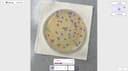
    Lab Laps is an all-in-one laboratory productivity platform designed to help scientists, researchers, students, and laboratory teams organize experiments and perform common lab calculations from a single application. Instead of requiring users to switch between separate calculators, timers, notes, protocol documents, and specialized tools, Lab Laps brings these functions together in one workspace built specifically around real laboratory workflows. The platform is available through its web application and is also designed to work across desktop and mobile devices, allowing users to keep their laboratory work synchronized across different devices. One of the main features of Lab Laps is protocol tracking. Scientists can plan laboratory protocols, follow individual steps, and check them off while performing an experiment. This approach is designed to keep users focused at the bench instead of forcing them to manage experiments through generic task-management applications. The platform also includes a multi-timer system that allows users to run several timers simultaneously, each with clear labels and alerts. This can be particularly useful for experiments involving incubation periods, reactions, washes, centrifugation steps, or other processes that need to be monitored at the same time. Lab Laps provides a large collection of specialized laboratory tools and calculators. Users can perform molarity calculations, dilution calculations, serial dilutions, master mix calculations, buffer and medium calculations, unit conversions, and custom equations. The molarity calculator can determine the amount of material needed for a specific concentration and volume, while the dilution calculator supports standard C1V1 = C2V2 calculations, serial dilutions, reverse dilution calculations, and solution preparation. The master mix calculator can calculate reagent volumes for PCR and other reactions while accounting for the number of reactions and additional overage. The platform also includes tools designed specifically for laboratory imaging and cell counting. Its online colony counter allows users to upload an agar plate or petri dish image and use AI-based detection to identify bacterial colonies. Users can review the detected colonies and manually adjust the detection boxes before confirming the final count. Similarly, the blood cell counter can analyze stained smear images and detect red blood cells, white blood cells, and platelets. The results can then be reviewed and corrected by the user. These online counting tools are available without requiring a login, making them convenient for quick research or educational tasks. Another useful feature is the online plate labeling tool. Users can select common plate configurations such as 6-well, 12-well, 24-well, or 96-well plates, as well as create custom plates. They can then add titles, descriptions, and colors to individual wells. This makes it easier to organize experimental samples and prepare clear plate maps that can later be exported as PNG or PDF files for use at the laboratory bench. Lab Laps also offers tools such as image measurement, calibration curves, amino acid references, codon wheels and tables, molecular ladders, notes, calendars, counters, and other laboratory utilities. The combination of these features makes the platform more than a simple timer or calculator. It functions as a centralized digital toolkit intended to support many stages of laboratory work. The platform emphasizes speed and efficiency, presenting itself as a way to become significantly faster in the laboratory by keeping protocols, timers, calculations, and specialized tools together. Its desktop web workspace provides a larger interface for tasks such as colony counting, blood cell counting, and other laboratory operations, while users can maintain the same account and synchronize their work across devices. Lab Laps was founded by two brothers in March 2026 with the goal of creating software specifically for laboratory environments. The platform describes itself as being built around bench-first workflows rather than generic productivity concepts. With a growing user base, a broad collection of laboratory utilities, specialized image-analysis tools, protocol management, multi-timer functionality, and scientific calculators, Lab Laps positions itself as a comprehensive digital workspace for scientists who want to reduce repetitive work and keep their essential laboratory tools organized in one place.

    0
  10. 35Filerity

    Filerity provides an complimentary web-based utility for file transformation, enabling you to convert documents across numerous formats directly within your web browser. There's no need for any software installation, account creation, or intricate configuration processes. Just upload your desired files, select the output format you require, and retrieve your converted documents typically within moments. From changing PDFs into editable Word documents, reformatting images to PNG or JPG, converting video files to various codecs, or processing multiple files simultaneously, Filerity streamlines and ensures the dependability of each conversion. Your files are handled with robust security measures and are automatically purged from our servers after a brief period, establishing it as an ideal tool for rapid, routine conversions. This platform is an excellent fit for independent professionals, academic users, content creators, and collaborative groups seeking prompt and effortless file conversion capabilities.

    0
  11. 36ANEAR

    ANEAR is a social media app designed to bring people back together in real life. The app doesn’t use feeds, profiles, or content to keep you scrolling. Instead, it shows you when someone you know is in the same city. You receive a notification when a friend is nearby or when your travel plans overlap. You decide if and when you want to reach out. There is no exact location sharing and no tracking of your movements. People often drift apart simply because they don’t realize how close they actually are. ANEAR makes these moments visible again — to increase the chance of meeting someone in real life again.

    0
  12. 37Coinbird

    Coinbird is an independent crypto comparison and market intelligence platform for investors who want clearer data before making crypto decisions. Users can compare coins, exchanges, and wallets side by side, check live prices, explore forecasts and news summaries, use calculators, and follow market indicators such as the Bitcoin Rainbow Chart, Altcoin Season Index, and Bitcoin Dominance. For exchange comparisons, Coinbird goes beyond published fee tables by using transparent test scenarios to estimate real buying costs, including spreads where available. This helps users find cost-efficient ways to buy crypto and understand market conditions without jumping between multiple tools and review sites.

    0
  13. 38Flux2

    Flux2 is a web-based AI image generator and editor built for fast, high-quality visual creation. Generate new images from text prompts, or upload an existing image and refine it using simple instruction-based edits (style changes, background swaps, adding/removing elements, and more). Flux2 is great for rapid ideation and iteration—concept art, thumbnails, social posts, and marketing creatives—when you need speed and variety without installing software or configuring a local GPU. Export high-quality outputs and iterate across multiple variations to quickly find the best direction.

    0
  14. 39Speak Pro: Shadowing Lessons

    What is the app about? Speak Pro is an iOS language learning app designed to help you improve your speaking skills in English, Spanish, German, Dutch, French, Italian, and Portuguese. It uses the shadowing method with YouTube videos, turning them into speaking lessons. The app is primarily designed for learners from B1 level who already understand a language but want to speak more fluently and naturally. Speak Pro helps you activate your vocabulary. After 1 week practice for 15 minutes of record you will be speak much fluently. Speak Pro breaks video into sentence segments. This allows you to repeat each phrase without pausing or rewinding. Built around active speaking practice. How to use it? You listen to a sentence, repeat it after the speaker, and record your own version. Then you receive feedback on your pronunciation, helping you understand how closely you match the original. You can practice in short sessions, even 10–15 minutes a day is enough to see progress. You can use Speak Pro for free if you don’t need pronunciation feedback. If you want deeper improvement, feedback helps you refine your accent and sound more natural. You can record for free up to 3 minutes per day with feedback. You can also save your favourite phrases and revisit them later, which is especially useful for practicing difficult or important expressions. What content does Speak Pro use? Speak Pro uses YouTube videos as learning material. There are already around 1,000+ lessons available, covering a wide range of topics and speaking styles. You can also add your own videos, for example, scenes from movies, vlogs, TED Talks, interviews, or educational content. What is the shadowing method? The shadowing method is a scientifically proven language learning technique used for decades, including in interpreter training. It involves listening to a native speaker and repeating what they say almost immediately, trying to match their pronunciation, rhythm, and intonation. Here’s how it works step by step: 1. Listen to a short phrase 2. Repeat it right after the speaker 3. Try to match pronunciation and rhythm 4. Record yourself 5. Compare and improve This method train “speaking muscle memory,” making it easier to speak automatically in real conversations. Regular YouTube is not ideal for shadowing because sentences are often too long, and you can only skip forward in fixed intervals

    0
  15. 40FLUX 3 AI Video Generator

    FLUX 3 AI Video Generator is an online cinematic AI video workspace for creating videos from text prompts, images, video clips, and audio references. It supports text-to-video and image-to-video workflows, reference images, start and end frames, duration, aspect ratio, resolution and audio controls, plus organized creation history for previewing, downloading and iterating on generated videos.

    0
Good to know

Frequently asked questions