Best Freemium AI Tools
Start free, upgrade only when the AI earns it.
The best freemium AI tools you can try without a credit card — generous free tiers across writing, image, video, and productivity, with paid plans waiting when you need more.
- 151
 0
0AI Image Editor is a premier AI-powered image editing platform crafted for creators and professionals. It surpasses basic editors with intelligent object detection, precision editing, background removal, high-resolution upscaling, and style transfer — delivering professional-grade results effortlessly.
- 152
 0
0SwapDatFace is a privacy-first AI face swap tool that lets users swap faces in photos, GIFs and videos directly in their browser, with no downloads, no subscriptions and no forced signup. Unlike most face swap tools, SwapDatFace is designed for casual and one-off use. Users can start instantly with 3 free photo swaps every 24 hours, while video and GIF swaps are available through simple pay-as-you-go credits that never expire. The platform supports multi-face detection, allowing users to swap up to 20 faces in a single image or video. A core focus of SwapDatFace is transparency and privacy. Uploaded files are automatically deleted after 30 minutes, and the system publishes a cryptographically signed retention report SwapDatFace is ideal for: • creating memes and viral content • generating personalised videos and GIFs • experimenting with AI media tools without subscriptions • users who care about privacy and data handling
- 153
 0
0PassMyEssay is an AI humanizer and writing-cleanup tool designed to help students, writers, marketers, and professionals make AI-assisted content sound more natural and personal. Paste your text into PassMyEssay to remove invisible Unicode characters, zero-width spaces, non-breaking spaces, and other formatting residue that can appear when copying content from AI tools such as ChatGPT, Claude, Gemini, and others. Its AI humanizer also identifies and rewrites common machine-sounding patterns, including repetitive transitions, overly formal phrasing, flat sentence structures, excessive hedging, and predictable AI-style wording—while preserving your original meaning, facts, numbers, names, quotations, and citations. PassMyEssay also includes an AI Phrase Detector that highlights sentences that may sound AI-generated and explains why they were flagged, allowing you to review and edit them yourself. Whether you're preparing an essay, report, email, article, proposal, or other written content, PassMyEssay helps you produce cleaner, more natural-sounding writing without changing what you actually want to say. It works directly in your browser, requires no installation, and can be tried without signing up.
- 154
 0
0HappyHorse AI is an online AI video generator focused on cinematic motion, sharper frames, and controllable image-to-video workflows. It works well when visual polish, image-led motion, and shot-driven storytelling matter more than raw novelty. Marketers and product teams use it to turn ideas, hero stills, campaign assets, and reference frames into polished launch videos, social content, explainers, and reviewable drafts much faster.
- 155
 0
0HeyVid is a powerful all-in-one creative platform designed to simplify and accelerate the process of generating videos, images, and multimedia content باستخدام الذكاء الاصطناعي. Built for creators, marketers, entrepreneurs, and businesses, the platform brings together multiple advanced AI models into a single interface, allowing users to produce high-quality visual content quickly and without technical expertise. Its main appeal lies in combining speed, simplicity, and professional-level output in one unified environment. At the core of HeyVid AI is its versatility. The platform supports multiple creation formats, including text-to-video, image-to-video, text-to-image, and image-to-image transformations. This means users can start with a simple idea—such as a written prompt or an uploaded image—and transform it into a polished video or visual asset in just a few steps. The process is designed to be intuitive: users choose a model, describe their vision, customize settings like resolution and aspect ratio, and generate their content almost instantly. One of the standout features of HeyVid AI is its access to a wide range of top-tier AI models. Instead of relying on a single engine, the platform integrates multiple leading technologies for both video and image generation. This allows users to experiment with different styles, levels of quality, and creative outputs depending on their needs. Whether someone wants cinematic videos, stylized images, or realistic visuals, the platform provides the flexibility to achieve diverse results within one workspace. HeyVid AI also emphasizes workflow efficiency. It goes beyond simple content generation by covering the entire creative pipeline—from ideation and scriptwriting to production and final output. This makes it particularly useful for professionals who need to produce content at scale, such as social media creators, digital marketers, and startups launching new products. Instead of juggling multiple tools, users can handle everything in one place, significantly reducing time and effort. The platform is designed to be accessible to all skill levels. Beginners can create content without prior editing experience, while advanced users can fine-tune parameters like resolution (including HD and 4K), aspect ratios, and generation settings. Features such as automatic translation of prompts and optional watermarking add further flexibility, making it suitable for both personal and commercial use. HeyVid AI caters to a wide range of use cases. Entrepreneurs can create pitch videos and product launches, marketers can design ad campaigns and social media content, educators can build tutorials and training materials, and developers can generate demo videos or documentation visuals. This adaptability makes it a valuable tool across industries, especially in environments where visual content plays a key role in communication and engagement. Another notable aspect is the platform’s strong user adoption and positive feedback. With millions of users worldwide and high ratings across platforms, HeyVid AI has built a reputation for delivering fast results and high-quality outputs. Testimonials often highlight how the tool reduces hours of manual editing into minutes of automated creation, making it a game-changer for productivity. In terms of usability, HeyVid AI follows a simple four-step process: select a model, describe your idea, customize settings, and generate content. This streamlined approach removes traditional barriers associated with video editing and design, allowing users to focus purely on creativity. Overall, HeyVid AI represents a new generation of creative tools powered by artificial intelligence. By combining multiple advanced models, an intuitive interface, and end-to-end workflow support, it enables users to transform ideas into professional multimedia content faster than ever before.
- 156
 0
0SeeDanceAI 2.0 (Seedance 2.0) is a production-focused AI video generator that combines native audio synthesis with multimodal inputs to produce cinematic, beat‑synced videos in seconds. Key technical features - Native audio generation: a Dual Branch Diffusion Transformer produces audio tied to visuals (ambient sounds, music-driven edits, and lip‑synced dialogue). - Multimodal, reference-driven inputs: accept up to 12 files per project (9 images, 3 videos, 3 audio tracks) to control choreography, camera motion, and character appearance. - Multi‑shot storytelling & consistency: architecture and conditioning mechanisms reduce character drift, maintaining consistent faces, clothing, lighting and camera continuity across shots. - High resolution & speed: broadcast‑ready 2K outputs with native support for 16:9, 9:16, 21:9 and 1:1; claims ~30% faster generation vs competitors. - Precise beat and cut alignment: the model aligns cuts, motion cues and camera edits to uploaded music or generated audio. Primary use cases - Music videos and dance challenges: upload a photo or reference and a track to generate beat‑synced choreography and cinematic edits. - Short films & narrative content: maintain character continuity across multi‑shot scenes for storytelling and social shorts. - Social & ad creative: fast 2K renders optimized for TikTok/Reels and cinema/aspect variations for cross‑platform campaigns. - Reference transfer and choreography: extract movement from a reference video to transfer to new characters or scenes. Target users and unique selling points - Target users: individual creators, indie filmmakers, social media creators, marketing teams and small studios wanting fast, cinematic outputs without heavy editing. - Unique selling points: built‑in audio/video coherence (native sound generation + lip sync), multimodal conditioning, multi‑shot consistency, and a free first video to try without a credit card. Practical considerations - Outputs are watermark‑free for paid tiers (FAQ indicates downloads and licensing differ by plan). - The platform states independence from ByteDance while referencing the Seedance architecture. - Ideal for rapid prototyping and social-first content workflows where time‑to‑publish and native audio sync are critical.
- 157
 0
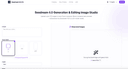
0Experience Seedream 4.0 AI. Generate, edit and 2K images in under 1 second with perfect preservation and security.Seedream 4.0 Generation & Editing Image Studio. Upload up to 10 images or start from a prompt. Blend, enhance and animate—all powered by Seedream 4.0’s multi-modal model.http://seedream4.me/
- 158
 0
0GPT Watermarker is a browser-based tool that removes all three types of watermarks embedded in Gemini AI-generated images: the visible sparkle logo, the invisible SynthID frequency signal, and the C2PA content credentials. It supports images from the Gemini app, Nano Banana 2, Nano Banana Pro, and Google ImageFX, processing visible logo removal instantly in the browser and hidden watermark removal server-side. The service offers a free tier for visible logo removal and a credit-based system for removing hidden SynthID and C2PA watermark
- 159
 0
0Try HappyHorse is an AI video generator built for text-to-video and image-to-video creation. It helps creators and teams turn prompts, still images, and reference frames into cinematic clips with stronger visual polish and more controllable motion. Teams use it for product demos, launch teasers, social clips, ad variations, onboarding walkthroughs, and storyboard previews when they need faster iteration without a full production workflow.
- 160
 0
0NoClick is an AI automation platform that lets anyone build custom tools and workflows without writing code. You describe what you want in plain English or drag-and-drop building blocks onto a visual canvas, and NoClick wires it up — everything from "email me a summary of my Slack channels every morning" to multi-step AI agents that take actions across apps like Gmail, Notion, Google Drive, and more. You can also generate a custom user interface (forms, dashboards, chat UIs) on top of any workflow, so the automations you build can be used by your team or customers like a real product.
- 161
 0
0Nano Banana 2 is presented as a powerful, next-generation AI design agent built to transform the way users create, edit, and enhance images. Designed for both beginners and professionals, the platform offers an intuitive yet highly capable environment where creativity meets advanced artificial intelligence. From the moment users land on the platform, they are invited to start creating for free, making it accessible to anyone curious about AI-powered image editing. With over 10,000 creators already trusting the tool, Nano Banana 2 positions itself as a reliable and forward-thinking solution in the growing world of AI design tools. At its core, Nano Banana 2 is an advanced AI image editing model that builds upon its predecessor with significant improvements in performance and quality. It leverages state-of-the-art machine learning algorithms and deep learning technology to deliver professional-grade results automatically. Whether users are enhancing photos, retouching portraits, or generating entirely new images from text prompts, the platform ensures that outputs are sharp, detailed, and visually compelling. Its intelligent retouching system is particularly notable, as it understands the context of an image and preserves natural details rather than over-processing them. One of the standout aspects of Nano Banana 2 is its ease of use. The workflow is streamlined into four simple steps: uploading an image, choosing an enhancement mode, allowing the AI to process the image, and finally downloading or sharing the result. This simplicity makes it approachable for users with no technical background, while still offering enough customization for those who want more control over their edits. Features like one-click processing and real-time results further enhance the user experience by saving time and effort. The platform also includes a wide range of powerful features that cater to different creative needs. These include smart auto-enhancement, advanced color correction, noise reduction, portrait enhancement, HDR processing, and batch editing capabilities. Together, these tools allow users to handle everything from quick fixes to complex editing tasks efficiently. For example, photographers can process entire shoots in batches, while social media managers can maintain consistency across multiple images with minimal effort. Nano Banana 2 is not just about features—it also emphasizes performance and reliability. With tens of thousands of active users and millions of images already enhanced, the platform demonstrates a high level of user satisfaction. Testimonials from photographers, designers, and content creators highlight how the tool has improved their workflows, reduced editing time, and increased the overall quality of their work. Many users report that it has replaced traditional editing software in their daily routines. In addition to its technical capabilities, Nano Banana 2 supports various image formats such as JPEG, PNG, and WEBP, and allows uploads of up to 30MB. It also offers both free and premium options, giving users flexibility depending on their needs. The free version provides an entry point for experimentation, while the full version unlocks more advanced controls and higher-quality outputs. Overall, Nano Banana 2 stands out as a comprehensive AI-powered image editing solution. By combining cutting-edge technology with a user-friendly interface, it enables creators of all levels to produce professional-quality visuals quickly and efficiently.
- 162
 0
0Nano Banana is an AI-powered creative platform designed to make image and video generation more accessible for everyday creators, designers, and developers. The tool focuses on producing high-quality visual content through simple text prompts, allowing users to generate new artwork, redesign existing assets, or refine visuals with intuitive controls. Instead of relying on complex creative software or time-consuming manual editing, Nano Banana streamlines the entire process into a fast, guided workflow that anyone can use, regardless of technical experience. The platform integrates multiple generation and editing models that support prompt-based creation, image transformation, and visual enhancement. This includes generating images from scratch, modifying uploaded photos, applying stylistic changes, and producing creative variations. For video-related tasks, Nano Banana enables prompt-driven video generation and visual redesign, giving users a new way to prototype ideas, create content, or enhance storytelling with minimal effort. Nano Banana is built with speed and clarity in mind. The interface is clean, simple, and optimized for rapid iteration. Users can experiment with different prompts, adjust parameters, compare outputs, and refine their results without navigating a complicated toolset. It is especially useful for people working on social media content, product design, concept art, marketing visuals, and other creative workflows that require quick turnaround times. The platform aims to close the gap between advanced AI models and practical, everyday use. Instead of requiring specialized hardware or deep technical understanding, Nano Banana provides everything through the browser, making the creative process lightweight and convenient. Whether you are generating fresh ideas, exploring aesthetic concepts, building creative assets, or simply experimenting with AI, Nano Banana offers a flexible and approachable environment that supports both beginners and experienced creators.
- 163
 0
0GlowUp UI is a design tool that instantly generates beautiful UI redesign variants from any screenshot. Built for vibe coders, the growing wave of non-technical builders using AI tools like Lovable, Cursor, Bolt, and v0 to ship real products, GlowUp UI bridges the gap between functional and polished. Most vibe-coded projects work, but they don't look great. Generic templates, inconsistent spacing, default component styles. The UI tells users "this was built fast," not "this was built well." GlowUp UI fixes that in seconds. Upload a screenshot of any interface, and the tool generates multiple redesign variants with improved layout, typography, colour, and visual hierarchy. No design skills required. No Figma. No back-and-forth with AI prompts trying to describe what "better" looks like. The workflow is simple. Take a screenshot of the UI you want to improve, whether it's a landing page, dashboard, settings panel, or signup flow. Upload it to GlowUp UI, choose your preferred style direction, and hit generate. Within moments, you'll receive several distinct redesign options, each offering a different visual interpretation of your original layout. Pick the one that fits, grab the code, and drop it straight into your project. GlowUp UI is purpose-built for the tools vibe coders already use. The generated output is clean, component-based code ready to paste into Lovable, Cursor, Bolt, v0, or any modern frontend workflow. There's no context-switching, no design handoff, and no translation layer between what you see and what you ship. What you pick is what you get. Beyond one-off redesigns, GlowUp UI maintains a growing template gallery. A curated library of high-quality UI patterns across common application types. Browse cards, modals, dashboards, forms, and more, each available as a starting point or source of inspiration for your next build. Filter by category, style, or component type to find exactly what you need. Pricing is flexible and straightforward. Choose a monthly plan for regular generation credits, or grab a one-off pack if you just need a quick burst of redesigns for a specific project. No complex tiers, no hidden fees. Just pick what fits how you build. Whether you're a solo founder shipping an MVP, a creator building a SaaS side project, or an agency prototyping client work,
- 164
 0
0Built on the advanced Seedance 2.0 engine, this dedicated AI video creation platform supports one-click Text to Video and Image to Video generation. It creates 3-30s high-resolution (min 720px) videos in seconds, preserving image quality while adding natural motion. With an intuitive interface, it’s ideal for social media content, marketing videos, animated art and visual storytelling, trusted by 5,000+ creators for streamlining fast, professional video production with no complex editing required.
- 165
 0
0PostMine is a powerful AI-driven content creation platform designed to help marketers, creators, and businesses transform social media discussions into high-quality, multi-platform content in seconds. Its main promise is simple but highly impactful: instead of spending hours brainstorming and writing content, users can capture a single trending post and instantly turn it into a complete content strategy. By combining automation, artificial intelligence, and workflow tools, PostMine allows users to produce more content in less time while maintaining consistency and quality. At the center of PostMine is its Chrome extension, which enables users to capture content directly from platforms like LinkedIn, Reddit, or Facebook. With just a right-click, users can select a post and generate a full “content pack” without leaving the page. This seamless experience eliminates the need for copying, pasting, or switching between tools. Once captured, the AI analyzes the discussion and quickly transforms it into multiple content formats tailored for different platforms. Each content pack includes seven optimized pieces of content, such as a full blog post, LinkedIn article, Twitter thread, Facebook post, Instagram caption with hashtags, Reddit post, and even a FAQ entry. This means that one idea can be repurposed into a full week’s worth of content, significantly increasing productivity. The platform supports integration with various AI providers like OpenAI, Claude, Gemini, and DeepSeek, giving users flexibility in how their content is generated. Another standout feature is the ability to customize brand voice. Users can define their tone, target audience, preferred phrases, and even words to avoid. This ensures that every piece of generated content sounds authentic and aligned with the brand, rather than generic AI output. This is especially valuable for businesses and creators who want to maintain a consistent identity across all platforms. PostMine also includes tools for planning and organization. Its built-in content calendar allows users to schedule posts across days or weeks, track what has been published, and ensure consistent posting. Additionally, the bulk capture mode enables users to process multiple posts at once, making it ideal for batch content creation sessions. The platform even offers AI-generated reply suggestions, helping users engage with their audience more effectively without struggling to come up with responses. To help users focus on the most valuable content, PostMine provides AI relevance scoring. This feature evaluates captured posts and highlights which ones are worth turning into content, allowing users to prioritize high-impact ideas. Combined with a capture history feature, users can easily revisit previous content packs and continue working without losing progress. PostMine offers flexible pricing options, including a low-cost trial, a short-term pass, and monthly plans for individuals, power users, and agencies. This makes it accessible to a wide range of users, from solo creators to large teams managing multiple clients. Overall, PostMine stands out as a complete content production system. It goes beyond simple AI writing tools by covering the entire workflow—from discovering ideas to generating, organizing, and publishing content. By turning everyday social media discussions into valuable assets, it helps users save time, stay consistent, and scale their content strategy with ease.
- 166
 0
0Vynoa is an all-in-one AI video and image creation platform built for creators, marketers, and creative teams. Turn text and images into high-quality videos, generate and edit images, explore AI effects, and create complete faceless videos with scenes, voiceovers, captions, and music. Access leading AI models including Seedance, Sora, Veo, Kling, and Nano Banana from one streamlined workspace, compare results, manage creative assets, and move from idea to finished content faster.
- 167
 0
0AI chatbots like ChatGPT, Claude, Gemini, and Perplexity now recommend specific businesses by name when users ask for suggestions. Most businesses don't show up, not because they're bad, but because their websites don't communicate in formats AI can understand. Clarity Search AI is an Answer Engine Optimization (AEO) platform that diagnoses why AI ignores a business and delivers the fixes to change that. How it works: enter any URL into the free AI Visibility Audit. The platform scans how every major AI engine currently perceives that business and returns an AI Visibility Score with a breakdown of what's missing: gaps in structured data, missing FAQ schemas, weak entity signals, content that AI crawlers can't parse, and prompts where competitors are getting recommended instead. Then it fixes it. The platform generates ready-to-implement FAQ schemas, structured data markup, and content optimizations specifically tuned for how AI models evaluate and select which brands to recommend. Real-time prompt tracking across ChatGPT, Claude, Gemini, and Perplexity shows exactly which changes are driving results. The core differentiator is Mirror Web: a dual-layer website architecture that serves an AI-optimized version of any site alongside the human-facing original. Visitors see the normal site. AI crawlers get perfectly structured, machine-readable content. Clients using Mirror Web have improved AI Visibility Scores by 25+ points in under 30 days. Real results: one client went from an AI Visibility Score of 63 to 88 with four optimizations. Another went from zero AI mentions to the top-recommended brand in their category within a month. Built for businesses and agencies. Individual plans start with a free audit and scale through self-serve optimization tools. Agency partners get multi-client management to offer AEO as a new service line, a category most agencies aren't covering yet. AEO is where SEO was in 2010. The businesses optimizing for AI recommendations now will own them later.
- 168
 0
0Image Upscaler 4K is a dual-engine AI image upscaling platform designed for professional and everyday use. Get fast four times enlargement in just 3 seconds with Recraft Crisp engine, or use five specialized Topaz AI models for professional-grade studio-quality results. The platform supports a wide range of content types including portraits, product photography, old prints and vintage photos, documents and text, and AI-generated artwork. Key features include six distinct upscaling modes covering fast processing, photo enhancement, digital art rendering, image restoration, document clarity improvement, and AI art optimization. Users can fine-tune results with adjustable sharpness controls ranging from 0 to 100, noise reduction settings from 0 to 100, and dedicated face enhancement for portrait upscaling. Batch processing supports up to 50 images simultaneously, making it ideal for professional workflows. Output resolution reaches up to 16384 by 16384 pixels with support for JPEG, PNG, and WebP formats, plus lossless PNG downloads for maximum quality preservation.
- 169
 0
0GPT Image 2 is a powerful AI image generation model that quickly creates high-definition, realistic visuals from text prompts. It supports native 4K resolution with rich details and sharp edges, and accurately renders text in multiple languages without garbling or misalignment. The model excels in lighting logic, material performance and character consistency, making it ideal for posters, product displays, IP creation and UI design. It also offers image-to-image, local editing and style locking features. Fast and easy to use, it requires no professional skills and lowers the creative barrier for designers, creators, marketers and general users.
- 170
 0
0Speechyou turns recordings into accurate, searchable text in seconds. Record voice notes and meetings straight from your browser, or upload existing audio and video — meeting mode captures both microphone and system audio, so Zoom, Teams and Google Meet calls come through complete. Powered by Whisper and our proprietary MultiLingual Pro model, Speechyou transcribes and translates across 1,700 languages with automatic language detection, speaker labels and timestamps on every segment. Ask AI to pull summaries, action items and key points out of any transcript, then export as TXT, SRT, VTT or JSON for subtitles and downstream workflows. Teams can share transcripts with view or edit permissions, organise everything with tags and stars, and search the full archive instantly. Files are encrypted and stored on SOC 2 compliant AWS infrastructure. Free plan includes 3 transcriptions a day; Solo is $15/month for unlimited transcription and 10 GB uploads.
- 171
 0
0Seedance AI is an all-in-one creative suite that unifies AI models, Video AI, Image AI and AI tools in a single platform. On there you can try Text to Video, Image to Video, Text to Image and Image to Image powered by leading AI video & image models such as Seedance 2.0, Seedance 1.5 Pro, Seedance 1.0 Pro , Seedream 4.5 plus Seedream 5.0 for images, and dedicated AI tools for photo face swap, background change and more.
- 172
 0
0RankGap tracks your visibility across Google and AI platforms like ChatGPT, Perplexity, and Claude. Chat with your data to discover ranking gaps, get personalized recommendations, and optimize for both traditional and AI search. Run comprehensive AI readiness audits covering metrics including bot access, schema markup, and content structure. Connect Google Search Console to find page 2 keywords, low CTR opportunities, and track rankings over time. Free SEO tools included.
- 173
 0
0RankGap tracks your visibility across Google and AI platforms like ChatGPT, Perplexity, and Claude. Chat with your data to discover ranking gaps, get personalized recommendations, and optimize for both traditional and AI search. Run comprehensive AI readiness audits covering metrics including bot access, schema markup, and content structure. Connect Google Search Console to find page 2 keywords, low CTR opportunities, and track rankings over time. Free SEO tools included.
- 174
 0
0Clipt ingests videos from YouTube, X, LinkedIn, TikTok, Instagram and 50+ websites, or upload raw files. Create word-accurate captions with custom fonts, colors, and animation presets. Parallelized cloud renders keep your queue moving. The Slideshow Maker transforms ideas into viral carousels. AI writes scripts, generates images, adds voice narration, and posts to TikTok and Instagram. Describe what you want—AI plans 5+ slides with captions, image prompts, and descriptions from one sentence. Pick your style and watch AI create visuals. Add voice narration with one click. Talking Heads creates professional spokesperson videos without cameras or studios. Type what your avatar should say and AI plans scenes and delivery styles. Browse AI-generated characters that deliver your script with unique expression. Add backgrounds and captions, then export for any platform or embed on your website.
- 175
 0
0Interview VIP is a native desktop AI copilot for candidates in live technical interviews. It listens to the interviewer, transcribes the conversation in real time, and generates contextual answer guidance that the candidate can reveal when useful. A movable overlay works across major video-meeting and coding-interview platforms, including Zoom, Microsoft Teams, Google Meet, CoderPad, HackerRank, CodeSignal, Codility, WebEx, and Amazon Chime. It supports Windows 10 or later, macOS 12 or later, and more than 26 languages. A limited free trial is available before paid plans, and candidates remain responsible for every final response.
Frequently asked questions
GitHub Copilot is an AI-powered code autocompletion tool that generates code suggestions based on your input. It can often autocomplete entire functions just by starting to type their names, making coding more efficient and streamlined. Many developers find it indispensable for their coding tasks.
ChatGPT is recognized as one of the most advanced conversational AIs available. It is widely used for coding assistance, providing help with programming tasks, generating code snippets, and even offering solutions to coding problems. While it has a subscription fee, many users find its capabilities worth the investment.
Vectorize.io is a tool designed to transform unstructured data into optimized vector search indexes, which are essential for retrieval-augmented generation. This makes it easier for users to manage and retrieve data efficiently, enhancing their data processing capabilities.
Stellafai is a comprehensive toolkit aimed at helping goal-oriented teams execute their strategies effectively. It combines AI-powered tools with real-life coaching to assist teams in staying focused and aligned with their objectives, making it a valuable resource for team management.
Rewritebar is an AI writing assistant that enhances your writing across any macOS application. It helps correct grammar mistakes, adjust writing styles, and translate text, making it a versatile tool for anyone looking to improve their written communication.
Faceless Reels is an AI video generator designed for creating faceless videos for platforms like YouTube and TikTok. Users can select from various workflows to generate scripts, voiceovers, captions, and visuals, all without needing to film or edit. It streamlines the video creation process, making it accessible for content creators.
AI Video Maker is a free tool that allows users to create short AI-generated videos from text descriptions or images. It offers unlimited use for basic video creation, making it a great option for those looking to experiment with video content without any upfront costs.
TypingMind is an advanced chat interface for various AI models, including ChatGPT and Claude. It allows users to utilize their own API keys, supports custom AI models, and even includes text-to-speech capabilities, making it a flexible tool for interacting with AI.
X Headshot is a professional AI headshot generator that creates high-quality headshots for various uses. It is particularly useful for individuals looking to enhance their online presence with professional images.
SEOAuthori takes a unique approach to content creation by first conducting a SERP audit to understand user intent and competitor structures. It then generates a complete article ready for publication, including internal linking and SEO optimization, making it a powerful tool for content marketers.