🎨Best Design Resources
This list compiles essential design resources that aid in the creative process for designers and developers. Featuring tools and assets that enhance visual presentations and streamline workflows, these resources are invaluable for anyone looking to elevate their design projects.
- 0

Device Mockup is a comprehensive library designed for designers and marketers in need of high-quality, versatile mockups. Our extensive collection includes a wide variety of mockups for phones, laptops, tablets, including MacBooks, iPhones, iPads, iMacs, Studio Displays, and Android devices. With Device Mockup, you can easily present your designs in a realistic and professional way, making your presentations, portfolios, and marketing materials stand out.
- 0

Device Mockup is a comprehensive library designed for designers and marketers in need of high-quality, versatile mockups. Our extensive collection includes a wide variety of mockups for phones, laptops, tablets, including MacBooks, iPhones, iPads, iMacs, Studio Displays, and Android devices. With Device Mockup, you can easily present your designs in a realistic and professional way, making your presentations, portfolios, and marketing materials stand out.
- 0

What is this? A little cat that helps you pick professionally designed templates. Just joking! It means "templates by categories". When doing web design for clients (eg. a dentist website), I often need to compare templates across different website builders. Jumping between platforms was really annoying, so I made this tool. Where are the templates from Framer Webflow Squarespace (Will add Figma Sites and Readymag later, I guess 10k+ templates in the future) What are the features? High quality templates - I only choose from website builder products where they hire professional designers. Browse by categories/features/styles - eg. find "portfolio" or "minimalist" templates On-page preview + device switching - directly see desktop/tablet/mobile effects Website builder pricing listed - easy to compare costs (Coming soon: pricing range filters, merge similar tags) Simply put: saves time jumping between different platforms to find templates.
- 0

Experience the ultimate professional RGB to CMYK converter: completely free, online, and guaranteed print-ready. Effortlessly utilize our built-in optimized settings or upload your own custom ICC profiles for complete color control. The integrated real-time preview instantly displays results, ensuring perfect color accuracy before you finalize any design for print.
- 0

Iconiex is a modern icon library offering thousands of high-quality, scalable icons in multiple styles and formats. It is designed to help designers and creatives easily find and use the perfect icons for any project. With consistent design quality and a wide variety of options, Iconiex ensures flexibility, efficiency, and a polished look for digital, creative, and professional projects of all kinds.
- 0

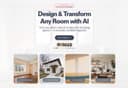
RoomCreator is an all-in-one AI-powered platform designed to transform the way people design and visualize spaces. Built for speed, simplicity, and realism, it allows users to turn any photo, sketch, or floor plan into a fully redesigned interior or exterior in just seconds. Whether someone is planning a renovation, staging a property, or simply exploring ideas, RoomCreator removes the traditional barriers of time, cost, and technical expertise that usually come with home design. At its core, RoomCreator is about making design decisions easier and more accessible. Instead of relying on imagination or expensive professionals, users can instantly see how their space would look with different styles, layouts, colors, and furniture. From modern and Scandinavian aesthetics to more eclectic or rustic themes, the platform offers a wide range of design options tailored to different tastes. This ability to visualize changes before making real-world commitments helps users avoid costly mistakes and feel confident in their choices. The platform is built for a wide audience, including homeowners, real estate agents, and property investors. Homeowners can experiment with new looks for their living rooms, kitchens, bedrooms, and more, gaining clarity before starting any renovation or redecorating project. Real estate agents can use the tool to create visually appealing listings by transforming empty or outdated spaces into attractive, staged environments that capture buyer interest. Meanwhile, investors can evaluate the potential of properties by generating realistic previews of renovations, helping them communicate value and make smarter decisions. RoomCreator stands out through its powerful yet simple workflow. Users begin by uploading an image—this could be a clean photo, a messy room, or even a rough sketch. Next, they select a design style that matches their vision. Within seconds, the platform generates a hyper-realistic transformation of the space. This fast turnaround makes it possible to test multiple ideas quickly, compare options, and refine concepts without any friction. Beyond basic redesign, RoomCreator offers a complete toolkit of AI features that give users full control over their projects. It includes the ability to edit specific parts of an image using a brush tool, allowing for precise changes without affecting the entire scene. Users can also remove furniture and objects with a single click to create an empty room, making it easier to start fresh. Additionally, the platform can turn simple sketches into realistic interiors, bridging the gap between early ideas and final visualization. For those who want more dynamic content, RoomCreator even generates short motion videos from static images, adding a cinematic touch perfect for presentations or social media. Another key strength of the platform is its focus on realism and accuracy. The generated designs are not just visually appealing—they closely reflect what can be achieved in real life. This level of precision has made the tool especially valuable for users who struggle to imagine spatial changes in their heads. Testimonials consistently highlight how RoomCreator reduces stress, saves time, and improves decision-making by showing exactly what works and what doesn’t before any money is spent. RoomCreator also prioritizes accessibility and user trust. It offers a free plan with no credit card required, allowing users to test the platform with a limited number of credits. Paid plans provide faster rendering, more features, and additional flexibility for larger or ongoing projects. At the same time, privacy is taken seriously—user uploads are only used to generate designs and are not sold or used to train public models. Ultimately, RoomCreator represents a shift in how design is approached. It replaces uncertainty with clarity, guesswork with visualization, and complexity with simplicity. By combining advanced AI with an intuitive user experience, it empowers anyone to design, experiment, and bring their ideas to life—no professional skills required.
- 0

MockupHive is a mockup platform offering a wide range of high-quality free and premium mockups for designers. It includes branding, social media, website, app UI, device, print, packaging, and advertising mockups to present designs realistically and professionally. The platform also provides a Figma plugin to streamline workflow and speed up the design process.
- 0

MockupHive is a mockup resource platform offering a wide range of high-quality free and premium mockups for designers. It includes branding, social media, website, app UI, device, print, packaging, and advertising mockups to help present designs in a realistic and professional way. The platform also provides a Figma plugin to streamline workflow and speed up the design process.
- 0

Welcome to musespark,Harness true model potential and transform every spark of inspiration into reality. MuseSpark is an AI design and models platform that transforms creative prompts into tangible visual outputs. It serves designers, marketers, content creators, and developers who need to rapidly prototype or generate visual assets. The platform addresses the challenge of turning abstract ideas into production-ready designs without requiring extensive manual design work or specialized artistic skills. Users can input textual inspiration and receive structured, usable design elements or models, streamlining the creative workflow from concept to visual realization.
- 0

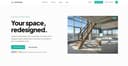
Archmaster is an AI-powered interior and exterior design platform that enables homeowners, architects, real estate professionals, renters, and designers to instantly transform spaces using artificial intelligence. The platform simplifies the design process by allowing users to upload a photo of a room, building, or architectural concept and receive a professionally rendered redesign within seconds. By eliminating the need for complex design software, CAD programs, or advanced 3D modeling skills, Archmaster makes high-quality architectural visualization accessible to anyone. At the core of the platform is its ability to generate photorealistic redesigns from existing images. Users simply upload a photo, select a preferred design style, and let the AI create a completely reimagined version of the space. Whether someone is planning a home renovation, exploring decorating ideas, preparing a property for sale, or presenting concepts to clients, Archmaster provides a fast and efficient way to visualize possibilities before making real-world decisions. One of the platform’s most attractive features is its collection of 20 design style presets. These styles cover a wide range of aesthetic preferences, including Modern, Scandinavian, Bohemian, Japanese, Mediterranean, Rustic, Minimalist, Vintage, Luxury, Tropical, Coastal, Gothic, Cyberpunk, Medieval, and many others. This variety allows users to experiment with different design directions and compare multiple creative approaches without hiring a professional designer or investing hours into manual design work. Archmaster supports both interior and exterior design transformations. Interior redesign tools can be used for bedrooms, kitchens, bathrooms, living rooms, furniture layouts, and other residential spaces. Exterior redesign capabilities allow users to apply architectural styles and visual improvements to houses, buildings, facades, and commercial properties. This flexibility makes the platform useful for a broad audience, from homeowners planning renovations to real estate agents seeking more attractive property presentations. In addition to redesigning existing spaces, the platform includes a powerful Sketch-to-Image feature. This tool converts rough hand-drawn sketches or conceptual drafts into realistic architectural renderings. Designers and architects can quickly transform early-stage concepts into professional-looking visuals that communicate ideas more effectively to clients and stakeholders. This significantly accelerates the design workflow and reduces the time needed to produce presentation-ready materials. Archmaster also offers advanced AI-powered enhancement tools. The Render Enhancer feature can upscale and sharpen generated images, improving resolution and image quality for presentations, marketing materials, or even print-ready outputs. Users who require higher-quality visuals can refine their AI-generated designs without relying on additional editing software. Another innovative capability is Architecture Video Generation. Instead of working only with static images, users can animate rendered designs and create short walkthrough-style videos. These videos help clients, homeowners, and investors better understand the spatial experience of a design project and provide a more engaging way to present architectural concepts. The platform further includes an Edit & Modify tool powered by AI inpainting technology. This allows users to selectively change specific elements within a generated design rather than recreating the entire scene. Furniture, colors, materials, decorative elements, and architectural details can be modified individually, giving users greater control over the final result while maintaining the speed and convenience of AI generation. Beyond design generation, Archmaster provides several practical tools that support renovation and planning projects. These include a room size calculator, paint calculator, renovation cost estimator, and color palette generator. These utilities help users make more informed decisions regarding budgeting, materials, and project planning while complementing the platform’s visualization capabilities. The platform operates on a simple credit-based pricing model. Users receive credits that can be used for image generation, enhancements, edits, and video creation. This transparent approach allows customers to pay only for the features they use while maintaining flexibility for both casual users and professionals with larger workloads. Overall, Archmaster is a comprehensive AI design platform that combines architectural visualization, interior design, exterior redesign, image enhancement, sketch conversion, video generation, and editing tools into a single user-friendly solution. By making professional-quality design visualization available in just seconds, it empowers users to explore creative possibilities, communicate ideas more effectively, and bring renovation or architectural projects to life with minimal effort.
- 0

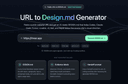
URL to Design.md: Generate AI-ready DESIGN.md briefs from public webpages URL to Design.md helps AI-assisted frontend builders turn a public website URL into a structured Markdown design context package. Instead of asking Codex, Claude Code, Cursor, Lovable, v0, Bolt, or Replit to follow a vague screenshot prompt, paste a public page and get a DESIGN.md that describes visual direction, layout hierarchy, colors, typography, spacing, components, interaction notes, evidence labels, and agent handoff prompts. One URL, Agent-Ready Design Context 1. Public URL to DESIGN.md — Extract visible structure, CTA hierarchy, visual signals, and page patterns into a reusable Markdown brief. 2. Design Tokens and Components — Summarize colors, type scale, spacing, radius, shadows, buttons, cards, forms, navigation, hero blocks, and footer patterns. 3. Evidence Labels — Mark conclusions as detected, inferred, or needs review so builders know what came from page evidence and what requires judgment. 4. Agent Handoff Prompts — Copy prompts for Codex, Claude Code, Cursor, Lovable, v0, and generic AI coding workflows. 5. Responsible Boundaries — Works with public webpages only and focuses on design context, not private pages, proprietary asset copying, editable Figma layers, or pixel-perfect cloning.
Frequently Asked Questions
Device Mockup is a comprehensive library designed for designers and marketers that provides high-quality, versatile mockups. It includes a wide variety of mockups for devices such as phones, laptops, and tablets, including popular models like MacBooks, iPhones, and Android devices. This resource allows you to present your designs in a realistic and professional manner, enhancing your presentations, portfolios, and marketing materials.
Device Mockup enhances design presentations by providing a realistic context for your designs. By using high-quality mockups, you can showcase your work in a way that captures attention and communicates your ideas effectively. This can be particularly beneficial for portfolios and marketing materials, making them more visually appealing and professional.
FramerBite is a resource that offers over 100 free and premium Framer templates. These templates are designed to help designers quickly create stunning websites and applications using the Framer platform. With a variety of options available, FramerBite caters to different design needs and styles, making it a valuable tool for both beginners and experienced designers.
You can use FramerBite templates by selecting a template that fits your project needs and customizing it to suit your design vision. The templates are designed to be user-friendly, allowing you to easily modify elements such as text, images, and layouts. This can significantly speed up your design process and help you achieve professional results with less effort.