Best AI Tools for Content Creators
The creator's toolkit, minus the busywork.
The best AI tools for content creators — software for video, image, writing, social media, and editing that helps creators make more in less time.
- 526
 0
0BigfootVeo offers a playful and easy way to produce AI-generated Bigfoot or themed videos using the Veo 3.1 model with simple prompts. Its strength lies in simplicity, niche creativity, and basic AI generation tools, but it’s less suited for broad professional use, long videos, or creators needing advanced customization.
- 527
 0
0MiFoto is an AI-powered online photo editing platform designed to help users improve, restore, and transform images without requiring professional editing skills or complex software. Instead of relying on traditional photo editing applications with steep learning curves, MiFoto brings a complete collection of AI-driven tools directly into the browser, allowing anyone to enhance photos with just a few clicks. Whether users want to remove backgrounds, sharpen blurry images, restore old family photographs, create professional headshots, generate AI artwork, or produce polished product photos, MiFoto provides a simple and accessible solution that works across multiple devices. The platform is built for beginners, content creators, small business owners, online sellers, photographers, and everyday users who want high-quality results without spending hours learning advanced editing techniques. One of MiFoto's biggest strengths is its comprehensive collection of editing tools. Rather than focusing on a single feature, the platform combines more than fifty AI-powered tools into one unified workspace. Users can remove backgrounds with a single click, erase unwanted objects, enhance image quality, upscale low-resolution photos, unblur soft images, colorize old black-and-white photographs, generate AI avatars, create AI-generated artwork from text prompts, produce professional product photography, swap faces, remove distractions, and retouch portraits. Having all these capabilities available in one browser-based platform eliminates the need to switch between multiple editing applications for different tasks. The platform emphasizes ease of use throughout the editing process. Users simply upload a photo from their computer or mobile device, select the type of enhancement or transformation they want to perform, and allow the AI to process the image automatically. There is no need to create complicated masks, manually select objects, adjust dozens of editing sliders, or understand professional image editing terminology. The artificial intelligence performs the difficult work behind the scenes, allowing users to focus entirely on achieving the final result they want. MiFoto supports a wide variety of photo categories and everyday use cases. Selfies can be transformed into polished professional headshots suitable for resumes, LinkedIn profiles, or business websites. Product photographs can be cleaned up by removing distracting backgrounds and improving lighting, making them ideal for online stores and marketplace listings. Travel photographs can be sharpened, enhanced, and cleaned before sharing with friends or printing as keepsakes. Pet photos, food photography, family portraits, vacation memories, and old historical photographs can all benefit from the platform's AI-powered restoration and enhancement capabilities. One of the platform's most useful features is its background removal technology. With a single click, MiFoto can accurately separate the main subject from the background, creating a clean transparent image or replacing the background entirely. This functionality is particularly valuable for e-commerce sellers, graphic designers, social media creators, and marketers who frequently need clean product images or professional-looking portraits. The AI is designed to preserve fine details such as hair edges while producing natural-looking cutouts without requiring manual refinement. Image restoration is another major focus of the platform. MiFoto helps users recover blurry, faded, or low-quality photographs by applying AI-powered sharpening and enhancement algorithms that improve clarity while maintaining a natural appearance. Older black-and-white family photographs can be automatically colorized, bringing historical memories back to life with realistic colors and improved contrast. Instead of making restored images appear overly processed or artificial, the platform prioritizes preserving the character and authenticity of the original photograph while enhancing overall image quality. Portrait enhancement tools are designed to produce subtle and realistic improvements rather than exaggerated beauty filters. Users can gently retouch skin, improve lighting, remove minor blemishes, and create professional-looking headshots without making faces appear overly smooth or unnatural. This balanced approach makes MiFoto suitable for professional profile pictures, business portraits, social media images, and personal photography where maintaining authenticity is important.
- 528
 0
0Wan2-5.com is the premier AI video generation platform powered by advanced Wan 2.5 technology. Transform your ideas into professional 1080p videos complete with native audio and sound effects in just 9 minutes - 95% faster than traditional video production. Our platform offers dual video creation modes: text-to-video AI that generates cinematic content from your descriptions, and image-to-video that animates static images into dynamic footage. Perfect for marketers, content creators, educators, and businesses seeking high-quality video content without expensive production costs or technical expertise. With support for multiple aspect ratios (landscape, portrait, square), up to 8-second video generation, lip-sync capabilities, and commercial usage rights, Wan2-5.com delivers studio-quality results optimized for social media, marketing campaigns, presentations, and creative projects. Join 10,000+ users already revolutionizing their video production workflow with AI-powered creativity.
- 529
 0
0HappyHorse AI is an outstanding AI video generation model launched in 2026. It supports text-to-video, image-to-video, enhancement and local editing, enabling one-click generation of high-quality 1080P high-frame-rate videos. Its core strength lies in native audio-video synchronization, multilingual voice and accurate lip-sync, with realistic visuals and high efficiency. Users can easily produce professional videos from text or images for short-form content, product promotion, advertising and social media. Being open-source and commercially friendly, it performs well in global evaluations and has become a top choice for efficient creation.
- 530
 0
0Turn any photo or image into an AI video online, PhotoToVideoAI is an image to video AI tool for adding natural motion, camera movement, and atmosphere to portraits, products, illustrations, landscapes, and social content. Convert photos to videos online for free — no sign up required. The fastest image to video AI generator — turn any photo into stunning video effortlessly.
- 531
 0
0Skyrocket your social media page's growth with WoopSocial, the all-in-one social media content generator that will help you create more content in less time. With WoopSocial, you can generate new social media posts along with images that perfectly fit your brand. Within the platform, you can immediately schedule them to all of your social media accounts with just a few clicks. Stay consistent on social media without all the hours your competitors are spending, while getting more results. Generate a month's worth of content for your social media accounts with just a single click. Creating your social media content in ChatGPT, Gemini, or Claude, which don't understand your brand and your business, just creates generic content that doesn't sell. Start creating unique posts that match your brand and bring new customers to your business, all with nothing more than a click of a button. Thanks to the latest image generation models, you can create images that fit your brand perfectly.
- 532
 0
0Seedance 1.5 is a next-generation AI video generation platform that creates cinematic, audio-visual content from text prompts or images, integrating both visuals and sound in one process. It features native audio-visual synchronized generation, which means the platform generates video and audio together—producing synchronized voice, sound effects, and ambient audio that match the visuals naturally. The model supports multilingual voice synthesis, with precise lip-sync alignment and emotional expression across characters. It offers cinematic camera control including professional movements like tracking shots and zooms, as well as enhanced semantic understanding for narrative coherence between scenes. Videos can be generated with multi-scene storytelling and consistent motion, making it suitable for short films, social media content, advertising, and storytelling workflows. The system interprets complex descriptions, camera cues, lighting, and motion in the prompt to produce immersive, high-quality AI videos.
- 533
 0
0AI Kissing Video Generator - Create Realistic Kissing Videos
romantic video generator·video creation toolAI Kissing Video Generator is an innovative online tool that uses advanced artificial intelligence to transform your photos into captivating and realistic kissing videos. It allows users to create romantic animations from still images, offering a unique and engaging way to express emotions and creativity.
- 5340
Our software is a state-of-the-art AI image generation platform powered by proprietary large-scale generative models. One-Click Animation: Upload a picture, and AI will automatically identify the subject and background to create smooth, dynamic videos (like flowing clouds, rippling water, subtle facial expressions);
- 535
 0
0Imejis.io is an automated image generation and bulk image creation platform built for marketers, creators, startups, and SaaS teams who need to produce social media images quickly and at scale. Imejis.io allows users to create once and generate unlimited images using prebuilt templates, dynamic content, and image automation workflows. Users can fully customize designs by changing colors, text, layouts, and presets to maintain consistent branding across all visuals. The platform includes a powerful visual editor with built-in components such as text, rectangles, circles, lines, and QR codes, making it easy to design dynamic image layouts. Imejis.io also offers in-editor image search via Unsplash, an icon library, and prebuilt text presets for faster and more efficient design creation. Imejis.io supports public template links, enabling anyone to generate images from shared templates without creating an account. This makes it ideal for teams, agencies, and creators who want to share reusable templates or allow fast image generation for their audience.
- 536
 0
0Voe 4 is the Voe 4 AI Video Generator powered by Voe 4.0 AI Video. Create Voe 4.0 AI Video in ~2s, refine with Voe 4.0 prompts guide, export HD videos, and run Voe 4 ai online free. The Voe 4.0 Model powers fidelity; Voe 4 keeps generation fast.Voe 4 is the Voe 4 AI Video Generator powered by Voe 4.0 AI Video. Create Voe 4.0 AI Video in ~2s, refine with Voe 4.0 prompts guide, export HD videos, and run Voe 4 ai online free. The Voe 4.0 Model powers fidelity; Voe 4 keeps generation fast.
- 537
 0
0RedLinz is a web-based visual markup platform designed to improve communication between people and AI assistants by transforming visual annotations into structured, machine-readable prompts. Instead of spending time writing long explanations about interface changes, design revisions, bug reports, or content updates, users can simply upload a screenshot, highlight the exact areas that need attention, and export a detailed prompt that can be understood by leading AI models such as ChatGPT, Claude, Cursor, Perplexity, Grok, and many other AI-powered tools. The platform bridges the communication gap between visual thinking and text-based AI interactions, making it significantly easier to describe complex modifications with precision and clarity. Whether the task involves improving a user interface, fixing software bugs, editing marketing assets, or refining AI-generated images, RedLinz provides a faster and more reliable workflow that minimizes ambiguity while increasing the accuracy of AI-generated results. The platform is entirely browser-based, meaning users can start working immediately without downloading or installing any software. Images never leave the user's browser during the annotation process, providing an additional layer of privacy and security since all visual markup is performed locally on the client side. Users can upload screenshots, paste copied images directly into the application, or even begin with a blank canvas before adding annotations. Once the project is loaded, RedLinz offers a professional collection of markup tools including circles, arrows, rectangles, callout notes, highlights, numbered markers, checkmarks, deletion stamps, color replacement tools, image insertion, and several additional annotation symbols. Unlike traditional drawing applications that simply place graphics on top of an image, every annotation in RedLinz carries semantic meaning that is translated into structured instructions for AI systems. This allows AI assistants to understand not only where a change should happen but also what kind of modification is being requested. RedLinz supports a wide range of practical use cases across software development, product design, digital marketing, content creation, and creative workflows. Developers can create highly accurate bug reports by circling broken interface elements instead of writing lengthy descriptions that may be misunderstood. Designers can annotate Figma exports or staging websites to communicate design revisions with complete clarity. Product managers can specify sequential implementation steps using numbered markers, while marketers can highlight weak sections of landing pages and generate structured prompts requesting improved copywriting from AI assistants. The platform is also valuable for image generation workflows, allowing creators to revise AI-generated artwork by marking incorrect colors, misplaced objects, unwanted text, or anatomical mistakes and generating prompts that target only the selected modifications. These capabilities help eliminate unnecessary back-and-forth conversations while enabling both AI systems and human collaborators to understand requested changes immediately. One of RedLinz's most distinctive features is its semantic markup language, which assigns specific machine-readable meanings to every annotation tool. A circle instructs the AI to modify a particular element, an arrow indicates movement or positioning, rectangles define regions where changes should be applied, callout bubbles attach contextual notes, checkmarks preserve existing elements, deletion stamps remove objects, numbered markers establish execution order, strike-through tools eliminate text, color markers request color replacements, eyedroppers sample existing colors, erasers remove annotations, and image insertion tools specify where new visual assets should appear. By combining visual markup with structured coordinate data and contextual instructions, RedLinz generates prompts that are significantly more precise than manually written descriptions. This structured approach reduces misunderstandings, improves AI accuracy, and helps users achieve the desired result on the first attempt more consistently.
- 538
 0
0Turn your imagination into art with Pixgen — an all-in-one AI photo editor and image generator. Create visuals from text or photos, apply unique AI filters, and experiment with effects like neon, sketch, watercolor, or cinematic tone. Pixgen’s advanced AI models deliver high-quality, realistic images instantly. Perfect for social media posts, digital design, and marketing visuals. It’s fast, free, and secure, giving you full creative freedom without technical barriers.
- 539
 0
0CodaOne AI is an all-in-one, browser-based platform that offers over 101 free tools designed to simplify everyday digital tasks, especially in writing, document handling, image editing, and development workflows. What makes the platform stand out immediately is its promise of zero signup requirements for most features, allowing users to access powerful tools instantly without friction. The core philosophy behind Coda One revolves around privacy, accessibility, and efficiency—ensuring that users can complete their tasks quickly while keeping their data सुरक्षित and fully under their control. One of the flagship features of Coda One is its AI Writing suite, particularly the AI Humanizer tool. This tool is built to transform AI-generated text into natural, human-like writing that can bypass major AI detection systems such as GPTZero, Turnitin, and Originality.ai. Instead of changing the meaning of the text, it focuses on improving tone, flow, and authenticity. Users can choose from multiple writing modes such as Standard, Academic, Blog, Formal, and Simple, making it adaptable for different contexts. This is especially useful for students, writers, and professionals who rely on AI assistance but want their content to feel organic and undetectable. Complementing the Humanizer is the AI Detector, a completely free and unlimited tool that allows users to check whether their text appears AI-generated. This creates a seamless workflow where users can write, humanize, and then verify their content—all within the same platform. The fact that this tool operates without any API costs or usage limits makes it particularly attractive compared to many competitors. Beyond writing tools, Coda One offers a robust set of PDF tools, including merging, splitting, compressing, converting, and protecting documents. These tools are entirely browser-based, powered by WebAssembly, which means files are processed locally on the user’s device and never uploaded to external servers. This ensures maximum privacy and eliminates concerns about sensitive data leaks. Unlike many other platforms, there are no restrictions such as daily limits or watermarks, making these tools genuinely free and unlimited. The platform also includes image tools for tasks like background removal, compression, resizing, and text extraction, as well as developer tools such as JSON formatters, regex testers, and JWT decoders. By bringing all these utilities together in one place, Coda One eliminates the need to switch between multiple websites for simple tasks. In terms of pricing, Coda One maintains a transparent and flexible structure. Most tools—including PDF, image, and developer utilities—are permanently free. For AI writing features, users can access a limited number of free uses per day, with optional paid plans that expand word limits and unlock advanced capabilities. Overall, Coda One positions itself not just as a tool directory, but as a thoughtfully designed productivity toolkit that prioritizes user convenience, privacy, and simplicity.
- 540
 0
0Masset is a modern AI-powered content management platform designed specifically for B2B marketing teams that need a single, reliable home for all their marketing assets. Instead of letting content live scattered across folders, cloud drives, CRMs, and chat tools, Masset centralizes everything into one intelligent system where every asset is always up to date, easily searchable, and instantly accessible across the tools teams already use. At its core, Masset acts as a “content home” where every piece of marketing material—such as case studies, pitch decks, product one-pagers, videos, battlecards, and onboarding guides—can be stored, organized, and distributed without friction. The platform is built around the idea that content should not only be stored, but actively used, tracked, and continuously improved based on real performance data. Every asset becomes part of a living system rather than a static file sitting in a folder. One of Masset’s key differentiators is its deep integration with AI systems and modern workflows. It connects with MCP-compatible AI tools such as Claude, ChatGPT, Cursor, and GitHub Copilot, allowing these systems to search, retrieve, and use approved company content in real time. This ensures that AI-generated responses and workflows are grounded in accurate, company-approved information instead of outdated or hallucinated data. With dozens of tools available, AI can not only fetch assets but also analyze engagement, generate reports, create content boards, and even submit requests when needed content does not yet exist. Masset also extends into major business platforms like Slack, Microsoft Teams, HubSpot, and Salesforce, embedding content directly into the places where teams already work. Sales reps can quickly share assets in conversations, marketers can track engagement inside CRM records, and leadership teams can measure how content influences pipeline and revenue. Every interaction is logged and tied back to performance metrics, enabling organizations to understand which materials actually drive deals and which ones need improvement or retirement. Another powerful capability of Masset is its analytics and revenue attribution system. Instead of only tracking basic metrics like views or downloads, the platform connects content engagement directly to closed-won deals and revenue impact. This allows marketing and revenue operations teams to clearly see how specific assets influence pipeline velocity, deal progression, and total revenue outcomes. It turns content from a branding tool into a measurable revenue driver. The platform also helps teams maintain content quality and governance at scale. Version control ensures that every share, board, and AI tool always uses the latest approved version of a document. Content flagging systems allow teams to identify outdated materials, while structured workflows ensure that new asset requests are routed to the right owners without confusion or manual coordination. For enablement and training, Masset introduces AI-driven learning experiences directly inside Slack and Teams. Instead of traditional courses, teams receive short, daily knowledge checks based on approved content, helping improve retention and ensuring that sales and marketing teams consistently understand the messaging and materials they are using in the field. Overall, Masset positions itself as more than a traditional digital asset management system. It is an AI-native content infrastructure layer for modern B2B organizations. By unifying storage, distribution, analytics, AI integration, and training into one platform, it helps companies ensure that every piece of content is accurate, discoverable, and actively contributing to revenue growth—no matter where teams work or which tools they use.
- 541
 0
0Here is a concise and professional English introduction for Video Transcription AI: Video Transcription AI is a frictionless, web-based intelligence platform designed to unlock knowledge trapped inside video and audio formats. It converts linear media consumption into searchable, structured text databases, entirely eliminating the overhead of manual note-taking. Key Highlights Zero Friction: 100% free with no registration, accounts, or sign-ups required. Users can instantly access full features without encountering sudden paywalls or forced login screens. Seamless Ingestion: Simply paste a public link from major platforms like YouTube, TikTok, or Instagram, or drop a local media file directly into the browser. AI-Driven Structuring: Moving beyond plain verbatim text, the built-in AI automatically transforms raw speech into interactive mind maps, chronological timelines, and semantic summaries. Multilingual & Advanced Features: Supports transcription and translation across 100+ languages with high precision. It also includes automatic speaker identification, making it perfect for multi-person meetings, interviews, or lectures. Flexible Exporting: Effortlessly download outputs in clean Markdown, TXT, PDF, Word, or professional subtitle formats (SRT/VTT) to sync seamlessly with tools like Notion and Obsidian. Target Audience Perfect for content creators, students, academic researchers, and remote professionals who need to decode vast amounts of media content quickly and maximize their daily productivity.
- 542
 0
0Screenhance is an all-in-one online creative platform designed to help creators, startups, developers, and product teams turn their digital products into polished, launch-ready visual assets. Instead of relying on multiple design tools to create mockups, screenshots, marketing graphics, and product videos, Screenhance brings these workflows together in a single editor. Users can create device mockups, App Store and Google Play screenshots, website graphics, Product Hunt galleries, social media cards, animated visuals, and product demo videos from one place. One of the platform’s main strengths is its extensive collection of ready-to-use templates. Users can browse templates for mockups, motion graphics, app store screenshots, Product Hunt launches, website images, OG images, and other promotional materials. Templates such as iPhone showcases, MacBook presentations, mobile app galleries, SaaS product galleries, 3D device compositions, and website hero graphics provide a fast starting point for creating professional-looking visuals. Users can customize the layouts, copy, typography, colors, backgrounds, framing, and other visual elements to match their product and brand. Screenhance also focuses heavily on mockup creation. Users can place screenshots, artwork, or product interfaces inside realistic device and environmental scenes, adding backgrounds, perspective, depth, and professional framing. The platform supports a broad range of mockup categories, including smartphones, tablets, laptops, browsers, televisions, apparel, packaging, posters, billboards, business cards, books, magazines, stickers, mugs, and other physical products. This makes the platform useful not only for software companies but also for designers, marketers, agencies, and creators who need to visualize products in real-world contexts. Another important feature is its support for animated content and motion. Users can start with an animated template, insert their own product screens, and adjust timing, movement, copy, and framing within the same editor. Motion templates can be used to create launch clips, animated mockups, website videos, and social media content. Screen recordings can also be transformed into focused product demos, tutorials, launch videos, or other promotional content. The platform is particularly useful for product launches because it allows users to reuse the same product interface across multiple marketing surfaces. A single product screenshot can become a website hero image, an App Store screenshot, a Product Hunt gallery image, a social card, or part of a promotional video. This approach helps maintain visual consistency across an entire launch campaign while reducing repetitive design work. Screenhance follows a simple three-step workflow: users add their real product by uploading screenshots, artwork, or recordings; choose a template, mockup, store set, or demo workflow; and then edit, export, and publish the finished visual. Every layer remains editable, allowing users to refine the composition before exporting it in formats and dimensions appropriate for websites, app stores, social networks, or video platforms. The service offers a free plan that allows users to explore the creative system with limited monthly exports and a watermark. There is also a one-time Launch Pass for users preparing a specific launch, while the Pro subscription is designed for creators and teams that regularly produce product visuals. Overall, Screenhance positions itself as a practical visual production system for turning digital products into professional marketing assets quickly, consistently, and without requiring advanced graphic design skills.
- 543
 0
0SiteSpin is an AI-powered website builder designed to help individuals, freelancers, creators, and small businesses launch professional websites through a simple conversation. Instead of relying on traditional templates, drag-and-drop editors, or complex design tools, SiteSpin allows users to describe their business, idea, or project in plain language and automatically generates a complete custom website in just a few minutes. The platform reimagines the website creation process by replacing complicated design workflows with a chat-based experience. Users simply explain what they do, and SiteSpin asks a few intelligent follow-up questions about their goals, style preferences, brand voice, and website requirements. Based on those responses, the platform automatically writes the website content, designs the layout, selects typography and color schemes, and prepares a fully functional site that is immediately ready to publish. One of SiteSpin’s most notable advantages is its ability to generate websites from scratch rather than relying on pre-made templates. Every site is customized to the user’s business and audience, including page structure, marketing copy, headlines, calls-to-action, and visual presentation. This helps users create a unique online presence without spending hours learning web design principles or editing generic templates. The platform is designed for speed and simplicity. Users can go from an initial idea to a live website in approximately five minutes. Once generated, the website is instantly published on a free SiteSpin subdomain, allowing users to share their site immediately. Those who require a professional web address can connect their own custom domain through the platform's paid plans. SiteSpin also makes ongoing website management remarkably easy. Instead of navigating complicated content management systems, users can edit their websites simply by chatting with the AI. They can request changes such as rewriting headlines, adjusting colors, adding new sections, updating calls-to-action, or modifying page content. The AI processes the request, updates the site, and republishes it automatically within seconds. The platform includes a selection of professionally curated visual styles, enabling users to choose aesthetics ranging from clean and minimal to bold, creative, elegant, organic, or business-focused designs. Users can also request custom styling preferences to better match their brand identity. Beyond website generation, SiteSpin includes built-in hosting, secure website deployment, private analytics, and mobile accessibility. Users can build, edit, and manage their websites from a web browser or directly from their mobile devices, making it convenient to work from virtually anywhere. The integrated analytics system provides visitor insights without relying on invasive tracking methods or complicated third-party integrations. SiteSpin is suitable for a wide variety of users, including freelancers, consultants, photographers, coaches, service providers, creators, entrepreneurs, and small businesses. Whether someone needs a portfolio, personal brand website, service-based business site, product showcase, or simple online presence, the platform aims to eliminate technical barriers and accelerate the entire process. Overall, SiteSpin offers a modern approach to website creation by combining artificial intelligence, conversational design, automated content generation, and instant publishing into a single platform. By transforming website building into a natural conversation, it enables users to create and manage professional websites quickly, efficiently, and without requiring technical or design expertise.
- 544
 0
0Grok Imagine is an advanced AI video and image generator developed by xAI. It can create viral videos with audio from text descriptions or turn static images into animated video clips. Unlike other AI tools, Grok Imagine automatically adds matching sounds, music, and effects to make complete videos ready for sharing. Text to Video with Audio Type any description and watch Grok Video Generator create a matching video. Grok Imagine understands your words and makes videos with perfect sound effects, music, and audio that fits the scene. Animate Your Images Upload any photo or image to Grok Video Generator and see it come alive. Grok Imagine adds realistic movement and appropriate sounds to turn your images into dynamic video.
- 545
 0
0PhotoPacks.AI is a platform that enables generating high-quality professional headshots from just a few ordinary images. We use the latest AI techniques to achieve high levels of accuracy, polish, and professionalism. Our customers use the generated photos for a variety of purposes - including professional websites, dating photos, and enhancing their personal branding across social media platforms. We are so confident in our product that we offer a 100% money back guarantee. Ditch the hassle of makeup and expensive clothing. Just upload 10 every-day photos and we will have you looking like a professional in no time.
- 546
 0
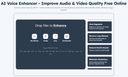
0Voice Enhancer is an easy-to-use online AI tool that removes background noise, enhances speech clarity, and improves overall audio quality in seconds. Perfect for podcasts, voice recordings, videos, and online meetings. Upload your audio and let advanced AI noise reduction and voice enhancement technology deliver clean, professional sound effortlessly.
- 547
 0
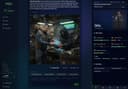
0aiga_ is a living story engine that transforms interactive fiction into a visual reality. Unlike static text adventures, aiga_ uses advanced AI to generate stunning, style-consistent artwork and evolving narratives in real-time. Every choice you make carries weight, reshaping the world through a GameBook system that tracks stats, inventory, and complex character relationships. You can choose from over 15 art styles or upload a personal reference image to ensure your hero remains visually consistent across every scene. The platform features dynamic NPCs who possess memory and unique motivations, allowing you to chat freely with them or listen as AI voice narration brings the world to life. Designed for seamless community play, aiga_ offers full cross-progression across Web, Discord, Telegram, and X. Whether you are a solo storyteller, a TTRPG group, or a brand engaging an audience, aiga_ provides a limitless, multilingual platform where no two playthroughs are ever the same.
- 548
 0
0Use EditAny AI, the all-in-one AI image editor, to transform images and generate stunning visuals from text. Turn your ideas into studio-quality images instantly. **What is AI Image Editor?** EditAny provides an easy-to-use online AI Image Editor that lets you edit, enhance, and transform your photos just by typing simple text prompts. You do not need any design skills to get started. **Portrait Editing** **Easily change hairstyles, try new hair colors, or update clothing with our AI Image Editor while keeping the person's face natural and realistic.** **Photo Enhancement** **Quickly restore old or damaged pictures, adjust brightness and colors, or add fresh new styles to your images using the AI Image Editor.** **Background Change** **Swap out your photo's background with a completely new scene, a custom color, or another image in just a few clicks using EditAny.** **AI Image Editor Core Features** Explore the powerful capabilities that make EditAny the perfect online tool for editing, enhancing, and transforming photos effortlessly—no design skills needed: **Portrait Editing** Effortlessly edit a person's appearance while keeping their unique identity completely consistent. Our advanced identity-preserving technology ensures that facial structures and proportions remain perfectly intact. You can change hairstyles, explore different hair colors, or update clothing easily, guaranteeing that every single edit looks incredibly realistic and stays true to the original subject. **Photo Enhancement** Breathe new life into your cherished memories by restoring old, faded, or damaged photos with remarkable precision. Quickly adjust brightness, fine-tune contrast, and balance colors to make your images look their absolute best. Whether you want to fix lighting issues or apply fresh new styles, our enhancement tools deliver clean, professional results instantly. **Background Change** Instantly remove and replace distracting or unwanted backgrounds from your photos with just a few clicks. Seamlessly swap your current background to transport your subject to a completely different scene, apply a clean custom solid color, or use another image entirely. The AI ensures smooth edges and natural blending for a flawless, realistic finish. **Photo Styling** Give your photos a fresh, unique look with our AI image style changer for effortless transformations. Apply stunning artistic styles to create eye-catching visuals, use realistic styles for professional results, or experiment with creative effects to make your images truly stand out. Instantly transform any photo with smooth, accurate, and highly stylistic edits. **Combine Photos** Bring your creative visions to life by merging multiple pictures or bringing different people together into one smooth, natural-looking composition. Our intelligent blending technology ensures that lighting, shadows, and proportions match perfectly across all elements, allowing you to create seamless group photos or imaginative scenes that look like they were captured in a single shot. **Text Prompt Editing** Traditional photo editing usually requires complex tools and technical skills, but not anymore. With EditAny's AI Image Editor, you can edit photos using simple text prompts. Just describe what you want to change, choose from ready-made templates or create your own instructions, and let multiple AI models work together to deliver fast, accurate, and high-quality results.
- 549
 0
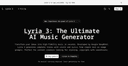
0Lyria 3: The Ultimate AI Music Generator Transform your ideas into high-fidelity music in seconds. Developed by Google DeepMind, Lyria 3 generates complete tracks with vocals and lyrics from simple text or image prompts. Perfect for content creators looking for stunning, copyright-safe soundtracks. What is Lyria 3? Lyria 3 represents the cutting edge of AI music generation, designed to make high-quality audio creation accessible to everyone. DeepMind's Masterpiece Lyria 3 is Google DeepMind's most advanced AI music generation model, pushing the boundaries of what AI can compose and sing. Multimodal Inspiration Don't just use text. Upload a photo or a video clip, and Lyria 3 will compose a soundtrack that perfectly matches the visual mood. Complete Songs, Instantly Generates not just the beat, but also high-quality vocals and fitting lyrics all at once, providing a complete track in seconds. Studio-Quality Audio Produces incredibly lifelike, high-fidelity 48kHz, 16-bit PCM stereo output that sounds like it was recorded in a professional studio.
- 550
 0
0image2prompt turns any image into a powerful, structured AI prompt in seconds. Simply upload an image, and image2prompt analyzes its visual elements—such as subjects, styles, lighting, composition, and mood—to generate a detailed, editable prompt optimized for modern image generation models. Key entities are clearly highlighted, allowing you to tweak, replace, or refine specific parts of the prompt with ease. Whether you’re recreating a look, exploring variations, or learning how great images are described, image2prompt gives you full creative control. It works seamlessly with popular tools like Midjourney, DALL·E, and Stable Diffusion, making it ideal for designers, creators, marketers, and AI artists. Stop guessing prompts—reverse-engineer images with clarity, speed, and precision.
Frequently asked questions
The best AI tools for content creators include ReflectMind, which allows users to create stunning presentations and visual content quickly without design skills. ChatGPT is another top choice, known for its advanced conversational AI capabilities, making it great for programming tasks and content generation. AppMole offers a comprehensive suite of AI-driven tools tailored for creators, while Aitoolnet serves as a directory for over 10,000 AI tools. Other notable mentions are A Practical Collection of AI Tools for Video, Image, and Restoration Workflows, r/IMadeThis for sharing creations, AIGC 160 for innovative AI-generated content tools, Good AI Tools for productivity enhancement, CopyTruck for LinkedIn content generation, and Top Writer Tools for various writing needs.
ReflectMind is an AI-powered platform that enables content creators to produce stunning presentations and visual content in minutes. It is designed for users without design skills and offers features like real-time collaboration, interactive elements, and multi-format exporting. This tool streamlines the creation workflow, making it ideal for educators, marketers, and consultants who need to create professional-grade materials quickly.
ChatGPT is highly regarded for its advanced conversational AI capabilities, making it an excellent tool for generating content, coding assistance, and even recipe suggestions. Users appreciate its versatility and effectiveness, although it does have some drawbacks, such as occasional inaccuracies and service outages. The subscription fee of $20/month is considered worthwhile by many for the value it provides.
AppMole is an all-in-one platform that provides a wide range of AI-driven tools and resources specifically designed for creators, influencers, and developers. It includes various web apps, marketing tools, and design applications aimed at enhancing productivity and streamlining workflows. Users can also access the latest AI applications and reviews, making it a valuable resource for staying updated in the fast-evolving AI landscape.
This collection features a variety of AI tools focused on practical tasks for video and image creation, as well as restoration workflows. It includes tools for AI video generation like SoraVideo and Genie3AI, AI image generation and editing tools like Flux2, and utilities for photo restoration. These tools are designed for fast iteration and lightweight production, making them ideal for creators looking to quickly move from concept to output.
r/IMadeThis is a subreddit where users can share their self-made creations, ranging from websites and sculptures to music videos and photographs. With a community of 13K members, it provides a platform for content creators to showcase their work, receive feedback, and connect with others who share similar interests. This can be a great source of inspiration and motivation for creators looking to improve their skills.
AIGC 160 serves as a dedicated portal for discovering cutting-edge AI-generated content tools. It highlights innovative platforms for image and video generation, no-code app builders, and creative automation. By providing a curated library of solutions across various categories, AIGC 160 helps content creators streamline their workflows and unlock new possibilities in their creative processes.
Good AI Tools is a comprehensive directory that helps users discover the best AI tools to enhance productivity, creativity, and business growth. It features a wide selection of innovative AI software, including machine learning platforms and automation tools. This resource is particularly useful for business professionals, developers, and anyone looking to find the right tools to streamline their tasks and stay competitive in the rapidly evolving AI landscape.
CopyTruck is an advanced AI tool designed to enhance your influence on LinkedIn by generating content that resonates with your audience. It helps users create engaging posts and articles that can improve their visibility and engagement on the platform, making it a valuable tool for professionals looking to build their personal brand and connect with their network.
Top Writer Tools is a directory that features a variety of writing tools, including AI generators, AI detectors, and plagiarism scoring systems. The collection is categorized into segments such as AI Writing Assistants, Plagiarism Checkers, and Copywriting Tools, making it easy for writers to find the right tools for their specific needs, whether they are working on creative writing, content generation, or ensuring originality in their work.