Best Tools for Remote Workers
Your office is wherever the Wi-Fi is — gear up accordingly.
The best tools for remote workers — remote job boards, meeting helpers, and the apps that keep distributed work organized wherever you log in from.
- 26
 0
0Your ultimate tool finder, providing a curated list of productivity apps and tools designed to enhance your efficiency and streamline your workflow. Your ultimate tool finder, providing a curated list of productivity apps and tools designed to enhance your efficiency and streamline your workflow.
- 27
 0
0AnywhereRemoteJobs.com is the trusted source for 100% remote jobs, providing access to over 34,000 verified openings from 6,800+ companies across industries like technology, design, marketing, and more. Every listing is handpicked to guarantee a true remote work experience, with no hybrid roles or surprise office requirements. Jobs are sourced directly from company websites and updated hourly by automated crawlers, so seekers always find up-to-date opportunities. The platform protects user privacy—no account signups, no data collection, and no tracking—making job searches safe and pressure-free. With smart filters by title, skills, and industry, freelancers and professionals of all backgrounds find flexible roles that match their expertise. Always 100% free, AnywhereRemoteJobs.com is made for remote-first professionals who value freedom, flexibility, and trusted listings—making global remote work accessible to all.
- 28
 0
0Pangian specializes in remote jobs at leading, reputable companies. They have a database of 400,000+ jobs in over 150 countries. You can filter the jobs by cateogry, country / location and keywords. Some jobs are only accessible at the Pro tier that costs $14.99/month or $99 annually.
- 29
 0
0The Core Tools is your curated gateway to essential productivity software and AI-powered tools that simplify, accelerate, and elevate your daily workflow. Focused on utility and performance, our platform features a handpicked collection of tools across a wide range of categories—from task management and automation to design, SEO, e-commerce, education, and more. Whether you're building a startup, managing a team, or working solo, The Core Tools helps you discover reliable solutions that actually get things done. Browse featured tools, explore by need or category, and find powerful apps that fit right into your stack. Got something great? Submit your own tool and connect with a growing audience of professionals who value clarity, efficiency, and results. No fluff. Just core tools that work.
- 30
 0
0FlexJobs is a paid job board. It starts at $2.95 for a two-week trial or $9.95/month for a 3-month full access. It boasts over 40,000 hand-screened remote jobs.
- 31
 0
0flexidesktop provides companies with a reliable way to support distributed workforces through secure cloud-hosted desktops. Employees can access a familiar Windows environment from laptops, tablets, and other devices without sacrificing productivity. The platform combines fast provisioning, scalable resources, and secure infrastructure to create a flexible desktop solution. Organizations gain greater control over costs while maintaining a consistent user experience.
- 32
 0
0Tool Journey is your trusted guide to discovering powerful software that enhances productivity and supports your goals—whether you're building a business, launching a side project, or automating your daily tasks. With hundreds of AI-powered tools and SaaS solutions organized across dozens of categories, Tool Journey helps you quickly find exactly what you need—from design and marketing to health, education, and development. Explore curated tools, discover the latest innovations, and browse by category or keyword. With clean navigation, honest summaries, and a constantly expanding library, Tool Journey is more than a directory—it's your roadmap to working smarter and achieving more. Founders, creators, and professionals: this is your journey. Let’s find the right tools together.
- 33
 0
0Time is a native macOS menu bar app built for people who work across time zones. The Problem If you've ever pinged a coworker at 3 AM their time, missed a meeting because you calculated the time wrong, or spent five minutes hunting for a Zoom link buried in an email thread, you know the pain. Working with a global team means constantly doing mental math, and existing solutions are either ugly widgets, bloated apps, or subscription traps. The Solution Time lives quietly in your menu bar and shows multiple time zones at a glance. Add unlimited zones, give them custom names like "Tokyo Office" or "Mom," and instantly see everyone's local time without opening anything. Key Features Time Scroller: Drag to preview what time it will be across all your zones up to 24 hours ahead. Perfect for finding that magical meeting slot when everyone is actually awake. Day & Night Awareness: Color-coded segments show daylight and nighttime across all zones. No more mental math to figure out if someone is sleeping. Smart Calendar Integration: See upcoming events directly in the popover, get warnings before meetings start, and join Zoom, Google Meet, Microsoft Teams, or Webex calls with a single click. No more digging through emails for links. Date Picker: Planning a meeting next week? Pick any future date and see how times align across all your zones. Airport Code Search: Search from 5,500+ airport codes to quickly find cities. Type "LAX" instead of scrolling through a list of Los Angeles options. DST Warnings: Get notified when daylight saving time changes are coming so you're never caught off guard. Why Time? Native SwiftUI means buttery smooth performance and minimal resource usage. Your calendar data stays on your device with zero tracking or data collection. It's a one-time purchase with no subscriptions, and you get lifetime updates. Time is actively developed and optimized for the latest macOS versions including Tahoe. Extensive customization options let you control 12/24-hour formats, fonts, colors, and alignment. Pricing One-time purchase starting at $24.99. No subscriptions. Free 30-day trial included. Built by a remote worker who got tired of doing time zone math at 6 AM.
- 34
 0
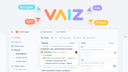
0Vaiz replaces the usual stack of task tracker + doc tool + chat app with a single workspace where tasks, documents, and discussions live together. When the spec, the task, and the conversation around it are in the same place, less gets lost between apps. Teams get Kanban, Scrum, Gantt, Timeline, and List views, real-time document editing, 2,000+ integrations, a built-in AI assistant, and no-code automations. Migration from Jira, Asana, Notion, or YouTrack takes minutes — most teams are up and running in under an hour, with no admin setup. Built for cross-functional teams of 5 to 100 — product, engineering, design, marketing, and ops. Free forever for up to 10 users. All teams get a 30-day free trial, no credit card required.
- 35
 0
0Vaiz is a unified work management platform for cross-functional teams of 5 to 100 people. It combines task management, project planning, document collaboration, workflow automation, and a built-in AI assistant in a single workspace, so teams stop switching between Jira, Notion, and Google Docs. Vaiz is opinionated about what it leaves out: no surveillance, no automatic activity tracking, no story points, no swimlanes. The product is designed for teams that value clarity and speed over feature density — startups, product teams, game studios, marketing, HR, and self-managed teams who want one calm rendering of all their work.
- 36
 0
0Spencer for Mac is a new window manager with a completely unique approach. It solves the biggest problem with virtual desktops — restoring app windows exactly where they were saved. It’s especially useful when switching between different display setups (for example, work and home), disconnecting a MacBook from an external monitor, or even after a system restart. The huge advantage is that there’s no need to configure anything — just click Save and then Restore. The whole process takes only a few seconds, and that’s all the user needs to do. It goes further: Spencer can adjust the number of Spaces depending on your monitor setup or the active workspace. You can switch between custom workspaces (e.g. “Work”, “Meetings”, “Relax”), with the right apps launching, the others hidden, and full multi-monitor support. It’s like having a perfectly organized desktop environment on demand.
- 37
 0
0AffordWhere is a free, no‑signup relocation planner that shows what your salary really buys in different cities worldwide, from net pay and rent to full monthly budget and savings potential. AffordWhere helps you plan a move abroad in minutes by turning a single salary input into a detailed, city‑specific picture of your future lifestyle. You choose where you are now and where you want to go, enter your expected gross salary, and the tool calculates your after‑tax take‑home pay using official national and local tax rules so there are no payday surprises. It then maps that income onto real rental markets, using up‑to‑date prices from actual listings to highlight which neighborhoods you can realistically afford and what kind of apartment or room fits within safe budget limits. Beyond housing, AffordWhere builds a transparent monthly budget with line items for groceries, transport, utilities, healthcare, going out, and other everyday costs, so you can see how much is left for saving or travel after essentials. The platform supports 60+ cities across 20+ countries and is designed for expats, remote workers, students, and families who want data‑driven confidence for salary negotiations, visa decisions, and timing their move. All salary calculations run on your device rather than the server, and the product does not require registration, making it easy to test multiple scenarios without creating an account or sharing personal financial details.
- 38
 0
0Matcha is a zero noise alternative to job boards for remote startup jobs. You describe your next role once, in plain language, and Matcha reads every new job description daily, including roles never posted on LinkedIn, then emails you only the ones that fit, with a one line reason why. No UI, no dashboard, no notifications. Just a few real matches a day. 5 minutes instead of hours of scrolling. Because Matcha reads full descriptions instead of ticking filter boxes, it picks up the subtle things between the lines that a regular job board misses. And you can be as picky as you want about things no filter has a box for. Anything you can put into words, you can filter by. AI powered job search automation simplified.
- 39
 0
0CyberCheck Now is a browser-based tool designed for fast and reliable device testing. It helps users verify their audio and video setup before important moments. Instantly test your camera and microphone in the browser Get real-time video and audio feedback with no installation Works on desktop and mobile, across modern browsers Ideal for online meetings, remote exams, interviews, and webinars Privacy-friendly: all tests run locally, no media is uploaded
- 40
 0
0VDOC makes design work simple. Track tasks with EOD updates, timesheets, project views and file sharing. Stay aligned with chat and team tools—all in one clean workspace. Free with VDGD, you get an expert designer, high-quality output, fast delivery, cost savings and consistent branding. Policies like no lock-ins, NDA protection and instant substitute-designer support keep your work safe and running on time. It’s built for startups, agencies and teams that want clear communication, easy collaboration, transparent pricing and long-term value without the usual design chaos.
- 41
 0
0readywhen is an AI-powered productivity platform designed to help professionals automatically capture, organize, and complete work commitments made across their daily communication tools. Rather than functioning as a traditional task manager that depends on manual input, the platform continuously observes work conversations, meetings, emails, and documents to identify promises, action items, and responsibilities as they naturally occur. Once a commitment is detected, readywhen gathers the relevant context, prepares the appropriate follow-up work, and presents it for the user's approval before anything is sent or finalized. The platform is built around the idea that much of a leader's work is not contained within a single project management system. Important commitments are often made during Slack conversations, email threads, meeting discussions, document comments, customer calls, and collaborative planning sessions. readywhen connects with these existing tools and monitors them in the background, allowing it to recognize statements such as promises to send updates, prepare reports, approve requests, draft proposals, or follow up with customers. Instead of expecting users to remember every commitment themselves, the platform automatically turns these moments into actionable work. One of the platform's most distinctive features is its ability to move beyond simple task extraction. After identifying a commitment, readywhen retrieves supporting information from connected applications and prepares the next deliverable automatically. Depending on the situation, this may include drafting an email reply, generating a project brief, creating a meeting summary, preparing a customer proposal, assembling a board update, writing a team announcement, or producing another document related to the commitment. Users review the generated output, make any necessary edits, and approve it before it is delivered, ensuring they remain in complete control of all final decisions. The website demonstrates integrations with a variety of workplace applications commonly used by modern organizations. These include Gmail, Slack, Notion, Google Meet, Fathom, Granola, and other collaboration platforms where important business conversations take place. By combining information from these sources, readywhen builds a unified understanding of ongoing responsibilities without requiring users to manually copy information between systems or maintain separate task lists. The platform is particularly targeted toward founders, executives, managers, sales professionals, and business leaders who frequently make commitments throughout the day while juggling meetings, customer conversations, planning sessions, and internal communication. Instead of interrupting existing workflows, readywhen operates quietly in the background, allowing professionals to focus on strategic work while reducing the risk of forgotten follow-ups, missed deadlines, or overlooked responsibilities. Ease of adoption is another recurring theme throughout the website. The platform emphasizes a setup process that takes only a few minutes, requires little or no configuration, and introduces virtually no learning curve. There are no complex automation builders or custom workflows to maintain. Once connected to supported workplace applications, the system begins identifying commitments and preparing work automatically, allowing users to benefit from AI assistance without redesigning their existing processes. The website also places significant emphasis on maintaining user control. Although readywhen proactively captures commitments and prepares deliverables, it does not automatically send emails, publish updates, or complete actions without approval. Every draft remains under the user's supervision, ensuring that AI serves as an assistant rather than an autonomous decision-maker. This approval-first approach is presented as a way to increase productivity while preserving accuracy, accountability, and confidence.
- 42
 0
0Online Clipboard is a lightweight, zero-signup way to share complete context anywhere on the web. Paste text, images, or files (including PDFs, logs, CSVs, and zips) and instantly get a single link—plus an optional QR code—that you can drop into any website’s comment section, forum reply, support ticket, or chat. The recipient clicks once to view or download, no account required. It’s the fastest path from “I have details” to “you can see them,” especially when a site limits formatting or blocks attachments.
- 43
 0
0Wipperoz is a virtual CV platform built for a hiring market where traditional resumes no longer work. Instead of sending static PDFs, users create dynamic, shareable profiles that combine structured experience, skills, and optional video introductions. The platform helps candidates go beyond just presenting their background. With AI-powered insights, Wipperoz analyzes your profile, highlights strengths and gaps, and shows how well you match specific job opportunities. It then suggests what to improve, generates tailored cover letters, and even prepares you with interview questions based on each role. By turning resumes into living profiles and adding real-time guidance, Wipperoz helps candidates stand out in a crowded market and apply with clarity and confidence.
- 44
 0
0iMeett — Meetings On Autopilot,Data In Your Drive If you're a consultant, freelancer, or business owner, your day runs on meetings — client calls, discovery sessions, project check-ins, vendor negotiations. But the time you spend writing up notes, chasing action items, and trying to remember who said what is time you can't bill for. iMeett is an AI-powered meeting assistant that automatically transcribes, summarizes, and organizes your conversations, then saves everything directly back to your own Google Drive. No third-party servers storing your client discussions. No bots sitting in your calls. Just smart, private meeting intelligence delivered to you within minutes. Your Client Conversations Stay Private When you're handling sensitive client information, NDAs, or confidential business discussions, where your data lives matters. With iMeett, privacy isn't a feature we bolted on — it's how the product was built from the ground up. Your recordings live in your Google Drive. Transcripts and summaries are written back to your Google Drive. Audio is processed securely and never stored on our servers. Whether you're a consultant discussing proprietary strategy, a business owner negotiating a deal, or a freelancer handling client deliverables, iMeett keeps your data exactly where it belongs — with you. You stay compliant, and your clients stay confident. Smart Organization That Saves You Hours Every meeting is automatically tagged by AI with a concise, meaningful label — like "Client Onboarding" or "Q3 Budget Review" — making it effortless to find past conversations weeks or months later. You can customize tags, filter by client or project, and generate monthly recaps to track how engagements evolve over time. Need to prepare for a follow-up call? Pull up every meeting tagged under that client in seconds. With tailored persona modes for Sales, Consulting, Legal, Executive, and more, every summary is structured around what actually matters for your work — action items, deliverables, timelines, and who owns what.
- 45
 0
0Writevoice lets you write at the speed of thought. Click record, speak naturally, and get clean, accurate text ready for docs, tickets, or your CRM. It’s fast, precise, and privacy-first: we never store your recordings or transcripts. Teams use Writevoice to capture call notes, draft specs, and produce long-form content quickly. Works alongside your existing tools and workflows.
- 46
 0
0Wheesper is a private, anonymous discussion platform designed for honest conversations. It lets teams, communities, classrooms, and groups create a discussion and invite participants through a private link—without requiring accounts, names, or email addresses. Participants receive fresh pseudonyms and can respond through threaded conversations, keeping attention on what people say rather than who they are. Discussion creators receive a separate management link to moderate responses, set participation deadlines, and close the conversation. By reducing identity pressure and setup friction, Wheesper makes it easier to collect honest feedback, explore sensitive topics, and hear perspectives that might otherwise remain unspoken.
- 47
 0
0BEON.tech connects elite Latin American developers with remote U.S. jobs that meet Silicon Valley standards. They work exclusively with the top 1% of English-fluent, AI-ready engineers, matching them with long-term, full-time roles at high-growth startups and established tech companies. Engineers at BEON.tech enjoy competitive pay, career acceleration, and the opportunity to build meaningful products with top-tier global teams. With 100+ successful matches and top rankings from Clutch and Great Place to Work, BEON.tech is the go-to platform for world-class devs in LATAM.
- 48
 0
0Turn phone calls into formatted reports - no apps, no typing required. Three Specialized AI Agents: Updaytr - Daily Updates: Perfect for field teams. Call anytime to share updates; AI remembers previous calls and guides completion. Automatic formatting into professional reports on your schedule. Ideatr - AI Brainstorming: Talk with AI that accesses real-time web data. Research topics, get briefings, or explore ideas. Biografr - Biography Recording: Preserve life stories through guided conversations. AI builds complete narratives organized by life chapters. What Sets Us Apart: - Works on any phone-smartphones or landlines - AI remembers context across all calls - Intelligent formatting, not just transcription - Flexible delivery: immediate, daily, or weekly - Always available from anywhere with phone service Updaytr makes content creation as simple as conversation.
- 49
 0
0OmniCanvas is a visual note-taking and knowledge management platform designed to help individuals and teams transform scattered information into organized, actionable work. Instead of treating notes as static documents that are eventually forgotten, OmniCanvas follows a complete workflow centered around four stages: capture, clarify, act, and review. This approach helps users not only collect information from multiple sources but also identify decisions, assign next steps, preserve important context, and revisit their work when it matters most. The platform combines visual organization, AI-assisted analysis, and flexible note management into a single workspace that supports both creative thinking and practical execution. At the heart of OmniCanvas is an infinite visual canvas that allows users to organize information naturally rather than forcing ideas into traditional document structures. Users can freely combine typed notes, handwritten sketches, diagrams, sticky notes, images, PDFs, web clips, drawings, and connected objects within the same workspace. This flexible layout makes it easier to explore relationships between ideas, brainstorm concepts, manage research, and plan projects without being constrained by linear pages or rigid note hierarchies. One of the platform's standout capabilities is its meeting capture system. Instead of requiring third-party meeting bots to join video calls, OmniCanvas can record microphone and system audio directly while generating live transcripts. Meeting recordings remain connected to the rest of the workspace, allowing users to view transcripts alongside decisions, action items, open questions, supporting documents, and visual notes. AI-powered tools automatically generate summaries, identify key discussion points, extract action items, and answer questions about recorded conversations, making meetings significantly easier to review and reference later. OmniCanvas places a strong emphasis on turning information into action rather than simply storing notes. After capturing information, users are encouraged to clarify important decisions, confirm follow-up tasks, document unresolved questions, and write concise summaries that explain why each note matters. Built-in review workflows periodically resurface important notes, ensuring that projects, meeting outcomes, and research do not disappear into forgotten archives. This structured review process helps users close open loops, archive completed work, and maintain an organized knowledge base over time. The platform also offers powerful knowledge retrieval features designed for growing information libraries. Users can search both exact keywords and related concepts using semantic search, while organizing content through folders, tags, backlinks, graph views, Kanban boards, tables, and traditional note collections. Version history and synchronization ensure that changes are preserved across devices, making it easy to access both current and previous versions of important projects. OmniCanvas is built with flexibility and privacy in mind. The platform follows a local-first philosophy, allowing users to keep their notes on their own devices while optionally enabling cloud synchronization for convenience. For users with higher security requirements, end-to-end encryption can be enabled on selected folders, ensuring that even OmniCanvas cannot access protected content. Complete export capabilities further ensure that users retain ownership of their information without becoming locked into a proprietary ecosystem. Unlike many productivity applications that attempt to replace every other note-taking tool, OmniCanvas is designed to complement existing workflows. Users can continue taking quick handwritten notes in applications such as Apple Notes, GoodNotes, Preview, or even on paper, then import the relevant material into OmniCanvas for long-term organization, project management, and follow-through. This companion approach allows people to use whichever capture method feels most natural while maintaining a centralized system for important knowledge.
- 50
 0
0BEON.tech helps top Latin American engineers land remote roles with U.S. companies that meet Silicon Valley standards. They connect the top 1% of English-fluent, AI-skilled developers from LatAm with fast-growing startups and tech leaders in the U.S. All roles are long-term, full-time, and fully remote—offering competitive compensation, career growth, and the chance to work on cutting-edge products alongside world-class teams. BEON.tech has built 100+ successful partnerships and is ranked #1 in Clutch’s Global Staff Augmentation Services and recognized as a Great Place to Work for Millennials.
Frequently asked questions
Some of the best job boards for remote work include Remote OK, which features a mix of engineering and non-engineering jobs with daily updates. Another great option is Wellfound, focusing on startup jobs with extensive filtering options. Otta is unique as it matches jobs to your profile, ensuring high-quality offers tailored to your preferences.
To avoid distractions while working remotely, tools like Limit and Block & Focus can help. Limit allows you to set time restrictions on distracting websites, while Block & Focus lets you block specific sites for a designated period. Both tools are effective in helping you maintain focus during work hours.
When choosing a remote job board, look for features such as filtering options by location, job type, and salary. Platforms like Wellfound and Himalayas offer extensive filtering capabilities, while Otta provides personalized job matches based on your profile. Additionally, consider boards that allow you to save searches and receive job alerts.
Using a job board focused on diversity, like PowerToFly, can connect you with companies committed to creating inclusive work environments. This can enhance your job search experience by aligning you with organizations that value diversity and inclusion, which can lead to a more fulfilling work environment.
To improve productivity while working remotely, consider using tools like Momentum, which provides a personalized dashboard with productivity features such as a pomodoro timer and to-do lists. Additionally, setting clear work hours and using website blockers can help maintain focus and reduce distractions.