Best Software for Professionals
The dependable stack that just gets work done.
The best software for working professionals — productivity, communication, documents, and workflow tools that hold up under a real workload, whatever your field.
- 301
 0
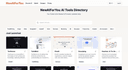
0Your Guide to the Newest AI Products, Updated daily. Explore top AI tools updated daily at NewAIForYou.com. Our curated directory offers the latest in AI with expert insights.
- 302
 0
0Photo to Excel is an AI-powered web application that converts table photos and screenshots into editable Microsoft Excel (.xlsx) workbooks. The product is designed for people who need structured, office-ready data from images—finance teams, administrators, warehouse staff, and anyone tired of retyping rows by hand. How it works: open https://phototoexcel.info, upload one or more table images, complete a brief security check, and start conversion. Photo to Excel’s pipeline reads structured tables in the frame, maps headers and cells, and builds a workbook you can preview in the browser. When several photos belong to the same table (for example, a long printout shot in sections, or overlapping screenshots), the service merges them into one continuous sheet and drops duplicate rows created by overlap. Users can then download a standard .xlsx file ready for Excel, Google Sheets, or internal systems. Supported inputs include JPG, PNG, WEBP, and HEIC, with a practical limit of up to 20 images per job and about 7 MB per file. Clear printouts and sharp screenshots produce the best accuracy; handwritten or heavily skewed photos may need a quick review in the editable preview. Typical turnaround is roughly 20–45 seconds for small jobs and up to a few minutes for larger batches—users should keep the tab open while processing. Access is intentionally simple. Preview and download do not require an account. Optional sign-in (for example Google where enabled) unlocks conversion history so past workbooks can be reopened or re-downloaded. There is currently no paid subscription or per-upload charge for core conversion; usage is protected by captcha and rate limiting rather than a credit wall. If paid features are added later, pricing and refund rules will follow the site’s published policies. Photo to Excel is cloud-based: it runs in modern desktop and mobile browsers, requires an internet connection for conversion, and needs no desktop install. Uploads are processed on the server to extract table data and are not used to train public AI models; retention and rights are described in the Privacy Policy. Legal pages for privacy, terms, and refunds are live on the site. For directory editors and partnership contacts, the business and support address is support@phototoexcel.info. In short, Photo to Excel packages a focused workflow—upload table images, get a clean Excel file—into a free, fast, browser-first product for everyday document digitization.
- 303
 0
0Complete monitoring for your infrastructure Monitor SSL certificates, scheduled jobs, APIs, and more. Get instant alerts via Slack, Email, Teams, or Webhook when something goes wrong. SSL Certificate Alerts: Never miss an expiring certificate. Auto-detect self-renewing certs and new subdomains. Heartbeat Monitoring: Dynamic heartbeat monitoring with on-the-fly configuration and custom metrics. API Monitoring: Track uptime, response times, and detect breaking schema changes automatically.
- 304
 0
0Canva for content creation (using AI of course).
- 305
 0
0Mado is an app blocker for iPhone built on one observation: the problem is rarely the app itself, it is opening the app without ever deciding to. You pick the apps that pull you in. Instagram, TikTok, X, Reddit, YouTube, news, whatever your list looks like. From then on, opening one of them does not open a feed. It opens a shield, and the shield gives you two buttons and no third. Close the app, or enter for fifteen minutes. Fifteen minutes is the only unit Mado deals in, and every app gets its own budget for the day. You set that budget by picking a focus mode: Shizuku (滴, droplet) gives three sessions per app per day, Nagare (流, flow) gives two, Izumi (泉, spring) gives one. Spend an app's sessions and that app is locked until midnight. No extend button, no snooze, no five more minutes. The part that makes it hold is what happens when you try to loosen your own rules. Raising your session count or dropping an app from the list does not take effect until the next midnight, while tightening applies immediately. The version of you at 11pm cannot overrule the version of you that set the limit. That is the loophole most blockers leave open, and closing it is the whole product. The shield is where the work happens. Doomscrolling is not usually a decision, it is a reflex: the phone is already in your hand and the feed is already loading before you notice. Mado interrupts the reflex, hands the choice back, and counts what you decided. A hundred closed shields is roughly twenty five hours that did not go into a feed.What is inside: Shields on the apps and categories you choose, built on Apple's Screen Time API. No VPN, no configuration profile, nothing rerouting your traffic. Toki, a schedule that runs itself. Set work hours, a wind-down or weekend rules once and stop thinking about it. Deep Focus, an on-demand lock for the stretches when you want the phone out of the way entirely. Insights: pauses declined, sessions used, hours reclaimed, and a daily streak. Seven achievements marked with Japanese kanji, from the first pause (一) to mastery (道), drawn in sumi-e ink rather than confetti. A Home Screen widget showing time saved and your current streak. Everything stays on the device. Mado uses Apple's Screen Time API locally, has no account and sends nothing to a server. It has no feed and no notifications competing for the attention it is meant to protect. Free to download with a free trial, then a subscription. Requires iOS 26 or later. Mado (窓) means window in Japanese. One window between you and the scroll, and you decide what happens in it.
- 306
 0
0HighGround is an AI-powered content automation platform built specifically for WordPress users who want to streamline and scale their content creation process. Designed as a complete “content operating system,” it integrates directly into WordPress and eliminates the need to juggle multiple tools or tabs. Instead of manually writing articles, searching for images, optimizing SEO, and updating posts, HighGround centralizes everything into one seamless workflow powered by advanced AI models. One of the platform’s core advantages is its ability to bring multiple leading AI systems into a single environment. Users can leverage tools like Claude, ChatGPT, and Gemini without leaving their WordPress dashboard. This integration removes the friction of copying and pasting content between platforms, allowing for a faster and more efficient publishing process. By combining the strengths of different AI models, HighGround ensures high-quality output tailored to various content needs. The content creation process itself is designed to be simple and highly automated. Users start by choosing a title and providing basic instructions, and the AI takes care of the rest. It generates complete, well-structured posts that are ready for publication. This includes not only the written content but also supporting elements such as images, links, and SEO settings. The result is a polished article that requires minimal manual editing. A standout feature of HighGround is its ability to automatically handle visual content. The platform selects and inserts relevant images, including AI-generated visuals, screenshots, and stock photos. This removes one of the most time-consuming aspects of content creation and ensures that every post is visually engaging without additional effort from the user. Search engine optimization is another area where HighGround excels. The platform integrates with popular SEO plugins like Rank Math, Yoast, and All in One SEO, automatically generating meta descriptions, alt text, schema markup, and other critical SEO elements. This ensures that every piece of content is optimized for search engines from the moment it is published, helping improve visibility and organic traffic. HighGround also enhances content strategy through intelligent linking and updates. It automatically adds internal and external links to improve site structure and user experience. Additionally, it can identify outdated posts and refresh them with updated information, keeping content relevant over time without requiring manual intervention. This feature is particularly valuable for maintaining long-term SEO performance. Beyond automation, the platform is designed to support growth. By handling repetitive and time-consuming tasks, HighGround allows users to focus on higher-level strategy, such as content planning, audience engagement, and business development. It essentially transforms WordPress into a fully automated content engine. HighGround also offers an affiliate program, allowing users to earn recurring commissions by promoting the platform. Combined with a free trial credit, this makes it accessible for users to test its capabilities before committing. Overall, HighGround stands out as a powerful solution for anyone looking to automate content creation within WordPress. By combining AI writing, image generation, SEO optimization, and content management into one integrated system, it significantly reduces workload while improving consistency and quality. Whether you are a blogger, marketer, or business owner, HighGround provides a smarter and more efficient way to manage and scale your content strategy.
- 307
 0
0Centurion Modern Security is a next-generation cybersecurity solution designed to protect everyday users from the kind of sophisticated digital threats that once only corporations worried about. Built with a local-first architecture, Centurion doesn’t rely on the cloud to protect you, your data stays private, on your own device, while advanced real-time analysis works quietly in the background. For users, that means more than just antivirus protection. Centurion actively monitors what’s happening on your system, the apps you open, the websites you visit, and the processes that run, and instantly alerts you when something feels off. Whether it’s a suspicious connection to a foreign server, an unexpected background process, or a potential phishing attempt hiding behind a legitimate-looking link, Centurion spots it and helps you react before it becomes a problem. The software gives you full visibility and control. From its intuitive dashboard, you can see which applications are connecting online, which processes are starting and stopping, and whether your system shows signs of compromise. Instead of leaving you guessing, Centurion turns complex data into clear insights, showing what’s safe, what’s unusual, and what needs your attention. Where traditional antivirus tools depend on signature databases that react after an attack is known, Centurion’s behavioral and heuristic approach detects threats as they happen. It analyzes how programs behave, not just what they are. If a file starts acting suspiciously, trying to access private areas of your system, communicating with risky domains, or spawning hidden processes, Centurion intervenes instantly. The result is a calmer, safer digital experience. Users report feeling more confident browsing online, opening files, and managing their day-to-day work, knowing Centurion acts as a vigilant guardian. It’s like having a personal cybersecurity analyst built into your computer, one that never sleeps, never sells your data, and is always learning from new behaviors. Centurion Modern Security is more than protection, it’s peace of mind for the modern digital life.
- 308
 0
0Truelist is a subscription-based email verification platform that provides unlimited email validation for sales and marketing lists. It’s tailored for sales and marketing professionals as well as developers, offering one-click integrations with popular platforms to simplify list imports. With no need to purchase credits, teams can validate lists affordably and efficiently. Additionally, Truelist offers free single email validation, making it versatile for both bulk and individual verifications. By keeping lists clean, it boosts engagement and strengthens sender reputation, essential for effective email outreach.
- 309
 0
0RicordamiApp is a cloud-based appointment reminder platform that helps businesses reduce missed appointments by automatically sending WhatsApp reminders to clients before scheduled meetings. Designed for professionals who rely on appointments every day, the platform eliminates the need to manually contact customers while helping businesses maintain a full calendar and improve operational efficiency. Whether used by healthcare providers, beauty salons, consultants, coaches, repair services, legal professionals, or other appointment-based businesses, RicordamiApp automates reminder delivery through the official WhatsApp Business API, allowing organizations to communicate with clients using one of the world's most widely used messaging platforms. By replacing manual phone calls, SMS messages, and individual WhatsApp conversations with automated workflows, the platform saves valuable administrative time while significantly reducing costly no-shows. The application is designed to integrate seamlessly into existing scheduling workflows without requiring businesses to change how they manage appointments. Users can connect their Google Calendar to synchronize appointments automatically, create appointments directly inside the RicordamiApp interface, or import large numbers of appointments from Excel or CSV files, depending on their subscription plan. This flexibility allows both individual professionals and larger organizations to choose the workflow that best matches their existing processes. Once appointments are added, the system automatically schedules reminder messages according to the user's preferred timing, such as twenty-four hours before an appointment, two hours before, or both. Because reminders are generated automatically, businesses no longer need to remember to contact clients individually, reducing administrative workload while ensuring every appointment receives consistent communication. A major advantage of RicordamiApp is its focus on WhatsApp as the primary communication channel. Unlike email reminders that can easily be overlooked or SMS messages that often receive lower engagement, WhatsApp messages typically achieve exceptionally high open rates, allowing businesses to reach clients through a platform they already use daily. Reminder messages can be customized to fit different communication styles, ranging from simple appointment notifications to interactive confirmation requests asking clients to reply with a confirmation message. Since the platform is powered by the official WhatsApp Business API, businesses benefit from reliable message delivery while maintaining a professional communication channel without using personal phone numbers or manually managing conversations. Beyond simply sending reminders, RicordamiApp also tracks client responses and automatically updates the status of each appointment. After a reminder has been delivered, appointments are marked as reminder sent while the system waits for a customer response. If the client confirms attendance, the appointment status changes to confirmed, allowing staff members to quickly identify which appointments are secured. If a client cancels, the appointment is immediately marked as cancelled, enabling businesses to fill the newly available time slot with another customer. This automated status tracking provides an at-a-glance overview of the day's schedule without requiring staff to manually review conversations or update appointment records, helping teams react more quickly to schedule changes. RicordamiApp offers several subscription plans designed to support businesses of different sizes. The Starter plan targets solo professionals by including a monthly allowance of appointment reminders, in-app appointment creation, and support for a single calendar. Higher-tier plans increase the monthly reminder limits while introducing additional capabilities such as multiple calendar support, Excel and CSV imports, phone support, dedicated customer assistance, and custom software integrations for larger organizations operating across multiple locations. Businesses experiencing temporary increases in appointment volume can also purchase one-time reminder credit packs without upgrading their subscription, allowing unused credits to remain available indefinitely until needed. New users can evaluate the service through a free trial that requires no credit card, making it easy to test the platform before committing to a paid plan.
- 310
 0
0Self-hosting an AI assistant usually means 60+ minutes of SSH keys, server config, and dependency hell. I built ClawOneClick to turn that headache into a 60-second win. Pick your model, social, and hit deploy. No terminal, no config files, no DevOps experience required (BYOK available). Why it stands out: True 1-Click: Deployment that actually works in seconds. Always-On: Managed cloud infra that stays live 24/7. Privacy First: Secure, encrypted, and private. Stop configuring, start deploying!
- 311
 0
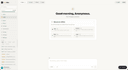
0LLMWise is the fastest way to compare, blend, and evaluate leading AI models — all from a single interface. Instead of juggling multiple AI subscriptions and browser tabs, LLMWise lets you send one prompt and see how GPT-5.2, Claude Sonnet 4.5, Gemini 3 Flash, DeepSeek R1, Grok 3, and more respond side-by-side in real time. Most professionals already use AI daily but remain locked into a single provider with no way to know if they're getting the best output. LLMWise solves this with five powerful modes: Chat — Talk to any model instantly. Built-in smart routing automatically picks the best model for your query — code questions go to GPT, creative writing to Claude, translation to Gemini — so you always get optimal results without thinking about it. Compare — Send one prompt to 2-4 models simultaneously and see responses stream in side-by-side. Perfect for evaluating which model handles your specific use case best, whether that's drafting emails, analyzing data, or writing code. Blend — Combines outputs from multiple models into a single, superior response. Uses Mixture-of-Agents architecture to synthesize the best reasoning from each model. The result consistently outperforms any individual model. Judge — Pit models against each other in a blind evaluation judged by a third AI model. Get an objective verdict on which model produces better output for your exact prompt, complete with scoring and reasoning. Mesh — Intelligent failover routing that automatically retries with backup models if your primary choice fails or is overloaded. Circuit-breaker protection ensures you always get a response. LLMWise is built for professionals who need reliable AI output without the overhead of managing multiple subscriptions. Key features include:
- 312
 0
0ToolPremier is a free online SaaS platform that brings useful digital tools together in one convenient place. Our growing collection covers SEO, AI, PDF, image, text, finance, calculator, productivity, developer, and other online tools. We created ToolPremier to make digital tasks easier and reduce the need to search across different websites. Users can explore various categories and find practical solutions for their personal, educational, or professional requirements.
- 313
 0
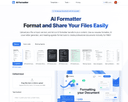
0AI Formatter, by Sun Sky LLC, empowers users to save hours and achieve professional results with its AI-driven document formatting platform. This cloud-based SaaS tool delivers immense value by transforming raw text or uploaded files (Word, PDF, TXT) into polished, ATS-optimized documents in seconds, boasting a 95%+ ATS pass rate and saving 2+ hours per document. With over 100 professional templates for resumes, cover letters, meeting agendas, and invoices, users can create industry-specific, visually appealing documents tailored to their needs. The real-time online editor offers full customization (fonts, colors, layouts), while multi-format exports and secure sharing enhance usability. Starting with 10 free credits (1 credit = 1 page), plans range from Free to Enterprise ($199.99/month) for unlimited formatting. Perfect for job seekers, professionals, businesses, and academics, AI Formatter streamlines career transitions, standardizes business documents, and boosts productivity.
- 314
 0
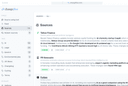
0Changeflow watches web pages and tells you what changed. Not just "something changed" but what actually matters. Our AI reads the page, understands context, and summarizes the important bits. Set up is simple. Describe what you want to track in plain English. Point it at a page with links and it turns into a feed of updates. We handle the tricky stuff like login walls and JavaScript, with a 99.9% success rate on pages other tools can't reach. Business teams use Changeflow to track competitor pricing, monitor regulatory changes, follow news mentions, and keep tabs on market movements. Legal librarians at Am Law 200 firms monitor court dockets and legal citations. Compliance teams at Fortune 500 companies track FDA guidance and SEC filings. Shared workspaces keep your team on the same page. API access lets you build monitoring into your workflows. Site Version Control gives you timestamped archives you can navigate through time. Over 1 billion pages checked. 125,000+ customer hours s
- 315
 0
0Texto is a modern SMS messaging platform designed to make business communication simple, affordable, and reliable. Built and operated in Australia, the platform focuses on helping Australian businesses send professional text messages to customers quickly without the complicated setup, expensive contracts, or hidden fees that are common with traditional SMS providers. With transparent pricing and a clean interface, Texto aims to remove the barriers that often prevent businesses from using SMS as an effective communication channel. One of the most attractive aspects of Texto is its straightforward pricing model. Businesses can send SMS messages for just 3 cents each, making it one of the most cost-effective messaging platforms available in Australia. Unlike many other SMS services that require long contracts, monthly commitments, or minimum spending requirements, Texto operates on a simple pay-as-you-go system. Companies only pay for the messages they actually send, which makes it an ideal solution for both small businesses and growing organizations that want full control over their communication costs. The platform is designed with simplicity in mind. Texto provides a clean and intuitive interface that allows users to send messages in seconds without needing training or technical expertise. Businesses can easily type a message, enter one or multiple recipient numbers, or upload a list of contacts to send bulk messages at once. The system even supports personalization through dynamic placeholders such as a customer’s first or last name, allowing businesses to send messages that feel more personal and engaging. Another key feature of Texto is the option to obtain a dedicated Australian sending number. For a small monthly fee, businesses can secure their own mobile number that customers can recognize and reply to. This allows companies to build trust with their audience and maintain consistent communication. With two-way SMS functionality, customers can respond directly to messages, making it possible for businesses to have real conversations with their audience instead of sending one-way notifications. Texto is also designed to integrate smoothly with modern digital workflows. The platform offers developer-friendly API access, allowing companies to connect SMS messaging with their existing systems, applications, or automation tools. Businesses can integrate Texto with popular platforms and services, enabling automated alerts, appointment reminders, order confirmations, marketing updates, and other real-time notifications. The system also supports MCP integration, which allows AI agents and automated processes to send messages directly through the platform. Privacy and data security are another major focus for Texto. The platform uses an ephemeral data model that automatically deletes stored messages after 90 days. This design helps protect sensitive communication data while still giving businesses enough time to review message replies and conversations. Uploaded contact lists are also deleted immediately after the messages are sent, further enhancing user privacy and data protection. Getting started with Texto is intentionally quick and easy. New users can create a free account in seconds and immediately receive five free SMS credits to test the platform. Businesses can begin sending messages right away using their own mobile number, without complicated verification processes or lengthy onboarding procedures. As messaging needs grow, users can simply add more credits or upgrade to a dedicated number. Overall, Texto provides a practical and efficient solution for businesses that want to communicate with customers through SMS. By combining low pricing, simple tools, flexible integrations, and strong privacy practices, the platform offers a modern approach to business messaging. Whether used for reminders, updates, customer support, or marketing communication, Texto helps businesses stay connected with their audience in a fast, reliable, and affordable way.
- 316
 0
0ClearQuote is a modern platform designed to simplify and accelerate the process of creating professional insurance proposals. Built specifically for insurance agents and agencies, it transforms what is traditionally a time-consuming and manual task into a fast, streamlined workflow powered by artificial intelligence. By reducing complexity and saving time, ClearQuote allows professionals to focus more on closing deals and building relationships with clients. At its core, ClearQuote enables users to generate polished, client-ready proposals in just a few minutes. The process is straightforward and intuitive, consisting of three main steps. First, users upload quotes from different insurance carriers. These can include various policy options, pricing details, and coverage information. The platform automatically parses and organizes this data, eliminating the need for manual input or formatting. This alone significantly reduces the time typically spent preparing comparisons. Once the quotes are uploaded, ClearQuote’s AI takes over. It instantly generates a clean, well-structured proposal that compares the available options in a clear and professional format. The proposal is designed to be easy for clients to understand, highlighting key differences and helping them make informed decisions. Importantly, each proposal is fully branded with the agency’s identity, including logos and colors, ensuring a consistent and professional presentation that reinforces trust and credibility. The final step is delivery. ClearQuote allows users to send proposals directly to clients via a branded link. This not only simplifies communication but also enhances the client experience by providing a modern, digital format instead of traditional documents or emails with attachments. Additionally, the platform includes tracking features, enabling agents to see when a client views the proposal. This insight helps professionals follow up at the right moment, increasing the chances of closing the deal. One of the key advantages of ClearQuote is its efficiency. What might normally take hours of manual work—comparing quotes, formatting documents, and preparing presentations—can now be completed in under five minutes. This speed gives agents a competitive edge, allowing them to respond quickly to clients and handle more opportunities without increasing workload. The platform also offers a simple and transparent pricing model, including a free trial that allows users to test its capabilities without any upfront commitment. With unlimited proposal generation and built-in branding features, it provides strong value for agencies looking to modernize their workflow and improve productivity. Overall, ClearQuote is a powerful tool that redefines how insurance proposals are created and delivered. By combining automation, AI, and thoughtful design, it helps agents present information more effectively, engage clients more professionally, and ultimately close more deals with less effort.
- 317
 0
0Getlead is an all-in-one lead generation and cold email platform designed to help freelancers, agencies, sales teams, and businesses find prospects, verify contact information, and launch outreach campaigns from a single application. Instead of relying on multiple tools for lead discovery, email verification, campaign management, and customer relationship management, Getlead combines these functions into one integrated workflow. The platform focuses on simplifying outbound sales while helping users save time, reduce costs, and improve email deliverability. One of Getlead's core features is its lead generation system, which allows users to search for both B2B and B2C prospects using keywords, industries, company size, job titles, and geographic locations. The platform also includes access to a database containing hundreds of millions of verified business contacts, making it possible to quickly identify potential customers across numerous industries. In addition to its internal database, Getlead can scrape leads from multiple external sources, including LinkedIn, Google Maps, websites, and various social media platforms, giving users a broad range of prospecting options. To improve the quality of outreach campaigns, Getlead includes a real-time email verification system. Before any email is sent, the platform performs multiple validation checks, including SMTP verification, mail exchange (MX) validation, disposable email detection, and catch-all address identification. These verification processes help reduce bounce rates and increase the likelihood that emails reach recipients' inboxes instead of being rejected or filtered as spam. Cold email automation is another major component of the platform. Users can create personalized email sequences, schedule follow-up messages, manage multiple campaigns simultaneously, and monitor responses from a centralized dashboard. The system supports multiple connected mailboxes, making it suitable for businesses that operate several email accounts or outreach campaigns at the same time. Campaign performance can be monitored through detailed analytics that track opens, replies, and other important engagement metrics in real time. Beyond email outreach, Getlead includes a built-in customer relationship management (CRM) system that allows users to organize prospects throughout the sales process. Leads can be tracked from the initial contact through follow-up conversations and completed deals without requiring third-party CRM software. Having lead management, communication history, and campaign data in one platform helps sales teams maintain a more organized workflow while reducing the need to switch between multiple applications. The platform emphasizes integration with existing business tools. Getlead supports connections with popular email providers, CRM systems, marketing platforms, and automation services, allowing verified leads and campaign information to move seamlessly between different parts of a company's technology stack. This compatibility helps businesses incorporate Getlead into their existing sales and marketing workflows with minimal disruption. One of Getlead's distinguishing characteristics is its pricing model. Instead of charging recurring monthly subscription fees, the platform offers lifetime access through one-time payments. Several plans are available to accommodate different types of users, ranging from solo entrepreneurs to larger agencies. Higher-tier plans provide additional features such as unlimited lead scraping, increased email sending capacity, built-in CRM functionality, multiple team members, advanced analytics, and enhanced lead management tools. This pricing structure is intended to provide predictable costs while eliminating ongoing subscription expenses. Getlead also offers a collection of free tools designed to support email marketing and lead generation. These include utilities for email verification, email finding, spam testing, deliverability analysis, return-on-investment calculations, and the generation of SPF and DMARC DNS records. These resources can help businesses improve email authentication, strengthen sender reputation, and optimize campaign performance even before launching their outreach efforts. To help users get started quickly, the platform follows a straightforward three-step workflow. Users first define their target audience by selecting industries, locations, or customer characteristics. Next, Getlead automatically finds and verifies relevant leads using its scraping and verification technologies. Finally, users create an email sequence, connect their mailbox, and launch their outreach campaign. This streamlined process allows many users to begin sending campaigns within a short period of time.
- 318
 0
0Most people don't budget — and they shouldn't have to. Kollr is built for the paycheck-to-paycheck reality: you need to know if you're going to make it, not track every latte. Enter your recurring bills and your paycheck, and Kollr projects your daily balance all the way to payday. Every day is color-coded — green when you're safe, yellow when it's getting tight, red when you're in trouble. One glance tells you everything. No bank linking required. No financial jargon. No guilt about not having a "real budget." Just a simple, honest forecast of what's coming. Patent-pending visualization. Free to download.
- 319
 0
0LaFoto is an AI-powered image generation platform built for users who care about creating realistic, high-quality photographs rather than stylized AI artwork. Designed as a complete text-to-image studio, LaFoto enables creators, marketers, businesses, designers, and everyday users to transform simple text descriptions into polished, photorealistic images that look professional and ready for real-world use. The platform focuses on photography-quality results, offering an experience centered on image refinement, realism, and creative control. Unlike many AI image generators that prioritize artistic styles or abstract visuals, LaFoto is specifically optimized for realistic photography. Users can describe a subject, scene, product, person, or environment in natural language, and the platform generates detailed images with attention to composition, lighting, depth, and visual quality. The goal is not simply to create images, but to create photographs that appear believable and commercially useful. LaFoto supports a wide range of image creation use cases. Users can generate professional portraits, business headshots, product photography, landscapes, lifestyle imagery, editorial-style photos, food photography, interior design visuals, and architectural renders. This versatility makes the platform useful for entrepreneurs, ecommerce businesses, content creators, marketers, agencies, and professionals who need high-quality visuals without the expense of traditional photography. One of LaFoto’s distinguishing features is its focus on editing and refinement rather than repeatedly generating new images from scratch. Instead of forcing users to rerun prompts until they achieve the desired result, the platform aims to provide tools that allow creators to modify and improve generated images directly. Users can adjust elements of an image, change backgrounds, remove unwanted objects, refine details, and enhance composition while preserving the aspects they already like. The platform includes several specialized tools built around different photography workflows. These include a text-to-photo generator, an AI photo editor, an AI portrait generator, an AI headshot generator, and an AI product photography solution. Each tool is designed to address a specific need while leveraging the same photo-focused AI engine. This approach allows users to work efficiently whether they are creating marketing assets, personal branding images, ecommerce product photos, or social media content. LaFoto also emphasizes accessibility and ease of use. The platform is browser-based, requiring no complex installation, specialized hardware, Discord servers, or technical expertise. Users can begin generating images quickly through a straightforward interface designed to make advanced AI photography accessible to everyone. In addition to image generation, LaFoto provides free utilities such as image resizing, image compression, image conversion, color extraction tools, and AI prompt generation resources. These tools help users optimize and manage their visual content without relying on multiple separate applications. Currently in pre-launch, LaFoto positions itself as a next-generation AI photography platform focused on realism, creative control, and professional-quality output. By combining photorealistic image generation, advanced editing capabilities, and an intuitive workflow, LaFoto aims to become a powerful solution for anyone seeking to create stunning AI-generated photographs that look polished, realistic, and ready for commercial use.
- 320
 0
0ow Much to Tip is a helpful tool for everyday payment moments.How Much to Tip is a straightforward tool for quick calculator-style answers.How Much to Tip is a clean tool for common service situations.How Much to Tip is a reliable tool for tip checks without guesswork.How Much to Tip is a useful tool for fast tipping help.
- 321
 0
0Imgloo is an all-in-one online image toolkit designed for fast, secure, and effortless file editing. Compress images, convert formats, resize, crop, rotate, watermark, and work with PDFs in seconds—all without downloads or registration. Supporting popular formats like JPG, PNG, WebP, HEIC, AVIF, and PDF, Imgloo combines speed, privacy, and simplicity, making it the perfect solution for anyone who works with digital images.
- 322
 0
0Refinder is an AI-powered search and assistant solution designed to empower companies and professionals. By seamlessly connecting personal and company applications, Refinder provides a unified search interface that uncovers data you didn’t even know was there. Leveraging advanced AI and Retrieval-Augmented Generation (RAG) technology, Refinder searches across your organization and deep within your content to deliver critical knowledge precisely when your employees need it. Refinder includes pre-built integrations for essential tools like Confluence, Jira, Notion, Google Drive, and Gmail, making it easy to implement and ready to use right out of the box. With Refinder, you’ll quickly and accurately find the information you need, enabling your team to make better-informed decisions in strategic planning and customer interactions. How can Refinder help you? - Optimize HR operations with AI-powered insights, centralizing essential employee information, performance reviews, and onboarding materials in one platform. - Equip your sales and marketing teams with real-time insights into customer needs, fostering more impactful engagement and customer connections. - Enhance your customer service with AI-driven insights that help agents resolve issues faster with relevant, real-time solutions. - Streamline processes from troubleshooting to product development, reducing bottlenecks and enabling quicker, data-driven decision-making. Refinder offers flexible plans to fit teams of any size—from startups to large enterprises—allowing you to scale seamlessly as your needs grow. Transform your company’s data into powerful insights with Refinder—your AI search engine and assistant for the modern enterprise.
- 323
 0
0MedshotsAI - an AI-powered headshot and marketing photo tool built specifically for doctors, nurses, dentists, and medical students. It's still in beta, so this is a great time to try it and shape what gets built next. The idea came from watching colleagues spend $200-400 and half a day between booking, traveling, shooting, and waiting for edits — just for a professional headshot for LinkedIn, hospital profiles, residency applications, or conference bios. With this, you upload a few selfies and get results in about 5 minutes. Don't love it? Just regenerate. No rescheduling a photographer. What it does: • Upload a few selfies → get studio-quality professional headshots in minutes • Choose from medical-specific environments (clinic, hospital, office, lab) • Pick your attire — scrubs, white coat, business professional, ceremony coat • Add accessories like stethoscopes and loupes • Generate marketing photos for practice websites and social media Two plans — Basic and Professional: • Basic — 100 credits/month, 4 environments, 3 clothing styles, Full HD. Great for individual professionals and students who need a solid headshot. • Professional — 200 credits/month, all environments and clothing options, higher quality 4K photos, image editing tools, photo animation, and team management features. If you manage a team or department: The Professional plan lets you add staff members and generate headshots for your whole department with a consistent look, all from one dashboard. Two features that save a ton of time: • Batch Headshots — upload a group photo with multiple people and the tool automatically detects each face, then generates an individual professional headshot for every person in one go. No need to crop or upload one by one. • Group Shots — generate a composed group photo of your team in a consistent professional style. Perfect for the "Meet Our Team" section on your practice website. If you work in marketing or admin at a hospital, clinic, or practice — I'd really appreciate you trying out the team management, batch headshots, and group shots with the REDDIT15TEAM code and letting me know how it fits your workflow.
- 324
 0
0CRM with AI Less hassle. More deals. Manage your sales process with ease and focus on what really matters: closing more deals. Our AI-powered CRM helps you gather, organize, and respond to all inquiries faster—eliminating repetitive admin work and saving valuable time for your team. All leads in one place Never lose track of a potential customer. Every inquiry from every channel is automatically collected, organized, and easy to access. Easy to use Get started in minutes with an intuitive interface designed for speed and simplicity—no steep learning curve, no complicated setup. Smart AI features Automate follow-ups, get intelligent insights, and prioritize the right leads at the right time with built-in AI that works for you.
- 325
 0
0Nano Banana Pro is a high-performance AI image and video creation platform built on Google’s latest Nano Banana Pro model, engineered for professionals who need reliable, high-quality, and fast visual generation. Delivering industry-leading character consistency, 2K/4K high-resolution output, multi-language text accuracy, realistic lighting, and multi-image fusion, Nano Banana Pro provides a level of creative control that traditional AI tools cannot match. Designed for creators, designers, marketers, and production teams, Nano Banana Pro enables precise control over lighting, tones, materials, camera angles, and composition — all editable through natural language. It empowers users to rapidly create posters, character art, cinematic frames, product shots, infographics, and short video concepts.
Frequently asked questions
AdBlock is a browser extension designed to eliminate distracting advertisements from your browsing experience. By blocking ads, it allows you to focus better on the content you want to see, making your online activities more enjoyable and less cluttered.
ChatGPT is highly regarded for its advanced conversational capabilities and versatility in various tasks, including coding and generating creative content. Users appreciate its ability to assist with programming tasks and its overall effectiveness, despite occasional issues like hallucinations and outages. The subscription fee of $20/month is often seen as worthwhile for the value it provides.
Block & Focus is a simple yet effective browser extension that allows you to block distracting websites for a specified period. You can customize which sites to whitelist or blacklist, helping you maintain focus and productivity during work hours.
Limit is a tool that helps you manage your time on distracting websites by allowing you to set daily limits on how long you can spend on each site. Once you reach your limit, the website is blocked, helping you avoid distractions and stay focused on your tasks.
Remote Index is a job board that provides a daily updated list of remote job opportunities across various fields. It is a valuable resource for professionals seeking flexible work arrangements and remote positions.
Remote OK is a popular job board that features a mix of engineering and non-engineering jobs. It offers a variety of filtering options, allowing users to search for jobs based on location, job type, salary, and benefits. New job postings are added daily, making it a dynamic resource for job seekers.
Momentum transforms your new tab page into a personalized dashboard that displays the time, weather, and a beautiful landscape photo. It includes productivity tools like a pomodoro timer, to-do lists, and focus time, making it not only visually appealing but also functional for enhancing productivity.
Wellfound, formerly known as Angel List Talent, focuses on startup jobs and offers extensive filtering options for job seekers. Users can save their searches and apply directly for jobs, making the job search process more efficient and tailored to their preferences.
Otta stands out by providing job recommendations that match your specific profile. Users set preferences such as location, salary, and role, and Otta curates job listings that fit these criteria, ensuring high-quality job offers that save time in the job search process.
Panem helps users manage their SaaS subscriptions by tracking spending and identifying unnecessary expenses. It connects to your bank account to analyze transactions, provides renewal reminders, and offers insights to help you make informed decisions about your subscriptions, ultimately saving you time and money.