🔗Best Slack Integrations
This list showcases various Slack integrations designed to enhance productivity and streamline communication within teams. These tools facilitate collaboration by connecting Slack with other applications, allowing users to manage tasks, share information, and automate workflows seamlessly.
- 0

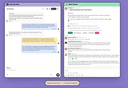
1. Automate Onboarding Create and automate up to 10 distinct onboarding welcome DM sequences, from either you, a team member or the Cosy bot. 2. Connect Your Members Grow engagement by automatically introducing your community members to each other in the DMs. 3. Member Directory Create a simple, searchable directory of all your community members, without them or you leaving Slack. Customise your fields, create your profile, then notify all members to build your member directory. Members can search for keywords, and filter for profiles that have been filled in. 4. Content Highlights Instantly surface the top 10 most engaging posts in your community, or a list of all public messages nobody has replied to, across a single channel or all channels, with a quick slash command: 5. Moderation Instantly detect duplicate posts (a common spamming technique) and abusive language, to keep your community safe - without the heavy lifting.
- 0

Custom reminder windows 30 / 14 / 7 / 1 day reminders. No dashboards Slack is the UI, by design. Shared Responsibility Expiry alerts are sent directly to a configured Slack channel (e.g., #oncall-ops or #infrastructure). Seamless Transitions If an admin leaves, your infrastructure doesn't break. The "Institutional Memory" stays inside your Slack workspace. Collective Action Any authorized engineer in the channel can see the alert, view the expiry, or update the certificate Customised channels Each credential can be mapped to a different slack channels
- 0

Your support team lives in Slack, but customer conversations live in Intercom. Backreply bridges the two: customers message through Intercom, your team responds from Slack, and replies sync back instantly. Key features: — Reply from Slack: Respond to conversations in Slack threads with full formatting and attachments. Messages sync to Intercom in real time. — Smart routing: Route conversations to Slack channels based on tags, team assignments, or assignees. VIP customers go to #vip-support, billing goes to #billing — automatically. — One-click actions: Assign, add notes, view customer details, and close tickets using buttons in Slack, all synced back to Intercom. — Seat-saver collaboration: Loop in engineers or founders without buying Intercom seats. Anyone in the channel can help resolve issues. — Smart notifications: Get nudged when customers are waiting. Follow-ups never get buried in threads. Setup takes minutes via OAuth. No code required.
- 0

Sync your PagerDuty on-call roster with Slack User Groups, so your team stays updated and ready to respond—instantly. Support your SRE team by sending alerts to the on-call engineers. Dont stress out other engineers with continuous messages. Change your Slack User Group with the person on call from your Incident Management app like PageDuty or xMatters Create aliases that span multiple teams like all front end teams, backend teams or teams by domain to alert them about incidents simultaneously..
Frequently Asked Questions
Cosy is a powerful Slack integration designed to automate onboarding and enhance community engagement. It allows users to create and automate onboarding welcome DM sequences, connect community members through automatic introductions, and maintain a searchable member directory directly within Slack. Additionally, Cosy highlights the most engaging posts in your community and provides moderation tools to detect duplicate posts and abusive language, ensuring a safe and interactive environment for all members.
Cosy simplifies team onboarding by allowing you to create and automate up to 10 distinct onboarding welcome DM sequences. This means new members can receive personalized introductions from you, a team member, or the Cosy bot, making the onboarding process smoother and more engaging.
Cosy offers several features to boost community engagement, including automatic introductions of community members in DMs, a searchable member directory, and content highlights that surface the top 10 most engaging posts. These features help foster connections and ensure that important discussions are not overlooked.
Cosy enhances community safety by providing moderation tools that instantly detect duplicate posts and abusive language. This proactive approach helps maintain a respectful and safe environment for all community members, allowing for healthy interactions.