Best Money Visualization Tools
This list includes various money visualization tools designed to help users better understand their financial data through visual representations. These tools facilitate the analysis of spending habits, budgeting, and investment tracking, making financial management more accessible and intuitive.
Frequently asked questions
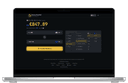
One of the top-rated money visualization tools is Money Visualiser. This unique tool allows users to visualize any amount of money in interactive 3D, making it easy to understand what different sums look like in various currencies. Users can type in any amount, choose from 82 currencies, and see life-sized bill stacks that they can rotate and zoom in on. This tool is particularly educational, as it provides real-time exchange rates and a side-by-side comparison of how the same value appears in different currencies.
Money Visualiser works by allowing users to input any monetary amount and select two currencies from a list of 82. The tool then generates interactive 3D representations of the selected amount in both currencies, displayed as life-sized stacks of bills. Users can rotate and zoom in on these stacks to get a better understanding of the value visually. The tool is web-based, meaning no downloads or sign-ups are required, and it refreshes exchange rates every 30 seconds for accuracy.
The pros of using Money Visualiser include its unique 3D experience, massive support for various currencies, and its educational context that helps users understand financial values better. However, there are some cons, such as it being web-only for now, being hardware dependent for optimal performance, and it not offering additional financial tools beyond visualization.
Yes, Money Visualiser is completely free to use. Users can access the tool directly through their web browser without any downloads or sign-ups, making it easily accessible for anyone looking to visualize their financial data.