TinyFast is a lightweight macOS app that allows users to quickly and efficiently compress various file types, including PNG, JPEG, MP4, MOV, PDF, SVG, WebP, MP3, and GIF. The app operates by allowing users to simply drag and drop their files, and it handles the compression locally on the device, ensuring privacy and speed. It is particularly beneficial for developers, designers, and creators who prioritize security and performance in their workflows.
With TinyFast, you can compress a variety of file formats including PNG, JPEG, MP4, MOV, PDF, SVG, WebP, MP3, and GIF. This versatility makes it a valuable tool for anyone looking to optimize their files without sacrificing quality.
Yes, TinyFast is designed with professionals in mind, including developers, designers, and creators. Its focus on speed, privacy, and simplicity makes it an ideal choice for those who need to manage and compress files efficiently in their daily workflows.
TinyFast compresses files locally on your device, which means that your files are not uploaded to any external servers during the compression process. This local handling of files ensures that your data remains private and secure.
TinyFast offers several advantages, including its lightweight design, fast processing speed, and local file handling for enhanced privacy. Unlike some other compression tools that may require internet access or have complex interfaces, TinyFast provides a straightforward drag-and-drop functionality that simplifies the compression process.
This list showcases a variety of macOS apps designed to enhance productivity and streamline tasks on Apple's operating system. These applications cater to different needs, from organization and creativity to system optimization, providing users with essential tools for an efficient workflow.

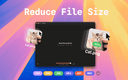
TinyFast is a lightweight macOS app designed to quickly and efficiently compress your files — including PNG, JPEG, MP4, MOV, PDF, SVG, WebP, MP3, and GIF formats — all locally on your device. Just drag and drop your files in and out, and TinyFast takes care of the rest. It’s incredibly fast, completely private, and built with developers, designers, and creators in mind — professionals who value security, performance, and simplicity in their daily workflow.

Time is a native macOS menu bar app built for people who work across time zones. The Problem If you've ever pinged a coworker at 3 AM their time, missed a meeting because you calculated the time wrong, or spent five minutes hunting for a Zoom link buried in an email thread, you know the pain. Working with a global team means constantly doing mental math, and existing solutions are either ugly widgets, bloated apps, or subscription traps. The Solution Time lives quietly in your menu bar and shows multiple time zones at a glance. Add unlimited zones, give them custom names like "Tokyo Office" or "Mom," and instantly see everyone's local time without opening anything. Key Features Time Scroller: Drag to preview what time it will be across all your zones up to 24 hours ahead. Perfect for finding that magical meeting slot when everyone is actually awake. Day & Night Awareness: Color-coded segments show daylight and nighttime across all zones. No more mental math to figure out if someone is sleeping. Smart Calendar Integration: See upcoming events directly in the popover, get warnings before meetings start, and join Zoom, Google Meet, Microsoft Teams, or Webex calls with a single click. No more digging through emails for links. Date Picker: Planning a meeting next week? Pick any future date and see how times align across all your zones. Airport Code Search: Search from 5,500+ airport codes to quickly find cities. Type "LAX" instead of scrolling through a list of Los Angeles options. DST Warnings: Get notified when daylight saving time changes are coming so you're never caught off guard. Why Time? Native SwiftUI means buttery smooth performance and minimal resource usage. Your calendar data stays on your device with zero tracking or data collection. It's a one-time purchase with no subscriptions, and you get lifetime updates. Time is actively developed and optimized for the latest macOS versions including Tahoe. Extensive customization options let you control 12/24-hour formats, fonts, colors, and alignment. Pricing One-time purchase starting at $24.99. No subscriptions. Free 30-day trial included. Built by a remote worker who got tired of doing time zone math at 6 AM.

100% Offline, Private Local AI Chat for MacOS - 100% Offline - Try before you buy - 100+ local models for every use case - Chat with Image, PDF and docs - No Recurring Subscription (One time payment) 100% Offline, Private Local AI Chat for MacOS - 100% Offline - Try before you buy - 100+ local models for every use case - Chat with Image, PDF and docs - No Recurring Subscription (One time payment) 100% Offline, Private Local AI Chat for MacOS - 100% Offline - Try before you buy - 100+ local models for every use case - Chat with Image, PDF and docs - No Recurring Subscription (One time payment)

Journey into the human heart on your Apple Vision Pro. This is the most detailed and realistic model of the human heart available on Apple Vision. The app allows you to explose the heart's anatomy, physiology, and pathology in stunning detail, using interactive photo-realistic 3D models, videos, images, and simulations. This app is perfect for medical students and health professionals as well as for anyone curious about anatomy. It is pricey, though, at $49.99 at the time of this writing.

The Australian Citizenship Tests app is a tool that helps you get ready for the Australian citizenship test. It’s made to be simple and easy to use, giving you practice questions, full-length tests, and helpful study materials. The questions are based on official resources, so you’ll get a good idea of what the real test is like. You can use the app on your phone or laptop, and there’s no limit to how many practice tests you can take. The app tracks your progress, so you’ll know which topics you need to work on. There’s also a demo with audio explanations if you prefer listening while studying. The app was created by Jogi, an independent developer who originally built it to help his wife prepare for her test. He noticed there weren’t many good resources available, so he decided to make one that’s clear, useful, and easy for anyone to use. Many people have found the app helpful. Users from different countries—like Sweden, Iran, Vietnam, Brazil, and Pakistan—say it made studying less stressful and boosted their confidence. Over 3,000 people are currently using it, and the platform has recorded thousands of answered questions and practice tests taken. There’s a 7-day free trial, and if you’re not happy with it, there’s a money-back guarantee. To qualify for that, you’ll need to complete all the practice tests in the app. The prices are in US dollars, and your personal information is kept secure. If you want, you can also check out their blog for study tips, test-day advice, and information about Australian history and culture.

Sanity Media is a social network that's slow and mindful by design. New posts are published only once a day so there is no pressure to constantly check for updates. Gone are the infinite scrolls and other tricks used to addict you to keep refreshing the app.

Musicat is a comprehensive website and mobile app available for Android and iOS. It connects to your Apple Music account to track your listening history, offering detailed stats, year-by-year top artists and albums, and insights into your favorite tracks. Musicat also helps you discover new music, lets you view what you were listening to on this day in the past, and enables following interesting accounts for a social music experience.

Drops is a language learning app that focuses on teaching vocabulary through quick, visual-based games. The idea is to make learning feel more like playing, with short sessions you can fit into your day. Instead of grammar-heavy lessons, it leans on matching words with pictures, swiping, and tapping to help words stick in your memory. The app covers over 40 languages, from common ones like Spanish and French to less common ones like Hawaiian and Ainu. You get common, everyday words and phrases to start with—things you’d actually use in conversation. It’s built for people who want to learn at their own pace, and there are features like reminders and streaks to keep you coming back. Drops keeps lessons short—usually five minutes—so it’s easy to squeeze in some learning while waiting for coffee or riding the train. There’s a free version with ads and limits on daily use, or you can pay for Premium to get rid of ads, unlock all content, and use it offline. Overall, it’s not going to teach you complex grammar or how to hold a full conversation right away, but if you’re looking to build your vocabulary in a fun, no-pressure way, it does the job.

This strictly speaking isn't a productivity extension but ads are way too distracting. This extension helps you purge them from your browser. Enjoy a calmer browsing experience!

Best tool for saving code notes and finding answers to code problems

News Feed Eradicator removes feeds from social media websites to help you use them more purposefully. Feeds are the most addictive parts of most website so this extension really helps you reduce mindless scrolling. News Feed Eradicator supports removing feeds from Facebook, Instagram, YouTube, Twitter/X, LinkedIn, Reddit, Hacker News, and GitHub. You get to pick which feeds to block and which to allow.

Make AI chatbots in minutes

Click with your keyboard. Have a bad touchpad? Trouble using a mouse? Love keyboard shortcuts? Link Hints is a browser extension that complements the built-in keyboard shortcuts with ones for clicking. Press Alt+J (Ctrl+J on macOS). This makes little yellow boxes with letters, called hints, appear next to links (and other clickable things). Type the letters to click the link. Alternatively, hold Shift and type a bit of the link text. The keyboard shortcuts and hints are fully customizable. Alt+J: Click links, buttons, etc. Alt+K: Open link in new tab. Alt+L: Open link in new tab and switch to it. Alt+Shift+J: Click many things. Alt+Shift+K: Open many links. Alt+Shift+L: Select element.

Launch your startup in days, not months. Shipped.club saves you time, by providing all you need to ship your SaaS product in a fraction of the time.

Schedles is an all-in-one social media management platform designed specifically for content creators looking to amplify their online presence. Packed with cutting-edge features such as advanced post scheduling, AI-driven content generation, and seamless cross-platform publishing to Threads, Instagram, TikTok, and LinkedIn, Schedles simplifies your workflow, freeing you up to focus on what you do best—creating captivating content. Our user-friendly interface allows you to effortlessly plan and manage your content calendar, ensuring that you never miss an opportunity to engage your audience. With our AI-powered tools, you can quickly generate innovative ideas and optimize your posts for maximum visibility and interaction, helping you achieve significant growth across all your social media channels. Whether you're a solo creator or part of a collaborative team, Schedles is engineered to enhance your productivity and fine-tune your social media strategy, empowering you to connect with your audience more effectively. Begin your journey toward a more organized, impactful, and successful online presence with Schedles today!

Grammarsen is a desktop app that automatically corrects your selected text using chatgpt, helping you stay focused. No more copy pasting and switching tabs. Simply select some text, press a hotkey, and see the old text gets replaced with the corrected version. Grammarsen saves time for students, writers, marketers, english learners, and anyone who types a lot.

Retext is a macOS text expander that simplifies repetitive typing by using AI-driven shortcuts. Unlike traditional expanders, Retext doesn’t require memorizing shortcuts; it intelligently suggests them across any app or browser. Key features include a native macOS design, universal compatibility, and reliable functionality, ensuring it’s always available. By organizing snippets intuitively, Retext boosts productivity, providing users with a seamless typing experience. Whether for professional emails, coding, or customer support, Retext is the ultimate tool to streamline repetitive tasks.

Tired of manually creating each certificate and wasting hours on repetitive tasks? Certifast is here to simplify your life! Designed for anyone who needs to generate certificates quickly and efficiently, Certifast is your go-to solution. Here's what makes Certifast stand out: - Bulk Creation in Seconds: Generate thousands of certificates at once, saving you time and effort. - Easy Customization: Personalize each certificate with names, grades, or unique numbers effortlessly. - User-Friendly Interface: No design skills needed—navigate through Certifast with ease and choose from a variety of templates. - High-Quality Results: Every certificate is produced in high resolution, perfect for printing or digital use. - Seamless Data Integration: Import data from CSV files to automatically fill in certificate details and reduce errors. - Versatile Application: Ideal for schools, businesses, events, and more, Certifast adapts to any setting where certificates are needed. Certifast is more than just a certificate maker—it's a time-saving tool designed to enhance your productivity. Say goodbye to manual certificate creation and hello to the simplicity of Certifast. Try Certifast today with our free trial and see how easy certificate creation can be!

ReflectMind is an AI-powered platform that enables anyone to create stunning presentations, stories, and visual content in minutes—no design skills required. Designed for educators, founders, marketers, sales teams, consultants, and content creators, it transforms simple ideas into professional-grade materials with lightning speed. With features like real-time collaboration, interactive elements, centralized brand consistency, and multi-format exporting, ReflectMind streamlines the entire creation workflow. Whether you’re building pitch decks, social media carousels, or engaging lesson materials, ReflectMind makes visual communication effortless, customizable, and 10x faster.

AI phone agent to receive and make phone calls for you

TrustBox is a whistleblower software crafted to empower individuals to confidentially and securely report unethical behavior, misconduct, or compliance issues within an organization

Don't let your budget be wasted on unnecessary SaaS subscriptions - Panem is here to help you take control. Our cutting-edge solution streamlines your spending, ensuring you're not throwing money at services that drain your financial resources. We know that juggling multiple SaaS subscriptions can be overwhelming, especially when you're manually tracking them to avoid overspending and missing out on savings. Panem simplifies this process by securely connecting to your bank account using leading banking APIs. Our AI-powered algorithms classify your transactions, analyzing your spending habits to pinpoint redundant or underused subscriptions. With our insights, you can make informed decisions about your SaaS investments, ensuring every dollar spent adds value to your business. We go beyond merely identifying unnecessary expenses. Panem also sends timely reminders to cancel subscriptions before they renew, preventing unwanted charges. This automation saves you time and money, allowing you to concentrate on what truly matters for your business. We're confident in the value we offer. If your savings don't cover the cost of Panem, we'll give you three additional months free. This guarantee reflects our commitment to your financial health and our confidence in our service's effectiveness. Panem provides a comprehensive dashboard that gives you a clear view of all your SaaS spending. Our user-friendly interface tracks active subscriptions, upcoming renewals, and total costs, helping you stay on top of your finances and make data-driven decisions about which services to keep or cut. Our intelligent forecasting tool predicts future SaaS costs based on your current spending patterns, allowing you to budget more effectively and avoid unexpected expenses. Additionally, we offer personalized recommendations for alternative SaaS solutions that better fit your needs and budget, ensuring you get the best value without compromising quality.

Provide a short prompt or idea to PromptFlix and transform it into a screenplay complete with dialogues, scenes, and plot twists. In a few minutes, you'll receive an edited video output based on your original prompt, ready to entertain, inspire, or simply captivate your audience.

News Feed Eradicator removes feeds from social media websites to help you use them more purposefully. Feeds are the most addictive parts of most website so this extension really helps you reduce mindless scrolling. News Feed Eradicator supports removing feeds from Facebook, Instagram, YouTube, Twitter/X, LinkedIn, Reddit, Hacker News, and GitHub. You get to pick which feeds to block and which to allow.

This dead-simple extension allows you to block distracting websites for a period of time your specify. You get to decide which websites to whitelist and which ones to blacklist. Block & Focus comes with statistics, keyboard shortcuts, breaks, and a few other functionalities but is overall a really simple and effective tool.

Limit allows you to put time limits on distracting websites. You get to choose how many minutes a day you're allowed to spend on each. After that, the website is blocked. It's a simple and effective tool for avoiding distractions and rabbit holes.

Momentum replaces your default new tab screen with a beautiful, personalized dashboard. It shows you the time, current weather, and a beautiful landscape photo. It comes with simple productivity tools such as a pomodoro timer, to-do lists, focus time, link lists etc. Even if you don't use the productivity tools, it's just gorgeous to look at.

Click with your keyboard. Have a bad touchpad? Trouble using a mouse? Love keyboard shortcuts? Link Hints is a browser extension that complements the built-in keyboard shortcuts with ones for clicking. Press Alt+J (Ctrl+J on macOS). This makes little yellow boxes with letters, called hints, appear next to links (and other clickable things). Type the letters to click the link. Alternatively, hold Shift and type a bit of the link text. The keyboard shortcuts and hints are fully customizable. Alt+J: Click links, buttons, etc. Alt+K: Open link in new tab. Alt+L: Open link in new tab and switch to it. Alt+Shift+J: Click many things. Alt+Shift+K: Open many links. Alt+Shift+L: Select element.

Drops is a language learning app that focuses on teaching vocabulary through quick, visual-based games. The idea is to make learning feel more like playing, with short sessions you can fit into your day. Instead of grammar-heavy lessons, it leans on matching words with pictures, swiping, and tapping to help words stick in your memory. The app covers over 40 languages, from common ones like Spanish and French to less common ones like Hawaiian and Ainu. You get common, everyday words and phrases to start with—things you’d actually use in conversation. It’s built for people who want to learn at their own pace, and there are features like reminders and streaks to keep you coming back. Drops keeps lessons short—usually five minutes—so it’s easy to squeeze in some learning while waiting for coffee or riding the train. There’s a free version with ads and limits on daily use, or you can pay for Premium to get rid of ads, unlock all content, and use it offline. Overall, it’s not going to teach you complex grammar or how to hold a full conversation right away, but if you’re looking to build your vocabulary in a fun, no-pressure way, it does the job.

Musicat is a comprehensive website and mobile app available for Android and iOS. It connects to your Apple Music account to track your listening history, offering detailed stats, year-by-year top artists and albums, and insights into your favorite tracks. Musicat also helps you discover new music, lets you view what you were listening to on this day in the past, and enables following interesting accounts for a social music experience.

Duolingo is an app and website designed to help people learn languages in a simple and engaging way. It’s free to use, though there are paid options that remove ads and offer extra features. The lessons are short and interactive, with exercises that involve matching words, listening to sentences, speaking, and translating. A green owl named Duo acts as the app’s mascot—offering encouragement when you stay on track and reminders when you don’t. The platform offers a wide range of languages, from widely spoken ones like Spanish, French, and Chinese to less common choices like Welsh, Hawaiian, and even fictional languages like Klingon and High Valyrian. Lessons focus on practical, everyday communication—like ordering food or asking for directions—though you’ll occasionally encounter quirky sentences that are memorable in their oddness. Duolingo adapts to your progress: if you’re struggling, it slows down; if you’re doing well, it introduces more challenging material. There are game-like features—points, streaks, and levels—that keep learning motivating and fun. For those looking to go beyond basic lessons, Duolingo also offers podcasts, stories, and interactive exercises to improve listening and reading comprehension. Convenient and easy to use, Duolingo fits into almost any schedule—you can practice on the bus, during a lunch break, or before bed. While it’s not a complete substitute for full immersion or in-depth study, it’s a useful tool for beginners and a good way to keep language skills fresh.

I am a huge fan of chloe ting's workouts. I haven't checked out her app yet, as I use her mostly on desktop but I find that her workouts are the most fun, versatile and effective.

The Australian Citizenship Tests app is a tool that helps you get ready for the Australian citizenship test. It’s made to be simple and easy to use, giving you practice questions, full-length tests, and helpful study materials. The questions are based on official resources, so you’ll get a good idea of what the real test is like. You can use the app on your phone or laptop, and there’s no limit to how many practice tests you can take. The app tracks your progress, so you’ll know which topics you need to work on. There’s also a demo with audio explanations if you prefer listening while studying. The app was created by Jogi, an independent developer who originally built it to help his wife prepare for her test. He noticed there weren’t many good resources available, so he decided to make one that’s clear, useful, and easy for anyone to use. Many people have found the app helpful. Users from different countries—like Sweden, Iran, Vietnam, Brazil, and Pakistan—say it made studying less stressful and boosted their confidence. Over 3,000 people are currently using it, and the platform has recorded thousands of answered questions and practice tests taken. There’s a 7-day free trial, and if you’re not happy with it, there’s a money-back guarantee. To qualify for that, you’ll need to complete all the practice tests in the app. The prices are in US dollars, and your personal information is kept secure. If you want, you can also check out their blog for study tips, test-day advice, and information about Australian history and culture.

AI phone agent to receive and make phone calls for you

Momentum replaces your default new tab screen with a beautiful, personalized dashboard. It shows you the time, current weather, and a beautiful landscape photo. It comes with simple productivity tools such as a pomodoro timer, to-do lists, focus time, link lists etc. Even if you don't use the productivity tools, it's just gorgeous to look at.

Google Search Console lets you see your site's Google traffic and to help Google index your pages. You can view the number of search impressions, search clicks, keywords used, track links to your pages, check core web vitals, crawl stats etc. You can also manually request crawling of certain pages and upload site maps.

Song Finder: Your Ultimate Browser Music Identification Companion Ever wondered about that catchy tune playing in a video or streaming site? Song Finder is here to solve your music mysteries! Our powerful Chrome extension lets you identify any song playing in your browser with just one click. 🎵 Key Features: Instant Recognition: Click once to identify songs playing in any tab. Accurate Results: Powered by advanced audio fingerprinting technology. Detailed Information: Get artist, title, genre, label, and release date. Song Analyzer Integration: Dive deeper into song details with our online analyzer. Works Everywhere: Compatible with streaming sites, video platforms, and more. Privacy-Focused: No permanent audio storage or recording. 🚀 How It Works: Play any audio in your Chrome browser. Click the Song Finder icon. Wait a few seconds as we analyze the audio. Get instant results with comprehensive song details. Perfect for music enthusiasts, playlist curators, and anyone curious about the songs they encounter online. Expand your music knowledge and discover new artists effortlessly! 🎧 Use Cases: Identify background music in videos Discover tracks in live streams or podcasts Find the name of that song stuck in your head Build your playlist with newly discovered music 💡 Pro Tip: Use Song Finder in combination with your favorite music streaming service to quickly add identified songs to your playlists! Note: This extension requires tab audio access to function. We respect your privacy and do not store any audio data. Download Song Finder now and transform your browsing experience into a musical adventure!

Syntax highlighting for .gql, .graphql and .graphqls files. It also works with inline GraphQL in JavaScript, TypeScript, jsx, tsx, Vue, Svelte, PHP, ReasonML, Python, Markdown, Scala and Ruby.

Don't let your budget be wasted on unnecessary SaaS subscriptions - Panem is here to help you take control. Our cutting-edge solution streamlines your spending, ensuring you're not throwing money at services that drain your financial resources. We know that juggling multiple SaaS subscriptions can be overwhelming, especially when you're manually tracking them to avoid overspending and missing out on savings. Panem simplifies this process by securely connecting to your bank account using leading banking APIs. Our AI-powered algorithms classify your transactions, analyzing your spending habits to pinpoint redundant or underused subscriptions. With our insights, you can make informed decisions about your SaaS investments, ensuring every dollar spent adds value to your business. We go beyond merely identifying unnecessary expenses. Panem also sends timely reminders to cancel subscriptions before they renew, preventing unwanted charges. This automation saves you time and money, allowing you to concentrate on what truly matters for your business. We're confident in the value we offer. If your savings don't cover the cost of Panem, we'll give you three additional months free. This guarantee reflects our commitment to your financial health and our confidence in our service's effectiveness. Panem provides a comprehensive dashboard that gives you a clear view of all your SaaS spending. Our user-friendly interface tracks active subscriptions, upcoming renewals, and total costs, helping you stay on top of your finances and make data-driven decisions about which services to keep or cut. Our intelligent forecasting tool predicts future SaaS costs based on your current spending patterns, allowing you to budget more effectively and avoid unexpected expenses. Additionally, we offer personalized recommendations for alternative SaaS solutions that better fit your needs and budget, ensuring you get the best value without compromising quality.

The #1 directory of AI accounting software for bookkeepers, accountants, small business owners and finance professionals.

AllForms is a powerful all-in-one SaaS platform designed to replace multiple expensive tools. It offers legally binding e-signature functionality, seamless appointment scheduling, unlimited custom forms, AI-powered chat support, advanced SEO tools, and much more—all in a single, easy-to-use solution. Perfect for businesses of all sizes looking to streamline workflows, boost productivity, and save thousands on software costs.

RepEdge.ai – AI Sales Call Intelligence for Closers We saw what the big revenue platforms were doing and thought: “We can do this better for real teams.” RepEdge.ai analyzes every sales call (Zoom, Meet, Teams), predicts win probability with 95% accuracy, gives personalized coaching on every single call, and pushes everything straight into Salesforce & HubSpot. Key Features • 95% accurate win-probability scoring • Real-time manager dashboards + team comments • Personalized rep coaching after every call • Objection tracking by stage • Salesforce & HubSpot sync (no manual work) • 10-day unlimited trial – no credit card Pricing $85/user/month or $60/user/month annual (save 29%) No $5K implementation fee Built by ex-top AEs who lived the quota grind. No enterprise bloat. Just the tools that actually move quota. Start your 10-day trial → https://repedge.ai

Poshwatch elevates your reselling business with essential tools and expert guides. The platform enables you to source inventory based on trends, automate engagement with our sharing tool, and create perfect listings with our listing analysis that helps you top search results and boost sales.

The Australian Citizenship Tests app is a tool that helps you get ready for the Australian citizenship test. It’s made to be simple and easy to use, giving you practice questions, full-length tests, and helpful study materials. The questions are based on official resources, so you’ll get a good idea of what the real test is like. You can use the app on your phone or laptop, and there’s no limit to how many practice tests you can take. The app tracks your progress, so you’ll know which topics you need to work on. There’s also a demo with audio explanations if you prefer listening while studying. The app was created by Jogi, an independent developer who originally built it to help his wife prepare for her test. He noticed there weren’t many good resources available, so he decided to make one that’s clear, useful, and easy for anyone to use. Many people have found the app helpful. Users from different countries—like Sweden, Iran, Vietnam, Brazil, and Pakistan—say it made studying less stressful and boosted their confidence. Over 3,000 people are currently using it, and the platform has recorded thousands of answered questions and practice tests taken. There’s a 7-day free trial, and if you’re not happy with it, there’s a money-back guarantee. To qualify for that, you’ll need to complete all the practice tests in the app. The prices are in US dollars, and your personal information is kept secure. If you want, you can also check out their blog for study tips, test-day advice, and information about Australian history and culture.

The Apple Health app provides a central and secure place for your health and fitness information, so it’s easily accessible and under your control. Features • Visualize and securely store health data from your iPhone, iPad, and Apple Watch as well as from compatible devices and third-party apps. • Browse interactive charts to review your health data over time and dive in for a deeper look. • Receive highlights on what matters most to you, like your steps, sleep, or vitals. • See at a glance how a given health metric is progressing, whether it’s increasing or decreasing over time, with trend analysis. • Share your health data with people important to you or those who are caring for you. • Create personalized sleep schedules, set a sleep duration goal, and track your progress over time. • Track your menstrual cycle with Cycle Tracking. Turn on notifications to tell you when your next period or fertile window is approaching. • Create a list of the medications, vitamins, and supplements you take, and receive reminders to log scheduled medications • Reflect on your state of mind by logging your momentary emotions, daily moods, and contributing factors. Get valuable insights into your state of mind and how it has changed over time with interactive charts. • Take standardized mental health assessments that are often used in clinics to understand your current risk for depression and anxiety and if you may benefit from a discussion with your care team. • Use the Health Checklist on iPhone to set up iPhone and Apple Watch to keep an eye on things for you. • See all your health records — such as allergies, immunizations, lab results, and more — in one place.* • Learn more about important health topics with educational articles.

PurrWalk is GPS based audio guide that knows every hidden spot in the city - do not miss a thing! You can walk freely in the city and PurrWalk will tell you about interesting objects you are passing by - no more need to stick to the touristic areas!

ANEAR is a social media app designed to bring people back together in real life. The app doesn’t use feeds, profiles, or content to keep you scrolling. Instead, it shows you when someone you know is in the same city. You receive a notification when a friend is nearby or when your travel plans overlap. You decide if and when you want to reach out. There is no exact location sharing and no tracking of your movements. People often drift apart simply because they don’t realize how close they actually are. ANEAR makes these moments visible again — to increase the chance of meeting someone in real life again.

Mobile app that scans barcodes of products. Yuka’s mission is to help consumers make better choices for their health. In doing so, it aims to drive manufacturers to offer better products.