Best Desktop Applications
This list encompasses a variety of desktop applications designed to enhance productivity and streamline tasks. These software solutions cater to different needs, from writing and editing to project management and creative design.
- 1
 0
0Atomic Chat is a powerful, open-source AI platform designed to run entirely on your local device, offering a private, fast, and cost-free alternative to traditional cloud-based AI tools. Unlike most AI services that rely on remote servers, subscriptions, and data collection, Atomic Chat focuses on giving users full control over their data and experience. Everything—from conversations to processing—happens directly on your computer, ensuring complete privacy and independence from external systems. One of the defining features of Atomic Chat is its fully local operation. The platform does not send any data to the cloud, meaning that zero bytes of user information ever leave the device. This makes it particularly appealing for users who prioritize security, confidentiality, or offline access. In fact, Atomic Chat works 100% offline, allowing users to interact with AI models without any internet connection. This is a major advantage compared to cloud-based AI tools, which require constant connectivity and often impose usage limits or restrictions. Another key strength of Atomic Chat is its support for over 1,000 AI models. Users can choose from a wide variety of models, including well-known ones like Llama, Qwen, DeepSeek, Gemma, and others. These models can be downloaded and run locally with just a few clicks, giving users the flexibility to select the best model for their needs—whether it’s for writing, coding, research, or general conversation. The platform supports multiple formats such as GGUF, MLX, and ONNX, making it compatible with a broad ecosystem of AI models. Performance is also a major focus of Atomic Chat. It integrates a technology called TurboQuant, which significantly improves efficiency. TurboQuant allows models to run up to eight times faster than traditional setups while using much less memory. This means users can run larger and more advanced models on their own devices without sacrificing speed or quality. Despite heavy optimization, the platform maintains high accuracy, ensuring that responses remain reliable and effective. The user experience is designed to be simple and accessible. Installing Atomic Chat is straightforward, similar to installing any standard desktop application. Once installed, users can quickly select a model and start chatting immediately, without complex configuration or technical setup. The interface is clean and organized, with features like chat and project separation, allowing users to manage different tasks without losing context. Persistent memory across sessions also helps maintain continuity in conversations. Atomic Chat is also built with advanced use cases in mind. It supports autonomous workflows, meaning users can create AI agents that can think, act, and execute tasks locally. This opens the door to more complex applications, such as automation, personal assistants, or custom AI-driven tools—all running securely on the user’s machine. Being open-source is another important aspect of the platform. Users can inspect the code, verify how it works, and even modify it if needed. This level of transparency builds trust and gives developers the freedom to adapt the tool to their specific requirements. Overall, Atomic Chat represents a shift toward user-owned AI. By eliminating subscriptions, removing data tracking, and enabling fully local execution, it empowers users to take control of their AI experience. It is an ideal solution for those who value privacy, flexibility, and performance without relying on external services.
- 2
 0
0StreamVox is a modern, AI-powered desktop application designed to eliminate language barriers in real time. Built specifically for Windows users, it delivers instant subtitles and translations for any audio playing on a computer, whether it comes from calls, videos, games, or live streams. The platform focuses on speed, accuracy, and usability, offering an experience that feels seamless and natural during everyday digital interactions. With its ultra-low latency technology, users can follow conversations and content almost instantly, without the frustrating delays often associated with traditional translation tools. One of the most distinctive aspects of StreamVox is its “invisible” smart overlay. This floating subtitle layer appears on top of any application, allowing users to read translations without interrupting their workflow. The overlay is fully customizable, enabling adjustments to font size, color, and transparency. This flexibility makes it ideal for different scenarios, such as watching movies, attending virtual meetings, or gaming. Users can personalize the visual experience so that subtitles remain readable without becoming distracting, which is especially valuable during long sessions of content consumption or communication. StreamVox also stands out for its intelligent audio handling. Instead of capturing all system sounds indiscriminately, it allows users to isolate audio from specific applications like Zoom, Microsoft Teams, or Discord. This targeted approach ensures more accurate translations and reduces unnecessary noise. Additionally, the platform supports bidirectional translation, meaning it can process both incoming audio and the user’s microphone. This feature is particularly useful for international meetings or conversations, where both sides need to understand each other in real time. Privacy is a core principle behind StreamVox. The application processes audio in real time without storing it, ensuring that sensitive conversations remain secure. This makes it a strong option for professionals who handle confidential information, such as business meetings or client calls. Combined with its support for over 49 languages and a multilingual interface available in 12 different languages, StreamVox positions itself as a truly global communication tool. The app is designed to adapt to multiple use cases. For professional environments, it enhances virtual meetings by translating live discussions across platforms like Zoom or Google Meet. For entertainment, it enables users to watch content on platforms such as YouTube or Netflix without waiting for official subtitles. Gamers can benefit from real-time translations of voice chats, while even mobile calls can be integrated through a PC connection, displaying live subtitles directly on the screen. StreamVox offers flexible pricing plans to suit different needs. A free version provides limited daily usage, allowing users to تجربة its capabilities before committing. Paid plans expand the available translation time, with options ranging from moderate monthly usage to unlimited access. Each plan includes access to all features and ongoing updates, ensuring that users benefit from continuous improvements in AI performance. Overall, StreamVox represents a powerful step forward in real-time communication technology. By combining speed, customization, privacy, and versatility, it provides a practical solution for anyone looking to interact, work, or enjoy content across language barriers without friction.
- 3
 0
0Grammarsen is a desktop app that automatically corrects your selected text using chatgpt, helping you stay focused. No more copy pasting and switching tabs. Simply select some text, press a hotkey, and see the old text gets replaced with the corrected version. Grammarsen saves time for students, writers, marketers, english learners, and anyone who types a lot.
- 4
 0
0NovaVoice is Your Voice OS that lets you work at the speed of thought. Typing is slow. Switching apps breaks focus. Formatting wastes time. Speak at 200+ wpm, get context-aware text. Hit hotkey, ask anything without googling. Execute actions without switching apps (just with voice commands). NovaVoice remembers contacts, addresses, links. NovaVoice writes, answers, and acts across your desktop.
- 5
 0
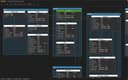
0Schemity is a native desktop ERD tool built for software engineers who need a fast, reliable way to design and document database schemas without the friction of cloud-based tools. Most ERD tools are either too primitive for real-world schema work or bloated with features you never use. Schemity sits in the middle: powerful enough for complex schemas, lightweight enough to install in seconds at just 9MB. It connects directly to PostgreSQL, MySQL, and SQL Server, reverse-engineering your existing database into a visual diagram instantly. From there, you have full control over the canvas. Relationship lines are freely routable, tables are freely positionable, and nothing is locked behind an auto-layout algorithm you cannot override. Key features include offline-first architecture, plain JSON schema storage, no account or internet connection required, N:N relationship support with automatic intermediate table generation, and one-time pricing with no subscription. Schemity is designed around how engineers actually think. You can organize your diagram to reflect domain boundaries, focus on specific areas of a large schema, and use keyboard-driven interactions to move fast. The schema file is plain JSON, so it lives in your repository alongside your code. It runs on Windows, macOS, and Linux, installs in under a minute, and does not require a cloud account or ongoing subscription. You pay once and own it. If you have spent time fighting with tools that are too limited, too slow, or require you to be online just to open a diagram, Schemity was built for you.
- 6
 0
0Voqra is an AI-powered interview support platform designed to help job seekers stay confident, articulate, and prepared during both practice sessions and real interviews. The platform focuses on eliminating those stressful moments when candidates struggle to find the right words under pressure. By combining resume analysis, job-specific context, and real-time AI assistance, Voqra helps users deliver stronger, more structured answers throughout the interview process. One of the platform's core features is its real-time interview assistance system. Users can upload their resume, job description, and preparation materials, allowing the AI to understand their background and target role. During an interview session, Voqra automatically detects questions and generates relevant answer suggestions in real time. This enables candidates to stay focused on the conversation while receiving guidance tailored to their experience and career goals. A key differentiator of Voqra is its discreet desktop overlay. The desktop application is designed specifically for live interview scenarios, providing a compact interface that remains easy to keep outside the camera frame. This allows users to receive assistance without disrupting the natural flow of the interview. The platform supports both web-based and desktop experiences, giving users flexibility depending on their preparation style and interview environment. Voqra also serves as a complete interview preparation tool. Users can practice answering questions, refine their communication skills, and develop stronger responses before participating in actual interviews. The platform includes practice modes that simulate interview situations, helping candidates become more comfortable with common questions and challenging scenarios. This preparation process helps reduce anxiety and improve overall interview performance. Another valuable feature is interview history and performance tracking. After sessions, users can review transcripts, questions, and responses to identify strengths and areas for improvement. Performance insights provide visibility into communication patterns and progress over time, allowing candidates to continuously refine their interview skills and preparation strategies. The platform offers multiple pricing options to accommodate different types of job seekers. New users can begin with a free trial that provides limited product usage without requiring a credit card. For occasional interview needs, users can purchase interview credits that can be used on a per-session basis. Those actively interviewing can choose unlimited subscription plans that provide unrestricted access to the platform's features. Options include monthly, yearly, and lifetime plans. Privacy and security are also emphasized throughout the platform. User data is encrypted where applicable, and candidates maintain control over their information. The system is built to support preparation and interview coaching rather than replacing genuine communication skills, encouraging users to improve their ability to answer questions effectively. Overall, Voqra is a comprehensive AI interview assistant that combines preparation tools, real-time support, performance analysis, and flexible pricing into a single platform. It is particularly valuable for candidates who want to improve their interview confidence, reduce stress during high-pressure conversations, and present their experience more effectively throughout the hiring process.
- 7
 0
0ScriptoMate is designed for productivity and performance. Automate your data transformations and other repetitive tasks. ScriptoMate © runs on desktops and servers running the MS-Windows © operating system, and is designed for productivity and performance. It has more than 300 predefined actions and more than 240 predefined functions. It supports all common file formats (CSV, fixed length, Excel, Xml, Json, and Html) and databases (Sqlite, Odbc, OleDb, and SqlServer). Use the Visual Designer to compose and run scenarios within minutes. ScriptoMate is intended for End Users and Citizen developers, so no programming skills are required.
- 8
 0
0Reports.Camera is a professional camera reports application built for the film and television industry. It gives camera departments a modern, streamlined way to manage every aspect of their daily reporting - from logging individual takes to tracking equipment and generating production-ready reports. In any film production, the camera department is responsible for keeping detailed records of everything that happens on set. Every take, every roll of film, every lens change - it all needs to be documented accurately and shared with the rest of the production team. Traditionally, this has been done on paper or with clunky spreadsheets that are easy to lose and hard to share. Reports.Camera replaces that workflow with a purpose-built tool designed around how camera crews actually work. At its core, the app is organised around projects, which represent individual productions. Within each project, camera assistants can create and manage rolls, log slates and takes with all the relevant metadata, and keep track of their equipment inventory including film stock, digital magazines, lenses, and filters. The app supports both film and digital workflows. One of the key features is the ability to generate detailed PDF camera reports. At the end of each shoot day, the camera team needs to produce a report summarising everything that was shot - what rolls were used, how many takes were printed, what stock was consumed, and so on. Reports.Camera handles this automatically, pulling together all the data entered throughout the day into a clean, professional document that can be shared with producers, the lab, or post-production. The app is available on both desktop and mobile. The web application provides a full-featured interface for desktop users, while a native iOS app gives camera assistants the ability to log data directly on set from their phone or tablet. Both platforms sync in real time, so data entered on one device appears instantly on another. The iOS app also includes offline support, allowing crews to keep working even when they are on location without reliable internet - a common reality on film sets. Changes made offline are synced automatically once a connection is restored. For camera departments that use cloud storage, the app integrates with popular services, making it easy to upload and share reports directly from the app without extra steps. The app follows a straightforward pricing model with a free tier for basic use and a premium subscription
- 9
 0
0SubcueAI is an AI-powered interview preparation platform designed to help job candidates improve their interview performance through real-time assistance, practice sessions, and personalized feedback. Available for both macOS and Windows, the software functions as a desktop-based interview assistant that listens to practice interviews, transcribes questions, generates AI-powered response suggestions, and provides detailed performance analysis after each session. The platform is built specifically for candidates preparing for technical interviews, behavioral interviews, case studies, consulting interviews, and other professional hiring processes. Instead of acting as a traditional interview coaching service, SubcueAI combines speech recognition, artificial intelligence, and real-time guidance to create an interactive preparation environment that helps users practice more effectively and identify areas for improvement. One of the platform’s core features is its real-time AI answer assistant. During a mock interview or practice session, SubcueAI captures audio from both the user's microphone and the video conferencing platform being used. Through advanced speech-to-text technology, it transcribes interview questions as they are spoken and immediately generates context-aware talking points and suggested answers. These suggestions appear in a floating overlay on the user's screen, allowing them to review key ideas and structure their responses more confidently. SubcueAI supports popular communication platforms including Zoom, Google Meet, Microsoft Teams, WebEx, and other video conferencing applications. Its dual audio capture system enables it to process both incoming audio from the interviewer and outgoing audio from the candidate simultaneously. This functionality makes it particularly useful for conducting realistic mock interviews with mentors, colleagues, recruiters, or interview partners. Beyond real-time assistance, the platform provides comprehensive interview performance analytics. After each session, users receive detailed reports generated by AI that evaluate their overall performance. These reports may include scoring, communication strengths, areas needing improvement, answer quality assessments, confidence indicators, and actionable recommendations for future interviews. By tracking performance over multiple practice sessions, candidates can monitor progress and refine their interview skills over time. Privacy is a major focus of the platform’s design. SubcueAI emphasizes a local-first architecture where audio processing occurs directly on the user's device. The platform does not rely on meeting bots, browser extensions, or external recording services. Interview transcripts are not permanently stored on company servers, and uploaded resumes are encrypted to help protect sensitive personal information. This approach aims to provide a more secure and trustworthy experience for users concerned about data privacy. The software is designed to run quietly in the background with minimal impact on system performance. Users can quickly show or hide the AI overlay using keyboard shortcuts, allowing them to focus on practice sessions without unnecessary distractions. This lightweight design makes it suitable for extended preparation sessions and repeated use throughout the interview process. SubcueAI offers multiple subscription plans based on a credit system. The free Starter plan provides access to basic mock interview functionality, while paid plans unlock more advanced AI models, resume-based context generation, interview history tracking, detailed analytics, and enhanced performance insights. Additional credits can also be purchased separately and remain valid indefinitely. Importantly, the company positions SubcueAI as a tool for interview preparation and skill development rather than misrepresentation during actual hiring processes. The platform includes clear notices reminding users that AI-generated suggestions may contain inaccuracies and should always be reviewed critically. Users are also responsible for complying with employer policies, interview guidelines, and applicable laws regarding audio recording and consent. Overall, SubcueAI combines artificial intelligence, speech recognition, real-time coaching, and performance analytics into a comprehensive interview preparation platform. Its goal is to help candidates practice more effectively, build confidence, improve communication skills, and increase their chances of success in competitive job interviews through continuous feedback and AI-assisted learning.
- 10
 0
0Automate your trades from TradingView alerts directly into MetaTrader 5 — no VPS, no coding, no middleman. What it does TradingView Copier Pro is a Windows desktop app that bridges your TradingView strategy alerts to one or more MetaTrader 5 accounts in real time. When your alert fires, the trade executes automatically on your MT5 account — with your chosen risk settings, symbol mappings, and risk management rules applied. No cloud subscriptions. No monthly server bills. Runs entirely on your own machine. Key Features Instant webhook execution — TradingView alert fires → trade placed on MT5 within seconds Multi-account support — Run multiple MT5 slave accounts from a single TradingView master signal Flexible risk per account — Choose Risk % of balance, fixed dollar amount, or fixed lot size per slave account Global risk controls — Set a Daily Drawdown Limit and Max Daily Trades across all accounts Symbol mapping — Map TradingView symbols to their exact MT5 broker equivalents (e.g. EURUSD → EURUSDm) Auto Cloudflare tunnel — Generates a secure public webhook URL automatically — no port forwarding or VPS needed Live account monitoring — Real-time balance, last ping timestamp, and trade history dashboard One-click EA installer — Detects your MT5 installations and deploys the included Expert Advisor automatically Full trade log — Every signal, execution, and error is recorded with timestamps What's included TradingView Copier Pro desktop app (Windows installer .exe) TV_Copier Expert Advisor for MetaTrader 5 (.mq5 source included) Setup guide built into the app Webhook examples for TradingView Pine Script alerts Requirements Windows 10 / 11 MetaTrader 5 (any broker) TradingView account (Free or paid) Internet connection Perfect for Algorithmic traders, strategy developers, and prop firm traders who want to automate TradingView strategies on MT5 without paying for expensive third-party copy trading platforms.
Frequently asked questions
Grammarsen is a desktop application that automatically corrects your selected text using ChatGPT technology. It allows users to stay focused by eliminating the need for copy-pasting and switching tabs. With a simple hotkey, users can replace their selected text with the corrected version, making it an efficient tool for students, writers, marketers, English learners, and anyone who types frequently.
Grammarsen offers several advantages, including its ability to work in any application, making it versatile for various tasks. It is fast, low-cost, and lightweight, ensuring that it doesn't slow down your system. Additionally, it provides convenient one-click grammar corrections, saving users time and effort.
While Grammarsen is a powerful tool, it does have some drawbacks. Users have noted that it needs a better user interface for a more intuitive experience. Additionally, some users feel that it could benefit from more features to enhance its functionality.
Grammarsen is particularly beneficial for students, writers, marketers, English learners, and anyone who frequently types and needs assistance with grammar corrections. Its ease of use and efficiency make it a valuable tool for enhancing productivity.