This list encompasses design automation tools that streamline the creative process and enhance productivity for designers. These tools are essential for automating repetitive tasks, allowing for more efficient workflows and improved collaboration in design projects.
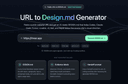
URL to Design.md: Generate AI-ready DESIGN.md briefs from public webpages
URL to Design.md helps AI-assisted frontend builders turn a public website URL into a structured Markdown design context package. Instead of asking Codex, Claude Code, Cursor, Lovable, v0, Bolt, or Replit to follow a vague screenshot prompt, paste a public page and get a DESIGN.md that describes visual direction, layout hierarchy, colors, typography, spacing, components, interaction notes, evidence labels, and agent handoff prompts.
One URL, Agent-Ready Design Context
1. Public URL to DESIGN.md — Extract visible structure, CTA hierarchy, visual signals, and page patterns into a reusable Markdown brief.
2. Design Tokens and Components — Summarize colors, type scale, spacing, radius, shadows, buttons, cards, forms, navigation, hero blocks, and footer patterns.
3. Evidence Labels — Mark conclusions as detected, inferred, or needs review so builders know what came from page evidence and what requires judgment.
4. Agent Handoff Prompts — Copy prompts for Codex, Claude Code, Cursor, Lovable, v0, and generic AI coding workflows.
5. Responsible Boundaries — Works with public webpages only and focuses on design context, not private pages, proprietary asset copying, editable Figma layers, or pixel-perfect cloning.
Supaslides is an AI-powered content creation platform designed to help creators, marketers, and businesses generate high-performing social media carousels in seconds. The tool focuses on turning simple inputs—such as a URL, a short idea, or a text prompt—into fully designed, branded carousel posts that are ready to publish across multiple platforms. Its main goal is to remove the complexity of design and copywriting by automating the entire creation process while still allowing users to maintain control over the final output.
At its core, Supaslides works as an AI content and design engine that reads brand information from a website link and transforms it into a consistent visual identity. Once a user provides a URL, the system extracts brand elements such as colors, fonts, tone of voice, and overall style. It then uses this data to generate a cohesive carousel that matches the brand’s identity. This allows users to produce content that feels custom-made without needing design experience or manual setup.
One of the key features of Supaslides is its ability to generate complete carousels in around 60 seconds. The platform automatically writes the copy for each slide, structures the content, selects relevant visuals, and applies design styles. Users can then refine the result using an intuitive visual editor that allows them to rewrite text, reorder slides, and adjust layouts in real time. This combination of automation and manual control makes the tool flexible for both beginners and experienced content creators.
Supaslides also offers a wide variety of design styles, including more than 40 premium visual templates. These styles range from minimal and professional layouts to bold and expressive designs, enabling users to adapt their content to different audiences and platforms. The platform supports both static and animated formats, meaning carousels can be exported as images, videos, or PDFs depending on where they will be published.
Another important aspect of Supaslides is its multi-platform export system. The tool automatically formats content for major social networks such as Instagram, TikTok, LinkedIn, Facebook, X (Twitter), Pinterest, and YouTube. Each platform has its own optimal format, and Supaslides ensures that every carousel is resized and optimized correctly without requiring manual adjustments from the user. This is especially valuable for creators who distribute content across multiple channels and need consistency in presentation.
The platform also includes AI-assisted ideation tools that help users overcome creative blocks. It can generate carousel ideas based on a topic, expand rough notes into structured posts, or transform existing articles into engaging social content. This feature allows users to maintain a steady flow of content without needing to constantly brainstorm new ideas from scratch.
From a technical perspective, Supaslides integrates smart image handling and brand automation. It can detect context from content and automatically select or place relevant images into slides. Users can also upload their own media library, and the system intelligently applies visuals where they best fit. This reduces manual design work and ensures each slide maintains visual coherence.
The platform is designed for different types of users, including solo creators, marketing teams, and agencies. Pricing tiers reflect this range of use cases, offering a free plan for casual users and paid plans for more advanced needs. Higher-tier plans unlock additional brands, more monthly carousel generations, watermark-free exports, and priority rendering.
Overall, Supaslides positions itself as an all-in-one AI content studio for social media carousels. By combining brand extraction, AI writing, automated design, and multi-platform exporting, it enables users to produce professional-quality content at high speed. The platform is especially valuable for individuals and teams looking to scale their content output without increasing design workload or relying on complex creative tools.
0
Good to know
Frequently asked questions
One of the top design automation tools is URL to Design.md. This tool allows users to generate AI-ready DESIGN.md briefs from public webpages, making it easier for frontend builders to create structured design contexts. By simply pasting a public URL, users can extract essential design elements such as visual direction, layout hierarchy, colors, typography, and more. This streamlines the design process and enhances collaboration among team members.
URL to Design.md enhances the design process by converting public webpage URLs into comprehensive Markdown design briefs. It summarizes key design tokens and components, such as colors, typography, and layout patterns, which can be reused in various projects. Additionally, it includes evidence labels to indicate the source of design conclusions, helping designers understand what is derived from the webpage and what requires further judgment.
URL to Design.md offers several features that make it a valuable tool for designers. These include the ability to extract visible structure and design elements from public URLs, summarize design tokens and components, provide evidence labels for design conclusions, and generate agent handoff prompts for various AI coding workflows. This functionality allows for a more efficient and organized design process.
No, URL to Design.md is designed to work exclusively with public webpages. It focuses on extracting design context from publicly accessible content and does not support private pages or proprietary asset copying. This ensures that the tool adheres to responsible boundaries while providing valuable design insights.